Updated 2026-06-21
PostHog Workflows
Knock

PostHog Workflows vs Knock

Product-event actions versus a dedicated notification system

11
Features Compared
3
Key Differences
2
User Reviews
5
FAQs Answered
TL;DR

PostHog Workflows is best when a PostHog event should immediately trigger an email, webhook, alert, property update, or destination sync. Knock is best when notifications are a product surface with preferences, in-app inboxes, provider routing, templates, and multi-channel delivery logic. Sequenzy is better when the job is SaaS lifecycle and transactional email rather than full notification infrastructure.

Platform Overview

See how each platform looks

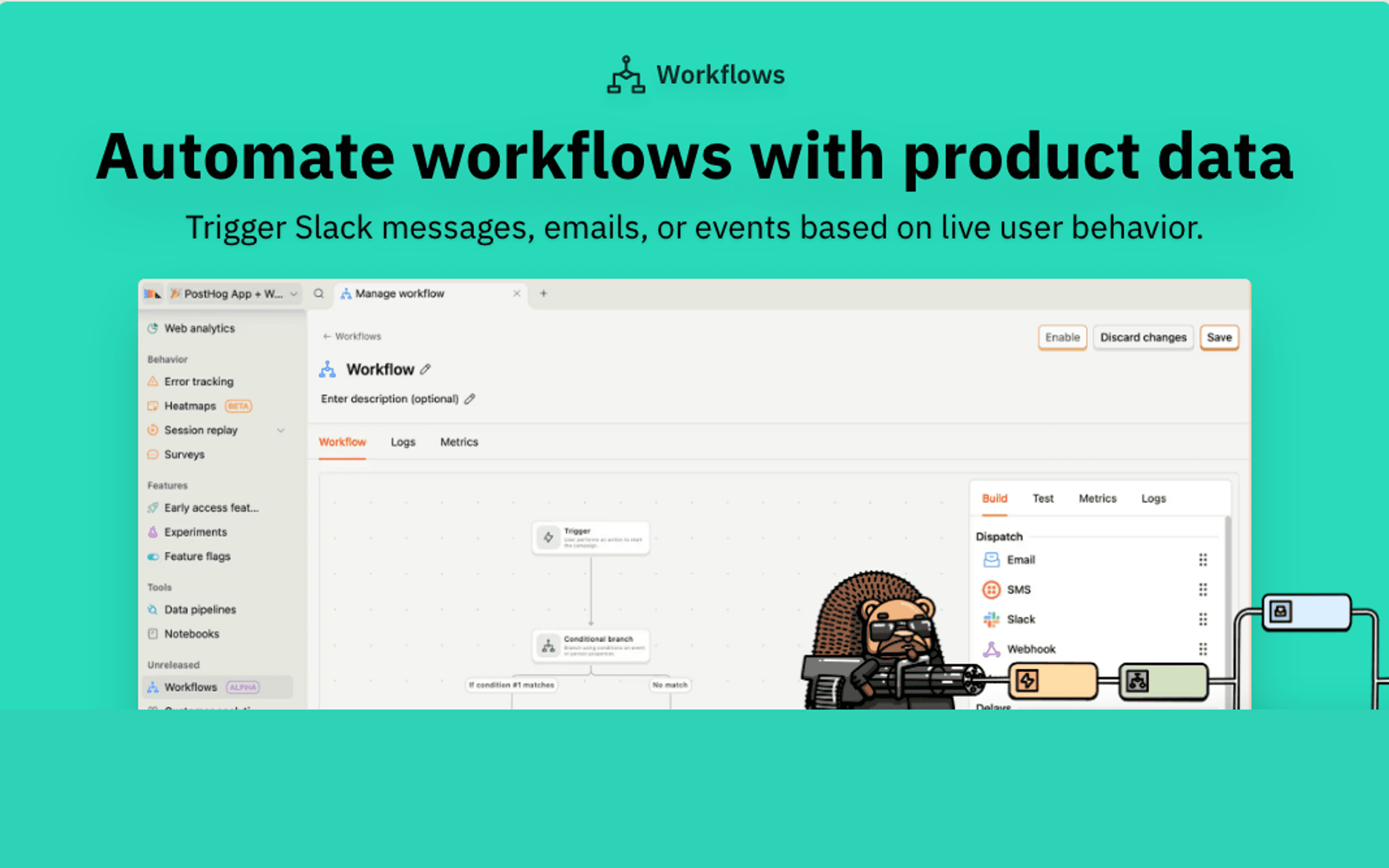
PostHog Workflows

PostHog Workflows dashboard screenshot

PostHog's no-code workflow builder for automating actions and messages from live product data.

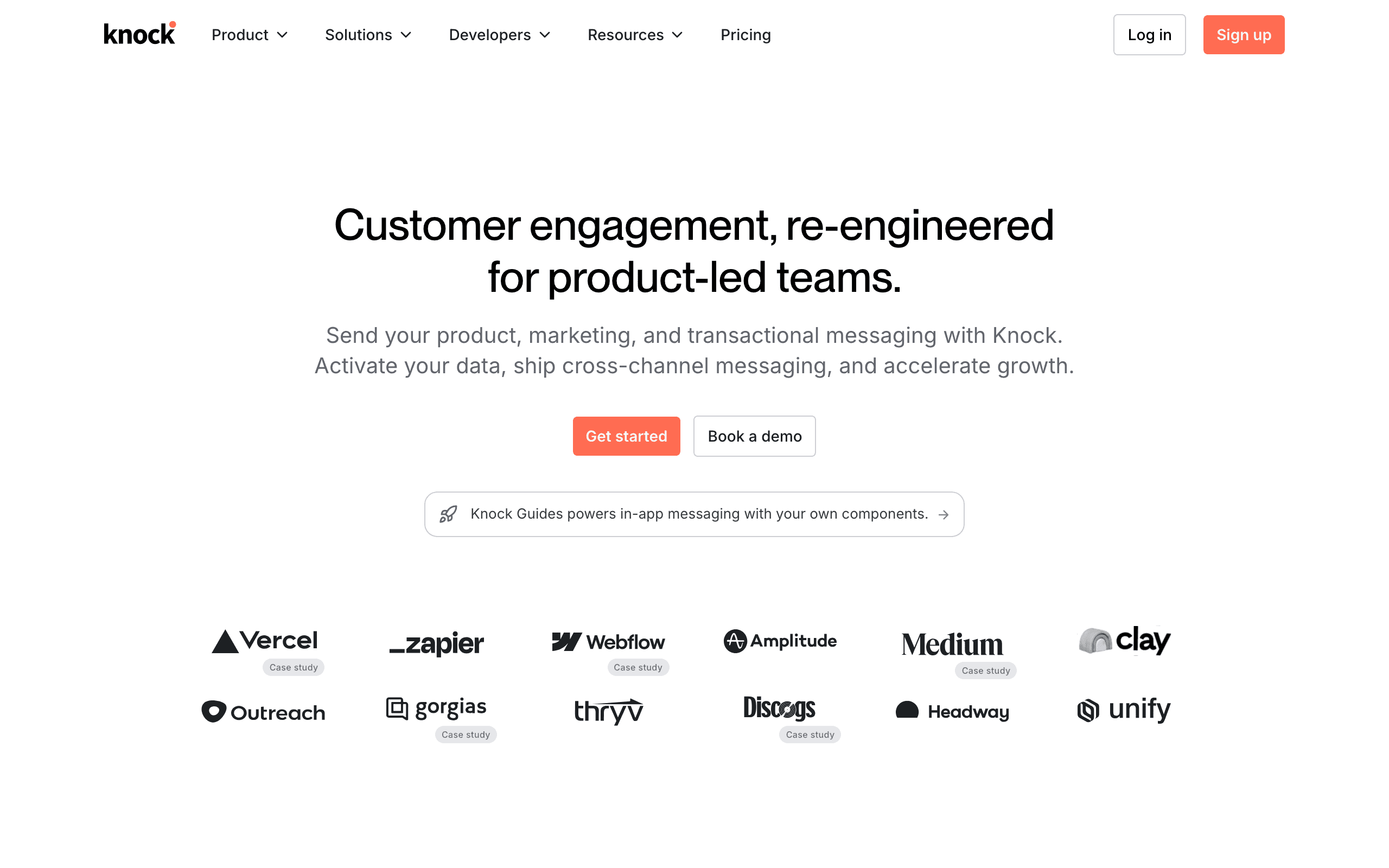
Knock

Knock dashboard screenshot

Developer-first notification infrastructure for in-app, email, SMS, and push notifications.

Key Differences

The main things that set these tools apart

Knock treats notifications as product infrastructure
Knock wins

Knock is useful when notifications need templates, preferences, channel routing, feeds, and provider abstraction. That is deeper than sending a one-off workflow message.

PostHog Workflows treats notifications as actions from analytics
PostHog Workflows wins

If the important part is the PostHog signal, not the notification architecture, keeping the workflow in PostHog reduces moving parts.

Sequenzy treats email as the operating layer
Tie

Many SaaS teams do not need notification infrastructure. They need email workflows for onboarding, billing, transactional notices, and retention.

Pricing Comparison

Product workflow versus notification infrastructure

PostHog Workflows
Usage-based/month

PostHog Workflows pricing depends on workflow messages and real-time destinations after the free allowance.

Visit PostHog Workflows
Knock
Usage-based/month

Knock pricing depends on notifications, channels, features, and plan. Check current limits for your volume.

Visit Knock
Best for SaaS
Sequenzy
$49/month

SaaS lifecycle and transactional email with Stripe-aware workflows.

Start Free Trial

Feature Comparison

11 features compared side-by-side

Feature
PostHog Workflows
Knock
Sequenzy
Notification Ownership
Product analytics triggers
Native
Receives events from app or pipeline
Event-based
Notification templates
Basic workflow message setup
Strong
Strong for email
User preferences
Not core
Strong
Email subscription preferences
In-app notification feed
Strong
Delivery Logic
Webhooks and destinations
Strong
Strong
Supported
Provider routing
Limited
Strong
Email provider focused
Multi-channel notification rules
Moderate
Strong
Email focused
SaaS lifecycle email
Moderate
Not the main use case
Strong
Team Fit
Product analytics team
Strong
Moderate
Moderate
Engineering platform team
Moderate
Strong
Moderate
SaaS email owner
Moderate
Weak
Strong

Pros & Cons

Honest strengths and weaknesses of each platform

PostHog Workflows

Pros
  • Native PostHog event and cohort context
  • Fast for analytics-driven actions
  • Strong webhooks and destinations
  • Lower overhead for simple notification use cases
Cons
  • Not a notification infrastructure platform
  • No dedicated in-app inbox or preferences layer
  • Limited provider routing and fallback logic
  • Email ownership is basic

Knock

Pros
  • Dedicated notification API and workflow model
  • Strong preferences and in-app feeds
  • Multi-channel routing and provider abstraction
  • Good fit for engineering-led notification systems
Cons
  • Product analytics still needs a source
  • More architecture than simple workflow messages require
  • Not a marketing email platform
  • Pricing depends on notification volume and plan needs

What Users Say

Real reviews from PostHog Workflows and Knock users

PostHog Workflows Reviews

Public docs and product-led workflow patterns

PostHog Workflows is useful when the product signal is already in PostHog and the notification is a direct action from that signal.

Product engineer2026-06-21

Knock Reviews

Public review and vendor positioning themes

Knock is most compelling when notifications need a real system around preferences, routing, templates, and in-app delivery.

Platform engineer2026-06-21

Best For

When to choose each tool

Choose PostHog Workflows if you...
  • A PostHog cohort should trigger a Slack alert, webhook, or simple email
  • Product usage signals should update downstream systems
  • The team wants fewer tools around analytics-driven actions
  • Notifications are occasional outcomes, not a product subsystem
Choose Knock if you...
  • Notifications are a core product feature
  • Users need preferences, channel controls, and in-app inboxes
  • Engineering wants a notification API rather than scattered notification code
  • Teams need routing, batching, templates, and provider abstraction
Choose Sequenzy if you...
  • SaaS email workflows are the main requirement
  • Transactional and lifecycle email should share one operating layer
  • Billing and subscription events shape the messages
  • PostHog remains analytics while email lives in Sequenzy
Start Free Trial

When Sequenzy Is the Better Alternative

You need email workflows, not a notification platform

Knock is powerful when notifications are infrastructure. If the main work is writing, testing, and sending SaaS email, Sequenzy is closer to the job.

Lifecycle state matters more than channel routing

Trial stage, subscription status, failed payments, upgrades, and cancellations often matter more to SaaS email than provider routing or in-app feeds.

You want PostHog plus an email layer

Keep behavioral analysis in PostHog and use Sequenzy for the customer-facing email program.

Knock is not just "more notifications"

Knock belongs in the architecture conversation. It gives teams a system for notification types, user preferences, templates, channels, provider routing, and in-app feeds. That matters when notifications are part of the product experience.

PostHog Workflows belongs closer to analytics. It starts from behavior and triggers an action.

Both can send something. Only one is designed to be the notification layer.

When PostHog Workflows is enough

PostHog Workflows is enough when the notification is a side effect of analytics. A high-intent account should trigger a Slack alert. A user who misses activation should receive a simple email. A cohort should sync to another destination. A webhook should fire when a product signal appears.

The value is in acting from the signal, not building notification infrastructure.

When Knock is the better choice

Knock is better when notifications need product-grade rules. Users may need to choose channels. Some messages should batch. Some should fall back to another provider. Some should appear in an in-app inbox. Engineering needs one API instead of scattered notification code.

At that point, PostHog Workflows can still be a trigger source, but Knock should own the notification system.

Where Sequenzy fits

Sequenzy is simpler by design. It is not trying to be a general notification API. It is for SaaS email workflows: lifecycle campaigns, transactional messages, billing notices, onboarding, activation, and reactivation.

Practical rule

Use PostHog Workflows when the notification is an action from product analytics.

Use Knock when notifications are part of the product platform.

Use Sequenzy when customer email is the thing that needs a home.

Frequently Asked Questions

5 questions answered about PostHog Workflows vs Knock

Testimonials

Sequenzy Testimonials

Not sure which to pick?

If you're a SaaS founder who needs Stripe integration and unified email, try Sequenzy free. No credit card required.

Related Comparisons

Sequenzy pricing reference

Sequenzy - Complete Pricing Guide

Pricing Model

Sequenzy uses email-volume-based pricing. You only pay for emails you send. Unlimited contacts on all plans — storing subscribers is always free.

All Pricing Tiers

  • 2.5k emails/month: Free (Free annually)
  • 15k emails/month: $19/month ($205/year annually)
  • 60k emails/month: $29/month ($313/year annually)
  • 120k emails/month: $49/month ($529/year annually)
  • 210k emails/month: $99/month ($1069/year annually)
  • 300k emails/month: $149/month ($1609/year annually)
  • 600k emails/month: $299/month ($3229/year annually)
  • 900k emails/month: $399/month ($4309/year annually)
  • 1.2M emails/month: $499/month ($5389/year annually)
  • Unlimited emails/month: Custom pricing (Custom annually)

Yearly billing: All plans offer a 10% discount when billed annually.

Free Plan Features (2,500 emails/month)

  • Visual automation builder
  • Transactional email API
  • Reply tracking & team inbox
  • Landing pages
  • Unlimited team members
  • Goal tracking & revenue attribution
  • Unlimited lists and segments
  • Payment integrations
  • API, MCP, and CLI access
  • Unlimited sending domains
  • SPF, DKIM, and DMARC
  • Deliverability monitoring
  • Send time optimization
  • A/B testing

Paid Plan Features (15k - 1.2M emails/month)

  • Visual automation builder
  • Transactional email API
  • Reply tracking & team inbox
  • Landing pages (Create hosted signup pages and attach a custom domain.)
  • Unlimited team members
  • Goal tracking & revenue attribution
  • Unlimited lists and segments
  • Payment integrations (Stripe, Paddle, Lemon Squeezy)
  • API, MCP, and CLI access
  • Unlimited sending domains
  • SPF, DKIM, and DMARC
  • Deliverability monitoring
  • Send time optimization
  • A/B testing

Enterprise Plan Features (Unlimited emails)

  • Visual automation builder
  • Transactional email API
  • Reply tracking & team inbox
  • Landing pages
  • Unlimited team members
  • Goal tracking & revenue attribution
  • Unlimited lists and segments
  • Payment integrations
  • API, MCP, and CLI access
  • Unlimited sending domains
  • SPF, DKIM, and DMARC
  • Deliverability monitoring
  • Send time optimization
  • A/B testing

Important Pricing Notes

  • You only pay for emails you send — unlimited contacts on all plans
  • No hidden fees - all features included in the price
  • No credit card required for free tier

Contact

  • Pricing Page: https://sequenzy.com/pricing
  • Sales: hello@sequenzy.com



