Updated 2026-01-17
Encharge
Plunk

Encharge vs Plunk

Managed SaaS automation vs open-source simplicity

20
Features Compared
5
Key Differences
4
User Reviews
10
FAQs Answered
TL;DR

Encharge is a managed SaaS marketing automation platform starting at $99/month with behavioral triggers and deep integrations. Plunk is an open-source email platform at $0.001/email or free if self-hosted. Very different tools for different stages and requirements.

Platform Overview

See how each platform looks

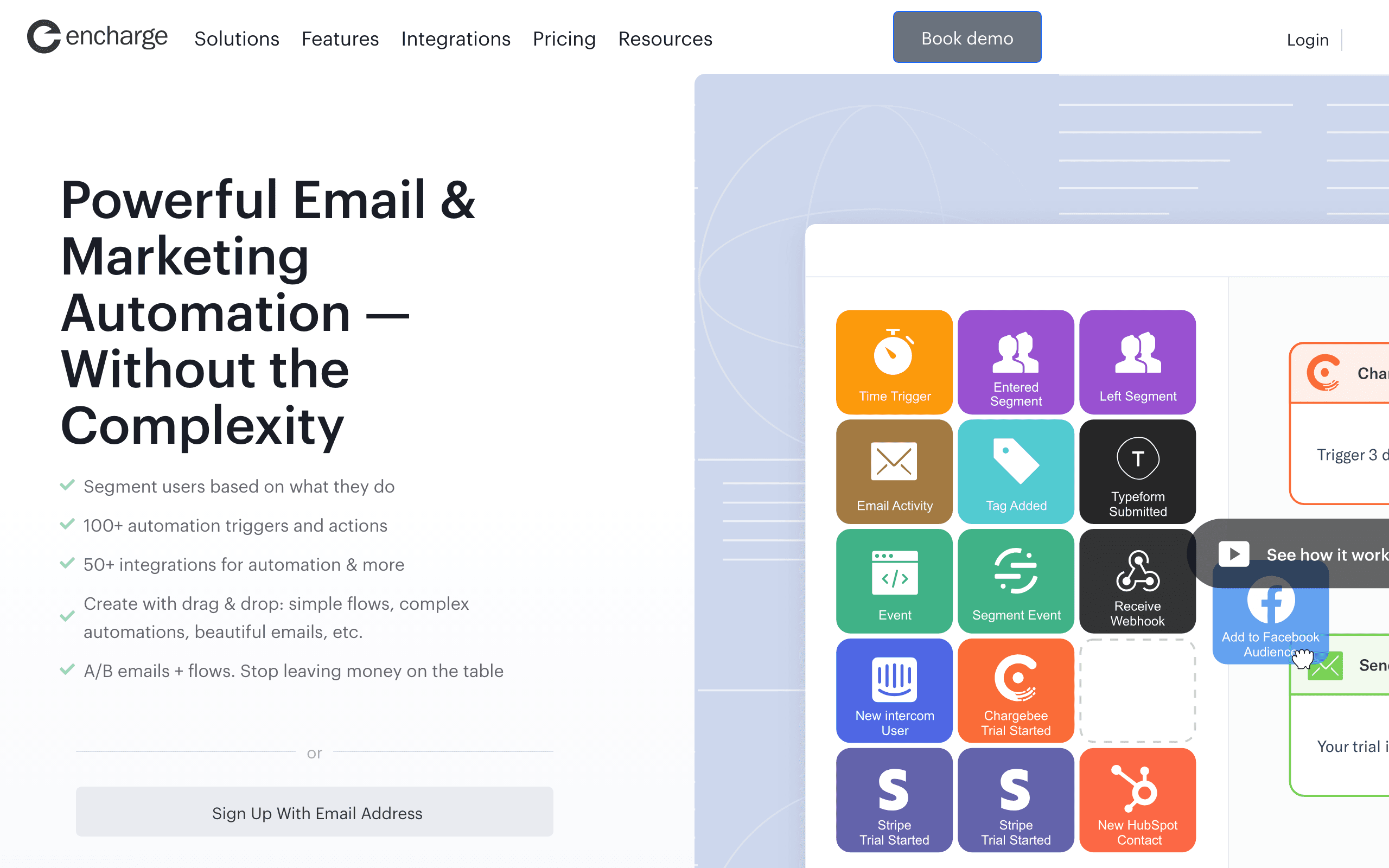
Encharge

Encharge dashboard screenshot

Marketing automation platform for startups and digital businesses with visual flow builder.

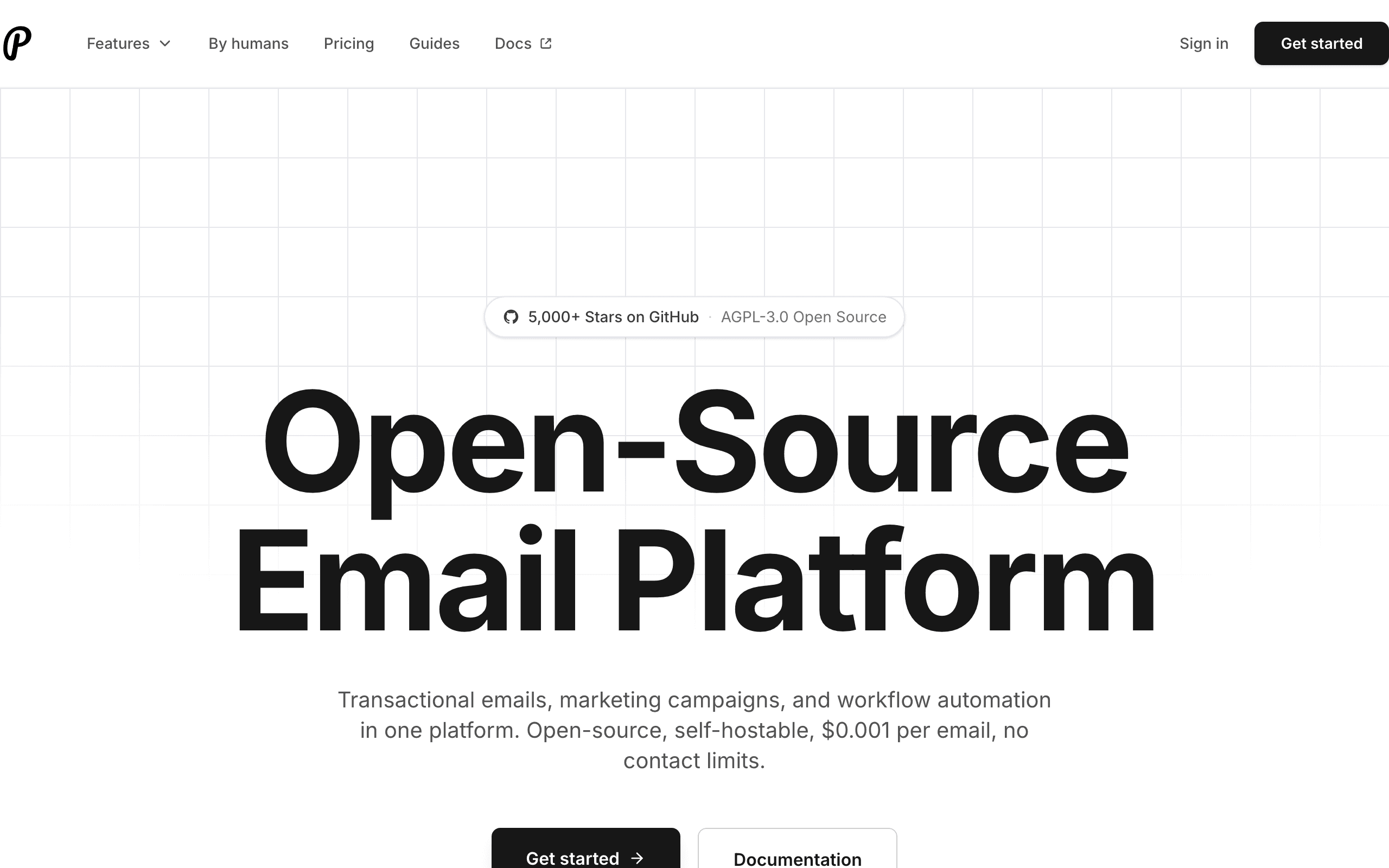
Plunk

Plunk dashboard screenshot

Open-source email platform for transactional, marketing, and automated emails with simple pricing.

Key Differences

The main things that set these tools apart

Feature Depth
Encharge wins

Encharge has sophisticated behavioral automation, advanced segmentation, and 45+ native integrations. Plunk has basic workflows and email sending. Not comparable on features.

Pricing
Plunk wins

Plunk is dramatically cheaper. $0.001/email vs Encharge starting at $99/month. Self-hosted Plunk only costs AWS SES fees (~$0.10/1000 emails). At 10k contacts, Encharge is $179/month vs Plunk at ~$10.

Open Source & Control
Plunk wins

Plunk is fully open-source and self-hostable. Run it on your infrastructure, keep data under your control. Encharge is proprietary SaaS - no self-hosting option.

Managed Service
Encharge wins

Encharge is fully managed with support, updates, and infrastructure handled for you. Self-hosted Plunk requires DevOps maintenance. Depends on your team's preferences.

SaaS Integrations
Encharge wins

Encharge connects natively to Stripe, Chargebee, Intercom, and dozens more. Plunk has minimal native integrations - you build what you need via API.

Pricing Comparison

At 10,000 contacts/emails

Encharge
$179/month

Growth plan. Behavioral triggers, flows, SaaS integrations.

Visit Encharge
Plunk
$10/month

$0.001 per email. Or self-host for free (+ AWS SES costs ~$1).

Visit Plunk
Best for SaaS
Sequenzy
$49/month

10k contacts, unlimited sends, Stripe integration included.

Start Free Trial

Feature Comparison

20 features compared side-by-side

Feature
Encharge
Plunk
Sequenzy
Automation & Workflows
Behavioral Triggers
Advanced, event-based
Basic workflows
Events + Stripe
Visual Flow Builder
Advanced
Simple
Good
Conditional Logic
Advanced branching
Basic delays, triggers
Good
User Onboarding
Built for this
Manual setup
Supported
A/B Testing
Email Capabilities
Marketing Campaigns
Transactional Email
Premium tier only
Template Builder
Good
Basic
Good
Segmentation
Advanced
Basic
Good
Analytics
Detailed
Basic (opens, clicks)
Good
Platform & Hosting
Open Source
Self-Hostable
Managed Service
Yes (only option)
Optional cloud-hosted
Yes (only option)
EU Data Hosting
Available
Yes (self-host anywhere)
DevOps Required
None
If self-hosted
None
SaaS Integrations
Stripe
Native integration
Via API
Native OAuth, deep
Chargebee
Native
Intercom
Native
Segment
Supported
Zapier
Supported

Pros & Cons

Honest strengths and weaknesses of each platform

Encharge

Pros
  • Advanced behavioral triggers and event-based automation
  • 45+ native integrations including Stripe and Chargebee
  • Fully managed service with no DevOps burden
  • Sophisticated segmentation and user scoring
  • Visual flow builder for complex lifecycle campaigns
  • Deliverability managed and monitored for you
Cons
  • Expensive at $179/month for 10k contacts
  • No self-hosting or open-source option
  • Transactional email only on Premium tier
  • Vendor lock-in with proprietary platform
  • No free plan beyond 14-day trial
  • Overkill for simple email needs

Plunk

Pros
  • Dramatically cheaper at $0.001 per email
  • Fully open-source with self-hosting option
  • Complete data control when self-hosted
  • Built on reliable AWS SES infrastructure
  • Transactional email included by default
  • No vendor lock-in with open-source code
Cons
  • Very basic automation and workflows
  • Minimal native integrations available
  • Self-hosting requires DevOps expertise
  • No user scoring or advanced segmentation
  • Basic analytics limited to opens and clicks
  • Small community compared to established platforms

What Users Say

Real reviews from Encharge and Plunk users

Encharge Reviews

G2

We switched from a DIY setup to Encharge and the behavioral automation transformed our onboarding conversion. The Segment integration pipes our product events directly into email triggers. Worth every penny of the $179.

James R.2025-10-20
Capterra

Powerful but we only use maybe 30% of the features. For our early-stage SaaS, Encharge feels like paying for a Ferrari when we need a bicycle. The automation is great though.

Marta K.2025-11-12

Plunk Reviews

GitHub

Self-hosted Plunk on our infrastructure for basically free. Perfect for our bootstrapped startup sending onboarding emails and receipts. We'll upgrade to something bigger when we need it.

Tom H.2025-09-28
Product Hunt

Plunk is great for basic email but the automation is really limited. We outgrew it within 6 months when we needed behavioral triggers and proper segmentation. Good starting point though.

Sarah C.2025-12-05

Best For

When to choose each tool

Choose Encharge if you...
  • SaaS companies needing sophisticated behavioral automation
  • Teams wanting managed service with native integrations
  • Companies building complex onboarding and lifecycle flows
  • Businesses preferring no-DevOps email automation
Choose Plunk if you...
  • Startups and bootstrappers watching budget
  • Teams wanting open-source control
  • Self-hosting for data privacy or compliance
  • Simple email needs without behavioral complexity

When to Consider Sequenzy Instead

Middle Ground

More automation than Plunk (proper behavioral triggers, segmentation) without Encharge's enterprise pricing. Right-sized for most SaaS.

Native Stripe Integration

Trigger emails from Stripe payments, subscriptions, and billing events with OAuth connection. Better than Encharge's Stripe integration and beyond Plunk's capabilities.

Managed Without Premium Pricing

Fully managed like Encharge but at $49/month vs $179/month. No self-hosting hassle like Plunk, no enterprise pricing like Encharge.

Overview

Encharge and Plunk represent opposite approaches to email. Encharge is a managed SaaS marketing automation platform with advanced behavioral triggers and native integrations. Plunk is an open-source email platform built on AWS SES for simple, affordable email. See our Plunk comparison for more context.

The Feature Gap

Encharge offers sophisticated behavioral automation - onboarding flows triggered by user events, advanced segmentation, 45+ native integrations. Plunk offers basic workflows with email sending. This isn't a close competition on features. Encharge is built for complex SaaS lifecycle marketing.

The Price Gap

But Plunk is dramatically cheaper. Encharge starts at $99/month and scales to $179+/month at 10k contacts. Plunk is $0.001/email, or free if self-hosted (just AWS SES costs ~$0.10/1000 emails). For startups, this 10-20x price difference matters.

Open Source vs Managed

Plunk is fully open-source. Self-host on your infrastructure, keep data under your control, customize as needed. Encharge is proprietary SaaS - managed for you, but no self-hosting option. Choose based on whether you value control or convenience.

DevOps Reality

Self-hosted Plunk requires maintaining infrastructure, managing AWS SES reputation, handling updates. Encharge is fully managed - deliverability, infrastructure, support all handled for you. If your team lacks DevOps capacity, Encharge's managed approach has value.

SaaS Integrations

Encharge connects natively to Stripe, Chargebee, Intercom, and 45+ tools. Trigger campaigns when subscriptions change or users interact with support. Plunk has minimal native integrations - you build what you need via API.

Different Stages

Plunk makes sense for early-stage startups with limited budget and simple needs, especially if you have DevOps capability. Encharge makes sense when you've validated product-market fit and need sophisticated behavioral automation. Most companies start simple and graduate to more complex tools.

The Middle Ground

Sequenzy offers more features than Plunk (proper behavioral triggers, segmentation) without Encharge's enterprise pricing. With native Stripe OAuth, it's managed like Encharge at a fraction of the cost.

Making the Choice

Choose Encharge for advanced SaaS behavioral automation with native integrations and managed service. Choose Plunk for affordable, open-source email with self-hosting control. For SaaS-focused automation with Stripe integration at reasonable pricing, consider Sequenzy.

Review signals

The Encharge reviews on this page describe the upside of buying a managed automation product: product events through Segment and stronger onboarding conversion. The caution is feature overkill when an early-stage team only uses a small part of the platform.

The Plunk reviews are consistent with an open-source starting point. Users praise self-hosting and near-zero infrastructure cost for onboarding emails and receipts, but also flag limited automation and segmentation once the lifecycle program grows.

The Build vs Buy Decision

The Encharge vs Plunk choice often comes down to the classic build vs buy trade-off. Self-hosted Plunk gives you maximum control and minimal cost, but you are responsible for infrastructure, deliverability management, and building any advanced features you need. Encharge gives you a complete solution out of the box, but you pay a significant premium and give up control over your email infrastructure.

For technical founders comfortable with DevOps, Plunk's self-hosted option is genuinely compelling at the early stage. You get reliable email delivery through AWS SES, basic automation, and the freedom to customize the codebase. The total cost can be under $10/month for a startup sending thousands of emails. The hidden cost is your engineering time maintaining it.

Growth Stage Transitions

Most SaaS companies follow a predictable email tool journey: start with something simple and cheap, then graduate to more sophisticated tools as needs grow. Plunk fits the first stage perfectly - affordable, functional, no commitment. Encharge fits the second stage - when you need behavioral triggers based on product events, sophisticated segmentation, and integrations with your growing tool stack.

The transition point typically comes when you need to automate based on user behavior inside your product. When "send email 3 days after signup" needs to become "send email when user has logged in 3 times but hasn't used feature X," that is when basic tools show their limitations and platforms like Encharge or Sequenzy earn their subscription cost.

Deliverability Ownership

With Encharge, deliverability is managed for you - sender reputation, IP warming, bounce handling, and compliance are all handled by the platform. With self-hosted Plunk, you own the entire deliverability stack. You manage your AWS SES reputation, handle bounces, monitor blacklists, and ensure compliance yourself. This is manageable for low-volume senders but becomes a meaningful operational burden as you scale. The choice between managed and self-hosted deliverability is often more important than feature comparisons.

Use-case matchups

Use case Better fit Why
Advanced SaaS lifecycle automation Encharge Behavioral triggers, segmentation, and native SaaS integrations are the main reason to pay for it.
Bootstrapped transactional and simple product email Plunk Open-source control and low sending costs fit early technical teams.
Self-hosting for data control Plunk Plunk can run on your own infrastructure; Encharge cannot.
No-DevOps managed automation Encharge Infrastructure, deliverability, and support are handled by the vendor.
Stripe-aware managed email at a middle price Sequenzy Sequenzy fits teams that want managed SaaS email without Encharge-level pricing or self-hosting work.

Best Fit by Build vs Buy Stage

Best SaaS marketing automation tool after product-market fit

Choose Encharge when the company has enough lifecycle volume to justify managed automation, behavioral segmentation, user scoring, and native integrations. It fits teams that have moved beyond simple onboarding emails and need a vendor-owned platform instead of maintaining email infrastructure themselves.

Best open-source email platform for technical bootstrapped startups

Choose Plunk when the team is comfortable owning AWS SES, hosting, updates, monitoring, and deliverability operations. It is the better fit for technical founders who need low-cost product and transactional email before they need sophisticated segmentation or marketer-owned workflow tooling.

Best managed middle-ground email tool for Stripe-driven SaaS

Choose Sequenzy when self-hosting is too much operational work but Encharge is more platform than the team needs. Stripe-triggered onboarding, payment recovery, renewal, and lifecycle emails can justify a managed product without paying for advanced scoring or running an open-source stack.

Pricing reality

Plunk's low cost is real, but it is not the full cost if your team self-hosts. Include engineering time, AWS SES setup, monitoring, compliance, deliverability maintenance, backups, and incident response.

Encharge's cost is easier to justify when the platform replaces custom lifecycle logic and multiple integrations. If the team only needs simple product email, the extra automation depth may be unused.

Migration checklist

Workstream What to check
Contacts and users Export subscribers, user attributes, events, tags, unsubscribes, bounces, and suppression lists.
Event taxonomy Map product events, billing events, account states, and lifecycle milestones before rebuilding automation.
Hosting responsibility If moving to Plunk, decide who owns infrastructure, AWS SES reputation, monitoring, updates, and backups.
Integrations Reconnect Stripe, Chargebee, Segment, Intercom, Zapier, API events, and support tools where applicable.
Automations Rebuild onboarding, activation, trial, payment, churn-risk, and reactivation flows manually.
Transactional email Confirm which messages are transactional, which are marketing, and how unsubscribe rules apply.
Deliverability Verify DKIM, SPF, DMARC, bounce processing, warm-up, suppression handling, and complaint monitoring.

Decision checklist

  • Is the team optimizing for engineering control or marketer autonomy?
  • Can the team maintain self-hosted email infrastructure responsibly?
  • Are behavioral triggers and native integrations worth Encharge's price?
  • Which lifecycle events actually drive conversion or retention?
  • Would a managed middle-ground tool remove enough complexity without overbuying?

Frequently Asked Questions

10 questions answered about Encharge vs Plunk

Testimonials

Sequenzy Testimonials

Max Eccles

Max Eccles

Founder, InstantInterior AI

$600 revenue in 30d from email automations. Very happy I migrated to Sequenzy. Before I was making zero from email automations.

Leo

Leo

Maintainer, Email SDK

I get to talk to my users 1:1 and help them set it up for their use case.

Jim

Jim

Founder

I run a SaaS, and found Nic on X where I kept seeing posts about his email marketing tool, Sequenzy. I decided to try it for email marketing. Literally on the first day, I used it to send a marketing campaign and I got 5 sales. What I like most is the ai assistant because it actually writes emails that feel real instead of the usual ai slop chatgpt returns, so they do not end up in spam. It also has a 2.5k free email limit which is way better than most tools that only give you around 1k. The best part though is that it handles everything for me, tags, subscribers, sequences and all of it. Without it i would probably be managing a database and a bunch of cron jobs just to make email automation work. Sequenzy just makes my life a lot easier. it can also be set up with 2-3 clicks! Give it a try!!

Mar 10, 2026

Dhiva Logu

Dhiva Logu

Founder

I love everything about Sequenzy and also the kind of support I get from Nic. It's already the best choice for campaigns & Sequences. Specially the integrations with payment providers, auth providers & analytics etc.. is really spot on. Best in terms of features & pricing in the email segment 100% recommend it for SaaS emails :)

Mar 10, 2026

Petros

Petros

Shopify App Store review

The setup was fast and simple. It synced customer, product, and order data quickly. Generating automated flows was simple, and it improved my monthly bottom line by about 7%.

Elvis Sun

Elvis Sun

Founder, PressPulse & Medialyst

Codex basically one-shotted the migration for syncing our audience from SendGrid to Sequenzy. Sequenzy is fully observable, so agents can just set everything up. The net impact is saving $45/mo, plus 2 hours of my time every time I need to repurpose a newsletter. That's 8 hours a month. My consulting rate is $550/hr, so every hour automated is super valuable.

Louis

Louis

Founder

Easy migration from another tool. Premium customer service and easy to set everything up

Apr 9, 2026

Jim

Jim

Founder, FixMyLanding

It helped me grow to $100 MRR, get #1 on Uneed, make more sales, get acquired.

King Killers

King Killers

Shopify App Store review

Loving the Sequenzy app so far due to the affordability and large subscriber limits. Planning on this becoming my main email app. Campaign + flows setup with the help of their AI took less than 30 minutes.

Verified User

Verified User

Computer Software

SaaS-focused feedback, fast processing, and plenty of integrations. It is very SaaS-focused, supports a wide range of integrations, and processes feedback right away.

Jun 17, 2026

G2

Not sure which to pick?

If you're a SaaS founder who needs Stripe integration and unified email, try Sequenzy free. No credit card required.

Related Comparisons

Sequenzy pricing reference

Sequenzy - Complete Pricing Guide

Pricing Model

Sequenzy uses email-volume-based pricing. You only pay for emails you send. Unlimited contacts on all plans — storing subscribers is always free.

All Pricing Tiers

  • 2.5k emails/month: Free (Free annually)
  • 15k emails/month: $19/month ($205/year annually)
  • 30k emails/month: $29/month ($313/year annually)
  • 60k emails/month: $49/month ($529/year annually)
  • 120k emails/month: $99/month ($1069/year annually)
  • 300k emails/month: $199/month ($2149/year annually)
  • 600k emails/month: $399/month ($4309/year annually)
  • 900k emails/month: $599/month ($6469/year annually)
  • 1.2M emails/month: $799/month ($8629/year annually)
  • 2M emails/month: $1299/month ($14029/year annually)
  • 3M emails/month: $1999/month ($21589/year annually)
  • 4M emails/month: $2499/month ($26989/year annually)
  • 5M emails/month: $2999/month ($32389/year annually)
  • Unlimited emails/month: Custom pricing (Custom annually)

Yearly billing: All plans offer a 10% discount when billed annually.

Free Plan Features (2,500 emails/month)

  • Visual automation builder
  • Transactional email API
  • Reply tracking & team inbox
  • Landing pages
  • Unlimited team members
  • Goal tracking & revenue attribution
  • Unlimited lists and segments
  • Payment integrations
  • API, MCP, and CLI access
  • Unlimited sending domains
  • SPF, DKIM, and DMARC
  • Deliverability monitoring
  • Send time optimization
  • A/B testing

Paid Plan Features (15k - 5M emails/month)

  • Visual automation builder
  • Transactional email API
  • Reply tracking & team inbox
  • Landing pages (Create hosted signup pages and attach a custom domain.)
  • Unlimited team members
  • Goal tracking & revenue attribution
  • Unlimited lists and segments
  • Payment integrations (Stripe, Paddle, Lemon Squeezy)
  • API, MCP, and CLI access
  • Unlimited sending domains
  • SPF, DKIM, and DMARC
  • Deliverability monitoring
  • Send time optimization
  • A/B testing

Enterprise Plan Features (Unlimited emails)

  • Visual automation builder
  • Transactional email API
  • Reply tracking & team inbox
  • Landing pages
  • Unlimited team members
  • Goal tracking & revenue attribution
  • Unlimited lists and segments
  • Payment integrations
  • API, MCP, and CLI access
  • Unlimited sending domains
  • SPF, DKIM, and DMARC
  • Deliverability monitoring
  • Send time optimization
  • A/B testing

Important Pricing Notes

  • You only pay for emails you send — unlimited contacts on all plans
  • No hidden fees - all features included in the price
  • No credit card required for free tier

Contact

  • Pricing Page: https://sequenzy.com/pricing
  • Sales: hello@sequenzy.com



