Sequenzy
FeaturesPricingCustomersDocsChangelogBlog
Get Started

Sequenzy

AI-Native Email Marketing Tool.

Make us preferred on Google
Compare
  • vs Resend
  • vs Mailchimp
  • vs Loops
  • vs ConvertKit
X vs Y
  • Resend vs SendGrid
  • Loops vs Mailchimp
  • Plunk vs Postmark
  • Bento vs Klaviyo
Alternatives
  • Mailchimp
  • Resend
  • Loops
  • ConvertKit
Pricing Guides
  • Mailchimp Pricing
  • Klaviyo Pricing
  • HubSpot Pricing
  • ActiveCampaign
  • Brevo Pricing
  • Customer.io Pricing
Free Tools
  • AI Email Writer
  • AI HTML Email Builder
  • Email Validator
  • SPF Checker
  • DKIM Checker
  • Subject Line Tester
Glossary
  • SPF
  • DKIM
  • DMARC
  • Email Deliverability
Templates
  • Churn Prevention
  • Follow-up
  • Onboarding
  • Transactional
Email Examples
  • Welcome
  • SaaS Onboarding
  • Abandoned Cart
  • Newsletters
  • Brands
Email Marketing For
  • Dentists
  • Real Estate
  • Restaurants
  • Photographers
Sequenzy For
  • Reduce Churn
  • Convert Free Trials
  • Recover Payments
  • Automate Onboarding
Subject Lines
  • Welcome
  • Follow-Up
  • Black Friday
  • Win-Back
Newsletter Ideas
  • SaaS
  • E-commerce
  • Real Estate
  • Nonprofit

AI Agents

  • MCP Integration
  • MCP Email Tools
  • AI Agent Email
  • OpenClaw
  • Cowork
  • Meta Muse
  • ChatGPT Dots
  • Manus Cue
  • Claude Duet

Vibe Coding

  • Cursor
  • Codex
  • Bolt.new
  • Lovable
  • Replit

Sequences

  • What is a Sequence?
  • Onboarding
  • Trial-to-Paid
  • Nurture
Guides
  • Next.js
  • Node.js
  • Python
  • Stripe
  • Ruby on Rails
  • What Is Email Marketing?
  • How to Start
  • Strategy Guide
  • Grow Your List
  • Improve Open Rates

Best Tools

  • Email Marketing Tools
  • Newsletter Platforms
  • Automation Tools
  • Transactional Email
  • Free Tools

Resources

  • About Sequenzy
  • How We Compare Tools
  • Customer Stories
  • Affiliates (up to 50%)
  • Sequenzy Review
  • Blog
  • Sequenzy Facts for AI
  • Email vs Social Media

Developers

  • Docs
  • TypeScript SDK
  • Better Auth Plugin
  • GitHub
© Sequenzy. All rights reserved.•🇺🇦 Made in Ukraine

Nic Tech Solutions, LLC · DE, US · nic@sequenzy.com

|
Terms of ServicePrivacy PolicyDPAContactSandbox
Email examplesSequencesCoschedule

Coschedule onboarding

7 emails over 29 days, counted from the day we signed up.

Clone this sequencePreview it for your brand
  1. Day 13First email
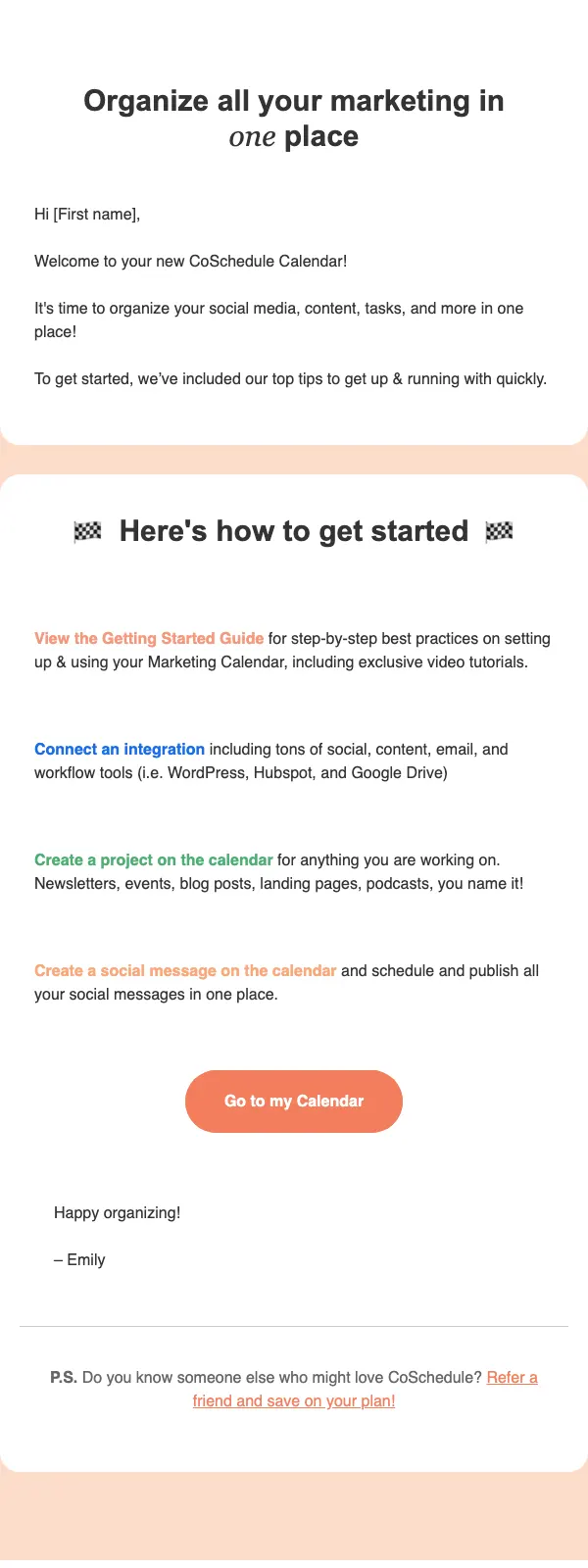
    Email 1 · OnboardingWelcome to CoSchedule 👋Get started with your Marketing Calendar.
  2. Day 152 days later
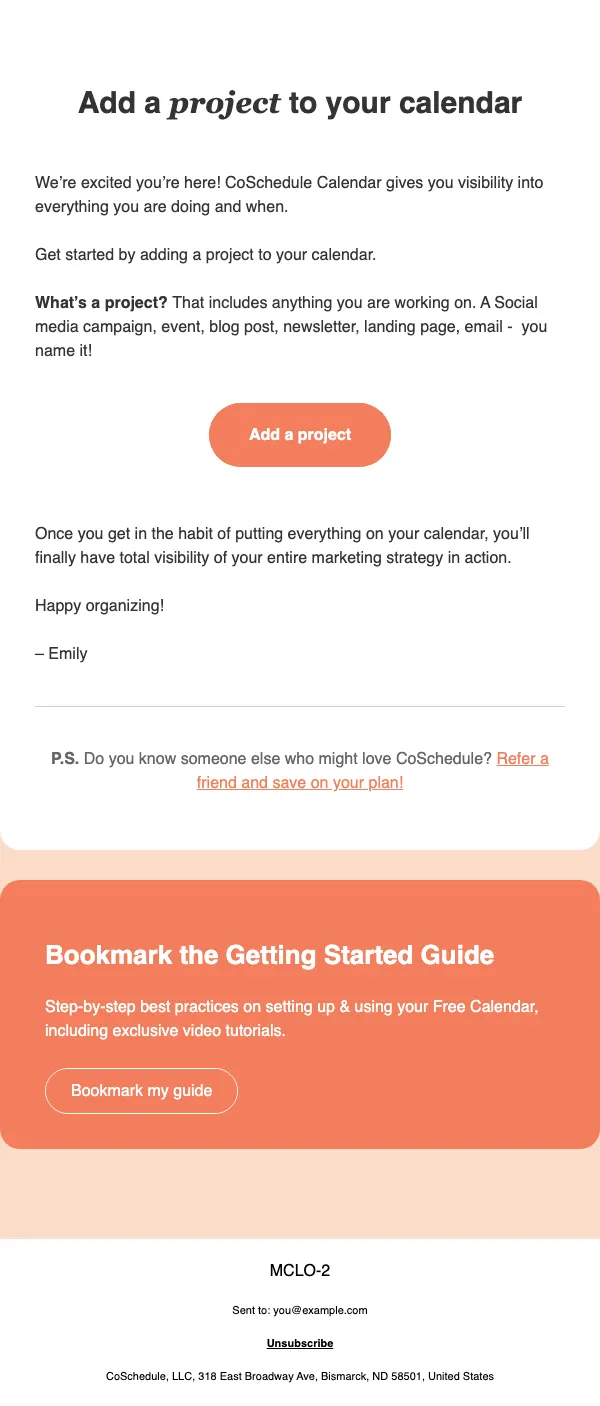
    Email 2 · Activation nudgeReady to schedule a project?Helpful tips to finally organize all your projects in one place.

What each email does

  1. Day 13First emailOnboardingWelcome to CoSchedule 👋Emily welcomes the recipient to CoSchedule and shares practical steps for setting up a Marketing Calendar. The email also includes a getting-started guide and a referral prompt.
  2. Day 152 days laterActivation nudgeReady to schedule a project?Encourages the recipient to add a project to their CoSchedule calendar and explains what counts as a project. It also points to a getting-started guide and includes a referral mention.
Day 16
1 day later
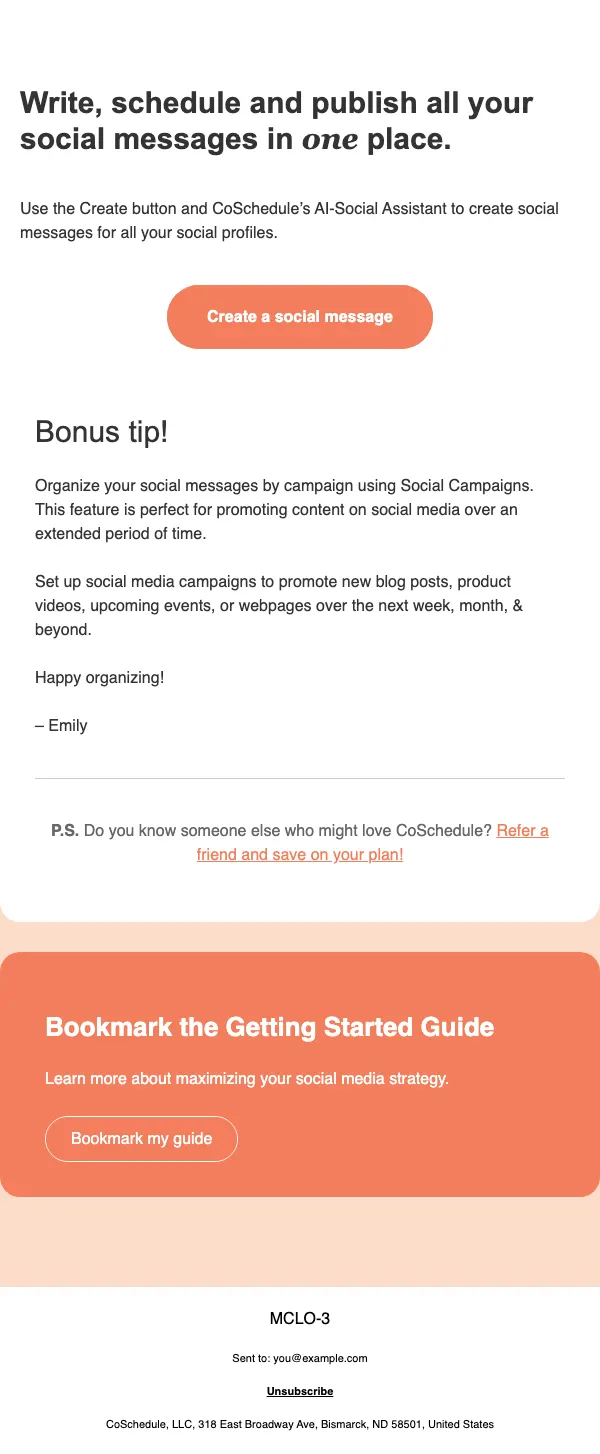
Email 3 · OnboardingPublish social messages in Marketing CalendarWrite, schedule and publish all your social messages.
  • Day 171 day later
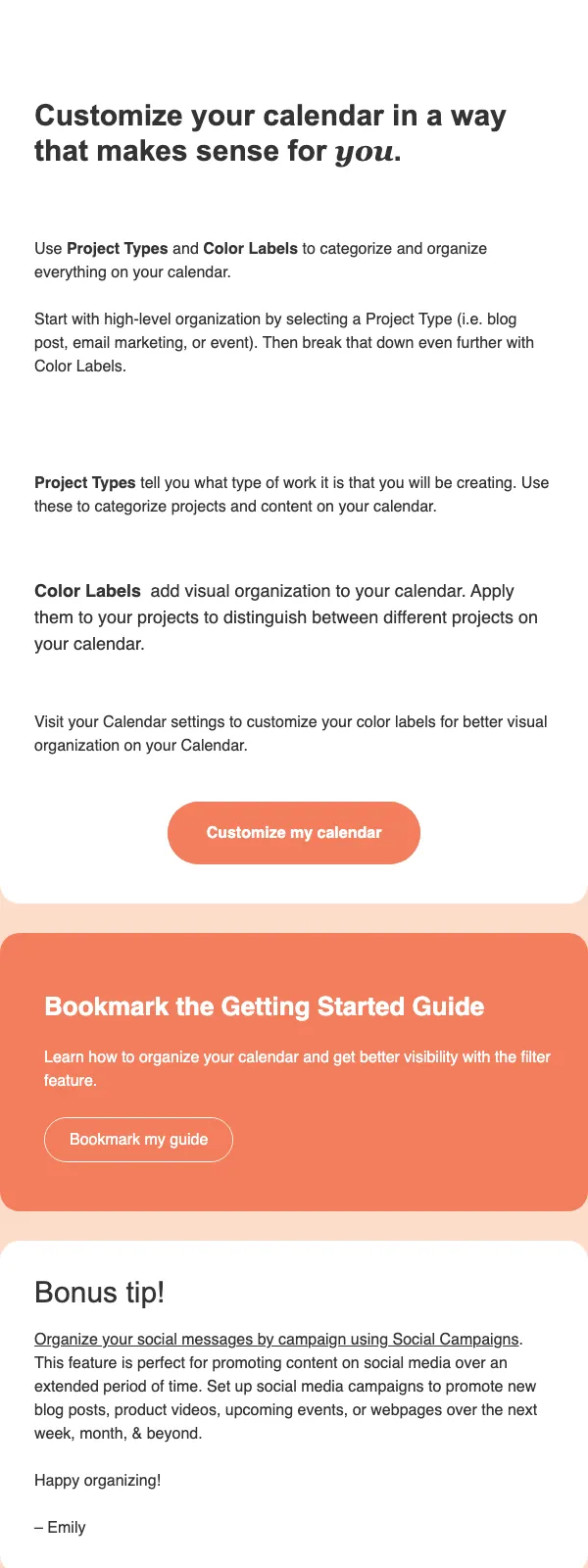
    Email 4 · Feature tipCustomize your calendarGet tips to customize your calendar in a way that makes sense for you.
  • Day 192 days later
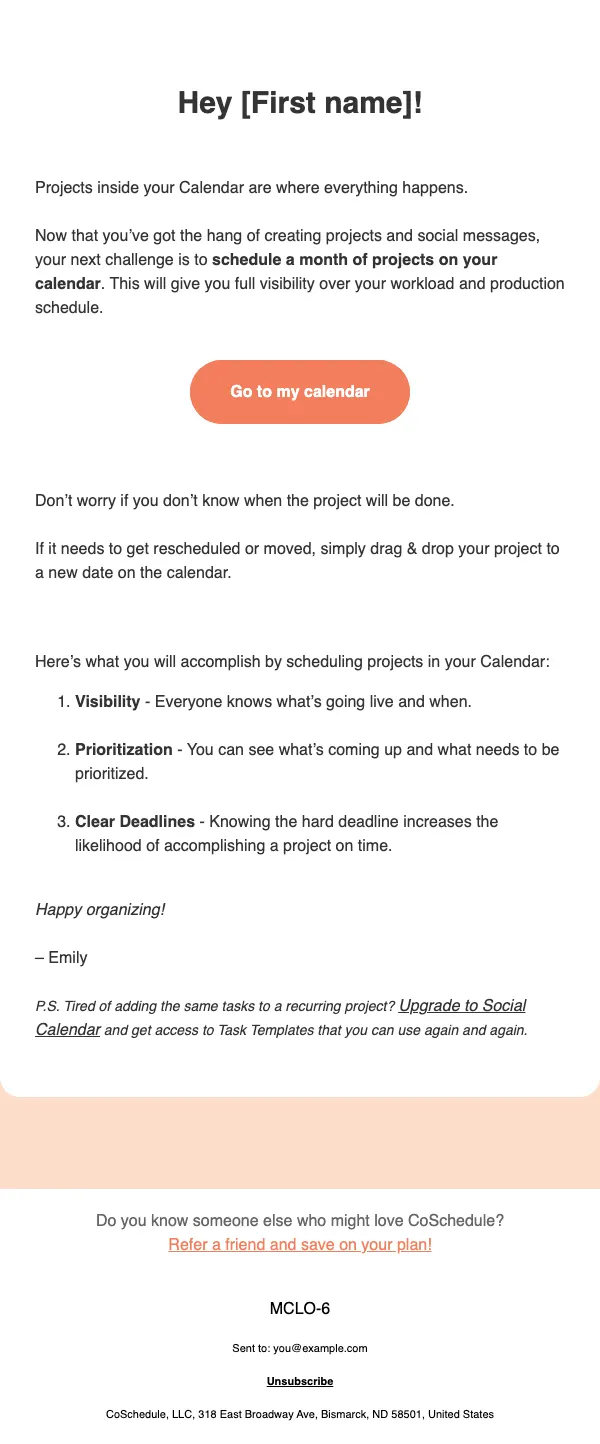
    Email 5 · OnboardingComplete your marketing calendar 🗓 ✅Schedule projects in advance to get full visibility over your production schedule.
  • Day 278 days later
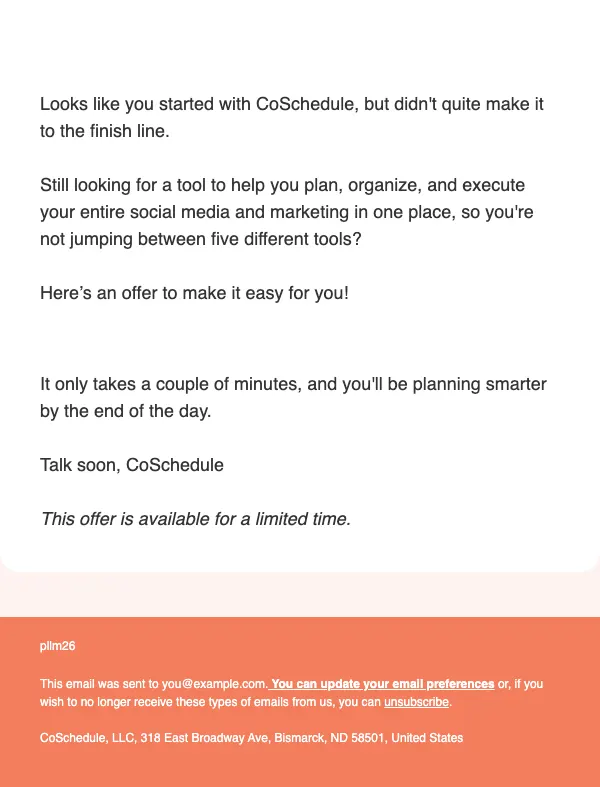
    Email 6 · Activation nudgeHere’s 75% OffStill Thinking About CoSchedule?
  • Day 292 days later
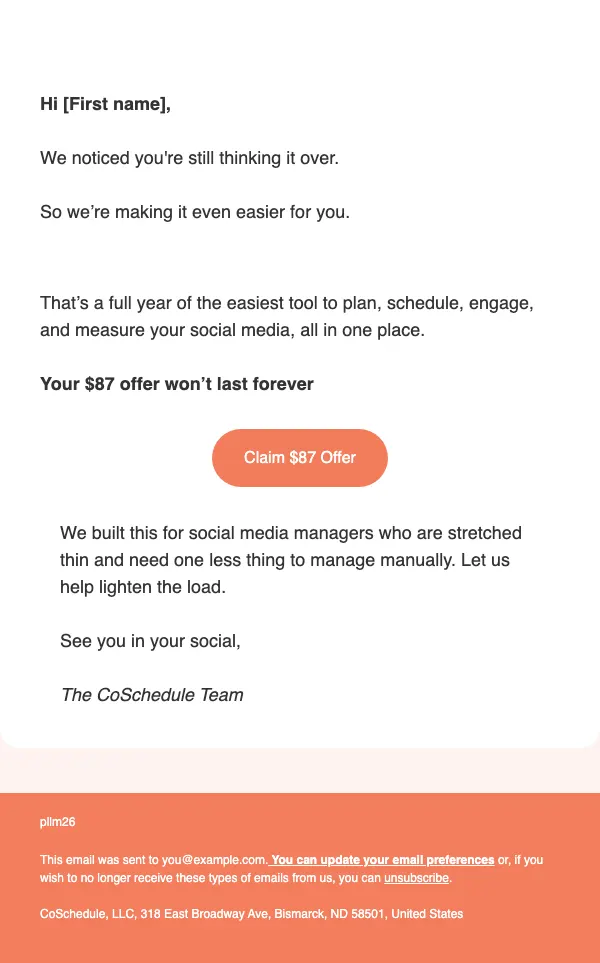
    Email 7 · Upgrade promptReminder: You’ve Got 75% Off CoScheduleGet your $87 offer before it disappears
  • Day 161 day later
    OnboardingPublish social messages in Marketing CalendarShows new users how to create, schedule, and publish social messages, then explains how Social Campaigns can organize promotion over time. It also points readers to a getting-started guide and invites them to refer a friend.
  • Day 171 day laterFeature tipCustomize your calendarEmily explains how to organize a CoSchedule calendar with Project Types and Color Labels. The email also points to a getting-started guide and shares a tip for organizing social messages into campaigns.
  • Day 192 days laterOnboardingComplete your marketing calendar 🗓 ✅Emily guides a new user through scheduling a month of projects in the Calendar, explaining how it improves visibility, prioritization, and deadlines. The email also includes an upgrade prompt and a referral offer.
  • Day 278 days laterActivation nudgeHere’s 75% OffCoSchedule follows up with someone who started but did not finish getting started, offering 75% off to encourage them to continue. It briefly restates the product’s value and notes that the offer is available for a limited time.
  • Day 292 days laterUpgrade promptReminder: You’ve Got 75% Off CoScheduleCoSchedule encourages the recipient to purchase a year of its social media management tool with a 75% discount. It frames the offer as a way for busy social media managers to reduce manual work.
  • See this sequence written for your brand

    Enter your website. Sequenzy rewrites the first 3 emails of this sequence in your voice, logo and colors. Free, no signup.