Updated 2026-01-17
Mailtrap
Resend

Mailtrap vs Resend

Email testing + sending vs pure sending DX

15
Features Compared
4
Key Differences
4
User Reviews
9
FAQs Answered
TL;DR

Mailtrap uniquely combines email testing (sandbox) with production sending in one platform. Resend focuses purely on production sending with the best developer experience and React Email integration. Choose Mailtrap if you need testing + sending together, Resend for the cleanest sending API.

Platform Overview

See how each platform looks

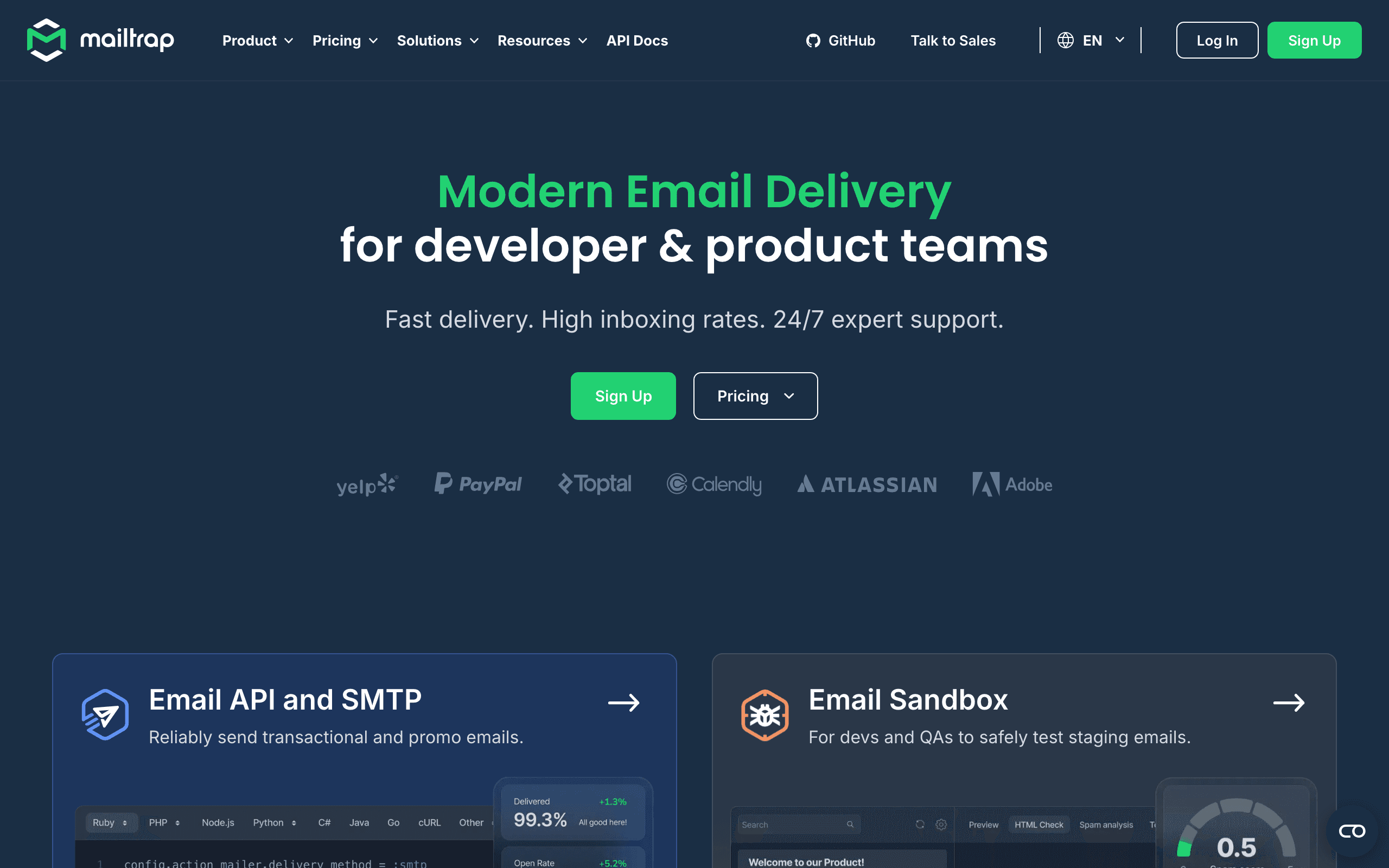
Mailtrap

Mailtrap dashboard screenshot

Email delivery platform with testing sandbox and production sending capabilities.

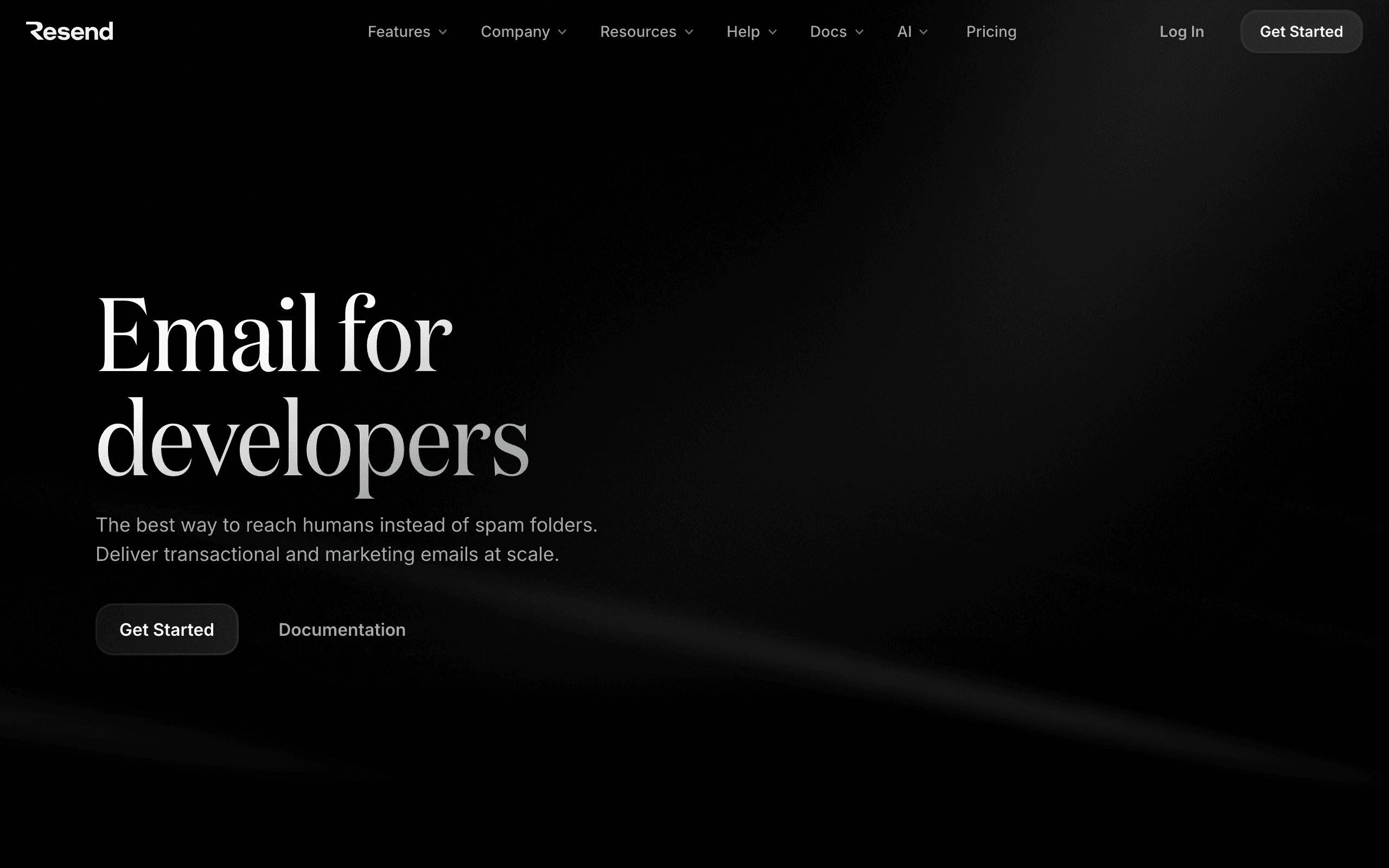
Resend

Resend dashboard screenshot

Developer-first email API for transactional emails.

Key Differences

The main things that set these tools apart

Testing Integration
Mailtrap wins

Mailtrap's unique value is combining email testing with production sending. Develop and test in their sandbox, then send from the same platform. Resend has no testing features - you'd need a separate tool.

React Email Support
Resend wins

Resend has first-party React Email integration, letting you build emails as React components. Mailtrap requires standard HTML templates with no React-specific tooling.

API Cleanliness
Resend wins

Resend's API is exceptionally clean and modern. Mailtrap's API is solid but less refined. For developers who value elegant APIs, Resend is more satisfying to work with.

Pricing
Mailtrap wins

Mailtrap is cheaper for pure sending at $10/mo for 10,000 emails vs Resend's $20/mo. However, Resend's free tier (3k emails/mo) is more generous than Mailtrap's testing-focused free tier.

Pricing Comparison

At 10,000 emails/month

Mailtrap
$10/month

10,000 emails included. Email Sending plan. Sandbox plans separate.

Visit Mailtrap
Resend
$20/month

Pro plan with 50k emails. Free tier covers 3k emails/month.

Visit Resend
Best for SaaS
Sequenzy
$49/month

10k contacts, unlimited emails, transactional + marketing combined.

Start Free Trial

Feature Comparison

15 features compared side-by-side

Feature
Mailtrap
Resend
Sequenzy
Email Testing
Email Sandbox
Core feature
Fake SMTP Server
HTML/CSS Analysis
Spam Score Testing
Team Inbox
Production Sending
Transactional Email
API Design
Modern REST
Modern, very clean
Simple REST API
React Email
First-party support
Deliverability
Good
Good
Good
Dedicated IP
Available
$30/mo
Available
Developer Experience
SDKs
25+ code snippets
TypeScript-first
TypeScript SDK
Documentation
Comprehensive
Excellent
Developer-focused
Template System
HTML
React components
Visual editor
Webhooks
Analytics
Delivery metrics
Basic metrics
Revenue-focused

Pros & Cons

Honest strengths and weaknesses of each platform

Mailtrap

Pros
  • Email testing sandbox
  • HTML/CSS checking
  • Spam score analysis
  • Transactional email sending
  • API and SMTP support
  • Team collaboration on tests
Cons
  • Sending is newer feature
  • Testing focus means limited marketing
  • Pricing complexity
  • Smaller sending reputation
  • Limited integrations
  • Not ideal for campaigns

Resend

Pros
  • React Email integration
  • Modern developer experience
  • Clean API design
  • Fast delivery
  • Audience management added
  • Growing feature set
Cons
  • Newer platform
  • Limited marketing features
  • Basic automation
  • Smaller team
  • Feature gaps vs established tools
  • Still building enterprise features

What Users Say

Real reviews from Mailtrap and Resend users

Mailtrap Reviews

Capterra

We switched to Mailtrap for its email testing sandbox. Spam score analysis is a nice bonus. The main limitation is sending is newer feature, but overall it works well for our needs.

Avery Q.2025-12-20
Product Hunt

Mailtrap handles our email testing and sending platform needs effectively. HTML/CSS checking saves us time. We occasionally run into issues with testing focus means limited marketing, but the value for money is good.

Andrew Q.2025-10-05

Resend Reviews

Product Hunt

Resend impressed us with react email integration. Modern developer experience works exactly as advertised. The newer platform is the main trade-off, but it's worth it for what you get.

Amelia D.2026-02-10
G2

Our team moved to Resend from another platform and the clean api design was an immediate improvement. Limited marketing features is something to be aware of, but the platform delivers on its core promise.

Grace V.2026-02-10

Best For

When to choose each tool

Choose Mailtrap if you...
  • Teams needing email testing in development
  • Organizations wanting testing + sending in one platform
  • QA teams validating email workflows
  • Budget-conscious teams ($10/mo for 10k emails)
Choose Resend if you...
  • Modern React/Next.js applications
  • Developers prioritizing the cleanest API
  • Startups building with React Email
  • Teams with separate testing solutions already

When to Consider Sequenzy Instead

Marketing + Transactional Combined

Both Mailtrap and Resend focus on transactional email. If you also need marketing campaigns, newsletters, and automations, Sequenzy combines everything.

Stripe Integration

Send emails triggered by Stripe events like payments, subscription changes, or failed charges. Neither Mailtrap nor Resend offers this natively.

SaaS-Specific Features

Features like trial-to-paid automations and MRR-based segmentation are built into Sequenzy.

Overview

Mailtrap and Resend approach email infrastructure from different angles. Mailtrap began as an email testing sandbox - a fake SMTP server for catching emails during development - and later added production sending. Resend focuses purely on production transactional email with exceptional developer experience. See our detailed Mailtrap comparison and Resend comparison.

The Testing Advantage

Mailtrap's unique value proposition is combining email testing with production sending. During development, emails go to their sandbox where you can inspect content, check HTML rendering, analyze spam scores, and collaborate with your team - all without emails reaching real users. When ready for production, you switch to their sending infrastructure.

Resend has no testing features. You'd need a separate tool like Mailtrap's sandbox, Mailhog, or similar for development email testing.

Developer Experience for Sending

For pure sending DX, Resend wins. Their API is exceptionally clean, the TypeScript SDK is excellent, and React Email integration lets you build emails as components. Mailtrap's sending API is solid but less refined. If the sending experience matters most, Resend is more satisfying to work with.

Pricing

Mailtrap is cheaper for production sending at $10/month for 10,000 emails versus Resend's $20/month for 50,000 emails. However, if you also need Mailtrap's sandbox for testing, those are priced separately. Resend's free tier (3,000 emails/month) is more generous for pure sending.

React Email

Resend has first-party React Email support, letting you write emails as React components with proper TypeScript integration. Mailtrap requires standard HTML templates - you can compile React Email to HTML, but there's no native integration.

The Sequenzy Alternative

Both Mailtrap and Resend focus on transactional email. If you also need marketing campaigns, automated sequences, and Stripe integration for your SaaS, consider Sequenzy. We combine transactional and marketing in one platform built specifically for SaaS founders.

Testing as a First-Class Concern

Mailtrap's sandbox addresses a real development pain point. Every development team that sends email needs a way to test without reaching real users. Mailtrap makes this a first-class feature with HTML rendering analysis, spam score checking, and multi-environment support.

Resend treats testing as something you handle elsewhere. Their focus is purely on production sending excellence. For teams with existing testing infrastructure, this is fine. For teams building email functionality from scratch, Mailtrap's testing-to-production pipeline eliminates the need to evaluate and integrate separate testing tools.

API Elegance vs Feature Breadth

Resend optimizes for developer happiness. Every API endpoint, SDK method, and documentation page reflects a commitment to elegant developer experience. React Email as a first-class citizen means email templates feel like part of your application rather than a separate concern.

Mailtrap optimizes for workflow completeness. Testing, analysis, production sending, and monitoring in one platform. The API is solid but not as refined as Resend's. The tradeoff is between a more complete workflow and a more delightful integration experience.

The Practical Combination

Many teams use both platforms: Mailtrap sandbox for development testing, Resend for production sending. This best-of-both approach costs more than either alone but gives you the strongest testing workflow alongside the cleanest production API.

For SaaS companies, consider whether your email needs extend beyond transactional delivery. If you also need marketing campaigns, automated sequences, and Stripe-triggered emails, a unified platform like Sequenzy may be more practical than combining multiple specialized tools.

Delivery Speed and Reliability

For transactional email, delivery speed is non-negotiable. Receipts, password resets, and verification codes need to arrive in seconds. Both Mailtrap and Resend prioritize fast delivery, but their approaches differ in infrastructure and routing.

Transactional email reliability involves more than just speed. It requires consistent inbox placement, proper authentication, and monitoring. Compare how each platform handles DKIM, SPF, and DMARC setup, and which provides better tools for ongoing email deliverability monitoring.

API Design and Developer Experience

Mailtrap and Resend both target developers, but with different philosophies. The quality of API documentation, SDK support, and error handling directly impacts how quickly your team can integrate and how much ongoing maintenance is needed.

Developer experience goes beyond the API itself. Consider webhook support for tracking delivery events, sandbox environments for testing, and how each platform handles rate limiting and error recovery. These details matter when your application depends on email delivery.

Scaling and Cost at Volume

Email costs become significant at scale. What starts as a few hundred emails per day can grow to millions. Understanding how Mailtrap and Resend price at different volume tiers helps you plan for growth without budget surprises.

Beyond per-email pricing, consider dedicated IP costs, email validation charges, and support tier pricing. Some platforms offer volume discounts that significantly change the economics at higher sending volumes. For SaaS companies needing both transactional and marketing email, explore Sequenzy's unified approach.

Use-case matchups

Need Better fit Why
Email sandbox testing, HTML/CSS checks, and spam scoring Mailtrap Mailtrap's cited strengths are testing sandbox, HTML/CSS checking, spam analysis, and team collaboration on tests.
Modern production sending with React Email Resend Resend's cited strengths are React Email integration, modern developer experience, clean API, and fast delivery.
Testing and production QA workflow Mailtrap Mailtrap treats testing as a first-class product area, while Resend is more focused on sending.
SaaS marketing plus transactional email in one platform Sequenzy Sequenzy is listed with 10k contacts, unlimited emails, and transactional plus marketing combined.

Pricing reality

Mailtrap is listed at $10/month for 10,000 emails on the Email Sending plan, with sandbox plans separate. Resend is listed at $20/month for Pro with 50k emails, and a free tier covering 3k emails/month. Sequenzy is listed at $49/month for 10k contacts with unlimited emails and transactional plus marketing combined.

Mailtrap is cheaper at the cited 10k-email level if testing and QA are central. Resend gives more included sending volume at the paid tier and is stronger when React Email and developer ergonomics are the deciding factors.

Review signals

Mailtrap reviews cited here highlight the email testing sandbox, spam score analysis, and HTML/CSS checking. The cautions are that sending is newer and the testing focus means limited marketing.

Resend reviews cited here highlight React Email integration, modern developer experience, and clean API design. The tradeoffs are newer-platform maturity and limited marketing features.

Best Fit by QA Workflow and Production Sending

Best email testing platform for sandbox previews and spam checks

Mailtrap is the better fit when the team wants a controlled place to inspect templates, catch HTML/CSS issues, review spam scores, and collaborate on test messages before production. Its testing workflow is the reason to choose it over a pure sending API.

Best transactional email API for React Email teams

Resend is the better fit when production app email is the primary job and developers want templates as code. React Email, clean API calls, and focused delivery logs make it strong for engineering-owned messages rather than broad QA workflows.

Best SaaS email platform for campaigns plus transactionals

Sequenzy fits SaaS teams that need lifecycle campaigns, transactional email, and Stripe-triggered automation together. It does not replace Mailtrap's sandbox testing, but it can remove the need for a separate marketing platform next to Resend or Mailtrap sending.

Migration checklist

  • Export domains, sender identities, API keys, templates, test inboxes, sandbox rules, webhooks, suppressions, and activity logs.
  • If moving to Resend, map API calls, React Email rendering, webhook events, and production sending limits.
  • If moving to Mailtrap, rebuild testing workflows, spam checks, HTML/CSS checks, and production sending credentials.
  • Reconfigure SPF, DKIM, DMARC, return-path, tracking domains if used, sender identities, and webhook destinations.
  • Test sandbox captures, production delivery, bounces, suppressions, retries, and template rendering before cutover.

Decision checklist

  • Choose Mailtrap if testing, previews, and email QA matter as much as sending.
  • Choose Resend if React Email, modern API design, and production sending experience matter more.
  • Avoid Mailtrap if you mainly need marketing automation.
  • Avoid Resend if you need a built-in testing sandbox and spam-check workflow.
  • Choose Sequenzy if SaaS marketing and transactional email should be unified around lifecycle events.


Frequently Asked Questions

9 questions answered about Mailtrap vs Resend

Testimonials

Sequenzy Testimonials

Max Eccles

Max Eccles

Founder, InstantInterior AI

$600 revenue in 30d from email automations. Very happy I migrated to Sequenzy. Before I was making zero from email automations.

Leo

Leo

Maintainer, Email SDK

I get to talk to my users 1:1 and help them set it up for their use case.

Jim

Jim

Founder

I run a SaaS, and found Nic on X where I kept seeing posts about his email marketing tool, Sequenzy. I decided to try it for email marketing. Literally on the first day, I used it to send a marketing campaign and I got 5 sales. What I like most is the ai assistant because it actually writes emails that feel real instead of the usual ai slop chatgpt returns, so they do not end up in spam. It also has a 2.5k free email limit which is way better than most tools that only give you around 1k. The best part though is that it handles everything for me, tags, subscribers, sequences and all of it. Without it i would probably be managing a database and a bunch of cron jobs just to make email automation work. Sequenzy just makes my life a lot easier. it can also be set up with 2-3 clicks! Give it a try!!

Mar 10, 2026

Dhiva Logu

Dhiva Logu

Founder

I love everything about Sequenzy and also the kind of support I get from Nic. It's already the best choice for campaigns & Sequences. Specially the integrations with payment providers, auth providers & analytics etc.. is really spot on. Best in terms of features & pricing in the email segment 100% recommend it for SaaS emails :)

Mar 10, 2026

Petros

Petros

Shopify App Store review

The setup was fast and simple. It synced customer, product, and order data quickly. Generating automated flows was simple, and it improved my monthly bottom line by about 7%.

Elvis Sun

Elvis Sun

Founder, PressPulse & Medialyst

Codex basically one-shotted the migration for syncing our audience from SendGrid to Sequenzy. Sequenzy is fully observable, so agents can just set everything up. The net impact is saving $45/mo, plus 2 hours of my time every time I need to repurpose a newsletter. That's 8 hours a month. My consulting rate is $550/hr, so every hour automated is super valuable.

Louis

Louis

Founder

Easy migration from another tool. Premium customer service and easy to set everything up

Apr 9, 2026

Jim

Jim

Founder, FixMyLanding

It helped me grow to $100 MRR, get #1 on Uneed, make more sales, get acquired.

King Killers

King Killers

Shopify App Store review

Loving the Sequenzy app so far due to the affordability and large subscriber limits. Planning on this becoming my main email app. Campaign + flows setup with the help of their AI took less than 30 minutes.

Verified User

Verified User

Computer Software

SaaS-focused feedback, fast processing, and plenty of integrations. It is very SaaS-focused, supports a wide range of integrations, and processes feedback right away.

Jun 17, 2026

G2

Not sure which to pick?

If you're a SaaS founder who needs Stripe integration and unified email, try Sequenzy free. No credit card required.

Related Comparisons

Sequenzy pricing reference

Sequenzy - Complete Pricing Guide

Pricing Model

Sequenzy uses email-volume-based pricing. You only pay for emails you send. Unlimited contacts on all plans — storing subscribers is always free.

All Pricing Tiers

  • 2.5k emails/month: Free (Free annually)
  • 15k emails/month: $19/month ($205/year annually)
  • 30k emails/month: $29/month ($313/year annually)
  • 60k emails/month: $49/month ($529/year annually)
  • 120k emails/month: $99/month ($1069/year annually)
  • 300k emails/month: $199/month ($2149/year annually)
  • 600k emails/month: $399/month ($4309/year annually)
  • 900k emails/month: $599/month ($6469/year annually)
  • 1.2M emails/month: $799/month ($8629/year annually)
  • 2M emails/month: $1299/month ($14029/year annually)
  • 3M emails/month: $1999/month ($21589/year annually)
  • 4M emails/month: $2499/month ($26989/year annually)
  • 5M emails/month: $2999/month ($32389/year annually)
  • Unlimited emails/month: Custom pricing (Custom annually)

Yearly billing: All plans offer a 10% discount when billed annually.

Free Plan Features (2,500 emails/month)

  • Visual automation builder
  • Transactional email API
  • Reply tracking & team inbox
  • Landing pages
  • Unlimited team members
  • Goal tracking & revenue attribution
  • Unlimited lists and segments
  • Payment integrations
  • API, MCP, and CLI access
  • Unlimited sending domains
  • SPF, DKIM, and DMARC
  • Deliverability monitoring
  • Send time optimization
  • A/B testing

Paid Plan Features (15k - 5M emails/month)

  • Visual automation builder
  • Transactional email API
  • Reply tracking & team inbox
  • Landing pages (Create hosted signup pages and attach a custom domain.)
  • Unlimited team members
  • Goal tracking & revenue attribution
  • Unlimited lists and segments
  • Payment integrations (Stripe, Paddle, Lemon Squeezy)
  • API, MCP, and CLI access
  • Unlimited sending domains
  • SPF, DKIM, and DMARC
  • Deliverability monitoring
  • Send time optimization
  • A/B testing

Enterprise Plan Features (Unlimited emails)

  • Visual automation builder
  • Transactional email API
  • Reply tracking & team inbox
  • Landing pages
  • Unlimited team members
  • Goal tracking & revenue attribution
  • Unlimited lists and segments
  • Payment integrations
  • API, MCP, and CLI access
  • Unlimited sending domains
  • SPF, DKIM, and DMARC
  • Deliverability monitoring
  • Send time optimization
  • A/B testing

Important Pricing Notes

  • You only pay for emails you send — unlimited contacts on all plans
  • No hidden fees - all features included in the price
  • No credit card required for free tier

Contact

  • Pricing Page: https://sequenzy.com/pricing
  • Sales: hello@sequenzy.com