Updated 2026-01-28
MailerSend
Mailchimp

MailerSend vs Mailchimp

Transactional specialist vs marketing platform

8
Features Compared
4
Key Differences
4
User Reviews
7
FAQs Answered
TL;DR

MailerSend ($25/mo for 50k emails) specializes in transactional with email verification. Mailchimp ($135/mo at 10k contacts) is an all-in-one marketing platform. Choose MailerSend for transactional. Choose Mailchimp for marketing (and add Mandrill for transactional).

Platform Overview

See how each platform looks

MailerSend

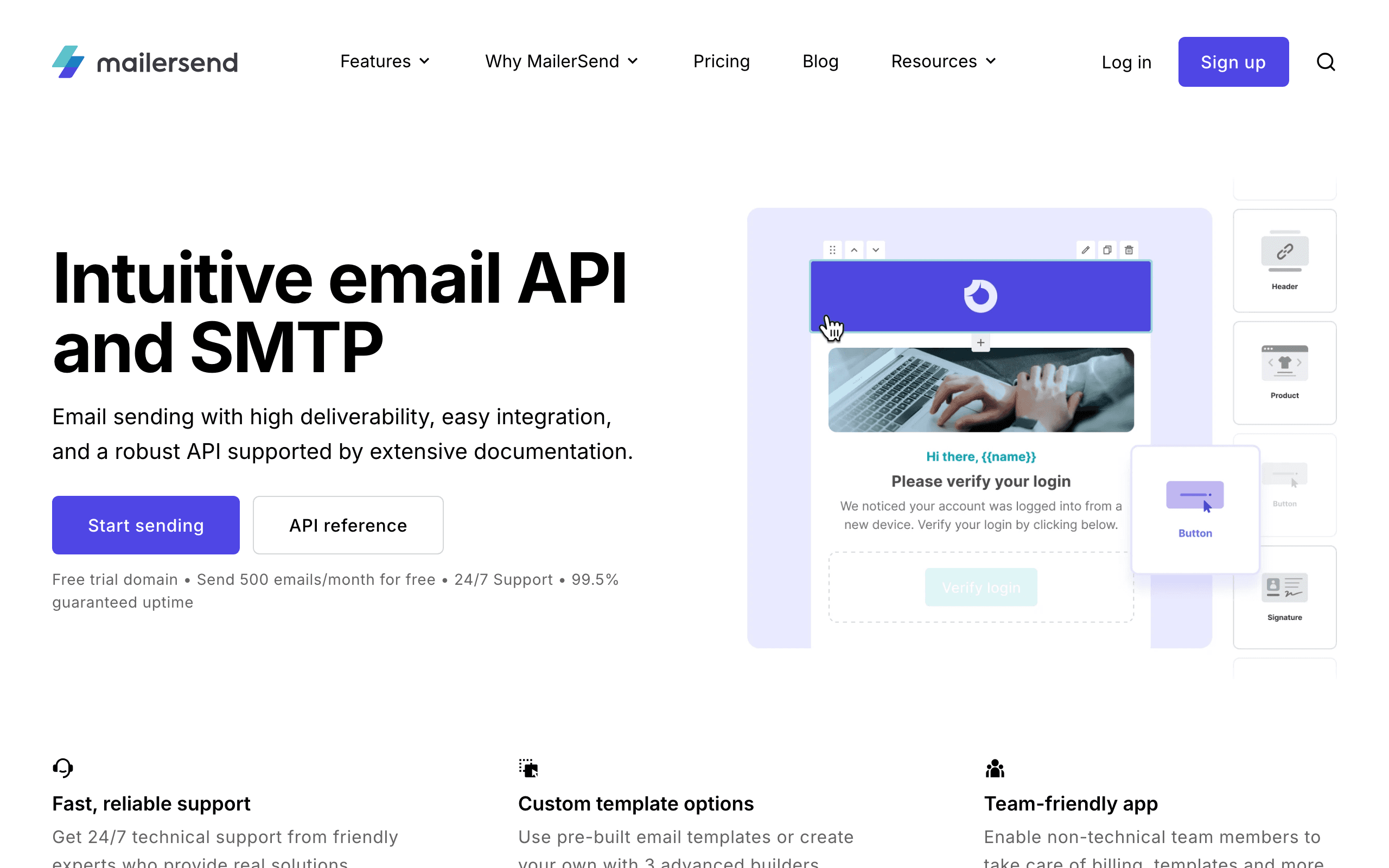
MailerSend dashboard screenshot

Transactional email service from MailerLite with email verification and SMS capabilities.

Mailchimp

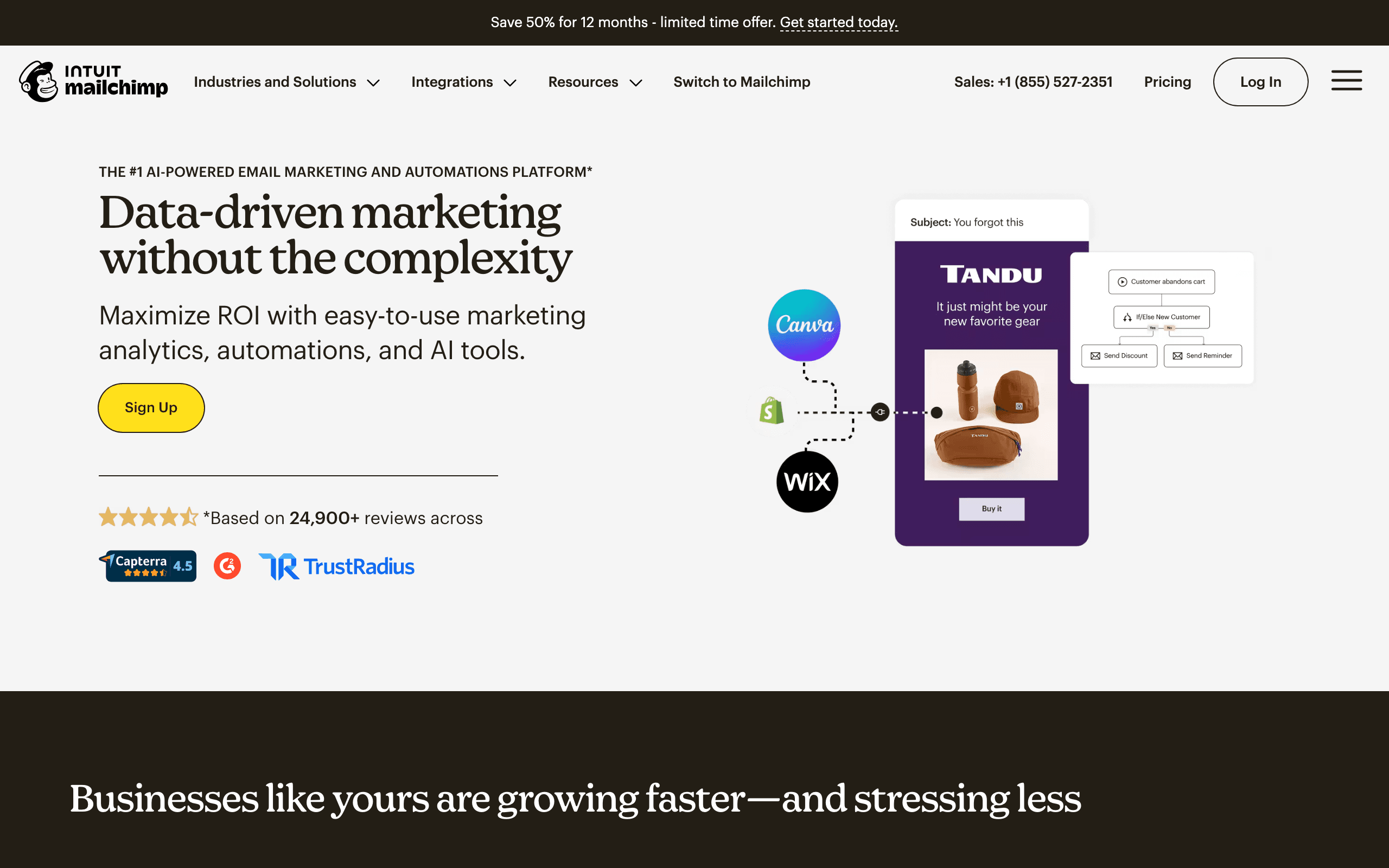
Mailchimp dashboard screenshot

Popular all-in-one marketing platform with email, automation, and CRM features.

Key Differences

The main things that set these tools apart

Primary Focus
Tie

MailerSend is transactional-focused. Mailchimp is marketing-focused. Different primary use cases entirely.

Email Verification
MailerSend wins

MailerSend includes email verification. Mailchimp doesn't. For transactional with validation, MailerSend wins.

Marketing Features
Mailchimp wins

Mailchimp has landing pages, CRM, e-commerce, and full automation. MailerSend is transactional-only.

Cost for Transactional
MailerSend wins

MailerSend is much cheaper for pure transactional. Mailchimp requires Mandrill add-on for transactional.

Pricing Comparison

At 10,000 contacts

MailerSend
$15/month

Transactional with email verification.

Visit MailerSend
Mailchimp
$135/month

Standard plan with marketing automation.

Visit Mailchimp
Best for SaaS
Sequenzy
$49/month

Best for SaaS, transactional + marketing.

Start Free Trial

Feature Comparison

8 features compared side-by-side

Feature
MailerSend
Mailchimp
Sequenzy
Email Type Focus
Transactional
Specialized
Via Mandrill add-on
Built-in
Marketing
Basic (use MailerLite)
Full platform
Full automation
Email verification
Built-in
Platform Features
Landing pages
Built-in
CRM
Built-in
Basic
E-commerce
Advanced
Developer Experience
API quality
Modern, clean
Good
Modern
SMS capability
Add-on

Pros & Cons

Honest strengths and weaknesses of each platform

MailerSend

Pros
  • By MailerLite team (reliable)
  • Generous free tier
  • SMS support included
  • Email verification built in
  • Inbound email parsing
  • Activity tracking webhooks
Cons
  • Limited marketing features
  • Newer in transactional space
  • Basic email templates
  • Fewer integrations
  • No marketing automation
  • Support limited on free tier

Mailchimp

Pros
  • Largest market share
  • Extensive template library
  • Social media tools
  • Website builder
  • Postcards feature
  • Massive integration ecosystem
Cons
  • Pricing increased significantly
  • Free plan very limited
  • Automation limited on lower tiers
  • Customer support issues
  • Complexity creep
  • Affiliate marketing restricted

What Users Say

Real reviews from MailerSend and Mailchimp users

MailerSend Reviews

Product Hunt

We switched to MailerSend for its by mailerlite team (reliable). SMS support included is a nice bonus. The main limitation is limited marketing features, but overall it works well for our needs.

Marco D.2026-02-10
G2

MailerSend handles our transactional email and SMS service by MailerLite needs effectively. Generous free tier saves us time. We occasionally run into issues with newer in transactional space, but the value for money is good.

Sophie T.2026-01-18

Mailchimp Reviews

Capterra

Mailchimp impressed us with largest market share. Extensive template library works exactly as advertised. The pricing increased significantly is the main trade-off, but it's worth it for what you get.

Noel Y.2025-12-15
G2

Our team moved to Mailchimp from another platform and the social media tools was an immediate improvement. Free plan very limited is something to be aware of, but the platform delivers on its core promise.

Emerson D.2025-09-02

Best For

When to choose each tool

Choose MailerSend if you...
  • Transactional email needs
  • Email verification requirement
  • Developer-focused teams
  • MailerLite ecosystem users
Choose Mailchimp if you...
  • Full marketing platform needs
  • E-commerce stores
  • Landing pages required
  • CRM needed

When to Consider Sequenzy Instead

SaaS Focus

Neither MailerSend nor Mailchimp has native Stripe integration. Sequenzy is built for SaaS with Stripe.

Unified Platform

MailerSend is transactional-only. Mailchimp needs Mandrill add-on. Sequenzy unifies both in one platform.

Overview

MailerSend and Mailchimp serve different purposes. MailerSend specializes in transactional email with verification. Mailchimp is a full marketing platform. They're not direct competitors.

Different Purposes

MailerSend sends password resets, receipts, and notifications. Mailchimp sends marketing campaigns, newsletters, and automations. If you need both, you'd use MailerSend + Mailchimp (or Mandrill).

Email Verification

MailerSend includes email verification. Mailchimp doesn't. For transactional with validated addresses, MailerSend is more complete.

Marketing Features

Mailchimp has landing pages, CRM, e-commerce integrations, and full automation. MailerSend is transactional-only and suggests MailerLite for marketing.

For SaaS Companies

Neither offers unified transactional + marketing with Stripe. Sequenzy offers Stripe integration with both transactional and marketing in one platform.

Making the Choice

Use MailerSend for transactional email. Use Mailchimp for marketing. Or use Sequenzy for unified SaaS email with Stripe integration.

The Mandrill Problem

One of the most telling differences between these platforms is how they handle transactional email. MailerSend was built for transactional from day one with a clean API and built-in verification. Mailchimp treats transactional as an afterthought through its Mandrill add-on, which requires a separate purchase, separate dashboard, and per-email pricing on top of your existing Mailchimp subscription.

For teams that need both transactional and marketing email, the Mailchimp plus Mandrill combination can be awkward and expensive. You end up managing two interfaces and two billing structures within the same ecosystem. This is where unified platforms like Sequenzy offer a cleaner alternative.

E-commerce vs SaaS Considerations

Mailchimp excels in e-commerce with deep Shopify and WooCommerce integrations, abandoned cart automations, and product recommendation features. If you run an online store, Mailchimp's marketing capabilities are hard to match at its price point.

For SaaS companies, Mailchimp's e-commerce focus is mostly irrelevant. You do not need product feeds or cart abandonment - you need trial-to-paid sequences, feature announcement campaigns, and billing-event triggers. Neither MailerSend nor Mailchimp addresses these SaaS-specific needs well, which is where purpose-built tools shine.

Template and Design Ecosystem

Mailchimp's template library is one of the most extensive in the industry with over 100 professionally designed templates. Its email editor has been refined over two decades and supports complex layouts with relative ease. For marketing teams that produce visually rich campaigns, Mailchimp's design ecosystem is a genuine advantage that MailerSend simply does not compete with, nor does it try to.

Email Design and Template Flexibility

MailerSend and Mailchimp take different approaches to email design. Template variety, customization depth, and mobile responsiveness all affect how your emails look across inboxes. The right email editor can save hours of design time per campaign.

Consider how each platform handles dynamic content, personalization tokens, and conditional blocks. Being able to show different content to different segments within the same campaign reduces the number of emails you need to create and manage.

List Management and Segmentation

Effective email marketing depends on reaching the right subscribers with the right message. MailerSend and Mailchimp handle list management differently, from how they count subscribers to how they manage bounces and unsubscribes.

Segmentation capability directly impacts your campaign performance. Look at whether each platform supports behavioral segments, purchase-based targeting, and engagement scoring. More granular smart segments mean more relevant emails and better results.

Deliverability and Sender Reputation

Your email marketing investment is wasted if messages land in spam. Both MailerSend and Mailchimp provide deliverability tools, but their approaches to shared vs dedicated IPs, authentication, and compliance differ significantly.

Long-term email deliverability depends on list hygiene, engagement rates, and sender reputation management. Compare how each platform helps you maintain a clean list, identify disengaged subscribers, and optimize sending patterns for better inbox placement.

Use-case matchups

Situation Best first look Why
App-generated transactional email MailerSend MailerSend is built for API, SMTP, verification, inbound parsing, and transactional delivery workflows.
Marketing campaigns, newsletters, and ecommerce promotions Mailchimp Mailchimp is the broader marketing platform with templates, automations, landing pages, and ecommerce features.
Team that wants transactional plus SMS without Mailchimp MailerSend MailerSend is independent and avoids the Mailchimp/Mandrill dependency.
Team that needs a familiar marketing suite and large integration ecosystem Mailchimp Mailchimp wins when template library, integrations, and marketer familiarity are the priority.
SaaS team needing one place for marketing, transactional, and Stripe events Sequenzy Sequenzy is the better fit when MailerSend plus Mailchimp would create two systems and no subscription context.

Best Fit by Transactional vs Marketing Need

Best transactional email service for app-generated messages

MailerSend is the better fit when the primary workload is password resets, receipts, alerts, verification, inbound parsing, and API-triggered email. It avoids buying a broad marketing suite for delivery work.

Best email marketing platform for broad SMB campaigns

Mailchimp is the better fit when marketers need templates, landing pages, ecommerce integrations, social tools, automations, and a familiar campaign ecosystem. It is the broader marketing choice.

Best email platform for SaaS marketing and transactional email together

Sequenzy is the better fit when using MailerSend plus Mailchimp would split customer context. SaaS teams need campaigns, transactional messages, and Stripe lifecycle triggers in one place.

Pricing reality

MailerSend and Mailchimp are not priced for the same job. MailerSend should be evaluated by transactional volume, verification, SMS, and deliverability tooling. Mailchimp should be evaluated by contacts, marketing features, ecommerce needs, and whether automations require higher tiers.

If you need both, the real comparison is not MailerSend vs Mailchimp; it is MailerSend plus a marketing platform versus Mailchimp plus Mandrill versus a unified product.

Sequenzy is relevant when the team wants one workspace for campaigns, transactional email, subscriber data, and Stripe-triggered lifecycle automation.

Review signals

The MailerSend review snippets emphasize the MailerLite backing, free-tier value, SMS, and transactional utility, with cautions about limited marketing features.

The Mailchimp snippets emphasize market share, templates, social tools, and general platform capability, while warning about price increases and a limited free plan. Use those signals to test the exact tier and feature set you would buy.

Migration checklist

Workstream Moving to MailerSend Moving to Mailchimp Moving to Sequenzy
Scope split Decide what handles marketing once transactional email moves to MailerSend. Decide whether Mandrill is needed for transactional email. Consolidate marketing and transactional scope into one workspace.
Contacts Move only transactional recipients and suppressions if marketing stays elsewhere. Import audiences, segments, tags, ecommerce data, and suppressions. Import subscribers, attributes, tags, suppressions, and customer lifecycle data.
Templates Rebuild API templates, variables, and transactional layouts. Rebuild campaign templates, automations, landing pages, and forms. Rebuild campaign and transactional templates together.
Integrations Replace app API calls, SMTP settings, webhooks, and validation flows. Reconnect ecommerce, forms, CRM, ads, and Mandrill if needed. Connect app events, Stripe, ecommerce, and transactional paths.
Reporting Validate delivery, bounce, complaint, and verification logs. Validate campaign, automation, ecommerce, and audience reporting. Validate campaign, automation, transactional, and subscription reporting.

Decision checklist

  • Are you solving transactional email, marketing email, or both?
  • Does Mailchimp's marketing suite justify its contact-based pricing?
  • Would MailerSend require a second marketing platform immediately?
  • Is Mandrill acceptable, or do you want transactional email independent of Mailchimp?
  • Do SaaS billing events need to drive email automatically?

Frequently Asked Questions

7 questions answered about MailerSend vs Mailchimp

Testimonials

Sequenzy Testimonials

Max Eccles

Max Eccles

Founder, InstantInterior AI

$600 revenue in 30d from email automations. Very happy I migrated to Sequenzy. Before I was making zero from email automations.

Leo

Leo

Maintainer, Email SDK

Sequenzy's most powerful feature is probably those campaigns. It seems useless at first but they are one of the most important things to send to your users. I get to talk to my users 1:1 and help them set it up for their use case. The owner is really active on X, really nice and helpful. He's the type of person to go out of his way to help you, so you get really good support!

Viraj

Viraj

Founder, SnapCount

After using Loops and Resend, I was looking for an email infrastructure service that had MCP support, Affonso and Dodo Payments integrations, and was affordable. Came across Sequenzy, and the support from Nic has been unbelievable. Migration was done in 24 hours without any issues, and I can run all of my products from a single account.

Jim

Jim

Founder

I run a SaaS, and found Nic on X where I kept seeing posts about his email marketing tool, Sequenzy. I decided to try it for email marketing. Literally on the first day, I used it to send a marketing campaign and I got 5 sales. What I like most is the ai assistant because it actually writes emails that feel real instead of the usual ai slop chatgpt returns, so they do not end up in spam. It also has a 2.5k free email limit which is way better than most tools that only give you around 1k. The best part though is that it handles everything for me, tags, subscribers, sequences and all of it. Without it i would probably be managing a database and a bunch of cron jobs just to make email automation work. Sequenzy just makes my life a lot easier. it can also be set up with 2-3 clicks! Give it a try!!

Mar 10, 2026

Dhiva Logu

Dhiva Logu

Founder

I love everything about Sequenzy and also the kind of support I get from Nic. It's already the best choice for campaigns & Sequences. Specially the integrations with payment providers, auth providers & analytics etc.. is really spot on. Best in terms of features & pricing in the email segment 100% recommend it for SaaS emails :)

Mar 10, 2026

Petros

Petros

Shopify App Store review

The setup was fast and simple. It synced customer, product, and order data quickly. Generating automated flows was simple, and it improved my monthly bottom line by about 7%.

Elvis Sun

Elvis Sun

Founder, PressPulse & Medialyst

Codex basically one-shotted the migration for syncing our audience from SendGrid to Sequenzy. Sequenzy is fully observable, so agents can just set everything up. The net impact is saving $45/mo, plus 2 hours of my time every time I need to repurpose a newsletter. That's 8 hours a month. My consulting rate is $550/hr, so every hour automated is super valuable.

Caden Sumner

Caden Sumner

Solo founder, Moxie Docs

Lifecycle email was the kind of thing I knew I would need eventually, but have never had to build it out myself and had no idea where to start. In literal hours I had a fully working (but basic) flow for onboarding new users, detecting churn, and re-engaging people who have trials lapsing to hopefully convert. Sequenzy let me offload the entire “keep users engaged and recover the ones who are slipping” workflow to something that just runs. Every hour I'd have spent building and babysitting lifecycle emails went into shipping the actual product instead.

Louis

Louis

Founder

Easy migration from another tool. Premium customer service and easy to set everything up

Apr 9, 2026

Jim

Jim

Founder, FixMyLanding

It helped me grow to $100 MRR, get #1 on Uneed, make more sales, get acquired. I literally love Sequenzy, it's so simple, I love the dashboard. I also saw the integrations and was shocked. 3 sales today, all thanks to Sequenzy. Honestly, thanks.

King Killers

King Killers

Shopify App Store review

Loving the Sequenzy app so far due to the affordability and large subscriber limits. Planning on this becoming my main email app. Campaign + flows setup with the help of their AI took less than 30 minutes.

Verified User

Verified User

Computer Software

SaaS-focused feedback, fast processing, and plenty of integrations. It is very SaaS-focused, supports a wide range of integrations, and processes feedback right away.

Jun 17, 2026

G2

Not sure which to pick?

If you're a SaaS founder who needs Stripe integration and unified email, try Sequenzy free. No credit card required.

Related Comparisons

Sequenzy pricing reference

Sequenzy - Complete Pricing Guide

Pricing Model

Sequenzy uses email-volume-based pricing. You only pay for emails you send. Unlimited contacts on all plans — storing subscribers is always free.

All Pricing Tiers

  • 2.5k emails/month: Free (Free annually)
  • 15k emails/month: $19/month ($205/year annually)
  • 30k emails/month: $29/month ($313/year annually)
  • 60k emails/month: $49/month ($529/year annually)
  • 120k emails/month: $99/month ($1069/year annually)
  • 300k emails/month: $199/month ($2149/year annually)
  • 600k emails/month: $399/month ($4309/year annually)
  • 900k emails/month: $599/month ($6469/year annually)
  • 1.2M emails/month: $799/month ($8629/year annually)
  • 2M emails/month: $1299/month ($14029/year annually)
  • 3M emails/month: $1999/month ($21589/year annually)
  • 4M emails/month: $2499/month ($26989/year annually)
  • 5M emails/month: $2999/month ($32389/year annually)
  • Unlimited emails/month: Custom pricing (Custom annually)

Yearly billing: All plans offer a 10% discount when billed annually.

Free Plan Features (2,500 emails/month)

  • Visual automation builder
  • Transactional email API
  • Reply tracking & team inbox
  • Landing pages
  • Unlimited team members
  • Goal tracking & revenue attribution
  • Unlimited lists and segments
  • Payment integrations
  • API, MCP, and CLI access
  • Unlimited sending domains
  • SPF, DKIM, and DMARC
  • Deliverability monitoring
  • Send time optimization
  • A/B testing

Paid Plan Features (15k - 5M emails/month)

  • Visual automation builder
  • Transactional email API
  • Reply tracking & team inbox
  • Landing pages (Create hosted signup pages and attach a custom domain.)
  • Unlimited team members
  • Goal tracking & revenue attribution
  • Unlimited lists and segments
  • Payment integrations (Stripe, Paddle, Lemon Squeezy)
  • API, MCP, and CLI access
  • Unlimited sending domains
  • SPF, DKIM, and DMARC
  • Deliverability monitoring
  • Send time optimization
  • A/B testing

Enterprise Plan Features (Unlimited emails)

  • Visual automation builder
  • Transactional email API
  • Reply tracking & team inbox
  • Landing pages
  • Unlimited team members
  • Goal tracking & revenue attribution
  • Unlimited lists and segments
  • Payment integrations
  • API, MCP, and CLI access
  • Unlimited sending domains
  • SPF, DKIM, and DMARC
  • Deliverability monitoring
  • Send time optimization
  • A/B testing

Important Pricing Notes

  • You only pay for emails you send — unlimited contacts on all plans
  • No hidden fees - all features included in the price
  • No credit card required for free tier

Contact

  • Pricing Page: https://sequenzy.com/pricing
  • Sales: hello@sequenzy.com



