
22 Best Email Receiving APIs in 2026

Most email API lists are really outbound email lists.
Receiving email is a different category. You may need to parse replies, receive support requests, ingest attachments, connect user mailboxes, run AI inbox workflows, or create disposable test inboxes. Those jobs require different APIs than password resets and receipts.
This guide compares 22 services that actually receive, route, parse, sync, or capture email. Mailgun is the most flexible general inbound API, Postmark is the strongest choice for reliable reply parsing, and Cloudflare Email Routing is the best free starting point for routing and Workers-based handling.
Sequenzy is not ranked as a receiving API because it does not directly receive or parse email today. For SaaS lifecycle workflows, the practical architecture is Sequenzy for outbound transactional and lifecycle email plus one of the receiving APIs below for replies.
For free inbound options only, read best free inbound email APIs. For outbound free plans, read best free email APIs.
Quick Ranking
| Rank | Tool | Receiving Model | Best For |
|---|---|---|---|
| 1 | Mailgun | Routes to webhook/actions | Flexible inbound infrastructure |
| 2 | Postmark | Inbound stream to webhook | Reliable reply-by-email |
| 3 | Cloudflare Email Routing | Forwarding and Workers handler | Free domain routing |
| 4 | Resend Inbound | email.received webhook | Modern send/receive API |
| 5 | CloudMailin | HTTP POST payload | Dedicated email-to-webhook apps |
| 6 | Amazon SES Receiving | Receipt rules, S3, Lambda | AWS-native inbound pipelines |
| 7 | SendGrid Inbound Parse | Parse webhook | Existing SendGrid teams |
| 8 | MailerSend Inbound | Inbound routes and webhooks | Transactional replies |
| 9 | Forward Email | Forwarding and webhooks | Privacy-focused routing |
| 10 | ImprovMX | Forwarding with alias API | Domain aliases |
| 11 | inbound.new | Email webhook API | TypeScript-first inbound workflows |
| 12 | MailPace | JSON webhooks | Simple smaller-provider inbound |
| 13 | EmailEngine | API over connected mailboxes | Existing mailbox sync |
| 14 | Gmail API | Gmail mailbox API | Gmail-only apps |
| 15 | Microsoft Graph Mail API | Outlook/Exchange mailbox API | Microsoft 365 apps |
| 16 | Nylas | Unified email/calendar API | Multi-provider mailbox sync |
| 17 | Unipile | Unified communication API | Email plus other messaging channels |
| 18 | MailSlurp | Disposable inbox API | Email testing and QA |
| 19 | Mailosaur | Testing API | Polished QA automation |
| 20 | Mailpit | Local SMTP capture and API | Local development |
| 21 | Inbucket | Disposable webmail and API | Self-hosted test inboxes |
| 22 | Postal | Self-hosted mail platform | Teams owning mail infrastructure |
Receiving API Categories
| Category | What It Does | Best Tools | Wrong Use Case |
|---|---|---|---|
| Inbound webhook API | Receives mail for your domain and POSTs parsed payloads | Mailgun, Postmark, Resend, CloudMailin, SendGrid, MailerSend | User Gmail/Outlook mailbox sync |
| Routing/forwarding API | Routes aliases to inboxes or webhooks | Cloudflare, ImprovMX, Forward Email | Deep attachment parsing and app state |
| Mailbox sync API | Reads and sends from existing user inboxes | Gmail API, Microsoft Graph, Nylas, Unipile, EmailEngine | Receiving mail for your own product domain |
| Testing inbox API | Captures test mail for assertions | Mailpit, Inbucket, MailSlurp, Mailosaur | Production support replies |
| Self-hosted mail platform | Runs more of the mail stack yourself | Postal, Listmonk-adjacent stacks, EmailEngine | Low-maintenance SaaS operations |
Best Choice by Product Workflow
| Workflow | Best Starting Point | Why |
|---|---|---|
| SaaS lifecycle replies | Sequenzy + Mailgun or Postmark | Outbound lifecycle context plus reliable reply parsing |
| Free domain routing | Sequenzy + Cloudflare | Free routing around a proper lifecycle email system |
| App comments by email | Mailgun or Postmark | Mature route matching and structured payloads |
| AI agent inbox | Sequenzy + Resend, Cloudflare, or inbound.new | Agent can act on both lifecycle context and inbound events |
| AWS processing pipeline | Amazon SES | S3/Lambda/SNS control |
| Existing Gmail/Outlook sync | Gmail API, Microsoft Graph, Nylas, Unipile, EmailEngine | OAuth mailbox access instead of MX receiving |
| QA and end-to-end tests | Mailpit, Inbucket, MailSlurp, Mailosaur | Captured inboxes with API assertions |
How We Ranked Email Receiving APIs
We ranked products by the receiving job they are designed to perform, then weighed webhook reliability, parsed payload quality, raw MIME access, attachment handling, route controls, retries, logs, security, and operational effort. Mailbox-sync and testing products remain in the list, but are labeled separately because they are not substitutes for an MX-based inbound webhook.
Capabilities and free-plan details were rechecked on September 3, 2026. Test the exact payload and retry behavior yourself before relying on any provider for customer replies.
What to Evaluate Before Choosing
Inbound email failures are usually quiet. A message can disappear because DNS is wrong, webhook retries fail, a MIME parser drops an attachment, a route does not match, or spam filtering changes the payload.
Before production, test:
- MX setup on a subdomain
- Catch-all behavior
- Multipart text and HTML
- Attachments and large files
- Long threads with quoted replies
- Spam and spoofed senders
- Webhook authentication
- Retries and dead-letter behavior
- Payload replay from logs
- Retention and privacy requirements
The cheapest provider is not cheap if customer replies vanish.
The 22 Best Email Receiving APIs
1. Mailgun
Best for: Flexible inbound routing for custom applications.
Mailgun Routes can match inbound messages and forward them to URLs, mailboxes, or other route actions. Mailgun can parse messages into structured data and expose raw MIME when needed.
This is ideal for reply-by-email, support ingestion, app comments, inbound attachments, and custom email workflows.
- Receiving model: Routes and webhooks
- Best use cases: Reply-by-email, support ingestion, custom routing
- Weakness: You build more app logic than with productized tools
2. Postmark
Best for: Reliable inbound JSON payloads.
Postmark receives inbound email for an inbound stream or forwarding domain and posts structured JSON to your webhook. It is especially good for workflows where a lost reply is a real product failure.
Choose Postmark for comments-by-email, customer replies, support ingestion, and critical transactional response handling.
- Receiving model: Inbound stream to webhook
- Best use cases: Reliable reply parsing
- Weakness: Not the cheapest for low-value high-volume inbound
3. Cloudflare Email Routing
Best for: Free domain routing and Workers handling.
Cloudflare Email Routing can route custom addresses to inboxes and process incoming mail with Workers. It is not a full mailbox product, but it is the best free way to get domain-level routing working quickly.
Use it for aliases, founder inboxes, lightweight inbound automation, and Sequenzy companion routing.
- Receiving model: Forwarding or Workers handler
- Best use cases: Free routing, aliases, simple processing
- Weakness: Less parser depth than dedicated inbound APIs
4. Resend Inbound

Best for: Modern send-and-receive developer workflows.
Resend processes incoming messages, parses content and attachments, and sends an email.received webhook. It can use a Resend-managed address or a custom domain.
The DX is strong. The main caveat is that inbound and outbound usage share quotas on free accounts.
- Receiving model: Inbound webhook
- Best use cases: Low-volume replies, developer prototypes, AI inbox events
- Weakness: Newer inbound surface and shared free quota
5. CloudMailin
Best for: Apps where inbound email becomes a webhook.
CloudMailin is focused on receiving email and sending it to your app as an HTTP POST. That makes it attractive for products that start with inbound email: receipt processing, document intake, email forms, and automation triggers.
- Receiving model: Email to HTTP POST
- Best use cases: Email-to-webhook products
- Weakness: Smaller ecosystem than Mailgun or Postmark
6. Amazon SES Receiving
Best for: AWS-native receiving pipelines.
SES can receive mail for your domain and hand it to S3, Lambda, SNS, and related AWS services. This gives you full control over routing, storage, parsing, and processing.
The cost is engineering time. SES is infrastructure, not a productized inbound dashboard.
- Receiving model: Receipt rules, S3, Lambda, SNS/EventBridge
- Best use cases: Custom AWS processing pipelines
- Weakness: Setup complexity
7. SendGrid Inbound Parse
Best for: Teams already using Twilio SendGrid.
SendGrid's Inbound Parse webhook receives incoming messages for a configured hostname, parses content and attachments, and posts data to your endpoint.
It is mature and useful, but less attractive for greenfield free usage because the current free offer is trial-based.
- Receiving model: Inbound Parse webhook
- Best use cases: Existing SendGrid stacks
- Weakness: Free plan is trial-oriented
8. MailerSend Inbound
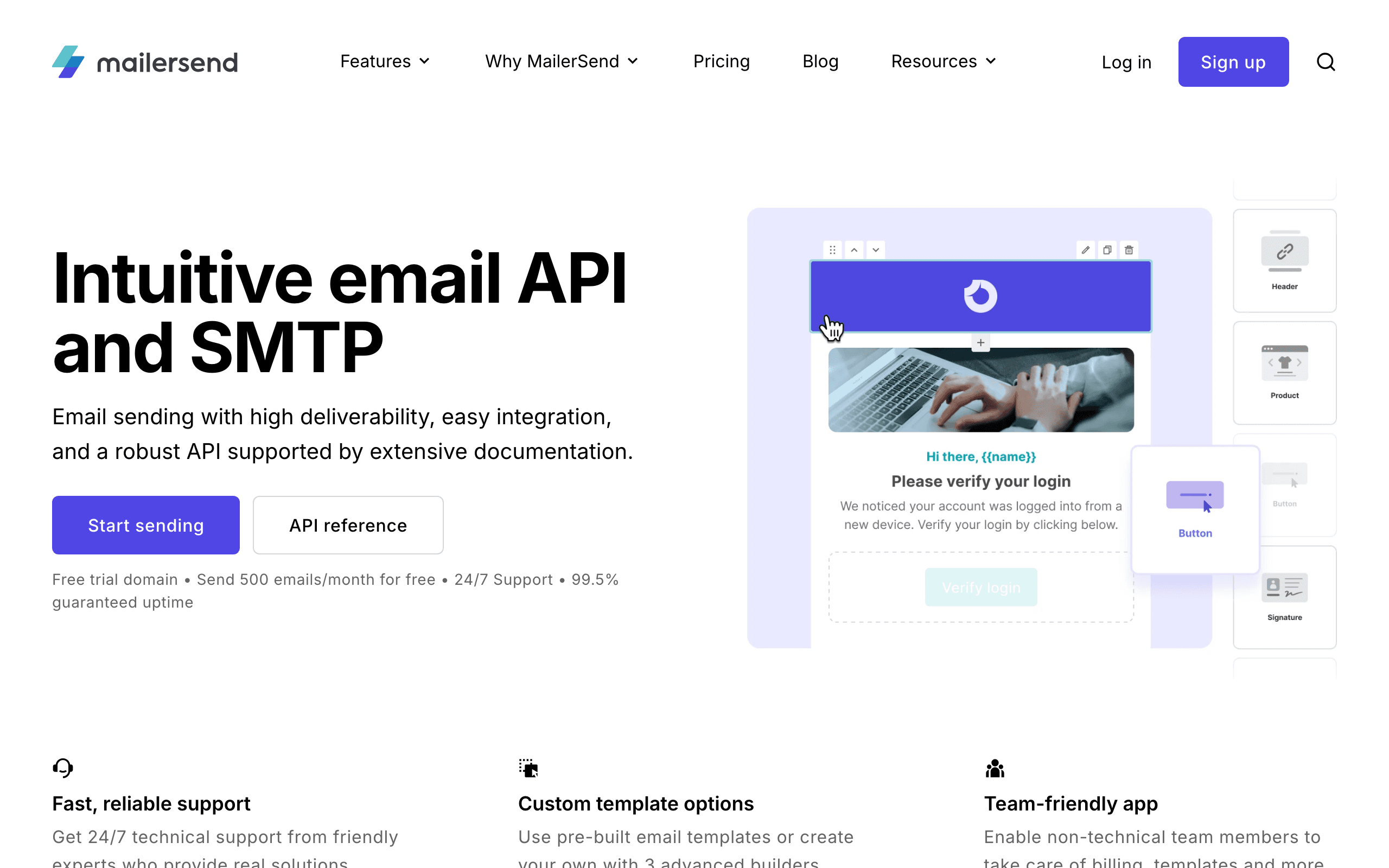
Best for: Transactional email products that need user replies.
MailerSend supports inbound routing, API sending, templates, webhooks, and SMTP. It is useful when non-developers edit templates and developers wire reply handling into the app.
- Receiving model: Inbound routes and webhooks
- Best use cases: Transactional replies and app conversations
- Weakness: Tight free tier
9. Forward Email
Best for: Forwarding plus webhook automation.
Forward Email supports forwarding and email webhooks that turn incoming mail into JSON. It is appealing for privacy-conscious teams and small automation workflows.
- Receiving model: Forwarding and JSON webhooks
- Best use cases: Simple inbound automation and forwarding
- Weakness: Less mainstream than larger providers
10. ImprovMX
Best for: Domain aliases and free forwarding.
ImprovMX is a strong forwarding service with API-managed domains and aliases. It is not a deep parser, but it is very useful for getting domain addresses working.
- Receiving model: Forwarding with alias API
- Best use cases: Custom-domain aliases
- Weakness: Forwarding-first, not parser-first
11. inbound.new
Best for: TypeScript-first email webhooks.
inbound.new converts email addresses into webhook endpoints. It is newer but interesting for AI inboxes, indie SaaS, and products that want clean developer ergonomics.
- Receiving model: Email webhook API
- Best use cases: Fast inbound prototypes
- Weakness: Newer ecosystem
12. MailPace
Best for: Simple inbound JSON webhooks from a smaller provider.
MailPace supports inbound email to JSON webhooks. It is worth testing when you want a compact transactional provider with receive support.
- Receiving model: JSON webhook
- Best use cases: Smaller apps and simple catch-all receiving
- Weakness: Smaller ecosystem
13. EmailEngine
Best for: API access to existing mailboxes.
EmailEngine is a self-hosted gateway over IMAP, SMTP, Gmail API, and Microsoft Graph. It exposes REST APIs and webhooks for mailboxes your users connect.
Use it for CRM, support, sales, recruiting, or AI assistants that need access to existing inboxes.
- Receiving model: REST API over existing mailboxes
- Best use cases: Gmail/Outlook/IMAP sync
- Weakness: You host and operate it
14. Gmail API
Best for: Apps that only need Gmail mailbox access.
The Gmail API can read, send, search, label, and watch mailbox changes. It is free to use within quotas, but OAuth review and permission scopes matter.
- Receiving model: Gmail mailbox API
- Best use cases: Gmail-only integrations
- Weakness: Gmail-only and OAuth-heavy
15. Microsoft Graph Mail API
Best for: Outlook and Exchange mailbox access.
Microsoft Graph supports mail access for Microsoft 365 and Exchange Online mailboxes, including reading, sending, folders, attachments, and change notifications.
- Receiving model: Outlook/Exchange mailbox API
- Best use cases: Microsoft 365 integrations
- Weakness: Tenant policies and permissions can slow setup
16. Nylas
Best for: Unified mailbox sync across providers.
Nylas abstracts Gmail, Outlook, IMAP, calendar, contacts, and related APIs behind one platform. The sandbox is useful for building before production.
- Receiving model: Unified mailbox API
- Best use cases: Multi-provider inbox integrations
- Weakness: Paid production pricing
17. Unipile
Best for: Unified email plus communication-channel APIs.
Unipile is useful when your product spans email, LinkedIn, WhatsApp, or other communication surfaces. It reduces provider-specific integration work.
- Receiving model: Unified communication API
- Best use cases: Multi-channel communication products
- Weakness: Trial-based evaluation
18. MailSlurp
Best for: Disposable inboxes and API-driven email tests.
MailSlurp lets developers create inboxes, receive messages, fetch attachments, and assert on email content through an API. It is strongest in QA and CI workflows.
- Receiving model: Disposable inbox API
- Best use cases: End-to-end testing
- Weakness: Not the first choice for production support replies
19. Mailosaur
Best for: Polished email and SMS testing.
Mailosaur provides a REST API and SDKs for testing email and SMS in auth flows, onboarding, MFA, and CI/CD. It has a free trial, then paid plans.
- Receiving model: Testing API
- Best use cases: QA automation and message previews
- Weakness: Trial, not permanent free
20. Mailpit
Best for: Local SMTP capture with a REST API.
Mailpit is free, open source, lightweight, and excellent for local development. It captures emails and exposes them through a web UI and API.
- Receiving model: Local SMTP capture and REST API
- Best use cases: Development and CI
- Weakness: Not a hosted production receiving API
21. Inbucket
Best for: Self-hosted disposable webmail.
Inbucket accepts messages for any address and exposes them through web, REST, and POP3 interfaces. It is a good internal testing utility.
- Receiving model: Disposable webmail and REST API
- Best use cases: Internal test inboxes
- Weakness: Not a deliverability service
22. Postal
Best for: Teams that want to run their own mail delivery platform.
Postal is an open-source mail delivery platform with a web interface, logs, API, and webhooks. It is closer to running your own SendGrid or Mailgun than subscribing to an inbound SaaS.
Choose it only if you are prepared to own DNS, IP reputation, abuse prevention, uptime, and operations.
- Receiving model: Self-hosted mail platform
- Best use cases: Full infrastructure ownership
- Weakness: Operationally heavy
Final Recommendation
Choose Mailgun for the most flexible inbound routes, Postmark for dependable reply parsing, Cloudflare for free routing, Resend for a modern combined sending and receiving API, or SES for an AWS-native pipeline.
If inbound replies are part of a SaaS lifecycle program, pair the receiving API with Sequenzy so outbound campaigns, subscribers, automations, revenue, and lifecycle state remain connected.
Use this shortlist:
- Mailgun for flexible routing
- Postmark for reliable reply parsing
- Cloudflare for free routing
- Resend for modern developer ergonomics
- SES for AWS-native pipelines
- Gmail API, Microsoft Graph, Nylas, Unipile, or EmailEngine for mailbox sync
- Mailpit, Inbucket, MailSlurp, or Mailosaur for testing
Do not choose by feature count alone. Choose by the kind of email you need to receive.
FAQ
What is the best API for receiving email?
Mailgun is the strongest general-purpose choice for flexible routes and custom inbound processing. Postmark is better when reliable, structured reply parsing matters more than routing flexibility. Cloudflare Email Routing is the best free starting point for simple forwarding or Workers handling.
What is the difference between an inbound email API and a mailbox API?
An inbound API accepts mail for a domain you configure and sends parsed messages to a webhook. A mailbox API connects to an existing Gmail, Outlook, or IMAP inbox through OAuth or credentials. Use inbound APIs for product-owned addresses and mailbox APIs for user-owned inboxes.
Can an email API receive attachments?
Most dedicated inbound parsers expose attachment metadata and content, but size limits, storage behavior, and webhook formats differ. Test large files, inline images, duplicate filenames, and raw MIME retrieval before launch.
How should I secure an inbound email webhook?
Verify the provider signature, reject stale timestamps, make processing idempotent, limit body size, scan attachments, and enqueue accepted payloads for asynchronous processing. Store enough raw data to replay failures without trusting unauthenticated sender headers.
Can I use the same provider for sending and receiving email?
Yes. Mailgun, Postmark, Resend, SendGrid, MailerSend, and Amazon SES support both directions. A separate receiving provider can still be preferable when its routing or parsing model fits your application better.