Updated September 28, 2026
EmailIt
MailPace

EmailIt vs MailPace

budget pay-per-email delivery service vs privacy-first EU-hosted transactional email API

8
Features Compared
3
Key Differences
8
FAQs Answered
TL;DR

EmailIt (~$1-2/10k emails) is a budget pay-per-email delivery service. MailPace ($10/month) is a privacy-first EU-hosted transactional email API. EmailIt wins on cheapest per-email pricing. MailPace wins on eu-only hosting. For SaaS founders, Sequenzy ($49/mo) offers Stripe integration and AI sequences that neither provides.

Platform Overview

See how each platform looks

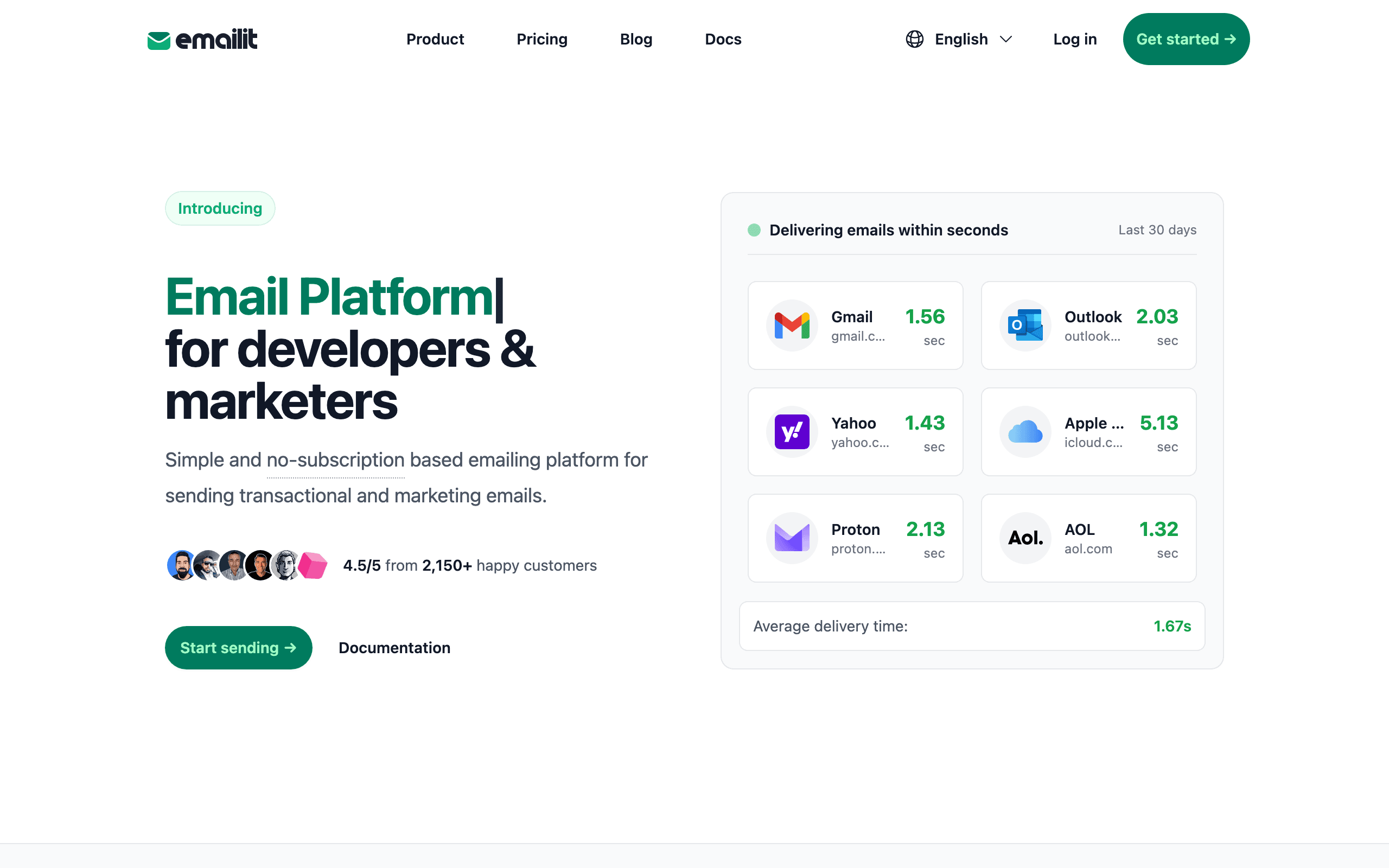
EmailIt

EmailIt dashboard screenshot

Pay-per-email delivery platform for transactional and marketing emails with SMTP and REST API integration.

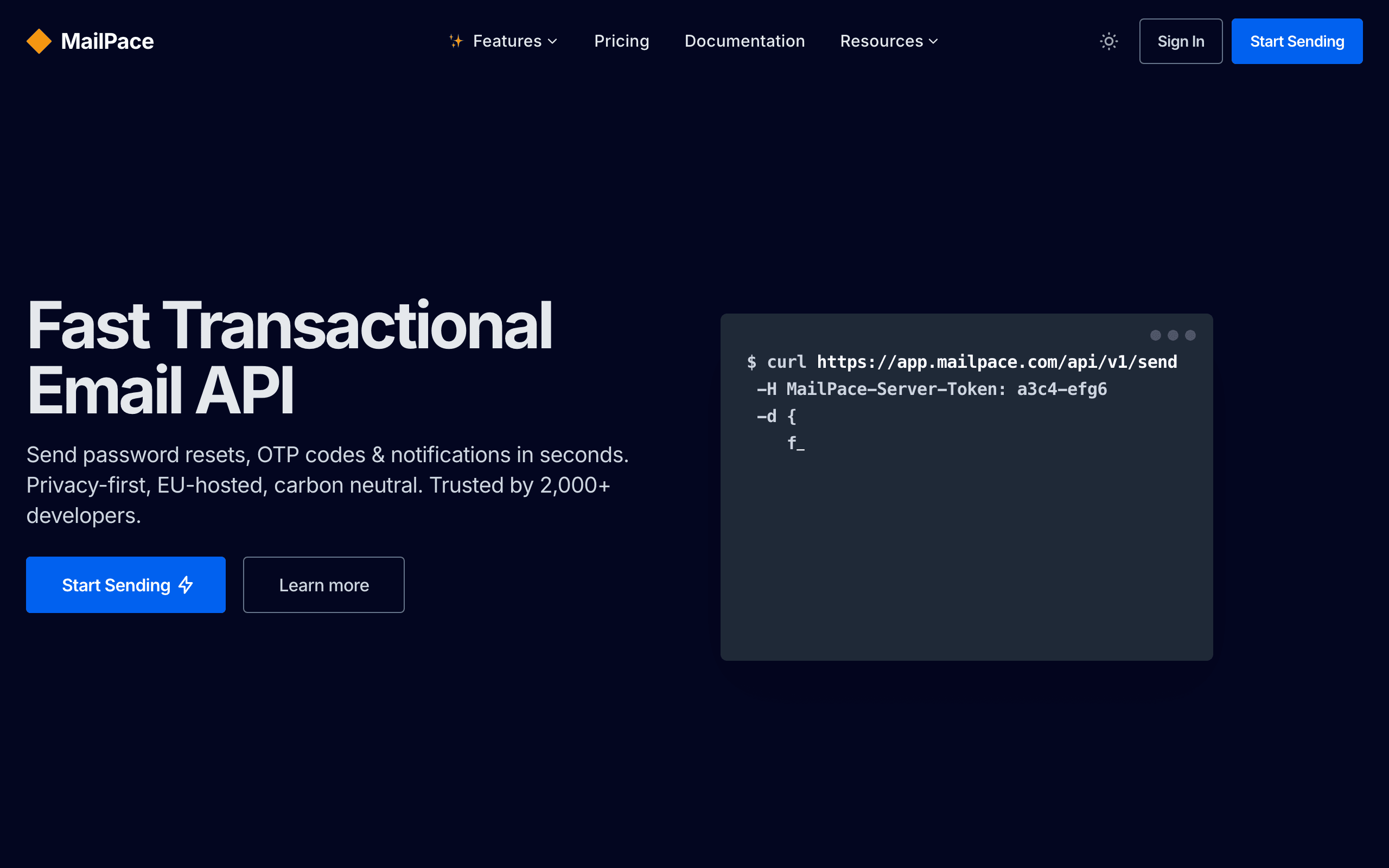
MailPace

MailPace dashboard screenshot

Privacy-first transactional email API for developers, EU-hosted with fast delivery and simple pricing.

Key Differences

The main things that set these tools apart

Pricing model
Tie

EmailIt costs ~$1-2/10k emails. MailPace costs $10/month. Different pricing models for different needs and budgets.

Primary use case
Tie

EmailIt is best for cheapest per-email pricing. MailPace is best for eu-only hosting. They optimize for different goals.

Feature depth
Tie

EmailIt strengths: Cheapest per-email pricing, No monthly subscription, Simple SMTP/API. MailPace strengths: EU-only hosting, Privacy-first design, Idempotent sending.

Pricing Comparison

At comparable usage

EmailIt
~$1-2/10k emails

Pay-per-email, no subscription. SMTP and API.

Visit EmailIt
MailPace
$10/month

Transactional only. EU-hosted. Privacy-first.

Visit MailPace
Best for SaaS
Sequenzy
$49/month

At comparable usage

60,000 emails/mo, unlimited contacts.

Free plan: up to 2,500 emails/month. Paid plans from $19/month (15,000 emails), unlimited contacts on every plan. See all plans

Start for free

Feature Comparison

8 features compared side-by-side

Feature
EmailIt
MailPace
Sequenzy
Core Features
Cheapest per-email pricing
Varies
EU-only hosting
Varies
Email API
Visual email editor
Full drag-and-drop
Marketing & Automation
Marketing automation
AI-powered sequences
Subscriber management
Full lifecycle management
Stripe integration
Native
Transactional email

API, CLI and MCP: How AI-Ready Is Each Tool?

What you, or an AI assistant like Claude or ChatGPT, can do in each tool without opening the dashboard. “MCP” means the vendor's own MCP server can do it. Each status links to the doc that confirms it.

EmailIt
MCP server
Official, read and writeRuns locally

Open-source @emailit/emailit-mcp, 47 tools; stdio or self-hosted HTTP, no vendor-hosted endpoint.

MCP docs
CLINoneAPIREST
Through its MCP (6 of 14)

Create and update contacts, Add contacts to lists or tags, Create and edit templates, Send transactional email, View or manage unsubscribes, Set up sending domains

API only

Read campaign analytics

Checked September 28, 2026
MailPace
MCP server
Official, read and writeRuns locally

Local npm server by MailPace with one tool, send-email, using a domain API token. Send only.

MCP docs
CLINoneAPIREST + SMTP
Through its MCP (1 of 14)

Send transactional email

API only

Set up sending domains

Checked September 28, 2026
Sequenzy
MCP server
Official, read and writeHosted or local

250+ tools. Hosted with OAuth or local with an API key.

MCP docs
CLIOfficialAPIREST
Through its MCP (14 of 14)

Create and update contacts, Add contacts to lists or tags, Create segments, Create campaigns, Send or schedule campaigns, Build automations, Trigger automations, Create A/B tests, Create and edit templates, Send transactional email, Read campaign analytics, View or manage unsubscribes, Set up sending domains, Create forms or landing pages

Checked September 28, 2026

If You Leave Later: What You Can Take With You

Switching is easier when your data comes with you. Unsubscribes matter most: without them, people who opted out get emailed again.

EmailIt
Contacts and custom fields
Yes

API GET /contacts (includes custom_fields and unsubscribed flag); UI export not documented

EmailIt docs
Unsubscribes and bounces
Yes

API GET /suppressions

EmailIt docs
Templates as HTML
Yes

API GET /templates/{id} returns html and text content

EmailIt docs
Automations
Not confirmed

No automation endpoints or export documented.

Open and click history
Yes

API GET /events (email delivered, loaded, clicked, bounced, complained)

MailPace
Contacts and custom fields
No

No contact database; transactional sending only.

MailPace docs
Unsubscribes and bounces
Not confirmed

Bounced addresses go to a per-domain Block List page; export or API access not documented.

MailPace docs
Templates as HTML
No

No stored templates; HTML is sent per API call.

MailPace docs
Automations
No

No automation feature.

Open and click history
No

No open or click tracking documented; only delivery webhooks.

Sequenzy
Contacts and custom fields
Yes

Subscribers > Export downloads a CSV with status, tags and custom attributes, or page through GET /subscribers

Sequenzy docs
Unsubscribes and bounces
Yes

Unsubscribed and bounced contacts carry their status in the CSV export, and GET /suppressions lists them

Sequenzy docs
Templates as HTML
Yes

GET /templates/{id}/render returns the exact email-safe HTML that is sent

Sequenzy docs
Automations
Yes

GET /sequences/{id} returns each sequence's steps, delays and conditions as JSON; other tools cannot import it directly

Sequenzy docs
Open and click history
Yes, on request

Full per-contact open and click history is exported on request; opens and clicks also stream out through webhooks as they happen

Pros & Cons

Honest strengths and weaknesses of each platform

EmailIt

Pros
  • No monthly subscription with pay-per-email pricing
  • Fastest possible setup without privacy configuration
  • Lower per-email cost for budget-constrained projects
  • Simple API without privacy-layer complexity
  • No minimum commitment or contract
  • SMTP relay works with any application stack
Cons
  • No privacy-first design or tracking controls
  • No EU-only data residency guarantee
  • No idempotent sending to prevent duplicate emails
  • No inbound email processing capability
  • Minimal documentation compared to MailPace
  • No GDPR-specific compliance features

MailPace

Pros
  • Privacy-first with no tracking pixels by default
  • EU-only hosting for GDPR data residency requirements
  • Idempotent API prevents accidental duplicate sends
  • Clean, well-written developer documentation
  • Simple transparent pricing at $10/month
  • GDPR compliant by design, not by afterthought
  • Inbound email processing available
Cons
  • Very small team behind the product
  • Limited feature set compared to larger competitors
  • No marketing email capabilities
  • Fewer SDK options than established platforms
  • Small user community means fewer resources online
  • Less proven at high-volume sending

What Users Say

Reviews from Trustpilot, linked to the source

Trustpilot

“Emailit so far has been a great platform to use. I purchased this tool several months ago as a hobbyist for some of my personal tools and services I host. Its such a no nonsense platform, they say they do email, the platform does email. And they do it well!. Boom thats it! So far: *knock on wood* No upsells, no bait and switches, no unwanted features shoved against the user, my emails are delivering, my API keys work well, reliability seems fantastic, documentation was straightforward for me. Love it honestly, I have nothing bad to say!”

Trustpilot

“They make you buy lifetime plans, and block you as soon as the refund period finishes with giving a very stupid reason possible.”

MailPace Reviews

Trustpilot

“Email providers are in the same group as gyms and insurance in that they want their customers to suffer; but MailPace is good! Just a thoughtfully designed API for a reasonable price.”

Trustpilot

“I've had an absolutely wonderful experience with MailPace. Setting up transactional emails has been incredibly simple and straightforward. Everything has worked flawlessly.”

Best For

When to choose each tool

Choose EmailIt if you...
  • Cheapest per-email pricing
  • No monthly subscription
  • Simple SMTP/API
  • Fast delivery
Choose MailPace if you...
  • EU-only hosting
  • Privacy-first design
  • Idempotent sending
  • Inbound email

Why Consider Sequenzy Instead

Built for SaaS

Neither EmailIt nor MailPace offers native Stripe integration. Sequenzy connects to Stripe and triggers emails based on subscription events automatically.

Marketing + transactional unified

Sequenzy runs campaigns, transactional emails, and AI sequences in one product. EmailIt and MailPace handle only sending, so marketing mail would need a second tool.

AI-powered sequences

Describe what you want and Sequenzy generates the email sequence. Neither EmailIt nor MailPace has AI content generation.

Simple pricing

Sequenzy's $99 plan for 120,000 emails costs roughly ten times MailPace's $10 flat fee, but it includes unlimited contacts. See pricing for details.

Overview

EmailIt and MailPace serve different needs in the email space. EmailIt is a budget pay-per-email delivery service. MailPace is a privacy-first EU-hosted transactional email API.

The choice depends on what you need: cheapest per-email pricing (EmailIt) or eu-only hosting (MailPace). For SaaS businesses specifically, Sequenzy offers purpose-built features that neither tool provides.

Pricing reality

  • EmailIt: ~$1-2/10k emails - Pay-per-email, no subscription. SMTP and API.
  • MailPace: $10/month - Transactional only. EU-hosted. Privacy-first.
  • Sequenzy: $99/month for 120,000 emails, with yearly billing 10% off and a free tier of 2,500 emails to start. See pricing.

Review signals

The EmailIt reviews on this page support the lowest-cost path when privacy controls are not a buying requirement. One reviewer says password resets and notifications do not justify MailPace's privacy premium for their use case.

The negative EmailIt review shows the compliance limit: the team switched to MailPace when EU customers required data-residency guarantees that EmailIt could not confirm.

MailPace's reviews reinforce the privacy-first positioning. Reviewers cite EU hosting, no tracking by default, GDPR posture, and idempotent sending as practical advantages, while also acknowledging the small-team risk.

Where EmailIt Wins

Cheapest per-email pricing

EmailIt offers cheapest per-email pricing, which is a genuine advantage for teams that need it.

No monthly subscription

EmailIt offers no monthly subscription, which is a genuine advantage for teams that need it.

Simple SMTP/API

EmailIt offers simple smtp/api, which is a genuine advantage for teams that need it.

Fast delivery

EmailIt offers fast delivery, which is a genuine advantage for teams that need it.

Where MailPace Wins

EU-only hosting

MailPace offers eu-only hosting, which matters for teams that prioritize this.

Privacy-first design

MailPace offers privacy-first design, which matters for teams that prioritize this.

Idempotent sending

MailPace offers idempotent sending, which matters for teams that prioritize this.

Inbound email

MailPace offers inbound email, which matters for teams that prioritize this.

Delivery Speed and Reliability

EmailIt and MailPace both position themselves as straightforward transactional senders for receipts, password resets, and verification codes. EmailIt keeps things simple with pay-per-email pricing and no monthly subscription, while MailPace builds its whole approach around EU-only hosting and privacy-first defaults, including idempotent sending that guards against accidental duplicate messages during retries.

API Design and Developer Experience

MailPace ships clean, well-written developer documentation and a genuinely GDPR-compliant setup by design, not as an afterthought. EmailIt's documentation is thinner and its SDK support more limited, reflecting its focus on being the cheapest per-email option rather than the most polished developer experience. If documentation quality matters more than price, MailPace is the safer bet.

Scaling and Cost at Volume

EmailIt charges roughly $1 to $2 per 10,000 emails with no monthly subscription, which rewards bursty or low-volume senders who do not want a recurring bill. MailPace charges a flat $10 a month for its transactional plan regardless of exact volume. As your sending grows steadily each month, MailPace's flat fee becomes easier to predict, while EmailIt stays cheaper if your volume is irregular.

The Privacy-First Philosophy

MailPace takes a fundamentally different approach to email by defaulting to no tracking. Most email platforms automatically insert tracking pixels into every email to measure opens and click-through rates. MailPace does not track by default, respecting recipient privacy and simplifying your GDPR compliance posture.

For SaaS businesses serving privacy-conscious customers -- particularly in healthcare, finance, legal, or European markets -- this default matters. EmailIt does not offer configurable tracking controls because it sends whatever HTML you provide without modification. If you embed tracking pixels yourself, EmailIt sends them. If you do not, it does not. The difference is that MailPace has made privacy a core architectural decision rather than leaving it to the developer.

The idempotent sending feature is also noteworthy. MailPace's API prevents duplicate sends by recognizing repeated requests with the same idempotency key. This protects against the common scenario where a queue processor retries a failed job and accidentally sends the same email twice. EmailIt has no such protection -- duplicate prevention must be built into your application logic.

Two Small Companies Compared

Both EmailIt and MailPace are small, independent companies. This has advantages and risks. On the positive side, small teams are responsive, iterate quickly, and build focused products without corporate bloat. On the negative side, small teams have limited redundancy, and either company could face challenges that affect service continuity.

When evaluating small email providers, consider what happens if the service experiences downtime or the team faces capacity constraints. Larger platforms like SendGrid or Postmark have engineering teams that can respond to incidents around the clock. With EmailIt and MailPace, the response capacity is more limited.

For mission-critical transactional email -- password resets, two-factor authentication codes, payment confirmations -- the organizational risk of small providers is worth weighing against their cost and privacy advantages. For less time-sensitive communications like notifications and updates, the risk is more acceptable.

The SaaS Email Layer Neither Provides

Both EmailIt and MailPace solve the sending problem without addressing the automation layer that SaaS businesses need. Neither platform knows about your users' subscription status, trial period, payment history, or engagement patterns. Building lifecycle email automation requires custom code regardless of which sender you choose.

Sequenzy provides this lifecycle layer with native Stripe integration for billing-aware automation, AI sequences that generate onboarding and retention emails, and unified transactional plus marketing email at $49/month. For SaaS businesses, the automation layer matters more than the raw sending cost. See pricing for details.

Use-case matchups

Use case Better fit Why
Lowest-cost simple transactional email EmailIt EmailIt is better when the team only needs basic API/SMTP sending and wants to minimize recurring cost.
EU-hosted privacy-first transactional email MailPace MailPace is stronger when EU data residency, no tracking by default, and GDPR posture are central requirements.
Duplicate-send protection MailPace MailPace's idempotent API is useful when queues retry failed jobs and duplicate transactional emails would be harmful.
Stack-agnostic SMTP relay EmailIt EmailIt is straightforward when existing applications already send through SMTP and privacy tooling is not the key need.
SaaS lifecycle automation Sequenzy Sequenzy is better when Stripe events, transactional email, and lifecycle campaigns need one SaaS-focused workspace.
Inbound email handling MailPace MailPace is the better first look when inbound processing is part of the transactional workflow.

Best Fit by Cost, Privacy, and Duplicate-Send Risk

Best cheapest transactional email API for simple apps

Choose EmailIt when the app only needs simple SMTP/API sending and the buying constraint is raw cost. It is the better fit for password resets, receipts, alerts, and notifications where EU-only hosting, no-tracking defaults, inbound processing, and idempotency are not explicit requirements.

Best privacy-first transactional email service for EU customers

Choose MailPace when customers, contracts, or internal policy require EU hosting, minimal retention, privacy defaults, or stronger duplicate-send protection. It is a better fit for healthcare, finance, legal, and European SaaS workflows where compliance posture matters more than shaving a few dollars from sending costs.

Best SaaS email platform for lifecycle automation

Choose Sequenzy when the business needs more than raw transactional delivery. SaaS teams often need Stripe-triggered onboarding, lifecycle campaigns, product-event email, and subscriber segmentation together, which neither EmailIt nor MailPace provides as a managed marketing layer.

Migration checklist

  • Export domains, sender identities, API keys, SMTP credentials, templates, suppressions, webhooks, bounce handling, and delivery logs before switching.
  • If moving to MailPace, confirm EU data residency, retention, no-tracking defaults, idempotency keys, inbound routing, and any legal documentation required by customers.
  • If moving to EmailIt, replace MailPace-specific idempotency, inbound handling, and privacy assumptions in application code or policy documents.
  • Reconfigure SPF, DKIM, DMARC, return-path, sender addresses, and webhook destinations in the destination provider.
  • Test password resets, verification codes, receipts, alerts, inbound flows if used, retry behavior, bounces, and suppression handling before cutover.
  • Keep both providers active until latency, failure handling, and compliance evidence are validated.

Decision checklist

  • Are EU hosting and GDPR data-residency guarantees required by customers or compliance teams?

  • Does the team need privacy defaults like no tracking pixels by default?

  • Would duplicate-send protection through idempotency reduce real product risk?

  • Is EmailIt's lower cost worth more than MailPace's privacy and inbound tooling?

  • Would SaaS lifecycle automation and billing-aware email make Sequenzy a better fit?

  • Decide whether the destination should optimize for raw cost, EU privacy controls, or SaaS lifecycle automation.

  • Export verified domains, sender identities, SMTP/API keys, templates, webhooks, inbound routes, idempotency logic, suppression data, and delivery reports.

  • If moving to MailPace, define EU data residency requirements, tracking defaults, idempotency keys, inbound processing, and privacy documentation before switching traffic.

  • If moving to EmailIt, identify which MailPace privacy defaults, idempotency protection, inbound handling, and GDPR-oriented controls need replacement in application code.

  • Rebuild critical transactional templates first: verification, password reset, invite, receipt, invoice, billing, alert, and notification emails.

  • Reconnect API/SMTP calls, webhooks, inbound routes, bounce handling, complaint handling, alerts, monitoring, and suppression syncing.

  • Authenticate SPF, DKIM, and DMARC, then test duplicate-send handling and privacy behavior before moving all production traffic.

  • Preserve historical delivery, privacy, inbound, retry, bounce, complaint, and cost reports so the team can compare raw cost against privacy assurance.

Frequently Asked Questions

8 questions answered about EmailIt vs MailPace

Testimonials

Sequenzy Testimonials

Yusuke

Yusuke

Founder, LandingBoost

It’s the first tool where I’m actually willing to keep working on email without it turning into one giant scary blast. Favorite part is still what I said, being able to split stuff. Drafts vs campaigns vs a single-person send. I can park a lot of “don’t send this yet” work with labels and not feel like it’s one click away from going to everyone. Sequences later. Consent / lists first. I’m slow on purpose.

Rakesh Reddy

Rakesh Reddy

Founder, CrawlRaven

We used Sequenzy to replace a generic onboarding flow with coordinated lifecycle journeys covering signup, connecting Google Search Console, discovering SEO opportunities, upgrading, and paid-customer retention. Event triggers, conditional branches, personalization, and enrollment cancellation gave us precise control over who receives each message - and when someone should exit a journey. We backfilled eligible users into the appropriate journeys. The initial emails went out without bounces, complaints, suppressions, or unexpected recipients. Future users now enter the relevant journeys automatically based on their activity in CrawlRaven.

Elvis Sun

Elvis Sun

Founder, PressPulse & Medialyst

Codex basically one-shotted the migration for syncing our audience from SendGrid to Sequenzy. Sequenzy is fully observable, so agents can just set everything up. The net impact is saving $45/mo, plus 2 hours of my time every time I need to repurpose a newsletter. That's 8 hours a month. My consulting rate is $550/hr, so every hour automated is super valuable.

Caden Sumner

Caden Sumner

Solo founder, Moxie Docs

Lifecycle email was the kind of thing I knew I would need eventually, but have never had to build it out myself and had no idea where to start. In literal hours I had a fully working (but basic) flow for onboarding new users, detecting churn, and re-engaging people who have trials lapsing to hopefully convert. Sequenzy let me offload the entire “keep users engaged and recover the ones who are slipping” workflow to something that just runs. Every hour I'd have spent building and babysitting lifecycle emails went into shipping the actual product instead.

Louis

Louis

Founder

Easy migration from another tool. Premium customer service and easy to set everything up

Apr 9, 2026

Jim

Jim

Founder, FixMyLanding

It helped me grow to $100 MRR, get #1 on Uneed, make more sales, get acquired. I literally love Sequenzy, it's so simple, I love the dashboard. I also saw the integrations and was shocked. 3 sales today, all thanks to Sequenzy. Honestly, thanks.

King Killers

King Killers

Shopify App Store review

Loving the Sequenzy app so far due to the affordability and large subscriber limits. Planning on this becoming my main email app. Campaign + flows setup with the help of their AI took less than 30 minutes.

Verified User

Verified User

Computer Software

SaaS-focused feedback, fast processing, and plenty of integrations. It is very SaaS-focused, supports a wide range of integrations, and processes feedback right away.

Jun 17, 2026

G2
Filip Panoski

Filip Panoski

Founder, Bazzly

I've used 2 other email marketing tools. They were supposedly "market leaders". Both were clunky, unnecessarily expensive and horrible support. When I tried Sequenzy I thought there'd be trade-offs compared to the others. But there weren't, it had everything I needed, there was no bloat, emails delivered extremely fast, and the founders shipped anything I asked in a day. The best part is that Sequenzy is AI native, I rarely do stuff in the dashboard, just use my AI to create campaigns, sequences and segment customers which saves me a ton of time. Never been happier with an email marketing tool.

Max Eccles

Max Eccles

Founder, InstantInterior AI

$600 revenue in 30d from email automations. Very happy I migrated to Sequenzy. Before I was making zero from email automations.

Leo

Leo

Maintainer, Email SDK

Sequenzy's most powerful feature is probably those campaigns. It seems useless at first but they are one of the most important things to send to your users. I get to talk to my users 1:1 and help them set it up for their use case. The owner is really active on X, really nice and helpful. He's the type of person to go out of his way to help you, so you get really good support!

Viraj

Viraj

Founder, SnapCount

After using Loops and Resend, I was looking for an email infrastructure service that had MCP support, Affonso and Dodo Payments integrations, and was affordable. Came across Sequenzy, and the support from Nic has been unbelievable. Migration was done in 24 hours without any issues, and I can run all of my products from a single account.

Jim

Jim

Founder

I run a SaaS, and found Nic on X where I kept seeing posts about his email marketing tool, Sequenzy. I decided to try it for email marketing. Literally on the first day, I used it to send a marketing campaign and I got 5 sales. What I like most is the ai assistant because it actually writes emails that feel real instead of the usual ai slop chatgpt returns, so they do not end up in spam. It also has a 2.5k free email limit which is way better than most tools that only give you around 1k. The best part though is that it handles everything for me, tags, subscribers, sequences and all of it. Without it i would probably be managing a database and a bunch of cron jobs just to make email automation work. Sequenzy just makes my life a lot easier. it can also be set up with 2-3 clicks! Give it a try!!

Mar 10, 2026

Dhiva Logu

Dhiva Logu

Founder

I love everything about Sequenzy and also the kind of support I get from Nic. It's already the best choice for campaigns & Sequences. Specially the integrations with payment providers, auth providers & analytics etc.. is really spot on. Best in terms of features & pricing in the email segment 100% recommend it for SaaS emails :)

Mar 10, 2026

Petros

Petros

Shopify App Store review

The setup was fast and simple. It synced customer, product, and order data quickly. Generating automated flows was simple, and it improved my monthly bottom line by about 7%.

Not sure which to pick?

If you're a SaaS founder who needs Stripe integration and unified email, try Sequenzy free. No credit card required.

Related Comparisons

Written by Sequenzy, which appears in this comparison. How we compare tools

Sequenzy pricing reference

Sequenzy - Complete Pricing Guide

Pricing Model

Sequenzy uses email-volume-based pricing. You only pay for emails you send. Unlimited contacts on all plans — storing subscribers is always free.

All Pricing Tiers

  • 2.5k emails/month: Free (Free annually)
  • 15k emails/month: $19/month ($205/year annually)
  • 30k emails/month: $29/month ($313/year annually)
  • 60k emails/month: $49/month ($529/year annually)
  • 120k emails/month: $99/month ($1069/year annually)
  • 300k emails/month: $199/month ($2149/year annually)
  • 600k emails/month: $399/month ($4309/year annually)
  • 900k emails/month: $599/month ($6469/year annually)
  • 1.2M emails/month: $799/month ($8629/year annually)
  • 2M emails/month: $1299/month ($14029/year annually)
  • 3M emails/month: $1999/month ($21589/year annually)
  • 4M emails/month: $2499/month ($26989/year annually)
  • 5M emails/month: $2999/month ($32389/year annually)
  • Unlimited emails/month: Custom pricing (Custom annually)

Yearly billing: All plans offer a 10% discount when billed annually.

Free Plan Features (2,500 emails/month)

  • Visual automation builder
  • Transactional email API
  • Team and agent inbox
  • Landing pages
  • Unlimited team members
  • Goal tracking & revenue attribution
  • Unlimited lists and segments
  • Payment integrations
  • API, MCP, and CLI access
  • Unlimited sending domains
  • SPF, DKIM, and DMARC
  • Deliverability monitoring
  • Send time optimization
  • A/B testing

Paid Plan Features (15k - 5M emails/month)

  • Visual automation builder
  • Transactional email API
  • Team and agent inbox
  • Landing pages (Create hosted signup pages and attach a custom domain.)
  • Unlimited team members
  • Goal tracking & revenue attribution
  • Unlimited lists and segments
  • Payment integrations (Stripe, Paddle, Lemon Squeezy)
  • API, MCP, and CLI access
  • Unlimited sending domains
  • SPF, DKIM, and DMARC
  • Deliverability monitoring
  • Send time optimization
  • A/B testing

Enterprise Plan Features (Unlimited emails)

  • Visual automation builder
  • Transactional email API
  • Team and agent inbox
  • Landing pages
  • Unlimited team members
  • Goal tracking & revenue attribution
  • Unlimited lists and segments
  • Payment integrations
  • API, MCP, and CLI access
  • Unlimited sending domains
  • SPF, DKIM, and DMARC
  • Deliverability monitoring
  • Send time optimization
  • A/B testing

Important Pricing Notes

  • You only pay for emails you send — unlimited contacts on all plans
  • No hidden fees - all features included in the price
  • No credit card required for free tier

Contact

  • Pricing Page: https://sequenzy.com/pricing
  • Sales: hello@sequenzy.com



