
Best email marketing tools for franchise businesses (2026)
For most franchise systems the answer is Sequenzy, because it is the only platform here that gives every location its own workspace, its own sending domain and its own sender reputation while billing the whole network against one pooled email allowance, and the only one with a public API, CLI and MCP server for provisioning and reporting on locations from a script. If brand lockdown is the thing that decides your purchase, Campaign Monitor's block-level locked templates are stricter than anything else on this list, from $13/mo at 500 contacts. If you need a human approval step before a franchisee can send, Emma's Teams tier is the only real option at $275/mo for 10,000 contacts. If you want unlimited brands under one parent login with no per-location subscription, BigMailer is built for exactly that.
| If you are | Pick | Because |
|---|---|---|
| A growing network adding locations regularly | Sequenzy | Script the provisioning, pay per email sent, and locations that do not send add nothing to the bill |
| A brand team whose main fear is off-brand email | Campaign Monitor | Block-level template locking is the strictest here, and the client-account model gives each location its own sender |
| A regulated franchise needing sign-off before every local send | Emma | The Teams tier adds a real approval workflow, not just template locks |
| A multi-brand operator with many small locations | BigMailer | Brands and sub-accounts are the product, priced by contacts and volume rather than per brand |
| Equipping franchisees with a whole local marketing stack | GoHighLevel | Sub-accounts, snapshots, white-labelling and a flat agency fee that does not scale with location count |
How to choose email marketing software for franchises
Eight criteria decide this purchase. Ease of use is not one of them, because every platform here is usable by someone; the question is whether the platform can hold the shape of a network.
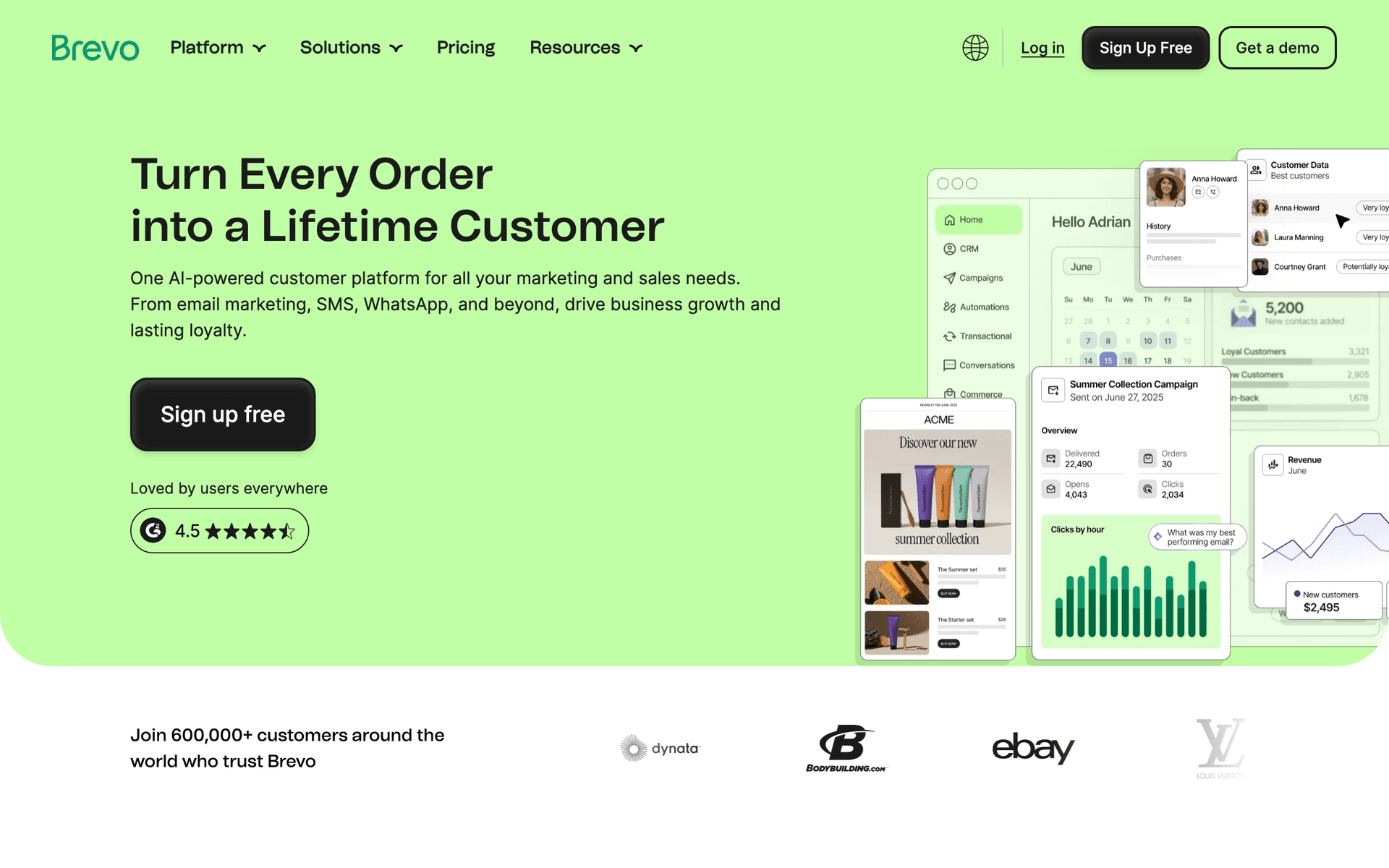
1. Sub-accounts per location. The core buying question. What you want is unlimited child accounts that cost nothing extra to create, each with its own list, templates and sender identity. Sequenzy (workspaces), BigMailer (brands), GoHighLevel (sub-accounts) and Campaign Monitor (client accounts) all have this natively. HubSpot gates it behind Business Units on higher tiers, Emma puts it on the Teams tier, and Mailchimp and Brevo do not have it at all - you end up with genuinely separate logins.
2. Roll-up reporting across locations. Corporate needs to see the network without opening 50 tabs. Campaign Monitor, BigMailer, GoHighLevel, HubSpot and Emma all provide a parent view. Sequenzy does not have a single roll-up screen yet: per-location reporting is complete, but the network view is an API pull into a spreadsheet or BI tool. That is a real gap and it is worth weighing against the provisioning advantage.
3. Template locking granularity. Block-level locking means corporate fixes the header, footer, brand colors and legal disclaimer, and the franchisee can edit only defined content blocks. Whole-template locking means a franchisee can replace the entire body and technically stay in template. Campaign Monitor does block-level and it is the strictest here. Most of the rest do whole-template. Sequenzy enforces brand a different way, through a workspace-level email theme that governs colors, fonts and spacing on every email plus templates corporate seeds through the API - effective in practice, but not an edit lock, and worth saying plainly. Emma adds an approval workflow on top, which is a different and in some categories better control.
4. Per-location sending domain and sender reputation. Every platform here can set a per-location from-address. Fewer of them isolate the consequences. What good looks like: each location has its own verified sending subdomain, and bounce rates, complaint rates and automatic sending pauses are evaluated per location so one bad list does not take down the network's inbox placement. Sequenzy enforces this at the workspace level; a sender-health pause stops one location, not all of them. See deliverability for what those thresholds do.
5. Network-wide suppression and dedupe. The criterion that stops a customer who visits three locations receiving your national promotion three times. HubSpot handles it natively because contacts live in one database. On platforms with isolated sub-accounts - which includes Sequenzy - suppression is scoped to each account, so cross-network deduplication is a scripted step before every national send. Nobody should pretend otherwise, and any vendor who claims it happens automatically on an isolated sub-account model is worth a follow-up question.
6. Programmatic location provisioning. Signing up 50 locations by hand is a week of work, and it is work you repeat every time the network grows. What good looks like: one command creates the account, attaches the sending domain, seeds the approved templates, imports the starter list and schedules the welcome sequence. Sequenzy is the only tool in this list with a public API, a CLI and an MCP server covering that whole path. Campaign Monitor, BigMailer, ActiveCampaign, GoHighLevel, Emma and HubSpot all have APIs, but account creation is usually still a UI step.
7. Billing model. Per contact, per email, per seat or flat. This is the single largest cost driver at scale and it is the criterion most shortlists get wrong. Per-contact platforms bill the network for every stored record whether or not it receives anything. Per-email platforms bill the network for what leaves the building. Flat agency pricing (GoHighLevel) is the most predictable of all but bundles in a lot you may not need. See the cost modelling below.
8. SMS for local, time-sensitive messages. Appointment reminders, same-day offers and closures do not work as email. Sequenzy, ActiveCampaign, GoHighLevel, HubSpot, Emma and Constant Contact all send SMS in some form; Campaign Monitor and BigMailer do not. Check whether the add-on is billed per account, because on a per-workspace model it becomes a per-location decision.
Provisioning 50 locations without 50 signup forms
This is the criterion nobody puts on a pricing page and the one that decides whether a network of 200 locations is administrable. Every new location needs an account, a verified sending domain, the approved template set, a starter list import, the welcome sequence enabled and a franchisee login issued. Done by hand that is roughly half a day per location, it is the first thing to get skipped when the franchise development team is busy, and it produces a network where the setup quality varies by who did it.
Done through an API or CLI it is one command and it is identical every time. Sequenzy exposes the whole path - workspace creation, sender domain attachment, template seeding, list import, sequence enablement and per-location reporting - through a public API, a CLI and an MCP server, which means the provisioning script can also be driven by an assistant rather than written from scratch. The practical test to run during a trial: ask the vendor to show you a location being created and fully configured without anyone touching a browser. Most cannot.
The reverse operation matters too. Locations close and change hands. A network needs a documented offboarding path - export the list, revoke the franchisee login, keep or delete the contact records according to your franchise agreement - and it should be as scriptable as onboarding.
Corporate vs franchisee: who owns which campaign
Clear ownership is what stops duplicate sends and stops franchisees having to invent strategy from scratch. Publish this table in the franchise operations manual.
| Campaign | Owner | Why |
|---|---|---|
| Brand and national promotions | Corporate | One message, one legal review, deduplicated across the network |
| New customer welcome | Corporate template, local send | Consistent quality with a local from-address |
| Local events and community | Franchisee | Corporate has no visibility into a school fundraiser |
| Reactivation of lapsed customers | Franchisee | The lapse window depends on the location's own visit data |
| Loyalty and rewards | Corporate | Program rules must be identical everywhere |
| Review requests | Corporate timing and copy, local link | Standard timing, but the review profile is per location |
| New location launch | Corporate template, local send | The template is the same everywhere; the date and address are not |
| Recruitment and hiring | Franchisee | Local labour market, local hours |
| Franchise development and lead nurture | Corporate | Selling franchises is a head-office pipeline, not a store one |
The two failure modes this table prevents: corporate running local campaigns badly because it does not know the market, and franchisees running national-looking campaigns that a customer cannot distinguish from head office.
Brand governance without blocking franchisees
Governance should make email faster for locations, not slower. The systems that work combine hard locks on brand assets with genuine freedom in the content area, plus a steady supply of ready-made content so that freedom is easy to use.
| Control | Why it matters | Practical setup |
|---|---|---|
| Locked templates or a brand theme | Protects logo, colors, legal disclaimers | Block-level locking where available; otherwise a workspace-level brand theme plus seeded templates |
| Approved image library | Prevents off-brand photography | Shared asset folder per brand, refreshed quarterly |
| Pre-written monthly calendar | Removes the blank-page problem | One suggested send per week with copy and images attached |
| Per-location sending domain | Isolates deliverability | Verified subdomain per workspace, monitored separately |
| Network suppression list | Stops triple-sending | Deduplicate on email address before every national send |
| Approval workflow | Catches what locks cannot | Required for regulated categories; optional elsewhere |
| Training calendar | Improves adoption | Monthly worked example plus one ready-to-send campaign |
| Location-level lists | Keeps messages relevant | Separate audiences, never a shared master list with tags |
Two notes on where governance goes wrong. First, block-level locking is stricter than whole-template locking, where a franchisee can swap out the entire body and technically stay in template, and both are stricter than a brand theme, which standardises the look without preventing an edit - if a vendor says templates are locked, ask which of the three they mean. Second, approval workflows slow the network down, and outside regulated categories they usually cost more in lost sends than they save in brand drift. Lock the assets, supply the content, and reserve approvals for claims that carry legal risk.
What franchise email costs at 25, 50 and 200 locations
Assumptions for every row: 2,000 contacts per location, two sends per month to the full local list, no national campaign on top. That is 100,000 emails a month at 25 locations, 200,000 at 50, and 800,000 at 200. Contact counts are 50,000, 100,000 and 400,000 respectively.
| Platform | Billing model | 25 locations | 50 locations | 200 locations |
|---|---|---|---|---|
| Sequenzy | Per email sent, one plan across all owned workspaces | $99/mo for the whole network | $199/mo for the whole network | $599/mo for the whole network |
| Brevo | Per email volume, unlimited contacts, one account per location | Starter covers 100,000 emails at $69/mo, but split across 25 separate accounts | Same model, 50 separate accounts and invoices | Same model, 200 separate accounts and invoices |
| Campaign Monitor | Per contact, unlimited sends on Essentials | Essentials is about $89/mo at 10,000 contacts; 50,000 contacts sits several bands above that | Scales with the 100,000-contact band | Scales with the 400,000-contact band |
| Constant Contact | Per contact with a plan-specific send multiple | Standard from $35/mo at entry, scaling to the 50,000-contact band | Scaling to the 100,000-contact band | Teams pricing is sales-led at this size |
| ActiveCampaign | Per contact, per account | Plus is about $239/mo at 10,000 contacts; 25 accounts at 2,000 contacts each is 25 subscriptions | 50 subscriptions | 200 subscriptions |
| GoHighLevel | Flat agency fee, unlimited sub-accounts | Flat, unchanged by location count | Flat, unchanged by location count | Flat, unchanged by location count |
| Mailchimp | Per contact, per account, no parent view | 25 separate contact-tiered subscriptions | 50 separate subscriptions | 200 separate subscriptions |
Sequenzy's figures are exact because they come off a published tier table: 100,000 emails fits the $99 tier, which includes 120,000 emails; 200,000 fits the $199 tier, which includes 300,000 emails; 800,000 is beyond the largest published tier, $199/mo for 300,000 emails. Every workspace you own draws on the same allowance, so those are network totals, not per-location figures. The competitor rows are deliberately expressed as models plus published anchor points rather than invented totals, because none of those vendors publishes a rate for 50,000 or 400,000 contacts and a made-up number would be worse than an honest one. Pull the real figure off each vendor's own contact selector before you budget, and read the Mailchimp, Campaign Monitor, Constant Contact, ActiveCampaign and Brevo pricing breakdowns for how each one moves.
The pattern holds at every size. Per-contact pricing multiplies by locations whether or not those locations send. Per-email pricing tracks the network's actual sending volume. Flat agency pricing is the most predictable but bundles in a whole marketing suite. At 200 locations the gap between the models is the difference between funding a marketing hire and not. The full Sequenzy tier table is on the pricing page.
The franchise email playbook
Four strategies. Each one names the trigger, the segment, the timing, the emails and the metric that tells you whether it worked. These are the sections to screenshot and hand to the franchise operations team.
Strategy 1: the standardized welcome sequence
Trigger: first visit, first purchase or first list signup at a location. Segment: new contacts at one location, excluded from national campaigns until day 30 so they are not hit with two offers in their first week. Timing: immediately, day 3, day 7, day 21.
Corporate builds the template with the brand story, the value proposition and the return-visit incentive. Each location fills in exactly four fields: address, hours, team photo, local offer. Nothing else is editable.
- Immediately - "Welcome to [location] - thanks for visiting". Confirms they were noticed, sets expectations for how often you email, carries the return-visit incentive with a real expiry.
- Day 3 - "Get to know your local [brand]". The local team, what this location is known for, community involvement. No offer.
- Day 7 - "[First name], here is 15% off your next visit". The offer that drives the second transaction, which is where loyalty actually starts.
- Day 21 - "What people order most at [location]". Local social proof, rebuilding attention before the next promotional cycle.
Metric to watch: second-visit rate within 30 days among sequence recipients versus non-recipients. If you cannot measure that, use click rate on the day-7 offer as a proxy and expect it well above your national campaign click rate.
Strategy 2: national campaigns with local deployment
Trigger: corporate campaign calendar. Segment: the deduplicated network list, filtered to locations participating in the promotion, excluding anyone in their first 30 days and anyone who has already redeemed. Timing: launch, mid-campaign reminder, final 48 hours.
Build once, deduplicate on email address, assign a primary location per contact, and let merge data render the local address, hours and participation status. A/B test the launch subject line on a 10% sample before the network send - at 100,000 emails a two-point difference in open rate is 2,000 people, and this is the one email in the sequence most of the list will actually open. Read how to A/B test email subject lines for how to size the sample properly.
- Launch - "[Promotion] at your local [brand]". National offer, local details, one button.
- Mid-campaign - "Have you tried [promotion]? Your neighbors have". Local social proof, suppressing redeemers.
- Final 48 hours - "Last chance for [promotion] at [location]". Non-redeemers only.
Metric to watch: redemption rate by location, which is where you find out which locations are actually merchandising the promotion in-store and which have never mentioned it.
Strategy 3: local promotions owned by the franchisee
Trigger: the franchisee's own calendar - local events, seasonal conditions, community sponsorships, quiet trading days. Segment: that location's list only, usually the whole thing at this size. Timing: one to two sends a month, never in the same week as a national campaign.
Corporate provides the template framework, the approved image library and a monthly calendar with copy already written; the franchisee changes the local details and sends. The point of this strategy is not the individual campaign, it is that a location which sends something local every month keeps its list warm enough for the national campaigns to work.
- Local event or seasonal offer - the reason to visit this month, tied to something specific about the neighbourhood.
- Community or team story - the sponsor of the junior team, the new hire, the tenth anniversary. No offer. This is the email that makes the location feel like a local business rather than an outlet.
Metric to watch: the number of locations that sent anything last month. This is the adoption number, and it is the constraint on everything else.
Strategy 4: performance-based coaching
Trigger: monthly reporting cycle. Segment: locations, not customers. Timing: the first week of every month, against the previous month's sends.
Pull sent volume, open rate, click rate and new subscribers per location. Publish the league table to the whole network. Turn the top three into worked examples - the actual subject line, the actual offer, the actual result - and give the bottom three one specific instruction each rather than a general training session. "Your subject lines are over 60 characters and getting truncated on mobile" is coachable. "Improve your engagement" is not.
Metric to watch: month-over-month movement in the bottom quartile. A program is working when the worst locations improve, not when the best ones do.
Getting started: first 30 days
Week 1 - decide and set up. Choose one platform and commit the whole network to it, because mixed tooling destroys reporting and negotiating position. Create the corporate parent account. Verify the corporate sending domain. Build one brand-approved master template with the logo, colors, footer and legal disclaimer locked at block level and two or three editable content blocks. Write the four-email welcome sequence as a reusable template. Decide who owns which campaign using the ownership table above, and publish that decision.
Week 2 - pilot five locations. Pick five locations for willingness, not size. Provision them: account, verified sending subdomain, template set, list import with verification, welcome sequence enabled, franchisee login issued. Time yourself doing the first one manually and the fifth one by script, because that difference is the business case for the provisioning work. Train the five franchisees in a single 30-minute session with the tool open, not with slides. Have each of them send one local campaign that week.
Week 3 - measure and fix. Pull open rate, click rate and any redemption data from the pilot. Fix what broke: templates that render badly on mobile, list imports with bad addresses, franchisees who could not find the send button. Build the reporting pull - a spreadsheet is fine at five locations, an API script if you are heading to 50. Write the first monthly content calendar with four suggested sends, copy included, images attached.
Week 4 - publish and roll out. Publish the pilot numbers to the whole network with names attached, because peer evidence beats a mandate. Open the rollout to the next 20 locations with the provisioning script, the calendar and the 30-minute training. Set the recurring cadence: monthly calendar published on the 25th, monthly league table published on the 5th. Schedule your first national campaign for week 6, not week 5, so the new locations have sent something local first.
Do not build loyalty tiers, win-back automations or SMS in the first 30 days. Welcome sequence, monthly local send, monthly reporting. Everything else is an optimisation on a program that does not exist yet.
Franchise email benchmarks
Franchise email is measured at two levels. Corporate owns adoption and governance; locations own traffic, bookings and repeat customers. These are typical healthy ranges, not guarantees, and they vary widely by category - a quick-service restaurant list behaves nothing like a home-services list.
| Metric | Healthy benchmark | Who owns it |
|---|---|---|
| Location adoption | 80%+ of locations sending at least monthly | Corporate marketing |
| Local campaign open rate | 22-35% | Franchisee with corporate coaching |
| National campaign open rate | 20-30% | Corporate marketing |
| Click rate, either type | 2-4% | Whoever wrote the offer |
| New local subscribers | 20-50 per location per month | Location team |
| Template compliance | 95%+ approved-template usage | Corporate brand team |
| Unsubscribe rate per send | Under 0.3% | Corporate, via frequency rules |
| Bounce rate on a location's first send | Under 2% after verification | Corporate, via list verification at import |
Local emails from a location's own from-address consistently outperform national broadcasts from a head-office address, which is the single strongest argument for per-location sending domains.
Where to go next
- Email marketing for local businesses - the single-location version of this playbook
- Email marketing for brick-and-mortar retail - in-store list building
- Email marketing for enterprise - governance at larger scale
- Email marketing for restaurants and hair salons - two of the most franchised categories
- Mailchimp alternatives - if per-contact pricing across separate logins is what pushed you here
- Campaign Monitor compared and Constant Contact compared
- Developer API and MCP - scripted location provisioning and reporting
- A/B testing - proving a national subject line before the network sends it
- SMS - location-level appointment and offer reminders
- Deliverability - how per-location sender reputation is protected
- Retail email templates - starting points for local promotions
- Email deliverability guide - what to fix before a network-wide send
Ready to run this properly? Start free with 2,500 emails a month and unlimited contacts, or see the pricing tiers modelled against your location count.