Updated 2026-09-03

Best Email Marketing Tools for Membership Sites

Thirteen platforms scored on failed-payment recovery, renewal saves, tier segmentation and community-platform triggers.

Two different businesses land on this page. One is a creator membership - a paid community, a coaching container, a content library billed monthly through Stripe. The other is a membership organisation - an association, a club, a professional body with annual dues, a member directory and a renewal season. They share one problem: most of their churn is a payment that failed or a renewal nobody was reminded about, not people deciding they hate you. This guide compares thirteen tools on the automations that address exactly that, shows the arithmetic of what a two-point churn improvement is actually worth, and is explicit about which tools host the membership and which only email it.

TL;DR

Best if your membership bills through Stripe, Paddle or Polar: Sequenzy - native payment-failed and subscription-cancelled triggers with no Zapier in the middle, landing pages with custom domains for the sales page, and unlimited contacts so lapsed members stay addressable. Best all-in-one that hosts the membership too: Kajabi, or Circle and Skool if the community is the product. Best if you are on WordPress: MemberPress with FluentCRM, where the automation and the gating live in the same place. Best for a membership organisation with annual dues: ActiveCampaign or Sequenzy driven by renewal-date custom fields, from $15/mo and free respectively. Best free start: Sequenzy's free tier at 2,500 emails/mo with unlimited contacts.

Why Membership Sites Need Email Marketing

Member Onboarding

New members who do not engage in the first week are the most likely to cancel in the second month. An onboarding sequence that drives one specific win, rather than touring the whole platform, is the difference between a member who renews and one who quietly lapses.

Churn Reduction

Most cancellations are preventable, and a large share are not decisions at all - they are declined cards. Emails triggered by inactivity, an approaching renewal or an expiring card reach members before the cancel button does.

Content Promotion

Members discover a fraction of what they pay for. A weekly digest that surfaces new content, popular discussions and the thing they missed keeps perceived value above the monthly charge, which is the whole retention argument.

Upgrade and Expansion

Behaviour-triggered sequences convert free members to paid and monthly members to annual. Annual conversion in particular raises retention immediately, because it removes eleven cancellation decisions from the year.

Membership Sites Email Marketing Benchmarks

Know these numbers before you start. They'll help you set realistic goals and pick the right tool.

28-38%
Average Open Rate

A typical range for membership email. Content digests and personalised recommendations outperform generic promotional sends, and onboarding emails run well above the range because the member just paid.

4-8%
Average Click Rate

Higher than most industries because the emails link to content members are already paying for. New content notifications and personalised recommendations drive the highest clicks; renewal notices drive the highest revenue.

3-7% (well managed)
Monthly Churn Rate

Well-run creator memberships with a working lifecycle programme tend to sit in this range. Memberships with no dunning and no onboarding sequence commonly run 8-15%. The split between voluntary and involuntary churn matters more than the headline number.

30-50%
Failed Payment Recovery Rate

A typical range for a three-email dunning sequence with a one-click card update. Speed of the first send and the number of billing retries behind it move this more than the copy does.

Important Tips Before You Choose

Lessons from membership sites who've been doing this for years. Save yourself the trial and error.

Guide new members to their first win within 48 hours

Members who complete one meaningful action in the first 48 hours stay dramatically longer than members who get a tour. Your onboarding sequence should link to one specific thing - the most-watched video, the introductions thread, the template pack - not to a dashboard. Name the thing and ask them to do it today.

Automate failed payment recovery before anything else

Most failed payments are accidental: expired cards, bank holds, a new card number the member forgot to update. An immediate notification, then reminders at day 3 and day 7 with a one-click update link, recovers a large share of involuntary churn. Be empathetic rather than threatening, and stop the sequence the moment the payment goes through.

Send renewal reminders at 90, 30 and 7 days for annual plans

Annual memberships and association dues both live or die on the renewal notice. Make the 30-day email a recap of what the member used, attended or downloaded that year rather than a warning about a charge. Surprise annual charges are the leading cause of chargebacks in membership businesses, and a chargeback costs you the revenue and the payment relationship.

Take tier from the billing system, never from a manual tag

If a member upgrades and your 'Gold' tag does not, every segment built on it is quietly wrong. Read plan and status from Stripe, Paddle, Polar or your membership platform so tier stays correct through upgrades, downgrades and lapses. A manually maintained tier tag is wrong within a month in every membership we have seen.

Trigger re-engagement before members disengage completely

Do not wait for 30 days of silence. Reach out at 14 days of inactivity with one specific reason to come back, and at 21 days with a personal message asking whether something is not working. Early intervention saves more members than late win-back attempts, because at 14 days the member has drifted rather than decided.

Offer a pause before you offer a discount

When a member starts a cancellation, the order that works is pause, then downgrade, then discount. A pause converts a large share of seasonal and life-event cancellations and costs you nothing. Leading with money teaches your members that cancelling is how you negotiate price, and that damage does not reverse.

Use engagement data to time upgrade offers

Free members who actively consume content are your best paid candidates. Trigger the upgrade email after they have consumed five pieces of content or visited on seven separate days, not on a fixed schedule. Behaviour-triggered offers convert far better than a monthly upgrade blast to the whole free list.

13 Best Email Marketing Tools for Membership Sites

#ToolDescriptionBest ForPricing
1SequenzyEmail marketing with native Stripe, Paddle and Polar billing triggers, landing pages and transactional email in one platform.Memberships billed through Stripe, Paddle or Polar that need real dunning, renewal saves and a sales pageFree up to 2,500 emails/mo, then from $19/mo (15,000 emails) - unlimited contacts on every plan
2KajabiAll-in-one platform that hosts courses, community, payments, pages and email under one vendor.Course-and-coaching memberships that want hosting, billing and email from one vendorFlat monthly tiers by feature and product limits, not by contact count
3CircleCommunity platform for paid memberships, with courses, events and member messaging built in.Community-first memberships where discussion and events are the productFlat monthly plans by feature tier, with automation gated to higher tiers
4SkoolCommunity, courses, calendar, gamification and billing in one flat-priced product.Creator memberships where community and gamification are the productFlat monthly fee per community
5MemberPress with FluentCRMThe dominant WordPress membership plugin, paired with a self-hosted WordPress CRM and email tool.WordPress-based memberships that want gating and automation on infrastructure they already pay forAnnual licence fees for each plugin rather than monthly per-contact pricing
6MemberStackMembership authentication, gating and billing for custom sites, especially Webflow.Custom-designed membership sites on Webflow or a coded front endFlat monthly plans by member count and feature tier
7Mighty NetworksCommunity and courses platform built around cohorts, events and a branded mobile app.Cohort and event-driven memberships that want a branded mobile appFlat monthly plans by feature tier, no revenue share
8MemberfulMembership and subscription billing that bolts onto a site you already have, with strong Stripe alignment.Creators adding a paid membership to an existing site or newsletterMonthly platform fee plus a revenue percentage on lower plans
9GhostOpen-source publishing platform with native paid memberships, Stripe billing and built-in newsletter sending.Paid newsletters and publication memberships that want content and email in one open-source systemFree to self-host, or managed hosting priced by member count
10ActiveCampaignDeep marketing automation and CRM, well suited to associations with annual dues and renewal seasons.Membership organisations and associations with annual dues and multi-tier member typesStarter from $15/month at 1,000 contacts on annual billing
11KitCreator-focused email platform with a large free tier and built-in paid subscription selling.Creator memberships and paid newsletters built around a personal brandFree up to 10,000 subscribers, then Creator from $39/month
12Customer.ioEvent-driven lifecycle messaging for membership products with engineering resources.App-based memberships with engineering resources and rich in-product behaviourFrom $100/month for 5,000 profiles (approximately $150/month at 10,000)
13MailerLiteSimple, inexpensive email marketing with landing pages and a free tier.Pre-launch and very small memberships on a tight budgetFree up to 250 subscribers and 2,500 monthly emails, then Comfort from $12/month
Our Top Pick for Membership Sites
#1
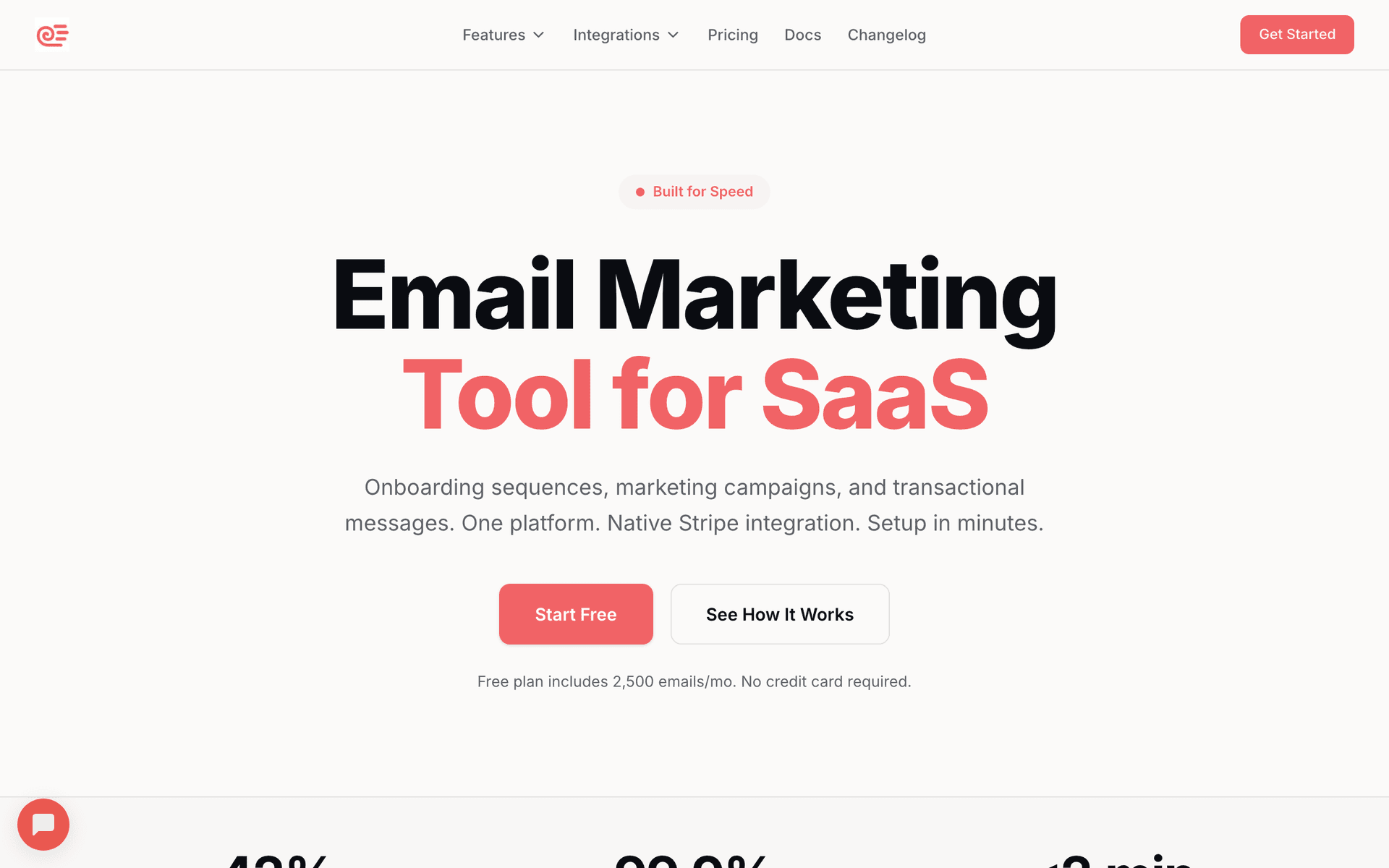
Sequenzy

Email marketing with native Stripe, Paddle and Polar billing triggers, landing pages and transactional email in one platform.

Visit
Sequenzy dashboard screenshot

Sequenzy is first for membership sites whose billing lives in Stripe, Paddle or Polar, because those events arrive as first-class triggers rather than as a scheduled Zapier poll. Payment failed, subscription cancelled, plan upgraded and plan downgraded fire in seconds, which matters more here than in almost any other business: for a card-billed membership, involuntary churn is routinely a third or more of everyone who leaves, and it is entirely recoverable by an email sent quickly enough. The one workflow it is best at is failed-payment recovery, including the part most tools get wrong - the sequence exits automatically on payment recovered, so a member whose card goes through on the retry never receives email two. Billing state comes back as tags and attributes, so 'annual members on the founding tier' is a real segment rather than a spreadsheet you maintain. Landing pages with custom domains cover the membership sales page, so you are not paying a separate page builder to sell the thing you are already paying to email about. A/B testing runs on dunning and save-offer subject lines. Unlimited contacts is the quiet advantage: lapsed members stay on the list at no monthly cost, and lapsed members are the highest-converting audience a membership has. The honest limitation is real: Sequenzy has no built-in membership management, so it does not host or gate anything. Verdict: pair it with Circle, Skool, MemberPress or MemberStack and let it own the lifecycle, not the walls.

Best for
Memberships billed through Stripe, Paddle or Polar that need real dunning, renewal saves and a sales page
Pricing
Free up to 2,500 emails/mo, then from $19/mo (15,000 emails) - unlimited contacts on every plan

Pros

  • Native Stripe, Paddle and Polar payment-failed and cancellation triggers
  • Billing-state tags and attributes make tier a real segment
  • Landing pages with custom domains for the membership sales page
  • A/B testing on dunning and save-offer emails
  • Unlimited contacts, so lapsed members stay addressable for free

Cons

  • No built-in membership management - it does not host or gate content
  • No predictive churn scoring - you build sequences on explicit signals instead
  • SMS and MMS are a paid add-on, and there is no two-way SMS inbox
  • Smaller template library than the legacy platforms
#2
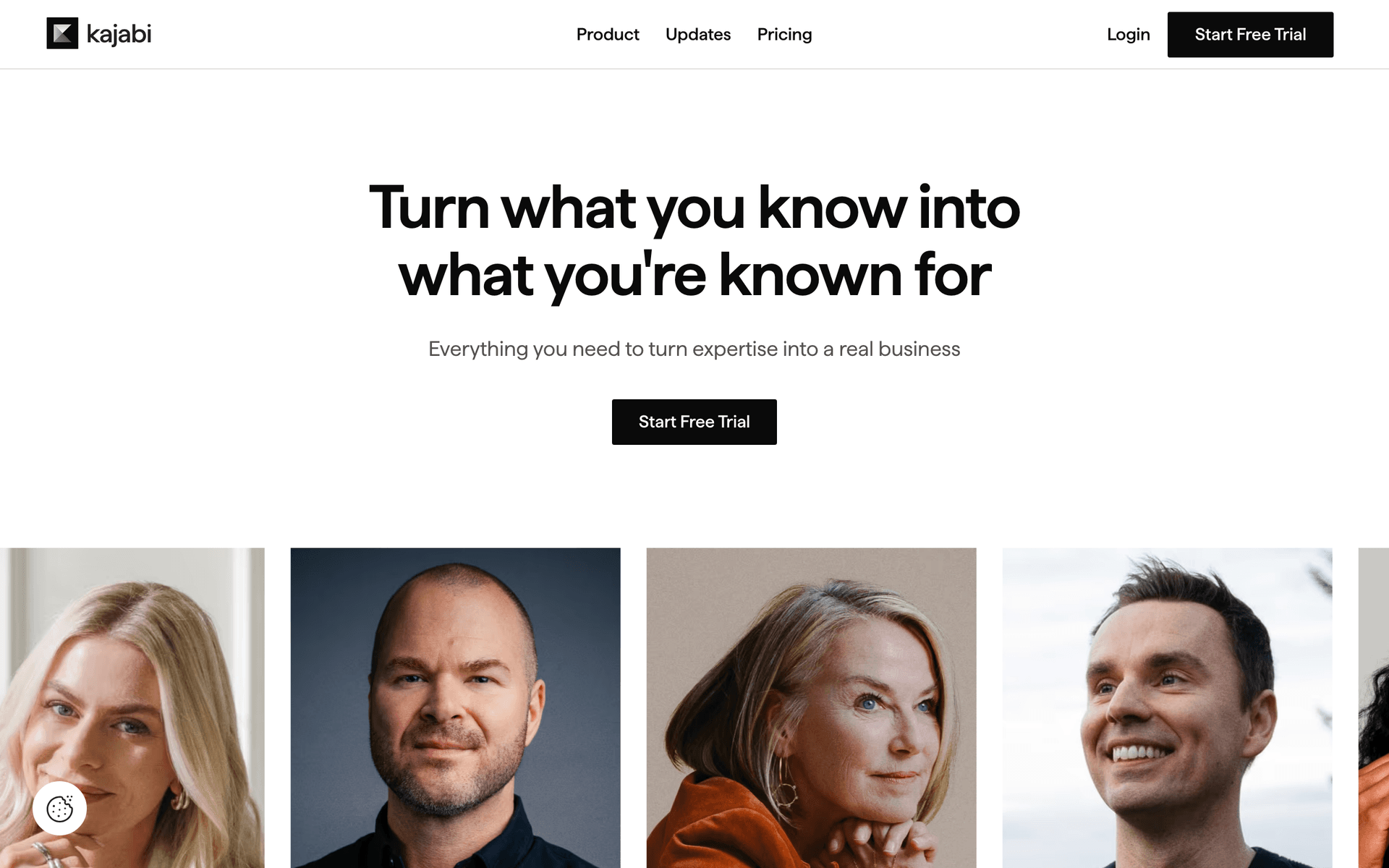
Kajabi

All-in-one platform that hosts courses, community, payments, pages and email under one vendor.

Visit
Kajabi dashboard screenshot

Kajabi is the most complete single-vendor answer for a membership built around courses or a coaching programme. Hosting, content gating, community, checkout, landing pages and email all come from the same product, so there is no integration layer to maintain and no argument about which system owns the member record. Email flows can be triggered by course progress, community activity or payment status without wiring anything, and because Kajabi is also the billing system, its dunning has direct access to the subscription rather than an inferred copy of it. The one workflow it is best at is course-progress-driven retention: emailing the member who stopped at module three specifically about module three. Where it falls short for this niche: it is expensive relative to assembling a stack, the email builder and automation are noticeably shallower than a dedicated platform, segmentation is thinner than ActiveCampaign or Sequenzy, and you are one vendor away from everything if you ever want to leave. Pricing is published as flat monthly tiers by feature and product limits rather than by contact count; check current tiers with the vendor, because they change more often than most. Verdict: the right call if you want one bill and one login and your membership is course-shaped; overkill below roughly $5,000 a month in recurring revenue.

Best for
Course-and-coaching memberships that want hosting, billing and email from one vendor
Pricing
Flat monthly tiers by feature and product limits, not by contact count

Pros

  • Hosts the membership, the courses, the checkout and the email
  • Course-progress and community activity as email triggers
  • No integration layer to build or maintain
  • Landing pages and checkout included

Cons

  • Expensive compared with assembling a stack
  • Email automation and segmentation are shallow versus a dedicated platform
  • Heavy vendor lock-in
  • Overkill for a small or content-only membership
#3
Circle

Community platform for paid memberships, with courses, events and member messaging built in.

Visit

Circle has become the default community platform for paid memberships, replacing Facebook Groups for most serious operators. Spaces, threads, live events, courses and a member directory sit behind a paywall it can run itself through Stripe, and its built-in email handles community-shaped messaging: new post digests, event invitations, course drips and space announcements. The one workflow it is best at is the activity digest that pulls a lapsing member back into a discussion, because it knows what happened in the community and your email platform does not. Where it falls short for this niche: it is a community product, not a marketing platform. Segmentation is organised around spaces and member tags rather than lifecycle stage, there is no real dunning sequence you control, and it is awkward to email people who are not members - waitlists, lapsed members, your free list - which is most of your growth audience. Pricing is published as flat monthly plans by feature tier, with the workflow and automation features gated to higher tiers; check current plans with the vendor. Verdict: an excellent place to put the membership and a poor place to put the list. Run Circle for the product and a real email platform for the lifecycle.

Best for
Community-first memberships where discussion and events are the product
Pricing
Flat monthly plans by feature tier, with automation gated to higher tiers

Pros

  • Best-in-class paid community experience
  • Courses, events and member directory included
  • Community activity as a native email trigger
  • Can run the paywall itself through Stripe

Cons

  • Segmentation is by space, not by lifecycle stage
  • No dunning sequence you control
  • Hard to email non-members such as waitlists and lapsed members
  • Automation features are gated to higher tiers
#4
Skool

Community, courses, calendar, gamification and billing in one flat-priced product.

Visit

Skool is the highest-velocity community platform right now and belongs on any current membership shortlist, even though it is not an email marketing tool. It bundles the group, the classroom, the calendar and the billing into one flat-priced product, and the gamification - levels, leaderboards, unlocks tied to participation - does a genuine amount of retention work that no email sequence replicates. The one thing it is best at is getting a membership live in a day with almost no setup decisions. Its email is broadcast-shaped: you can message the group and message members, but there is no lifecycle automation, no dunning sequence you control, no branching and no segmentation beyond the obvious. The usual pattern is Skool for the membership and a separate email platform for the lifecycle, connected through Zapier or the API. Two things to check before you move a paying community onto it: what member and billing data you can export and in what format, and whether you can reach lapsed members after their access ends. Pricing is a flat monthly fee per community rather than a per-member or per-contact model. Verdict: a great product for the membership and not a candidate for your email programme.

Best for
Creator memberships where community and gamification are the product
Pricing
Flat monthly fee per community

Pros

  • Community, courses, calendar and billing in one flat price
  • Gamification does real retention work
  • Almost no setup decisions to make
  • Predictable cost that does not scale with member count

Cons

  • No lifecycle email automation or controllable dunning
  • Segmentation is broadcast-level, not targeted
  • You still need a separate email platform for the list
  • Check data export before you commit a paying community
#5
MemberPress with FluentCRM

The dominant WordPress membership plugin, paired with a self-hosted WordPress CRM and email tool.

Visit

MemberPress is the standard way to run a membership on WordPress: it handles authentication, content gating, subscription plans, coupons and payments through Stripe or PayPal, all inside a site you already own. Paired with FluentCRM, which runs on the same WordPress install, you get automation, tagging and email sending without a second SaaS bill and without sending member data anywhere. The one workflow it is best at is tier-gated content automation, because the plugin that knows what a member can access is the same plugin firing the email about it. This is the only combination in this list where the membership host and the email automation genuinely do not need a third-party integration. Where it falls short for this niche: you own the deliverability problem, since FluentCRM sends through whatever SMTP or API provider you connect and reputation is yours to build; performance depends on your hosting; and both products are licence-based with annual renewals rather than free. Pricing is annual licence fees for each product rather than a monthly per-contact charge. Verdict: the cheapest serious stack at scale, and the right answer if you are already committed to WordPress and comfortable running it.

Best for
WordPress-based memberships that want gating and automation on infrastructure they already pay for
Pricing
Annual licence fees for each plugin rather than monthly per-contact pricing

Pros

  • Gating and email automation in the same system, no integration
  • No per-contact cost as the membership grows
  • Full control of data and design
  • Mature plugin ecosystem

Cons

  • You own deliverability and sending reputation
  • WordPress hosting and maintenance are your problem
  • Technical setup compared with a hosted platform
  • Licence renewals rather than a free tier
#6
MemberStack

Membership authentication, gating and billing for custom sites, especially Webflow.

Visit

MemberStack is membership infrastructure without the opinions. It handles login, content gating, plans and Stripe billing, and leaves the design, the content and the community entirely to you, which is exactly what you want if your membership is a custom Webflow or coded site and you refuse to be constrained by a platform's templates. The one workflow it is best at is gating a bespoke site: adding paid tiers to a marketing site you already built, without rebuilding it inside Kajabi. Member data and billing events are exposed through webhooks and integrations, so your email platform can trigger on subscription created, payment failed and cancellation. Where it falls short for this niche: it is a component, not a platform. There is no community, no course delivery, no email, no landing pages, so you are assembling four vendors and owning the joins between them. Setup assumes comfort with webhooks and front-end code. Pricing is published as flat monthly plans by member count and feature tier; check current plans with the vendor. Verdict: the right pick when design control is non-negotiable and you have the appetite to run a stack rather than a platform.

Best for
Custom-designed membership sites on Webflow or a coded front end
Pricing
Flat monthly plans by member count and feature tier

Pros

  • Complete design freedom
  • Clean Stripe billing and gating
  • Webhooks expose the events your email tool needs
  • No platform lock-in on content or community

Cons

  • Not a full platform - no community, courses or email
  • You maintain the integrations between four vendors
  • Assumes front-end and webhook competence
  • No content delivery or member engagement features
#7
Mighty Networks

Community and courses platform built around cohorts, events and a branded mobile app.

Visit

Mighty Networks competes with Circle in community-first memberships and differentiates on live cohorts, events and the branded mobile app. If your membership's value comes from things happening on a schedule - live calls, cohort starts, challenges - Mighty's event and cohort tooling handles the reminders and RSVPs that would otherwise be a manual email chore. The one workflow it is best at is the live-event membership: announce, remind, follow up and replay, all keyed to the event object rather than to a date you type into an email tool. Member messaging is built in and adequate for announcements and community activity. Where it falls short for this niche: marketing automation is basic, segmentation is limited compared with a dedicated email platform, and as with Circle and Skool it is difficult to run campaigns to people who are not members. Pricing is published as flat monthly plans by feature tier with no revenue share; check current plans with the vendor. Verdict: strong if live cohorts and events drive your membership, and still not a replacement for an email platform.

Best for
Cohort and event-driven memberships that want a branded mobile app
Pricing
Flat monthly plans by feature tier, no revenue share

Pros

  • Cohorts, live events and RSVPs handled natively
  • Branded mobile app included on higher tiers
  • Flat pricing with no revenue share
  • Community and courses in one place

Cons

  • Basic marketing automation
  • Limited segmentation
  • Hard to email non-members
  • Less customisable than Circle
#8
Memberful

Membership and subscription billing that bolts onto a site you already have, with strong Stripe alignment.

Visit

Memberful is the quiet, well-built option for creators who already have a website or newsletter and want to put a membership behind it without moving anything. It runs on Stripe, handles plans, gifting, group memberships and account management, and integrates with WordPress, Discord and the major email platforms so members and their subscription state stay in sync. The one workflow it is best at is adding paid tiers to an existing publication: your site stays where it is, Memberful handles the paywall and the billing, and your email platform keeps the list. Because it is Stripe-native, the billing events your email tool needs are clean and well-documented. Where it falls short for this niche: no community, no course delivery, no email marketing of its own beyond transactional member messages, so it is a billing and access layer rather than a platform. Pricing is a monthly platform fee plus a percentage of revenue on lower plans, with the percentage removed on higher plans; check current tiers with the vendor. Verdict: an excellent access-and-billing layer for publications and creator memberships that already have an audience elsewhere.

Best for
Creators adding a paid membership to an existing site or newsletter
Pricing
Monthly platform fee plus a revenue percentage on lower plans

Pros

  • Bolts onto an existing site rather than replacing it
  • Stripe-native with clean billing events
  • Group memberships and gifting handled properly
  • Good integrations with WordPress, Discord and ESPs

Cons

  • No community or course delivery
  • No marketing email of its own
  • Revenue share on lower plans
  • Still requires a separate email platform
#9
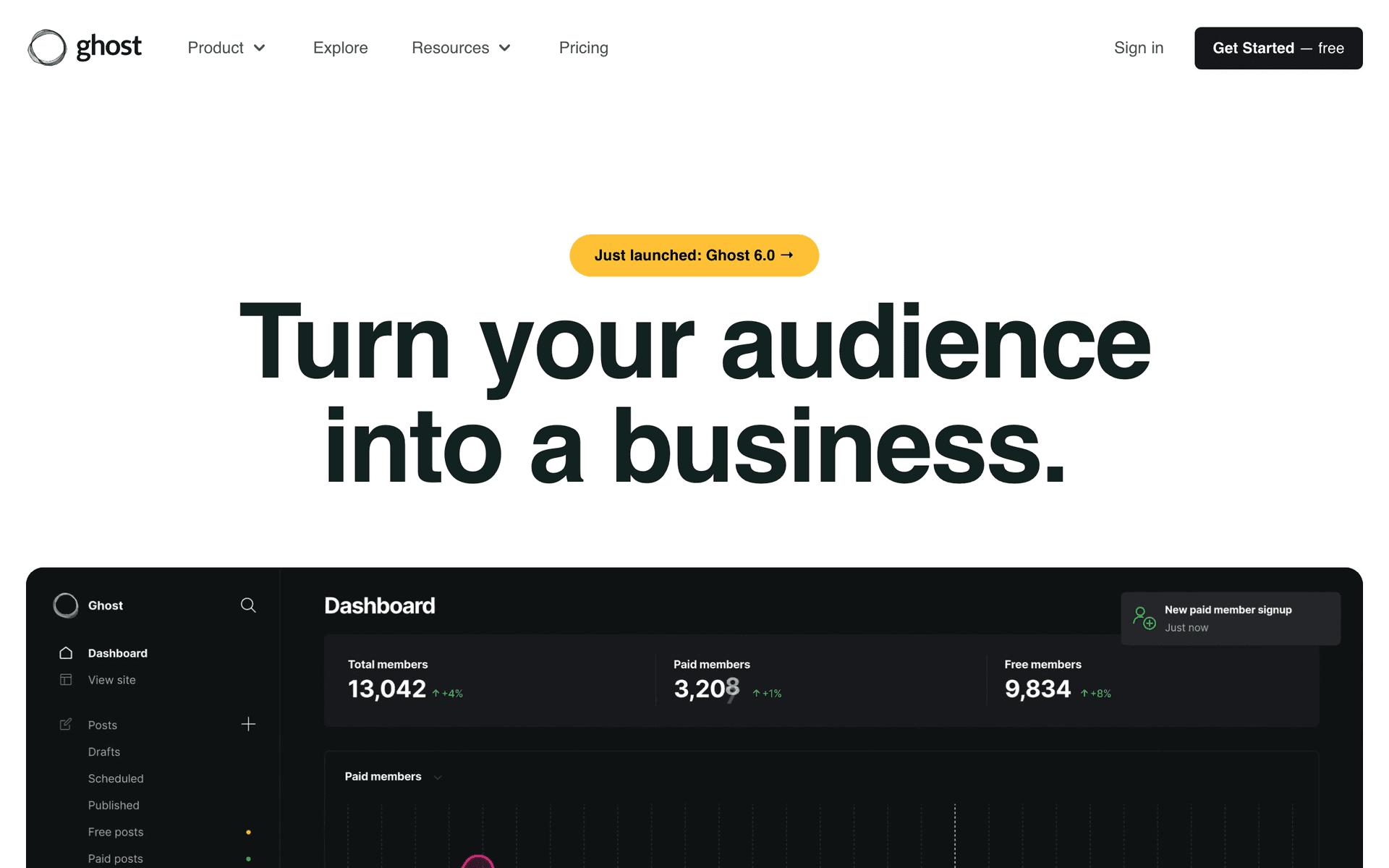
Ghost

Open-source publishing platform with native paid memberships, Stripe billing and built-in newsletter sending.

Visit
Ghost dashboard screenshot

Ghost is the strongest option in this list if your membership is fundamentally a publication: writing, podcasts, or a paid newsletter with a members-only archive. Memberships, tiers and Stripe billing are native rather than bolted on, and the newsletter goes out from the same system that hosts the content, so there is no sync between your CMS and your ESP to break. The one workflow it is best at is the paid newsletter: publish once, and the post becomes the members-only web page and the email, with tier-based visibility per section. Because it is open source you can self-host, which makes it the cheapest option at scale and the only one here where you can read the code that charges your members. Where it falls short for this niche: the automation is deliberately minimal. There are no multi-step behavioural sequences, no dunning sequence you control, no branching, and no real segmentation beyond tier and label, so serious lifecycle work means connecting an external email platform anyway. Pricing is either self-hosting on your own infrastructure or the managed Ghost service priced by member count; check current tiers with the vendor. Verdict: superb publishing and paid-newsletter product, minimal lifecycle marketing.

Best for
Paid newsletters and publication memberships that want content and email in one open-source system
Pricing
Free to self-host, or managed hosting priced by member count

Pros

  • Native paid memberships, tiers and Stripe billing
  • Publishing and newsletter sending in one system
  • Open source and self-hostable
  • No revenue share on self-hosted installs

Cons

  • Minimal automation - no behavioural sequences or branching
  • No dunning sequence you control
  • Segmentation limited to tiers and labels
  • Self-hosting means you own deliverability and ops
#10
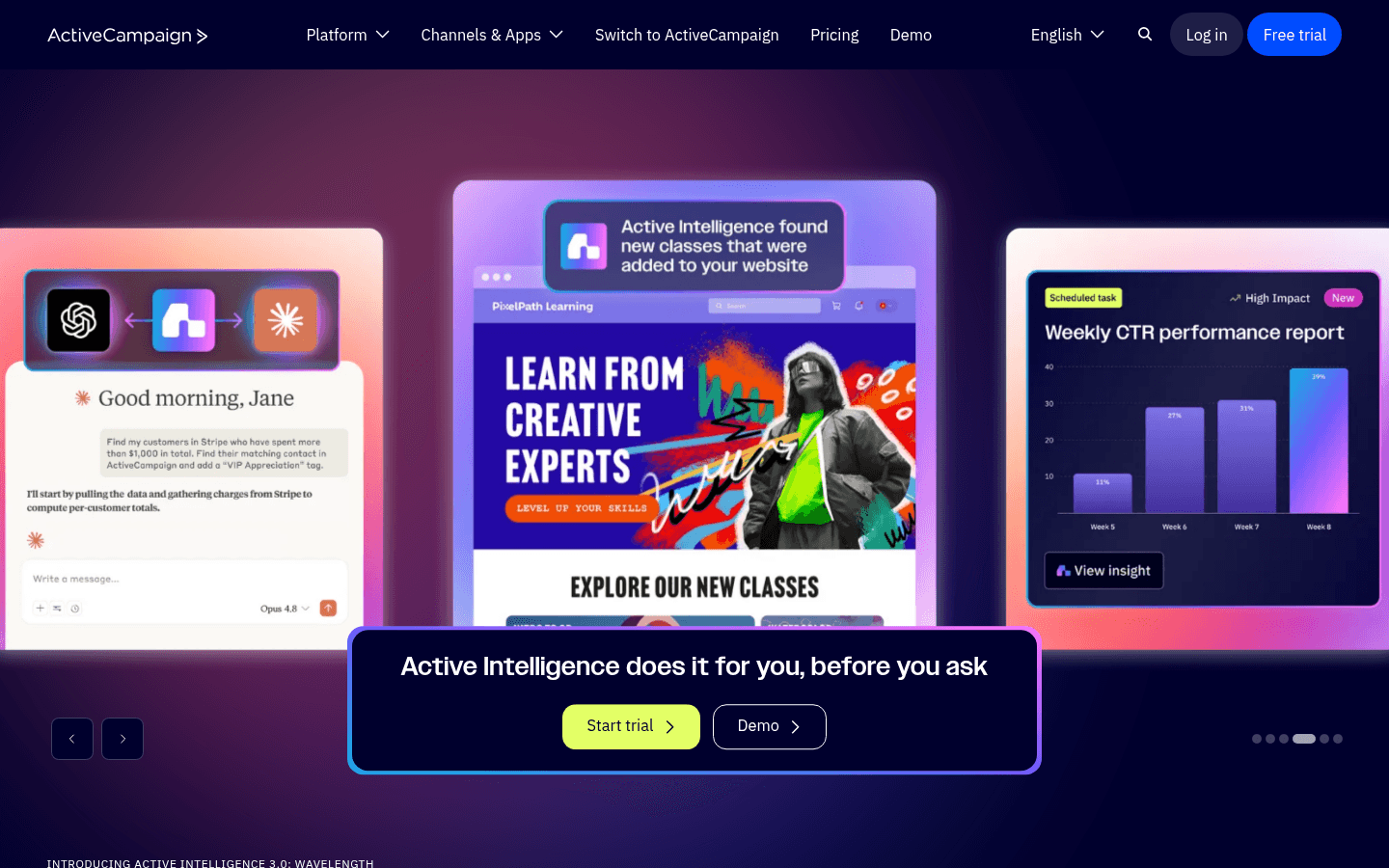
ActiveCampaign

Deep marketing automation and CRM, well suited to associations with annual dues and renewal seasons.

Visit
ActiveCampaign dashboard screenshot

ActiveCampaign is the strongest general-purpose automation platform on this list, and for membership organisations rather than creator memberships it is often the right answer. Date-based triggers built on custom fields are what an association needs: renewal date, member type, chapter, committee, certification expiry. Build the field once and the 90-, 30- and 7-day notices run themselves for every member on their own schedule. Conditional branching keeps free, basic and premium members on separate paths in one workflow, lead scoring gives a serviceable at-risk signal without buying a churn tool, and the CRM matters when a membership director follows up on lapsed accounts by hand. The one workflow it is best at is the annual renewal campaign with human follow-up on non-responders. Where it falls short for this niche: billing awareness. Stripe is an app integration rather than a native model, so tier and payment status usually live in fields you maintain, and there is no dunning template. Per our ActiveCampaign pricing guide, Starter begins at $15/month for 1,000 contacts on annual billing, and Plus reaches around $239/month at 10,000 contacts. Verdict: the pick for associations and multi-tier memberships that do not bill through a system it can read natively.

Best for
Membership organisations and associations with annual dues and multi-tier member types
Pricing
Starter from $15/month at 1,000 contacts on annual billing

Pros

  • Date-based renewal triggers from custom fields
  • Deep conditional branching for multi-tier members
  • Built-in CRM for hands-on membership teams
  • Lead scoring as a rough at-risk signal

Cons

  • Stripe is an app integration, not a native billing model
  • Tier usually lives in a manually maintained field
  • No dunning sequence out of the box
  • Per-contact pricing rises steeply with member count
#11
Kit

Creator-focused email platform with a large free tier and built-in paid subscription selling.

Visit

Kit fits memberships that revolve around a person and their publishing: a paid newsletter, a creator community, a coaching list. The free tier covers up to 10,000 subscribers with a single automation, which is the most generous starting point here for an audience-first membership. Selling paid subscriptions and digital products is built in, so a small membership can bill and email from one account without adding a platform. Tag-based segmentation covers tier and interest well enough for one or two tiers. The one workflow it is best at is the free-to-paid upgrade for a newsletter audience, where the behavioural signal is reading rather than logging in. Where it falls short for this niche: it does not host or gate anything beyond its own subscription products, there is no billing-event integration in the sense this page cares about, dunning is a Zapier project, and there is no login-inactivity signal because there is no login. Per our ConvertKit pricing guide, the Creator plan starts at $39/month for 1,000 subscribers and reaches approximately $119/month at 10,000. Verdict: excellent for creator memberships that are really audiences, weak for anything with tiers, gating and real billing lifecycle.

Best for
Creator memberships and paid newsletters built around a personal brand
Pricing
Free up to 10,000 subscribers, then Creator from $39/month

Pros

  • Free up to 10,000 subscribers
  • Paid subscriptions and digital products built in
  • Simple tag-based segmentation
  • Landing pages and forms included

Cons

  • No content gating or membership hosting
  • No native billing-event triggers
  • Dunning requires Zapier
  • No login-inactivity signal
#12
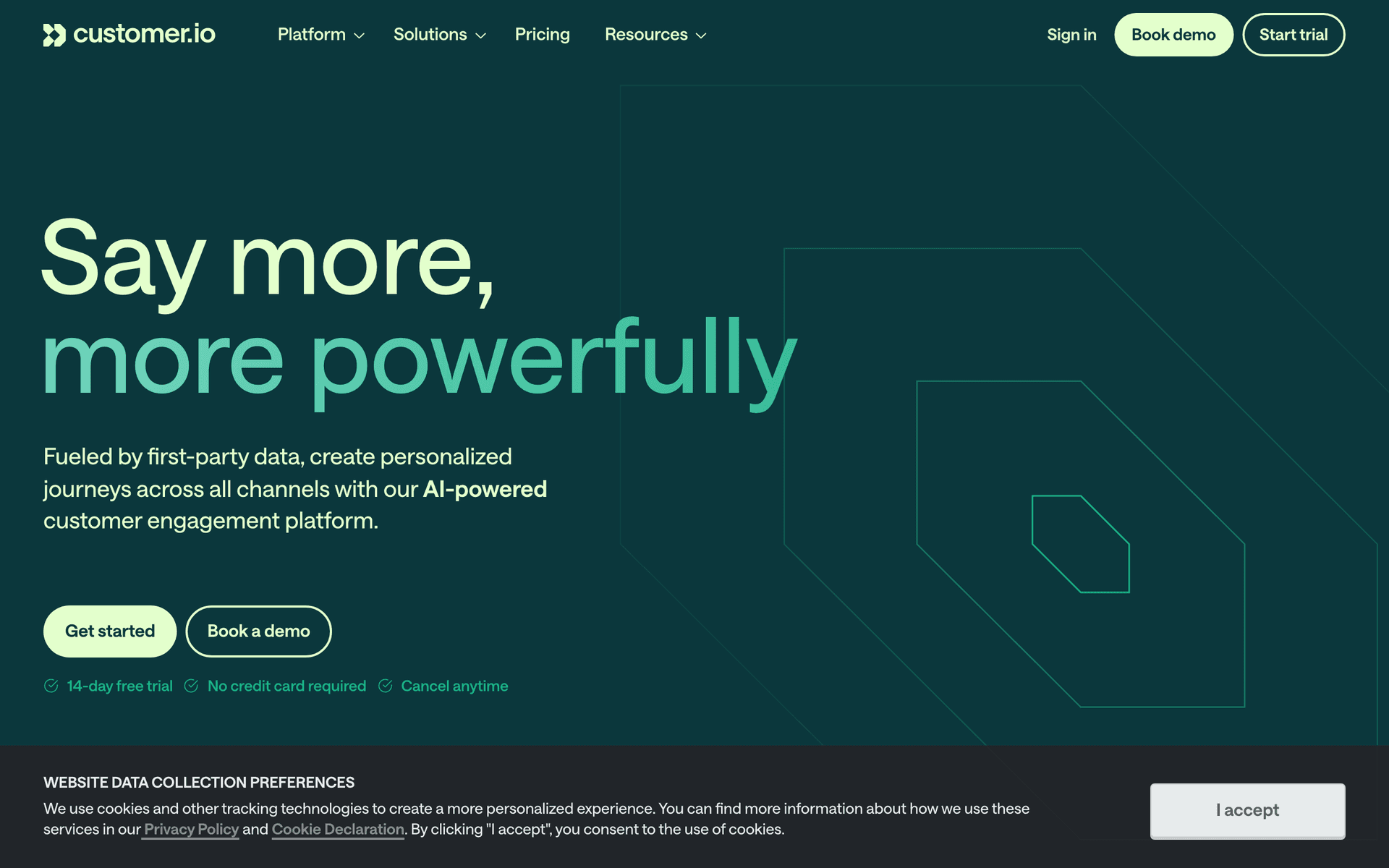
Customer.io

Event-driven lifecycle messaging for membership products with engineering resources.

Visit
Customer.io dashboard screenshot

Customer.io is the right choice for a membership that is really a software product: an app with logins, in-product behaviour and a team that can emit events. Anything the product does - content viewed, lesson completed, community post created, streak broken - becomes a trigger, and the workflow builder handles branching, wait-until conditions and multi-channel steps on top of it. The one workflow it is best at is behavioural at-risk detection built from your own definition of engagement rather than from a login timestamp: 'watched nothing in 21 days and skipped the last two live calls' is straightforward here and impossible in most of this list. Where it falls short for this niche: billing is a webhook plus glue rather than a native integration, there is no Paddle or Polar support, dunning is something you assemble, and none of the membership-hosting or landing-page work is covered. Per our Customer.io pricing guide it starts at $100/month for 5,000 profiles and rises to roughly $150/month at 10,000 profiles, with no permanent free plan. Verdict: powerful and expensive; correct only if a developer will own the event schema for the life of the membership.

Best for
App-based memberships with engineering resources and rich in-product behaviour
Pricing
From $100/month for 5,000 profiles (approximately $150/month at 10,000)

Pros

  • Deepest behavioural triggers and branching
  • Custom engagement definitions rather than login timestamps
  • Multi-channel including push and in-app
  • Strong API and data pipeline support

Cons

  • Billing events need a webhook and glue code
  • No native Paddle or Polar
  • High entry price and no free plan
  • Requires ongoing engineering ownership
#13
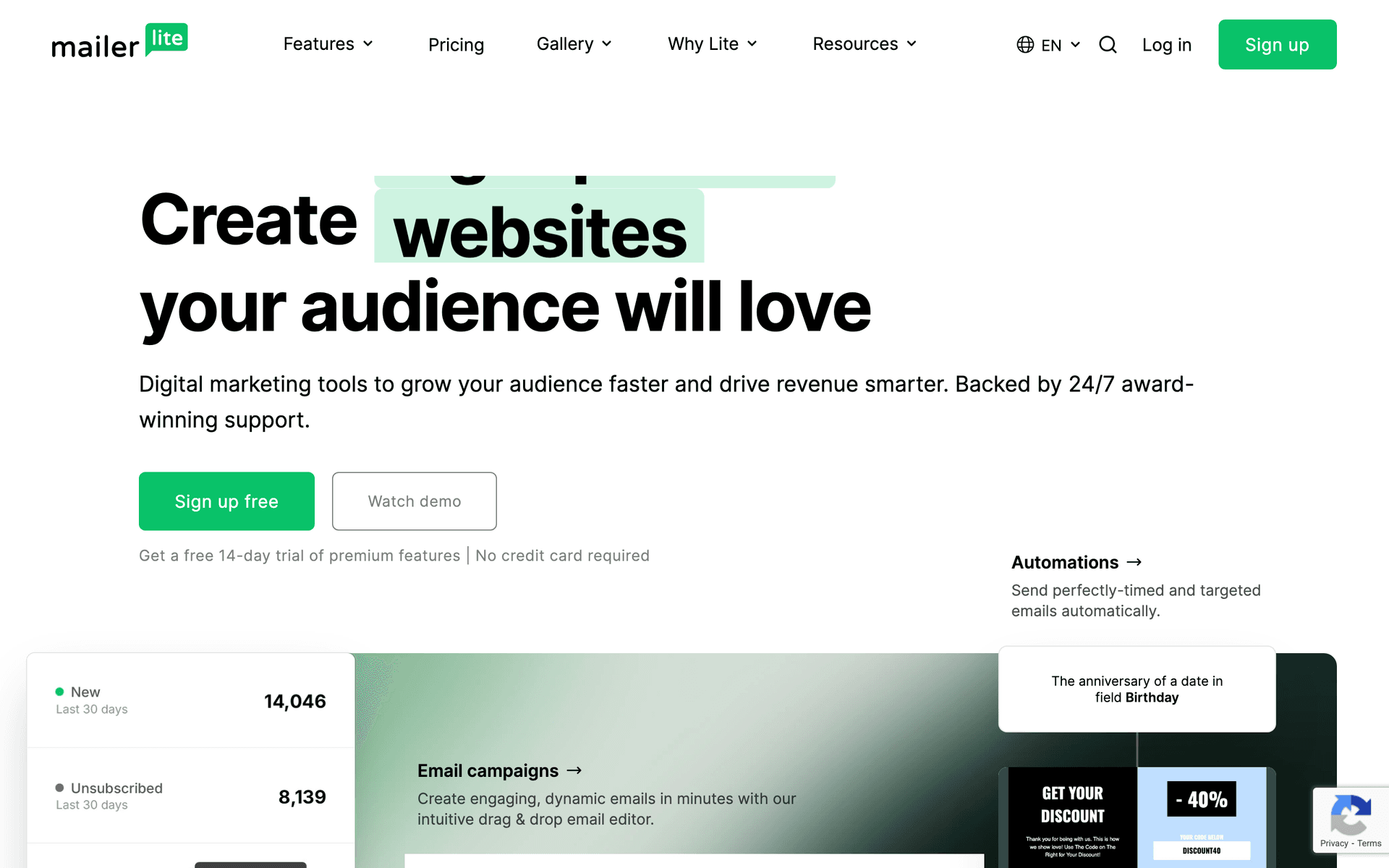
MailerLite

Simple, inexpensive email marketing with landing pages and a free tier.

Visit
MailerLite dashboard screenshot

MailerLite is the sensible first email tool for a membership that has not launched or is still under a few hundred members. The builder is clean, the automation covers welcome sequences and simple conditional branches, and landing pages and forms are included, which matters because the first thing a new membership needs is a waitlist page rather than a lifecycle programme. The one workflow it is best at is the pre-launch waitlist nurture that converts into a founding-member cohort. Where it falls short for this niche is everything after the first payment: no billing-event triggers, no dunning, no tier attributes from your billing system, no login-inactivity signal, and per-subscriber pricing that charges you for lapsed members you would rather keep for win-back. Per our MailerLite pricing guide, the free plan covers up to 250 subscribers and 2,500 monthly emails, Comfort starts at $12/month and Power starts at $25/month, with tiers scaling by subscriber count. Verdict: a good place to start and a bad place to stay - plan the migration for the month your membership passes a few hundred paying members.

Best for
Pre-launch and very small memberships on a tight budget
Pricing
Free up to 250 subscribers and 2,500 monthly emails, then Comfort from $12/month

Pros

  • Cheap and easy to learn
  • Landing pages and forms included
  • Clean, modern builder
  • Adequate automation before launch

Cons

  • No billing-event triggers or dunning
  • No tier attributes from a billing system
  • No login-inactivity signal
  • Per-subscriber pricing penalises lapsed members

Feature Comparison

FeatureSequenzyKajabiCircleSkoolMemberPress + FluentCRMMemberStackMemberfulGhostActiveCampaignKitCustomer.io
Failed-payment (dunning) trigger from billing
Native (Stripe / Paddle / Polar)
Built-in
Built-in
Built-in
Built-in
Webhook
Built-in
Built-in
App integration
Zapier
Webhook + glue
Renewal reminder before annual charge
Basic
Build your own
Basic
Manual
Cancellation and save-offer trigger
Basic
Basic
Build your own
Build your own
Build your own
Tier as a segmentable attribute
Tag-only
By space
Tier and label
Via custom fields
Tag-only
Community-platform trigger (Circle / Skool / Mighty / Discord)
API or Zapier
Own community
Native
Native
Plugin
Zapier
Discord native
Zapier
Zapier
API
Login-inactivity trigger
Via events
Manual
Build your own
Via site tracking
Free-to-paid upgrade trigger
Membership sales landing page
Included
Included
Included
Included
Via WordPress
Included
Add-on
Included
Hosts and gates the membership itself
Gating only
Gating and billing
Free tier
2,500 emails/mo
Self-host
10,000 subscribers
Cost at 2,000 members
$19/mo
Flat monthly tier
Flat monthly tier
Flat monthly fee
Annual licences only
Flat monthly tier
Fee plus revenue share
Hosting or member-priced
Contact-priced
Free or $59/mo
$100/mo minimum

Common Mistakes to Avoid

We see these mistakes over and over. Skip the learning curve and avoid these from day one.

Sending the same emails to free and paid members

Free members should receive upgrade proof. Paid members should receive retention content, exclusive resources and appreciation. Sending both groups the same email wastes the most valuable segmentation a membership has, and shows paying members promotions for something they already bought.

Neglecting the onboarding sequence

Most membership sites put all their email energy into acquisition and leave new members to work it out alone. Members who do not engage in week one are the most likely to cancel in month two. A four-to-five email onboarding sequence that drives one clear win is the highest-ROI automation after dunning.

Having no pre-cancellation intervention

When a member clicks cancel, most sites just process it. An in-flow offer to pause, change tier or talk to a human saves a meaningful share of members who would otherwise leave. Make staying easy rather than forcing a binary stay-or-leave decision at the worst possible moment.

Letting the community platform own the whole list

Community platforms are good at messaging active members and bad at everything else. They cannot easily email people who cancelled six months ago, waitlist signups who never joined, or your free list, and their segmentation is organised around spaces rather than lifecycle stage. Decide which system owns the list before you have 2,000 members in the wrong one.

Overwhelming members with daily email

Membership sites that email daily see higher unsubscribe rates than those that email weekly. Members already engage with your content inside the platform, so email should point at it rather than duplicate it. A weekly digest plus triggered lifecycle emails is the right cadence for most memberships.

Deleting lapsed members to save on the bill

On per-contact pricing, lapsed members cost money every month, so teams delete them. Then the product improves, the win-back campaign gets written, and there is nobody to send it to. Lapsed members are the highest-converting audience a membership has. Keep them, and choose a pricing model that lets you.

Email Sequences Every Membership Site Needs

These are the essential automated email sequences that will help you grow your business and keep clients coming back.

Failed payment recovery

Card declined on a membership charge

The highest-ROI membership automation. Fires in seconds, exits the moment the payment recovers.

Within minutes of the decline
Your card was declined - one click to fix it

Helpful, not threatening. One-click update link with no login wall. State the retry date and the date access pauses.

Day 3
We will retry your membership payment on Friday

Restate the deadline and what happens to their access. Offer a second payment method and a human to email if it is not a card problem.

Day 7
Final notice: your membership pauses tomorrow

Say exactly what happens to their account, their content and their community access, and how to restore it later.

New member onboarding to first win

Membership started

Get one meaningful win completed inside 48 hours. This is the strongest predictor of month-three retention.

Immediately
You are in - do this one thing first

One action, one link. Name the specific piece of content or the specific thread, not the dashboard.

Day 1
Introduce yourself and meet three members

For community memberships, the introduction post is the activation event. For content memberships, replace this with the second most valuable asset.

Day 3
Members say this is the best thing in here

Social proof pointed at one specific resource. Sends only if the first action is still incomplete.

Day 7
How is your first week going?

A short, personal check-in from a real person, with a reply-to that reaches a human. Replies here are your best churn intelligence.

Annual renewal and dues reminder

Renewal date approaching

For annual memberships and association dues. Cuts chargebacks and surprise cancellations.

90 days before
Your membership renews in three months

Early, low-key notice. For associations, include what is coming in the next member year so the renewal has something to look forward to.

30 days before
What your membership got you this year

The recap email that does the retention work. Events attended, resources downloaded, discussions joined - specific to the member.

7 days before
Renewing on the 12th - anything you want to change?

Confirm the amount, the date and the card. Offer tier changes and the payment-plan option explicitly, and include the cancel link.

At-risk member recovery

No login or engagement for 14 days

Reach members while they are drifting, before they have decided anything.

14 days inactive
You missed this week's session

One specific thing they missed, with a direct link. Not a summary of everything.

21 days inactive
Is something not working?

Plain-text personal message asking a real question. Offer to help rather than to sell.

28 days inactive
Would a pause help more than cancelling?

Offer the pause before they find the cancel button. Include the downgrade option and a link to talk to a human.

Free to paid upgrade

Free member engaged on 7 or more days

Ask engaged free members to upgrade at the moment they are already getting value.

Day 7 of engagement
You have read five of these - here is what is behind the paywall

Reference their actual behaviour, then show two or three specific things they cannot see. No feature matrix.

Day 14
What changed for a member who upgraded last month

One concrete story with a real outcome. Social proof from someone recognisably like them.

Day 21
Founding member pricing closes Friday

A real deadline or a real cohort start, not an invented one. Members can tell the difference and it costs you trust.

Lapsed member win-back

Membership ended 30 days ago

The highest-converting audience a membership has, provided you did not delete them to save on the bill.

Day 30 after lapse
One question about why you left

Clickable answers rather than a survey form. Segment the rest of the sequence on the answer.

Day 90
You said the calls were at a bad time. We moved them.

Proof against the reason they gave. Generic 'we miss you' emails do not convert lapsed members.

Day 180
Your account is still here, with everything you saved

Restore-the-account offer with a modest first-period discount and a summary of what has been added since they left.

Best email marketing tools for membership sites (2026)

The right tool depends on one question: does something else already host and bill your membership? If it does, you need an email platform that can read its billing events - Sequenzy is our pick because Stripe, Paddle and Polar payment failures and cancellations arrive as native triggers, and it includes landing pages for the sales page. If you want one vendor to host the content, run the community and send the email, Kajabi is the most complete option, with Circle and Skool ahead of it when the community itself is the product. If you are on WordPress, MemberPress with FluentCRM keeps gating and automation in the same system. Associations with annual dues should look at ActiveCampaign or Sequenzy driven by renewal-date fields.

If you are Pick Because
Billing through Stripe, Paddle or Polar with the membership hosted elsewhere Sequenzy Native dunning and cancellation triggers, landing pages, unlimited contacts for lapsed members
Running a course-and-coaching membership and want one vendor Kajabi Hosting, checkout, community and email in one product with no integration layer
Selling access to a community above all else Circle or Skool Best community experience; add a real email platform for the lifecycle
Running a membership on WordPress MemberPress with FluentCRM Gating and email automation in the same install, no per-contact fee
An association or professional body with annual dues ActiveCampaign or Sequenzy Date-based renewal triggers from member-type and renewal-date fields

How to choose email marketing software for a membership site

Seven criteria decide this, and none of them is "ease of use".

1. Where does the failed-payment event come from, and how fast? For a card-billed membership this is the single most valuable trigger you will configure. Native from billing: Sequenzy (Stripe, Paddle, Polar), Kajabi, Circle, Skool, Memberful, Ghost and MemberPress, each from their own billing. Webhook: MemberStack, Customer.io. Zapier poll: Kit, MailerLite. The gap between "seconds" and "next scheduled poll" is measurable in recovered revenue.

2. Can it fire a date-based reminder before an annual charge? Associations need this on a member-by-member basis, keyed to a renewal-date field rather than a campaign date. ActiveCampaign, Sequenzy and Customer.io all handle relative date triggers properly. Kit and MailerLite make you build a campaign per cohort, which does not survive contact with a real membership.

3. Is tier an attribute or a tag you maintain? Ask what happens to the tier value when a member upgrades at 2am on a Sunday. If the answer involves a person or a Zap, your segments will drift. Billing-sourced attributes: Sequenzy, Kajabi, Circle, Memberful, MemberPress. Manual tags or custom fields: ActiveCampaign, Kit.

4. Can you trigger on community or login inactivity? Membership churn is preceded by silence, and silence is only visible if something reports it. Community platforms know this natively. Email platforms need the event pushed to them through the API, a webhook or Zapier. Confirm which events your community platform can emit before you assume this is possible.

5. Does it include a sales page on your own domain? Membership sales pages need a proper long-form page, not a form embed. Sequenzy, Kajabi, Circle, Skool, Ghost and Kit include hosted pages; Sequenzy and Kajabi support custom domains. If your email tool does not, budget for a page builder and accept that your analytics now live in two places. See landing pages.

6. Does it host and gate the membership, or only email it? This is the fork in the road. Hosts and gates: Kajabi, Circle, Skool, Mighty Networks, MemberPress, Ghost, and Memberful and MemberStack for the gating layer only. Emails only: Sequenzy, ActiveCampaign, Kit, Customer.io, MailerLite. Buying two products that both want to own the member record is the most common expensive mistake in this category.

7. Does the pricing punish lapsed members? Your win-back audience is people who already left. On per-contact pricing they cost you every month, so you delete them, and then the win-back campaign has nobody to send to. Volume-based pricing with unlimited contacts (Sequenzy) keeps them free. Per-contact pricing (ActiveCampaign, Kit, MailerLite, Customer.io) does not.

Email tool, membership platform, or both? A stack decision

Three shapes cover almost every membership. Find yours before you shortlist anything.

Your setup What you already have What you still need
Stripe, Paddle or Polar plus your own site Billing, gating via MemberStack, Memberful or code A lifecycle email platform - this is where Sequenzy fits
An all-in-one (Kajabi, Circle, Skool, Mighty) Hosting, community, billing, broadcast email A real email platform for lapsed members, waitlists and the free list
WordPress plus MemberPress Hosting, gating, billing, FluentCRM email Usually nothing else, if FluentCRM covers your automation

The mistake to avoid is buying an all-in-one and an email platform and then running both half-heartedly, with two partial member lists that disagree. Decide which system owns the member record and let the other one be a source of events. In practice the membership platform should own access and billing, and the email platform should own the list, because the list includes people the membership platform has never heard of: waitlists, free subscribers, lapsed members, and everyone who read your sales page and did not buy.

The membership email playbook

Six programmes cover almost all of the revenue email can move in a membership. Build them in this order.

Failed payment recovery: the highest-ROI membership automation

Trigger: card declined. Segment: everyone, but write for your highest tier. Timing: day 0, day 3, day 7, then stop.

For a card-billed membership, involuntary churn - declines, expired cards, bank blocks - is routinely a third or more of everyone who leaves. Those people did not decide to quit. Getting them back is the cheapest revenue in the business and it is almost entirely an email problem.

  1. Fire within minutes of the decline. An hourly Zapier poll is not good enough here, and a daily report definitely is not.
  2. One-click card update, no login wall. Every additional step visibly drops recovery. Use a hosted billing portal link.
  3. Say what happens and when. "We retry Thursday, access pauses on the 14th" beats vague urgency because it gives the member a deadline.
  4. Three emails: day 0, day 3, day 7. Then stop, and suppress the rest the moment the payment recovers.
  5. A/B test the subject line. A lift here is recovered revenue, not an engagement metric.

Metric to watch: recovered payment volume in dollars, and the share of total cancellations that are involuntary. If involuntary churn is above a quarter of the total, this sequence is the highest-value work available to you. Templates: SaaS dunning email templates and the recover failed payments playbook.

Member onboarding to the first win in 48 hours

Trigger: membership started. Segment: new members, split by whether the first action is complete. Timing: day 0, day 1, day 3, day 7.

Members who get one clear win in the first 48 hours stay dramatically longer than members who get a tour. Do not send a feature list. Send one thing to do, one place to introduce themselves, and one piece of content that proves the membership was worth paying for. Everything else can wait until week two.

For community memberships the first win is almost always the introduction post, because a member who has posted once and been replied to has a social reason to come back. For content memberships it is finishing one specific asset. Pick the action, instrument it, and make the day-3 email conditional on it.

Metric to watch: the share of new members completing the first action within 48 hours. Track it as a cohort by join month, because it is the earliest available predictor of month-three retention.

Renewal reminders and annual-plan saves

Trigger: renewal date approaching. Segment: annual members and association dues payers. Timing: 90, 30 and 7 days before the charge.

Annual memberships are where associations and creator memberships converge. Send at 90, 30 and 7 days, and make the 30-day email a value recap rather than a warning: what the member used, attended or downloaded this year. In several jurisdictions advance notice of an auto-renewal is a legal requirement for some plan types, so this is not purely a retention tactic. Chargebacks fall sharply when nobody is surprised, and a chargeback costs you the revenue, the fee and part of your standing with the processor.

Include the cancel link in every one of these emails. Hiding it does not prevent cancellations; it converts them into disputes.

Metric to watch: renewal rate by cohort, and the chargeback rate in the two weeks after your renewal season. Full sequence: annual renewal email sequence and subscription renewal reminder emails.

At-risk detection and intervention

Trigger: inactivity, incomplete onboarding, expiring card, unanswered support question. Segment: one for each signal. Timing: 14, 21 and 28 days for inactivity; immediately for the others.

You do not need a prediction model. You need four sequences on four signals.

Signal What it usually means Intervention
No login for 30 days Drifted, not decided Re-engagement with one specific reason to come back
Onboarding never completed Never found the value Restart onboarding with a human touch
Card expiring within 60 days About to become involuntary churn Proactive update-card email before the decline
Support question unanswered Actively annoyed Personal follow-up from a human, not a sequence

The fifth signal, if your platform can see it, is a drop in the member's own baseline: someone who logged in daily for six months and has now missed two weeks is a stronger signal than someone who always logs in monthly. That comparison needs behavioural data rather than a single last-seen timestamp, which is where Customer.io earns its price if you have the events.

Metric to watch: save rate per signal. Run each intervention against a small holdout for one month so you know which of the four is actually working rather than assuming all of them are.

Free to paid upgrade

Trigger: engagement threshold on the free tier. Segment: free members with 7 or more active days or 5 or more content views. Timing: day 7, day 14, day 21 from the threshold.

Engagement is the qualification, not time. A free member who has consumed five things is a different prospect from one who signed up and vanished, and sending both the same upgrade email trains the second group to ignore you. Lead with their behaviour, show two or three specific things behind the paywall, then use a real deadline - a cohort start, a founding-member window, a price change you are actually making.

Metric to watch: free-to-paid conversion rate among qualified members only. Measuring it across the whole free list hides whether the sequence works.

Lapsed member win-back

Trigger: membership ended 30 days ago. Segment: by cancellation reason. Timing: day 30, day 90, day 180.

Ask why before you offer anything. Use clickable answers rather than a survey form, because the click rate on a five-option question is many times the completion rate on a form. Then send proof against the reason they gave: "you said the calls were at a bad time, we moved them" converts, and "we miss you" does not. At 180 days, offer to restore the account exactly as they left it, which removes the setup objection entirely.

Metric to watch: return rate at 90 and 180 days, and the retention of returned members versus new ones. Returned members often retain better, because they already know what they are buying.

The membership churn equation

Churn is the only membership metric that compounds, and the arithmetic is worth doing explicitly because it changes what you build first.

Take a membership acquiring 80 new members a month at $50 a month.

  • At 8% monthly churn, you lose 80 members a month once you reach 1,000 members. That is a steady state: 80 in, 80 out, growth stops at 1,000 members and $50,000 in monthly recurring revenue.
  • At 5% monthly churn, the same 80 new members a month reach a steady state at 1,600 members, because 5% of 1,600 is 80. That is $80,000 a month.

The same acquisition effort, the same ad spend, the same content: a three-point churn improvement is worth $30,000 a month in recurring revenue, permanently, and it arrives without a single extra signup.

The same thing viewed per member: average membership length is roughly one divided by the monthly churn rate. At 8% that is 12.5 months, so a $50 member is worth about $625. At 5% it is 20 months, or $1,000. Every member you acquire becomes 60% more valuable, which changes what you can afford to pay for acquisition.

Where does a three-point improvement come from? For most memberships, not from better content. It comes from dunning (which removes the involuntary share entirely), onboarding (which fixes the members who never activated), and the four at-risk signals above. Those are all email problems, and all three can be built in a month.

The membership lifecycle table

Use lifecycle stage to decide what proof a member needs next.

Member stage Email focus Trigger data needed Call to action
Waitlist What the membership is and when it opens Signup source, interest Join when doors open
New paid member First win and orientation Join date, first-action event Do this one thing
Engaged member New content and community activity Last login, content viewed Keep going
Free member Premium value examples Content views, active days Upgrade
At-risk member Best content missed and personal help Inactivity window Come back
Failed payment Clear billing fix and reassurance Decline event, retry date Update payment
Renewal approaching Value recap for the year Renewal date, usage summary Confirm or change plan
Cancelling Pause and downgrade alternatives Cancellation intent Pause instead
Lapsed Proof against their stated reason Cancel reason, lapse date Reactivate

Community platform integrations

Circle, Skool, Mighty Networks and Discord all emit useful signals - joined, posted, went quiet, completed a course, RSVP'd - and almost none of them do lifecycle email well. Wire the events into your email platform through the API, a webhook or Zapier, and let the community platform do community while the email platform does the lifecycle.

Three practical notes. First, check what the platform can actually emit before you design around it: several community products expose far less than their integration marketing implies, and "member joined" is often the only reliable event. Second, decide where unsubscribes live, because a member who unsubscribes from your email platform will still receive community notification emails from the other system, and that is the complaint that turns into a spam report. Third, MemberPress with FluentCRM is the exception to all of this: the automation lives inside WordPress alongside the gating, so there is no integration to maintain and no second unsubscribe list.

Membership email benchmarks

Measure membership email by retention, upgrades and content usage. Opens only matter if they lead members back into the product.

Email type Typical open rate Typical click rate The membership metric it moves
New member onboarding 45-68% 12-28% First win completed
Weekly content digest 32-50% 6-16% Content consumed
At-risk recovery 26-40% 5-12% Member reactivated
Failed payment recovery 55-80% 20-45% Payment updated
Free-to-paid upgrade 28-44% 5-13% Upgrade completed
Annual renewal notice 40-60% 8-20% Renewal confirmed
Programme metric Healthy benchmark Notes
Monthly churn (creator membership) Under 5% 5-10% is common; above 10% needs attention before anything else
Annual renewal rate (association) 70-85% Renewal reminders move this several points
Failed-payment recovery 30-50% Depends on speed and a one-click update link
Onboarding first win within 48 hours 40%+ The strongest single predictor of month-three retention
Win-back at 90 days 5-15% of lapsed members Only if lapsed members are still on the list

What it costs at 500, 2,000 and 10,000 members

Assumptions: four emails per member per month, one email platform, no SMS, monthly billing unless the vendor publishes only an annual price. Every figure comes from our own pricing guide for that vendor; where none exists we describe the model in words. Membership platform fees are separate from and additional to these numbers.

Platform 500 members 2,000 members 10,000 members Billing model
Sequenzy Free (2,500 emails/mo) $19/mo (15,000 emails) $49/mo (60,000 emails) Emails sent, unlimited contacts
ActiveCampaign Starter from $15/mo, annual billing Contact-priced above 1,000 About $239/mo on Plus Contacts
Kit Free, or $39/mo on Creator Free, or Creator by list size Free, or about $119/mo on Creator Subscribers
MailerLite Comfort from $12/mo Not published at this size Not published at this size Subscribers
Customer.io $100/mo minimum $100/mo minimum About $150/mo Profiles
Kajabi, Circle, Skool, Mighty Flat monthly tier Flat monthly tier Flat monthly tier, usually a higher one Feature tier, not member count
MemberPress + FluentCRM Annual licences only Annual licences only Annual licences only Annual licence, plus your own sending

Two conclusions. At 500 members the difference between the cheapest and most expensive option here is a rounding error against your revenue, so choose on capability. At 10,000 members the billing model dominates: per-contact pricing has multiplied while volume pricing has barely moved, and the WordPress route has not moved at all. If you expect to keep lapsed members addressable - and you should - price that audience into the comparison, because on per-contact plans it is a line item. Current Sequenzy tiers are on the pricing page.

Getting started: first 30 days

Week 1 - connect billing and fix the data. Connect Stripe, Paddle, Polar or your membership platform to your email platform and confirm that a test decline, a test signup and a test cancellation appear as events. Import members with tier, status, join date and renewal date - not just email addresses, because every sequence you are about to build depends on those fields. Set up SPF, DKIM and DMARC. Build one segment, "active paying members", and check the count against your billing dashboard before you build anything on top of it.

Week 2 - build dunning. Three emails at day 0, day 3 and day 7, with a one-click card update link and an automatic exit on payment recovered. Test it with a card you deliberately fail, then recover the payment and confirm emails two and three do not send. Turn off any duplicate failed-payment notification your billing provider or membership platform is sending. This is the week that pays for the whole project.

Week 3 - build onboarding and the at-risk sequence. Four onboarding emails driving one specific first action, with the day-3 email conditional on whether it happened. Then the inactivity sequence at 14, 21 and 28 days, ending with a pause offer rather than a cancel link. If your community platform can emit activity events, wire them now; if it cannot, use last login or last email click as a proxy and be honest with yourself about its accuracy.

Week 4 - renewals, win-back and measurement. Add renewal reminders at 90, 30 and 7 days for annual members, and the 30/90/180-day win-back sequence for lapsed members with a clickable exit survey. Then build one report: members, churn split by voluntary and involuntary, recovered payment volume, and first-win completion rate. That report is what tells you which of the next twelve months' worth of work is actually worth doing.

By day 30 you should have five automations live and know your involuntary churn share. If that share is above a quarter, spend month two on billing retries and dunning copy rather than on content.

Where to go next

Start free with 2,500 emails a month and unlimited contacts. The Stripe triggers work on the free tier, so you can have dunning running before you pay anything.

How We Evaluated These Tools

We modelled two memberships - a two-tier creator membership billed monthly through Stripe, and an association with annual dues and a renewal season - and checked each platform's public documentation, pricing page and vendor changelog for the events that actually cause churn: card declined, subscription cancelled, annual renewal approaching, plan downgraded and member inactive for 30 days. We recorded which arrive natively and which need glue, and whether tier can be used as a real segment rather than a manually maintained tag. Every competitor price quoted here comes from our own pricing guide for that vendor; where no guide exists we describe the pricing model in words rather than guess. Sequenzy is our own product and the only platform here we use first-hand.

Last reviewed: September 3, 2026

Frequently Asked Questions

Ready to grow your membership site practice?

Start your free trial today. Set up your first email sequence in minutes with AI-powered content generation.

Related Industries

Sequenzy pricing reference

Sequenzy - Complete Pricing Guide

Pricing Model

Sequenzy uses email-volume-based pricing. You only pay for emails you send. Unlimited contacts on all plans — storing subscribers is always free.

All Pricing Tiers

  • 2.5k emails/month: Free (Free annually)
  • 15k emails/month: $19/month ($205/year annually)
  • 30k emails/month: $29/month ($313/year annually)
  • 60k emails/month: $49/month ($529/year annually)
  • 120k emails/month: $99/month ($1069/year annually)
  • 300k emails/month: $199/month ($2149/year annually)
  • 600k emails/month: $399/month ($4309/year annually)
  • 900k emails/month: $599/month ($6469/year annually)
  • 1.2M emails/month: $799/month ($8629/year annually)
  • 2M emails/month: $1299/month ($14029/year annually)
  • 3M emails/month: $1999/month ($21589/year annually)
  • 4M emails/month: $2499/month ($26989/year annually)
  • 5M emails/month: $2999/month ($32389/year annually)
  • Unlimited emails/month: Custom pricing (Custom annually)

Yearly billing: All plans offer a 10% discount when billed annually.

Free Plan Features (2,500 emails/month)

  • Visual automation builder
  • Transactional email API
  • Team and agent inbox
  • Landing pages
  • Unlimited team members
  • Goal tracking & revenue attribution
  • Unlimited lists and segments
  • Payment integrations
  • API, MCP, and CLI access
  • Unlimited sending domains
  • SPF, DKIM, and DMARC
  • Deliverability monitoring
  • Send time optimization
  • A/B testing

Paid Plan Features (15k - 5M emails/month)

  • Visual automation builder
  • Transactional email API
  • Team and agent inbox
  • Landing pages (Create hosted signup pages and attach a custom domain.)
  • Unlimited team members
  • Goal tracking & revenue attribution
  • Unlimited lists and segments
  • Payment integrations (Stripe, Paddle, Lemon Squeezy)
  • API, MCP, and CLI access
  • Unlimited sending domains
  • SPF, DKIM, and DMARC
  • Deliverability monitoring
  • Send time optimization
  • A/B testing

Enterprise Plan Features (Unlimited emails)

  • Visual automation builder
  • Transactional email API
  • Team and agent inbox
  • Landing pages
  • Unlimited team members
  • Goal tracking & revenue attribution
  • Unlimited lists and segments
  • Payment integrations
  • API, MCP, and CLI access
  • Unlimited sending domains
  • SPF, DKIM, and DMARC
  • Deliverability monitoring
  • Send time optimization
  • A/B testing

Important Pricing Notes

  • You only pay for emails you send — unlimited contacts on all plans
  • No hidden fees - all features included in the price
  • No credit card required for free tier

Contact

  • Pricing Page: https://sequenzy.com/pricing
  • Sales: hello@sequenzy.com