Updated 2026-09-03

Best Email Marketing Tools for Subscription Businesses

Thirteen platforms scored on the billing events they can actually trigger on, from failed payments to pause, downgrade and renewal.

Every email platform claims to do subscription lifecycle marketing. Almost none of them can trigger on the events that matter: payment failed, plan downgraded, subscription paused, renewal in 14 days. That gap is the whole buying decision, because a dunning sequence that fires two days late through an hourly Zapier poll recovers materially less revenue than one that fires the moment Stripe reports the decline. This guide compares thirteen platforms on billing-event coverage first and everything else second, splits the recommendation three ways for SaaS subscriptions, paid memberships and subscription commerce, gives you the full lifecycle playbook with subject lines, and prices every shortlisted tool at 1,000, 10,000 and 50,000 subscribers.

TL;DR

Best for SaaS subscriptions on Stripe, Paddle or Polar: Sequenzy - native billing integrations for Stripe, Paddle, Polar, Chargebee, Creem and Dodo Payments, with transactional receipts and marketing in the same tool. Best for complex product-event branching: Customer.io, if you have an engineer to wire it up, from $100/mo at 5,000 profiles. Best mid-market Stripe lifecycle tool without an engineer: Encharge, from $99/mo. Best for subscription commerce on Shopify: Recharge for the billing layer plus an email platform on top. Best free start: Sequenzy's free tier at 2,500 emails/mo with unlimited contacts, so churned subscribers stay addressable for win-back at no cost.

Why Subscription Businesses Need Email Marketing

Trial Conversion

Most free trial users never convert. A well-timed sequence that drives one activation action early, then makes the case at the trial-ending trigger, is the cheapest way to move new MRR without spending more on acquisition.

Churn Prevention

Every cancelled subscription is recurring revenue removed from every future month. Emails triggered by declining usage, an approaching renewal or an expiring card reach subscribers before they get to the cancellation page.

Payment Recovery

Failed payments cause involuntary churn. Dunning sequences that notify the subscriber and give them a one-click update link recover a large share of declines automatically, with no discounting and no negotiation.

Expansion Revenue

Upgrading an existing subscriber costs a fraction of acquiring a new one. Usage-threshold triggers and milestone emails ask for the upgrade at the moment the subscriber is already getting more value than they are paying for.

Subscription Businesses Email Marketing Benchmarks

Know these numbers before you start. They'll help you set realistic goals and pick the right tool.

28-35%
Average Open Rate

Typical range for subscription lifecycle email. It runs above general marketing benchmarks because recipients have an active billing relationship and expect account communication.

3-6%
Average Click Rate

Trial conversion and feature announcement emails sit at the top of this range. Dunning emails often see lower click rates but far higher action rates, because the people who click are the ones fixing a card.

Tuesday-Thursday, 9-11am
Best Send Time

A reasonable default for B2B subscription products. B2C subscriptions should test evening and weekend sends. Triggered lifecycle emails should ignore send-time rules entirely and fire on the event.

30-50%
Failed Payment Recovery Rate

A typical range for a well-structured three-email dunning sequence with a one-click card update. Speed of the first send and the number of billing retries behind it move this number more than copy does.

Important Tips Before You Choose

Lessons from subscription businesses who've been doing this for years. Save yourself the trial and error.

Build failed-payment recovery before anything else

For card-billed subscriptions, involuntary churn is routinely a third or more of everyone who leaves, and none of those people decided to quit. A three-email dunning sequence at day 0, day 3 and day 7 is the highest-ROI automation in the business and takes an afternoon. Build it before your welcome series, before your newsletter, before your product-update email.

Front-load value in trial sequences

Most trial users decide whether to convert in the first three days, not the last three. Structure the trial sequence so email one and email two drive a single activation action, and save the pricing pitch for the trial-ending trigger. If your first four emails are feature tours, you are selling to people who already stopped reading.

Trigger upgrade nudges on usage, not on a calendar

Send the upgrade email when the subscriber hits 80% of a plan limit, invites a second teammate, or clicks a gated feature. Behavioural upgrade prompts convert far better than time-based ones because the subscriber has already demonstrated intent. A monthly upgrade blast to everyone on the starter plan trains people to ignore you.

Suppress the rest of the dunning sequence on recovery

The single most common bug in home-built dunning is that emails two and three keep sending after the card has been charged successfully. Wire the payment-recovered event to exit the sequence, then test it with a real card. Telling a paying customer their payment failed is worse than not emailing at all.

Segment by tenure, not just by plan

A 30-day subscriber and a 24-month subscriber on the same plan need opposite emails. New subscribers need help finding value. Long-tenured subscribers need appreciation, expansion offers and a reason not to re-evaluate. Add a days-since-first-payment attribute and use it in every lifecycle segment.

Send the renewal reminder before the annual charge, not after

Fourteen days and three days before an annual renewal, with a short recap of what the customer used that year. This reduces chargebacks and surprise cancellations far more than it prompts anyone to cancel, and in several jurisdictions advance notice of an auto-renewal is a legal requirement for certain plan types rather than a courtesy.

Wait before offering a win-back discount

Do not lead a win-back with money. Start with an exit survey, follow with proof that you fixed what they named, and only then offer 10-20% off, at least two to four weeks after cancellation. Leading with a discount teaches your base that cancelling is a pricing negotiation.

13 Best Email Marketing Tools for Subscription Businesses

#ToolDescriptionBest ForPricing
1SequenzyEmail marketing with native billing integrations for Stripe, Paddle, Polar and Chargebee, plus transactional email in the same platform.Subscription businesses whose lifecycle emails should be driven by Stripe, Paddle, Polar or Chargebee eventsFree up to 2,500 emails/mo, then from $19/mo (15,000 emails) - unlimited contacts on every plan
2Customer.ioEvent-driven lifecycle messaging built for product teams with engineering resources.Funded subscription businesses with engineering resources and usage-driven lifecycle logicFrom $100/month for 5,000 profiles (approximately $150/month at 10,000)
3EnchargeSaaS-focused marketing automation with native Stripe billing triggers and a visual flow builder.Seed-to-Series-A SaaS billed through Stripe that wants lifecycle flows without developer timeFrom $99/month, or $79/month billed yearly
4ActiveCampaignDeep marketing automation and CRM, strongest when a human sales motion sits alongside the subscription.Subscription businesses with a sales-assisted motion that need CRM and automation in one placeStarter from $15/month at 1,000 contacts on annual billing
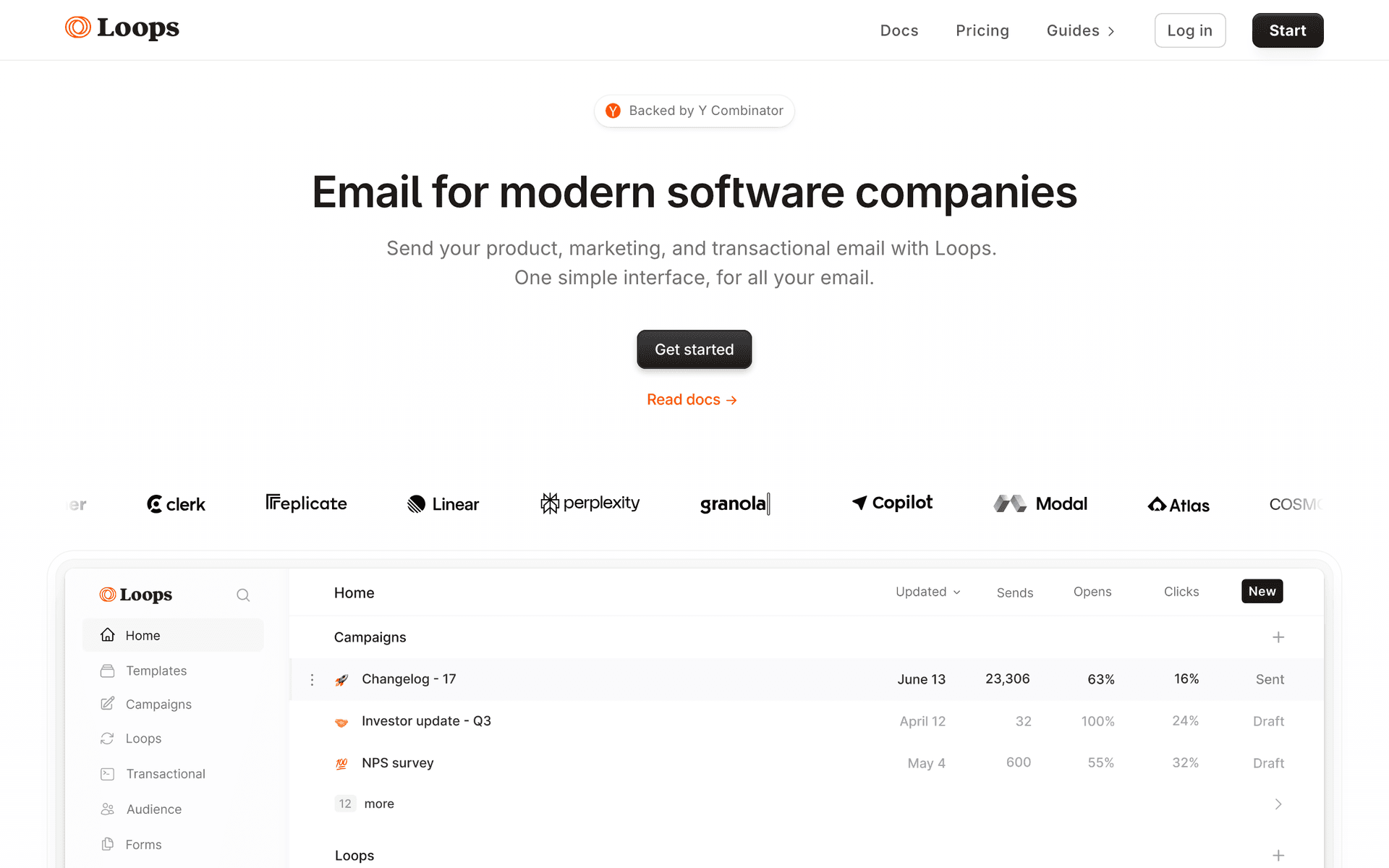
5LoopsModern SaaS-native email platform combining marketing and transactional sends.Early-stage SaaS teams that want a modern, API-first tool for marketing and transactional emailFree up to 1,000 contacts and 4,000 sends/month, then $49/month
6UserlistSaaS lifecycle email with company-level tracking as well as user-level.B2B SaaS subscriptions sold to teams, where the account matters more than the individualBasic from $149/month (or $119/month annually) for up to 10,000 users
7ChargebeeSubscription billing and revenue management platform, not an email tool.Mid-market subscription businesses that have outgrown raw Stripe billingRevenue-share and platform-fee model that scales with billed revenue
8RechargeThe dominant subscription billing layer for Shopify subscribe-and-save and subscription boxes.Shopify subscription commerce brands running boxes or subscribe-and-saveTransaction-based: a percentage of subscription revenue plus a per-transaction fee
9ChurnkeyCancel-flow and payment-recovery specialist that sits alongside your email platform.Subscription businesses where cancellation flows and card retries are the top-priority problemQuoted by subscriber volume rather than published flat tiers
10KitCreator-focused email platform with a large free tier and built-in digital product sales.Paid newsletters and creator subscriptions where content access is the productFree up to 10,000 subscribers, then Creator from $39/month
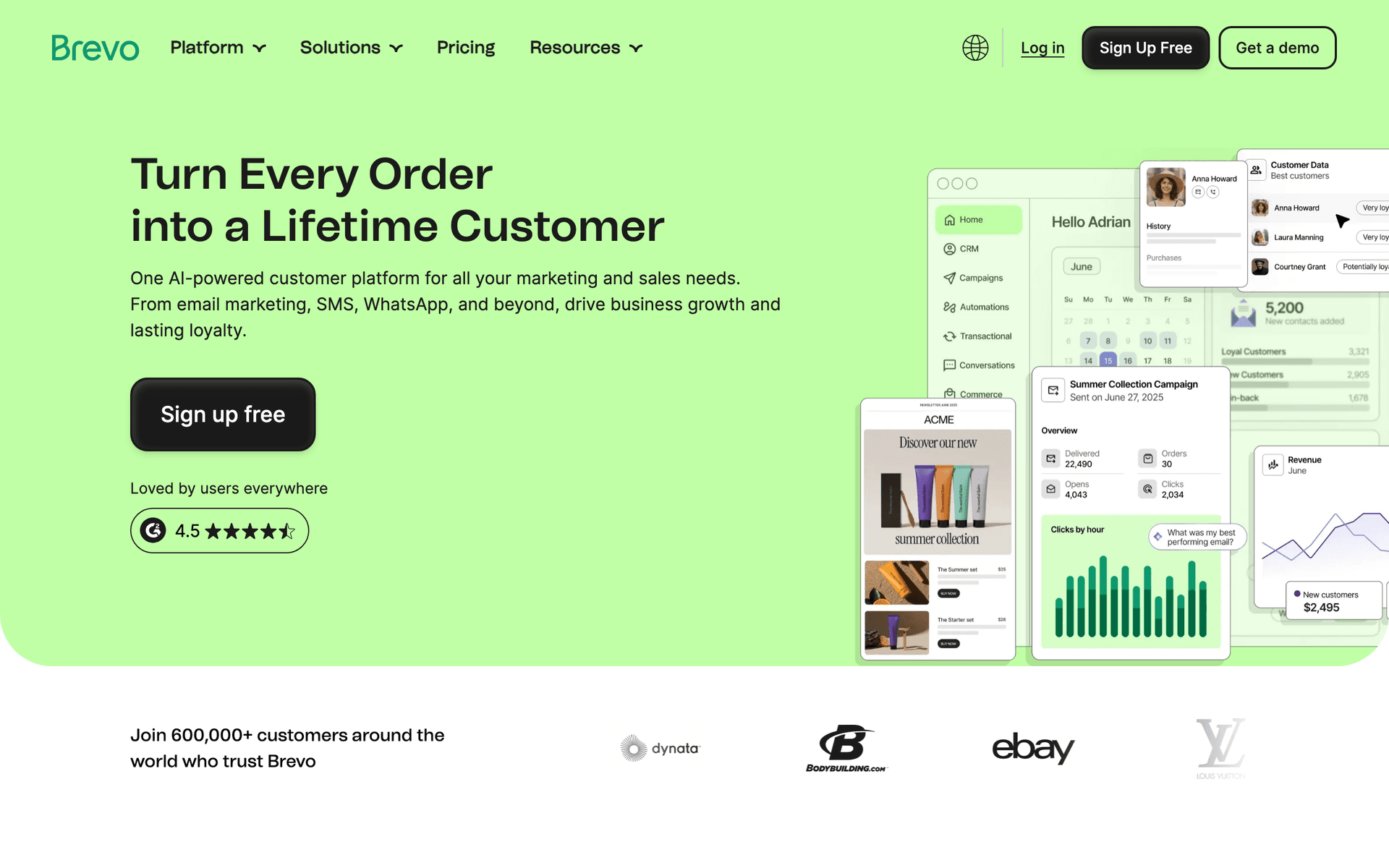
11BrevoBudget email and SMS platform that also handles transactional sending.Bootstrapped subscription businesses that want marketing, transactional and SMS on one cheap billFree up to 300 emails/day, then Starter from $9/month
12MailerLiteSimple, inexpensive email marketing with a clean builder and a free tier.Pre-launch and very early-stage subscription businesses on a tight budgetFree up to 250 subscribers and 2,500 monthly emails, then Comfort from $12/month
13Stripe Billing plus your email platformThe most common subscription stack: Stripe owns billing, an email platform owns the messages.Any subscription business already billing through StripeStripe processing and Billing fees, plus your email platform separately
Our Top Pick for Subscription Businesses
#1
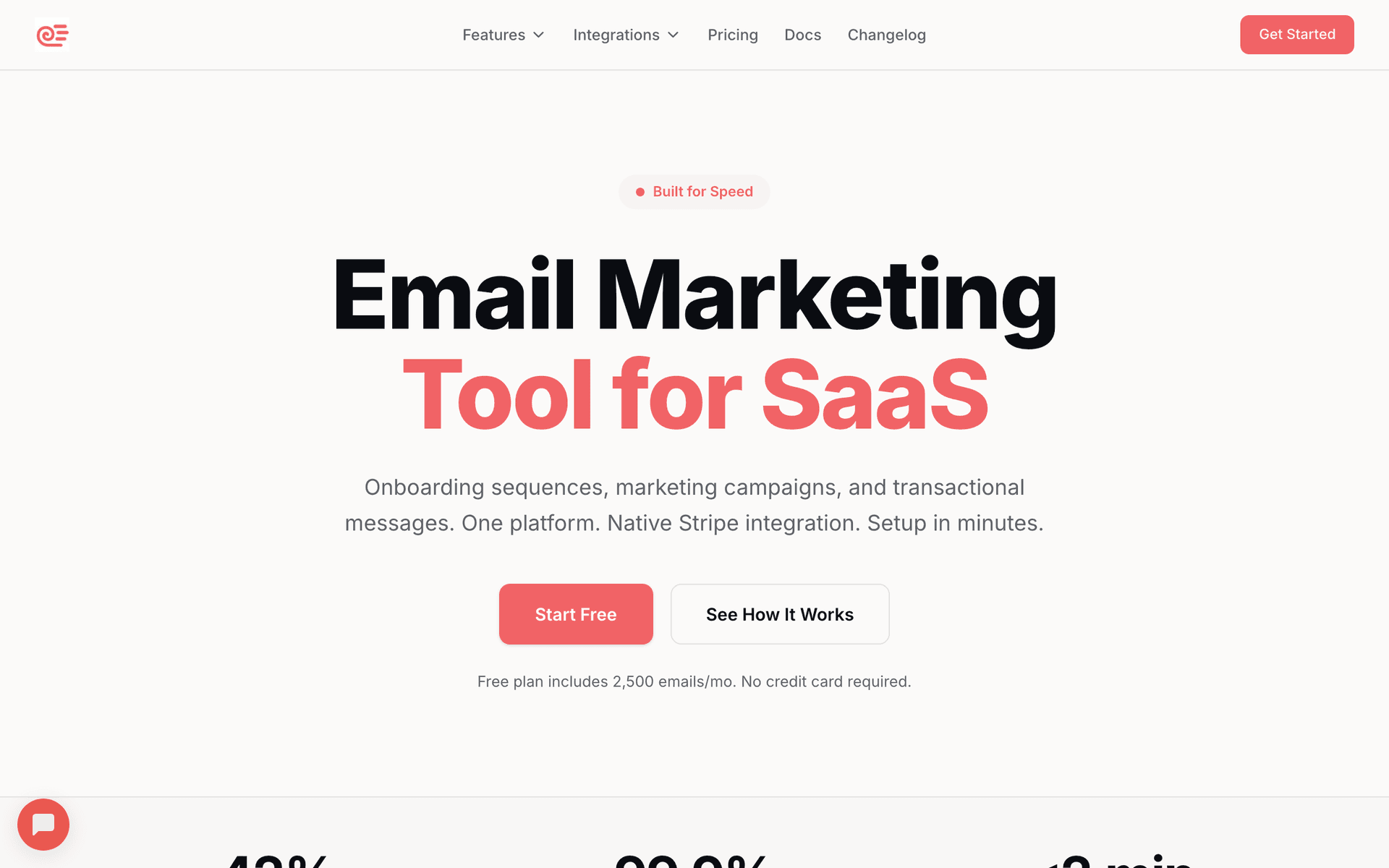
Sequenzy

Email marketing with native billing integrations for Stripe, Paddle, Polar and Chargebee, plus transactional email in the same platform.

Visit
Sequenzy dashboard screenshot

Sequenzy leads here for one specific reason: it has native billing integrations for Stripe, Paddle, Polar, Chargebee, Creem and Dodo Payments, which is the widest billing coverage in this list. That matters because Paddle and Polar are now default merchant-of-record choices for a large slice of SaaS, and on almost every other platform they arrive as a raw webhook you write and maintain glue code for. Trial started, trial ending, payment failed, payment recovered, plan upgraded, plan downgraded and subscription cancelled all land as first-class triggers, and billing state comes back as tags and attributes, so 'trialing on the Pro plan' or 'MRR above $200' is a segment rather than a data-engineering project. The one workflow it is best at is dunning: the decline event arrives in seconds rather than on a poll, the sequence exits automatically on payment recovered, and you can A/B test the failed-payment subject line, which is the highest-leverage test a subscription business can run because a lift there is recovered revenue rather than an engagement metric. Transactional receipts and invoices send from the same platform, same domain, same reputation as the marketing, which removes a vendor from the stack. Pricing is per email sent with unlimited contacts, so churned subscribers stay addressable for win-back at no monthly cost. Where it falls short for this niche: deep product-event branching across dozens of custom events is thinner than Customer.io, there is no predictive churn scoring, and Sequenzy does not do the billing itself. Verdict: the default pick if your lifecycle logic is billing-driven; Customer.io earns its price if it is usage-driven.

Best for
Subscription businesses whose lifecycle emails should be driven by Stripe, Paddle, Polar or Chargebee events
Pricing
Free up to 2,500 emails/mo, then from $19/mo (15,000 emails) - unlimited contacts on every plan

Pros

  • Native Stripe, Paddle, Polar, Chargebee, Creem and Dodo Payments billing events
  • Transactional receipts and marketing in one platform, one domain, one reputation
  • A/B testing on dunning and renewal subject lines
  • Plan, status and MRR arrive as segmentable attributes, not manual tags
  • Unlimited contacts, so churned subscribers stay addressable for free

Cons

  • Product-event branching is thinner than Customer.io
  • No predictive churn scoring - you build sequences on explicit signals instead
  • SMS and MMS are a paid add-on, and there is no two-way SMS inbox
  • Does not do the billing itself - pair it with Stripe, Paddle, Polar or Chargebee
#2
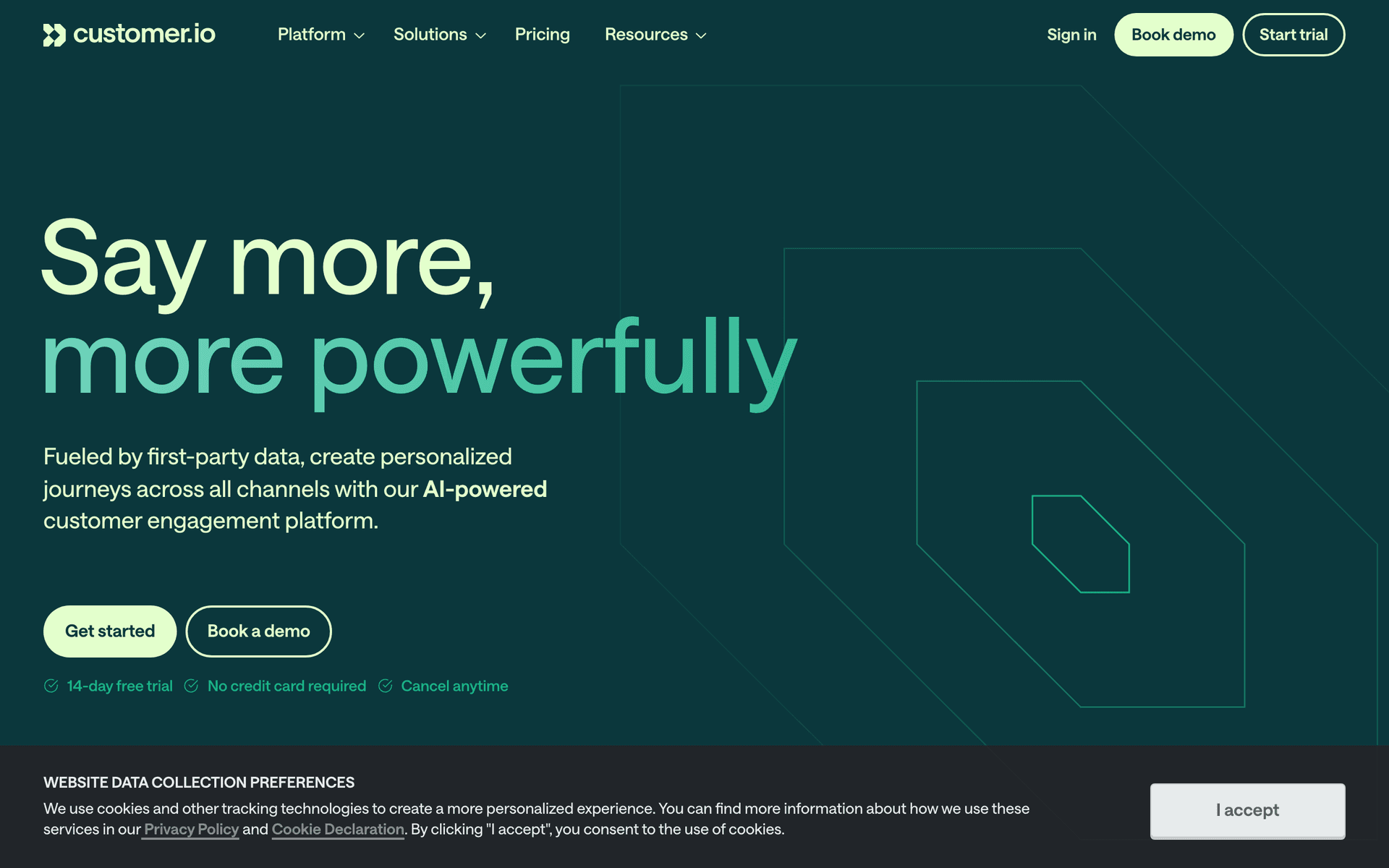
Customer.io

Event-driven lifecycle messaging built for product teams with engineering resources.

Visit
Customer.io dashboard screenshot

Customer.io is the most flexible platform here for subscription businesses that have engineers and a genuinely product-led funnel. Its model is events and profiles rather than lists, so anything your product emits - feature used, workspace created, seat added, limit hit, invoice paid - can drive a workflow. The workflow builder handles branching, delays, wait-until conditions and multi-channel steps, and Liquid templating lets a single email render differently for a $9 and a $900 subscriber. The one workflow it is best at is usage-driven expansion: 'account crossed 80% of plan limit twice in 14 days and has more than three active seats' is trivial here and awkward everywhere else. For this niche the gap is billing. Stripe is a webhook plus your own glue rather than a first-class integration, Paddle and Polar are not native at all, and dunning is something you assemble rather than switch on. Pricing per our Customer.io pricing guide starts at $100/mo for 5,000 profiles and rises to roughly $150/mo at 10,000 profiles on the Essentials plan, with overages at $0.009 per extra profile, and there is no permanent free plan. Verdict: buy it when product events drive your lifecycle and you have someone to own the event schema; it is expensive and slow to implement if your logic is really just billing state.

Best for
Funded subscription businesses with engineering resources and usage-driven lifecycle logic
Pricing
From $100/month for 5,000 profiles (approximately $150/month at 10,000)

Pros

  • Best-in-class event-driven automation and branching
  • Liquid templating for plan-aware dynamic content
  • Multi-channel steps including push and in-app
  • Strong API and data pipelines

Cons

  • Stripe is a webhook plus glue code, not a native integration
  • No native Paddle or Polar support
  • No permanent free plan and a high entry price
  • Needs engineering time to implement and to maintain
#3
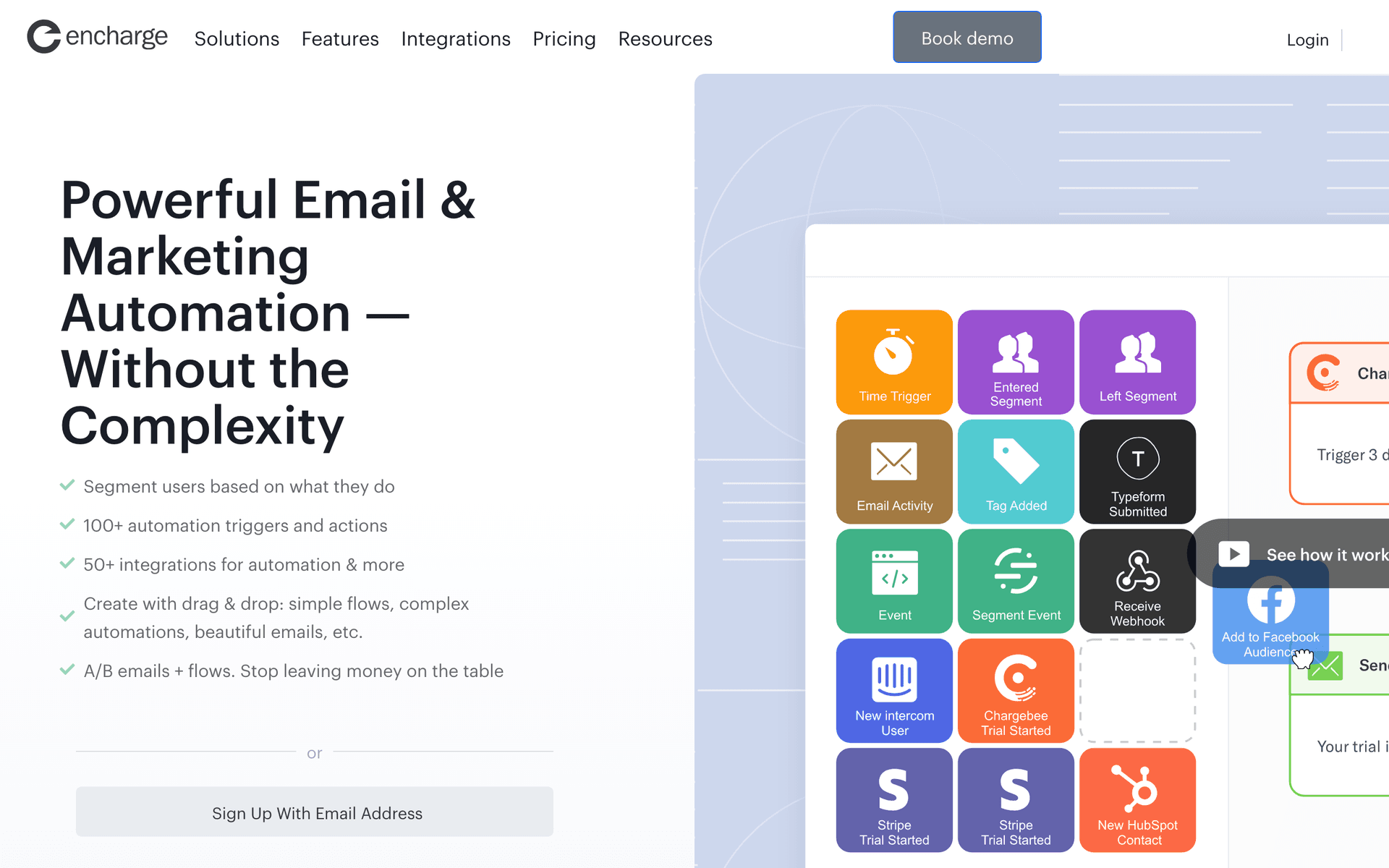
Encharge

SaaS-focused marketing automation with native Stripe billing triggers and a visual flow builder.

Visit
Encharge dashboard screenshot

Encharge sits in the useful middle of this list: more billing-aware than a general ESP, far less implementation work than Customer.io. Stripe is a real integration rather than a webhook exercise, so failed payment, subscription created, upgrade and cancellation flow into the visual builder without an engineer, and subscription fields land on the person record for segmentation. The one workflow it is best at is the seed-stage SaaS lifecycle bundle: trial nurture, failed-payment recovery and upgrade nurture built in an afternoon by a marketer, with behavioural steps for in-app events layered on later. Per our Encharge pricing guide it starts at $99/month, or $79/month billed yearly, with subscriber-based tiers and feature gates by plan, and there is no free plan beyond a 14-day trial. Where it falls short for this niche: no native Paddle or Polar, so merchant-of-record billing is back to webhooks; it is built around SaaS rather than subscription commerce, so Shopify subscribe-and-save is a poor fit; and the template library is generic enough that you will design your own. Verdict: the strongest non-Sequenzy option for a Stripe-billed SaaS between seed and Series A that wants lifecycle automation without hiring for it.

Best for
Seed-to-Series-A SaaS billed through Stripe that wants lifecycle flows without developer time
Pricing
From $99/month, or $79/month billed yearly

Pros

  • Native Stripe billing events, no glue code
  • Purpose-built subscription lifecycle flows
  • Visual builder a marketer can own
  • Behavioural in-app event steps when you are ready for them

Cons

  • No native Paddle or Polar
  • No free plan, only a 14-day trial
  • Not designed for ecommerce subscriptions
  • Shallower branching than Customer.io
#4
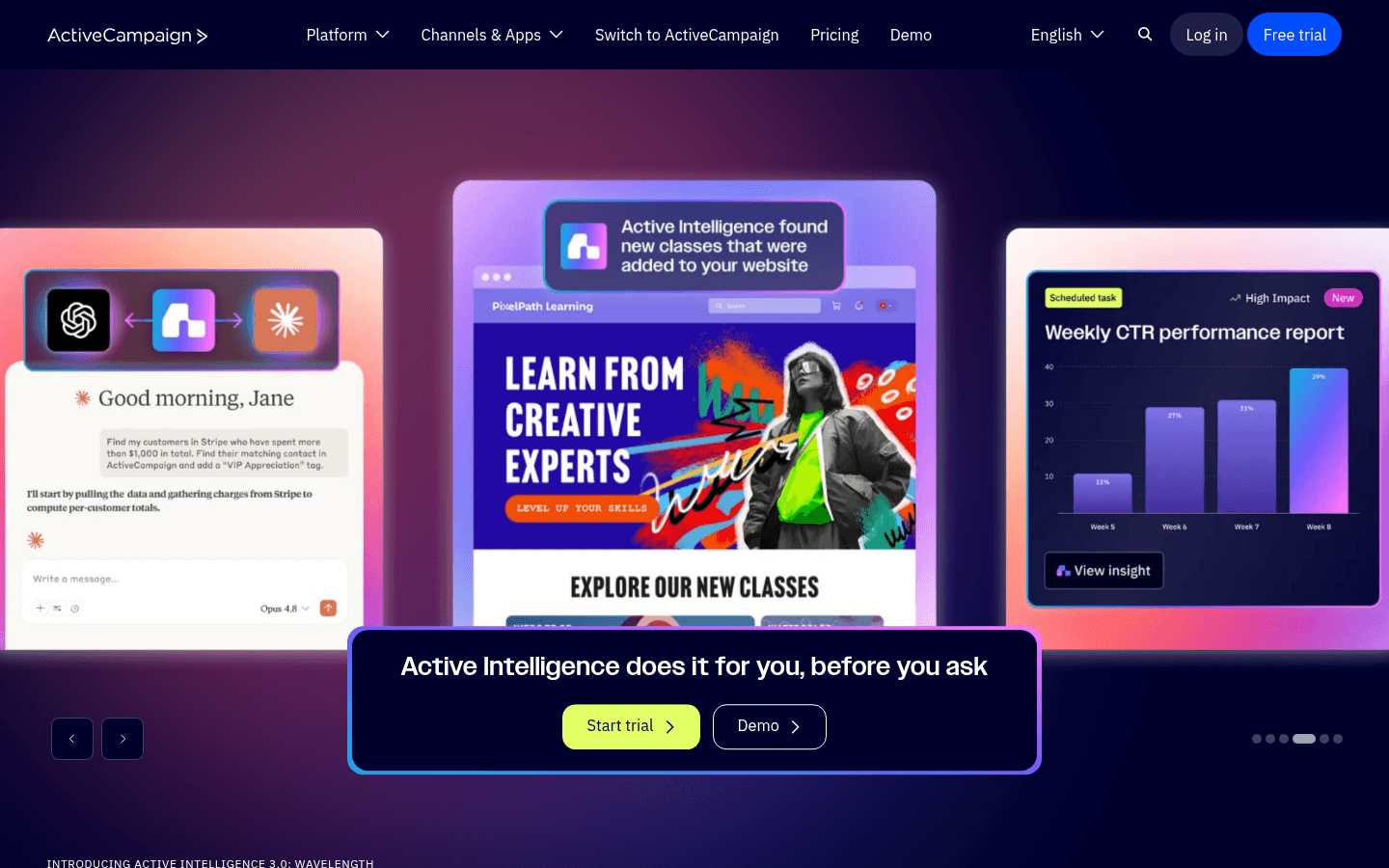
ActiveCampaign

Deep marketing automation and CRM, strongest when a human sales motion sits alongside the subscription.

Visit
ActiveCampaign dashboard screenshot

ActiveCampaign has the most capable visual automation builder you can use without engineering support, and for subscription businesses with a sales-assisted motion it also brings a real CRM. Conditional logic keeps trial users, monthly subscribers, annual subscribers and churned customers on separate paths inside one workflow. Goal-based exits are the feature that matters most for this niche: a subscriber who converts mid-trial automatically stops receiving trial emails and enters paid onboarding, which is exactly the mechanic that home-built sequences get wrong. Lead scoring gives you a crude at-risk signal without buying a churn product. The one workflow it is best at is a multi-tier annual renewal programme where a human follows up on the accounts that do not respond. Where it falls short for this niche: Stripe is an app integration rather than a native billing model, so plan and MRR usually live in custom fields you maintain, and there is no dunning sequence out of the box. Per our ActiveCampaign pricing guide, Starter begins at $15/month for 1,000 contacts on annual billing, and the Plus plan rises to around $239/month at 10,000 contacts, so per-contact pricing becomes the main constraint as the base grows. Verdict: excellent automation, mediocre billing awareness.

Best for
Subscription businesses with a sales-assisted motion that need CRM and automation in one place
Pricing
Starter from $15/month at 1,000 contacts on annual billing

Pros

  • Most capable no-code automation builder in this list
  • Goal-based exits stop the wrong sequence cleanly
  • Built-in CRM and lead scoring
  • Huge integration ecosystem

Cons

  • Stripe is an app integration, not a native billing model
  • Plan and MRR usually live in manually maintained custom fields
  • Per-contact pricing rises steeply with list size
  • No free plan
#5
Loops

Modern SaaS-native email platform combining marketing and transactional sends.

Visit
Loops dashboard screenshot

Loops is built specifically for software companies and it shows in the details: contacts have user properties rather than list memberships, transactional and marketing sends live in the same product, and the API is the primary interface rather than an afterthought. Setting up a trial sequence keyed to a userCreated event takes minutes. The one workflow it is best at is developer-owned lifecycle email for an early-stage SaaS where the whole team is technical and nobody wants to learn a marketing suite. Stripe events can drive loops through the API, but the billing model is not built in the way it is in Sequenzy or Encharge, so renewal reminders and pause or downgrade handling are things you construct. Per our Loops pricing guide, the free plan covers up to 1,000 subscribed contacts and 4,000 sends per month, the 1,000-5,000 bracket is $49/month and the 5,000-10,000 bracket is $99/month, with unlimited sends on paid plans. Where it falls short for this niche: no native Paddle or Polar, no built-in dunning, thinner segmentation than the incumbents, and per-contact bracket pricing that charges for dormant users. Verdict: a clean, modern choice for early-stage SaaS; not the tool if failed-payment recovery is the reason you are shopping.

Best for
Early-stage SaaS teams that want a modern, API-first tool for marketing and transactional email
Pricing
Free up to 1,000 contacts and 4,000 sends/month, then $49/month

Pros

  • Genuinely SaaS-native data model
  • Marketing and transactional in one tool
  • Unlimited sends on paid plans
  • Fast to set up for a technical team

Cons

  • No built-in dunning sequence
  • No native Paddle or Polar
  • Bracket pricing charges for dormant contacts
  • Segmentation is shallower than the incumbents
#6
Userlist

SaaS lifecycle email with company-level tracking as well as user-level.

Visit
Userlist dashboard screenshot

Userlist is the option to look at when your subscription is sold to teams rather than individuals, because it models companies as first-class objects alongside users. That solves a problem the rest of this list handles badly: in a team subscription, the person who fails to activate, the person who receives the invoice and the person who cancels are often three different people, and messaging the account rather than the individual is the correct behaviour. The one workflow it is best at is account-level onboarding, where the sequence advances based on whether anyone on the team completed a step rather than whether the recipient did. Stripe data can be synced in to drive plan and billing segments. Per our Userlist pricing guide, Basic starts at $149/month, or $119/month billed annually, for up to 10,000 users, with a 14-day free trial and no free plan. Where it falls short for this niche: the entry price is high for a bootstrapped business, the marketing-campaign side is deliberately light, and there is no native Paddle or Polar. Verdict: worth the premium for B2B SaaS with multi-seat accounts; overkill for a single-seat consumer subscription.

Best for
B2B SaaS subscriptions sold to teams, where the account matters more than the individual
Pricing
Basic from $149/month (or $119/month annually) for up to 10,000 users

Pros

  • Company-level and user-level tracking together
  • Account-based onboarding logic
  • Purpose-built for SaaS lifecycle rather than adapted to it
  • Straightforward event API

Cons

  • High entry price for early-stage teams
  • Light on broadcast and campaign features
  • No native Paddle or Polar
  • No free plan
#7
Chargebee

Subscription billing and revenue management platform, not an email tool.

Visit

Chargebee is billing infrastructure rather than an ESP, and it belongs on this list because for a mid-market subscription business it is often the system that owns the events your email platform needs. It handles plans, proration, coupons, tax, revenue recognition and, importantly for this page, smart retries and its own dunning notifications. That last point causes real confusion: Chargebee can send functional dunning emails itself, so teams assume the problem is solved, then discover they cannot A/B test them, cannot brand them properly, and cannot branch on anything outside billing. The better pattern is to let Chargebee own retries and let your email platform own the messages. Sequenzy has a native Chargebee integration that syncs customers with subscription status, plan, MRR and lifetime value, and maps payments, trials, renewals, pauses, cancellations and refunds onto sequence triggers. Pricing follows a revenue-share and platform-fee model that scales with billed revenue rather than contacts; check the current tiers with the vendor because it is quoted rather than published as simple flat plans. Verdict: not a choice against the email tools here, but the right billing layer for a subscription business that has outgrown raw Stripe.

Best for
Mid-market subscription businesses that have outgrown raw Stripe billing
Pricing
Revenue-share and platform-fee model that scales with billed revenue

Pros

  • Deep billing logic including retries, proration, tax and revenue recognition
  • Emits a rich, well-documented event stream
  • Native Sequenzy integration with MRR and LTV on the contact
  • Handles complex plan changes that raw Stripe makes painful

Cons

  • Not an email marketing tool
  • Its own dunning emails cannot be A/B tested or deeply branded
  • Pricing is quoted rather than simply published
  • Implementation is a project, not an afternoon
#8
Recharge

The dominant subscription billing layer for Shopify subscribe-and-save and subscription boxes.

Visit

Recharge is the standard subscription platform for Shopify stores running subscribe-and-save or box models, and if that is your business it is effectively infrastructure rather than a choice. It owns the recurring order schedule, the customer portal where subscribers skip, swap, pause and reschedule, and the retry logic on failed charges. Email does not live in Recharge, but the events do: upcoming charge, order skipped, subscription paused, card expiring, cancellation requested. Those events are exactly the ones a subscription commerce email programme runs on, and they flow to Klaviyo, Omnisend or Sequenzy. The one workflow it is best at is the pre-charge reminder: telling a subscriber what is shipping in three days and giving them a one-click link to skip or swap, which converts would-be cancellations into skips. Where it falls short for this niche: it is Shopify-centric, it is not an email tool, and it charges a percentage of subscription revenue plus a per-transaction fee, which is a meaningful cost line at scale. Verdict: essential if you run subscriptions on Shopify, irrelevant if you run SaaS.

Best for
Shopify subscription commerce brands running boxes or subscribe-and-save
Pricing
Transaction-based: a percentage of subscription revenue plus a per-transaction fee

Pros

  • The default subscription layer for Shopify
  • Customer portal for skip, swap, pause and reschedule
  • Rich subscription events for email platforms to trigger on
  • Integrates with the major ecommerce ESPs

Cons

  • Not an email tool - you still need one
  • Shopify-centric
  • Transaction fees scale with your revenue
  • Irrelevant for SaaS subscriptions
#9
Churnkey

Cancel-flow and payment-recovery specialist that sits alongside your email platform.

Visit

Churnkey is a narrow product that does one part of this page's job better than any general email tool: the cancellation flow itself, plus intelligent card retries. Instead of a cancel button, the subscriber gets an in-product flow that asks why, then offers the relevant save - a pause, a plan downgrade, a discount, or a switch to annual - based on the reason they gave. That is a materially better save mechanic than an email sent after the cancellation has already processed, because it intercepts intent at the moment it exists. On the recovery side it manages retry timing and card-update prompts across your billing provider. The one workflow it is best at is the reason-aware save offer, which no ESP on this list can replicate because ESPs are not inside your product. Where it falls short for this niche: it is not an email platform, so you still need one for trials, onboarding, expansion and win-back, and it adds a second vendor to a stack you were trying to simplify. Pricing is quoted based on subscriber volume rather than published as flat tiers. Verdict: add it when churn is your top-line problem and you have the revenue to justify a specialist; skip it until dunning and renewal emails are already running.

Best for
Subscription businesses where cancellation flows and card retries are the top-priority problem
Pricing
Quoted by subscriber volume rather than published flat tiers

Pros

  • Reason-aware save offers inside the cancel flow
  • Pause and downgrade offers presented before cancellation completes
  • Intelligent retry management on top of your billing provider
  • Complements rather than replaces your email platform

Cons

  • Not an email marketing platform
  • An extra vendor and an extra integration
  • Pricing is not publicly listed
  • Only worth it once volume makes the saves add up
#10
Kit

Creator-focused email platform with a large free tier and built-in digital product sales.

Visit

Kit fits content subscriptions rather than software subscriptions: paid newsletters, creator memberships, communities where the recurring charge buys access to what you publish. The free tier covers up to 10,000 subscribers with a single automation, which is by far the most generous starting point in this list for an audience-first business. Selling digital products and subscriptions is built in, so a paid newsletter can bill and email from one place. Tag-based segmentation covers the basics of tier and interest. The one workflow it is best at is the free-to-paid upgrade sequence for a newsletter audience, where behaviour is 'read the free issues' rather than 'used the product'. Where it falls short for this niche: billing-event depth. There is no native Stripe subscription integration in the sense this page cares about, dunning is a build-your-own affair usually routed through Zapier, and there is no trial-end trigger because the model does not assume trials. Per our ConvertKit pricing guide the Creator plan starts at $39/month for 1,000 subscribers and reaches approximately $119/month at 10,000. Verdict: right for creator subscriptions, wrong for SaaS or subscription commerce.

Best for
Paid newsletters and creator subscriptions where content access is the product
Pricing
Free up to 10,000 subscribers, then Creator from $39/month

Pros

  • Free up to 10,000 subscribers
  • Digital product and subscription selling built in
  • Simple tag-based segmentation
  • Strong deliverability reputation for newsletters

Cons

  • No meaningful billing-event integration
  • Dunning has to be built through Zapier
  • No trial-end trigger
  • Automation depth is limited on lower plans
#11
Brevo

Budget email and SMS platform that also handles transactional sending.

Visit
Brevo dashboard screenshot

Brevo is the low-cost way to get marketing and transactional email into one account. For a subscription business that means receipts, access emails and campaigns share a platform without paying enterprise prices, and SMS is available per message for payment-failure alerts where a text genuinely outperforms an email. Volume-based pricing with unlimited contacts is structurally right for subscription businesses, because dormant and churned subscribers do not inflate the bill. The one workflow it is best at is a bootstrapped operator sending a weekly campaign plus transactional receipts on one bill. Where it falls short for this niche: billing awareness. Stripe is Zapier territory, there is no dunning template, no trial-end trigger and no pause or downgrade handling, so every lifecycle automation is assembled by hand from generic building blocks. Per our Brevo pricing guide the free plan allows up to 300 emails per day after account approval, and the Starter plan is volume-priced from $9/month at 5,000 emails, rising to $69/month at 100,000 emails. Verdict: good value, weak subscription features - fine as a first tool, not the one you scale a recurring-revenue programme on.

Best for
Bootstrapped subscription businesses that want marketing, transactional and SMS on one cheap bill
Pricing
Free up to 300 emails/day, then Starter from $9/month

Pros

  • Volume-based pricing with unlimited contacts
  • Marketing, transactional and SMS in one account
  • Very low entry cost
  • Free plan with no contact ceiling

Cons

  • No native billing-event triggers
  • No dunning, trial-end or pause triggers out of the box
  • Automation is generic rather than subscription-shaped
  • Daily sending limits on the free plan
#12
MailerLite

Simple, inexpensive email marketing with a clean builder and a free tier.

Visit
MailerLite dashboard screenshot

MailerLite is the sensible starting point for a subscription business that has not launched yet or is still under a few hundred paying customers. The builder is clean, the automation covers welcome sequences, time-based drips and simple conditional branches, and landing pages and forms are included for capturing signups before you have a product to bill for. The one workflow it is best at is a pre-launch waitlist nurture that converts into a founding-member offer. Where it falls short for this niche is everything downstream of the first payment: no billing-event triggers, no dunning, no trial logic, no plan or MRR attributes, and per-subscriber pricing that charges you for churned customers you would rather keep for win-back. Per our MailerLite pricing guide, the free plan covers up to 250 subscribers and 2,500 monthly emails, the Comfort plan starts at $12/month and the Power plan starts at $25/month, with tiers scaling by subscriber count. Verdict: a fine first email tool and a poor second one - plan to migrate once billing events start mattering, and pick your next tool on the criteria table above rather than on price.

Best for
Pre-launch and very early-stage subscription businesses on a tight budget
Pricing
Free up to 250 subscribers and 2,500 monthly emails, then Comfort from $12/month

Pros

  • Cheap and genuinely easy to learn
  • Landing pages and forms included
  • Clean, modern email builder
  • Adequate automation for pre-revenue stages

Cons

  • No billing-event triggers of any kind
  • No dunning or trial-end logic
  • Per-subscriber pricing penalises churned contacts
  • You will outgrow it once recurring revenue is real
#13
Stripe Billing plus your email platform

The most common subscription stack: Stripe owns billing, an email platform owns the messages.

Visit

This is the stack most readers of this page already have, so it is worth evaluating explicitly rather than treating as a non-option. Stripe Billing handles plans, trials, proration, invoices, tax through Stripe Tax and smart retries on declines. It also sends its own emails: receipts, invoices, card-expiring notices and failed-payment notifications, all configurable in the dashboard. Teams routinely turn those on, assume dunning is covered, and never build a sequence. The problem is that Stripe's emails are single sends rather than sequences, they cannot branch on tenure or plan value, and you cannot A/B test them, so a $9 subscriber and a $900 subscriber get identical treatment on the single most revenue-sensitive email you send. The correct division of labour is Stripe for retries and invoices, your email platform for everything a human reads. The one thing to check on your shortlist is how the events cross that boundary: natively, through a webhook you maintain, or through a scheduled Zapier poll. Verdict: keep Stripe for billing, and choose the email platform on the quality of its Stripe integration rather than on its template gallery.

Best for
Any subscription business already billing through Stripe
Pricing
Stripe processing and Billing fees, plus your email platform separately

Pros

  • Owns plans, trials, proration, invoices and smart retries
  • Well-documented, reliable event stream
  • Deep integrations with every serious lifecycle platform
  • Built-in receipts and invoices cover the legal minimum

Cons

  • Its own emails are single sends, not sequences
  • No A/B testing or branching on Stripe-sent emails
  • Not a marketing tool - you still need an email platform
  • Billing fees are on top of processing fees

Feature Comparison

FeatureSequenzyCustomer.ioEnchargeActiveCampaignLoopsUserlistRechargeKitBrevoMailerLite
Stripe billing events
Native
Webhook + glue
Native
App integration
Via API
Sync
Own billing
Zapier
Zapier
Zapier
Paddle native
Polar native
Failed-payment (dunning) sequence
Built-in
Build your own
Built-in
Build your own
Build your own
Build your own
Built-in
Build your own
Build your own
Renewal reminder trigger
Manual
Manual
Manual
Pause / downgrade triggers
Build your own
Partial
Partial
Partial
Plan and MRR as segmentable attributes
Via fields
Via custom fields
Via properties
Tag-only
Via attributes
Via fields
Trial-end trigger
N/A
Transactional receipts in the same tool
Add-on
A/B testing on lifecycle emails
Limited
Free tier
2,500 emails/mo
1,000 contacts
10,000 subscribers
300 emails/day
250 subscribers
Cost at 10,000 subscribers
$49/mo
~$150/mo
From $99/mo
~$239/mo on Plus
$99/mo
$149/mo
Percentage of GMV
~$119/mo
Volume-priced
Subscriber-priced

Common Mistakes to Avoid

We see these mistakes over and over. Skip the learning curve and avoid these from day one.

Polling for billing events instead of receiving them

An hourly Zapier poll between Stripe and your email tool means a card declined at 09:05 gets its first recovery email at 10:00 at best, and often much later once retries and rate limits are involved. Recovery rate is extremely sensitive to speed. Check whether your shortlist receives the event or asks for it on a schedule.

Ignoring involuntary churn

Most subscription teams spend their retention energy on voluntary cancellations and their exit surveys, while failed payments quietly remove a larger number of customers every month. Involuntary churn is the cheaper half to fix because those customers never wanted to leave.

Treating a downgrade as an accounting event

A downgrade is a customer telling you the price is wrong, not that the product is. Silence after a downgrade is a missed save. Trigger a short sequence that confirms the change, explains what they kept, and asks one question about what pushed the decision.

Over-emailing during trials

Ten emails in a 14-day trial trains people to filter you before they have decided anything. Four or five well-timed emails, each with one job, outperform volume. If you cannot say what a trial email is asking the reader to do, cut it.

Not measuring revenue per email

Open and click rates tell you about the email. Trial-to-paid rate, recovered payment volume, expansion MRR and 90-day win-back rate tell you about the business. If your email platform cannot attribute revenue back to a send, you are optimising blind.

Paying to store churned subscribers

On per-contact pricing, every cancelled customer costs you money each month until you delete them, so teams delete them, and then have no audience for the win-back campaign six months later when the product has actually improved. Choose your billing model with the win-back window in mind.

Email Sequences Every Subscription Businesse Needs

These are the essential automated email sequences that will help you grow your business and keep clients coming back.

Trial to paid

Trial started

Drive one activation action early, then make the commercial case at the trial-ending trigger.

Immediately
Your trial is live - start here

One action, one link, no feature tour. Name the single thing that proves value fastest for your product and ask them to do it today.

Day 2
The one setup step most people skip

Fires only if the activation action is still incomplete. Remove the blocker rather than repeating the pitch.

Day 5
Here is what you have built so far

Reflect their own usage back at them. Concrete numbers beat generic encouragement, and this is the email that makes the trial feel like an investment.

3 days before trial end
Your trial ends Thursday - what happens next

Plan comparison, what they keep, what they lose, and the annual option. Be explicit about the date and the card.

Trial end day
Last day to keep your account

One CTA. Address the two objections your exit surveys name most often. Offer an extension rather than a discount if they need more time.

Failed payment recovery (dunning)

Payment failed

The highest-ROI automation in a subscription business. Fires in seconds, exits the moment the payment recovers.

Within minutes of the decline
Your card was declined - one click to fix it

Helpful, not alarming. One-click update link with no login wall. State the retry date and the date access pauses.

Day 3
We will retry your payment on Friday

Restate the deadline and what is at stake. Add a second payment method option and a support contact for the cases that are not a card problem.

Day 7
Final notice: your subscription pauses tomorrow

Last email before access changes. Say exactly what happens to their data and how to restore the account afterwards.

Renewal and annual plan save

Renewal date approaching

Turn a surprise charge into a renewal decision the customer feels good about, and cut chargebacks.

14 days before the charge
Your plan renews on the 12th

Plain notice of the amount, the date and the card ending. Include the link to change or cancel - hiding it is what generates chargebacks.

7 days before the charge
What you got from your subscription this year

A short usage recap. This is the email that does the retention work, so make the numbers specific to the account.

3 days before the charge
Renewing Thursday - anything you want to change?

Offer the alternatives explicitly: switch plan, pause, change seats. A downgrade is a better outcome than a chargeback.

Pause, skip and downgrade save

Plan downgraded, subscription paused or order skipped

Treat a downgrade as a save opportunity rather than an accounting entry.

Immediately
Your plan change is confirmed

Confirm what changed, what they kept and what the next charge will be. Then ask one question about what prompted it.

Day 7
Getting the most out of your new plan

Re-onboard them onto the tier they are now on. A downgraded customer who feels well served is a future upgrade.

Day 30
Ready to turn that feature back on?

Fires only if usage has climbed back toward the old plan's limits. Tie the upgrade offer to their actual numbers.

Expansion and upgrade

Usage threshold crossed or gated feature clicked

Ask for the upgrade at the moment the subscriber is getting more value than they are paying for.

Within an hour of the trigger
You have used 80% of your plan this month

State the number, the limit and what happens when they hit it. Offer the upgrade as the fix, not as a promotion.

Day 3
What the next plan up actually changes

Two or three concrete differences that matter to their use case. Skip the full feature matrix.

Day 10
Switch to annual and get two months free

For subscribers who did not upgrade tier, offer the annual commitment instead. It raises retention even when it does not raise MRR.

Win-back after cancellation

Subscription cancelled

Feedback first, proof second, offer third. Leading with a discount teaches people to cancel.

Immediately
Sorry to see you go - one question

Confirm the cancellation, the final access date and the data retention window. Ask one question with clickable answers, not a survey form.

Day 30
You said checkout was slow. We rebuilt it.

Segment by cancellation reason and send proof that the specific thing they named has changed. Generic product updates do not convert here.

Day 90
Your account is still here if you want it back

Restore the account as it was, with a modest 10-20% offer for the first period back. Reference the improvements since they left.

Best email marketing tools for subscription businesses (2026)

For a subscription business, the platform decision comes down to one question: can it trigger on your billing events without a scheduled poll in the middle? Sequenzy is our pick because it has native integrations for Stripe, Paddle, Polar, Chargebee, Creem and Dodo Payments, ships a real dunning sequence, and sends receipts and marketing from the same domain. Customer.io is better if your lifecycle logic is driven by product usage rather than billing state and you have an engineer to own the event schema. Encharge is the strongest middle option for a Stripe-billed SaaS with no engineering time. If you sell subscription boxes on Shopify, Recharge owns the billing lifecycle and you add an email platform on top.

If you are Pick Because
A SaaS billing through Stripe, Paddle or Polar Sequenzy Native billing events for all three, built-in dunning, receipts and marketing in one place
A product-led SaaS with an engineering team Customer.io Deepest branching on custom product events, from $100/mo at 5,000 profiles
A seed-to-Series-A SaaS with no engineer to spare Encharge Native Stripe lifecycle flows a marketer can build, from $99/mo
A subscription box or subscribe-and-save on Shopify Recharge plus an email platform Recharge owns skips, pauses and retries; the email platform owns the messages
A paid newsletter or creator subscription Kit Free to 10,000 subscribers and digital product selling built in

How to choose email marketing software for a subscription business

Ignore template galleries. Seven criteria decide whether a platform can actually run a recurring-revenue programme.

1. Billing-event latency. Does the platform receive the event or ask for it? Native integrations and webhooks arrive in seconds. Zapier polls typically run on a schedule, which means a card declined at 09:05 might not get its first email until the top of the next hour. On dunning, that gap is money. Native today: Sequenzy (Stripe, Paddle, Polar, Chargebee, Creem, Dodo Payments), Encharge (Stripe), Recharge (its own billing). Webhook plus glue: Customer.io, Loops, Userlist. Poll or Zapier: Kit, Brevo, MailerLite.

2. Merchant-of-record coverage. If you bill through Paddle or Polar because you did not want to own global sales tax, most email platforms treat that billing data as a foreign object. Sequenzy is the only tool in this list with native Paddle and Polar integrations. Everyone else means a webhook receiver you build and maintain.

3. A real dunning sequence, with an exit. Not just a "payment failed" trigger, but a multi-step sequence that stops the moment the payment recovers. Built-in: Sequenzy, Encharge, Recharge. Build-your-own: Customer.io, Loops, ActiveCampaign, Userlist. Absent: MailerLite.

4. Plan, status and MRR as attributes you can segment on. If tier lives in a tag you maintain by hand, it will be wrong within a month. Ask whether the billing integration writes plan, subscription status, MRR and lifetime value onto the contact automatically. Sequenzy and Chargebee-connected tools do this; ActiveCampaign and Kit make it a custom field or a tag.

5. Trial-end as a trigger, not a date. Trials get extended, paused and converted early. A sequence keyed to "day 13 after signup" breaks the moment anyone changes a trial; a sequence keyed to "3 days before trial ends" does not. Sequenzy, Customer.io, Encharge, Loops and Userlist all support the relative trigger. Kit, Brevo and MailerLite do not.

6. Transactional sending in the same tool. Receipts, invoices and payment-failure notices are transactional. Running them in a second system doubles your templates, your sending reputations and your analytics. Same tool: Sequenzy, Loops, Brevo. Separate product or add-on: Customer.io, SendGrid. Not offered: ActiveCampaign, Kit, MailerLite.

7. Pricing that does not punish churned subscribers. Win-back windows are often six to twelve months long. On per-contact pricing you pay every month to keep the audience you most want to win back, so teams delete them and lose the option. Volume-based pricing with unlimited contacts (Sequenzy, Brevo) is structurally better for this business model than per-contact pricing (ActiveCampaign, Kit, MailerLite, Loops).

The billing events your email tool must be able to trigger on

This is the section nobody else on this results page writes, and it is the one that decides the purchase. A platform that can only see "customer created" and "customer deleted" cannot run a subscription programme.

Event Why it matters What to send
Trial started The activation window opens now, not on day 10 One action, one link, no feature tour
Trial ending The single highest-converting email in most SaaS Plan comparison and an explicit date
Subscription created First payment is the strongest retention moment you will get Receipt plus paid onboarding, not a generic welcome
Payment failed Involuntary churn is often a third or more of all cancellations Dunning email one, within minutes
Payment recovered The sequence must stop here or you insult a paying customer Nothing - use it to exit the sequence
Plan upgraded Confirm the change and re-onboard onto the new tier Receipt plus what they just unlocked
Plan downgraded The customer said the price is wrong, not the product Save sequence and one question about why
Subscription paused or order skipped A pause is a save; a cancel is not Confirm, and set a return date
Renewal approaching Reduces chargebacks; legally required in some jurisdictions Notice at 14 and 3 days, plus a usage recap
Subscription cancelled Starts the win-back clock Exit survey now, proof at 30 days, offer at 90

Three things to check on any shortlist: whether the event arrives natively or through a poll, how long the delay is, and whether the billing state comes back as something you can segment on. Native Stripe support is table stakes. Native Paddle and Polar support is not, and merchant-of-record billing is now the default for a large share of SaaS.

The subscription email playbook

Five programmes cover almost all of the revenue email can move in a subscription business. Build them in this order.

Trial to paid

Trigger: trial started. Segment: trial users, split by whether the activation action is complete. Timing: five emails across the trial, with the last two keyed to trial end rather than to a fixed day.

Most trial users decide in the first three days, not the last three. That means the first two emails are activation tools, not sales copy, and the pitch belongs at the trial-ending trigger.

  1. Day 0 - "Your trial is live - start here". One action. One link.
  2. Day 2 - "The one setup step most people skip". Sends only if the action is incomplete.
  3. Day 5 - "Here is what you have built so far". Reflect their own numbers back.
  4. Three days before trial end - "Your trial ends Thursday - what happens next".
  5. Trial end day - "Last day to keep your account". One CTA, two objections handled.

Metric to watch: trial-to-paid conversion rate, split by whether the activation action was completed. If converters and non-converters have the same activation rate, your problem is pricing, not email. A business converting 1,000 trials a month at 15% instead of 10% adds 600 paying subscribers a year with no extra acquisition spend.

Dunning: what actually recovers failed payments

Trigger: payment failed. Segment: everyone, but write the copy for the largest plan value in your base. Timing: day 0, day 3, day 7, then stop.

  1. Send within minutes of the decline. The card is usually fine and the customer just needs to know. This is the single biggest lever on recovery rate.
  2. One-click update link, no login wall. Every extra step visibly drops recovery. Use a hosted billing portal link rather than "log in and go to settings".
  3. Say what happens next and when. "We will retry on Thursday, and access pauses on the 14th" outperforms vague urgency, because it gives the reader a deadline they can act on.
  4. A/B test the subject line. A lift here is recovered revenue, not an engagement metric. This is the highest-value test in the business, and A/B testing is the feature to check for on your shortlist.
  5. Stop cleanly. When the payment recovers, the remaining emails must not send. Suppression on the recovery event is the part most home-built sequences get wrong, and telling a paying customer their payment failed is worse than sending nothing.

Metric to watch: recovered payment volume in dollars, not recovery rate in percent. A 35% recovery rate on your enterprise tier is worth more than a 60% rate on the starter tier. Ready-made copy: SaaS dunning email templates and the recover failed payments playbook.

Renewal, pause, skip and downgrade saves

Trigger: renewal date approaching, plan downgraded, subscription paused. Segment: annual plans and any plan above your median value. Timing: 14, 7 and 3 days before an annual charge; immediately on a downgrade or pause.

Renewals and downgrades are the quiet half of retention. Three emails before an annual charge, with the middle one carrying a usage recap rather than a warning, converts a surprise charge into a renewal decision the customer feels good about. Include the cancel link. Hiding it does not stop cancellations, it converts them into chargebacks, which cost you the revenue and the payment-processing relationship.

A downgrade should trigger a save sequence, not silence. Confirm what changed, re-onboard the customer onto the tier they are actually on, and set a usage-based trigger to offer the upgrade back when their numbers climb. For subscription commerce, making skip and pause obvious beats letting people cancel because pausing was not visible in the portal.

Metric to watch: the ratio of pauses and downgrades to outright cancellations. A healthy programme moves cancellations into that column. Full sequence: annual renewal email sequence.

Expansion and upgrades

Trigger: usage threshold crossed, gated feature clicked, seat added. Segment: subscribers below your top tier who are above 70% of a plan limit. Timing: within an hour of the trigger, then day 3, then day 10.

Behavioural upgrade prompts outperform calendar-based ones because the subscriber has already demonstrated intent. Lead with their number - "you have used 80% of your plan this month" - then explain what changes on the next tier in two or three concrete points, and offer the annual switch to anyone who does not upgrade the tier. Annual commitments raise retention even when they do not raise MRR.

Metric to watch: expansion MRR as a share of new MRR. Once expansion passes about a quarter of new MRR, the upgrade programme is doing real work. See expand revenue and upgrade users for the sequences.

Win-back after cancellation

Trigger: subscription cancelled. Segment: by cancellation reason, captured in the first email. Timing: day 0, day 30, day 90, then annually on a major release.

Order matters: feedback first, product improvement second, offer third. A win-back that leads with a discount teaches customers to cancel. A win-back that says "you told us checkout was slow, we rebuilt it" converts, because it is evidence rather than a promotion. Use clickable answers in the exit email rather than a survey form, because the click rate on a five-option question is many times the completion rate on a form.

This only works economically if churned subscribers stay on your list, which is a pricing question. On per-contact billing, storing a churned subscriber costs you every month. On per-email billing with unlimited contacts, they cost nothing until you actually mail them.

Metric to watch: 90-day return rate, and the revenue of returned subscribers versus the base. Returned customers are often higher-value than first-time ones because they already know what they are buying.

The subscriber lifecycle map

Every subscriber moves through these stages, and each one needs its own track and its own trigger data.

Stage Trigger Email Goal Data you need
Prospect Signup without trial Lead nurture with proof Start a trial Source, content interest
Trial start Trial created Welcome and first task Activation Trial start date, activation event
Trial day 3 Key action not taken Nudge to the first win Activation Product event
Trial ending 3 days before expiry Convert with proof, not pressure Paid conversion Trial end date
First payment Charge succeeded Receipt plus paid onboarding Retention Plan, amount, billing interval
Active Usage milestone Value reinforcement and expansion ARPU Usage counters, seat count
Payment failed Card declined Dunning one of three Revenue protection Decline event, retry schedule
Renewal approaching 14 and 3 days before Value recap and renewal notice Retention Renewal date, usage summary
Downgrade Plan changed Save offer and right-sizing Revenue protection Old plan, new plan
At risk No login 30 days Re-engagement with one specific reason Retention Last login
Cancelled Subscription cancelled Exit survey, then win-back at 30 and 90 days Recovery Cancel reason, tenure, plan
Won back Resubscribed Re-onboarding focused on what changed Retention Previous plan, time away

The revenue levers, ranked

If you can only build three automations this quarter, build the top three rows.

Revenue lever Primary email trigger Healthy benchmark Why it matters
Failed payment recovery Payment failed 30-50% recovery Reduces involuntary churn with no discounting
Trial conversion Trial start and end date 10-25% trial-to-paid Improves new MRR without more acquisition spend
Renewal reminders 14 and 3 days before charge Fewer chargebacks, higher annual retention Protects the revenue you already booked
Paid onboarding First payment or plan start 30%+ activation of the key feature Increases month-three retention
Expansion Usage limit, feature interest, team growth 2-8% upgrade conversion Raises ARPU from existing customers
Win-back Cancellation or lapse 5-15% return within 90 days Recovers customers acquisition already paid for

Best fit by subscription model

Business model Email system priority Capability to prioritise First sequence to build
SaaS free trial Trial activation and conversion Product events plus billing triggers Trial-to-paid
SaaS freemium Free-to-paid upgrade Usage thresholds as triggers Usage-limit upgrade prompt
Paid membership Ongoing value communication Tier as a real segment Member onboarding to first win
Usage-based subscription Preventing bill surprise Threshold warnings and usage summaries Usage recap and overage warning
Subscription commerce or boxes Delivery, skip and renewal flows Subscription-platform integration Pre-charge reminder with skip link
Annual B2B subscription Stakeholder education and renewal CRM sync and account segmentation Renewal value recap at 90, 30 and 7 days
Merchant-of-record SaaS Billing events from Paddle or Polar Native merchant-of-record integration Dunning

What it costs at 1,000, 10,000 and 50,000 subscribers

Assumptions: four emails per subscriber per month, one email platform, no SMS, monthly billing unless the vendor only publishes an annual price. Every figure comes from our own pricing guide for that vendor; where a vendor does not publish a number at that size we say so rather than guess.

Platform 1,000 subscribers 10,000 subscribers 50,000 subscribers Billing model
Sequenzy $19/mo (15,000 emails) $49/mo (60,000 emails) $199/mo (300,000 emails) Emails sent, unlimited contacts
Customer.io $100/mo minimum About $150/mo About $505/mo at the published $0.009 per extra profile Profiles
ActiveCampaign $15/mo Starter, annual billing About $239/mo on Plus Not published; quote required Contacts
Encharge From $99/mo, or $79/mo yearly Higher subscriber tiers not published Not published Subscribers
Loops Free up to 1,000 contacts $99/mo Not published above 10,000 Subscribed contacts
Kit Free, or $39/mo on Creator Free, or about $119/mo on Creator Not published; scales with list size Subscribers
Brevo About $9/mo at 5,000 emails Between the published $9 and $69 points Above the published $69 at 100,000 emails Emails sent, unlimited contacts
MailerLite Comfort from $12/mo Not published at this size Not published at this size Subscribers

Two things this table makes obvious. First, the cost curve depends far more on the billing model than on the vendor: volume-based pricing flattens as your list grows and your send frequency stays constant, while per-contact pricing compounds. Second, at 50,000 subscribers most vendors stop publishing numbers, which means you are negotiating - so know your send volume and your engaged-contact count before that call. Current Sequenzy tiers are on the pricing page.

Getting started: first 30 days

Week 1 - connect billing and get the events flowing. Connect Stripe, Paddle, Polar or Chargebee to your email platform and confirm that a test decline, a test trial start and a test cancellation actually appear as events. Import your existing customers with plan, status and MRR attached. Set up SPF, DKIM and DMARC on your sending domain before anything goes out. Build one segment - active paying subscribers - and check the count against your billing dashboard. If the numbers do not match, stop and fix that before building sequences on top of bad data.

Week 2 - build dunning. Three emails, day 0, day 3, day 7, with a one-click card-update link and an exit on the payment-recovered event. Test it end to end with a real card that you deliberately fail, and confirm that recovering the payment stops emails two and three. Turn off any overlapping failed-payment notification your billing provider is sending so customers do not get two. This is one week of work that protects revenue every month afterwards.

Week 3 - build trial conversion and paid onboarding. Five trial emails keyed to the trial-start and trial-end triggers, with the mid-trial email conditional on your activation event. Then the paid onboarding track that starts at first payment: receipt, first-week guidance, and a check-in at day ten. Set the goal exit so a trial user who converts leaves the trial sequence immediately.

Week 4 - renewal, win-back and measurement. Add renewal reminders at 14 and 3 days before annual charges, and the three-step win-back on cancellation with a clickable exit survey. Then connect email data to billing data so you can report recovered payment volume, trial-to-paid rate and expansion MRR rather than opens. Pick one A/B test to run next month, and make it the dunning subject line.

By day 30 you should have five automations live and one report that a finance person would accept. Everything after that - product updates, newsletters, lifecycle refinements - is optimisation on top of a system that is already protecting revenue.

Where to go next

Want to test this against your own Stripe account? Start free with 2,500 emails a month and unlimited contacts. The billing triggers work on the free tier, so you can have dunning running before you pay anything.

How We Evaluated These Tools

We checked each platform's public documentation, pricing page and vendor changelog for the same eight billing events: trial started, trial ending, subscription created, payment failed, payment recovered, plan upgraded, plan downgraded and subscription cancelled. We recorded which arrive natively, which need a webhook plus glue code, which need Zapier, and which are not supported at all. Every competitor price quoted here comes from our own pricing guide for that vendor; where no guide exists we describe the pricing model in words rather than guess a number. Pricing scenarios assume four emails per subscriber per month. Sequenzy is our own product and the only platform here we use first-hand.

Last reviewed: September 3, 2026

Frequently Asked Questions

Ready to grow your subscription businesse practice?

Start your free trial today. Set up your first email sequence in minutes with AI-powered content generation.

Related Industries

Sequenzy pricing reference

Sequenzy - Complete Pricing Guide

Pricing Model

Sequenzy uses email-volume-based pricing. You only pay for emails you send. Unlimited contacts on all plans — storing subscribers is always free.

All Pricing Tiers

  • 2.5k emails/month: Free (Free annually)
  • 15k emails/month: $19/month ($205/year annually)
  • 30k emails/month: $29/month ($313/year annually)
  • 60k emails/month: $49/month ($529/year annually)
  • 120k emails/month: $99/month ($1069/year annually)
  • 300k emails/month: $199/month ($2149/year annually)
  • 600k emails/month: $399/month ($4309/year annually)
  • 900k emails/month: $599/month ($6469/year annually)
  • 1.2M emails/month: $799/month ($8629/year annually)
  • 2M emails/month: $1299/month ($14029/year annually)
  • 3M emails/month: $1999/month ($21589/year annually)
  • 4M emails/month: $2499/month ($26989/year annually)
  • 5M emails/month: $2999/month ($32389/year annually)
  • Unlimited emails/month: Custom pricing (Custom annually)

Yearly billing: All plans offer a 10% discount when billed annually.

Free Plan Features (2,500 emails/month)

  • Visual automation builder
  • Transactional email API
  • Team and agent inbox
  • Landing pages
  • Unlimited team members
  • Goal tracking & revenue attribution
  • Unlimited lists and segments
  • Payment integrations
  • API, MCP, and CLI access
  • Unlimited sending domains
  • SPF, DKIM, and DMARC
  • Deliverability monitoring
  • Send time optimization
  • A/B testing

Paid Plan Features (15k - 5M emails/month)

  • Visual automation builder
  • Transactional email API
  • Team and agent inbox
  • Landing pages (Create hosted signup pages and attach a custom domain.)
  • Unlimited team members
  • Goal tracking & revenue attribution
  • Unlimited lists and segments
  • Payment integrations (Stripe, Paddle, Lemon Squeezy)
  • API, MCP, and CLI access
  • Unlimited sending domains
  • SPF, DKIM, and DMARC
  • Deliverability monitoring
  • Send time optimization
  • A/B testing

Enterprise Plan Features (Unlimited emails)

  • Visual automation builder
  • Transactional email API
  • Team and agent inbox
  • Landing pages
  • Unlimited team members
  • Goal tracking & revenue attribution
  • Unlimited lists and segments
  • Payment integrations
  • API, MCP, and CLI access
  • Unlimited sending domains
  • SPF, DKIM, and DMARC
  • Deliverability monitoring
  • Send time optimization
  • A/B testing

Important Pricing Notes

  • You only pay for emails you send — unlimited contacts on all plans
  • No hidden fees - all features included in the price
  • No credit card required for free tier

Contact

  • Pricing Page: https://sequenzy.com/pricing
  • Sales: hello@sequenzy.com