
Best email marketing tools for HR tech companies (2026)
There is no single answer, because HR tech runs two email programmes with opposite requirements. The buyer programme is a low-volume, high-value nurture across a committee and one to two quarters. The user programme is high-volume lifecycle email to admins, managers, employees and often candidates, most of whom you will never email twice. Sequenzy is our pick when you want both in one account without paying for dormant seats, because product events arrive via the API and billing follows emails sent rather than contact count. Customer.io wins on behavioural depth once you have an engineer to own the event schema. HubSpot wins if the deal is enterprise and sales-led. Postmark should sit underneath any of them for the email that must not fail.
| If you are | Pick | Because |
|---|---|---|
| Running buyer nurture and seat-heavy lifecycle from one tool | Sequenzy | Unlimited contacts, product events via API or webhook, transactional and marketing in one account with separate sending domains |
| Segmenting complex multi-role behaviour at scale | Customer.io | The only segmentation engine here that expresses account-and-role conditions cleanly, from $100/month at 5,000 profiles |
| Self-serve with subscription billing and a small team | Encharge | Trial, upgrade and failed-payment events are native, and a marketer can maintain the flows, from $99/month |
| Selling six-figure contracts through a sales team | HubSpot | One record across marketing, sales and service for a committee-driven deal, with mature attribution |
| Sending invitations, resets and candidate email | Postmark | Separate transactional streams and the best inbox placement for email that must arrive |
How to choose email marketing software for HR tech
Seven criteria that are specific to this category. Ease of use is not one of them.
1. Does the billing model survive a seat-heavy customer base? One HR tech customer can add 5,000 contacts of whom you email forty. Per-contact and per-profile platforms bill for all of them monthly: approximately $150/month at 10,000 profiles on Customer.io, around $239/mo at 10,000 contacts on ActiveCampaign Plus, $50/month per additional 1,000 marketing contacts on HubSpot. Per-email platforms bill for sends. Have the right shape: Sequenzy, Brevo, Resend, Postmark. Do not: Customer.io, Loops, Encharge, Userlist, ActiveCampaign, HubSpot, Intercom.
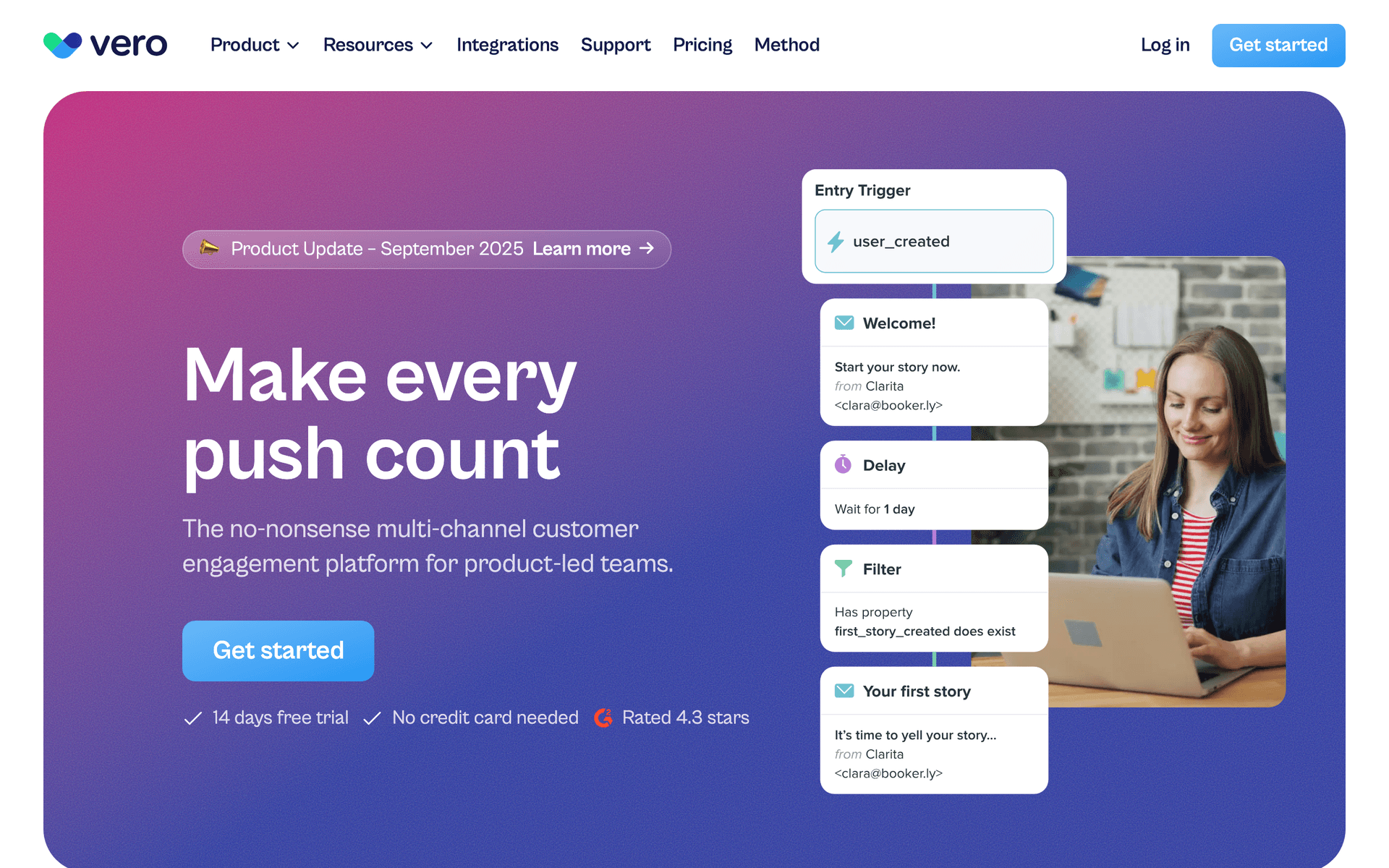
2. Can a product event trigger a sequence without an engineer on standby? Good looks like your product posting an event - admin invited users, first payroll run, first job posting - and that event being selectable as a trigger in the automation builder within minutes. Bad looks like a nightly database sync. Native: Customer.io, Loops, Encharge, Userlist, Vero, Intercom. Via API or webhook: Sequenzy. Via an app or Zapier: ActiveCampaign, Brevo, HubSpot.
3. Can it model the organisation, not just the person? HR tech sells to companies and messages individuals inside them. The question you need answered constantly is which accounts have an activated admin and low seat usage, and you cannot ask it if the platform only knows about contacts. First-class company object: Userlist, HubSpot, Intercom. Object relationships: Customer.io. Account as an attribute on the contact, which works but requires discipline: Sequenzy, ActiveCampaign, Encharge, Vero, Loops.
4. Can role segmentation be enforced rather than hoped for? Good looks like a role tag written at account creation, a segment per role, and every sequence scoped to one. It matters because sending buyer content to employees is how you get filtered organisation-wide. Every platform here can technically tag; what differs is whether segments can combine role with account-level facts. Strongest: Customer.io, Userlist, HubSpot, ActiveCampaign. Adequate on attributes and tags: Sequenzy, Encharge, Vero.
5. Can transactional, lifecycle and candidate email be isolated from each other? Good looks like separate authenticated sending subdomains, separate suppression logic, and a hard guarantee that a marketing unsubscribe cannot suppress a password reset. This is a deliverability and a compliance requirement, not a preference. Have it: Sequenzy, Customer.io, Postmark, Resend, Brevo, Loops. Awkward: HubSpot and ActiveCampaign, which are marketing-first by design.
6. Do billing events reach the email platform natively? Trial ending, plan upgraded, payment failed and subscription cancelled are all email moments, and building them by hand against a payment provider's webhooks is a week of work you can avoid. Native Stripe: Sequenzy, Encharge. Sequenzy also covers Paddle, Polar, Creem and Dodo Payments. Everyone else: via an app, Zapier or your own code.
7. Can you A/B test the buyer campaigns? The user programme is triggered and continuous, so testing it is slow. The buyer programme is campaign-shaped, and subject-line and send-time tests on a webinar invitation or a report launch pay for themselves quickly. Have it: Sequenzy, Customer.io, Encharge, ActiveCampaign, HubSpot. Basic or absent: Loops, Userlist, Vero, Resend, Postmark.
Two audiences: the HR buyer and the workforce
Most SaaS categories message one audience. HR tech messages at least three, and confusing them is the defining failure mode.
| Audience | What they need | Cadence | Never send them |
|---|---|---|---|
| HR leader (the buyer) | ROI arithmetic, compliance, rollout risk, security answers, adoption evidence | Weekly during evaluation, monthly after signature | Employee task instructions |
| HR admin (the operator) | Configuration guidance, integration setup, adoption reporting, what changed | Weekly in the first month, then monthly | Buyer-stage sales content |
| Manager | Approval workflows, team visibility, the two screens they actually use | Three or four emails total, then only on changes | A full platform overview |
| Employee (the end user) | One instruction, one link, and nothing else | Four emails over two weeks, then silence | Newsletters, webinars, product announcements |
| Recruiter | Pipeline speed, candidate experience, sourcing workflow | Weekly if recruiting is the product | Payroll or benefits content |
| Candidate | Application status, interview logistics, a prompt answer | Event-driven only | Anything promotional |
| IT and security reviewer | SSO, access control, audit logs, data residency, certifications | Twice during evaluation | Vague claims about being secure |
The employee row is the one people get wrong. Employees did not opt in to anything - they were given an account by their employer. Marketing email to them is both a deliverability risk and, under UK and EU rules, a consent problem. Keep their programme to product and transactional email, and keep it short.
The HR tech email playbook
Candidate and user lifecycle: the events worth instrumenting
Before you write any sequence, decide which events your product will emit. In HR tech the useful set is short and almost every vendor under-instruments it:
admin.provisioned,admin.integration_connected,admin.seats_invited,admin.configuration_completeduser.provisioned,user.first_login,user.first_task_completedfeature.first_usedwith the feature name as a propertyaccount.seat_utilisation_changedwith the percentage as a propertycandidate.applied,candidate.stage_changed,candidate.interview_scheduled,candidate.rejectedbilling.trial_ending,billing.upgraded,billing.payment_failed,billing.cancelled
Trigger: each of these, individually. Segment: always scoped to a role. Metric to watch: the share of your lifecycle sends that are event-triggered rather than scheduled. If it is under half, you are running a newsletter with extra steps.
Candidate events deserve special treatment if you build ATS, assessment or onboarding software. That email carries your infrastructure and your customer's brand, it is legally processed on their behalf, and the single biggest complaint candidates have about every system in the category is silence. A status-change email on every stage transition is a product feature, and it should go out on a dedicated transactional subdomain so nothing in your marketing programme can affect it.
Rollout: onboarding a whole organisation on a Tuesday morning
Consumer products get users one at a time. You get five hundred at once, all at the same employer, all behind the same mail filter.
- Ask the admin to announce it internally first. Give them a copy-and-paste message in the admin sequence. An unannounced email from an unknown vendor to five hundred employees is how a domain gets block-ruled.
- Stagger the initial send across a few hours rather than firing everything at once.
- Cap the employee sequence at four emails over two weeks. Day 0 setup, day 2 nudge for incomplete accounts only, day 6 the single most common task, day 12 a check-in with a human reply address. Then stop.
- Gate every email on completion. Someone who set up on day one must never receive the day-two reminder. This is the difference between an onboarding sequence and a nuisance.
- Run the admin sequence in parallel and separately, because the admin needs configuration help while their staff need one instruction.
Metric to watch: employee first-login rate in week one, and the complaint rate per thousand sends. A complaint spike from a single domain is an early warning of a block that will also take down your invitation email.
Product adoption by role
The same feature has to be described three different ways. This is the table to keep next to you when writing adoption email.
| Feature | To the HR admin | To the manager | To the employee |
|---|---|---|---|
| Approvals | Fewer escalations, an audit trail, policy enforced automatically | Approve from your phone in ten seconds | Your request gets answered the same day |
| Performance reviews | Cycle completion tracking and calibration data | A structured way to write reviews faster | Know where you stand and what changes |
| Time and attendance | Compliance with local hours rules and clean payroll input | Team coverage at a glance | Book leave without emailing anyone |
| Reporting | Board-ready headcount and cost data | Your team's numbers without asking HR | Not their concern - do not send it |
Trigger: account active 30 days with the feature never used. Segment: the role that would use it, on accounts above a minimum seat count so the feature is actually relevant. Timing: first email on gap detection, second at seven days if still unused, then a human offer at 21 days. Metric to watch: adoption lift on the promoted feature against a matched group that received nothing, not the click rate.
Link straight into the configured screen. A link to a help article adds a step, and every added step costs you a share of the people who were briefly willing.
B2B buyer nurture across a committee
HR software is bought by a committee: HR proposes, finance questions the spend, IT reviews security, legal reviews data processing. Your champion has to carry all four conversations, mostly without you in the room. The nurture programme's real job is to arm them.
- Day 0 - deliver the gated resource with the arithmetic in the email body, so it survives being forwarded and read on a phone
- Day 3 - the three objections finance raises about HR software spend, answered with numbers
- Day 7 - an implementation case study matched to their headcount band, because rollout risk kills more deals in this category than price does
- Day 12 - the security and data-processing pack for their IT reviewer, sent before it is asked for
- Day 21 - a pilot offer scoped to one department, with a named contact and a defined success measure
Trigger: a gated download or a pricing-page visit. Segment: by headcount band and by whether an existing HRIS was named, because both change which case study lands. Timing: roughly weekly across a quarter, pausing automatically when a deal enters an active sales stage. Metric to watch: nurture-to-demo conversion in the 10-20% range on qualified leads, and how often the security pack gets forwarded.
Gate the high-value assets on a landing page on your own domain and A/B test the subject lines on the campaign sends. This is the half of the programme where testing is fast enough to be worth it.
Compliance content as the retention programme
Employment regulation changes every quarter, and an HR admin who receives a clear note on what changed and which setting handles it stops thinking of you as software. Three rules make it work rather than becoming another newsletter nobody reads.
- Be jurisdiction-specific. A US federal update is noise to a customer in Manchester. Store country and, where it matters, state or region as a contact attribute and segment on it.
- Tie every item to a feature. What changed, what you must do, and the setting in the product that does it. That third part is what turns a compliance note into feature adoption.
- Send it on a fixed schedule. Monthly, same week, from a named person. Predictability is most of the value.
Metric to watch: open rate from HR admins, which should sit in the 35-55% range and is the highest-performing recurring send in the category. If it is below 30%, it is too generic or aimed at the wrong jurisdiction.
Renewal, expansion and the champion who leaves
HR leaders change jobs frequently, and when yours does you lose your advocate without being told. Instrument it.
- 90 days out - a year-in-numbers email: adoption, seats used, processes automated, hours saved, formatted to be pasted into an internal deck
- 60 days out - named expansion opportunities based on real seat data, with the arithmetic already done
- 30 days out - the roadmap items that map to requests this specific account has made
- Any time the champion goes 30 days without opening - a re-introduction to the next most engaged contact on the account, plus an internal alert to whoever owns the relationship
Metric to watch: churn difference between accounts whose champion engaged with lifecycle email in the last quarter and accounts whose champion did not. It is normally large, and it is the number that justifies the whole programme internally.
HRIS, ATS and CRM integrations: what actually needs to connect
The word integration means two entirely different things in this category, and conflating them wastes roadmap.
| Integration | What it is for | Who owns it | Does it belong in your email stack? |
|---|---|---|---|
| HRIS (Workday, BambooHR, Rippling, HiBob) | Moving employee records, org structure and start dates into your product | Product and engineering | No. It feeds the product, which then emits events |
| ATS (Greenhouse, Lever, Ashby) | Candidate and pipeline data in and out of your product | Product and engineering | No, but the events it produces should reach your email tool |
| CRM (HubSpot, Salesforce, Pipedrive) | Buyer engagement visible on the deal, nurture paused when sales engages | Marketing and sales | Yes. This is the first integration to build |
| Product event stream | Admin activation, seat usage, feature adoption driving lifecycle email | Engineering, owned by growth | Yes. This is the one most vendors skip |
| Billing (Stripe, Paddle, Polar) | Trial, upgrade, downgrade and failed payment as email triggers | Engineering | Yes. Cheap to wire, disproportionately valuable |
Build them in that order: CRM, product events, billing. HRIS and ATS integrations are product work that happens to produce useful events as a by-product. Sequenzy has no native HRIS or ATS connector - those reach it through the API, a webhook or Zapier - which is an honest limitation, and in practice the event stream from your own product is the connection that matters anyway.
What it costs at three realistic sizes
| Platform | Billing model | Early: 2,000 contacts, 8,000 emails/mo | Growing: 10,000 contacts, 50,000 emails/mo | Scaled: 50,000 seats, 250,000 emails/mo |
|---|---|---|---|---|
| Sequenzy | Emails sent, unlimited contacts | $19 tier, covering 15,000 emails | $49 tier, covering 60,000 emails | $199 tier, covering 300,000 emails |
| Customer.io | Active profiles | From $100/month at 5,000 profiles | Approximately $150/month at 10,000 profiles | Priced by profile band |
| Loops | Contacts | Free to 1,000, then from $49/month | Priced by contact band | Priced by contact band |
| Encharge | Users | Growth from $99/month | Priced by user band | Priced by user band |
| Userlist | Users | From $149/mo, or $119/mo annually | Up to 10,000 users on Basic | Priced above the published bands |
| ActiveCampaign Plus | Contacts | From $49/mo at 1,000 contacts | Around $239/mo at 10,000 contacts | Priced by contact band |
| HubSpot Marketing | Seats plus marketing contacts | Starter from $20/seat/month annually, 1,000 contacts included | Professional $890/month, 2,000 contacts, plus $50/month per extra 1,000 | Enterprise from $3,600/month with 10,000 contacts |
| Brevo | Emails sent, unlimited contacts | Free at 300/day, then from $9/mo | Volume tier by monthly sends | Volume tier by monthly sends |
| Postmark (transactional only) | Emails sent | $15/month for 10,000 emails | Volume pricing | Volume pricing |
| Assumptions | Marketing plus lifecycle sending | 20 customers, mostly under 100 seats | 100 customers averaging 100 seats | 300 customers averaging 170 seats |
Assumptions in detail: contact counts include provisioned employee seats, because per-contact platforms bill for them whether or not you send. Email volume assumes admins receive a weekly digest, employees receive rollout and occasional adoption sends, and the buyer programme runs continuously against a much smaller prospect list. Competitor figures come from our pricing guides for Customer.io, Loops, Encharge, Userlist, ActiveCampaign, HubSpot, Brevo and Postmark; where a vendor does not publish a rate at a given size, the band is described rather than guessed.
The pattern is the point. Between the growing and scaled columns the send volume rises five-fold while the contact count rises five-fold too - but on a per-email platform you pay for the sends, and on a per-contact platform you pay for both. In a category where your customers' headcount decides your contact count, that compounding is the single largest software cost decision you will make.
Getting started: first 30 days
Week 1 - roles, domains and the CRM. Decide the role taxonomy - admin, manager, employee, recruiter, candidate - and write it as a tag at account creation, retroactively tagging your existing contacts. Set up separate authenticated sending subdomains for marketing, lifecycle and transactional email with SPF, DKIM and DMARC on each. Connect the CRM so buyer engagement is visible on the deal and nurture pauses when a sales stage opens.
Week 2 - the buyer nurture. Build the five-email committee sequence: resource delivery with the arithmetic in the body, the finance objections, the implementation case study by headcount band, the security pack, the scoped pilot offer. Gate one high-value asset on a landing page on your own domain. Pick one persona and one headcount band to start; do not build four variants before the first one has run.
Week 3 - admin activation. Instrument the four admin events - provisioned, integration connected, seats invited, configuration completed - and build the five-email activation sequence gated on each. This is the highest-return week of the month, because admin activation predicts renewal better than any other measure you have.
Week 4 - rollout and adoption. Build the four-email employee rollout sequence, completion-gated and capped. Add the copy-and-paste internal announcement to the admin sequence. Instrument feature.first_used and build one role-based adoption sequence for your most under-adopted core feature. Then set up the weekly admin digest and stop building - what you have will carry you through the next two quarters.
HR tech email benchmarks by role
Benchmark by role, because admins, employees and buyers have different inbox behaviour and different jobs to do.
| Role | Healthy open rate | Healthy click rate | The product metric that matters |
|---|---|---|---|
| HR admin | 38-58% | 8-16% | Configuration completed within 14 days |
| Manager | 34-50% | 6-12% | Approval workflow adopted |
| Employee | 45-70% | 10-22% | First login and first task completed |
| Recruiter | 30-46% | 6-12% | Pipeline action completed |
| Executive buyer | 28-42% | 5-10% | Demo booked or pilot progressed |
| Candidate | 55-80% | 15-30% | Interview confirmed or talent pool opt-in |
Open rates are directional only, since privacy-protection image prefetching inflates them unevenly by audience. The right-hand column is what to manage the programme against.
Where to go next
- HR tech email templates - trial, onboarding, adoption and renewal copy
- Customer onboarding email templates and SaaS onboarding templates
- Email marketing for SaaS startups and B2B SaaS for the broader lifecycle playbook
- Email marketing for recruiters and staffing agencies for the candidate-attraction side
- How to create a SaaS onboarding email sequence and B2B lifecycle marketing
- Behavioral email segmentation for building the role and account segments
- Developer API, webhooks and Zapier - wiring product events into sequences
- Smart segments and transactional emails - separating admin, manager, employee and candidate sending
- Customer.io compared, HubSpot compared and ActiveCampaign alternatives
- Full pricing
Start free - 2,500 emails a month with unlimited contacts, which is the right shape for seat-heavy HR tech accounts.