Updated 2026-01-01
Loops
Bento

Loops vs Bento

Two modern approaches to SaaS email

13
Features Compared
4
Key Differences
4
User Reviews
8
FAQs Answered
TL;DR

Both are modern platforms built for SaaS. Loops charges per contact with unlimited sends. Bento charges per tracked user ($0.01/user) with unlimited sends. At high email volume per user, Bento is cheaper. For simplicity, Loops wins.

Platform Overview

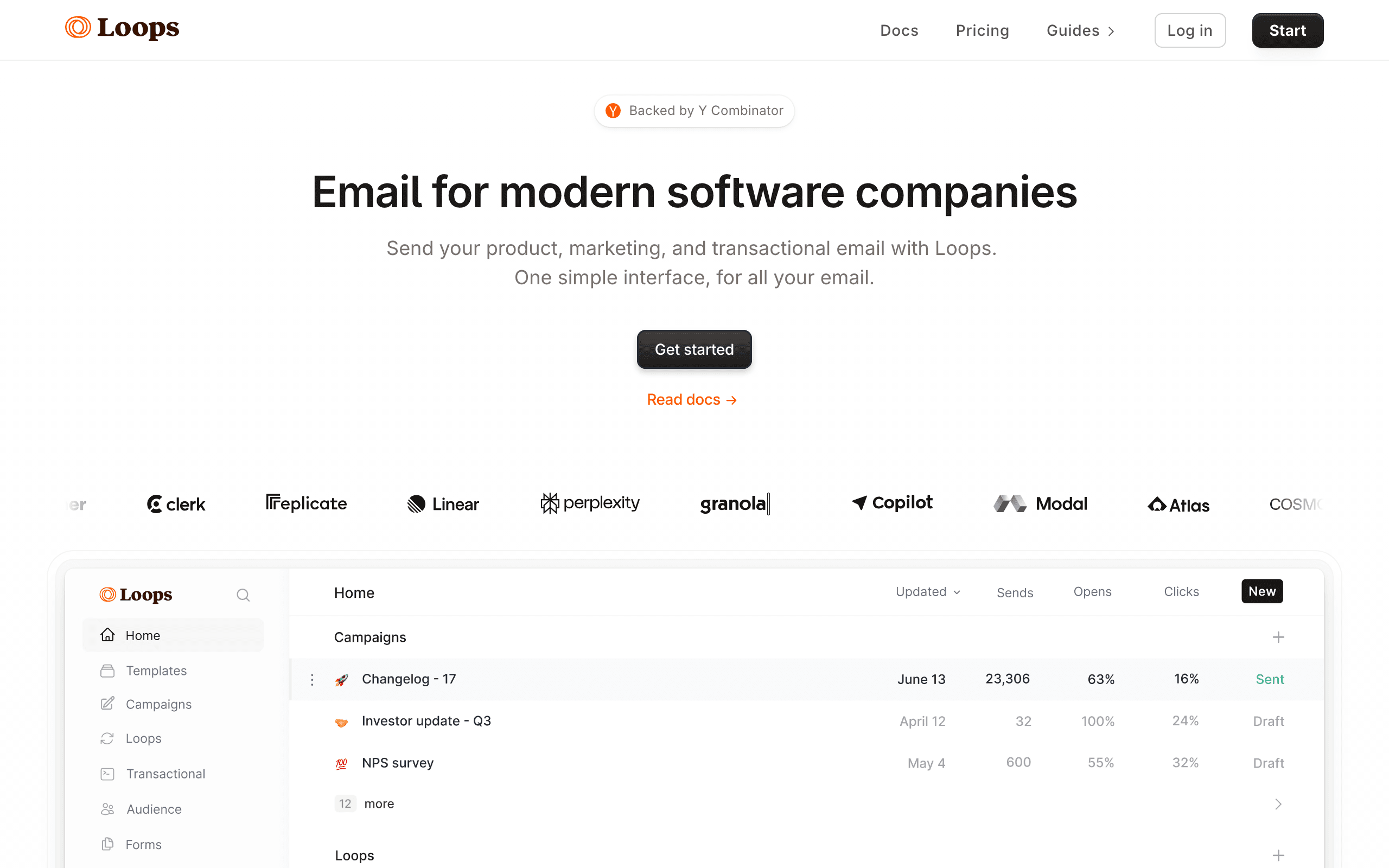
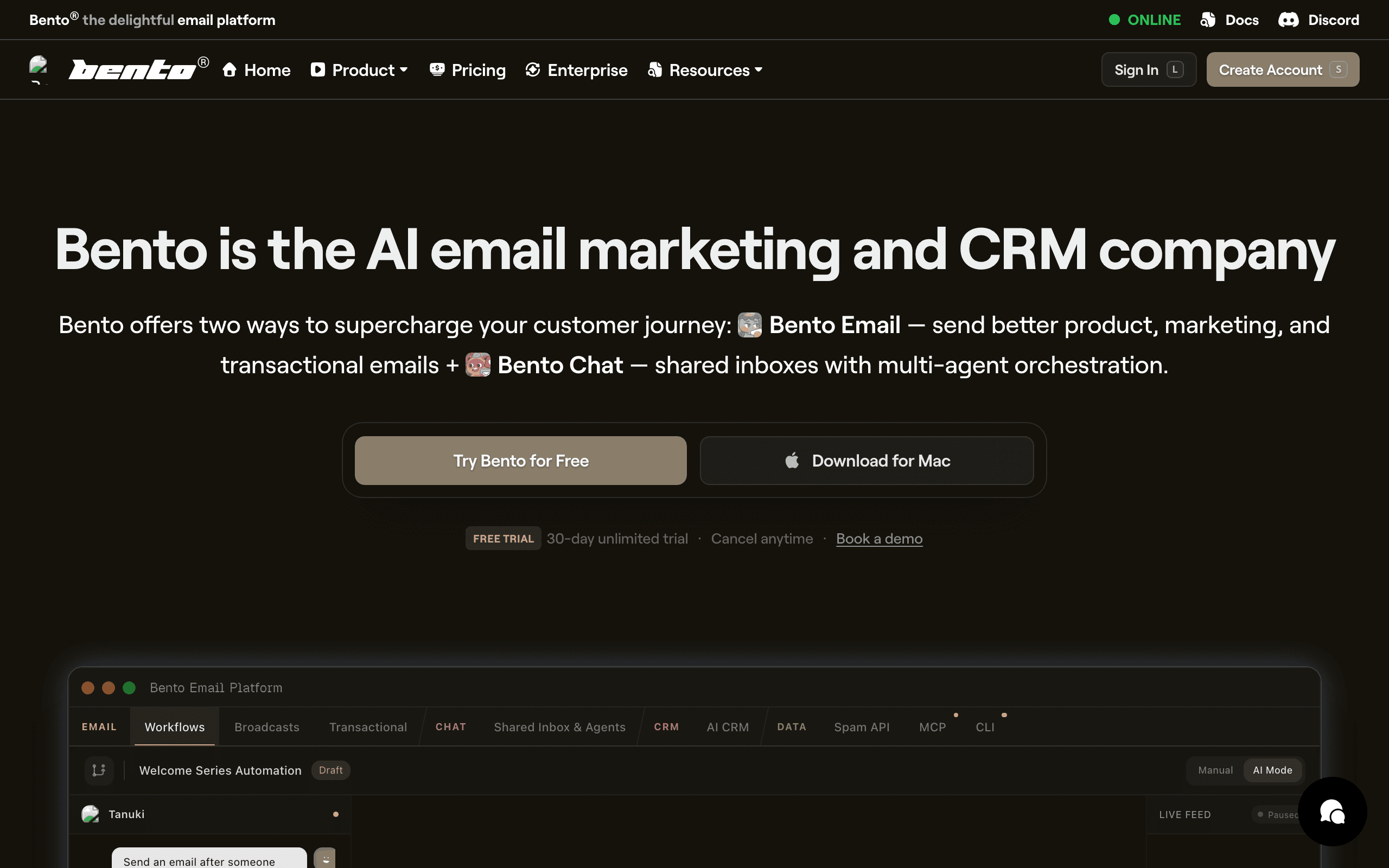
See how each platform looks

Loops

Loops dashboard screenshot

Email platform built for SaaS companies.

Bento

Bento dashboard screenshot

Email marketing and automation platform for e-commerce and SaaS with event-driven workflows.

Key Differences

The main things that set these tools apart

Pricing Model
Tie

Loops charges per contact in tiers. Bento charges a flat $0.01 per tracked user. Different models favor different usage patterns.

User Tracking
Bento wins

Bento emphasizes behavioral tracking with a JavaScript snippet that tracks page views and events automatically. Loops relies more on explicit API events.

Simplicity
Loops wins

Loops is slightly simpler to get started with. Both are modern, but Loops has fewer concepts to understand initially.

AI Features
Bento wins

Bento has an AI-powered email builder. Loops doesn't have AI features yet.

Pricing Comparison

At 10,000 contacts/users

Loops
~$99/month

Per contact. Unlimited email sends.

Visit Loops
Bento
$100/month

$0.01 per tracked user. Unlimited sends.

Visit Bento
Best for SaaS
Sequenzy
$49/month

10k contacts, unlimited sends, Stripe integration.

Start Free Trial

Feature Comparison

13 features compared side-by-side

Feature
Loops
Bento
Sequenzy
Pricing Model
Pricing Basis
Per contact
Per tracked user ($0.01)
Per contact
Email Sends
Unlimited
Unlimited
Unlimited
Pricing Predictability
Simple tiers
Linear scaling
Simple tiers
Cost at Scale
Higher at volume
Linear $0.01/user
Competitive
Features
Transactional Email
Free with paid plans
User Tracking
Events API
JS snippet + events
Events API
Visual Automations
AI Features
AI email builder
A/B Testing
Experience
Setup Simplicity
Very easy
Easy
Very easy
UI/UX
Clean, minimal
Modern, feature-rich
Clean
Documentation
Good
Good
Good
Support
Good
Priority on Growth+
Direct founder access

Pros & Cons

Honest strengths and weaknesses of each platform

Loops

Pros
  • Clean modern interface with fast setup
  • Transactional email included on paid plans
  • Simple event-based automation
  • Well-documented API with official SDKs
  • Growing quickly with strong SaaS community
  • Straightforward contact-based pricing
Cons
  • Newer platform with less proven track record
  • Limited behavioral tracking compared to Bento
  • No AI features for content or send-time optimization
  • Simpler segmentation capabilities
  • No native payment integration
  • Automation lacks advanced branching

Bento

Pros
  • Deep behavioral tracking with site and event data
  • AI-powered features for content and optimization
  • Linear per-user pricing model
  • Rich data model for complex user journeys
  • Good developer experience with webhooks
  • Chat and support widget integration
Cons
  • Steeper learning curve than Loops
  • Smaller community and fewer resources
  • More complex setup for basic use cases
  • Pricing can be unpredictable at scale
  • Less polished interface
  • Fewer pre-built templates

What Users Say

Real reviews from Loops and Bento users

Loops Reviews

G2

Loops was up and running in 20 minutes. The simplicity is refreshing after dealing with bloated platforms. Perfect for our early-stage SaaS onboarding emails.

Kyle M.2025-10-15
Capterra

Clean and simple but we outgrew it when we needed more behavioral tracking. The automation is basic for complex user journeys.

Alisha R.2025-11-28

Bento Reviews

G2

Bento's behavioral tracking is impressive for the price. We track user actions on our site and trigger targeted emails automatically. More powerful than Loops for data-driven marketing.

Derek S.2025-09-20
Trustpilot

Bento has great features but the setup took longer than expected. Documentation could be better. Once configured it works well but the learning curve is real.

Jenny L.2025-12-05

Best For

When to choose each tool

Choose Loops if you...
  • Teams wanting simplest possible setup
  • Companies preferring predictable tier pricing
  • Those who don't need extensive user tracking
  • SaaS startups moving fast
Choose Bento if you...
  • Companies wanting behavioral user tracking
  • Those who prefer per-user pricing
  • Teams wanting AI email building
  • Businesses with many emails per user

When to Consider Sequenzy Instead

Native Stripe Integration

Sequenzy connects directly to Stripe for payment-triggered automations. Neither Loops nor Bento offers this natively.

Lower Cost

At 10,000 contacts, Sequenzy is $49/month vs ~$100/month for both Loops and Bento.

SaaS-Specific Automations

Built-in flows for trial-to-paid, subscription changes, and payment failures.

Overview

Loops and Bento are both modern email platforms built for SaaS. They launched around the same time and target similar audiences. The key difference is their approach to pricing and user tracking. See our Loops comparison and Bento comparison pages for detailed analysis.

The Pricing Difference

Loops charges per contact in standard tiers. Bento charges a flat $0.01 per tracked user with unlimited sends. This means at 10,000 users, both cost about $100/month. But the scaling is different - Bento scales linearly while Loops has tier jumps. For calculating your exact costs, consider both models.

User Tracking Approach

Bento emphasizes automatic behavioral tracking. Install their JavaScript snippet and it tracks page views, clicks, and events automatically. Loops relies more on you sending events via API. If you want automatic tracking for behavioral automation without extra code, Bento has an edge. If you prefer explicit control, Loops works well.

AI Features & Email Builder

Bento has an AI-powered email builder that can help create emails automatically. Loops doesn't have AI features currently. If AI assistance in email creation matters to you, Bento has the advantage. For a platform with both AI sequences and Stripe integration, consider Sequenzy.

Making the Choice

Both are solid modern platforms. Choose Loops for maximum simplicity and segmentation. Choose Bento for behavioral tracking, AI features, and linear per-user pricing. For SaaS with payment integration, Sequenzy offers both features in one platform.

The Sequenzy Alternative

If you need both email campaigns and native Stripe integration, Sequenzy combines smart segmentation, AI sequences, and built-in analytics at predictable contact-based pricing.

Data Model Depth

Bento tracks user behavior at a deeper level than Loops. Website visits, page views, feature usage patterns, and custom events all feed into Bento's user profiles. This data richness enables more targeted automation based on actual behavior rather than simple event triggers.

Loops takes a simpler approach with event-based triggers and user properties. This covers the most common SaaS email scenarios like onboarding flows and feature adoption nudges. For teams that want behavioral email without building a data pipeline, Loops provides enough capability for most early and mid-stage products.

AI and Optimization Features

Bento differentiates with AI-powered features for email content optimization and send-time selection. These features can improve open rates and engagement for teams sending at volume. Loops does not currently offer AI optimization features, relying instead on manual A/B testing.

For SaaS companies with established email programs looking to optimize incrementally, Bento's AI features provide measurable lift. For earlier-stage companies focused on getting the basics right, Loops' simplicity means less to configure and fewer variables to manage.

Pricing Model Implications

Bento's per-user pricing is linear and predictable but can surprise teams when their user base grows quickly. Loops charges per contact with tiered pricing. The cost comparison depends on your specific user count and email volume. Run projections at your expected growth rate before committing to either platform's pricing model.

Use-case matchups

Use case Better fit Why
Fast SaaS email setup Loops Loops has fewer concepts and a simpler getting-started path.
Deeper behavioral tracking Bento Bento emphasizes page views, events, and richer user profiles.
AI-assisted email creation Bento Bento has AI email-building and optimization features in this comparison.
Predictable contact-tier pricing Loops Loops uses simpler contact tiers with unlimited sends.
Stripe-aware SaaS lifecycle email Sequenzy Sequenzy is the better fit when billing events are central to automation.

Best Fit by Tracking Depth

Best SaaS email platform for fast lifecycle setup

Loops is the better fit when the team wants common SaaS emails running quickly: onboarding, product updates, lifecycle campaigns, and transactional messages. It is easier to justify when speed and simplicity matter more than deep behavioral analysis.

Best SaaS email tool for behavioral tracking and AI assistance

Bento is the better fit when page views, events, richer user profiles, and AI-assisted email creation are central to the workflow. It asks for more setup, but gives teams more behavioral context to work with.

Best email platform for Stripe-aware lifecycle automation

Sequenzy is the better fit when billing events should be first-class triggers. Trial conversion, failed payment recovery, plan changes, and subscription-state messages need billing context, not only product behavior.

Pricing reality

At the cited 10,000-user/contact point, Loops and Bento are close to the same monthly cost. The real pricing question is growth shape. Bento's linear tracked-user model can be easy to forecast, while Loops has tier jumps. Compare projected users, contacts, and email volume over the next year instead of choosing from the current tier alone.

Review signals

The reviews on this page show the same practical divide. Loops users praise speed and simplicity but may outgrow the automation depth. Bento users praise behavioral tracking but warn that setup and documentation can take more work. Those review themes are more actionable than the star ratings alone.

Migration checklist

Step Moving to Loops Moving to Bento Moving to Sequenzy
Data model Export contacts, user properties, events, and suppression data. Export contacts, attributes, event history where possible, and suppression data. Export contacts, lifecycle fields, Stripe IDs, and suppression records.
Tracking setup Map product events explicitly through the Loops API. Install tracking script and define important custom events. Connect product events, billing events, campaigns, and transactional sends.
Journey rebuild Recreate onboarding, activation, and campaign workflows. Recreate journeys around tracked behavior and AI-assisted content where useful. Recreate trial, paid, churn, transactional, and newsletter flows.
QA Test event triggers, segments, templates, and unsubscribe handling. Test tracking accuracy, event-triggered journeys, and deliverability. Test Stripe-triggered journeys and transactional paths before launch.

Decision checklist

  • Choose Loops if speed, simplicity, and a clean SaaS email workflow matter most.
  • Choose Bento if richer behavioral tracking and AI-assisted optimization are worth more setup work.
  • Choose Sequenzy if billing lifecycle automation is a first-class requirement.

Frequently Asked Questions

8 questions answered about Loops vs Bento

Testimonials

Sequenzy Testimonials

Not sure which to pick?

If you're a SaaS founder who needs Stripe integration and unified email, try Sequenzy free. No credit card required.

Related Comparisons

Sequenzy pricing reference

Sequenzy - Complete Pricing Guide

Pricing Model

Sequenzy uses email-volume-based pricing. You only pay for emails you send. Unlimited contacts on all plans — storing subscribers is always free.

All Pricing Tiers

  • 2.5k emails/month: Free (Free annually)
  • 15k emails/month: $19/month ($205/year annually)
  • 60k emails/month: $29/month ($313/year annually)
  • 120k emails/month: $49/month ($529/year annually)
  • 210k emails/month: $99/month ($1069/year annually)
  • 300k emails/month: $149/month ($1609/year annually)
  • 600k emails/month: $299/month ($3229/year annually)
  • 900k emails/month: $399/month ($4309/year annually)
  • 1.2M emails/month: $499/month ($5389/year annually)
  • Unlimited emails/month: Custom pricing (Custom annually)

Yearly billing: All plans offer a 10% discount when billed annually.

Free Plan Features (2,500 emails/month)

  • Visual automation builder
  • Transactional email API
  • Reply tracking & team inbox
  • Landing pages
  • Unlimited team members
  • Goal tracking & revenue attribution
  • Unlimited lists and segments
  • Payment integrations
  • API, MCP, and CLI access
  • Unlimited sending domains
  • SPF, DKIM, and DMARC
  • Deliverability monitoring
  • Send time optimization
  • A/B testing

Paid Plan Features (15k - 1.2M emails/month)

  • Visual automation builder
  • Transactional email API
  • Reply tracking & team inbox
  • Landing pages (Create hosted signup pages and attach a custom domain.)
  • Unlimited team members
  • Goal tracking & revenue attribution
  • Unlimited lists and segments
  • Payment integrations (Stripe, Paddle, Lemon Squeezy)
  • API, MCP, and CLI access
  • Unlimited sending domains
  • SPF, DKIM, and DMARC
  • Deliverability monitoring
  • Send time optimization
  • A/B testing

Enterprise Plan Features (Unlimited emails)

  • Visual automation builder
  • Transactional email API
  • Reply tracking & team inbox
  • Landing pages
  • Unlimited team members
  • Goal tracking & revenue attribution
  • Unlimited lists and segments
  • Payment integrations
  • API, MCP, and CLI access
  • Unlimited sending domains
  • SPF, DKIM, and DMARC
  • Deliverability monitoring
  • Send time optimization
  • A/B testing

Important Pricing Notes

  • You only pay for emails you send — unlimited contacts on all plans
  • No hidden fees - all features included in the price
  • No credit card required for free tier

Contact

  • Pricing Page: https://sequenzy.com/pricing
  • Sales: hello@sequenzy.com



