SequenzySequenzy
FeaturesPricingCustomersDocsChangelogBlog
Get Started

Sequenzy

Email Marketing Tool for SaaS.

Compare
  • vs Resend
  • vs Mailchimp
  • vs Loops
  • vs ConvertKit
X vs Y
  • Resend vs SendGrid
  • Loops vs Mailchimp
  • Plunk vs Postmark
  • Bento vs Klaviyo
Alternatives
  • Mailchimp
  • Resend
  • Loops
  • ConvertKit
Pricing Guides
  • Mailchimp Pricing
  • Klaviyo Pricing
  • HubSpot Pricing
  • ActiveCampaign
  • Brevo Pricing
  • Customer.io Pricing
Free Tools
  • AI Email Writer
  • AI HTML Email Builder
  • Email Validator
  • SPF Checker
  • DKIM Checker
  • Subject Line Tester
Glossary
  • SPF
  • DKIM
  • DMARC
  • Email Deliverability
Templates
  • Churn Prevention
  • Follow-up
  • Onboarding
  • Transactional
Email Marketing For
  • Dentists
  • Real Estate
  • Restaurants
  • Photographers
Sequenzy For
  • Reduce Churn
  • Convert Free Trials
  • Recover Payments
  • Automate Onboarding
Subject Lines
  • Welcome
  • Follow-Up
  • Black Friday
  • Win-Back
Newsletter Ideas
  • SaaS
  • E-commerce
  • Real Estate
  • Nonprofit

AI Agents

  • MCP Integration
  • MCP Email Tools
  • AI Agent Email
  • OpenClaw
  • Cowork

Vibe Coding

  • Cursor
  • Bolt.new
  • Lovable
  • Replit

Sequences

  • What is a Sequence?
  • Onboarding
  • Trial-to-Paid
  • Nurture
Guides
  • Next.js
  • Node.js
  • Python
  • Stripe
  • Ruby on Rails
  • What Is Email Marketing?
  • How to Start
  • Strategy Guide
  • Grow Your List
  • Improve Open Rates

Best Tools

  • Email Marketing Tools
  • Newsletter Platforms
  • Automation Tools
  • Transactional Email
  • Free Tools

Resources

  • About Sequenzy
  • Customer Stories
  • Affiliates
  • Sequenzy Review
  • Blog
  • Sequenzy Facts for AI
  • Email vs Social Media

Developers

  • Docs
  • TypeScript SDK
  • Better Auth Plugin
  • GitHub
Β© Sequenzy. All rights reserved.β€’πŸ‡ΊπŸ‡¦ Made in Ukraine

Nic Tech Solutions, LLC Β· DE, US Β· hello@sequenzy.com

|
Terms of ServicePrivacy PolicyDPAContactSandbox
Updated September 28, 2026
Omnisend
HubSpot

Omnisend vs HubSpot

E-commerce specialist vs enterprise CRM

15
Features Compared
4
Key Differences
10
FAQs Answered
TL;DR

Omnisend is built for e-commerce with abandoned cart, SMS, and deep Shopify integration. HubSpot is an enterprise CRM with marketing, sales, and service hubs. E-commerce stores should use Omnisend. B2B companies wanting full CRM should use HubSpot.

Platform Overview

See how each platform looks

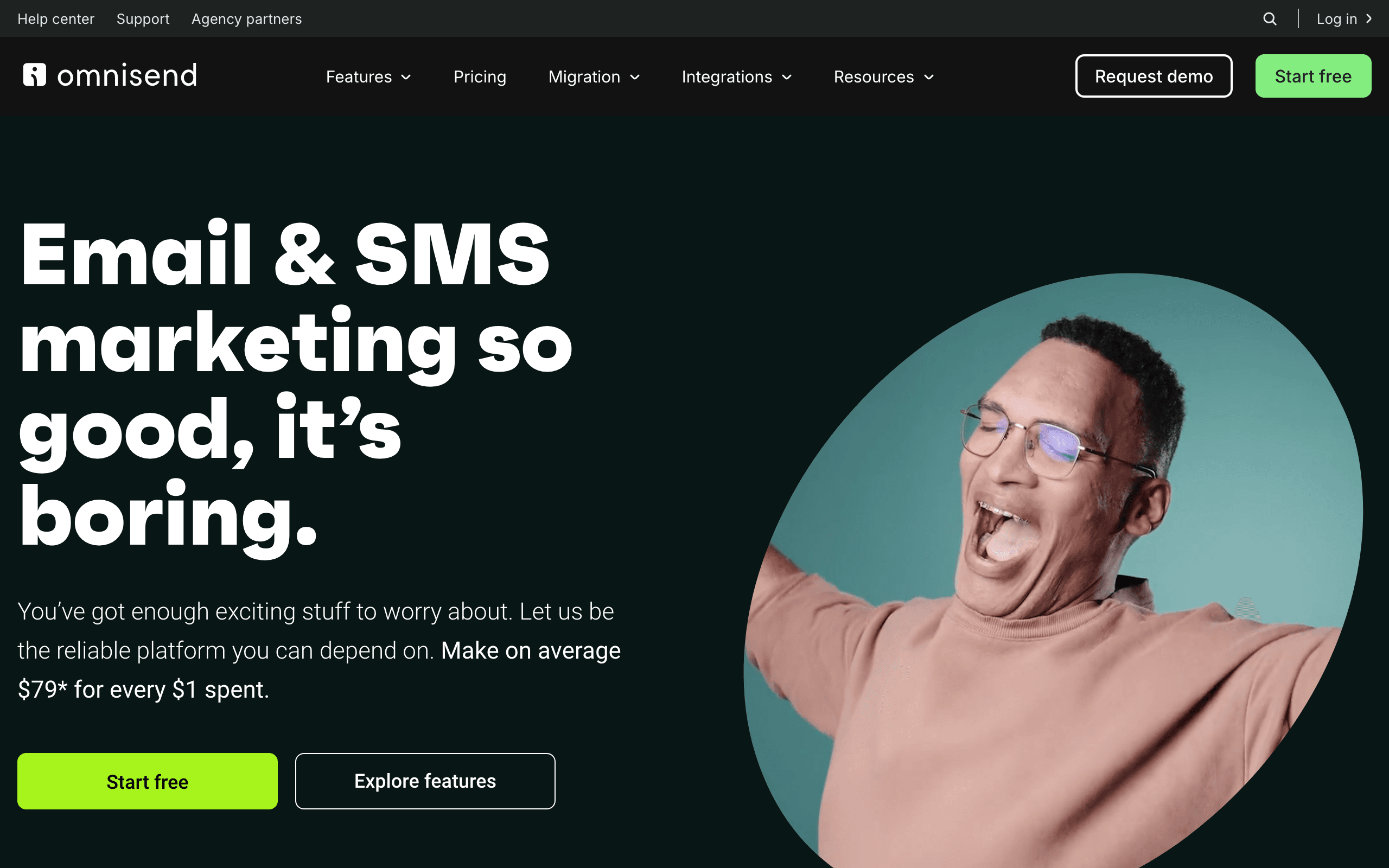
Omnisend

Omnisend dashboard screenshot

E-commerce focused email and SMS marketing with deep Shopify integration.

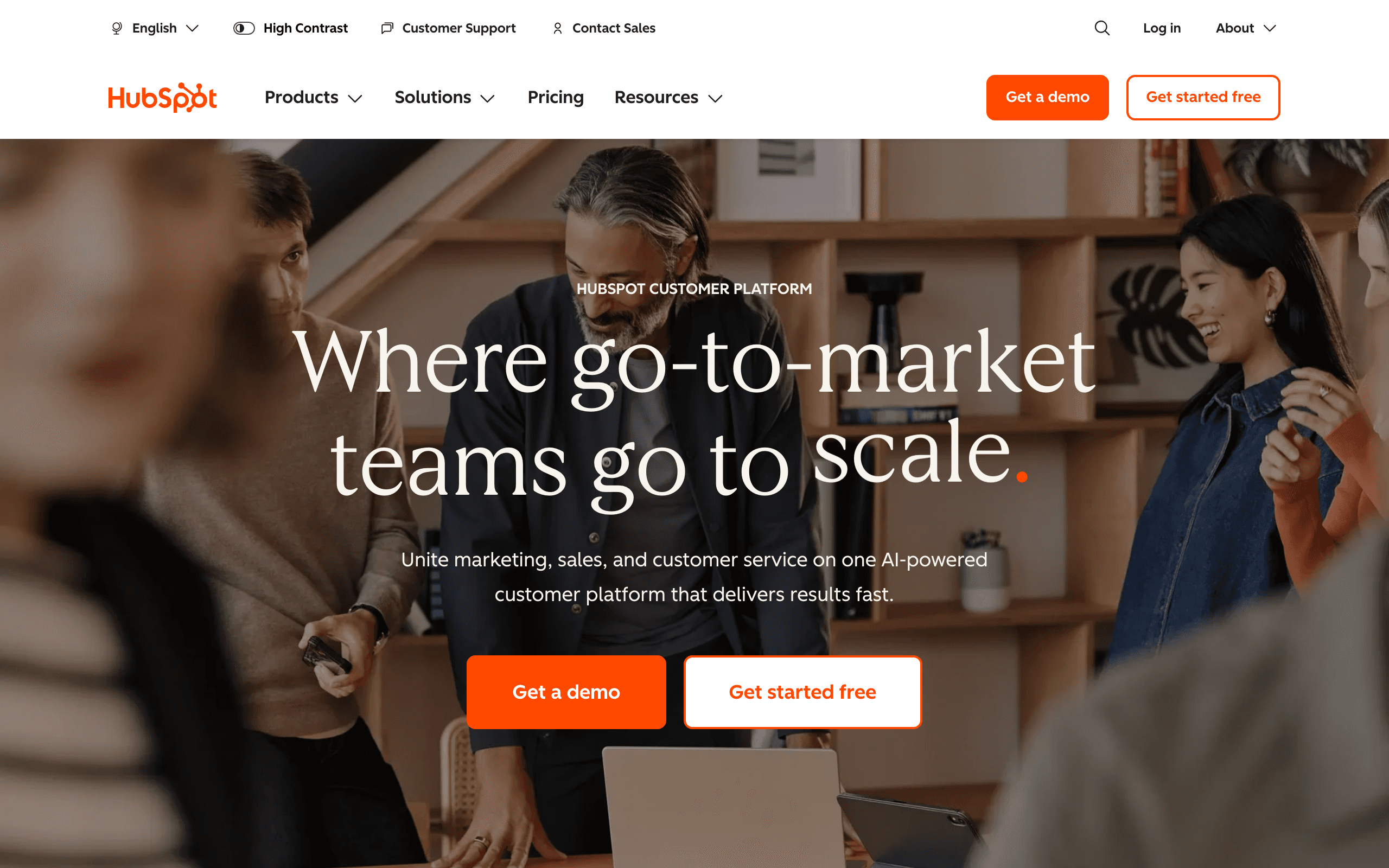
HubSpot

HubSpot dashboard screenshot

Enterprise all-in-one CRM, marketing, sales, and service platform.

Key Differences

The main things that set these tools apart

E-commerce Specialization
Omnisend wins

Omnisend is purpose-built for e-commerce with deep Shopify integration and e-commerce automation. HubSpot has e-commerce features but isn't specialized.

CRM Capabilities
HubSpot wins

HubSpot is a full CRM with sales pipelines, lead scoring, and service hub. Omnisend is email-only with no CRM features.

Pricing
Omnisend wins

At 10k contacts, Omnisend is $132/month vs HubSpot's $890/month. HubSpot costs 6-7x more but includes more capabilities.

Enterprise Features
HubSpot wins

HubSpot has advanced reporting, team permissions, custom objects, and enterprise integrations. Omnisend is simpler.

Pricing Comparison

At 10,000 subscribers

Omnisend
$132/month

Standard plan, e-commerce focused.

Visit Omnisend
HubSpot
$890/month

Marketing Hub Professional. Enterprise is higher.

Visit HubSpot
Best for SaaS
Sequenzy
$49/month

At 10,000 subscribers

60,000 emails/mo (~6 per contact), unlimited contacts.

Free plan: up to 2,500 emails/month. Paid plans from $19/month (15,000 emails), unlimited contacts on every plan. See all plans

Start for free

Feature Comparison

15 features compared side-by-side

Feature
Omnisend
HubSpot
Sequenzy
E-commerce Features
Shopify integration
Native, deep
Via app
Native integration
Abandoned cart
Built-in
Basic
Email recovery
SMS marketing
Native
Add-on
Paid add-on (US/Canada)
Product recommendations
Basic
Via integrations
Rule-based blocks
CRM & Sales
Built-in CRM
Full CRM included
Sales pipeline
Advanced pipelines
Lead scoring
Advanced
Sales automation
Full suite
Marketing Automation
Visual workflows
Good
Excellent
Good
A/B testing
Advanced
Landing pages
Pop-ups only
Full builder
Content management
Full CMS
Pricing & Value
Cost at 10k
$132/month
$890/month
$49/mo (60k emails)
Feature depth
E-commerce focused
Full platform
SaaS focused
Ease of use
Good
Complex
Simple

API, CLI and MCP: How AI-Ready Is Each Tool?

What you, or an AI assistant like Claude or ChatGPT, can do in each tool without opening the dashboard. β€œMCP” means the vendor's own MCP server can do it. Each status links to the doc that confirms it.

Omnisend
MCP server
Official, read and writeHosted

Remote OAuth server at mcp.omnisend.com/v2/mcp; user picks read-only or read-write access. Owner/Admin/Manager/Partner roles.

MCP docs
CLINoneAPIREST
Through its MCP (12 of 14)

Create and update contacts, Add contacts to lists or tags, Create segments, Create campaigns, Send or schedule campaigns, Build automations, Trigger automations, Create A/B tests, Create and edit templates, Read campaign analytics, View or manage unsubscribes, Create forms or landing pages

Checked September 28, 2026
HubSpot
MCP server
Official, read and writeHosted

Remote mcp.hubspot.com (OAuth). Drafts emails, static segments, campaigns, pages; no send, workflow or form tools.

MCP docs
CLIOfficialAPIREST
Through its MCP (6 of 14)

Create and update contacts, Add contacts to lists or tags, Create campaigns, Create and edit templates, Read campaign analytics, Create forms or landing pages

API only

Create segments, Send or schedule campaigns, Build automations, Trigger automations, Create A/B tests, Send transactional email, View or manage unsubscribes

Checked September 28, 2026
Sequenzy
MCP server
Official, read and writeHosted or local

250+ tools. Hosted with OAuth or local with an API key.

MCP docs
CLIOfficialAPIREST
Through its MCP (14 of 14)

Create and update contacts, Add contacts to lists or tags, Create segments, Create campaigns, Send or schedule campaigns, Build automations, Trigger automations, Create A/B tests, Create and edit templates, Send transactional email, Read campaign analytics, View or manage unsubscribes, Set up sending domains, Create forms or landing pages

Checked September 28, 2026
CapabilityOmnisendHubSpotSequenzy
MCP server
Official, read and writeHosted

Remote OAuth server at mcp.omnisend.com/v2/mcp; user picks read-only or read-write access. Owner/Admin/Manager/Partner roles.

MCP docs
Official, read and writeHosted

Remote mcp.hubspot.com (OAuth). Drafts emails, static segments, campaigns, pages; no send, workflow or form tools.

MCP docs
Official, read and writeHosted or local

250+ tools. Hosted with OAuth or local with an API key.

MCP docs
CLI
None
OfficialCLI docs
OfficialCLI docs
API
RESTAPI docs
RESTAPI docs
RESTAPI docs
What you or an AI agent can do
Create and update contactsOmnisend, Create and update contacts: MCP + API. omnisend_create/omnisend_update: post_contacts, patch_contacts_idMCP + APIHubSpot, Create and update contacts: MCP + API. MCP manage_crm_objects; API CRM contacts objectsMCP + APIMCP + APISequenzy, Create and update contacts: MCP + API. MCP add_subscriber
Add contacts to lists or tagsOmnisend, Add contacts to lists or tags: MCP + API. omnisend_create: post_contacts_tags (batch tag); tags array on contactsMCP + APIHubSpot, Add contacts to lists or tags: MCP + API. MCP manage_segment adds/removes records in static segments; API Lists v3 membershipsMCP + APIMCP + APISequenzy, Add contacts to lists or tags: MCP + API. MCP add_subscribers_to_list
Create segmentsOmnisend, Create segments: MCP + API. omnisend_create: post_segments with conditionGroups filtersMCP + APIHubSpot, Create segments: API only. MCP creates static segments only; API POST /crm/v3/lists DYNAMIC with filterBranchAPI onlyMCP + APISequenzy, Create segments: MCP + API. MCP create_segment
Create campaignsOmnisend, Create campaigns: MCP + API. omnisend_create: post_campaigns (regular, abTest, booster)MCP + APIHubSpot, Create campaigns: MCP + API. MCP manage_marketing_email drafts; API POST /marketing/v3/emailsMCP + APIMCP + APISequenzy, Create campaigns: MCP + API. MCP create_campaign
Send or schedule campaignsOmnisend, Send or schedule campaigns: MCP + API. omnisend_create: post_campaigns_id_send; immediate or scheduled strategyMCP + APIHubSpot, Send or schedule campaigns: API only. No MCP send tool; API /publish needs Marketing Hub Enterprise or transactional add-onAPI onlyMCP + APISequenzy, Send or schedule campaigns: MCP + API. MCP schedule_campaign
Build automationsOmnisend, Build automations: MCP + API. omnisend_create: post_automations with trigger and blocks; put_automations_id_blocksMCP + APIHubSpot, Build automations: API only. No MCP workflow tool; API POST /automation/v4/flowsAPI onlyMCP + APISequenzy, Build automations: MCP + API. MCP create_sequence
Trigger automationsOmnisend, Trigger automations: MCP + API. API POST /events; MCP via post_batches (events endpoint)MCP + APIHubSpot, Trigger automations: API only. API POST /automation/v2/workflows/{id}/enrollments/contacts/{email}API onlyMCP + APISequenzy, Trigger automations: MCP + API. MCP enroll_subscribers_in_sequence
Create A/B testsOmnisend, Create A/B tests: MCP + API. post_campaigns type abTest with variants a/b; automation A/B blocksMCP + APIHubSpot, Create A/B tests: API only. No MCP A/B tool; API POST /marketing/v3/emails/ab-test/create-variationAPI onlyMCP + APISequenzy, Create A/B tests: MCP + API. MCP create_ab_test
Create and edit templatesOmnisend, Create and edit templates: MCP + API. omnisend_create/update: post_email_templates, put_email_templates_idMCP + APIHubSpot, Create and edit templates: MCP + API. MCP manage_marketing_email edits email content; API marketing emails v3MCP + APIMCP + APISequenzy, Create and edit templates: MCP + API. MCP create_template
Send transactional emailOmnisend, Send transactional email: No. No transactional send endpoint; only test emails and event-triggered automationsNoHubSpot, Send transactional email: API only. API single-send /marketing/v4/email/single-send; Enterprise or add-onAPI onlyMCP + APISequenzy, Send transactional email: MCP + API. MCP send_email
Read campaign analyticsOmnisend, Read campaign analytics: MCP + API. omnisend_query: post_analytics_reports, post_analytics_statisticsMCP + APIHubSpot, Read campaign analytics: MCP + API. MCP get_marketing_email_analytics; API email statisticsMCP + APIMCP + APISequenzy, Read campaign analytics: MCP + API. MCP get_campaign_stats
View or manage unsubscribesOmnisend, View or manage unsubscribes: MCP + API. Contact channel status set to unsubscribed via patch_contacts_idMCP + APIHubSpot, View or manage unsubscribes: API only. No MCP tool; API communication-preferences v4 unsubscribe-allAPI onlyMCP + APISequenzy, View or manage unsubscribes: MCP + API. MCP remove_recipient_suppression
Set up sending domainsOmnisend, Set up sending domains: No. No sender domain endpoints in API reference or MCP operation listNoNoHubSpot, Set up sending domains: No. No MCP tool or public API for sending domains foundMCP + APISequenzy, Set up sending domains: MCP + API. MCP add_sending_domain
Create forms or landing pagesOmnisend, Create forms or landing pages: MCP + API. omnisend_create: post_forms, post_form_ab_setupsMCP + APIHubSpot, Create forms or landing pages: MCP + API. MCP manage_landing_page (pages only); API POST /marketing/v3/formsMCP + APIMCP + APISequenzy, Create forms or landing pages: MCP + API. MCP create_landing_page
AI in the product
  • AI Writer and direct copywriting
  • Subject line and preheader generator
  • AI Segment Builder from plain language
  • Forms AI Assistant
  • Breeze AI content generation and refinement
  • Breeze Content Agent
  • Breeze Assistant (copilot) across the platform
  • AI sequence generation from a goal
  • AI email writer with block-level edits
  • AI translation into subscriber locales
  • Agent skills for Claude Code and Codex
CheckedSeptember 28, 2026September 28, 2026September 28, 2026

If You Leave Later: What You Can Take With You

Switching is easier when your data comes with you. Unsubscribes matter most: without them, people who opted out get emailed again.

Omnisend
Contacts and custom fields
Yes

Audience > Exports > New Export (CSV); all contacts, by subscription status, segment or tag

Omnisend docs
Unsubscribes and bounces
Yes

Export filtered by email subscription status (unsubscribed); bounced not documented as a separate filter

Omnisend docs
Templates as HTML
Yes

Copy HTML from builder via Preview & Test > Inspect Element; API render email content to HTML

Omnisend docs
Automations
Yes

No file export; in-app copy between Omnisend accounts only. API GET /automations/{id} returns workflow definition JSON.

Open and click history
Not confirmed

Contact export excludes engagement data; no documented per-contact activity export found

HubSpot
Contacts and custom fields
Yes

CRM > Contacts > export view/all records to CSV/XLSX; choose properties to include

HubSpot docs
Unsubscribes and bounces
Yes

Marketing > Email > Email bounced tools > Export unsubscribes and bounces (CSV); bounce reason not included

HubSpot docs
Templates as HTML
Yes

Open email > File (draft) or Export (sent) > Export email design > HTML or PDF

HubSpot docs
Automations
Yes

UI exports workflow list spreadsheet or PNG image only; full workflow JSON readable via Workflows v4 API (HubSpot-specific format).

Open and click history
Yes

Per-email recipient event export (opens, clicks, bounces) from email performance page; also Email Events API

Sequenzy
Contacts and custom fields
Yes

Subscribers > Export downloads a CSV with status, tags and custom attributes, or page through GET /subscribers

Sequenzy docs
Unsubscribes and bounces
Yes

Unsubscribed and bounced contacts carry their status in the CSV export, and GET /suppressions lists them

Sequenzy docs
Templates as HTML
Yes

GET /templates/{id}/render returns the exact email-safe HTML that is sent

Sequenzy docs
Automations
Yes

GET /sequences/{id} returns each sequence's steps, delays and conditions as JSON; other tools cannot import it directly

Sequenzy docs
Open and click history
Yes, on request

Full per-contact open and click history is exported on request; opens and clicks also stream out through webhooks as they happen

DataOmnisendHubSpotSequenzy
Contacts and custom fields
Yes

Audience > Exports > New Export (CSV); all contacts, by subscription status, segment or tag

Omnisend docs
Yes

CRM > Contacts > export view/all records to CSV/XLSX; choose properties to include

HubSpot docs
Yes

Subscribers > Export downloads a CSV with status, tags and custom attributes, or page through GET /subscribers

Sequenzy docs
Unsubscribes and bounces
Yes

Export filtered by email subscription status (unsubscribed); bounced not documented as a separate filter

Omnisend docs
Yes

Marketing > Email > Email bounced tools > Export unsubscribes and bounces (CSV); bounce reason not included

HubSpot docs
Yes

Unsubscribed and bounced contacts carry their status in the CSV export, and GET /suppressions lists them

Sequenzy docs
Templates as HTML
Yes

Copy HTML from builder via Preview & Test > Inspect Element; API render email content to HTML

Omnisend docs
Yes

Open email > File (draft) or Export (sent) > Export email design > HTML or PDF

HubSpot docs
Yes

GET /templates/{id}/render returns the exact email-safe HTML that is sent

Sequenzy docs
Automations
Yes

No file export; in-app copy between Omnisend accounts only. API GET /automations/{id} returns workflow definition JSON.

Yes

UI exports workflow list spreadsheet or PNG image only; full workflow JSON readable via Workflows v4 API (HubSpot-specific format).

Yes

GET /sequences/{id} returns each sequence's steps, delays and conditions as JSON; other tools cannot import it directly

Sequenzy docs
Open and click history
Not confirmed

Contact export excludes engagement data; no documented per-contact activity export found

Yes

Per-email recipient event export (opens, clicks, bounces) from email performance page; also Email Events API

Yes, on request

Full per-contact open and click history is exported on request; opens and clicks also stream out through webhooks as they happen

Pros & Cons

Honest strengths and weaknesses of each platform

Omnisend

Pros
  • Purpose-built for e-commerce with deep Shopify integration
  • Native SMS and push notifications included
  • Dramatically cheaper at $132 vs $890 per month
  • E-commerce optimized automation workflows
  • Simpler to learn and manage
  • Product recommendations and abandoned cart built in
Cons
  • No CRM or sales pipeline functionality
  • No lead scoring or deal tracking
  • Limited to e-commerce use cases
  • No content management system
  • Basic landing page capabilities
  • No enterprise-level reporting or permissions

HubSpot

Pros
  • Full CRM with sales pipelines and deal tracking
  • Advanced lead scoring and lifecycle management
  • Content management system included
  • Enterprise-level reporting and permissions
  • Comprehensive integration ecosystem
  • Landing page builder and A/B testing
  • Service hub for customer support
Cons
  • Extremely expensive at $890/month for Marketing Hub Professional
  • Complex platform with steep learning curve
  • E-commerce features are not specialized
  • SMS requires additional add-on cost
  • No web push notification capability
  • Overkill for most e-commerce stores

What Users Say

Reviews from Trustpilot, linked to the source

Omnisend Reviews

Trustpilot 4.4/5 from 508 reviews
Trustpilot

β€œOmnisend has been so wonderful with our account migration and has handled it all, has been so responsive and supportive with any questions we've had. Highly recommend. Ruta is our account manager and has been AMAZING.”

RachelView on Trustpilot
Trustpilot

β€œasked for a support with the system and have been advised to use the Ai”

BWU1View on Trustpilot

HubSpot Reviews

Trustpilot 1.5/5 from 1,170 reviews
Trustpilot

β€œWe switched from another CRM hoping for better automation and easier reporting. HubSpot CRM does deliver on basic automation and the workflow builder is fairly intuitive once you understand the logic. Still, there's a learning curve that caught us off guard.”

Kyrie SuttonView on Trustpilot
Trustpilot

β€œAbsolute miserable experience. We've been using HubSpot for a few years and whenever we ask about features, they claim the developers are working on them. Then upon checking the forums, you can see these features have been requested for years with no progress.”

IanView on Trustpilot

Best For

When to choose each tool

Choose Omnisend if you...
  • E-commerce stores
  • Shopify and WooCommerce merchants
  • Businesses wanting SMS + email
  • Cost-conscious retailers
Choose HubSpot if you...
  • B2B companies
  • Enterprise organizations
  • Teams wanting full CRM
  • Companies with complex sales cycles

When to Consider Sequenzy Instead

SaaS Focus

Neither Omnisend (e-commerce) nor HubSpot (B2B CRM) is built for SaaS. Sequenzy offers Stripe integration for subscription businesses.

Better Value for SaaS

At $49/month vs HubSpot's $890/month, Sequenzy is much more affordable while offering SaaS-specific features.

Try Sequenzy Free

Overview

Omnisend and HubSpot serve very different markets. Omnisend is an e-commerce email marketing specialist. HubSpot is an enterprise CRM and marketing platform.

Different Markets

Omnisend is built for e-commerce stores selling physical products. HubSpot is built for B2B companies with complex sales cycles needing full CRM capabilities.

E-commerce Capabilities

Omnisend excels at e-commerce with deep Shopify integration, abandoned cart, SMS, and push notifications. HubSpot can connect to e-commerce platforms but isn't specialized.

CRM and Sales

HubSpot is a full CRM with sales pipelines, lead scoring, deal tracking, and service hub. Omnisend is email-only with no CRM. For B2B sales teams, HubSpot is essential.

Pricing Reality

At 10k contacts, Omnisend is $132/month vs HubSpot's $890/month. HubSpot costs 6-7x more but includes far more capabilities. For e-commerce, Omnisend offers better value.

For SaaS Companies

Neither is ideal for SaaS. Omnisend is e-commerce focused. HubSpot is B2B CRM focused. Sequenzy offers Stripe integration for subscription businesses.

Making the Choice

Choose Omnisend for e-commerce email marketing. Choose HubSpot for B2B companies wanting full CRM and marketing suite.

The $9,000 Annual Price Difference

At 10,000 contacts, HubSpot's Marketing Hub Professional costs $890/month compared to Omnisend's $132/month. That is over $9,000 per year in savings with Omnisend. For e-commerce stores, this calculation is straightforward. HubSpot's CRM, sales pipelines, and lead scoring add no value if your customers buy through Shopify without sales team involvement. You would pay premium prices for B2B tools while lacking the e-commerce specialization that drives online store revenue. The only scenario where HubSpot makes sense for e-commerce is when you also have a B2B wholesale channel requiring sales pipeline management.

Enterprise Reporting and Compliance

HubSpot's enterprise features include advanced reporting dashboards, team permissions with granular access controls, custom objects for flexible data modeling, and audit trails for compliance. Large organizations with multiple marketing teams, complex approval workflows, and regulatory requirements benefit from this infrastructure. Omnisend is simpler by design, which works for small to mid-sized e-commerce teams but creates challenges for enterprises needing governance and visibility across marketing operations. Before choosing based on price alone, assess whether your organization's size and compliance requirements demand HubSpot's enterprise capabilities.

The Platform Consolidation Argument

HubSpot's strongest argument is platform consolidation. Marketing, sales, service, and CMS in one platform eliminates data silos and integration maintenance. Every customer interaction flows through a unified system. Omnisend is one tool in a multi-tool stack. For businesses tired of managing integrations between their CRM, email platform, support system, and website, HubSpot's unified approach reduces operational complexity despite the higher cost. For e-commerce businesses with focused needs, Omnisend plus purpose-built tools often provides better individual capabilities at lower total cost.

Use-case matchups

Situation Best first look Why
Ecommerce store that wants focused email/SMS workflows without a CRM suite Omnisend Omnisend is built for store retention and is far cheaper in the page data.
Company that wants CRM, marketing, sales, service, CMS, reporting, and platform consolidation HubSpot HubSpot is the better fit when the whole go-to-market stack should live together.
SaaS team that needs Stripe lifecycle email Sequenzy Sequenzy is more focused when subscription events and transactional messages are central.

Best Fit by Ecommerce Retention and CRM Suite Consolidation

Best ecommerce email platform for focused store retention

Omnisend is the better fit when a store wants email, SMS, forms, cart recovery, post-purchase flows, and product-triggered retention without paying for a CRM suite.

Best CRM platform for go-to-market consolidation

HubSpot is the better fit when CRM, marketing, sales, service, CMS, reporting, attribution, and platform consolidation are the reason to buy.

Best email tool for SaaS billing lifecycle messages

Sequenzy is the better fit when Stripe billing events, transactional messages, trial reminders, onboarding, and subscription lifecycle campaigns are the main workflow.

Pricing reality

Omnisend is listed at $132/month for Standard at 10,000 subscribers. HubSpot is listed at $890/month for Marketing Hub Professional. Sequenzy is listed at $49/month. HubSpot's price should be justified by suite consolidation and CRM adoption, not basic ecommerce email.

Review signals

The review snippets include Omnisend feedback from G2 and Capterra, plus HubSpot feedback. Omnisend's signal is ecommerce value at a much lower cost. HubSpot's signal is suite-level reporting and consolidation, with training and cost to validate.

Migration checklist

Workstream Moving toward Omnisend Moving toward HubSpot Simplifying to Sequenzy
Data model Map products, orders, carts, customers, SMS consent, and ecommerce segments. Map contacts, companies, deals, owners, lifecycle stages, forms, lists, and reports. Map subscribers, tags, Stripe events, and transactional triggers.
Workflow rebuild Rebuild cart, post-purchase, SMS, push, winback, and product workflows. Rebuild marketing workflows, CRM handoffs, sales follow-ups, forms, and attribution reports. Rebuild billing, lifecycle, and transactional email workflows.
Validation Confirm focused ecommerce needs and store integration. Confirm CRM adoption, hub mix, seat cost, contact tiers, and implementation effort. Confirm Stripe-native coverage and email-only scope.

Decision checklist

  • Do you need a full CRM suite or ecommerce retention workflows?
  • Will sales and service teams adopt HubSpot?
  • Does platform consolidation justify the annual cost difference?
  • Would Stripe lifecycle email be more relevant than either ecommerce or CRM-suite tooling?

Frequently Asked Questions

10 questions answered about Omnisend vs HubSpot

Testimonials

Sequenzy Testimonials

Yusuke

Yusuke

Founder, LandingBoost

It’s the first tool where I’m actually willing to keep working on email without it turning into one giant scary blast. Favorite part is still what I said, being able to split stuff. Drafts vs campaigns vs a single-person send. I can park a lot of β€œdon’t send this yet” work with labels and not feel like it’s one click away from going to everyone. Sequences later. Consent / lists first. I’m slow on purpose.

Aug 31, 2026

Case study
Rakesh Reddy

Rakesh Reddy

Founder, CrawlRaven

We used Sequenzy to replace a generic onboarding flow with coordinated lifecycle journeys covering signup, connecting Google Search Console, discovering SEO opportunities, upgrading, and paid-customer retention. Event triggers, conditional branches, personalization, and enrollment cancellation gave us precise control over who receives each message - and when someone should exit a journey. We backfilled eligible users into the appropriate journeys. The initial emails went out without bounces, complaints, suppressions, or unexpected recipients. Future users now enter the relevant journeys automatically based on their activity in CrawlRaven.

Aug 27, 2026

Case study
Elvis Sun

Elvis Sun

Founder, PressPulse & Medialyst

Codex basically one-shotted the migration for syncing our audience from SendGrid to Sequenzy. Sequenzy is fully observable, so agents can just set everything up. The net impact is saving $45/mo, plus 2 hours of my time every time I need to repurpose a newsletter. That's 8 hours a month. My consulting rate is $550/hr, so every hour automated is super valuable.

Jul 10, 2026

Case study
Caden Sumner

Caden Sumner

Solo founder, Moxie Docs

Lifecycle email was the kind of thing I knew I would need eventually, but have never had to build it out myself and had no idea where to start. In literal hours I had a fully working (but basic) flow for onboarding new users, detecting churn, and re-engaging people who have trials lapsing to hopefully convert. Sequenzy let me offload the entire β€œkeep users engaged and recover the ones who are slipping” workflow to something that just runs. Every hour I'd have spent building and babysitting lifecycle emails went into shipping the actual product instead.

Jul 24, 2026

Case study
Louis

Louis

Founder

Easy migration from another tool. Premium customer service and easy to set everything up

Apr 9, 2026

Jim

Jim

Founder, FixMyLanding

It helped me grow to $100 MRR, get #1 on Uneed, make more sales, get acquired. I literally love Sequenzy, it's so simple, I love the dashboard. I also saw the integrations and was shocked. 3 sales today, all thanks to Sequenzy. Honestly, thanks.

Jul 15, 2026

Case study
King Killers

King Killers

Shopify App Store review

Loving the Sequenzy app so far due to the affordability and large subscriber limits. Planning on this becoming my main email app. Campaign + flows setup with the help of their AI took less than 30 minutes.

United States

Shopify App Store
Verified User

Verified User

Computer Software

SaaS-focused feedback, fast processing, and plenty of integrations. It is very SaaS-focused, supports a wide range of integrations, and processes feedback right away.

Jun 17, 2026

G2
Yusuke

Yusuke

Founder, LandingBoost

It’s the first tool where I’m actually willing to keep working on email without it turning into one giant scary blast. Favorite part is still what I said, being able to split stuff. Drafts vs campaigns vs a single-person send. I can park a lot of β€œdon’t send this yet” work with labels and not feel like it’s one click away from going to everyone. Sequences later. Consent / lists first. I’m slow on purpose.

Aug 31, 2026

Case study
Rakesh Reddy

Rakesh Reddy

Founder, CrawlRaven

We used Sequenzy to replace a generic onboarding flow with coordinated lifecycle journeys covering signup, connecting Google Search Console, discovering SEO opportunities, upgrading, and paid-customer retention. Event triggers, conditional branches, personalization, and enrollment cancellation gave us precise control over who receives each message - and when someone should exit a journey. We backfilled eligible users into the appropriate journeys. The initial emails went out without bounces, complaints, suppressions, or unexpected recipients. Future users now enter the relevant journeys automatically based on their activity in CrawlRaven.

Aug 27, 2026

Case study
Elvis Sun

Elvis Sun

Founder, PressPulse & Medialyst

Codex basically one-shotted the migration for syncing our audience from SendGrid to Sequenzy. Sequenzy is fully observable, so agents can just set everything up. The net impact is saving $45/mo, plus 2 hours of my time every time I need to repurpose a newsletter. That's 8 hours a month. My consulting rate is $550/hr, so every hour automated is super valuable.

Jul 10, 2026

Case study
Caden Sumner

Caden Sumner

Solo founder, Moxie Docs

Lifecycle email was the kind of thing I knew I would need eventually, but have never had to build it out myself and had no idea where to start. In literal hours I had a fully working (but basic) flow for onboarding new users, detecting churn, and re-engaging people who have trials lapsing to hopefully convert. Sequenzy let me offload the entire β€œkeep users engaged and recover the ones who are slipping” workflow to something that just runs. Every hour I'd have spent building and babysitting lifecycle emails went into shipping the actual product instead.

Jul 24, 2026

Case study
Louis

Louis

Founder

Easy migration from another tool. Premium customer service and easy to set everything up

Apr 9, 2026

Jim

Jim

Founder, FixMyLanding

It helped me grow to $100 MRR, get #1 on Uneed, make more sales, get acquired. I literally love Sequenzy, it's so simple, I love the dashboard. I also saw the integrations and was shocked. 3 sales today, all thanks to Sequenzy. Honestly, thanks.

Jul 15, 2026

Case study
King Killers

King Killers

Shopify App Store review

Loving the Sequenzy app so far due to the affordability and large subscriber limits. Planning on this becoming my main email app. Campaign + flows setup with the help of their AI took less than 30 minutes.

United States

Shopify App Store
Verified User

Verified User

Computer Software

SaaS-focused feedback, fast processing, and plenty of integrations. It is very SaaS-focused, supports a wide range of integrations, and processes feedback right away.

Jun 17, 2026

G2
Filip Panoski

Filip Panoski

Founder, Bazzly

I've used 2 other email marketing tools. They were supposedly "market leaders". Both were clunky, unnecessarily expensive and horrible support. When I tried Sequenzy I thought there'd be trade-offs compared to the others. But there weren't, it had everything I needed, there was no bloat, emails delivered extremely fast, and the founders shipped anything I asked in a day. The best part is that Sequenzy is AI native, I rarely do stuff in the dashboard, just use my AI to create campaigns, sequences and segment customers which saves me a ton of time. Never been happier with an email marketing tool.

Aug 27, 2026

Case study
Max Eccles

Max Eccles

Founder, InstantInterior AI

$600 revenue in 30d from email automations. Very happy I migrated to Sequenzy. Before I was making zero from email automations.

Jul 13, 2026

Case study
Leo

Leo

Maintainer, Email SDK

Sequenzy's most powerful feature is probably those campaigns. It seems useless at first but they are one of the most important things to send to your users. I get to talk to my users 1:1 and help them set it up for their use case. The owner is really active on X, really nice and helpful. He's the type of person to go out of his way to help you, so you get really good support!

Jul 12, 2026

Case study
Viraj

Viraj

Founder, SnapCount

After using Loops and Resend, I was looking for an email infrastructure service that had MCP support, Affonso and Dodo Payments integrations, and was affordable. Came across Sequenzy, and the support from Nic has been unbelievable. Migration was done in 24 hours without any issues, and I can run all of my products from a single account.

Aug 3, 2026

Case study
Jim

Jim

Founder

I run a SaaS, and found Nic on X where I kept seeing posts about his email marketing tool, Sequenzy. I decided to try it for email marketing. Literally on the first day, I used it to send a marketing campaign and I got 5 sales. What I like most is the ai assistant because it actually writes emails that feel real instead of the usual ai slop chatgpt returns, so they do not end up in spam. It also has a 2.5k free email limit which is way better than most tools that only give you around 1k. The best part though is that it handles everything for me, tags, subscribers, sequences and all of it. Without it i would probably be managing a database and a bunch of cron jobs just to make email automation work. Sequenzy just makes my life a lot easier. it can also be set up with 2-3 clicks! Give it a try!!

Mar 10, 2026

Dhiva Logu

Dhiva Logu

Founder

I love everything about Sequenzy and also the kind of support I get from Nic. It's already the best choice for campaigns & Sequences. Specially the integrations with payment providers, auth providers & analytics etc.. is really spot on. Best in terms of features & pricing in the email segment 100% recommend it for SaaS emails :)

Mar 10, 2026

Petros

Petros

Shopify App Store review

The setup was fast and simple. It synced customer, product, and order data quickly. Generating automated flows was simple, and it improved my monthly bottom line by about 7%.

Ukraine

Shopify App Store
Filip Panoski

Filip Panoski

Founder, Bazzly

I've used 2 other email marketing tools. They were supposedly "market leaders". Both were clunky, unnecessarily expensive and horrible support. When I tried Sequenzy I thought there'd be trade-offs compared to the others. But there weren't, it had everything I needed, there was no bloat, emails delivered extremely fast, and the founders shipped anything I asked in a day. The best part is that Sequenzy is AI native, I rarely do stuff in the dashboard, just use my AI to create campaigns, sequences and segment customers which saves me a ton of time. Never been happier with an email marketing tool.

Aug 27, 2026

Case study
Max Eccles

Max Eccles

Founder, InstantInterior AI

$600 revenue in 30d from email automations. Very happy I migrated to Sequenzy. Before I was making zero from email automations.

Jul 13, 2026

Case study
Leo

Leo

Maintainer, Email SDK

Sequenzy's most powerful feature is probably those campaigns. It seems useless at first but they are one of the most important things to send to your users. I get to talk to my users 1:1 and help them set it up for their use case. The owner is really active on X, really nice and helpful. He's the type of person to go out of his way to help you, so you get really good support!

Jul 12, 2026

Case study
Viraj

Viraj

Founder, SnapCount

After using Loops and Resend, I was looking for an email infrastructure service that had MCP support, Affonso and Dodo Payments integrations, and was affordable. Came across Sequenzy, and the support from Nic has been unbelievable. Migration was done in 24 hours without any issues, and I can run all of my products from a single account.

Aug 3, 2026

Case study
Jim

Jim

Founder

I run a SaaS, and found Nic on X where I kept seeing posts about his email marketing tool, Sequenzy. I decided to try it for email marketing. Literally on the first day, I used it to send a marketing campaign and I got 5 sales. What I like most is the ai assistant because it actually writes emails that feel real instead of the usual ai slop chatgpt returns, so they do not end up in spam. It also has a 2.5k free email limit which is way better than most tools that only give you around 1k. The best part though is that it handles everything for me, tags, subscribers, sequences and all of it. Without it i would probably be managing a database and a bunch of cron jobs just to make email automation work. Sequenzy just makes my life a lot easier. it can also be set up with 2-3 clicks! Give it a try!!

Mar 10, 2026

Dhiva Logu

Dhiva Logu

Founder

I love everything about Sequenzy and also the kind of support I get from Nic. It's already the best choice for campaigns & Sequences. Specially the integrations with payment providers, auth providers & analytics etc.. is really spot on. Best in terms of features & pricing in the email segment 100% recommend it for SaaS emails :)

Mar 10, 2026

Petros

Petros

Shopify App Store review

The setup was fast and simple. It synced customer, product, and order data quickly. Generating automated flows was simple, and it improved my monthly bottom line by about 7%.

Ukraine

Shopify App Store

Not sure which to pick?

If you're a SaaS founder who needs Stripe integration and unified email, try Sequenzy free. No credit card required.

Sign up for SequenzySee All Features

Related Comparisons

Sequenzy vs Omnisend

Direct comparison with pricing & features

Sequenzy vs HubSpot

Direct comparison with pricing & features

Omnisend Alternatives

Best Omnisend alternatives ranked

HubSpot Alternatives

Best HubSpot alternatives ranked

Klaviyo vs Omnisend

Compare these two popular email tools

HubSpot vs Mailchimp

Compare these two popular email tools

Klaviyo vs HubSpot

Compare these two popular email tools

Written by Sequenzy, which appears in this comparison. How we compare tools

Sequenzy pricing reference

Sequenzy - Complete Pricing Guide

Pricing Model

Sequenzy uses email-volume-based pricing. You only pay for emails you send. Unlimited contacts on all plans β€” storing subscribers is always free.

All Pricing Tiers

  • 2.5k emails/month: Free (Free annually)
  • 15k emails/month: $19/month ($205/year annually)
  • 30k emails/month: $29/month ($313/year annually)
  • 60k emails/month: $49/month ($529/year annually)
  • 120k emails/month: $99/month ($1069/year annually)
  • 300k emails/month: $199/month ($2149/year annually)
  • 600k emails/month: $399/month ($4309/year annually)
  • 900k emails/month: $599/month ($6469/year annually)
  • 1.2M emails/month: $799/month ($8629/year annually)
  • 2M emails/month: $1299/month ($14029/year annually)
  • 3M emails/month: $1999/month ($21589/year annually)
  • 4M emails/month: $2499/month ($26989/year annually)
  • 5M emails/month: $2999/month ($32389/year annually)
  • Unlimited emails/month: Custom pricing (Custom annually)

Yearly billing: All plans offer a 10% discount when billed annually.

Free Plan Features (2,500 emails/month)

  • Visual automation builder
  • Transactional email API
  • Reply tracking & team inbox
  • Landing pages
  • Unlimited team members
  • Goal tracking & revenue attribution
  • Unlimited lists and segments
  • Payment integrations
  • API, MCP, and CLI access
  • Unlimited sending domains
  • SPF, DKIM, and DMARC
  • Deliverability monitoring
  • Send time optimization
  • A/B testing

Paid Plan Features (15k - 5M emails/month)

  • Visual automation builder
  • Transactional email API
  • Reply tracking & team inbox
  • Landing pages (Create hosted signup pages and attach a custom domain.)
  • Unlimited team members
  • Goal tracking & revenue attribution
  • Unlimited lists and segments
  • Payment integrations (Stripe, Paddle, Lemon Squeezy)
  • API, MCP, and CLI access
  • Unlimited sending domains
  • SPF, DKIM, and DMARC
  • Deliverability monitoring
  • Send time optimization
  • A/B testing

Enterprise Plan Features (Unlimited emails)

  • Visual automation builder
  • Transactional email API
  • Reply tracking & team inbox
  • Landing pages
  • Unlimited team members
  • Goal tracking & revenue attribution
  • Unlimited lists and segments
  • Payment integrations
  • API, MCP, and CLI access
  • Unlimited sending domains
  • SPF, DKIM, and DMARC
  • Deliverability monitoring
  • Send time optimization
  • A/B testing

Important Pricing Notes

  • You only pay for emails you send β€” unlimited contacts on all plans
  • No hidden fees - all features included in the price
  • No credit card required for free tier

Contact

  • Pricing Page: https://sequenzy.com/pricing
  • Sales: hello@sequenzy.com



