Updated 2026-02-23
Courier
Loops

Courier vs Loops

Notification infrastructure vs purpose-built SaaS email

12
Features Compared
4
Key Differences
4
User Reviews
5
FAQs Answered
TL;DR

Courier is notification infrastructure - routing messages across channels through providers. Loops is a modern email platform built specifically for SaaS companies. Loops wins for SaaS email. Courier wins for multi-channel notification routing.

Platform Overview

See how each platform looks

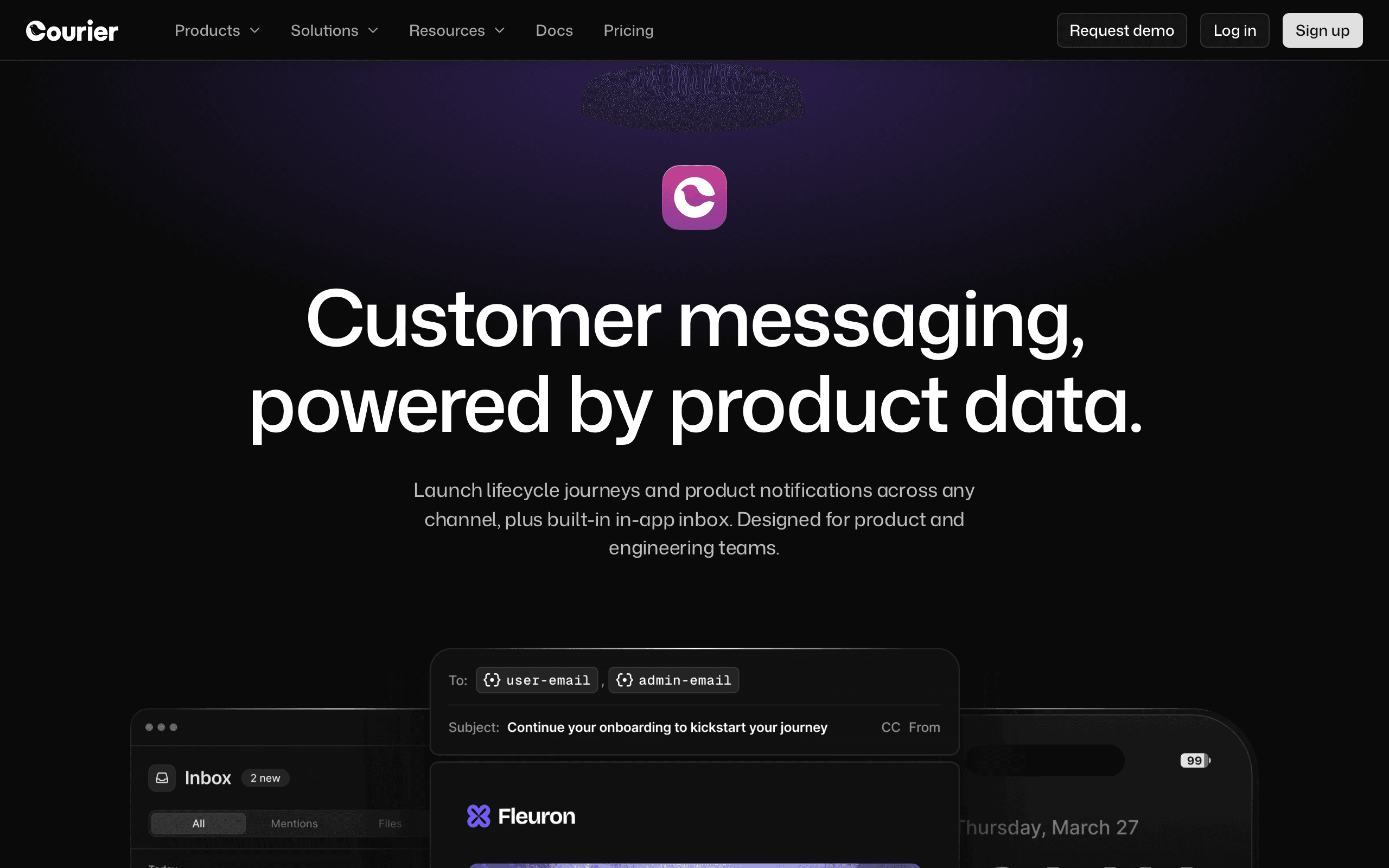
Courier

Courier dashboard screenshot

Notification infrastructure platform that orchestrates messages across email, push, SMS, Slack, and more.

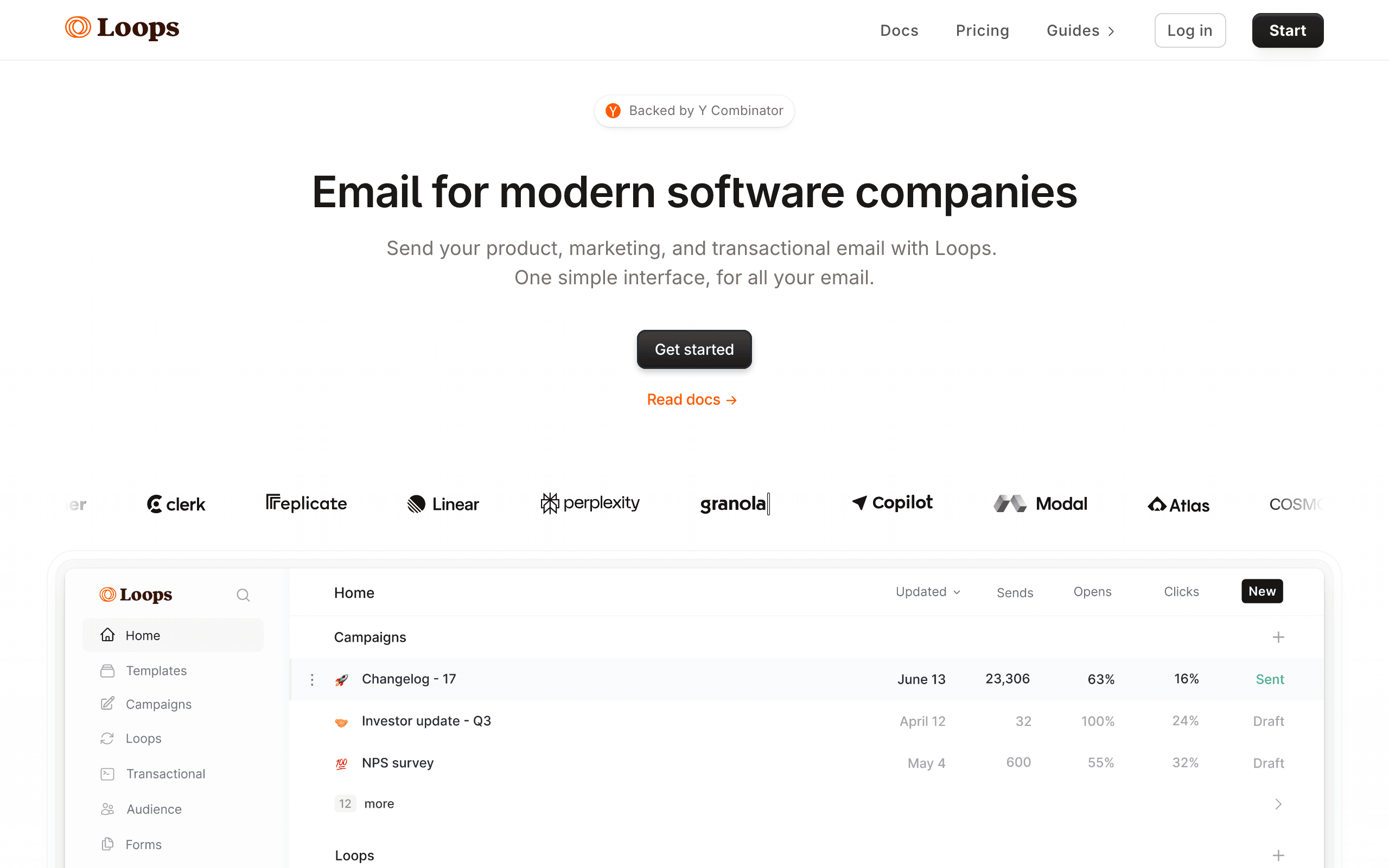
Loops

Loops dashboard screenshot

Email platform built for SaaS companies.

Key Differences

The main things that set these tools apart

SaaS Email vs Notification Infrastructure
Loops wins

Loops is designed for SaaS email - event-driven automations, product email workflows, modern interface for product teams. Courier is generic notification infrastructure. For SaaS email, Loops is purpose-built.

Multi-channel
Courier wins

Courier handles push, SMS, Slack, in-app, and more. Loops is email-only. If your SaaS needs push and SMS alongside email, Courier provides the infrastructure.

Simplicity for Email
Loops wins

Loops is direct - integrate and send email in minutes. Courier requires configuring both Courier and a separate email provider. For email, Loops is dramatically simpler.

Email Quality
Loops wins

Loops has a beautiful email editor, modern templates, and a clean interface designed for product teams. Courier has a template designer focused on notifications, not marketing emails.

Pricing Comparison

At 5,000 contacts

Courier
$0-99+/month

Free up to 10k notifications/month. Business from $99/mo. Plus email provider costs.

Visit Courier
Loops
$49/month

Scale plan. 5k contacts, transactional + marketing, unlimited sends.

Visit Loops
Best for SaaS
Sequenzy
$19/month

1k subscribers, unlimited emails, transactional + marketing, Stripe integration.

Start Free Trial

Feature Comparison

12 features compared side-by-side

Feature
Courier
Loops
Sequenzy
SaaS Email
Email Delivery
Via third-party providers
Direct
Direct
Marketing Campaigns
Built-in
Built-in
Event-driven Automations
No (routing only)
Product event triggers
Event + Stripe triggers
User Properties
Basic attributes
Native user/company data
Subscriber attributes
Multi-channel
Push Notifications
Yes (via providers)
SMS
Yes (via providers)
In-app
Notification feed
Channel Routing
Intelligent fallback
Email only
Email + SMS add-on
Experience
UI/UX
Developer-focused dashboard
Beautiful, modern interface
Clean, modern
Free Tier
10k notifications/month
1,000 contacts
100 subscribers
Setup for Email
Configure Courier + email provider
Direct integration (minutes)
Direct integration
SaaS Focus
Generic notifications
Purpose-built for SaaS

Pros & Cons

Honest strengths and weaknesses of each platform

Courier

Pros
  • Multi-channel routing across push, SMS, email, Slack, and in-app
  • Intelligent fallback logic between channels
  • Provider abstraction across 50+ services
  • In-app notification feed component
  • User notification preference center
  • Free tier covers 10k notifications per month
  • Switch providers without code changes
Cons
  • No marketing campaigns, segmentation, or email automation
  • Requires separate email provider adding cost
  • No SaaS-specific features or product event tracking
  • Email template capabilities are basic
  • No user journey or lifecycle marketing tools
  • Business plan at $99/month before provider costs

Loops

Pros
  • Purpose-built for SaaS with product event triggers
  • Beautiful, modern email editor and interface
  • Event-driven automations based on user behavior
  • Transactional and marketing email in one platform
  • Native user and company data model
  • Clean API with quick integration
  • Growing fast with strong SaaS community
  • Free tier for 1,000 contacts
Cons
  • Email-only - no push, SMS, or in-app notifications
  • No Stripe integration for subscription-aware automation
  • Relatively new platform with smaller feature set
  • Limited segmentation compared to Customer.io
  • No notification routing or channel fallbacks
  • Pricing scales steeply at higher contact counts

What Users Say

Real reviews from Courier and Loops users

Courier Reviews

G2

Courier handles our multi-channel notifications well - push for mobile users, email for desktop, SMS for critical alerts. The routing logic is exactly what our product team designed. But for marketing emails, we still need a separate tool.

Kevin L.2025-08-20
Capterra

We evaluated Courier for our SaaS but quickly realized it's infrastructure, not a product email tool. We went with Loops instead for our onboarding flows and product updates. Courier would have meant managing two more vendors.

Emily S.2025-11-22

Loops Reviews

G2

Loops is the email tool SaaS founders have been waiting for. Beautiful editor, event-driven automations, and it just works. Our onboarding email sequence was live in an afternoon. The interface is a joy compared to legacy tools.

Brian M.2025-10-10
Trustpilot

Love the SaaS focus and modern design. My one wish is Stripe integration - we trigger billing-related emails manually because Loops can't detect payment events natively. Sequenzy handles that better.

Jessica H.2026-02-01

Best For

When to choose each tool

Choose Courier if you...
  • SaaS apps needing multi-channel notifications
  • Engineering teams building notification routing
  • Products needing push + email + SMS
Choose Loops if you...
  • SaaS companies wanting unified product email
  • Teams wanting event-driven automations
  • Startups wanting a modern, beautiful email platform

When to Consider Sequenzy Instead

Stripe Integration

Loops doesn't have native Stripe integration. Sequenzy syncs with Stripe for subscription-aware automation - trial expiry, failed payments, upgrades - at $19/month starting price.

Overview

Courier and Loops serve SaaS companies differently. Loops is a modern email platform purpose-built for SaaS. Courier is notification infrastructure for routing messages across channels. For our take on each, see our Courier comparison.

Loops for SaaS Email

Loops was designed from scratch for SaaS companies - event-driven automations triggered by product usage, beautiful email editor, and modern interface for product teams. For SaaS email specifically, Loops is purpose-built. Courier is generic notification routing.

Courier for Multi-channel

Courier's value is routing notifications across push, SMS, email, Slack, and in-app from one API. If your SaaS needs more than email - push for mobile, SMS for critical alerts - Courier provides the infrastructure.

Pricing reality

At the cited 5k-contact tier, Courier is listed at $0-$99+/month plus email provider costs, while Loops is listed at $49/month. For SaaS email specifically, Loops is more direct because it includes email delivery, product events, marketing campaigns, and transactional email without a separate provider layer.

Courier can still be worth it when the product needs push, SMS, Slack, in-app notifications, fallbacks, and provider abstraction. Sequenzy is listed at $19/month in this page's pricing block for SaaS email with native Stripe integration.

Review signals

The Courier reviews cited here praise multi-channel routing for push, email, and SMS, but also say marketing email still needs another tool. The Loops reviews praise the SaaS-focused editor, event-driven automations, fast onboarding-flow setup, and modern interface, while calling out the lack of native Stripe integration.

That makes Loops the better user experience for product email, Courier the better infrastructure layer for non-email notifications, and Sequenzy the stronger option when billing events must trigger email natively.

Use-case matchups

Use case Better fit Why
SaaS onboarding and product email Loops Loops is purpose-built for SaaS email with product events, user data, and a modern editor.
Multi-channel notification routing Courier Courier is stronger when the app needs push, SMS, Slack, email, and in-app routing from one API.
Fast marketing and transactional email setup Loops Loops sends email directly, while Courier requires a configured email provider underneath.
Critical alerts with channel fallback Courier Courier can route through multiple channels and providers when delivery priority matters.
Product-led lifecycle messaging Loops Loops gives product and growth teams a usable lifecycle email tool without building a full notification stack.
Billing-event automation Sequenzy Sequenzy is the stronger fit when Stripe trial, payment, upgrade, and cancellation events should trigger email automatically.

The Sequenzy Alternative

For SaaS founders wanting transactional email and marketing campaigns with native Stripe integration, Sequenzy offers subscription-aware automation at $49/month - with AI-generated sequences.

The Modern SaaS Email Landscape

Loops represents a new wave of SaaS email tools - modern interface, event-driven design, and a focus on product teams rather than traditional marketers. Courier represents the infrastructure approach - flexible routing that engineering teams control completely. The choice reflects your team's philosophy: do you want a product your marketing and growth team can use independently (Loops), or infrastructure that your engineering team builds on (Courier)?

For early-stage SaaS companies, Loops' approach is typically faster to value. You can have event-driven onboarding emails running within a day. With Courier, you'd need to configure the routing layer, set up an email provider like SendGrid or Postmark, design templates, and build the logic for when to send what. That's weeks of engineering work for email that Loops handles out of the box.

The Stripe Integration Gap

One significant gap in both platforms is native billing integration. SaaS companies rely heavily on subscription events - trial started, trial expiring, payment failed, plan upgraded, subscription canceled. These billing events drive some of the most important automated emails in any SaaS business.

Loops can trigger emails based on custom events you send via API, so you could build a webhook handler that forwards Stripe events to Loops. But that's custom development work. Courier has the same limitation - you'd pipe Stripe webhooks into Courier's API for notification routing. Neither platform connects to Stripe natively. Sequenzy addresses this specifically with native Stripe integration that automatically syncs subscription data and triggers sequences based on billing events without custom webhook engineering.

Building a Complete SaaS Notification Stack

Many SaaS companies need both email and multi-channel notifications. Product updates and onboarding go via email. Collaboration alerts go via push and in-app. Critical system alerts might need SMS. No single tool handles all of these well.

A pragmatic approach for growing SaaS companies: use Loops (or Sequenzy) for email - transactional, marketing, and lifecycle automation. If you also need push and in-app notifications, add Courier as the routing layer for non-email channels. This avoids forcing either tool into a role it wasn't designed for. Loops shouldn't route push notifications, and Courier shouldn't manage email campaigns. Keeping each tool in its lane produces a cleaner, more maintainable stack than trying to stretch one platform across all communication channels.

User Behavior Tracking

SaaS email marketing depends on understanding how users interact with your product. Courier and Loops track user events differently. The depth of behavioral data determines how targeted your email automation can be.

Event tracking, feature usage monitoring, and activity scoring help you identify which users need onboarding help, which are ready to upgrade, and which are at risk of churning. Compare how each platform ingests and acts on this behavioral data.

Trial and Onboarding Optimization

Converting trial users to paid customers is critical for SaaS growth. Courier and Loops handle onboarding email sequences differently. The ability to trigger emails based on specific product milestones creates more relevant communication.

Effective onboarding emails guide users to their activation moment. Compare how each platform lets you define milestones, segment by trial progress, and personalize onboarding content based on user behavior and plan type. For deeper billing integration, see Sequenzy's Stripe features.

Company-Level vs User-Level Communication

SaaS products often have multiple users within a single account. Courier and Loops handle company-level targeting differently. Being able to group users by organization and trigger emails based on account-level events is essential for B2B SaaS.

Consider how each platform manages company attributes, aggregate usage data, and role-based communication. The ability to send different onboarding emails to admins vs team members, or trigger expansion revenue emails based on company-level metrics, matters for B2B growth.

Best Fit by Notification Stack

Best notification routing layer for multi-channel alerts

Courier fits engineering teams that need provider routing, fallback rules, preferences, and non-email channels such as push, SMS, Slack, or in-app notifications. It is the better fit when the product already owns message logic and only needs a flexible delivery layer.

Best SaaS email platform for product-led onboarding

Loops fits SaaS teams that want a managed email product for onboarding, broadcasts, transactional templates, and lifecycle events. Choose it when growth and product teams should own email workflows directly instead of asking engineering to build every message path.

Best billing-event email platform for subscription SaaS

Sequenzy fits when Stripe lifecycle events are more important than general notification routing. It is the cleaner option for subscription teams that want trial, payment, cancellation, and receipt emails without maintaining a separate routing platform.

Migration checklist

  • Decide whether the move is email-only or multi-channel because Loops and Courier solve different communication layers.
  • Export users, companies, attributes, segments, templates, suppression lists, transactional templates, and historical email reports.
  • If moving to Loops, define product events, user properties, company properties, and lifecycle triggers before importing contacts.
  • If moving to Courier, map every notification to a channel, provider, fallback rule, user preference category, and payload contract.
  • Rebuild onboarding, product update, transactional, billing, alert, and lifecycle messages with test users before routing production traffic.
  • Replace application API calls carefully: Loops for product email events, Courier for notification requests and provider routing.
  • Authenticate sending domains and test event-triggered emails, transactional messages, and fallback behavior before full cutover.
  • Preserve historical delivery and engagement data so product and growth teams can compare activation and retention impact after migration.

Decision checklist

Question Choose Courier when... Choose Loops when...
What channels matter? Push, SMS, Slack, in-app, and email need one routing layer. Email is the main channel for product, lifecycle, and transactional messaging.
What setup should be fastest? Engineering is already building notification infrastructure. Product/growth teams need SaaS email flows live quickly.
What is missing? Campaigns and email automation are handled elsewhere. Push, SMS, and in-app are not required or can live elsewhere.
What should you verify first? Provider costs, routing rules, preferences, and fallback logic. Event model, segmentation, contact pricing, deliverability, and Stripe workaround needs.

Frequently Asked Questions

5 questions answered about Courier vs Loops

Testimonials

Sequenzy Testimonials

Elvis Sun

Elvis Sun

Founder, PressPulse & Medialyst

Codex basically one-shotted the migration for syncing our audience from SendGrid to Sequenzy. Sequenzy is fully observable, so agents can just set everything up. The net impact is saving $45/mo, plus 2 hours of my time every time I need to repurpose a newsletter. That's 8 hours a month. My consulting rate is $550/hr, so every hour automated is super valuable.

Jim

Jim

Founder

I run a SaaS, and found Nic on X where I kept seeing posts about his email marketing tool, Sequenzy. I decided to try it for email marketing. Literally on the first day, I used it to send a marketing campaign and I got 5 sales. What I like most is the ai assistant because it actually writes emails that feel real instead of the usual ai slop chatgpt returns, so they do not end up in spam. It also has a 2.5k free email limit which is way better than most tools that only give you around 1k. The best part though is that it handles everything for me, tags, subscribers, sequences and all of it. Without it i would probably be managing a database and a bunch of cron jobs just to make email automation work. Sequenzy just makes my life a lot easier. it can also be set up with 2-3 clicks! Give it a try!!

Mar 10, 2026

King Killers

King Killers

Shopify App Store review

Loving the Sequenzy app so far due to the affordability and large subscriber limits. Planning on this becoming my main email app. Campaign + flows setup with the help of their AI took less than 30 minutes.

Verified User

Verified User

Computer Software

SaaS-focused feedback, fast processing, and plenty of integrations. It is very SaaS-focused, supports a wide range of integrations, and processes feedback right away.

Jun 17, 2026

G2
Louis

Louis

Founder

Easy migration from another tool. Premium customer service and easy to set everything up

Apr 9, 2026

Dhiva Logu

Dhiva Logu

Founder

I love everything about Sequenzy and also the kind of support I get from Nic. It's already the best choice for campaigns & Sequences. Specially the integrations with payment providers, auth providers & analytics etc.. is really spot on. Best in terms of features & pricing in the email segment 100% recommend it for SaaS emails :)

Mar 10, 2026

Petros

Petros

Shopify App Store review

The setup was fast and simple. It synced customer, product, and order data quickly. Generating automated flows was simple, and it improved my monthly bottom line by about 7%.

Not sure which to pick?

If you're a SaaS founder who needs Stripe integration and unified email, try Sequenzy free. No credit card required.

Related Comparisons

Sequenzy pricing reference

Sequenzy - Complete Pricing Guide

Pricing Model

Sequenzy uses email-volume-based pricing. You only pay for emails you send. Unlimited contacts on all plans — storing subscribers is always free.

All Pricing Tiers

  • 2.5k emails/month: Free (Free annually)
  • 15k emails/month: $19/month ($205/year annually)
  • 30k emails/month: $29/month ($313/year annually)
  • 60k emails/month: $49/month ($529/year annually)
  • 120k emails/month: $99/month ($1069/year annually)
  • 300k emails/month: $199/month ($2149/year annually)
  • 600k emails/month: $399/month ($4309/year annually)
  • 900k emails/month: $599/month ($6469/year annually)
  • 1.2M emails/month: $799/month ($8629/year annually)
  • 2M emails/month: $1299/month ($14029/year annually)
  • 3M emails/month: $1999/month ($21589/year annually)
  • 4M emails/month: $2499/month ($26989/year annually)
  • 5M emails/month: $2999/month ($32389/year annually)
  • Unlimited emails/month: Custom pricing (Custom annually)

Yearly billing: All plans offer a 10% discount when billed annually.

Free Plan Features (2,500 emails/month)

  • Visual automation builder
  • Transactional email API
  • Reply tracking & team inbox
  • Landing pages
  • Unlimited team members
  • Goal tracking & revenue attribution
  • Unlimited lists and segments
  • Payment integrations
  • API, MCP, and CLI access
  • Unlimited sending domains
  • SPF, DKIM, and DMARC
  • Deliverability monitoring
  • Send time optimization
  • A/B testing

Paid Plan Features (15k - 5M emails/month)

  • Visual automation builder
  • Transactional email API
  • Reply tracking & team inbox
  • Landing pages (Create hosted signup pages and attach a custom domain.)
  • Unlimited team members
  • Goal tracking & revenue attribution
  • Unlimited lists and segments
  • Payment integrations (Stripe, Paddle, Lemon Squeezy)
  • API, MCP, and CLI access
  • Unlimited sending domains
  • SPF, DKIM, and DMARC
  • Deliverability monitoring
  • Send time optimization
  • A/B testing

Enterprise Plan Features (Unlimited emails)

  • Visual automation builder
  • Transactional email API
  • Reply tracking & team inbox
  • Landing pages
  • Unlimited team members
  • Goal tracking & revenue attribution
  • Unlimited lists and segments
  • Payment integrations
  • API, MCP, and CLI access
  • Unlimited sending domains
  • SPF, DKIM, and DMARC
  • Deliverability monitoring
  • Send time optimization
  • A/B testing

Important Pricing Notes

  • You only pay for emails you send — unlimited contacts on all plans
  • No hidden fees - all features included in the price
  • No credit card required for free tier

Contact

  • Pricing Page: https://sequenzy.com/pricing
  • Sales: hello@sequenzy.com



