Updated September 28, 2026
Userlist
Intercom

Userlist vs Intercom

Focused email vs full customer platform

12
Features Compared
4
Key Differences
8
FAQs Answered
TL;DR

Userlist does SaaS email and in-app messages well at a reasonable price. Intercom does everything (chat, support, email, AI) at a premium price. Choose Userlist for email focus, Intercom if you need the full customer platform.

Platform Overview

See how each platform looks

Userlist

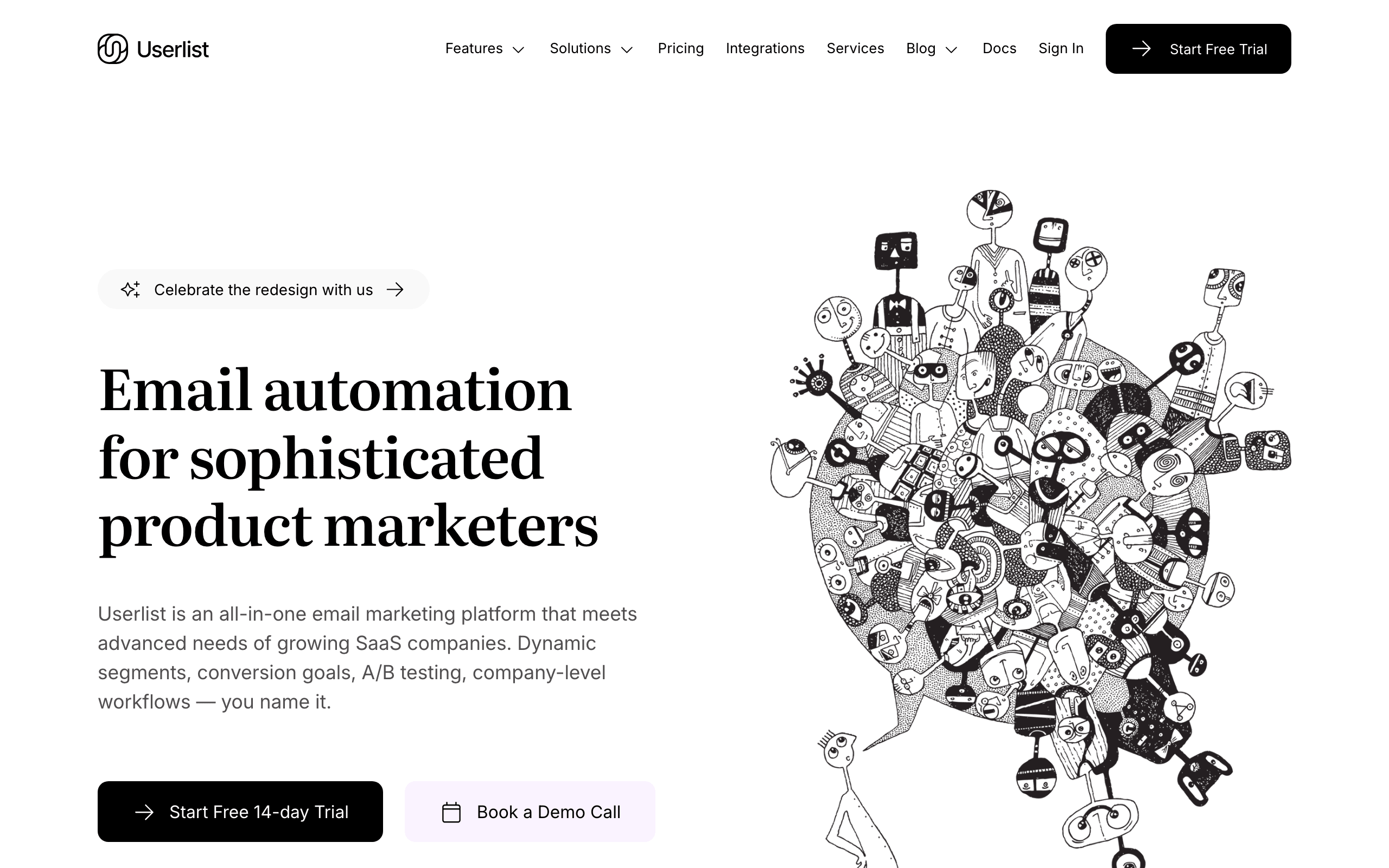
Userlist dashboard screenshot

Email automation platform built specifically for SaaS with company-level data and in-app messages.

Intercom

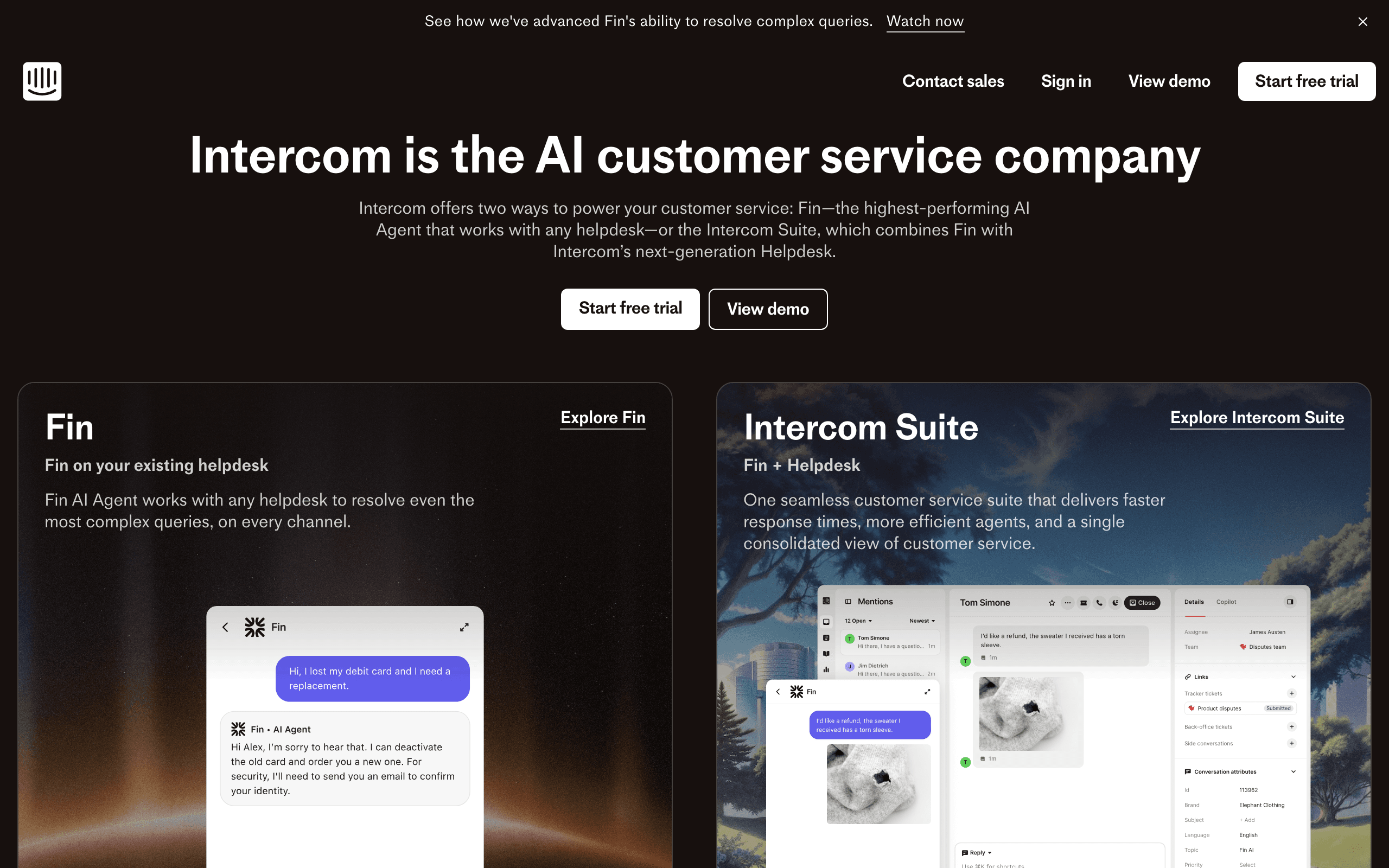
Intercom dashboard screenshot

AI-first customer service platform with live chat, helpdesk, and email marketing features.

Key Differences

The main things that set these tools apart

Scope and Focus
Tie

Userlist does email and in-app messaging for SaaS lifecycle. Intercom is a full customer platform with chat, support, help center, and AI.

Pricing
Userlist wins

Userlist is $100-120/month at 10k users. Intercom typically costs $600+ with seats, AI, and add-ons. 5-6x price difference.

Email Automation
Userlist wins

Userlist's email automation is more sophisticated for SaaS lifecycle marketing. Intercom's email is secondary to chat.

Customer Support Features
Intercom wins

Intercom has live chat, ticketing, help center, and AI. Userlist has none of these - it's marketing-only.

Pricing Comparison

At 10,000 users

Userlist
$100-120/month

Basic $10/1k users, Pro $12/1k users.

Visit Userlist
Intercom
$600+/month

Per-seat + AI resolutions + add-ons. Costs vary significantly.

Visit Intercom
Best for SaaS
Sequenzy
$49/month

At 10,000 users

60,000 emails/mo (~6 per contact), unlimited contacts.

Free plan: up to 2,500 emails/month. Paid plans from $19/month (15,000 emails), unlimited contacts on every plan. See all plans

Start for free

Feature Comparison

12 features compared side-by-side

Feature
Userlist
Intercom
Sequenzy
Scope
Primary Focus
Email + in-app
Full customer platform
Email
Live Chat
Core feature
Help Center
AI Chatbot
Fin AI
Email & Messaging
Email Automation
Good, SaaS-focused
Basic
Good
In-App Messages
Advanced (Product Tours)
Behavioral Triggers
Good
Good
Good
Company Accounts
Native support
Supported
Platform
Complexity
Simple
Complex
Simple
Pricing Predictability
Clear per-user
Complex, variable
Fixed tiers by email volume
Setup Time
Hours
Days/weeks
Hours
Support
Personal, founder-led
Tiered
Direct founder

API, CLI and MCP: How AI-Ready Is Each Tool?

What you, or an AI assistant like Claude or ChatGPT, can do in each tool without opening the dashboard. “MCP” means the vendor's own MCP server can do it. Each status links to the doc that confirms it.

Intercom
MCP server
Official, read and writeHosted

mcp.intercom.com / EU; AU unsupported. Reads conversations, contacts; writes only articles and internal notes.

MCP docs
CLINoneAPIREST
Through its MCP (0 of 14)

Nothing through an official MCP.

API only

Create and update contacts, Add contacts to lists or tags, Trigger automations, Send transactional email, Read campaign analytics, View or manage unsubscribes

Checked September 28, 2026
Sequenzy
MCP server
Official, read and writeHosted or local

250+ tools. Hosted with OAuth or local with an API key.

MCP docs
CLIOfficialAPIREST
Through its MCP (14 of 14)

Create and update contacts, Add contacts to lists or tags, Create segments, Create campaigns, Send or schedule campaigns, Build automations, Trigger automations, Create A/B tests, Create and edit templates, Send transactional email, Read campaign analytics, View or manage unsubscribes, Set up sending domains, Create forms or landing pages

Checked September 28, 2026

If You Leave Later: What You Can Take With You

Switching is easier when your data comes with you. Unsubscribes matter most: without them, people who opted out get emailed again.

Intercom
Contacts and custom fields
Yes

Contacts > select users > More > Export users; displayed or all columns; CSV emailed

Intercom docs
Unsubscribes and bounces
Yes

Content data export API includes per-message unsubscribes and bounces

Intercom docs
Templates as HTML
Yes

Custom HTML templates editable in Settings > Outbound > Email Templates; copy manually

Intercom docs
Automations
Yes

GET /export/workflows/{id} returns workflow JSON (EU Data Act); Intercom-specific format

Open and click history
Yes

POST /export/content/data: per-recipient receipts, opens, clicks, replies, unsubscribes, bounces

Sequenzy
Contacts and custom fields
Yes

Subscribers > Export downloads a CSV with status, tags and custom attributes, or page through GET /subscribers

Sequenzy docs
Unsubscribes and bounces
Yes

Unsubscribed and bounced contacts carry their status in the CSV export, and GET /suppressions lists them

Sequenzy docs
Templates as HTML
Yes

GET /templates/{id}/render returns the exact email-safe HTML that is sent

Sequenzy docs
Automations
Yes

GET /sequences/{id} returns each sequence's steps, delays and conditions as JSON; other tools cannot import it directly

Sequenzy docs
Open and click history
Yes, on request

Full per-contact open and click history is exported on request; opens and clicks also stream out through webhooks as they happen

Pros & Cons

Honest strengths and weaknesses of each platform

Userlist

Pros
  • Focused SaaS lifecycle email with better automation than Intercom email
  • Native company account support for B2B user hierarchies
  • Predictable per-user pricing at $100-120/month for 10,000 users
  • Quick setup in hours compared to weeks for Intercom
  • Personal founder-led support
  • In-app messaging for onboarding without the Intercom price tag
Cons
  • No live chat or customer support features
  • No help center or knowledge base
  • No AI chatbot capabilities
  • No product tours beyond basic in-app messages
  • Limited to email and in-app messaging channels
  • No ticket management or support workflow tools

Intercom

Pros
  • Complete customer platform with chat support and email unified
  • Fin AI chatbot for automated customer support
  • Advanced product tours for user onboarding
  • Help center and knowledge base included
  • Ticket management and support workflows
  • Comprehensive in-app messaging with rich targeting
Cons
  • Extremely expensive at $600+ per month with typical usage
  • Complex variable pricing with per-seat and AI resolution fees
  • Email automation is secondary to chat features
  • Setup takes days to weeks for full platform implementation
  • Overkill for companies that only need email marketing
  • AI resolution fees at $0.99 each can add up unpredictably

What Users Say

Reviews from Trustpilot, linked to the source

Intercom Reviews

Trustpilot

“Intercom is a great tool for any customer service team. It offers a wide range of services - you can set workflows to easily automate processes, you can use their FIN AI to lower the amount of cases where human support is needed, you can set your own triage system for prioritizing tickets based on self-defined criteria, etc. Overall, my favorite software for handling customer inquires.”

Trustpilot

“Very expensive for what you get, extremely slow to get support from them, and the biggest problem is that the chat tool doesn't even appear for many of your site's visitors. You can pay several hundred dollars per month and still miss conversations.”

Best For

When to choose each tool

Choose Userlist if you...
  • SaaS teams focused on lifecycle email
  • Companies with separate support tool
  • Bootstrapped teams watching budget
  • Quick implementation needs
Choose Intercom if you...
  • Companies needing full customer platform
  • Teams wanting chat + email unified
  • Those with budget for premium tooling
  • Companies needing AI support automation

When to Consider Sequenzy Instead

Native Stripe Integration

Sequenzy connects to Stripe for payment-triggered emails. Neither Userlist nor Intercom offers native Stripe billing integration.

Lowest Cost Option

At 10,000 contacts, Sequenzy is $49/month vs Userlist's $100+ and Intercom's $600+.

Subscription SaaS Focus

Built for SaaS businesses billing through Stripe, with pre-built subscription lifecycle automations.

Overview

Userlist and Intercom both serve SaaS companies, but at completely different scope and price points. Userlist is a focused tool that does email and in-app messaging for lifecycle marketing. Intercom is a comprehensive customer platform that does chat, support, help center, AI, and messaging. For transparent pricing comparison, both differ significantly from alternatives like Sequenzy.

The Scope Question

Do you need customer support features? If you need live chat, ticketing, help center, or AI support, Intercom bundles all of this. If you already have a support tool (or don't need one yet), Userlist is focused on email and in-app messaging well. Or explore email marketing alternatives if you want something simpler.

The Price Difference

This is significant. Userlist at 10,000 users costs around $100-120/month. Intercom with seats, AI resolutions, and typical add-ons often exceeds $600/month. That's a 5-6x difference. For bootstrapped or early-stage companies, this matters. Check our Sequenzy pricing for a middle-ground option.

Email Automation Quality

Userlist's email automation is purpose-built for SaaS lifecycle marketing. Behavioral triggers, company accounts, user journeys. Intercom can do email campaigns, but it's secondary to chat - the automation isn't as focused on SaaS email use cases.

In-App Messaging

Both offer in-app messaging, but differently. Intercom's product tours and targeted messages are more sophisticated. Userlist's in-app is simpler but effective for notifications and announcements. For advanced segmentation, both work well for SaaS audiences.

Setup and Complexity

Userlist is up and running in hours. Intercom's full platform takes days to weeks to implement properly. More features means more configuration. For rapid implementation, see our getting started guides.

Making the Choice

If you need the full customer platform (chat, support, AI), Intercom is the comprehensive choice. If you need focused SaaS behavioral email marketing and already have (or don't need) separate support tooling, Userlist is simpler and far more affordable. Sequenzy is another option with Stripe integration at competitive pricing.

The Scope Decision: Email Tool vs Customer Platform

The fundamental question is not which is better but how much customer infrastructure you need in one platform. Intercom combines live chat, support ticketing, help center, AI chatbot, product tours, and email in a single system. Userlist does email and in-app messaging only.

Many SaaS companies combine Userlist with a separate support tool like Crisp, Help Scout, or Zendesk. The total cost is often still lower than Intercom alone, and each tool is best-in-class for its specific function. The trade-off is managing multiple tools instead of one platform.

For companies that value unified data and a single customer view across support and marketing, Intercom's integrated approach has clear advantages. For companies that prefer focused tools at lower cost, Userlist plus a separate support stack works well.

Email Quality: The Hidden Comparison

Intercom can send email, but email is not its strength. The email editor is basic. Automation is simpler than dedicated email tools. Campaign management feels like an afterthought compared to the chat and support features.

Userlist's email automation is purpose-built for SaaS lifecycle marketing. Behavioral triggers, company-level segmentation, and lifecycle-specific workflows are more sophisticated than what Intercom offers for email. If email is your primary marketing channel, Userlist delivers better results.

This means companies using Intercom for everything often get mediocre email marketing alongside excellent chat support. Companies using Userlist for email and a separate chat tool get strong performance from both.

Pricing Predictability

Userlist charges a clear per-user price. $10-12 per 1,000 users depending on the plan. At 10,000 users, you know the cost: $100-120/month. No surprises.

Intercom's pricing is complex and variable. Per-seat charges, AI resolution fees at $0.99 each, and various add-ons make the monthly bill unpredictable. A company expecting $300/month can easily end up at $600+ once AI usage ramps up. Budget planning becomes difficult.

For bootstrapped companies and teams with tight budgets, Userlist's predictability is a meaningful advantage. Knowing your exact marketing tool cost months in advance helps with financial planning.

The Growth Path Question

Some companies start with Userlist and eventually adopt Intercom as they grow and need support tooling. Others start with Intercom for support and realize the email features are insufficient, then add a dedicated email tool alongside it.

Neither path is wrong. The key decision factor is whether you need customer support features today. If yes, Intercom or a separate support tool is necessary regardless. If your immediate need is lifecycle email automation for onboarding, trial conversion, and retention, Userlist or Sequenzy with Stripe integration delivers more value per dollar for that specific purpose.

User Behavior Tracking

Userlist is built specifically for SaaS lifecycle marketing, with behavioral triggers and native support for grouping users by company, all for a predictable $100 to $120 a month at 10,000 users. Intercom tracks events too, but as part of a much larger customer platform that also includes live chat, a help center, and an AI chatbot, at $600 or more a month with variable per-seat and AI-resolution fees. If email-focused behavioral tracking is all you need, Userlist covers it at a fraction of Intercom's cost.

Trial and Onboarding Optimization

Userlist's automation is built around SaaS onboarding specifically, letting you trigger sequences off product milestones with faster setup, typically hours rather than the days or weeks Intercom's full platform takes to configure. Intercom can do onboarding emails too, but they sit behind chat and support features as a secondary capability rather than the main focus. For a team that only needs onboarding email done well, Userlist's narrower scope gets you there with less setup and a much smaller bill.

Company-Level vs User-Level Communication

Userlist has native support for company accounts, so triggering emails off account-wide events, like a team hitting a usage limit, is built in rather than bolted on. Intercom supports company-level targeting as well, wrapped into its broader platform alongside chat and support workflows, but that breadth comes with per-seat and AI-resolution fees that can push costs well past $600 a month. B2B SaaS teams that want company targeting without paying for chat and AI features they will not use tend to prefer Userlist.

Use-case matchups

Situation Best first look Why
SaaS team wants B2B SaaS lifecycle messaging, company accounts, and in-app messages Userlist Userlist is the baseline here when that product-led lifecycle job is central.
Team wants support, chat, in-app engagement, and customer communication Intercom Intercom deserves the first demo when that specialist capability matters more.
SaaS or subscription team wants email plus transactional paths Sequenzy Sequenzy is stronger when Stripe events, transactional messages, campaigns, and subscriber automation should live together.
Product team has clean event instrumentation Userlist or Intercom Event-driven tools only pay off when product events, traits, and lifecycle definitions are reliable.
Team wants fewer tools and a lower-cost email workflow Sequenzy Sequenzy is more relevant when email lifecycle automation is enough and support chat or complex engagement channels are out of scope.

Best Fit by Customer Communication Surface

Best SaaS email platform for B2B lifecycle and in-app onboarding

Userlist is the better fit when the team needs company accounts, user roles, lifecycle stages, email, and in-app onboarding without adopting a full support and chat platform.

Best customer platform for support, chat, and in-app engagement

Intercom is the better fit when support inboxes, live chat, bots, help center, product tours, and customer communication workflows are central. It is much broader than lifecycle email.

Best email platform for SaaS transactional and Stripe lifecycle messages

Sequenzy is the better fit when the team mainly needs campaigns, transactional messages, and billing-triggered automation in a simpler email workflow. It should not be evaluated as a support-suite replacement.

Pricing reality

The pricing signals on this page list Userlist at $100-120/month, Intercom at $600+/month, and Sequenzy at $49/month. The right comparison depends on the workflow being purchased, not just the monthly number.

Userlist's value depends on whether the team uses B2B SaaS lifecycle messaging, company accounts, and in-app messages. Intercom's real cost depends on whether the team needs support, chat, in-app engagement, and customer communication.

Review signals

For Userlist, validate review themes around B2B SaaS lifecycle messaging, company accounts, and in-app messages. For Intercom, focus review research on whether users praise support, chat, in-app engagement, and customer communication.

Migration checklist

Workstream Moving toward Userlist Moving toward Intercom Simplifying to Sequenzy
Data model Map users, companies, events, traits, segments, suppressions, and lifecycle stages. Map the users, events, traits, records, and channels needed for support, chat, in-app engagement, and customer communication. Import subscribers, attributes, tags, suppressions, Stripe events, and transactional paths.
Instrumentation Validate identity resolution, event names, timestamps, and company/account relationships. Validate instrumentation and channel setup before rebuilding journeys. Connect only the events needed for campaigns, lifecycle automations, and transactional messages.
Automations Rebuild onboarding, activation, retention, expansion, and winback journeys. Rebuild the workflows that prove Intercom's advantage. Rebuild lifecycle and transactional email flows.
Templates and channels Move email templates, in-app content where relevant, sender identities, and brand rules. Move templates, chat or in-app surfaces where relevant, and brand assets. Move email templates and transactional message content.
Reporting Validate activation, conversion, churn, engagement, deliverability, and journey reporting. Validate reporting for support, chat, in-app engagement, and customer communication. Validate campaign, automation, transactional, and subscription lifecycle reporting.

Decision checklist

  • Is the team buying SaaS lifecycle messaging, support/chat, CRM automation, or simpler email workflows?
  • Which platform best matches the current event and customer data model?
  • Does Intercom's strength in support, chat, in-app engagement, and customer communication matter more than Userlist's focus?
  • Are the listed prices still realistic after contacts, seats, channels, and event volume are included?
  • Would Sequenzy cover the lifecycle and transactional email job with less setup?

Frequently Asked Questions

8 questions answered about Userlist vs Intercom

Testimonials

Sequenzy Testimonials

Yusuke

Yusuke

Founder, LandingBoost

It’s the first tool where I’m actually willing to keep working on email without it turning into one giant scary blast. Favorite part is still what I said, being able to split stuff. Drafts vs campaigns vs a single-person send. I can park a lot of “don’t send this yet” work with labels and not feel like it’s one click away from going to everyone. Sequences later. Consent / lists first. I’m slow on purpose.

Rakesh Reddy

Rakesh Reddy

Founder, CrawlRaven

We used Sequenzy to replace a generic onboarding flow with coordinated lifecycle journeys covering signup, connecting Google Search Console, discovering SEO opportunities, upgrading, and paid-customer retention. Event triggers, conditional branches, personalization, and enrollment cancellation gave us precise control over who receives each message - and when someone should exit a journey. We backfilled eligible users into the appropriate journeys. The initial emails went out without bounces, complaints, suppressions, or unexpected recipients. Future users now enter the relevant journeys automatically based on their activity in CrawlRaven.

Elvis Sun

Elvis Sun

Founder, PressPulse & Medialyst

Codex basically one-shotted the migration for syncing our audience from SendGrid to Sequenzy. Sequenzy is fully observable, so agents can just set everything up. The net impact is saving $45/mo, plus 2 hours of my time every time I need to repurpose a newsletter. That's 8 hours a month. My consulting rate is $550/hr, so every hour automated is super valuable.

Caden Sumner

Caden Sumner

Solo founder, Moxie Docs

Lifecycle email was the kind of thing I knew I would need eventually, but have never had to build it out myself and had no idea where to start. In literal hours I had a fully working (but basic) flow for onboarding new users, detecting churn, and re-engaging people who have trials lapsing to hopefully convert. Sequenzy let me offload the entire “keep users engaged and recover the ones who are slipping” workflow to something that just runs. Every hour I'd have spent building and babysitting lifecycle emails went into shipping the actual product instead.

Louis

Louis

Founder

Easy migration from another tool. Premium customer service and easy to set everything up

Apr 9, 2026

Jim

Jim

Founder, FixMyLanding

It helped me grow to $100 MRR, get #1 on Uneed, make more sales, get acquired. I literally love Sequenzy, it's so simple, I love the dashboard. I also saw the integrations and was shocked. 3 sales today, all thanks to Sequenzy. Honestly, thanks.

King Killers

King Killers

Shopify App Store review

Loving the Sequenzy app so far due to the affordability and large subscriber limits. Planning on this becoming my main email app. Campaign + flows setup with the help of their AI took less than 30 minutes.

Verified User

Verified User

Computer Software

SaaS-focused feedback, fast processing, and plenty of integrations. It is very SaaS-focused, supports a wide range of integrations, and processes feedback right away.

Jun 17, 2026

G2
Filip Panoski

Filip Panoski

Founder, Bazzly

I've used 2 other email marketing tools. They were supposedly "market leaders". Both were clunky, unnecessarily expensive and horrible support. When I tried Sequenzy I thought there'd be trade-offs compared to the others. But there weren't, it had everything I needed, there was no bloat, emails delivered extremely fast, and the founders shipped anything I asked in a day. The best part is that Sequenzy is AI native, I rarely do stuff in the dashboard, just use my AI to create campaigns, sequences and segment customers which saves me a ton of time. Never been happier with an email marketing tool.

Max Eccles

Max Eccles

Founder, InstantInterior AI

$600 revenue in 30d from email automations. Very happy I migrated to Sequenzy. Before I was making zero from email automations.

Leo

Leo

Maintainer, Email SDK

Sequenzy's most powerful feature is probably those campaigns. It seems useless at first but they are one of the most important things to send to your users. I get to talk to my users 1:1 and help them set it up for their use case. The owner is really active on X, really nice and helpful. He's the type of person to go out of his way to help you, so you get really good support!

Viraj

Viraj

Founder, SnapCount

After using Loops and Resend, I was looking for an email infrastructure service that had MCP support, Affonso and Dodo Payments integrations, and was affordable. Came across Sequenzy, and the support from Nic has been unbelievable. Migration was done in 24 hours without any issues, and I can run all of my products from a single account.

Jim

Jim

Founder

I run a SaaS, and found Nic on X where I kept seeing posts about his email marketing tool, Sequenzy. I decided to try it for email marketing. Literally on the first day, I used it to send a marketing campaign and I got 5 sales. What I like most is the ai assistant because it actually writes emails that feel real instead of the usual ai slop chatgpt returns, so they do not end up in spam. It also has a 2.5k free email limit which is way better than most tools that only give you around 1k. The best part though is that it handles everything for me, tags, subscribers, sequences and all of it. Without it i would probably be managing a database and a bunch of cron jobs just to make email automation work. Sequenzy just makes my life a lot easier. it can also be set up with 2-3 clicks! Give it a try!!

Mar 10, 2026

Dhiva Logu

Dhiva Logu

Founder

I love everything about Sequenzy and also the kind of support I get from Nic. It's already the best choice for campaigns & Sequences. Specially the integrations with payment providers, auth providers & analytics etc.. is really spot on. Best in terms of features & pricing in the email segment 100% recommend it for SaaS emails :)

Mar 10, 2026

Petros

Petros

Shopify App Store review

The setup was fast and simple. It synced customer, product, and order data quickly. Generating automated flows was simple, and it improved my monthly bottom line by about 7%.

Not sure which to pick?

If you're a SaaS founder who needs Stripe integration and unified email, try Sequenzy free. No credit card required.

Related Comparisons

Written by Sequenzy, which appears in this comparison. How we compare tools

Sequenzy pricing reference

Sequenzy - Complete Pricing Guide

Pricing Model

Sequenzy uses email-volume-based pricing. You only pay for emails you send. Unlimited contacts on all plans — storing subscribers is always free.

All Pricing Tiers

  • 2.5k emails/month: Free (Free annually)
  • 15k emails/month: $19/month ($205/year annually)
  • 30k emails/month: $29/month ($313/year annually)
  • 60k emails/month: $49/month ($529/year annually)
  • 120k emails/month: $99/month ($1069/year annually)
  • 300k emails/month: $199/month ($2149/year annually)
  • 600k emails/month: $399/month ($4309/year annually)
  • 900k emails/month: $599/month ($6469/year annually)
  • 1.2M emails/month: $799/month ($8629/year annually)
  • 2M emails/month: $1299/month ($14029/year annually)
  • 3M emails/month: $1999/month ($21589/year annually)
  • 4M emails/month: $2499/month ($26989/year annually)
  • 5M emails/month: $2999/month ($32389/year annually)
  • Unlimited emails/month: Custom pricing (Custom annually)

Yearly billing: All plans offer a 10% discount when billed annually.

Free Plan Features (2,500 emails/month)

  • Visual automation builder
  • Transactional email API
  • Team and agent inbox
  • Landing pages
  • Unlimited team members
  • Goal tracking & revenue attribution
  • Unlimited lists and segments
  • Payment integrations
  • API, MCP, and CLI access
  • Unlimited sending domains
  • SPF, DKIM, and DMARC
  • Deliverability monitoring
  • Send time optimization
  • A/B testing

Paid Plan Features (15k - 5M emails/month)

  • Visual automation builder
  • Transactional email API
  • Team and agent inbox
  • Landing pages (Create hosted signup pages and attach a custom domain.)
  • Unlimited team members
  • Goal tracking & revenue attribution
  • Unlimited lists and segments
  • Payment integrations (Stripe, Paddle, Lemon Squeezy)
  • API, MCP, and CLI access
  • Unlimited sending domains
  • SPF, DKIM, and DMARC
  • Deliverability monitoring
  • Send time optimization
  • A/B testing

Enterprise Plan Features (Unlimited emails)

  • Visual automation builder
  • Transactional email API
  • Team and agent inbox
  • Landing pages
  • Unlimited team members
  • Goal tracking & revenue attribution
  • Unlimited lists and segments
  • Payment integrations
  • API, MCP, and CLI access
  • Unlimited sending domains
  • SPF, DKIM, and DMARC
  • Deliverability monitoring
  • Send time optimization
  • A/B testing

Important Pricing Notes

  • You only pay for emails you send — unlimited contacts on all plans
  • No hidden fees - all features included in the price
  • No credit card required for free tier

Contact

  • Pricing Page: https://sequenzy.com/pricing
  • Sales: hello@sequenzy.com



