
Overview
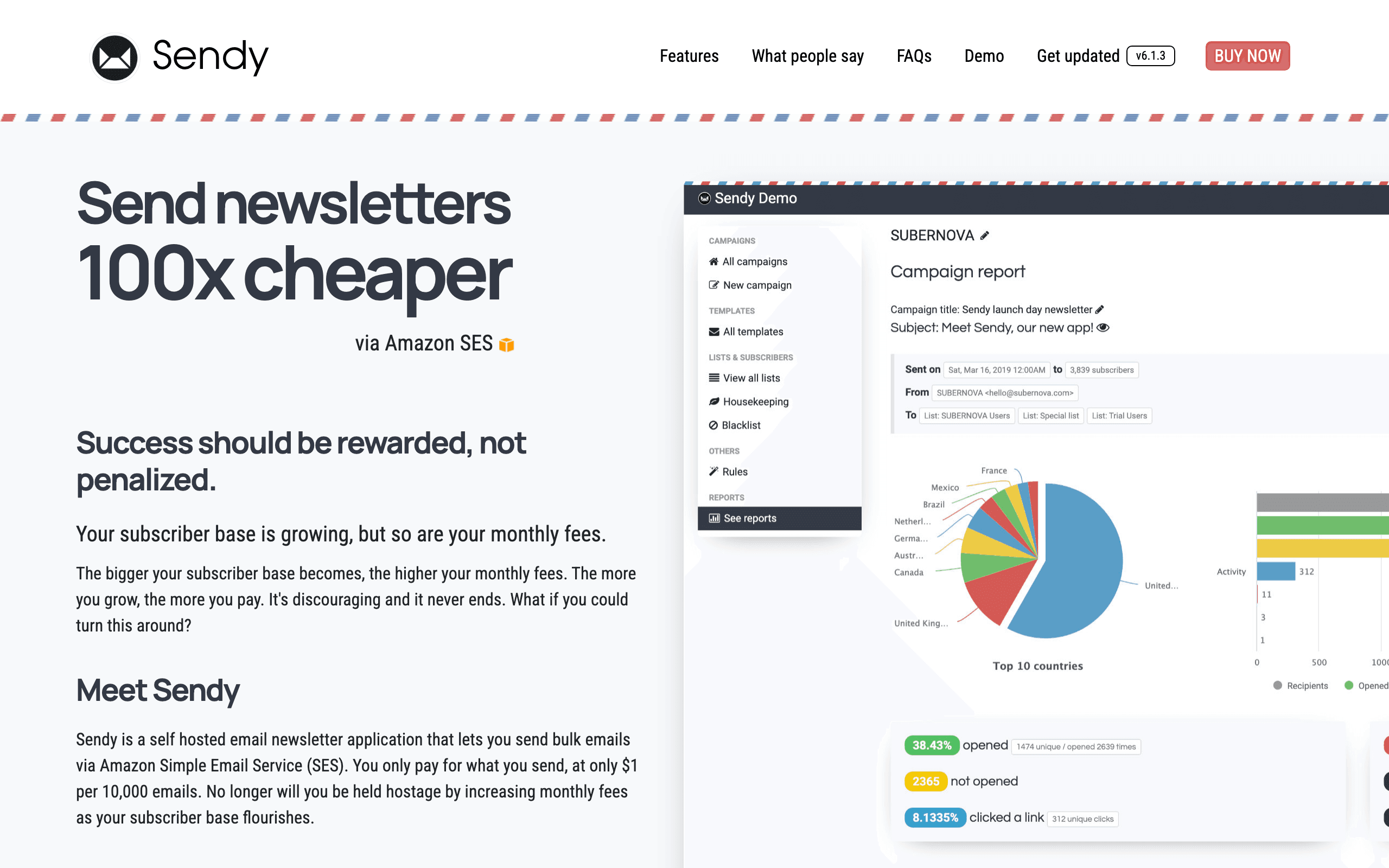
Sendy and Buttondown both appeal to newsletter senders who want alternatives to bloated platforms. Sendy maximizes savings through self-hosting. Buttondown offers indie simplicity with a privacy-first approach. Different paths to the same goal.
The Indie Appeal
Both platforms avoid corporate bloat. Sendy is a one-time purchase with no recurring fees beyond SES. Buttondown is built by a solo founder with transparent, simple pricing. Neither platform is trying to be everything to everyone.
Sendy's Cost Advantage
At 5,000 subscribers, Sendy costs $1-3/month (Amazon SES fees only). Buttondown costs $29/month. Over a year, that's $300+ in savings. At higher subscriber counts, savings grow proportionally.
Buttondown's Writer Focus
Buttondown has native Markdown, web archives for past issues, RSS-to-email, and built-in paid subscriptions. It's designed for writers who want to write, not manage email infrastructure. The experience is clean and focused.
Technical Reality
Sendy requires PHP/MySQL hosting, Amazon SES setup, DNS configuration, and ongoing maintenance. Buttondown is sign-up-and-start. If you'd rather write than manage servers, this difference is decisive.
Paid Newsletter Options
Buttondown has built-in paid subscriptions. Readers can pay directly through Buttondown, and you own the relationship. Sendy has no payment processing. You'd need to bolt on Stripe and manage access manually.
For SaaS Companies
Neither Sendy nor Buttondown is built for SaaS. Both are newsletter-focused. If you need event-based automation and Stripe integration for a subscription business, consider Sequenzy.
Making the Choice
Choose Sendy if you're technical, want maximum cost savings, and have basic newsletter needs. Choose Buttondown if you want simple publishing with Markdown, web archives, and optional paid subscriptions. For SaaS companies, consider Sequenzy.
The Indie Newsletter Philosophy
Both Sendy and Buttondown reject the feature bloat of mainstream email platforms, but they do so from different perspectives. Sendy rejects complexity through minimalism -- it does email campaigns and nothing else. Buttondown rejects complexity through focus -- it does newsletters exceptionally well with features specifically designed for writers.
Buttondown's solo-founder model means every feature decision is intentional. Markdown support exists because writers prefer it. Web archives exist because readers expect them. Paid subscriptions exist because creators need monetization. RSS-to-email exists because content publishers need automation. Nothing exists just to check a feature comparison box.
This philosophical alignment matters for newsletter creators. When your tool is built by someone who understands the craft of writing and publishing, the workflow feels natural. Sendy was built to send emails cheaply. Buttondown was built to help writers publish newsletters. The difference shows in every interaction with the platform.
Paid Newsletters: Buttondown vs Building Your Own
Buttondown's built-in paid subscription feature lets creators charge readers directly for premium newsletter content. Subscribers pay through Buttondown, and creators receive earnings minus payment processing fees. The integration is seamless -- paid subscribers automatically get access to premium content, and free subscribers see only public issues.
Recreating this with Sendy requires significant custom work. You would need to integrate Stripe or another payment processor, build subscriber access control logic, manage premium vs free list segmentation manually, and handle failed payments and churn. The development effort easily exceeds 40 hours, and ongoing maintenance adds more.
For creators evaluating monetization options, Buttondown's approach competes with Substack but without the 10% revenue cut. Substack is free to use but takes 10% of paid subscriptions. Buttondown charges a flat monthly fee regardless of revenue. For creators earning more than about $350/month from subscriptions, Buttondown's model saves money compared to Substack.
Writing Experience and Content Workflow
The day-to-day experience of creating newsletters differs significantly between these platforms. Buttondown offers native Markdown editing, which writers who use tools like Obsidian, Bear, or VS Code find natural. Write in Markdown, preview the rendered output, and publish. The workflow is frictionless for technical and non-technical writers alike.
Sendy provides a basic WYSIWYG editor that feels dated compared to modern writing tools. Formatting options are limited, the preview is not always accurate, and there is no Markdown support. Writers accustomed to modern editing experiences find Sendy's editor frustrating, even if they appreciate the cost savings.
For writers producing weekly or daily newsletters, this experience gap compounds over time. Minutes of friction per issue add up to hours over a year. The writing experience is not a luxury feature -- it directly affects consistency and quality. If writing is your primary activity, the tool should support it, not fight it.
Data Ownership and Privacy Considerations
Both platforms offer strong data ownership, but through different mechanisms. Sendy stores all data on your server -- you have physical control over subscriber information, email content, and engagement metrics. Buttondown stores data on their infrastructure but with a clear privacy-first policy, minimal tracking, and no data selling.
For writers concerned about subscriber privacy, both platforms are superior to ad-supported free tools that monetize user data. Sendy's self-hosting gives absolute control. Buttondown's indie ethics and transparent privacy policy provide contractual protection. Neither sells subscriber data or uses it for advertising purposes.
The practical difference is operational. Self-hosting with Sendy means you are responsible for data security, backups, and compliance. Buttondown handles security and compliance as part of their service. For solo creators without security expertise, Buttondown's managed approach may actually be safer than self-hosted Sendy with default configurations.
Use-case matchups
| Situation | Best first look | Why |
|---|---|---|
| Team wants the lowest visible email sending cost and can self-host | Sendy | Sendy is the baseline here for teams comfortable operating their own app layer on top of a sending service. |
| Writer or indie operator wants newsletter simplicity | Buttondown | Buttondown is stronger when publishing workflow and simple paid newsletter operations matter more than self-hosted control. |
| SaaS or subscription team wants lifecycle and transactional email | Sequenzy | Sequenzy is stronger when Stripe events, transactional messages, and campaigns need a hosted lifecycle workflow. |
| Technical team already owns servers and AWS email operations | Sendy | Sendy can make sense when maintenance, updates, deliverability setup, and backup ownership are acceptable. |
| Team needs the specialist capability | Buttondown | Buttondown deserves the first demo when the main requirement is indie newsletters and simple publishing workflows. |
| Team wants hosted workflows without self-hosting | Sequenzy | Sequenzy removes Sendy-style app maintenance while staying focused on email automation and transactional messages. |
Pricing reality
The pricing signals on this page list Sendy at ~$1-3/month or equivalent operating cost, Buttondown at $49/month, and Sequenzy at $49/month. Sendy's number should never be read as the whole cost.
Sendy usually shifts cost from the vendor invoice to operations: hosting, updates, backups, SES or SMTP setup, bounce handling, deliverability monitoring, and internal troubleshooting. Buttondown's real cost depends on whether the team needs indie newsletters and simple publishing workflows.
Review signals
For Sendy, validate reviews around setup, updates, SES integration, bounce handling, deliverability, and the amount of technical maintenance required. For Buttondown, focus review research on whether users praise the reason you would choose it: indie newsletters and simple publishing workflows.
Best Fit by Creator Publishing and Self-Hosting
Best low-cost newsletter tool for technical self-hosters
Sendy is the better fit when the team wants the lowest visible sending cost and is comfortable operating PHP hosting, Amazon SES, bounces, complaints, backups, and updates. It is a cost play for people who can safely own the infrastructure.
Best newsletter platform for writers and indie publishers
Buttondown is the better fit when publishing workflow, archives, embeds, paid newsletters, privacy posture, and a clean writing experience matter more than self-hosted control. It is especially relevant for solo creators who do not want to manage security and deliverability operations.
Best hosted lifecycle email platform for SaaS teams
Sequenzy fits teams that need hosted campaigns, transactional email, and lifecycle automation beyond a writer-focused newsletter. It is relevant when Stripe or product events should trigger emails without self-hosting a Sendy-style stack.
Migration checklist
| Workstream | Moving toward Sendy | Moving toward Buttondown | Simplifying to Sequenzy |
|---|---|---|---|
| Hosting and ownership | Provision hosting, backups, updates, SSL, cron jobs, sending service credentials, and admin access. | Map subscribers, tags, archives, embeds, paid newsletter settings, templates, and unsubscribes. | Import subscribers, attributes, tags, suppressions, and lifecycle events into a hosted workflow. |
| Sending setup | Configure SES or SMTP, SPF, DKIM, DMARC, bounce processing, complaint handling, and suppression logic. | Confirm sender authentication, deliverability tooling, and plan limits. | Configure sending domains and transactional paths without self-hosting. |
| Contacts and consent | Import lists, custom fields, segments, unsubscribes, bounces, and suppression records. | Import the data model Buttondown needs for indie newsletters and simple publishing workflows. | Import subscriber data and lifecycle attributes. |
| Automations | Rebuild simple autoresponders and campaigns; custom lifecycle logic may need outside code. | Rebuild the workflows that prove Buttondown's advantage. | Rebuild campaign, lifecycle, and transactional email flows. |
| Reporting | Decide which analytics are built in and which require outside tooling. | Validate reporting for indie newsletters and simple publishing workflows before committing. | Validate campaign, automation, transactional, and subscription lifecycle reporting. |
Decision checklist
- Is the team prepared to run Sendy's PHP/MySQL hosting, Amazon SES setup, DNS configuration, and ongoing updates, or would a managed tool like Buttondown fit better?
- Does Buttondown's strength in indie newsletters and simple publishing workflows matter more than Sendy's low visible cost?
- Once Sendy's SES sending is in place, who on the team will process bounces and complaints and keep the suppression list clean, given that self-hosting makes that work your responsibility?
- Does the roughly $1-3/month Sendy figure still hold once server hosting and engineering hours are counted against Buttondown's $29/month Professional plan?
- If your needs reach past newsletters, would a hosted Sequenzy account, with transactional email and Stripe billing triggers such as failed payments in one product, serve you better than maintaining a self-hosted Sendy install?
- Buttondown is a better fit when simplicity matters more than owning infrastructure.









