Updated September 28, 2026
Plunk
Loops

Plunk vs Loops

Budget open source vs SaaS-optimized

12
Features Compared
4
Key Differences
8
FAQs Answered
TL;DR

Loops is purpose-built for SaaS with user event tracking and product automations. Plunk is an open source all-in-one at 5x lower cost. Choose Loops for SaaS-specific features, Plunk for maximum value on a budget.

Platform Overview

See how each platform looks

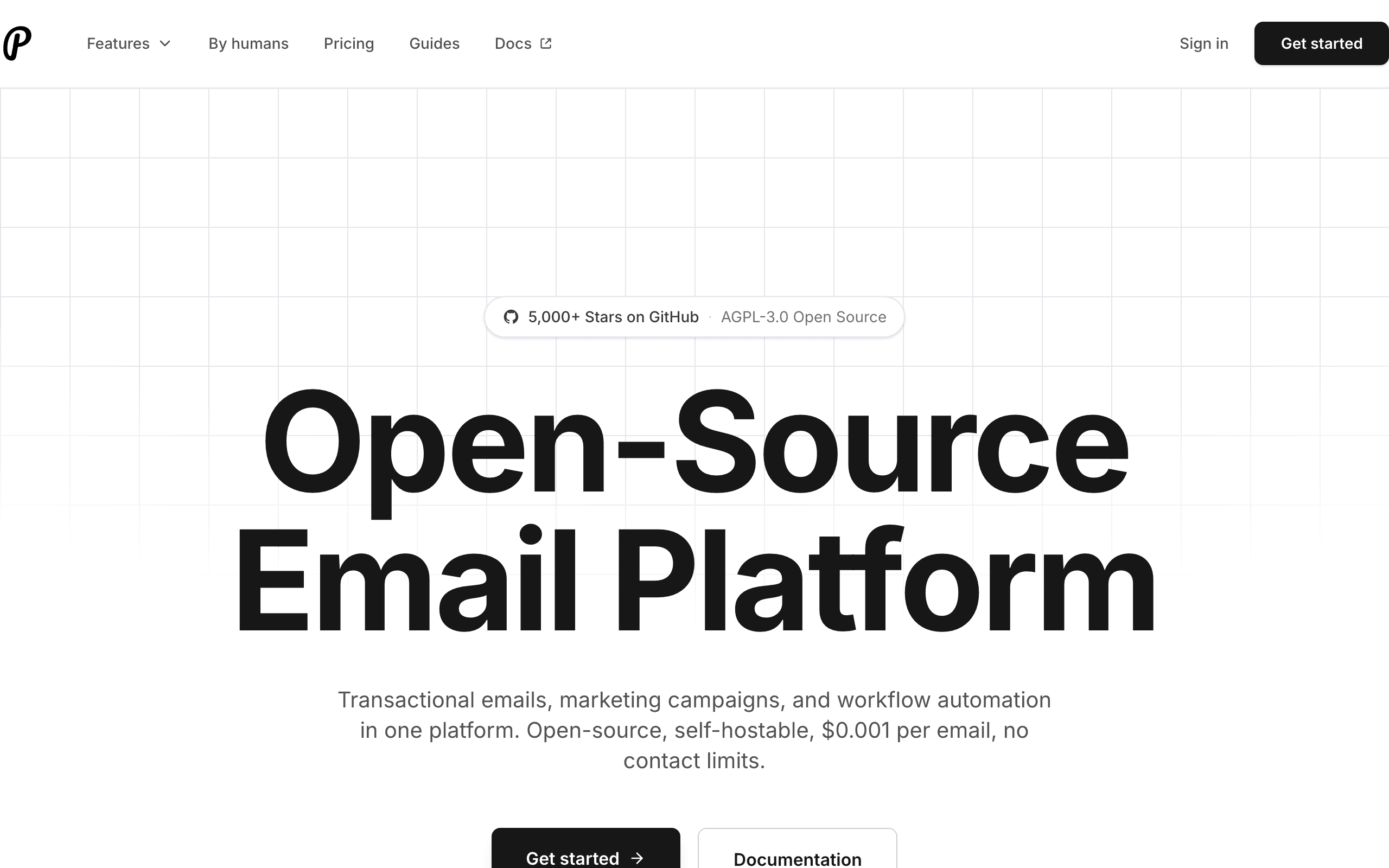
Plunk

Plunk dashboard screenshot

Open-source email platform for transactional, marketing, and automated emails with simple pricing.

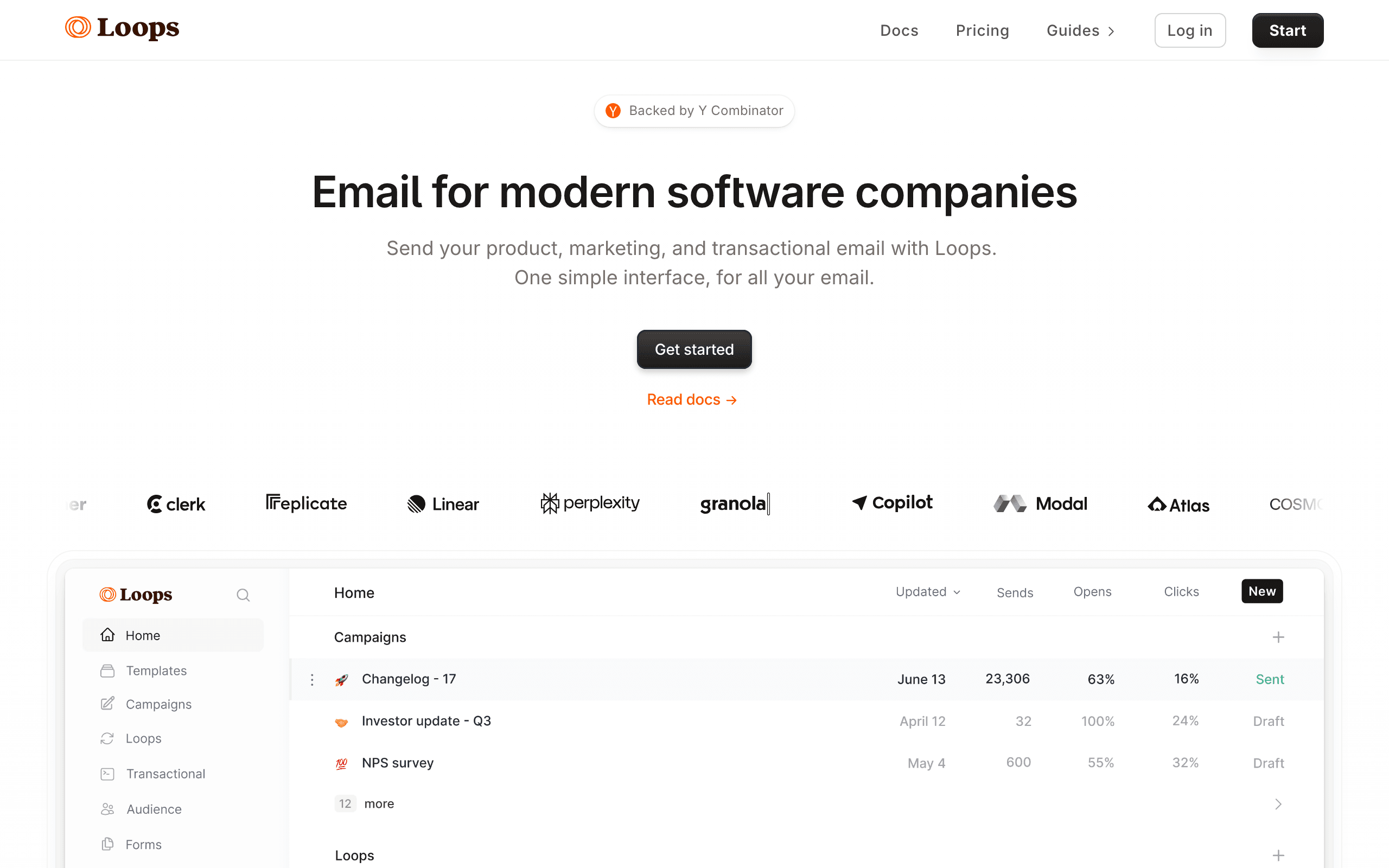
Loops

Loops dashboard screenshot

Email platform built for SaaS companies.

Key Differences

The main things that set these tools apart

SaaS Focus
Loops wins

Loops is purpose-built for SaaS with user events, product automations, and SaaS-specific templates. Plunk is general-purpose.

Pricing Model
Tie

Plunk charges per email ($0.001), Loops charges per contact with unlimited sends. High email-per-contact ratio favors Loops.

Open Source
Plunk wins

Plunk is fully open source and self-hostable. Loops is proprietary SaaS.

User Experience
Loops wins

Loops has a notably polished, modern interface. Plunk is functional but less refined.

Pricing Comparison

At 5,000 contacts

Plunk
~$50/month

$0.001/email. Varies by volume, not contacts.

Visit Plunk
Loops
$19/month

Creator plan. Unlimited sends included.

Visit Loops
Best for SaaS
Sequenzy
$29/month

At 5,000 contacts

30,000 emails/mo (~6 per contact), unlimited contacts.

Free plan: up to 2,500 emails/month. Paid plans from $19/month (15,000 emails), unlimited contacts on every plan. See all plans

Start for free

Feature Comparison

12 features compared side-by-side

Feature
Plunk
Loops
Sequenzy
SaaS Features
User Event Tracking
Basic
Core feature
Product Automations
Manual setup
Pre-built for SaaS
Pre-built
Transactional Email
Free with paid plans
SaaS Templates
Generic
SaaS-focused
SaaS-focused
Platform
Visual Automations
Open Source
Self-Hostable
UI/UX
Functional
Modern, polished
Modern
Pricing Model
Pricing Basis
Per email sent
Per contact
Per email sent
Unlimited Sends
Pay per email
Free Tier
3,000 emails/mo
1,000 contacts, 4k sends
Free plan (2.5k emails/mo)
Cost Predictability
Varies by volume
Fixed tiers
Fixed tiers

API, CLI and MCP: How AI-Ready Is Each Tool?

What you, or an AI assistant like Claude or ChatGPT, can do in each tool without opening the dashboard. “MCP” means the vendor's own MCP server can do it. Each status links to the doc that confirms it.

Plunk
MCP server
Official, read and writeRuns locally

@plunk/mcp in vendor repo, stdio via npx, hosted or self-hosted. Read-only mode optional; sends need confirmation.

MCP docs
CLINoneAPIREST
Through its MCP (10 of 14)

Create and update contacts, Create segments, Create campaigns, Send or schedule campaigns, Trigger automations, Create and edit templates, Send transactional email, Read campaign analytics, View or manage unsubscribes, Set up sending domains

API only

Add contacts to lists or tags, Build automations

Checked September 28, 2026
Loops
MCP server
Official, read and writeHosted

Remote OAuth MCP at mcp.loops.so. Docs list capability areas, not tool names. Campaign final send still happens in the app.

MCP docs
CLIOfficialAPIREST
Through its MCP (7 of 14)

Create and update contacts, Add contacts to lists or tags, Create campaigns, Build automations, Trigger automations, Create and edit templates, Send transactional email

API only

Create segments, Create A/B tests, View or manage unsubscribes

Checked September 28, 2026
Sequenzy
MCP server
Official, read and writeHosted or local

250+ tools. Hosted with OAuth or local with an API key.

MCP docs
CLIOfficialAPIREST
Through its MCP (14 of 14)

Create and update contacts, Add contacts to lists or tags, Create segments, Create campaigns, Send or schedule campaigns, Build automations, Trigger automations, Create A/B tests, Create and edit templates, Send transactional email, Read campaign analytics, View or manage unsubscribes, Set up sending domains, Create forms or landing pages

Checked September 28, 2026

If You Leave Later: What You Can Take With You

Switching is easier when your data comes with you. Unsubscribes matter most: without them, people who opted out get emailed again.

Plunk
Contacts and custom fields
Yes

API GET /contacts (cursor pagination, max 100 per page) with custom data

Plunk docs
Unsubscribes and bounces
Not confirmed

Contacts carry a subscribed flag via API; no dedicated suppression export documented

Plunk docs
Templates as HTML
Yes

API GET /templates returns template body HTML

Plunk docs
Automations
Not confirmed

Workflows are managed via API; no export format documented. Self-hosters have direct DB access.

Open and click history
Not confirmed

Campaign stats via API; per-contact event export not documented

Loops
Contacts and custom fields
Yes

Audience page: ••• menu in filter box > Download CSV; filters/segments export subsets

Loops docs
Unsubscribes and bounces
Yes

CSV export includes Subscribed column; filter unsubscribed contacts. Bounce/complaint export not documented

Loops docs
Templates as HTML
No

Loops does not support HTML email content; API returns LMX markup, not HTML

Loops docs
Automations
Yes

Workflows and nodes readable as JSON via Workflows API/CLI; not importable into other tools.

Open and click history
Not confirmed

No per-contact event export documented; filtered CSV of contacts who opened/clicked a given email is possible

Sequenzy
Contacts and custom fields
Yes

Subscribers > Export downloads a CSV with status, tags and custom attributes, or page through GET /subscribers

Sequenzy docs
Unsubscribes and bounces
Yes

Unsubscribed and bounced contacts carry their status in the CSV export, and GET /suppressions lists them

Sequenzy docs
Templates as HTML
Yes

GET /templates/{id}/render returns the exact email-safe HTML that is sent

Sequenzy docs
Automations
Yes

GET /sequences/{id} returns each sequence's steps, delays and conditions as JSON; other tools cannot import it directly

Sequenzy docs
Open and click history
Yes, on request

Full per-contact open and click history is exported on request; opens and clicks also stream out through webhooks as they happen

Pros & Cons

Honest strengths and weaknesses of each platform

Plunk

Pros
  • Fully open source with self-hosting for data control
  • Extremely low per-email pricing at $0.001
  • React Email support for code-based TypeScript templates
  • Combined transactional and marketing email in one platform
  • 3,000 free emails per month to start
  • No vendor lock-in with portable open source codebase
Cons
  • Basic automation compared to Loops' SaaS-specific flows
  • No pre-built SaaS templates or onboarding sequences
  • Functional but less polished user interface
  • Variable per-email costs harder to predict
  • Smaller community and limited ecosystem
  • No dedicated SaaS analytics or user tracking

Loops

Pros
  • Purpose-built for SaaS with user event tracking as core feature
  • Notably polished modern interface pleasant for daily use
  • Pre-built SaaS automations for onboarding and engagement
  • SaaS-specific email templates that match modern product design
  • Unlimited sends on contact-based pricing for predictable costs
  • Free tier with 1,000 contacts and 4,000 sends monthly
Cons
  • Proprietary platform with no self-hosting option
  • Newer company with less established track record
  • Limited integrations compared to mature platforms
  • No open source codebase for auditing or customization
  • No native Stripe integration for billing automation
  • Basic reporting compared to analytics-focused competitors

Best For

When to choose each tool

Choose Plunk if you...
  • Maximum budget efficiency
  • Teams wanting open source control
  • Self-hosting for data privacy
  • Low email-per-contact volume
Choose Loops if you...
  • SaaS companies with product-led growth
  • Teams wanting pre-built SaaS automations
  • Those valuing UI/UX polish
  • High email-per-contact volume

When to Consider Sequenzy Instead

Native Stripe Integration

Sequenzy connects directly to Stripe for payment-triggered emails. Neither Plunk nor Loops offers native Stripe billing integration.

Best of Both Worlds

SaaS-focused features like Loops, but at prices closer to Plunk. $29/month for 5k contacts.

Payment-Aware Automations

Trigger emails when trials end, payments fail, or subscriptions change. Built for subscription businesses.

Overview

Plunk and Loops represent different philosophies for modern email. Loops is built specifically for SaaS companies - it understands user events, product behavior, and growth stage. Plunk is an open source all-in-one platform that prioritizes simplicity and cost over specialization. See our Loops comparison.

SaaS-Specific Features

Loops' SaaS focus is its main advantage. User event tracking is a core feature, not an afterthought. Automations are designed for SaaS use cases: trial-to-paid flows, user onboarding, feature announcements. Templates look like they belong in a modern SaaS product.

Plunk can do these things, but you're building from scratch. There's no SaaS-specific optimization or pre-built flows.

Pricing Comparison

The pricing models differ fundamentally. Plunk charges $0.001 per email sent - great if you send few emails per contact. Loops charges per contact with unlimited sends - better if you email contacts frequently. Use our pricing calculator to compare.

At 5,000 contacts sending 10 emails each monthly (50k emails), Loops at $49/month beats Plunk at $50/month. But at 2 emails per contact, Plunk's $10/month wins dramatically.

The Open Source Factor

Plunk's open source nature is valuable for certain teams. Self-host on your infrastructure, audit the code, maintain full data control. For companies with strict data requirements, this matters. Loops is proprietary - your data lives on their servers.

User Experience & Automation

Loops has a notably polished interface. Everything feels modern and well-designed. AI-powered automations and visual campaign builder are excellent. Plunk is functional but clearly newer and less refined. If UX matters to your team, Loops is more pleasant to use daily.

Making the Choice

For SaaS companies who value product-specific features and polished UX, Loops is worth the investment. For budget-focused teams or those wanting open source control, Plunk delivers solid value at lower cost. For Stripe-integrated SaaS, Sequenzy offers campaigns, AI sequences, and native payment integration.

The Sequenzy Alternative

Sequenzy combines email campaigns, transactional email, smart segments, and Stripe integration at one price per contact - middle ground between Plunk's $0.001/email and Loops' per-contact pricing.

User Behavior Tracking

Loops tracks user events as a core feature, built specifically for SaaS products that want automations tied to what a user does inside the app. Plunk supports event tracking too, but as a more general, less SaaS-specific capability layered onto a broader open-source platform. If your onboarding emails need to react precisely to in-product milestones, Loops's SaaS-first event model is built closer to that use case out of the box.

Trial and Onboarding Optimization

Loops ships pre-built SaaS onboarding automations designed around typical product milestones, while Plunk expects you to assemble a similar sequence more manually on its open-source automation builder. Plunk charges per email sent, around $0.001 each, while Loops charges per contact with unlimited sends included, so which one costs less for onboarding emails specifically depends on how many emails each trial user actually receives.

Company-Level vs User-Level Communication

Neither Plunk nor Loops advertises dedicated account-level grouping for B2B SaaS the way some behavioral platforms do; both are closer to per-contact tools. Loops's SaaS-specific templates and product automations still make it easier to approximate account-based sequences within its structure, while Plunk's more general, open-source design leaves that kind of grouping largely up to how you structure your own event data and segments.

Use-case matchups

Need Better fit Why
Open source email with per-email pricing Plunk Plunk is closer when developers want control and a simple email product layer.
SaaS lifecycle messaging with a polished hosted workflow Loops Loops is stronger when the team wants SaaS-native campaigns, contacts, and event-triggered messaging without self-hosting.
Stripe-aware lifecycle and transactional email Sequenzy Sequenzy fits teams that need billing events, unlimited contacts, and unified marketing plus transactional email.

Best Fit by SaaS Email Ownership

Best open source email platform for teams that want control

Plunk is the better fit when developers want open source ownership, per-email pricing, and a simple email product layer they can reason about or self-host.

Best hosted SaaS email platform for product-event campaigns

Loops is the better fit when the team wants a polished hosted workflow for SaaS contacts, campaigns, product events, onboarding, and lifecycle messaging without operating open source infrastructure.

Best email platform for Stripe-triggered lifecycle and transactionals

Sequenzy is the better fit when billing events, unlimited contacts, campaigns, and transactional messages should live in the same SaaS email workflow.

Pricing reality

The page data lists Plunk at about $50/month with $0.001/email, Loops at $19/month for the Creator plan with unlimited sends, and Sequenzy at $49/month for 60k emails (unlimited subscribers) with native Stripe.

Plunk can be economical for low-frequency sending, but costs rise with email volume. Loops is cheaper in the cited plan for SaaS lifecycle messaging. Sequenzy is most relevant when Stripe-triggered sequences and transactional email are part of the same buying decision.

Review signals

The existing review data includes G2, Capterra, and Trustpilot signals. Read Plunk's review snippets for open source simplicity, developer control, and maturity limits. Read Loops' review snippets for SaaS fit, product velocity, ease of use, and whether the feature set is deep enough for your lifecycle needs.

Use reviews as prompts for the demo: test Plunk's setup and ownership burden, then test Loops with real product events and onboarding sequences.

Migration checklist

Workstream What to verify
Contacts and companies Export users, companies, attributes, tags, unsubscribes, and suppression data.
Events Map product events, account-level events, onboarding milestones, and billing states.
Templates Rebuild transactional templates, lifecycle emails, newsletters, and variables.
Automations Recreate onboarding, activation, upgrade, reactivation, and churn-risk sequences.
Webhooks and API Reconnect event ingestion, delivery webhooks, bounce handling, and internal alerts.
Reporting Export email engagement, user behavior, and conversion data before cutover.

Decision checklist

  • Choose Plunk if open source control and per-email economics matter most.
  • Choose Loops if hosted SaaS-native lifecycle messaging is the main need.
  • Avoid Plunk if the team does not want to own more infrastructure.
  • Avoid Loops if open source control and self-hosting are required.
  • Consider Sequenzy if Stripe-aware lifecycle, transactional email, and unlimited contacts are central.

Frequently Asked Questions

8 questions answered about Plunk vs Loops

Testimonials

Sequenzy Testimonials

Yusuke

Yusuke

Founder, LandingBoost

It’s the first tool where I’m actually willing to keep working on email without it turning into one giant scary blast. Favorite part is still what I said, being able to split stuff. Drafts vs campaigns vs a single-person send. I can park a lot of “don’t send this yet” work with labels and not feel like it’s one click away from going to everyone. Sequences later. Consent / lists first. I’m slow on purpose.

Rakesh Reddy

Rakesh Reddy

Founder, CrawlRaven

We used Sequenzy to replace a generic onboarding flow with coordinated lifecycle journeys covering signup, connecting Google Search Console, discovering SEO opportunities, upgrading, and paid-customer retention. Event triggers, conditional branches, personalization, and enrollment cancellation gave us precise control over who receives each message - and when someone should exit a journey. We backfilled eligible users into the appropriate journeys. The initial emails went out without bounces, complaints, suppressions, or unexpected recipients. Future users now enter the relevant journeys automatically based on their activity in CrawlRaven.

Elvis Sun

Elvis Sun

Founder, PressPulse & Medialyst

Codex basically one-shotted the migration for syncing our audience from SendGrid to Sequenzy. Sequenzy is fully observable, so agents can just set everything up. The net impact is saving $45/mo, plus 2 hours of my time every time I need to repurpose a newsletter. That's 8 hours a month. My consulting rate is $550/hr, so every hour automated is super valuable.

Caden Sumner

Caden Sumner

Solo founder, Moxie Docs

Lifecycle email was the kind of thing I knew I would need eventually, but have never had to build it out myself and had no idea where to start. In literal hours I had a fully working (but basic) flow for onboarding new users, detecting churn, and re-engaging people who have trials lapsing to hopefully convert. Sequenzy let me offload the entire “keep users engaged and recover the ones who are slipping” workflow to something that just runs. Every hour I'd have spent building and babysitting lifecycle emails went into shipping the actual product instead.

Louis

Louis

Founder

Easy migration from another tool. Premium customer service and easy to set everything up

Apr 9, 2026

Jim

Jim

Founder, FixMyLanding

It helped me grow to $100 MRR, get #1 on Uneed, make more sales, get acquired. I literally love Sequenzy, it's so simple, I love the dashboard. I also saw the integrations and was shocked. 3 sales today, all thanks to Sequenzy. Honestly, thanks.

King Killers

King Killers

Shopify App Store review

Loving the Sequenzy app so far due to the affordability and large subscriber limits. Planning on this becoming my main email app. Campaign + flows setup with the help of their AI took less than 30 minutes.

Verified User

Verified User

Computer Software

SaaS-focused feedback, fast processing, and plenty of integrations. It is very SaaS-focused, supports a wide range of integrations, and processes feedback right away.

Jun 17, 2026

G2
Filip Panoski

Filip Panoski

Founder, Bazzly

I've used 2 other email marketing tools. They were supposedly "market leaders". Both were clunky, unnecessarily expensive and horrible support. When I tried Sequenzy I thought there'd be trade-offs compared to the others. But there weren't, it had everything I needed, there was no bloat, emails delivered extremely fast, and the founders shipped anything I asked in a day. The best part is that Sequenzy is AI native, I rarely do stuff in the dashboard, just use my AI to create campaigns, sequences and segment customers which saves me a ton of time. Never been happier with an email marketing tool.

Max Eccles

Max Eccles

Founder, InstantInterior AI

$600 revenue in 30d from email automations. Very happy I migrated to Sequenzy. Before I was making zero from email automations.

Leo

Leo

Maintainer, Email SDK

Sequenzy's most powerful feature is probably those campaigns. It seems useless at first but they are one of the most important things to send to your users. I get to talk to my users 1:1 and help them set it up for their use case. The owner is really active on X, really nice and helpful. He's the type of person to go out of his way to help you, so you get really good support!

Viraj

Viraj

Founder, SnapCount

After using Loops and Resend, I was looking for an email infrastructure service that had MCP support, Affonso and Dodo Payments integrations, and was affordable. Came across Sequenzy, and the support from Nic has been unbelievable. Migration was done in 24 hours without any issues, and I can run all of my products from a single account.

Jim

Jim

Founder

I run a SaaS, and found Nic on X where I kept seeing posts about his email marketing tool, Sequenzy. I decided to try it for email marketing. Literally on the first day, I used it to send a marketing campaign and I got 5 sales. What I like most is the ai assistant because it actually writes emails that feel real instead of the usual ai slop chatgpt returns, so they do not end up in spam. It also has a 2.5k free email limit which is way better than most tools that only give you around 1k. The best part though is that it handles everything for me, tags, subscribers, sequences and all of it. Without it i would probably be managing a database and a bunch of cron jobs just to make email automation work. Sequenzy just makes my life a lot easier. it can also be set up with 2-3 clicks! Give it a try!!

Mar 10, 2026

Dhiva Logu

Dhiva Logu

Founder

I love everything about Sequenzy and also the kind of support I get from Nic. It's already the best choice for campaigns & Sequences. Specially the integrations with payment providers, auth providers & analytics etc.. is really spot on. Best in terms of features & pricing in the email segment 100% recommend it for SaaS emails :)

Mar 10, 2026

Petros

Petros

Shopify App Store review

The setup was fast and simple. It synced customer, product, and order data quickly. Generating automated flows was simple, and it improved my monthly bottom line by about 7%.

Not sure which to pick?

If you're a SaaS founder who needs Stripe integration and unified email, try Sequenzy free. No credit card required.

Related Comparisons

Written by Sequenzy, which appears in this comparison. How we compare tools

Sequenzy pricing reference

Sequenzy - Complete Pricing Guide

Pricing Model

Sequenzy uses email-volume-based pricing. You only pay for emails you send. Unlimited contacts on all plans — storing subscribers is always free.

All Pricing Tiers

  • 2.5k emails/month: Free (Free annually)
  • 15k emails/month: $19/month ($205/year annually)
  • 30k emails/month: $29/month ($313/year annually)
  • 60k emails/month: $49/month ($529/year annually)
  • 120k emails/month: $99/month ($1069/year annually)
  • 300k emails/month: $199/month ($2149/year annually)
  • 600k emails/month: $399/month ($4309/year annually)
  • 900k emails/month: $599/month ($6469/year annually)
  • 1.2M emails/month: $799/month ($8629/year annually)
  • 2M emails/month: $1299/month ($14029/year annually)
  • 3M emails/month: $1999/month ($21589/year annually)
  • 4M emails/month: $2499/month ($26989/year annually)
  • 5M emails/month: $2999/month ($32389/year annually)
  • Unlimited emails/month: Custom pricing (Custom annually)

Yearly billing: All plans offer a 10% discount when billed annually.

Free Plan Features (2,500 emails/month)

  • Visual automation builder
  • Transactional email API
  • Team and agent inbox
  • Landing pages
  • Unlimited team members
  • Goal tracking & revenue attribution
  • Unlimited lists and segments
  • Payment integrations
  • API, MCP, and CLI access
  • Unlimited sending domains
  • SPF, DKIM, and DMARC
  • Deliverability monitoring
  • Send time optimization
  • A/B testing

Paid Plan Features (15k - 5M emails/month)

  • Visual automation builder
  • Transactional email API
  • Team and agent inbox
  • Landing pages (Create hosted signup pages and attach a custom domain.)
  • Unlimited team members
  • Goal tracking & revenue attribution
  • Unlimited lists and segments
  • Payment integrations (Stripe, Paddle, Lemon Squeezy)
  • API, MCP, and CLI access
  • Unlimited sending domains
  • SPF, DKIM, and DMARC
  • Deliverability monitoring
  • Send time optimization
  • A/B testing

Enterprise Plan Features (Unlimited emails)

  • Visual automation builder
  • Transactional email API
  • Team and agent inbox
  • Landing pages
  • Unlimited team members
  • Goal tracking & revenue attribution
  • Unlimited lists and segments
  • Payment integrations
  • API, MCP, and CLI access
  • Unlimited sending domains
  • SPF, DKIM, and DMARC
  • Deliverability monitoring
  • Send time optimization
  • A/B testing

Important Pricing Notes

  • You only pay for emails you send — unlimited contacts on all plans
  • No hidden fees - all features included in the price
  • No credit card required for free tier

Contact

  • Pricing Page: https://sequenzy.com/pricing
  • Sales: hello@sequenzy.com



