
21 Best Email Tools With Mixpanel Integration (2026)

Mixpanel shows you exactly how users behave in your product. Funnels, retention curves, user flows. It's great at answering "what are users doing?" But it can't answer "what should we email them about it?"
That's where the integration gap lives. You've got rich behavioral data in Mixpanel. You need that data powering your email automations. The user who dropped off at step 3 of onboarding should get a help email. The user who's been active for 30 days but hasn't upgraded should get a conversion nudge. Mixpanel knows who these users are. Your email tool needs to act on it.
Here's how the best email platforms connect with Mixpanel.
Best Mixpanel Email Tool by Use Case
Best Mixpanel email tool for SaaS activation: Sequenzy
Choose Sequenzy when Mixpanel shows where users drop off and your email tool needs to act on those moments. Send the same product events to Mixpanel for analysis and Sequenzy for lifecycle automation, then use sequences for onboarding, activation, and trial conversion. The best supporting pages are the improve activation rate guide, drive product adoption guide, and SaaS onboarding templates.
Best Mixpanel email tool for cohort sync: Customer.io
Customer.io is the stronger choice when Mixpanel cohorts should become email segments without rebuilding the logic elsewhere. It works well for complex behavioral groups like "used feature A three times but never invited a teammate." Compare it with Sequenzy on the Customer.io comparison and the Segment integration tools guide if your data stack is CDP-heavy.
Best Mixpanel email tool for enterprise cross-channel messaging: Braze or Iterable
Braze and Iterable make more sense when Mixpanel data needs to trigger email, push, SMS, and in-app messages at enterprise scale. They are not lightweight choices, but they are built for multi-channel product engagement. Use the Braze comparison and Iterable comparison if your Mixpanel use case goes beyond email.
Best Mixpanel email tool for early-stage product teams: Loops or Sequenzy
Loops is a clean option if you only need simple event-triggered email next to Mixpanel. Sequenzy is better when billing events, trial conversion, and lifecycle campaigns also matter. The split is similar to the Loops comparison: choose simple product email if you want speed, or SaaS lifecycle email if the events should connect to revenue.
How Mixpanel + Email Integration Works
There are three main patterns:
-
Shared event tracking: Your app sends events to both Mixpanel (for analytics) and your email platform (for automations). This is the most common and most reliable approach. If you're already sending emails based on product events, this pattern should feel familiar.
-
Mixpanel Cohort Sync: Export Mixpanel cohorts to your email platform. Mixpanel identifies users matching certain criteria, and those users get synced to an email segment. Some integrations do this automatically.
-
CDP routing: If you use a CDP like Segment or RudderStack, route events to both Mixpanel and your email platform from one place. This avoids dual instrumentation.
The best approach depends on whether you need real-time event triggers (shared tracking or CDP) or periodic cohort-based campaigns (cohort sync).
Choosing Between Real-Time Events and Cohort Sync
This is a decision that trips up a lot of teams, so it's worth spending a moment on.
Real-time event triggers are best for time-sensitive actions: a user just signed up (send welcome email now), a payment just failed (start dunning immediately), a user just completed onboarding step 2 (send step 3 guidance within minutes). The email needs to arrive while the context is fresh.
Cohort sync is best for batch campaigns: users who haven't logged in for 14 days (re-engagement campaign), users on the free plan with high usage (upgrade nudge), users who've been customers for 12 months (renewal outreach). These emails aren't triggered by a specific moment. They're triggered by a pattern that Mixpanel identifies over time.
Most teams need both. Use real-time events for lifecycle automations and cohort sync for periodic campaigns. The tools below vary in how well they support each pattern.
Quick Comparison Table
| Tool | Best For | Starting Price | Free Tier | Integration Type |
|---|---|---|---|---|
| Sequenzy | SaaS founders wanting behavioral data from Mixpanel to power lifecycle email | From $19/mo | Yes, up to 2.5k emails/mo | Shared event tracking from application code |
| Customer.io | Technical teams wanting the tightest Mixpanel-to-email automation | From $100/mo | No | Native cohort sync, shared event tracking, or CDP |
| Braze | Enterprise teams wanting Mixpanel + multi-channel messaging | Custom (~$50K+/year) | No | Native bidirectional integration |
| Iterable | Growth teams wanting Mixpanel cohorts for cross-channel campaigns | Custom (~$500+/mo) | No | Mixpanel cohort sync, shared event tracking, or CDP |
| Loops | Startups wanting simple email automation alongside Mixpanel analytics | From $49/mo | Yes, 1k contacts | Shared event tracking from application code |
| ActiveCampaign | Teams wanting Mixpanel data with a full marketing automation suite | From $29/mo | No | Zapier integration or custom API |
| Klaviyo | E-commerce brands using Mixpanel for behavioral cohorts | From $20/mo | Yes, 250 contacts | Mixpanel cohort sync or shared event tracking |
| HubSpot | Companies using HubSpot CRM as the central source of truth | From $20/mo | Yes, free CRM | Zapier integration or custom API |
| Intercom | Product teams combining email with in-app messaging | From $74/mo | No | Mixpanel cohort sync or shared event tracking |
| Vero | Product teams wanting event-based messaging with Mixpanel data | From $99/mo | No | Shared event tracking or CDP routing |
| Userlist | B2B SaaS needing account-level data from Mixpanel cohorts | From $149/mo | No | Mixpanel cohort sync or shared event tracking |
| Mailchimp | Teams already on Mailchimp wanting Mixpanel-fed segments | From $13/mo | Yes, 500 contacts | Zapier integration or custom API |
| SendGrid | Developers wanting Mixpanel data for transactional email | From $20/mo | Yes, 100 emails/day | Shared event tracking or CDP routing |
| Encharge | Non-technical teams wanting visual flows from Mixpanel events | From $79/mo | No | Shared event tracking or CDP routing |
| Bento | Indie SaaS wanting events + email in one tool | From $30/mo | No | Shared event tracking or CDP routing |
| Ortto (Autopilot) | Marketing teams wanting Mixpanel data inside a journey builder | From $599/mo | No | Mixpanel cohort sync or shared event tracking |
| Brevo (Sendinblue) | Budget-conscious teams wanting email + SMS | From $9/mo | Yes, 300 emails/day | Zapier integration or custom API |
| Resend | Developers building email infra in code | From $20/mo | Yes, 100 emails/day | Shared event tracking (DIY automation) |
| Postmark | Developers needing transactional from Mixpanel events | From $15/mo | No | Shared event tracking or webhook integration |
| MailerLite | Solo founders wanting simple Mixpanel-fed lists | From $10/mo | Yes, 1k subscribers | Zapier integration or custom API |
| ConvertKit (Kit) | Creator-style businesses adding Mixpanel behavioral data | From $29/mo | Yes, 10k subscribers | Zapier integration or custom API |
The 21 Best Options
1. Sequenzy
Best for: SaaS founders wanting behavioral data from Mixpanel to power lifecycle email
Sequenzy accepts events via API, and you can track the same events to both Mixpanel and Sequenzy from your application code. When a user hits a milestone in your product (tracked in Mixpanel for analytics), Sequenzy triggers the right lifecycle email (onboarding, engagement, conversion).
The practical advantage is simplicity. Sequenzy handles the SaaS-specific email workflows (trial conversion, dunning, churn prevention) while Mixpanel handles the analytics. You don't need to build complex automation logic because Sequenzy's sequences are designed for these exact use cases.
Where this combination shines is for SaaS companies that track product usage events. You're already tracking events like feature_used, onboarding_step_completed, and subscription_started in Mixpanel. Sending those same events to Sequenzy lets you automate the email response without building a separate event taxonomy. And Sequenzy's Stripe integration handles payment events automatically, so you only need to manually track product usage events.
The setup is straightforward: add Sequenzy's event tracking call alongside your Mixpanel tracking call in your application code. Both receive the same event with the same properties. Mixpanel uses it for analytics dashboards. Sequenzy uses it to trigger email sequences.
- Key Strength: AI integration
- Pricing: Free up to 2,500 emails/month, paid plans from $19/month
- Mixpanel integration: Shared event tracking from application code
- Pros: SaaS lifecycle focus, event-driven, Stripe integration handles payment events, simple, affordable
- Cons: No native Mixpanel integration, newer platform
2. Customer.io
Best for: Technical teams wanting the tightest Mixpanel-to-email automation
Customer.io and Mixpanel complement each other well because both are event-driven at their core. Customer.io's native Mixpanel integration supports cohort syncing. Mixpanel cohorts sync to Customer.io segments, which can trigger campaigns.
For real-time event triggering, you'd use shared event tracking or a CDP. Customer.io's automation builder can trigger on any event, use event properties for branching logic, and personalize emails with user attributes. It's the most flexible option for turning Mixpanel-quality behavioral data into email automations.
The cohort sync is where Customer.io really differentiates itself. You can build complex behavioral cohorts in Mixpanel (users who completed A but not B within 7 days, while having attribute C), sync those cohorts to Customer.io, and trigger targeted campaigns. This bridges the gap between Mixpanel's powerful analytics and Customer.io's powerful automation.
Customer.io also supports behavioral triggers natively. You can combine Mixpanel cohort membership with Customer.io's own event-based triggers for layered targeting. For example: target users in the "High engagement, free plan" Mixpanel cohort who also just hit a usage limit event tracked directly in Customer.io.
- Pricing: From $100/month
- Mixpanel integration: Mixpanel cohort sync (native), shared event tracking, or CDP
- Pros: Native cohort sync, deep automation, event-driven, flexible triggers, cohort + event layering
- Cons: Expensive, complex setup, steep learning curve
3. Braze

Best for: Enterprise teams wanting Mixpanel + multi-channel messaging
Braze has a native Mixpanel integration that supports both cohort import and data export. Mixpanel cohorts can sync to Braze segments for targeted campaigns. Braze event data can flow back to Mixpanel for unified analytics.
The bidirectional nature is useful for enterprise teams that want Mixpanel as the analytics hub and Braze as the messaging hub, with data flowing both ways. This lets marketing teams see the full picture: what users did (Mixpanel) and what messages they received (Braze) in a single analytics view.
For large-scale operations with millions of users across email, push, SMS, and in-app channels, the Braze + Mixpanel combination is battle-tested. Major tech companies and consumer apps use this exact stack.
But Braze's pricing puts it firmly in enterprise territory. If you're a startup or even a mid-stage company, the minimum annual commitment (typically $50K+) doesn't make sense until you're sending millions of messages monthly.
- Pricing: Custom (typically $50K+/year)
- Mixpanel integration: Native bidirectional integration
- Pros: Native integration, bidirectional data sync, multi-channel, enterprise-grade, proven at scale
- Cons: Enterprise pricing, complex, requires dedicated team, long implementation timeline
4. Iterable

Best for: Growth teams wanting Mixpanel cohorts for cross-channel campaigns
Iterable supports Mixpanel cohort sync, meaning you can build behavioral cohorts in Mixpanel and use them as targeting segments in Iterable campaigns. This is powerful for campaign-based marketing: identify users who match certain behavioral criteria in Mixpanel, then email them in Iterable.
For event-triggered automations, you'd use shared event tracking or a CDP. Iterable's workflow builder is capable, supporting email, push, SMS, and in-app messaging from the same workflow.
Iterable sits in the middle ground between startup-friendly tools (Sequenzy, Loops) and enterprise platforms (Braze). If your team has outgrown simple email automation but doesn't need (or can't afford) enterprise-grade infrastructure, Iterable is worth evaluating. The visual workflow builder is accessible to marketers, while the API and event model satisfy engineering requirements.
- Pricing: Custom (typically $500+/month)
- Mixpanel integration: Mixpanel cohort sync, shared event tracking, or CDP
- Pros: Cohort sync, cross-channel, visual workflows, good for growth teams, marketer-friendly
- Cons: Custom pricing, mid-market complexity, some features locked to higher tiers
5. Loops
Best for: Startups wanting simple email automation alongside Mixpanel analytics
Loops is built for the same audience that uses Mixpanel for product analytics: SaaS companies. The integration is application-level. Track events to Mixpanel for analytics and to Loops for email triggers. Loops' event model is simple enough that mapping from your existing Mixpanel events is straightforward.
The trade-off is automation depth. Loops handles simple event-triggered sequences well but doesn't have the complex branching and cohort-based targeting that Customer.io or Iterable offer. For early-stage SaaS, that simplicity is usually a feature, not a limitation.
Loops is a good fit if you're at the stage where you need a handful of automated sequences (welcome, onboarding, trial expiring) and the occasional manual campaign. If you find yourself wanting conditional branching, A/B testing within workflows, or cohort-based campaigns, you've outgrown Loops.
- Pricing: Free for 1,000 contacts, from $49/month
- Mixpanel integration: Shared event tracking from application code
- Pros: Simple, developer-friendly, good free tier, event-driven, fast to set up
- Cons: Basic automations, no Mixpanel cohort sync, limited segmentation
6. ActiveCampaign
Best for: Teams wanting Mixpanel data with a full marketing automation suite
ActiveCampaign connects with Mixpanel through Zapier or custom integrations. Mixpanel events can trigger ActiveCampaign automations via Zapier workflows. It's not as clean as native integrations, but ActiveCampaign's automation builder is one of the most powerful available.
The value is in ActiveCampaign's breadth: email, CRM, landing pages, lead scoring, and deep automation. If you need more than just email and want Mixpanel behavioral data feeding into a full marketing stack, ActiveCampaign covers a lot of ground.
The Zapier dependency is the main drawback. It adds latency (minutes, not seconds), cost ($20-50/month for Zapier), and another point of failure. For time-sensitive automations (dunning, security alerts), the latency might be unacceptable. For less urgent campaigns (feature education, monthly digests), it works fine.
ActiveCampaign also includes a built-in CRM, which means you can combine Mixpanel behavioral data with sales pipeline data in one platform. For teams that don't use a separate CRM like HubSpot, this consolidation can simplify the stack.
- Pricing: From $29/month
- Mixpanel integration: Zapier integration, custom API integration
- Pros: Powerful automations, CRM included, lead scoring, wide feature set, built-in CRM
- Cons: No native Mixpanel integration, Zapier adds cost and latency, can feel bloated
7. Klaviyo
Best for: E-commerce brands using Mixpanel for behavioral cohorts
Klaviyo can integrate with Mixpanel through cohort sync or shared event tracking. For e-commerce businesses already using Mixpanel for product analytics, Klaviyo's behavioral segmentation works well with Mixpanel cohorts.
The integration is primarily designed for e-commerce use cases. Mixpanel events like "Product Viewed" and "Order Completed" map naturally to Klaviyo's automation triggers. Klaviyo's strength is revenue attribution, which becomes powerful when combined with Mixpanel's behavioral data.
For SaaS, the fit is less natural since Klaviyo's templates and automations are built around e-commerce workflows. But for e-commerce brands using Mixpanel to understand shopping behavior, Klaviyo can turn those insights into email campaigns.
- Pricing: Free up to 250 contacts, from $20/month
- Mixpanel integration: Mixpanel cohort sync or shared event tracking
- Pros: E-commerce focus, revenue attribution, flow triggers, purchase data, strong behavioral features
- Cons: E-commerce-centric, SaaS fit is awkward, pricing scales with contacts
8. HubSpot

Best for: Companies using HubSpot CRM as the central source of truth
HubSpot can integrate with Mixpanel through Zapier or custom API work. Mixpanel events can trigger HubSpot workflows and update contact records. For organizations already standardized on HubSpot, this lets Mixpanel behavioral data feed into the same contact record your sales team uses.
The strength here is consolidation. Sales activity, marketing engagement, and product events from Mixpanel all live on the same contact record. Workflows can branch on Mixpanel events alongside HubSpot's own data, which is useful for plays like "if user triggers Onboarded event AND has an open deal, notify the AE."
The trade-off is depth and price. HubSpot's automation pricing scales hard with contacts and features, and the workflow engine is shaped around marketing/sales motions rather than product-led lifecycle. For a SaaS with deep behavioral email needs, you'll outgrow HubSpot's event handling before you outgrow HubSpot itself.
- Pricing: Free CRM; Marketing Hub from $20/month, automation features gated by tier
- Mixpanel integration: Zapier integration or custom API
- Pros: Unified CRM + marketing view, strong reporting, contact timeline shows events, large ecosystem
- Cons: Pricing escalates rapidly, automation is marketing-shaped not product-shaped, advanced event use lives on higher tiers
9. Intercom
Best for: Product teams combining email with in-app messaging
Intercom can integrate with Mixpanel through cohort sync or shared event tracking. The same Mixpanel event can trigger an in-app message for active users and an email for users who haven't logged in. That kind of channel-aware orchestration is valuable for product-led teams.
For product teams that want lifecycle email and in-app messages driven by the same Mixpanel event stream, Intercom handles both channels natively. The Mixpanel integration works cleanly with Intercom's Series automation builder.
Where Intercom is weaker is pure marketing email. Templates, deliverability tooling, and broadcast features are functional but not class-leading. Most teams that pick Intercom with Mixpanel do it because they want the support inbox and product messaging in the same place, with email as a complement.
- Pricing: From $39/month per seat; Series and advanced events on higher tiers
- Mixpanel integration: Mixpanel cohort sync or shared event tracking
- Pros: Email + in-app + support in one tool, cleanly handles user and company data, real-time event ingestion
- Cons: Per-seat pricing adds up, marketing email features are secondary, Series can get complex
10. Vero
Best for: Product teams wanting event-based messaging with Mixpanel data
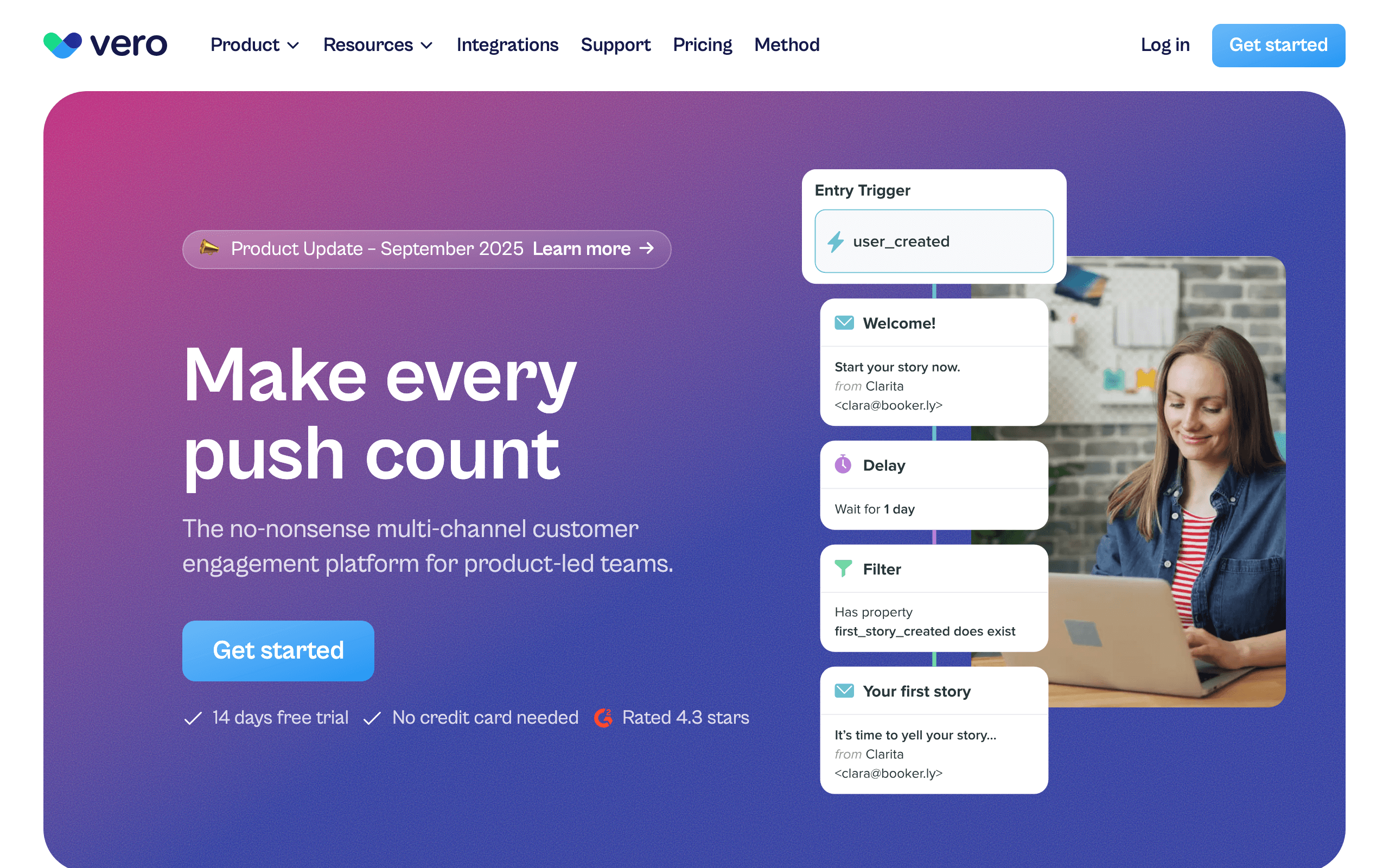
Vero is a long-standing event-based messaging platform that works well with Mixpanel through shared event tracking or CDP routing. Track events from your app to both Mixpanel and Vero, and Vero's workflow engine can trigger on any combination of events, properties, and time conditions.
The workflow engine is the reason to pick Vero. You can express patterns like "if event A, wait 24h, check condition, branch on engagement" cleanly, and the same workflow can drive email and push. For teams that want event-driven email powered by Mixpanel-quality behavioral data, Vero is a solid choice.
Vero isn't the trendiest tool in the category and the UI shows its age in places, but the underlying event model is solid and predictable. For a Mixpanel-first stack where the email tool just needs to be a reliable, flexible workflow runner, Vero earns its spot.
- Pricing: From $99/month
- Mixpanel integration: Shared event tracking or CDP routing
- Pros: Mature workflow engine, multi-channel (email + push), strong segmentation, predictable pricing
- Cons: Dated UI in places, smaller ecosystem than Customer.io, fewer pre-built templates
11. Userlist
Best for: B2B SaaS needing account-level data from Mixpanel cohorts
Userlist is built specifically for B2B SaaS and can integrate with Mixpanel through cohort sync or shared event tracking. The account-level model is the key differentiator: Userlist handles both user profiles and company accounts, which most email tools simply can't do cleanly.
This unlocks B2B-specific patterns. You can build automations like "when a company's MRR drops, email the admin AND the power users with different messages," driven by Mixpanel cohorts. For account-based SaaS, this account-vs-user distinction is the whole game and most generic email tools collapse it.
The trade-offs are price and scope. Userlist starts at $149/month, the template library is smaller than mainstream tools, and the platform is opinionated about B2B workflows. If you're not B2B SaaS, you're paying for capabilities you won't use.
- Pricing: From $149/month
- Mixpanel integration: Mixpanel cohort sync or shared event tracking
- Pros: First-class user + company model, clean B2B segmentation from cohorts, opinionated SaaS workflows
- Cons: Higher entry price, smaller template library, B2B-only fit
12. Braze (formerly Braze)
Best for: Enterprise teams with complex multi-channel campaigns
Braze has a native Mixpanel integration that supports both cohort import and data export. Mixpanel cohorts can sync to Braze segments for targeted campaigns. Braze event data can flow back to Mixpanel for unified analytics.
The bidirectional nature is useful for enterprise teams that want Mixpanel as the analytics hub and Braze as the messaging hub, with data flowing both ways. This lets marketing teams see the full picture: what users did (Mixpanel) and what messages they received (Braze) in a single analytics view.
For large-scale operations with millions of users across email, push, SMS, and in-app channels, the Braze + Mixpanel combination is battle-tested. Major tech companies and consumer apps use this exact stack.
- Pricing: Custom (typically $50K+/year)
- Mixpanel integration: Native bidirectional integration
- Pros: Enterprise-grade, multi-channel, audience sync, battle-tested at scale
- Cons: Very expensive, complex, requires dedicated team to manage, long implementation
13. Mailchimp
Best for: Teams already on Mailchimp wanting Mixpanel-fed segments
Mailchimp can integrate with Mixpanel through Zapier or custom API work. Mixpanel cohorts can sync to Mailchimp audiences, and Mixpanel events can trigger basic Customer Journeys. For teams already running Mailchimp, adding Mixpanel data is possible but requires some integration work.
The integration is shaped around list management more than behavioral automation. You can keep audiences in sync and trigger basic flows from Mixpanel events, but the deeper automation patterns that Customer.io or Iterable offer aren't realistic here. Most Mailchimp customers will use Mixpanel to keep contact data clean, not to drive complex lifecycle flows.
If you're a SaaS team evaluating Mailchimp specifically because Mixpanel is already in place, be aware that Mailchimp's mental model is e-commerce and newsletter, not subscription lifecycle. The Mixpanel data is useful, but you'll be working against the grain for SaaS-specific patterns.
- Pricing: Free up to 500 contacts, from $13/month
- Mixpanel integration: Zapier integration or custom API
- Pros: Familiar interface, large template library, easy to keep audiences in sync, generous free tier
- Cons: Limited automation depth from events, list-shaped not event-shaped, gets expensive at scale
14. SendGrid
Best for: Developers wanting Mixpanel data for transactional email
SendGrid can work with Mixpanel through shared event tracking or CDP routing. Identify calls update SendGrid contacts, and track events can trigger automations through SendGrid's Marketing Campaigns. For developers already using SendGrid for transactional email, adding Mixpanel behavioral data is straightforward.
The integration is functional but basic compared to platforms built around events. SendGrid is fundamentally a transactional email service that added marketing features. If your primary need is event-triggered transactional emails, the Mixpanel integration works fine. For complex automations, other options on this list are better suited.
One advantage of SendGrid in the Mixpanel stack is reliability. SendGrid handles billions of emails monthly and has robust infrastructure for high-volume sending. If your Mixpanel events generate a lot of transactional email (order confirmations, notifications, alerts), SendGrid's infrastructure handles the volume without issues.
- Pricing: Free for 100 emails/day, from $20/month
- Mixpanel integration: Shared event tracking or CDP routing
- Pros: Transactional email strength, generous free tier, high-volume capable, reliable infrastructure
- Cons: Weak automations, marketing features feel bolted on, basic event handling
15. Encharge
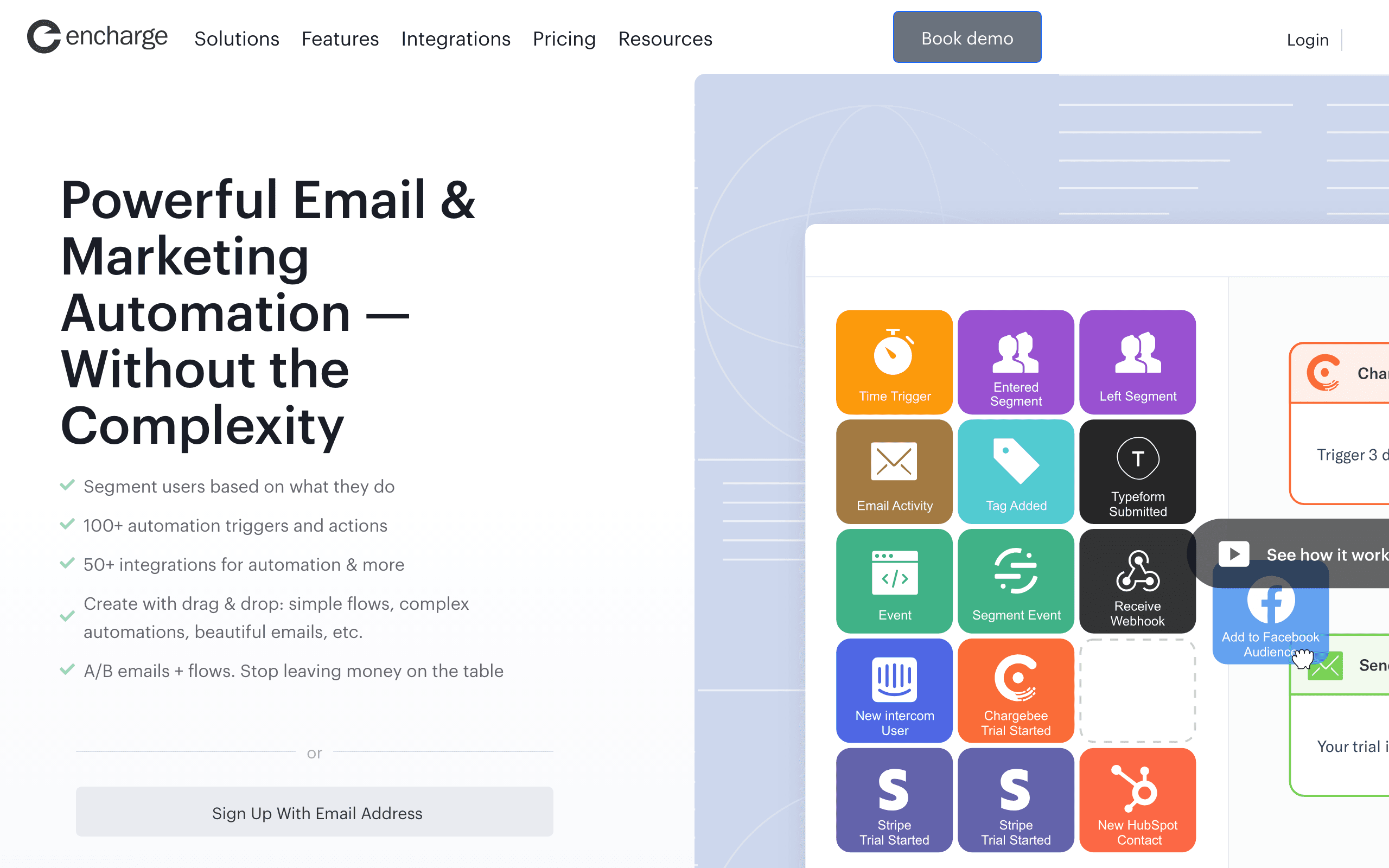
Best for: Non-technical teams wanting visual flows from Mixpanel events
Encharge can integrate with Mixpanel through shared event tracking or CDP routing, with a visual flow builder that uses Mixpanel events as triggers. Identify calls sync to people, track events become triggers, and the visual canvas makes branching logic legible to non-technical founders.
The visual builder is the differentiator. Building "if user triggers Trial Started, wait 7 days, check if they've triggered Activated, branch" is genuinely understandable to a marketer. For SaaS teams where the founder or marketer owns the email program directly, this matters more than raw flexibility.
Where Encharge falls behind larger platforms is ecosystem and scale. The user base is smaller, the integrations catalog is shorter, and the editor is functional rather than polished. For a small-to-mid SaaS with Mixpanel and a non-technical operator, those trade-offs are usually fine.
- Pricing: From $79/month
- Mixpanel integration: Shared event tracking or CDP routing
- Pros: Visual flow builder with event triggers, accessible to non-technical users, supports common SaaS patterns
- Cons: Visual builder gets unwieldy at scale, basic email editor, smaller ecosystem
16. Bento
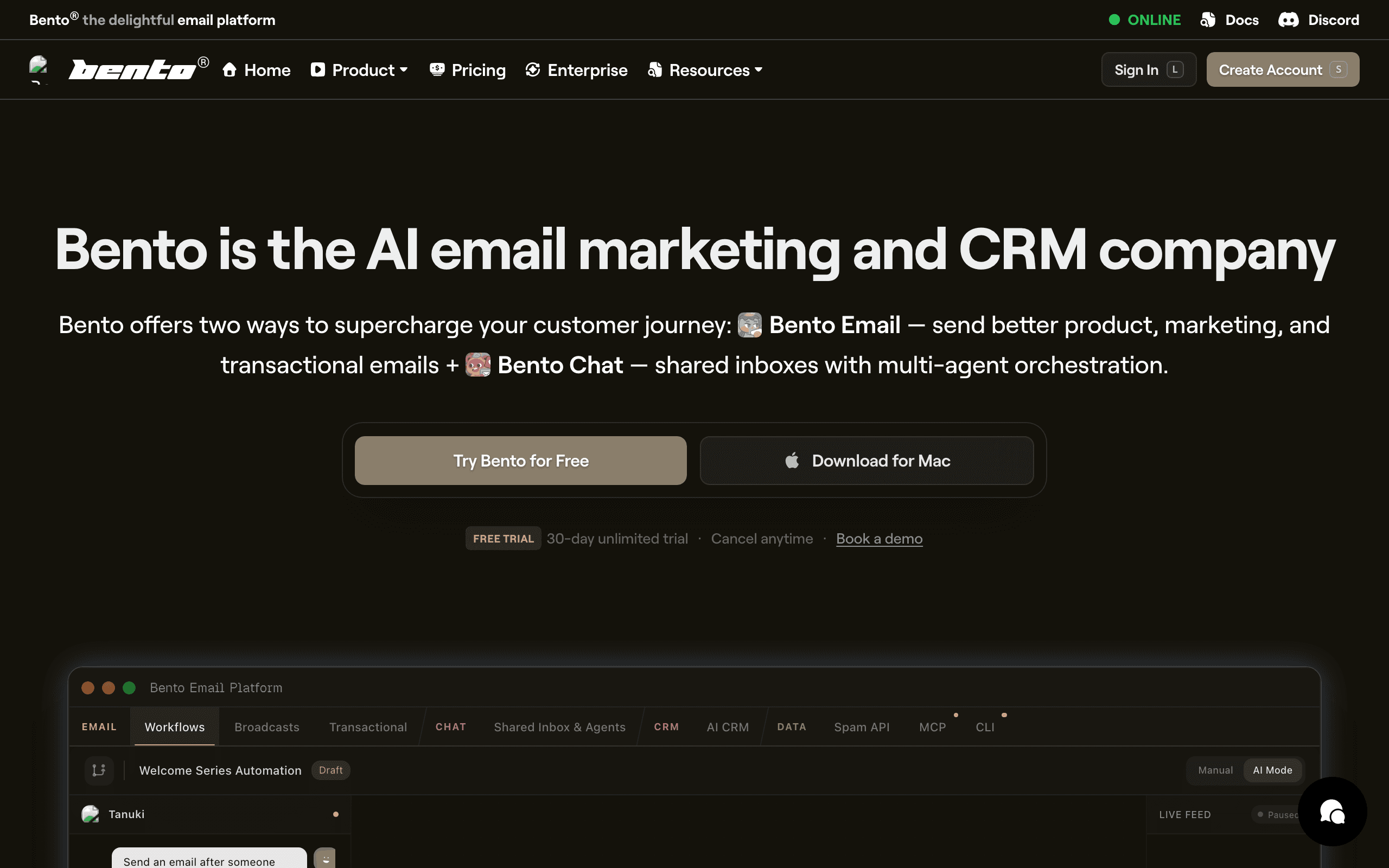
Best for: Indie SaaS wanting events + email in one tool
Bento works with Mixpanel through shared event tracking or CDP routing. Track events from your app to both Mixpanel and Bento, and Bento's behavior-driven model can trigger flows on those events. For indie SaaS that wants event-driven email at a lower price point, Bento is a credible answer.
The platform leans into events rather than lists, which is the right shape for a Mixpanel stack, and the pricing stays reasonable as you grow. Bento includes deliverability tooling and a generous attribute sync, which matters when you're routing Mixpanel event properties to your email tool.
The honest weakness is polish. The UI is busy in places, documentation has gaps, and some workflows feel less considered than mainstream tools. The underlying capability is real; the surface area around it is rougher.
- Pricing: From $30/month
- Mixpanel integration: Shared event tracking or CDP routing
- Pros: Real event-driven model, generous attribute sync, includes deliverability tooling, indie pricing
- Cons: UI feels cluttered, documentation gaps, smaller ecosystem, fewer pre-built templates
17. Ortto (formerly Autopilot)
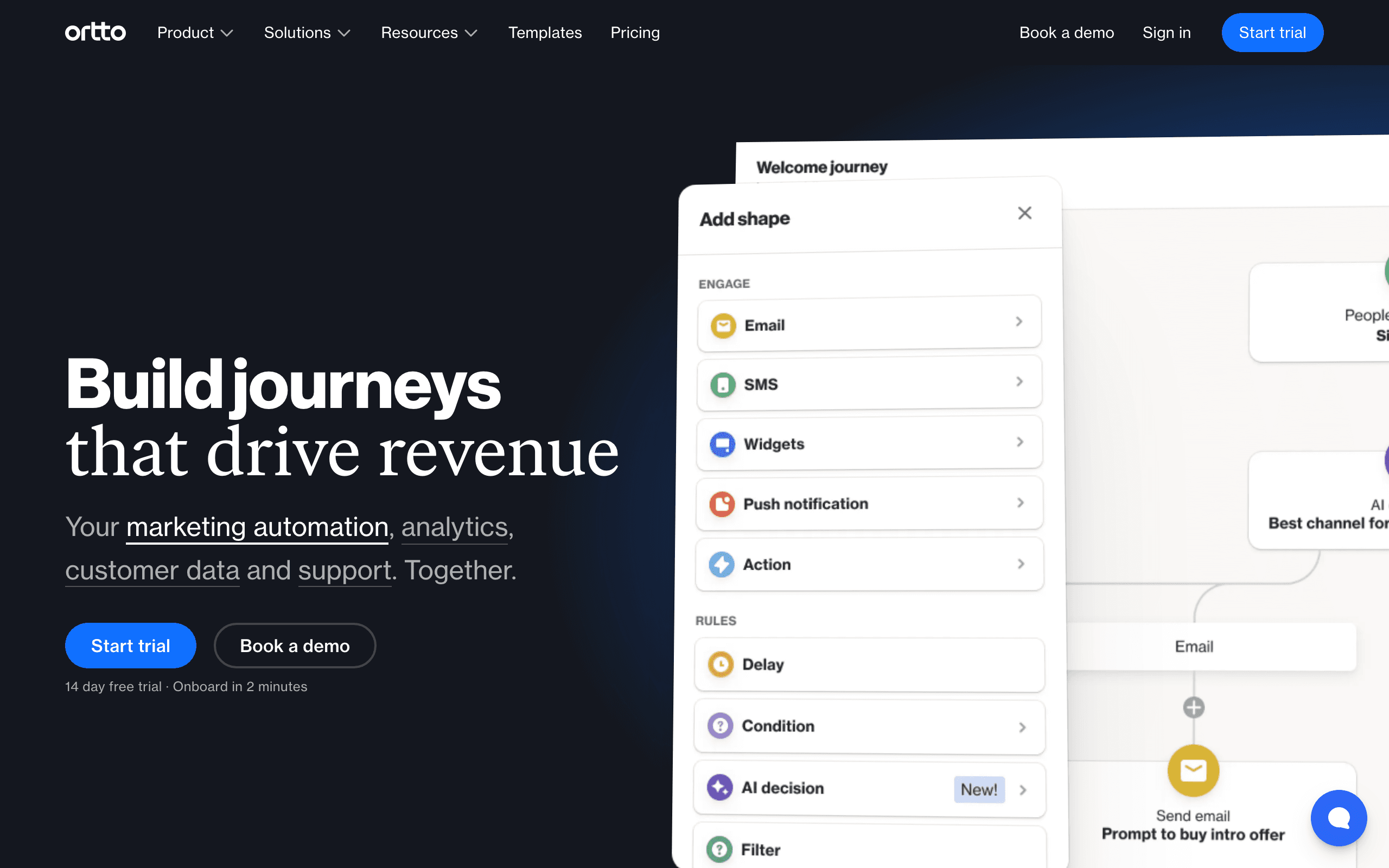
Best for: Marketing teams wanting Mixpanel data inside a journey builder
Ortto can integrate with Mixpanel through cohort sync or shared event tracking, pulling events and profiles into its CDP-style activity feed. From there, the data is available to journeys, audiences, and the analytics dashboards that Ortto leans into as a differentiator.
The journey builder is genuinely capable, and combining Mixpanel events with Ortto's own analytics makes for sophisticated lifecycle programs. Teams that want one tool for journeys, dashboards, and multi-channel messaging (email, SMS, push, in-app) get a lot of value from this consolidation.
The catch is pricing. Ortto's lower tiers don't include the data sources or seat counts that make a Mixpanel-driven setup work in practice. Realistically you're at the $599/month tier or higher before this stack is usable, which prices out smaller SaaS.
- Pricing: From $599/month for tiers where Mixpanel + automation is genuinely usable
- Mixpanel integration: Mixpanel cohort sync or shared event tracking
- Pros: Strong journey builder, event data integrated with analytics, multi-channel, polished UI
- Cons: Expensive, complex to learn, overkill for small SaaS, contracts can be rigid
18. Brevo (formerly Sendinblue)
Best for: Budget-conscious teams wanting email + SMS
Brevo doesn't have a native Mixpanel integration. The realistic path is Zapier workflows that pipe Mixpanel events into Brevo, or custom code that calls Brevo's API when relevant Mixpanel events occur via webhook.
Once data is flowing, Brevo gives you email, SMS, and a basic CRM at one of the lowest price points in the category. The automation builder is workable, and for early-stage teams that need to keep costs down, the trade-off of building the integration yourself can be reasonable.
The trade-off is exactly that glue. You own the Zapier workflows or custom code, you own the mapping, and you own the maintenance when Brevo's API changes. It's not a heavy lift for a competent engineer, but it's not zero either.
- Pricing: Free up to 300 emails/day, from $9/month
- Mixpanel integration: Zapier integration or custom API
- Pros: Very affordable, includes SMS and basic CRM, decent deliverability, generous free tier
- Cons: No native Mixpanel integration, you maintain the connection, generic automation builder
19. Resend

Best for: Developers building email infra in code
Resend works with Mixpanel through shared event tracking. Track events to both Mixpanel and Resend from your app, and your code translates Resend events into emails. The DX is the differentiator: the TypeScript SDK and React Email components mean your Mixpanel-triggered onboarding emails and broadcasts can be the same components, version-controlled in your repo.
What you don't get is an automation builder. Multi-step sequences, branching, and timing logic all live in your code or in a state machine you build. For a Mixpanel-first stack, that means Mixpanel captures the events but you write the runtime that turns them into email programs.
This is actually the right answer for some teams. If you're engineering-led and want to own the email layer, Resend's developer experience is best-in-class. Just know that you're trading convenience for control.
- Pricing: Free for 100 emails/day, from $20/month
- Mixpanel integration: Shared event tracking (DIY automation)
- Pros: Excellent developer experience, TypeScript SDK, React Email components, fast delivery
- Cons: No automation builder, no native Mixpanel integration, you build all sequencing yourself
20. Postmark
Best for: Developers needing transactional from Mixpanel events
Postmark is a transactional email service with strong deliverability, not a marketing automation tool. The typical Mixpanel integration is shared event tracking where your code listens for specific track events and calls Postmark's API to send a templated transactional email.
This works very well for the kind of email Postmark is designed for: receipts, password resets, notifications, and other one-shot transactional messages triggered by user actions captured in Mixpanel. Latency is low, deliverability is excellent, and the templating system is solid.
Where it doesn't fit is anything resembling marketing or lifecycle email. Multi-step sequences, broadcast campaigns, and segmentation all live elsewhere. Most teams that use Postmark with Mixpanel pair it with a marketing tool from this list and treat Postmark purely as transactional infrastructure.
- Pricing: From $15/month for 10,000 emails
- Mixpanel integration: Shared event tracking or webhook integration
- Pros: Best-in-class transactional deliverability, fast delivery, clean API, excellent docs
- Cons: No marketing automation, no native Mixpanel integration, you build the trigger logic, separate marketing tool needed
21. ConvertKit (Kit)
Best for: Creator-style businesses adding Mixpanel behavioral data
ConvertKit (now branded "Kit") doesn't ship a native Mixpanel integration. To use Mixpanel data you build Zapier workflows or custom code that maps Mixpanel events to Kit's API: track events become tag applications or custom events that trigger automations.
For creator-style businesses (courses, paid newsletters, light SaaS) that have invested in Mixpanel for analytics and want their email tool to consume the same event stream, this works. Tagging-based segmentation is clean, the automation builder is approachable, and the editor is solid.
Where ConvertKit falls short is depth. Multi-step branching automations driven by event properties, MRR-based segmentation, and complex trigger conditions are not its strengths. The Mixpanel data is real once it's flowing, but the platform is shaped around creator workflows, not product-led lifecycle.
- Pricing: Free up to 10,000 subscribers, from $29/month
- Mixpanel integration: Zapier integration or custom API
- Pros: Strong creator features, generous free tier, clean tagging-based segmentation, good editor
- Cons: No native Mixpanel integration, automation depth is limited, creator-shaped workflows, basic reporting
Integration Patterns in Detail
Cohort-Based Campaigns
Best for periodic, targeted campaigns:
- Build a cohort in Mixpanel (e.g., "Users who completed onboarding but haven't used Feature X in 14 days")
- Sync cohort to email platform segment
- Send targeted campaign to that segment
This works well for re-engagement, feature education, and upgrade campaigns. The downside is it's not real-time. Cohort syncing typically happens on a schedule (hourly or daily).
Practical tip: Build your Mixpanel cohorts with email campaigns in mind. Instead of "Users who haven't used Feature X," create "Users who haven't used Feature X AND are on a plan that includes Feature X AND have been active in the last 30 days." The more targeted the cohort, the more relevant the email, and the better the engagement.
Event-Triggered Automations
Best for real-time, behavioral emails:
- Track events to both Mixpanel and your email platform from your app
- Email platform triggers automation immediately when event arrives
- User gets email within minutes of the action
This works well for onboarding sequences, milestone celebrations, and time-sensitive triggers like trial expiration warnings.
Practical tip: Don't send every Mixpanel event to your email platform. Be selective. Your email tool only needs events that will trigger an automation or update a subscriber attribute. A typical SaaS might track 40-60 events in Mixpanel but only route 8-15 to the email tool.
Hybrid Approach
Most teams use both:
- Real-time events for onboarding, transactional emails, and time-sensitive triggers
- Cohort syncing for periodic campaigns, re-engagement, and complex behavioral segments
The hybrid approach gives you the responsiveness of event-driven automation and the analytical power of Mixpanel's cohort builder. Start with real-time events for your core lifecycle sequences, then add cohort-based campaigns as your marketing sophistication grows.
Measuring the Impact
Once you've connected Mixpanel with your email tool, how do you know it's working? Track these key metrics:
- Funnel conversion rates before and after email intervention. If you're emailing users who drop off at onboarding step 3, is the step 3 completion rate improving?
- Email engagement by Mixpanel cohort. Are the emails going to the right people? High open rates from targeted cohorts suggest good targeting. Low rates suggest the cohort definition needs refinement.
- Time to conversion. For trial-to-paid conversion emails, are users converting faster after receiving them?
- Churn rate for users who received retention emails vs. those who didn't. This is the ultimate measure of whether your Mixpanel-powered email is working.
How to Choose
You need deep automation with Mixpanel cohorts: Customer.io. Native cohort sync plus the most flexible automation engine. Best for teams with complex workflow needs.
You're enterprise with multi-channel needs: Braze. Bidirectional Mixpanel integration at scale. Best for large organizations with dedicated messaging teams.
You're a SaaS startup wanting lifecycle email: Sequenzy. Track events to both tools, get SaaS-specific automations out of the box. Best for SaaS companies that want to move fast without over-engineering.
You want cross-channel with cohort targeting: Iterable. Mixpanel cohorts driving email, push, and SMS campaigns. Best for growth-stage companies with multi-channel needs.
You want simple event-triggered email: Loops. Straightforward event-to-email for early-stage SaaS. Best for teams that value simplicity over feature depth.
You need a full marketing suite: ActiveCampaign. More than email, with Mixpanel data flowing in via Zapier. Best for teams that want CRM + email + automation in one platform.
You're in e-commerce: Klaviyo. The integration is built for e-commerce event types.
You primarily need transactional email: SendGrid, Postmark, or Resend. Pair with a marketing tool for sequences.
You're already on a CRM-first stack: HubSpot or ActiveCampaign keep Mixpanel data on the same contact record as your sales pipeline.
You're product-led with in-app messaging needs: Intercom blends email and in-app messaging from the same Mixpanel event stream.
You're B2B with account-level data: Userlist handles the account-vs-user distinction that most tools collapse.
You're indie or budget-conscious: Bento, MailerLite, or Brevo can each carry a small SaaS for a long time before you outgrow them.
FAQ
Should I replace Mixpanel with an email tool that has built-in analytics? No. Mixpanel is a purpose-built product analytics tool. Email platforms that include analytics offer basic metrics (open rates, click rates), not product analytics. Keep Mixpanel for understanding user behavior and use your email tool for acting on that behavior. They complement each other; they don't replace each other.
Can I use Mixpanel funnels to identify where to send emails? Absolutely. This is one of the best uses of the integration. Find funnel drop-off points in Mixpanel, then set up emails at those exact points to re-engage users. Mixpanel tells you where users get stuck, your email tool nudges them forward. The most impactful emails are usually the ones that address specific friction points identified in your funnel analysis.
How often do Mixpanel cohorts sync to email platforms? Typically hourly or daily, depending on the integration. This is fine for campaign targeting but too slow for real-time triggers. Use event-based tracking for anything time-sensitive. For cohort sync, daily is usually sufficient since the cohorts themselves are defined by patterns over days or weeks, not minutes.
Do I need a CDP between Mixpanel and my email tool? Not necessarily. If you're comfortable tracking events in your application code to both services, a CDP adds unnecessary complexity. CDPs are valuable when you have many destinations (5+) or when you want to centralize event schema management. For a simple Mixpanel + email tool setup, direct integration is cleaner and cheaper.
What if my Mixpanel events have different properties than my email tool expects?
This is common. Mixpanel events might include properties like plan_name, feature_id, and timestamp that your email tool doesn't understand or uses differently. The solution depends on your integration method. With shared event tracking, format the event properties for each tool in your application code. With a CDP, use transformation functions in the pipeline. With Zapier, use Zapier's field mapping to translate between formats.
How do I avoid tracking events twice if I'm using shared event tracking? You're not tracking the same event twice in the problematic sense. You're sending the same event to two different systems for two different purposes. Mixpanel uses it for analytics, your email tool uses it for automation. The implementation is two API calls in your application code, which adds minimal latency (typically less than 100ms total). The alternative, routing through a CDP, reduces it to one tracking call but adds infrastructure complexity.
Can I use Mixpanel's A/B testing with my email tool? Not directly. Mixpanel's Experiments feature tests in-product changes, not emails. But you can use the data indirectly: run an experiment in Mixpanel to test a product change, then use the winning variant's behavioral data to inform your email targeting. For actual email A/B testing, use your email tool's built-in testing features.
What's the biggest mistake teams make with this integration? Sending too many events to the email tool. Teams often set up the integration and forward every Mixpanel event to their email platform. This creates noise (the email tool's event log becomes unreadable), increases costs (some platforms charge per event), and makes automation building harder (too many events to choose from). Be deliberate about which events flow to email. Only send events that will trigger an automation or update a subscriber profile.