

November 11, 2026
Hey there, 👋
There’s a lot in this one, plus an open call for anyone interested in joining our beta program to test out some exciting upcoming releases. So make sure to read until the end!
Get a full audit of all your live copy, with Ditto Scan
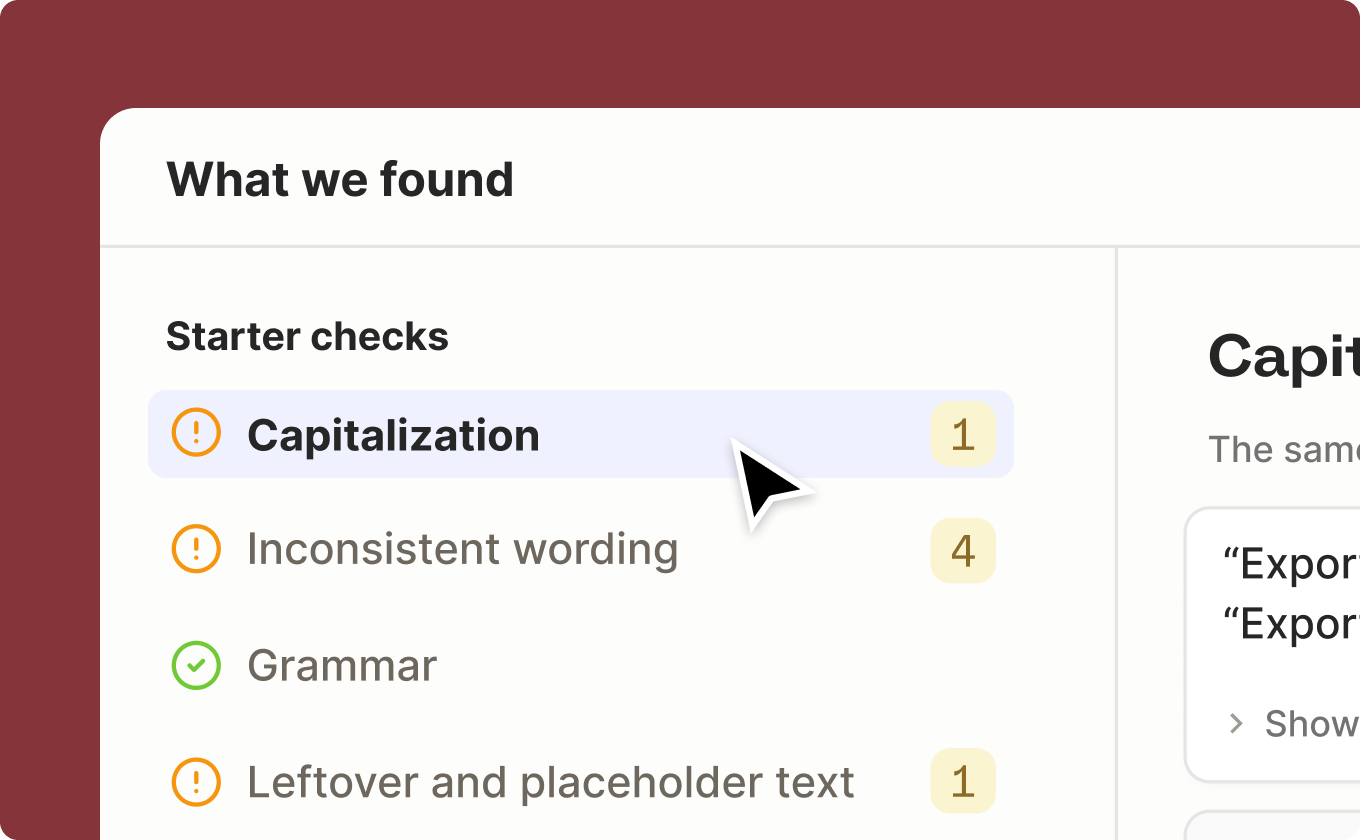
Run a scan of your live codebase and get an actionable report card for your product copy that’s live right now. It flags typos, grammar errors, punctuation mistakes, inconsistent terminology, and more.
Teams will still get everything Ditto Scan sets up: recommended library components, imported translations, and developer IDs. The same scan now also ranks the quickest fixes to take action on, so you know where to start.
Ditto Scan is a single CLI command you can run any time. Read more about how to run it yourself here:
Library component versioning
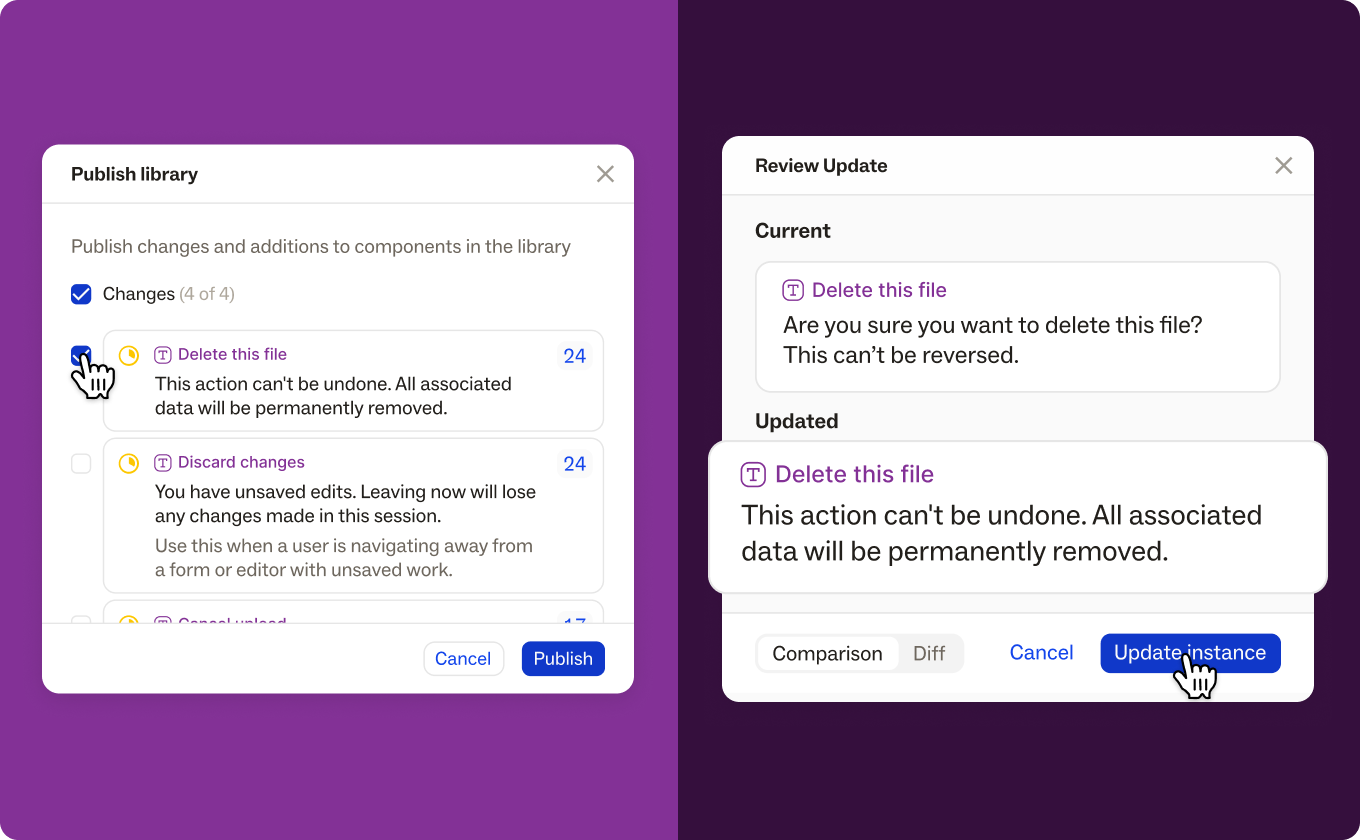
In your Ditto library, edit a component without instantly changing every project that uses it. Instances stay connected to their component, and they update only when you choose.
Edit in your library, then publish. Saved changes are marked Modified until you publish them. Publish components one at a time, or select several from the Publish button in your library.
Review updates before you apply them. When a new version is published, its instances show that an update is available. Compare the current text with the latest version, then update. You can also update all stale instances at once.
Need one-off copy? Detach the instance and save your edit as a regular text item.
Import your existing style guide
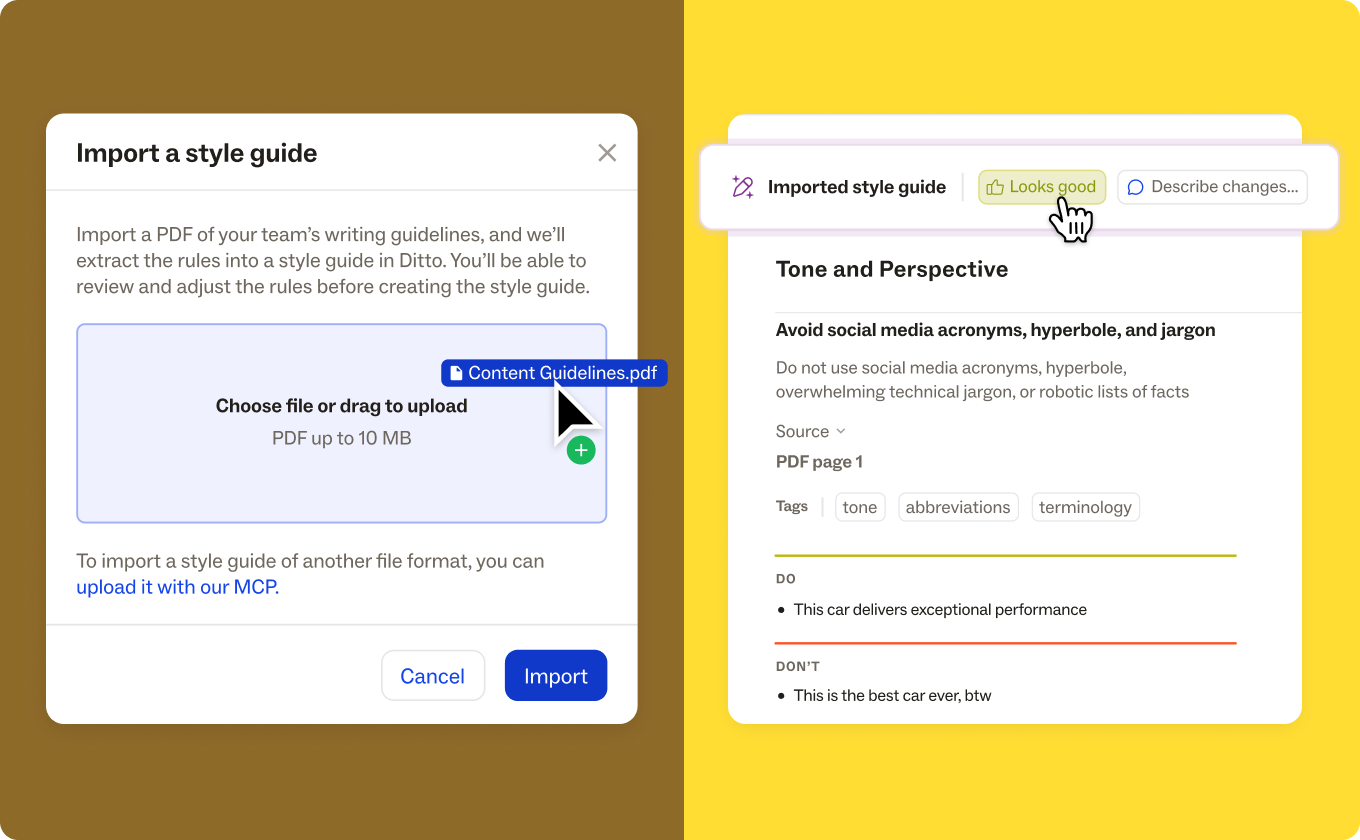
If your writing guidelines already live in a PDF, Ditto can turn them into a style guide.
Import a style guide in the web app, and Ditto drafts the rules. You approve them, revise them, or ask for changes. Each rule links to the part of your PDF it came from, so it’s easy to check against the original. Any guidance Ditto couldn’t turn into a rule shows as an import note.
Prefer working in your AI tool? You can also create a Ditto style guide from an existing style guide with your agent through the Ditto MCP.
Agent edits in your Ditto activity log
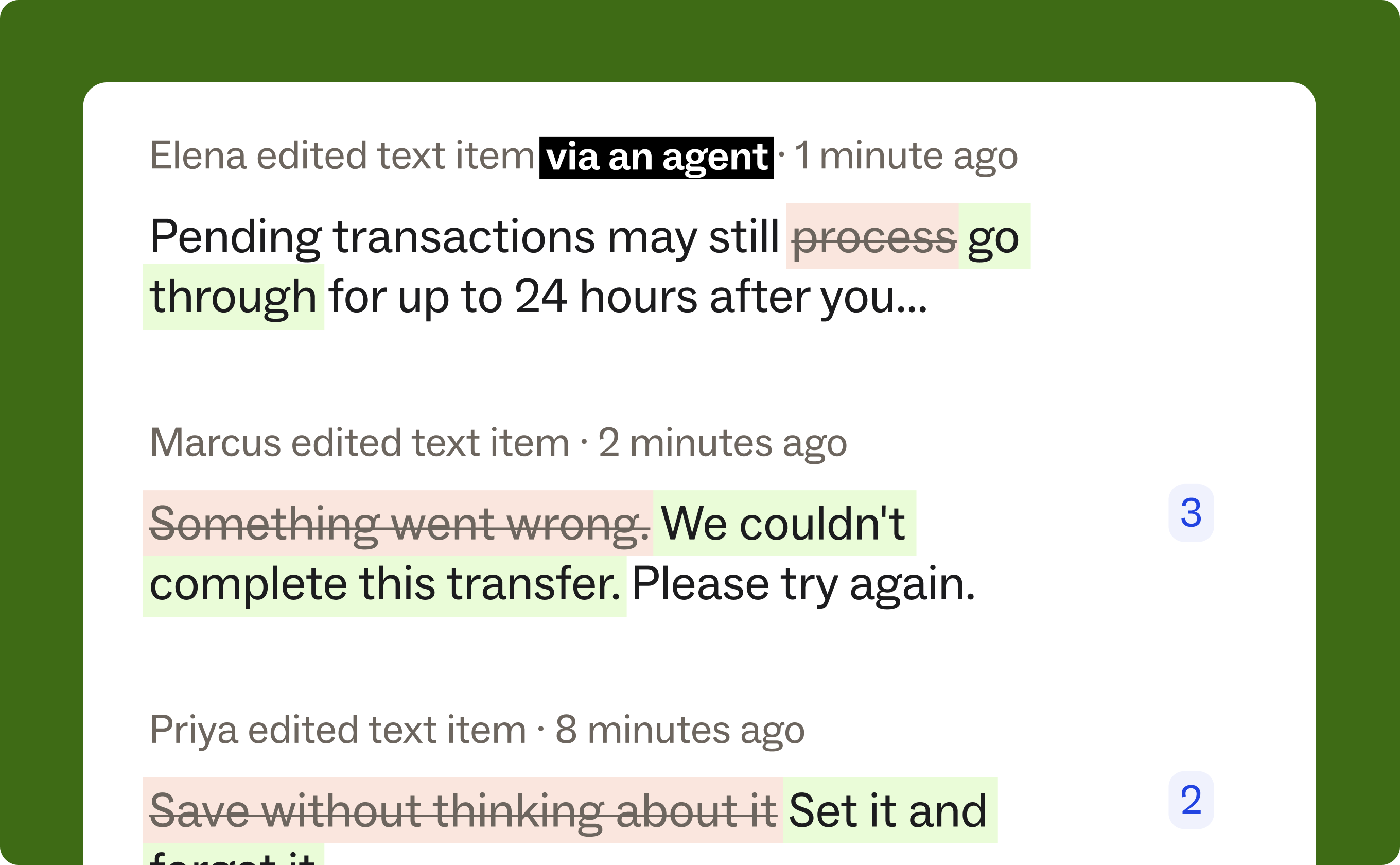
When a teammate’s AI agent edits text or makes a change in Ditto, the activity log now records it next to everyone else’s changes. If an agent gets something wrong, you can revert to an earlier version.
Never miss a change, with a running audit trail of every copy decision, made by human or agent.
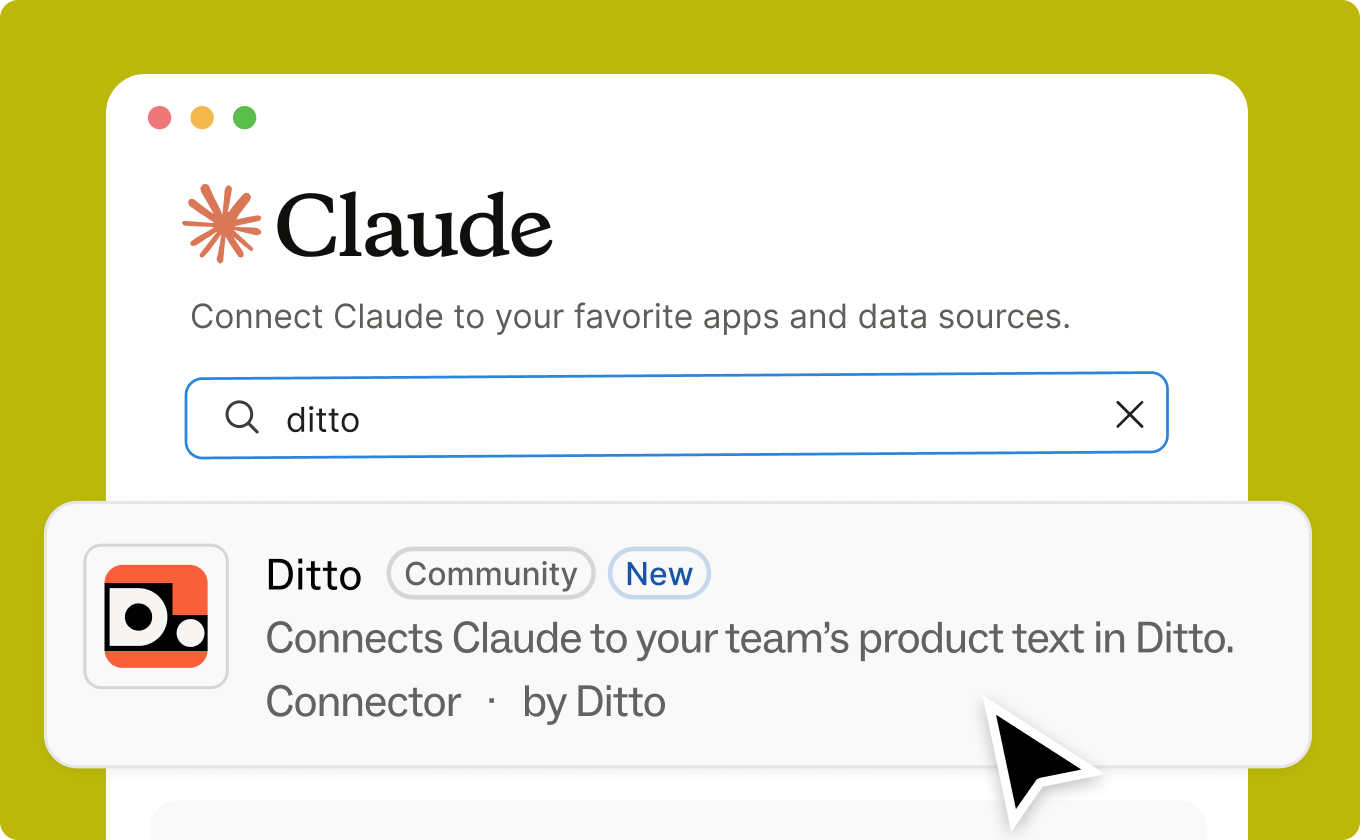
Find Ditto in the Claude Directory
Ditto is now an official connector and a plugin in the Claude Directory!
Connect Ditto to Claude to get agents working smarter: Set up Ditto projects in minutes, automate copy reviews, simplify dev handoff, and much more.
Learn more about what you can do with Ditto + Claude.
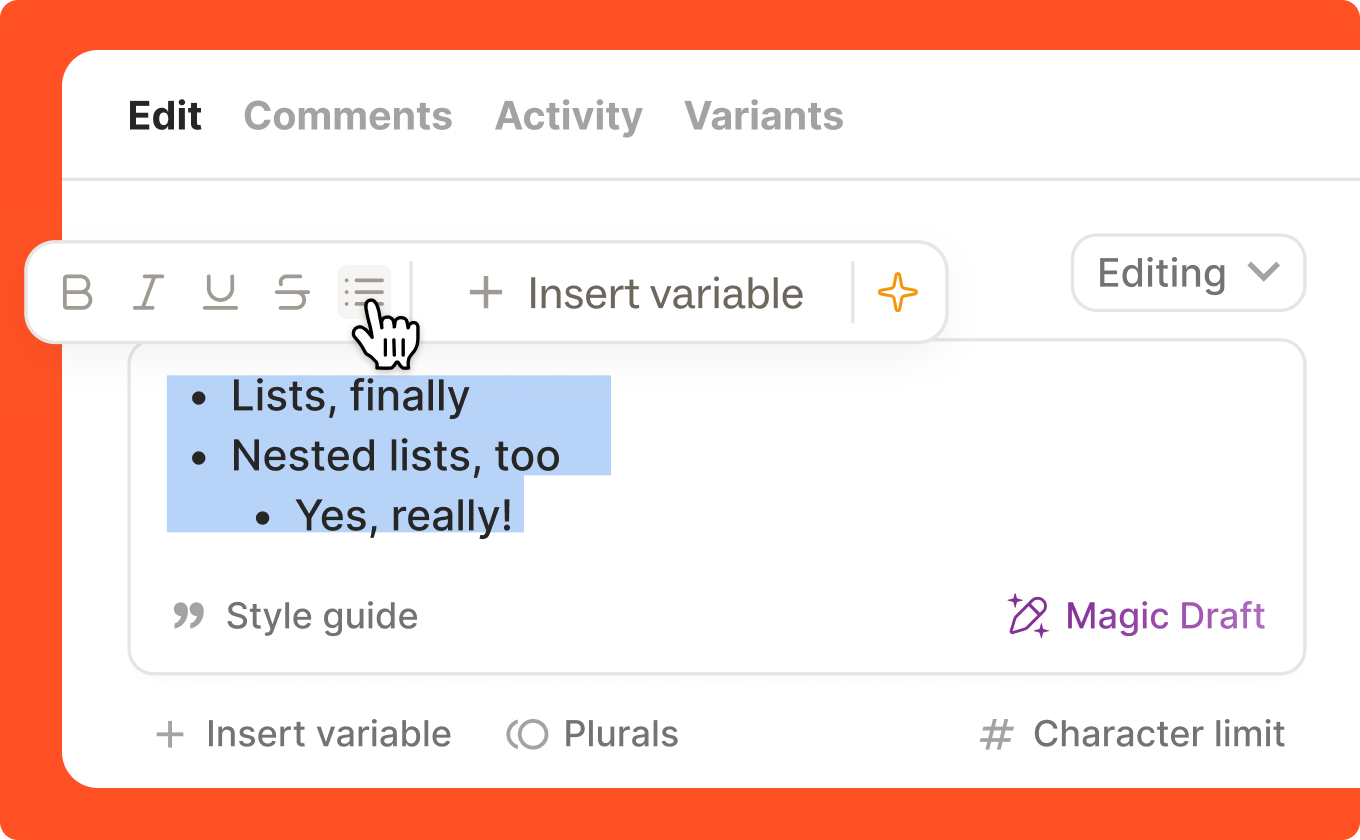
Bullet points are now in Ditto
Text items can now be formatted as bulleted lists. You’ll find the option to add bullet points in the formatting bar alongside other rich text controls like numbered lists and indents.
A few more updates:
- Search added to Ditto style guides. Search your style guides by rule titles, descriptions, and examples.
- Figma autolinking, set by workspace. New workspace settings control whether copy-pasted linked layers stay linked by default. Admins can lock it so it can’t be changed person by person.
- Spelling and grammar fixes without writing a rule. Magic Edit now includes a default spelling and grammar rule, so corrections work from day one.
- Every instance of a component in one place. The instances panel now lists all of a component’s instances, not just the ones in a project frame view. Frame links open frame view, and everything else opens text view.
Are you working in agentic workflows, or directly in code?
We're building something new, and we’re on the hunt for design partners to test out exclusive beta features!
Note: All design partners need access to GitHub with at least one code repository.
If you want to be first to try out some exciting new capabilities, respond to this email and we’ll get you set up.
More words on words
Five platforms, six months: How GetWyz built a copy system for a regulated mortgage product
See how GetWyz hit a 6 month deadline on a regulated product by making copy a once-a-week CLI pull for engineering instead of a manual handoff.
Building technical confidence for content designers in the AI era
You don't need to know a codebase to work in one. Here’s how content designers can use AI to follow one content question into the code.
More is on the way. Keep an eye on Ditto’s blog, release notes, roadmap, and socials, or grab time with our team if you’d like an early look at what’s next.
Reply with your questions or thoughts. I read every one.
Ellie from Ditto
Want to find out how to get the most out of Ditto? Book a quick call with our team!
Ditto is the content system for product copy — centralizing your team's standards and strings, then applying them everywhere copy is drafted and shipped.
