
|
Meet the new SalesBlink dashboard
We've redesigned the SalesBlink dashboard, with a new Home, new Reports and a simpler sequence builder. Everything you use is still there, and it's easier to find.
Watch the 4-minute tour to follow one sequence from the first email to the first reply.
|
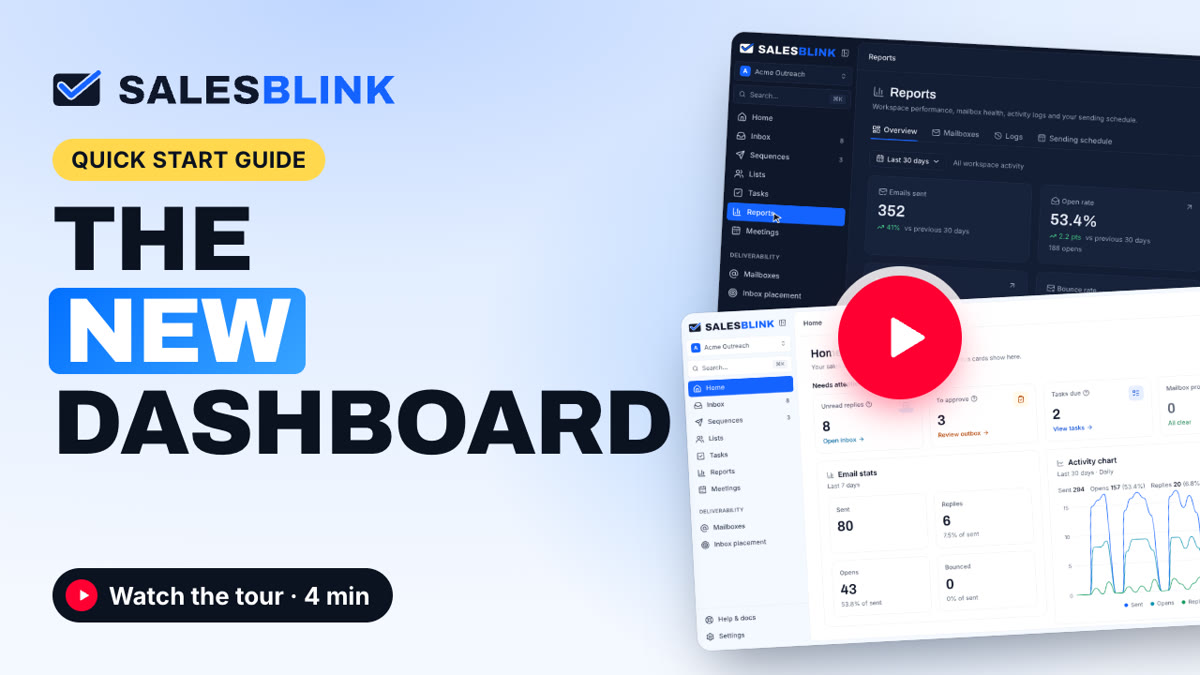
▶︎ Watch the tour on YouTube (4 min)
|
What's new
| ✓ |
A new Home that shows what needs you. Unread replies, emails to approve, tasks due and mailbox problems sit at the top. Below them are your email stats, an activity chart, your sequences and your latest replies, and you can choose which cards show. |
| ✓ |
New Reports for your whole workspace. Compare opens, clicks, replies and bounces with the previous 30 days, see the numbers for each mailbox, and check a log of every open, click and reply. |
| ✓ |
A simpler sequence builder. Leads, emails, mailboxes and the schedule each have their own tab, and Write with AI can draft each email. |
| ✓ |
One inbox for every reply. AI can tag each reply and draft your answer, and the AI reply agent can reply for you. |
| ✓ |
Light and dark mode, and a command palette. Press ⌘K (Ctrl+K on Windows) to jump to any sequence, list or template. |
|
|
Open your dashboard →
|
|
Questions? Reply to this email or visit our help center.
Sushant Shekhar,
Founder | SalesBlink
|
|