Rize October Update
New design, revamped dashboards, and more free workshops
Hi [First name],
We’ve rebuilt how Rize looks and feels, and a lot underneath it. Here’s the walkthrough. The same tour opens in the app the next time you sign in, and it lives on the new Resources page after that.
What’s new

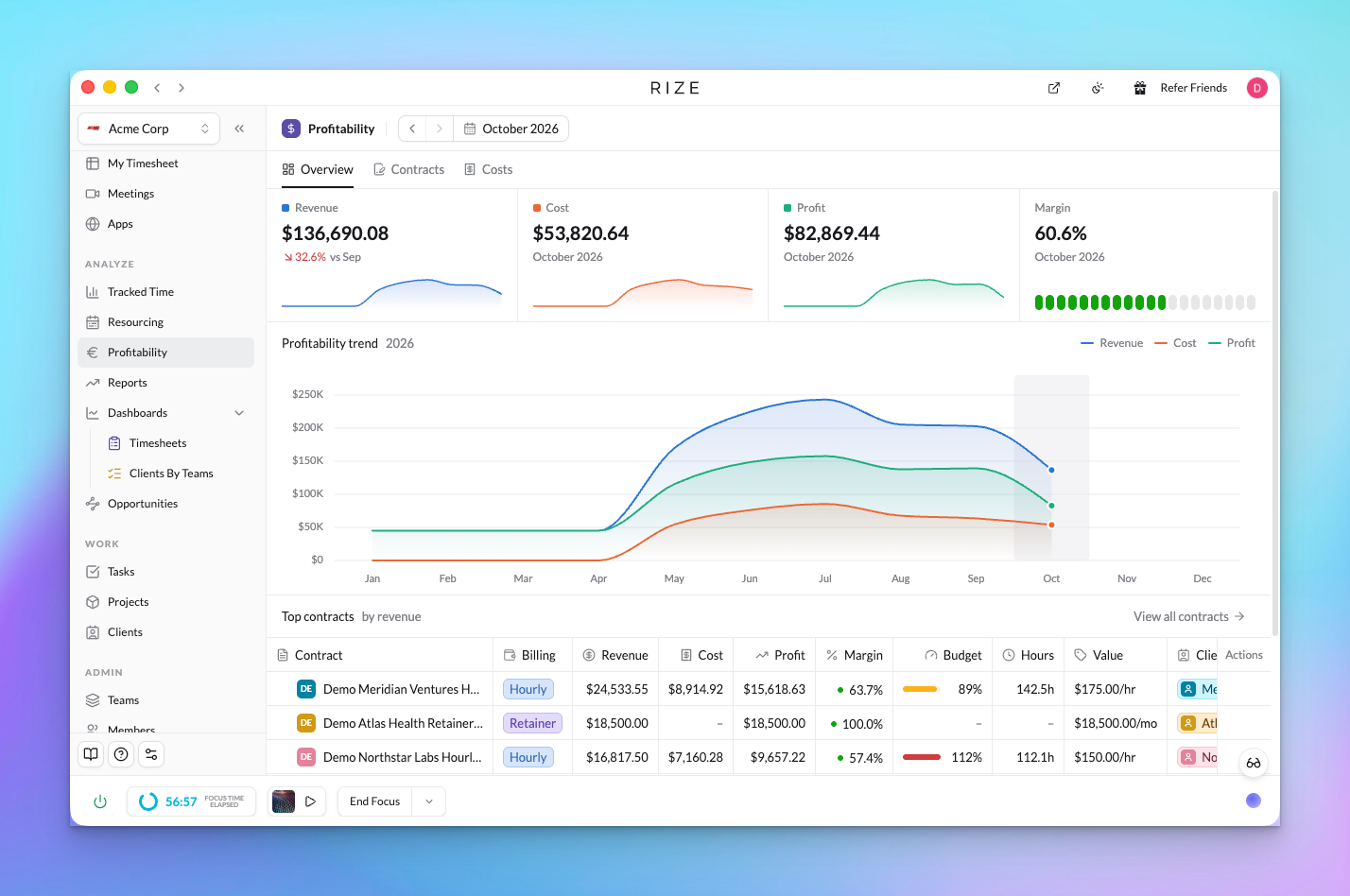
Rize has a new, simpler look
Every page now uses the same grid layout. We’ve been working on simplicity to cut clutter and overload, so things should be much easier to find. We’ll keep improving the app from here.
Learn more →

See where time goes in seconds
The new Tracked Time view works like a spreadsheet you don’t have to build. Pick the rows, pick the columns, add a filter, and the answer is right there. Busy days are shaded so you spot them at a glance.
Learn more →

Save the views you check every week
Set up a view once, save it as a dashboard, and it’s one click away in the sidebar. Or start from a template like Timesheets. Saved dashboards also make the AI sharper, because it analyzes the exact view you look at instead of guessing what you meant. Every dashboard is available through the Rize MCP as well.
Learn more →

Run analysis reports on your dashboards
Link a report to a dashboard and run an analysis on it, one-off or weekly. Every run covers the same view your dashboard shows, so the insights stay consistent from week to week. Each report has its own page with every past run.
Learn more →

Understand team capacity and utilization
Resourcing shows each person’s planned hours against what they actually tracked. If you plan in ClickUp, time estimates come in on their own, so you can see who is overbooked before the week starts.
Learn more →

Automate your processes with Routines
A Routine is a scheduled task the AI runs for you. Use one to analyze a report, send a Monday standup, or create a client report. Each Routine now has its own page with its full run history and settings side by side, and you can set it up for yourself, a team, or the whole workspace.
Learn more →

Improved meeting tracking with transcripts
Connect your calendar and your meeting recorder, and Rize brings in the transcript and summary. Time around a meeting is tagged more accurately because Rize knows which client or project the call was about.
Learn more →

Silent mode and a simpler Focus tab
Silent mode quiets notifications while you work, and blocking distractions is now a short list you can set up in a minute, instead of a trip through settings.
Learn more →

Use Rize in your browser
Every page in the desktop app now has an Open in browser icon at the top. Click it and the same page opens in the web app, so you can work with your dashboards, reports, and Routines from any browser tab. Tracking still happens in the desktop app.
Learn more →

Mention any client, project, or person
Type @ in chat and pick a client, project, team, person, or dashboard. The AI pulls in their data and answers about them directly, so “how is @Acme doing this month” just works.
Learn more →
Also in this release: Workspace defaults and Unlimited labels with Auto-apply. Every post has a short walkthrough video.
Free live workshop
How to See Which Clients and Projects Actually Make Money
Top-line revenue hides which clients cost more than they pay. In 60 minutes we’ll cover the four numbers that matter, work through a real example, and build your client and project profitability view, live.
Tuesday, Oct 20, 9am PT / 12pm ET / 5pm Lisbon
Save my spot
Can’t make it live? Register and we’ll send the recording. Missed the last one? Watch the team time visibility workshop. More on the workshop page.
Resources
Everything about using Rize now lives in one place in the app: the Resources page. It has the walkthrough above, the changelog, the docs, videos, and the workshops, past and upcoming.
Questions or feedback? Reply to this email, write to support@rize.io, or open support chat from the Resources page. It reaches the same people.
Thanks for being part of Rize,
Macgill & the Rize team
|
This email was sent to you because you signed up for Rize. If you no longer want to receive marketing emails from us, update your email preferences or unsubscribe.
Rize Labs, Inc. 548 Market Street, PMB 93882, San Francisco, CA 94104
|