
Add an AI support agent to your website with one script tag
The Cosmic AI Support Agent answers visitor questions from the content your site already publishes, in your branding, and hands the conversation to a person when it is not sure. One line of HTML, no separate knowledge base to maintain.
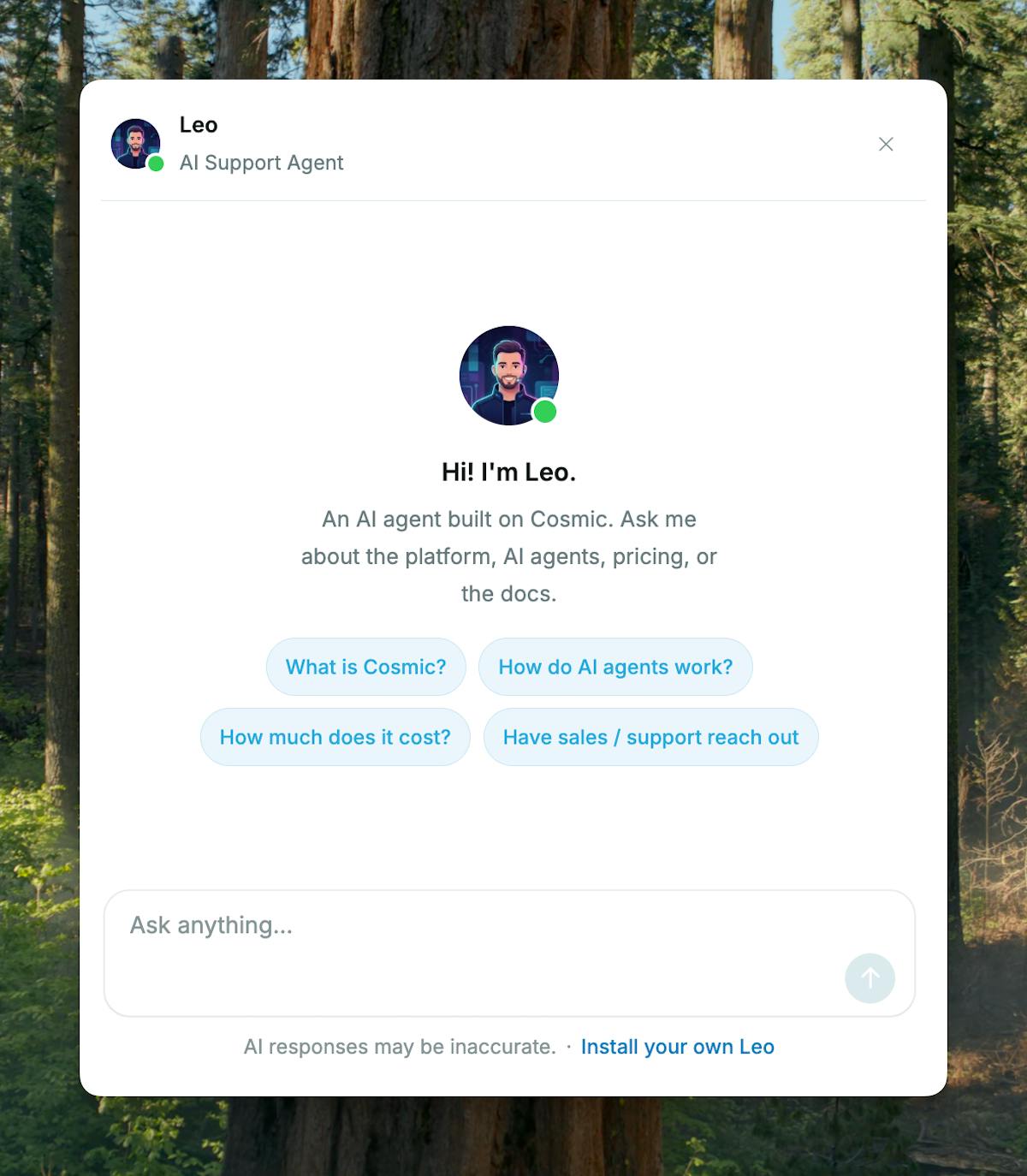
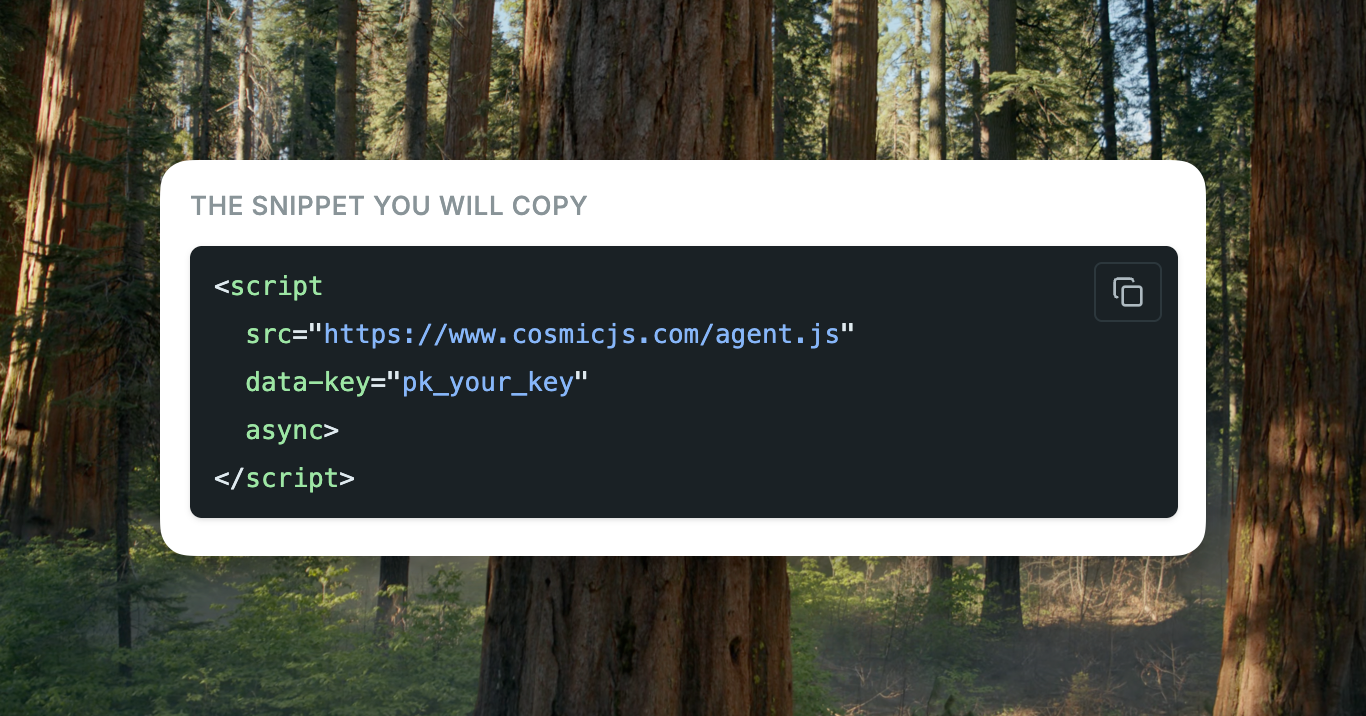
No signup needed. Leo is our own support agent, running on this exact product.
We are live on Product Hunt
Join the conversation
The Cosmic AI Support Agent just launched on Product Hunt. Share your questions, feedback, and what you would like to see next. We are reading every comment.
Join the conversation on Product HuntWhy This Matters
An agent that reads your live content never goes stale
Most website chat widgets are a second product. You write a help center, you keep it updated, and the bot still answers from a copy of the site that went stale last quarter. The page the visitor is reading and the answer in the chat drift into two different sources of truth, and the visitor is the one who finds out.
An agent reading your live content closes that gap by removing the copy. Publish a pricing change, correct a doc, rename a feature, and the next question gets the current answer. The content team already owns that work, and nobody has to remember a second place to go update.
The handoff matters just as much. A support agent that invents an answer costs more than having no agent at all, because a confident wrong answer gets believed and acted on. The Cosmic agent is told to say when it is not sure instead of guessing, and to offer the visitor a person.
What's New
Everything the Website tab gives you
Every Agent in your Bucket now has a Website tab in the agent settings page. Turn it on, allow your domains, set the handoff inbox, and copy the snippet. That is the whole install.
| · | Live content answers. No snapshot to re-upload, no second knowledge base. |
| · | Publishable key. Safe in public HTML and locked to the domains you allow. |
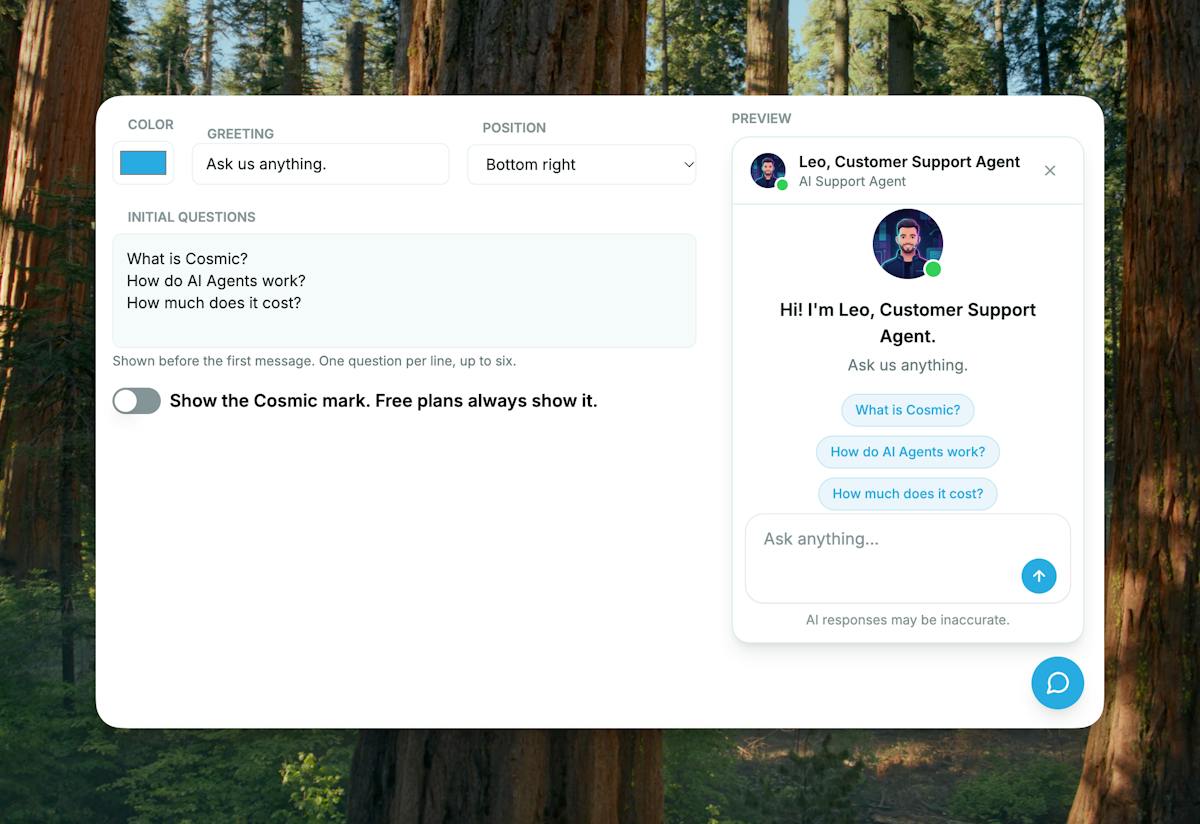
| · | Your branding. Name, greeting, accent color, and placement, updated without a deploy. |
| · | Human handoff. Questions land in your inbox with reply-to set, and save to your Bucket. |
| · | Daily spend cap. Set tokens per day, with a 500,000 default. |
| · | More channels. The same Agent also runs over the REST API and inbound webhooks. |
How It Works
Live on your site in four steps
| 1. | Open an Agent and go to the Website tab. Turn the website channel on. |
| 2. | Add the domains allowed to load the script, then set the inbox that receives handoffs. |
| 3. | Set the name, accent color, greeting, and suggested questions your visitors will see. |
| 4. | Copy the snippet, with your publishable key already filled in, and paste it into your site. There is nothing to run locally. |
Built for Trust
We shipped it to ourselves first
Leo, the support agent on cosmicjs.com, answers questions about Cosmic from our docs, our knowledge base articles, and the rest of the pages that make up our site. When Leo cannot help, the visitor leaves an email and the question. It lands in our support inbox, and the visitor gets a confirmation that someone will follow up.
Once Leo was working, we made it something any Cosmic project can add. The key is publishable and domain locked, the spend is capped per day, and every handoff is stored in your own Bucket so your support history stays yours.
The Cosmic AI Support Agent is available today on every Agent in your Bucket. Turn on the Website tab, paste one script tag, and let your visitors get answers from the content you already publish.
Happy building,
Tony Spiro
Cosmic CEO
Not building on Cosmic yet? Start free and put an AI support agent on your website today.
Start free at cosmicjs.com