|
Hi [First name],
Valentin from Pastel here with your November feature roundup. This time we've got a quick recap of everything Pastel can now do with your AI agents, plus a few new updates that make it easier to see what's changed on a canvas and keep your dashboard tidy. Here's everything that's new in Pastel!
1. Pastel for AI Agents
In case you missed it, we've shipped a lot for AI agents over the past few months. Here's a quick recap:
-
Pastel MCP server. Point your agent at a canvas and it reads the feedback, makes the changes, replies explaining what it did, and resolves each comment. It works with Claude, Codex, Cursor and any other agent that supports MCP. Learn more
-
Upload HTML files to Pastel. You can now tell your agent "Deploy to Pastel" and it turns your HTML into a canvas you can share, with no hosting or staging URL. Your client or team leaves comments and when you say "Check all open Pastel comments and fix," your agent updates the same canvas. Learn more
-
Pastel CLI. One more way to connect Pastel to your AI agents. It's perfect for agents running on your computer, like Claude Code, Codex and Cursor. For cloud-based agents like Claude.ai and ChatGPT, the MCP server is still the way to go. Learn more
Setup only takes a couple of minutes. Try Pastel for AI agents today!
2. Copy Comments as AI Prompts
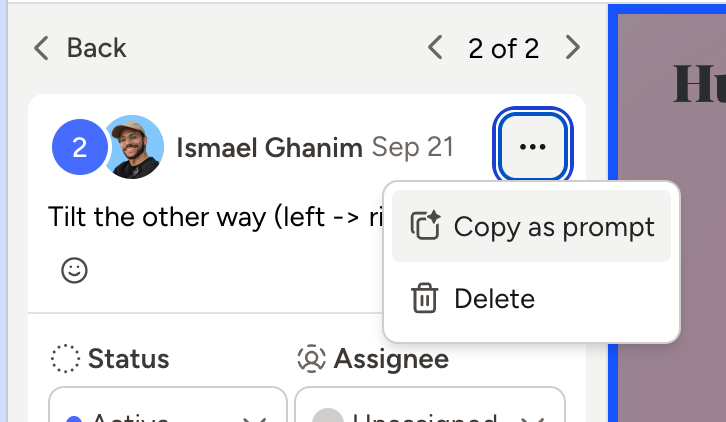
Using an AI agent to work through feedback? Every comment now has a Copy as prompt option. You can copy the comment along with everything your agent needs to act on it, including the screenshot, pin location, page URL and attachments, plus clear instructions on what to do. Paste it into your AI agent and let it get to work. Learn more
3. Improved Notifications & Activity Feed
You can now catch up on a canvas without scrolling through every comment. Here's what's new:
-
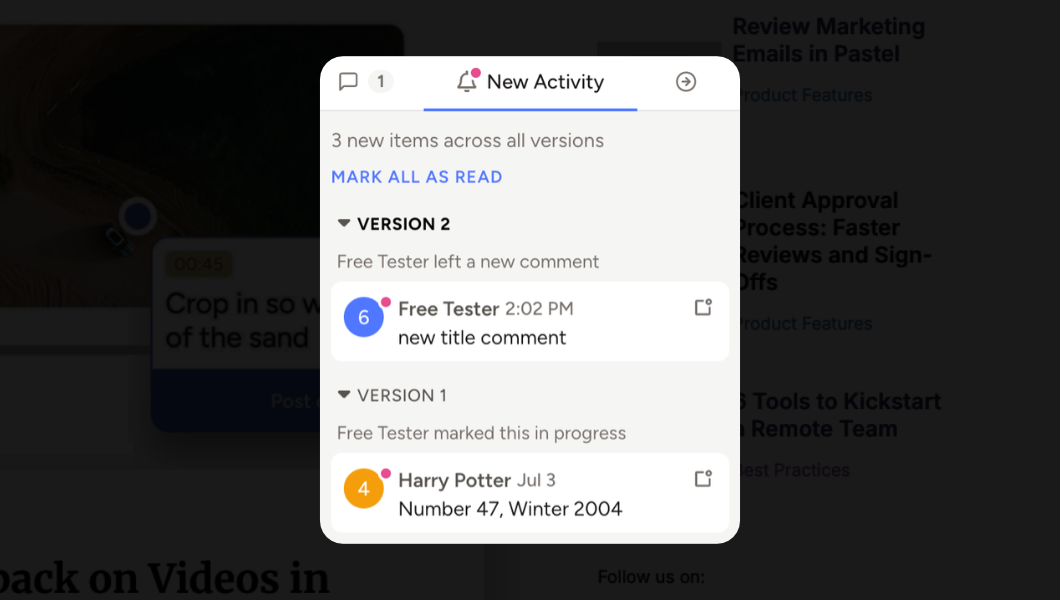
New Activity tab. It now lives in your sidebar for good, and a red dot lets you know when something new comes in, on any version of your canvas.
-
Read and unread. Mark things as read or unread with one click, or just press U while you're looking at a comment. The arrows only take you through what's new, so no more digging through old stuff.
-
Comment history. You can now check each comment and see who changed what, and when.
4. Bulk Actions on the Dashboard
Wrapping up a project and need to clean things up? You can now use the multi-select button next to the filter on your dashboard, pick the canvases you want, and move them to a project, archive or delete them all at once. Learn more
That's it for this round. We hope these updates make your work in Pastel even smoother. As always, if you have questions or ideas, just hit reply!
Cheers,
Valentin
|