Start recording with a keyboard shortcut, find templates faster, and sign up for service updates. ͏  ͏  ͏  ͏  ͏  ͏  ͏  ͏  ͏  ͏  ͏  ͏  ͏  ͏  ͏  ͏  ͏  ͏  ͏  ͏  ͏  ͏  ͏  ͏  ͏  ͏  ͏  ͏  ͏  ͏  ͏  ͏  ͏  ͏  ͏  ͏  ͏  ͏  ͏  ͏  ͏  ͏  ͏  ͏  ͏  ͏  ͏  ͏  ͏  ͏  ͏  ͏  ͏  ͏  ͏  ͏  ͏  ͏  ͏  ͏  ͏  ͏  ͏  ͏  ͏  ͏  ͏  ͏  ͏  ͏  ͏  ͏  ͏  ͏  ͏  ͏  ͏  ͏  ͏  ͏  ͏  ͏  ͏  ͏  ͏  ͏  ͏  ͏  ͏  ͏  ͏  ͏  ͏  ͏  ͏  ͏  ͏  ͏  ͏  ͏  ͏  ͏  ͏  ͏  ͏  ͏  ͏  ͏  ͏  ͏  ͏  ͏  ͏  ͏  ͏  ͏  ͏  ͏  ͏  ͏ ­ ­ ­ ­ ­ ­ ­ ­ ­ ­ ­ ­ ­ ­ ­ ­ ­ ­ ­ ­ ­ ­ ­ ­ ­ ­ ­ ­ ­ ­ ­ ­ ­ ­ ­ ­ ­ ­ ­ ­ ­ ­ ­ ­ ­ ­ ­ ­ ­ ­ ­ ­ ­ ­ ­ ­ ­ ­ ­ ­ ­ ­ ­ ­ ­ ­ ­ ­ ­ ­ ­ ­ ­ ­ ­ ­ ­ ­ ­ ­ ­ ­ ­ ­ ­ ­ ­ ­ ­ ­ ­ ­ ­ ­ ­ ­ ­ ­ ­ ­ ­ ­ ­ ­ ­ ­ ­ ­ ­ ­ ­ ­ ­ ­ ­ ­ ­ ­ ­ ­ ­ ­ ­ ­ ­ ­ ­ ­ ­ ­ ­ ­ ­ ­ ­ ­ ­ ­ ­ ­ ­ ­ ­ ­ ­ ­ ­ ­ ­ ­ ­ ­ ­ ­ ­ ­ ­ ­ ­ ­ ­ ­ ­ ­ ­ ­ ­ ­ ­ ­ ­ ­ ­ ­ ­ ­ ­ ­ ­ ­ ­ ­ ­ ­ ­ ­ ­ ­ ­ ­ ­ ­ ­ ­ ­  

View in browser
Email_header _ 1120

Hi [First name],

When you're in the middle of a busy clinic day, the little things matter. This week, we're making everyday tasks in Tali a little quicker and giving you more visibility into how our services are running, so you're always kept in the loop.

What's new

  • Start an encounter with one keyboard shortcut: You can now start recording with Command + Enter on Mac or Ctrl + Enter on Windows. Available on the Web and Desktop apps. We have also upgraded to a a newer model which results to faster note creation. Learn more.
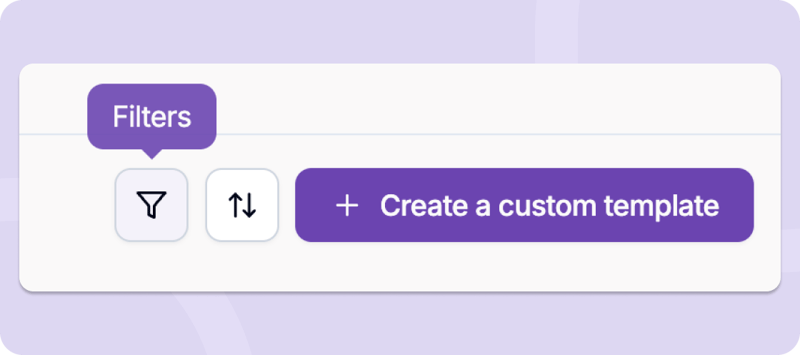
  • Find your templates faster: You can now search, sort, and filter your templates directly from the Templates tab. No more scrolling through a long list to find the one you need. Learn more.
Nov 12th _ email body _ filter
  • Stay informed with our new Status Page: You can now check Tali's service status, view reported issues, and sign up for email notifications about updates and disruptions. View our Status Page.

Thanks,

Hesam

A couple of quick tips:

  • Have patient details that weren't discussed during the visit? Add them to Additional Context before generating your note so Tali can include the relevant information. You can even take screenshots and paste (ctrl+v or command+v) it inside Tali.
  • You can book time with our Customer Success team for 1:1 support anytime.

P.S. Your feedback shapes what we build. Send us yours anytime at product@tali.ai.

linkedin - icon
YOutube - icon
instagram - icon
link - icon
email - icon

Tali AI 1255 Bay St 

Toronto, ON, M5R 2A9, Canada

Unsubscribe Manage Preferences