Page feedback, screenshots attached to comments, and device filtering are live for you and your clients.
͏ ͏ ͏ ͏ ͏ ͏ ͏ ͏ ͏ ͏ ͏ ͏ ͏ ͏ ͏ ͏ ͏ ͏ ͏ ͏ ͏ ͏ ͏ ͏ ͏ ͏ ͏ ͏ ͏ ͏ ͏ ͏ ͏ ͏ ͏ ͏ ͏ ͏ ͏ ͏ ͏ ͏ ͏ ͏ ͏ ͏ ͏ ͏ ͏ ͏ ͏ ͏ ͏ ͏ ͏ ͏ ͏ ͏ ͏ ͏ ͏ ͏ ͏ ͏ ͏ ͏ ͏ ͏ ͏ ͏ ͏ ͏ ͏ ͏ ͏ ͏ ͏ ͏ ͏ ͏ ͏ ͏ ͏ ͏ ͏ ͏ ͏ ͏ ͏ ͏ ͏ ͏ ͏ ͏ ͏ ͏ ͏ ͏ ͏ ͏ ͏ ͏ ͏ ͏ ͏ ͏ ͏ ͏ ͏ ͏ ͏ ͏ ͏ ͏ ͏ ͏ ͏ ͏ ͏ ͏ ͏ ͏ ͏ ͏ ͏ ͏ ͏ ͏ ͏ ͏ ͏ ͏ ͏ ͏ ͏ ͏ ͏ ͏ ͏ ͏ ͏ ͏ ͏ ͏ ͏ ͏ ͏ ͏ ͏ ͏ ͏ ͏ ͏ ͏ ͏ ͏ ͏ ͏ ͏ ͏ ͏ ͏ ͏ ͏ ͏ ͏ ͏ ͏ ͏ ͏ ͏ ͏ ͏ ͏ ͏ ͏ ͏ ͏ ͏ ͏
|
|
|
|
|
|
|
Hello [First name],
|
|
|
|
We have released a new version of the Feedbucket widget. There are three main changes that we believe will improve the review experience as a whole.
|
|
|
Feedback for the whole page
|
|
|
|
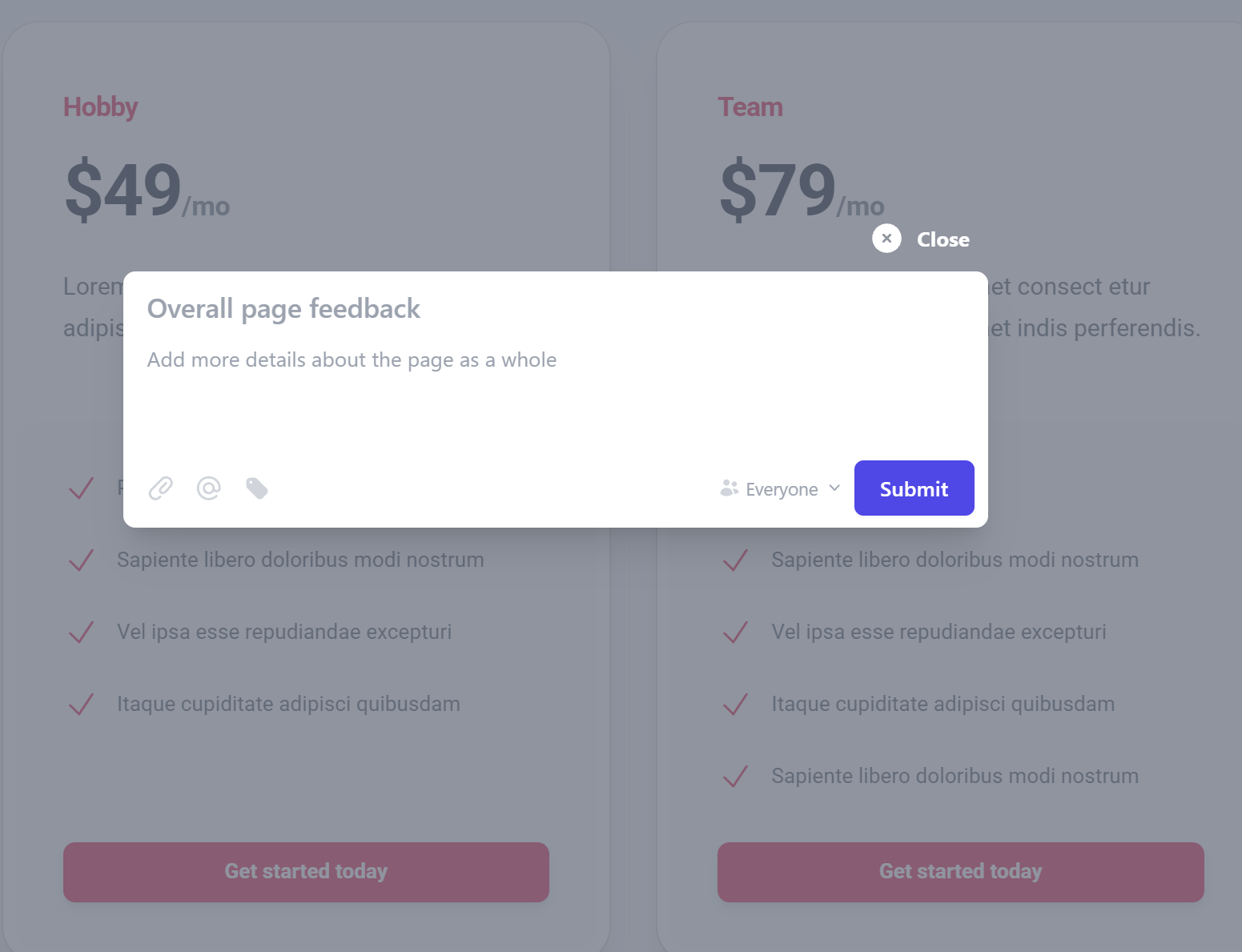
Feedback is not always about a specific element of the page. It can be about the page layout, or the general direction.
|
|
|
|
Your clients now have an Add Page Feedback icon in the widget. They can add a title, a description, and send their feedback without the need of selecting an element for the screenshot.
|
|
|
|
|
|
|
|
|
|
|
Add screenshots to comments
|
|
|
|
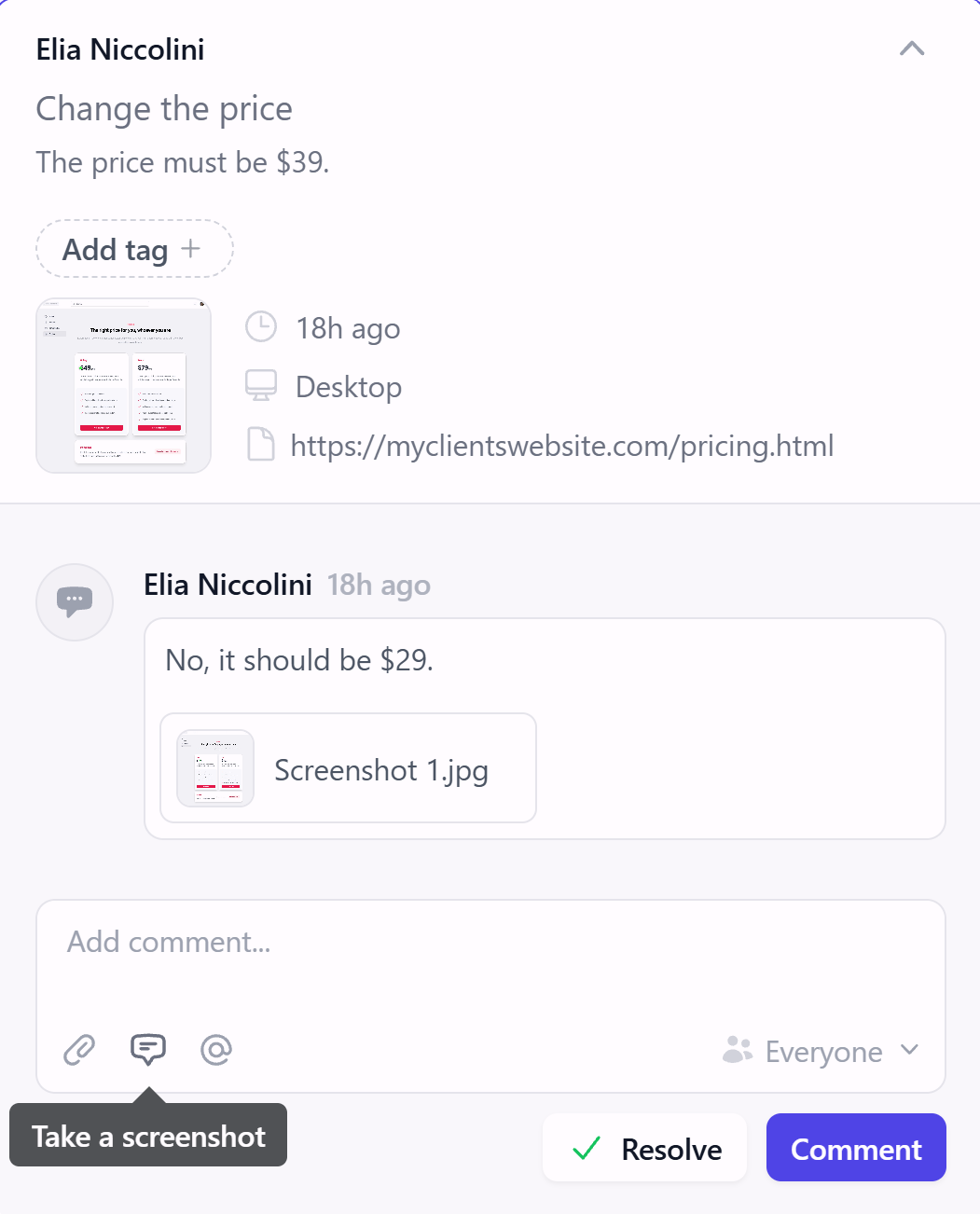
We always want to make the communication with your clients as easy and fast as possible. Also when it comes to screenshots.
|
|
|
|
Your clients can now take a screenshot from within the comment by using our feedback tool. They don't need to grab a screenshot from an external tool and attach it anymore.
|
|
|
|
|
|
|
|
|
|
|
Filter feedback by device
|
|
|
|
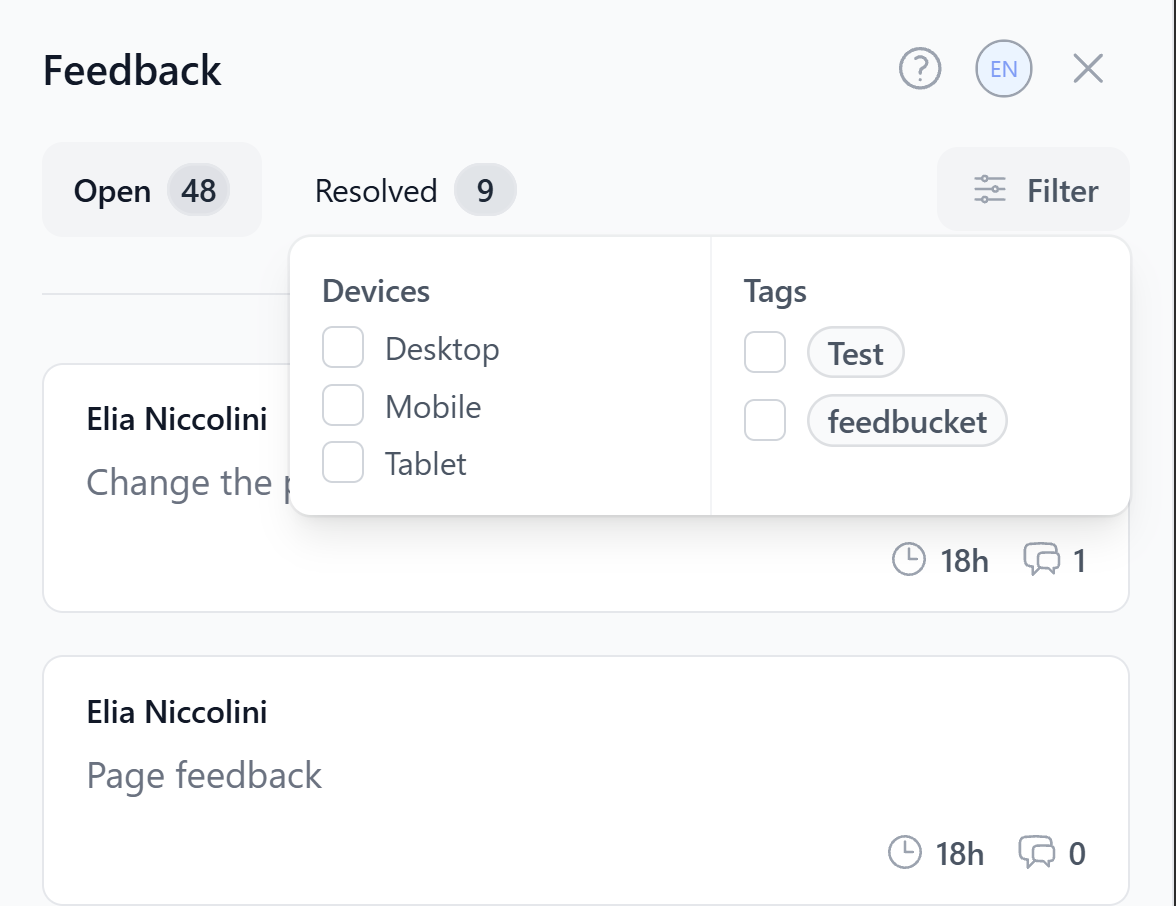
One feature request that we had was the possibility of easily filtering the feedback by device and, with this update, it's now possible.
|
|
|
|
Both you from your account in Feedbucket Admin and your clients from the website will be able to filter by device. If a client reported a problem via their phone, you can pull up the mobile feedback and focus on it.
|
|
|
|
|
|
|
|
|
|
|
Also in this release
|
|
|
|
There are some other minor updates with this new widget release:
|
|
|
-
Every page element is highlighted as clients add feedback, so they can pinpoint the right spot.
|
-
Screen recordings have a clearer UI.
|
-
The Help button now sits inside the client portal and uses the language selected in the Feedbucket Admin.
|
|
|
|
Open one of your projects and test these changes right away. We will be here to help if anything is not clear.
|
|
|
|
|
|
Marcus
|
You are receiving this email because you opted in to receive email from the list Product Updates from Feedbucket
Feedbucket, Helsingborg, Sweden
Unsubscribe
|
|
|
|