New in ChatSEO The new writing agent is live. Hello everyone, We just shipped the new writing agent. Here is what it looks like, in 4 steps. 1. A full brief before it writes You ask for an article, and ChatSEO starts with a brief. It explains the angle, the keywords and what the top results do. It also plans the links to your pages, for internal linking. 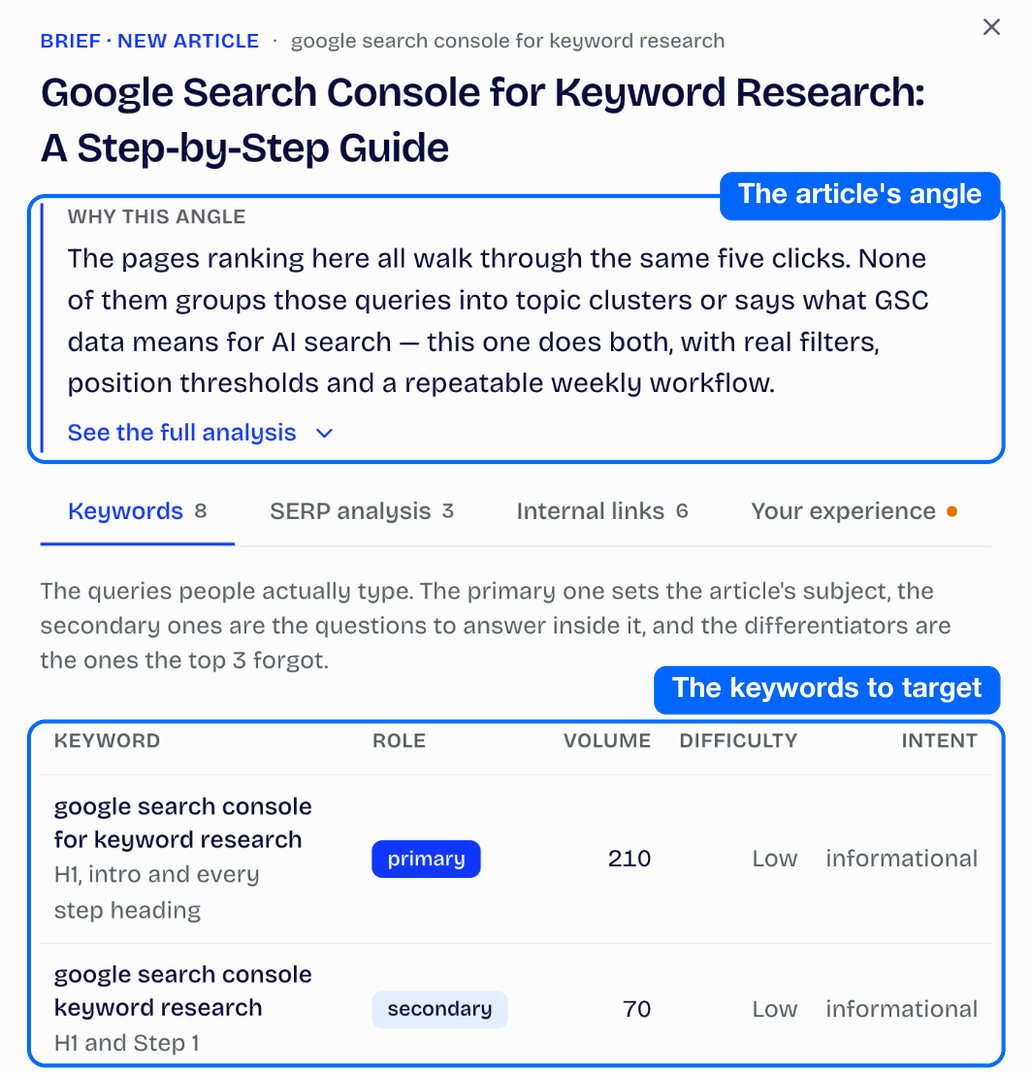
Nothing gets written until you start the writing. 2. What only you can teach it The brief asks about your own experience of the topic, for E-E-A-T. You answer right inside the brief. With no answer, it won't make things up for you. 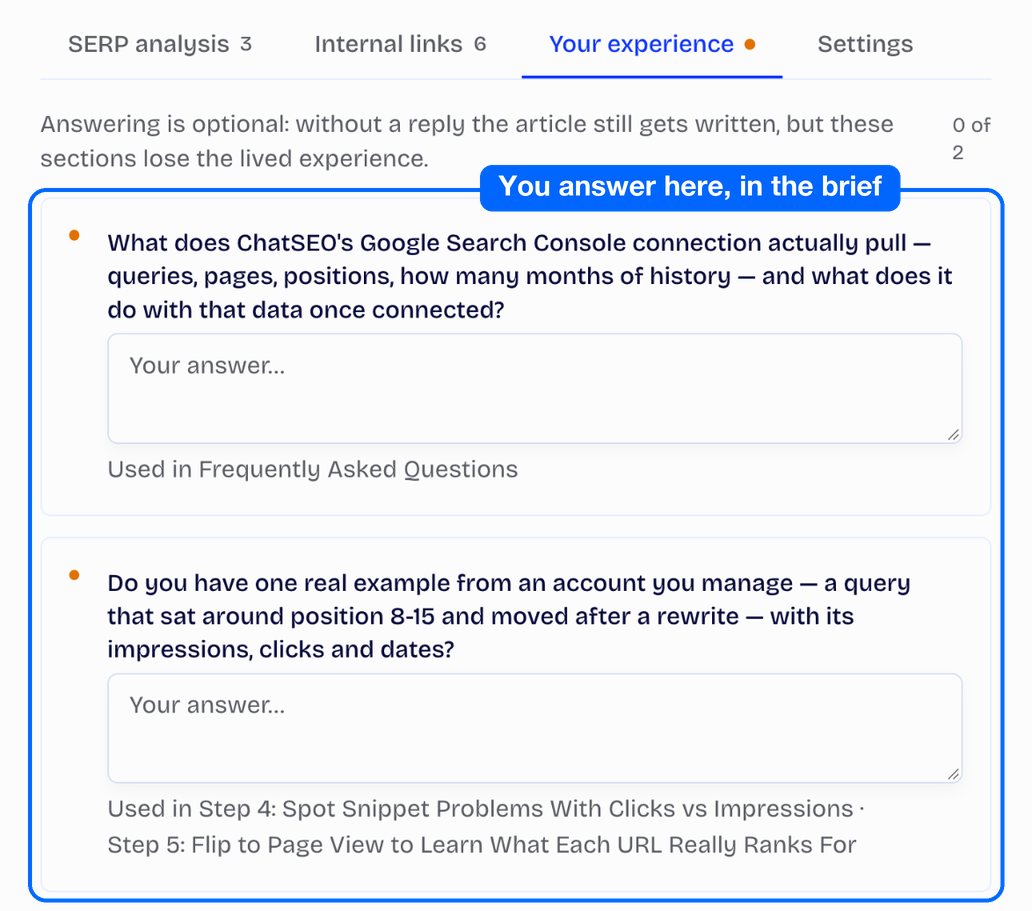
It also knows your offers and prices, and cites them in the article. And you choose the author who signs it. 3. Images in your brand style It generates images and infographics in your site's brand style. It also adds screenshots of the pages it mentions. 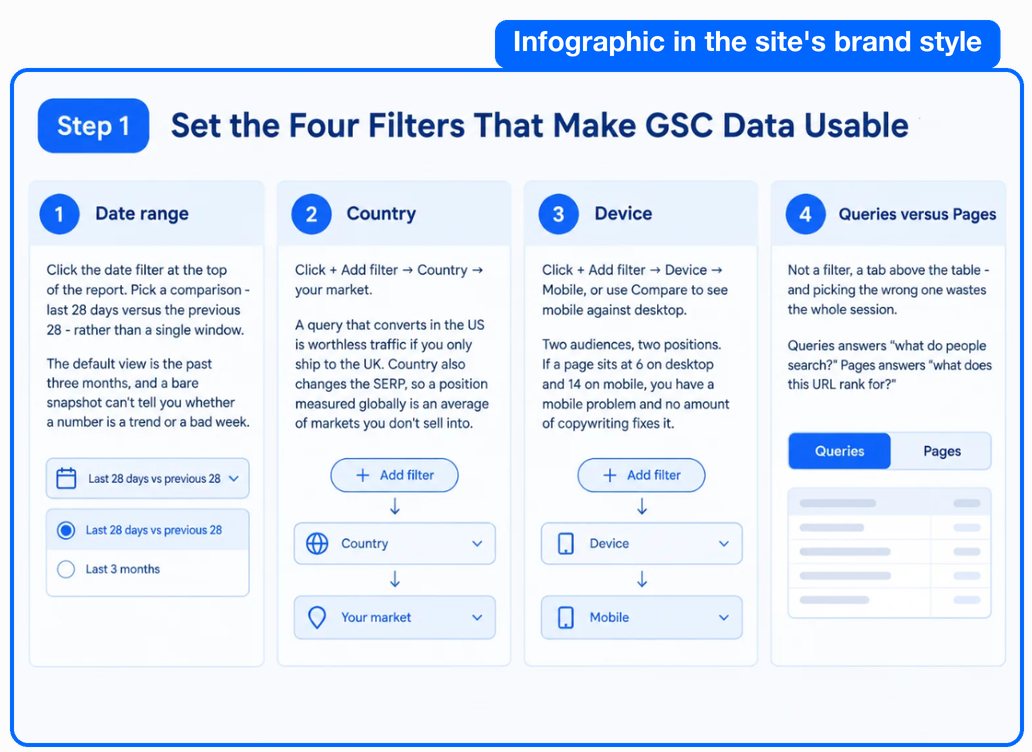
Your brand style is scanned when you create the site. Just check it in your site settings. 4. A new editor, then publishing You add a block anywhere and change the type of any passage. You regenerate, replace or delete an image right in the article. 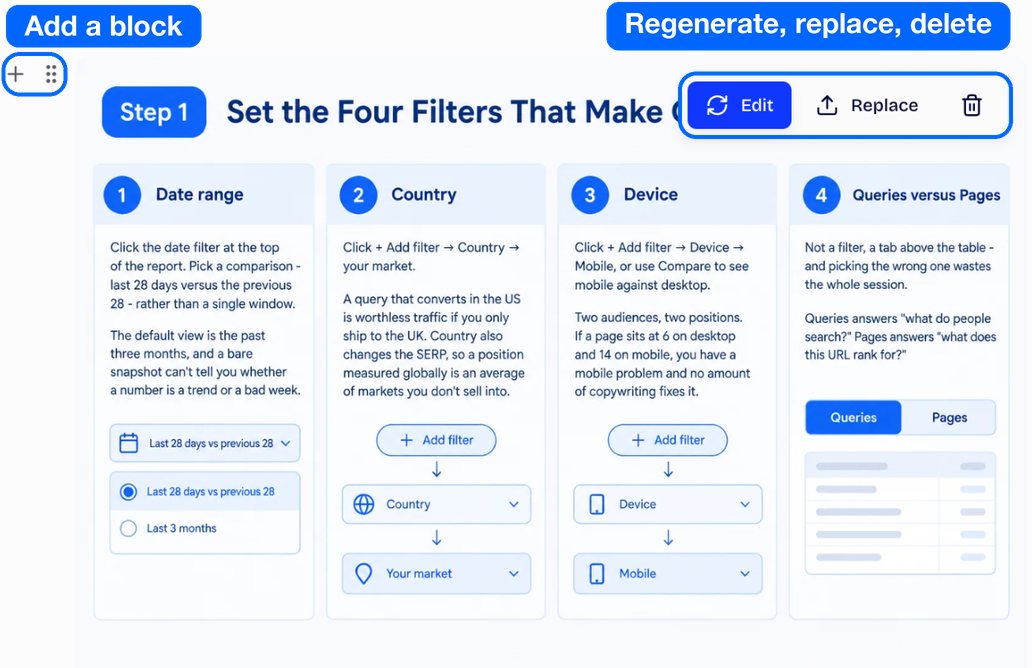
On WordPress, update the ChatSEO plugin. The article picks up your brand style and your authors get imported. Images go straight to your media library, and the JSON-LD ships with the post. The other CMSs are coming: that's our big focus now. Try it on your next article.
Nicholas (PS: not subscribed yet? You get a free 7-day trial to test it.) This email was sent to you@example.com. To stop receiving them, unsubscribe here. ©2026 ChatSEO. All rights reserved. |
