
|
|
|
Meet ONLYOFFICE Docs 10.0 with AI Tools and Modular Apps: The Big Autumn Release
|
|
Hello! Version 10.0 of the online editors has been released. Here’s a brief overview of the updates.
|
|
|
|
|
|
AI tools across the editors
|
|
ONLYOFFICE Docs 10.0 brings AI tools to every editor, supporting workflows from content creation to formatting. Default prompts in the AI Chat cover the most popular actions, with many more possibilities beyond them.
|
 |
|
| • |
AI tools understand your file context for more relevant suggestions |
| • |
Save prompts for one-click convenience |
| • |
Configure quick AI actions and create AI assistants in text docs |
|
|
|
|
ONLYOFFICE Docs + Apps
|
|
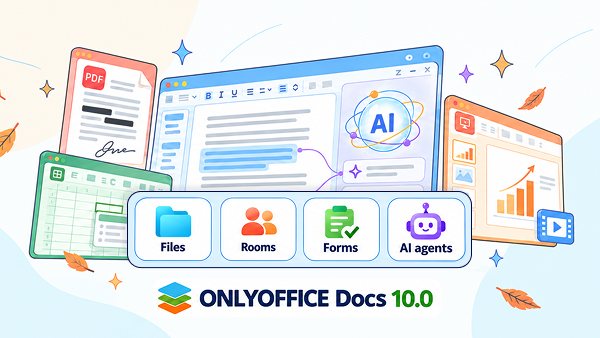
ONLYOFFICE Docs 10.0 provides modular apps you can mix and match: AI agents, Forms, Rooms, and Files.
|
|
|
| |
|
|
| |
 |
Paula Miller |
 |
|
|
|
Here's the key idea: flexibility. Instead of shaping your work around the software, you shape the software around your work.
|
|
Learn more
|
|
Online editors: What’s new
|
 |
|
| PDFs & forms |
| • |
Remove metadata from PDFs with Redact to keep sensitive data private |
| • |
Reusable signatures in forms to sign once and apply anytime |
|
|
|
 |
|
| Collaboration & documents |
| • |
Jump straight to another user's cursor for seamless collaboration |
| • |
Horizontal Line settings window for precise formatting control |
|
|
|
 |
|
| Spreadsheets |
| • |
AutoComplete toggle for cell values to speed up data entry |
| • |
Sheet background support to personalize your spreadsheets |
|
|
|
 |
|
| Presentations |
| • |
New display modes and extended print settings in presentations |
| • |
Export slides as GIF or video to share your work anywhere |
|
|
|
|
And more exciting improvements to explore
|
|
To learn more, read our blog.
|
|
|

|
|
Share your ideas
|
|
Shape the future of ONLYOFFICE! Leave your suggestions and help us make our solutions even better for you and other users.
|
|
|


