1. Our new Optimize tool just got a creator 1.8M more views
Earlier this month, Dantic (1.9M subs) used 1of10 Optimize to make a new thumbnail for one of his old videos.
The video was already sitting at 13.5M views, picking up about 97K views a week.
Then he swapped in the new thumbnail, and it got 1.86M views the very next week:
And that’s exactly what Optimize is built for: reviving your old videos.
Here’s how it works:
- Pick a video from your channel. Older videos that are still getting views are a great place to start.
- Optimize scans the video and finds different angles you could package it from.
- It turns each angle into new packaging: a fresh thumbnail and title, ready to test.
Click here to try Optimize on your old videos.
1of10 Optimize Tutorial below:
|
Richard the Youtube strategist
@Richard_YTS
|
3:41 PM • Oct 16, 2026
|
|
2. Gen 3 is now live in the Thumbnail Generator
We just added Gen 3, our newest thumbnail model.
In a blind test on 15 real thumbnail requests, our team picked the Gen 3 thumbnail as the best one 9 times (over Gen 2 and Gen 2.5).
So if you haven’t tried it yet, it’s worth testing on your next video.
Click here to try Gen 3 in the Thumbnail Generator.
Now, onto today’s newsletter…
This may sound crazy but…
1 simple thumbnail change can be the difference between a video getting 100 views and 100,000 views.
I know because we’ve seen this happen countless times while helping YouTube creators the last couple years.
And in almost every situation, it’s because of bad thumbnail design.
For example:
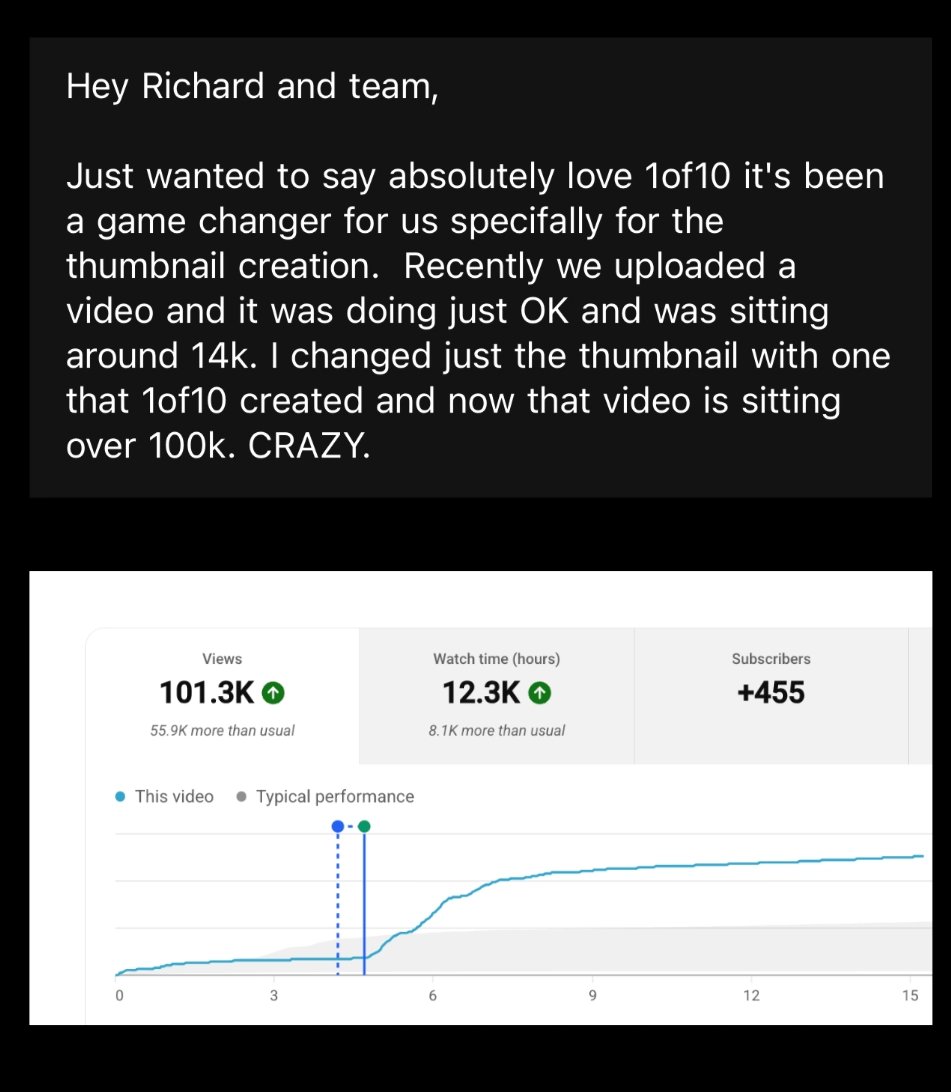
This creator’s video was sitting at 14K views… until they changed the thumbnail - and it shot up to 100K+ views:
So, we built a 4-part system that gets viewers to click on your video (in any niche).
But if you prefer listening/watching, my team and I did a 45-minute deep dive, here on YouTube as well.
Let’s get into our process for coming up with banger thumbnails.
Step 1: Finding Thumbnail Inspiration.
And there are 4 ways to do this:
1. Blank inspiration with nothing
This is a great place to start. Here just brainstorm different ways you could structure thumbnails to maximize curiosity for your idea.
- Figure out different elements you could show
- The layout of these elements
- How will you get the concept of the video across?
You can also type the title of your video into 1of10’s Thumbnail Generator (for free) to get a couple good thumbnails in a few seconds.
2. Interest topic thumbnail research
This is when you're trying to find thumbnails with similar key interest topics.
- Search Interest Topic for idea (e.g. Sword). To find these you look inside your channel, what’s been done in your niche and outside your niche with your interest topic, basically anywhere with sword.
- Search Sister Interest Topics (e.g. Axe, Knife, Gun). To find these, you need to go to the parent level (e.g. weapons) and look at other topics under the parent topic.
- Cousin Interest Topic (e.g. Anime weapons). To find these, you need to go to the parent (e.g. weapons) and look for brother/sister topics (e.g. Video Game Weapons, Movie Weapons, Anime Weapons)
3. Idea/title format thumbnail research
This is when you're trying to research same format with different interest topics.
And there's 2 steps to finding these:
- Search for other outliers in your format (e.g. $1 vs $100K).
- Search for outliers under the core format (e.g. comparison videos)
Key Rules
- Stick to your target (education / entertainment)
- Look for the biggest outliers under each step
- Look for the highest view videos
- Find at least some from the past 6 months
4. Broad research
Search YouTube for thumbnails outside your format AND your interest topic.
Before doing this, you need to have a rough idea of what you want to show in your thumbnail.
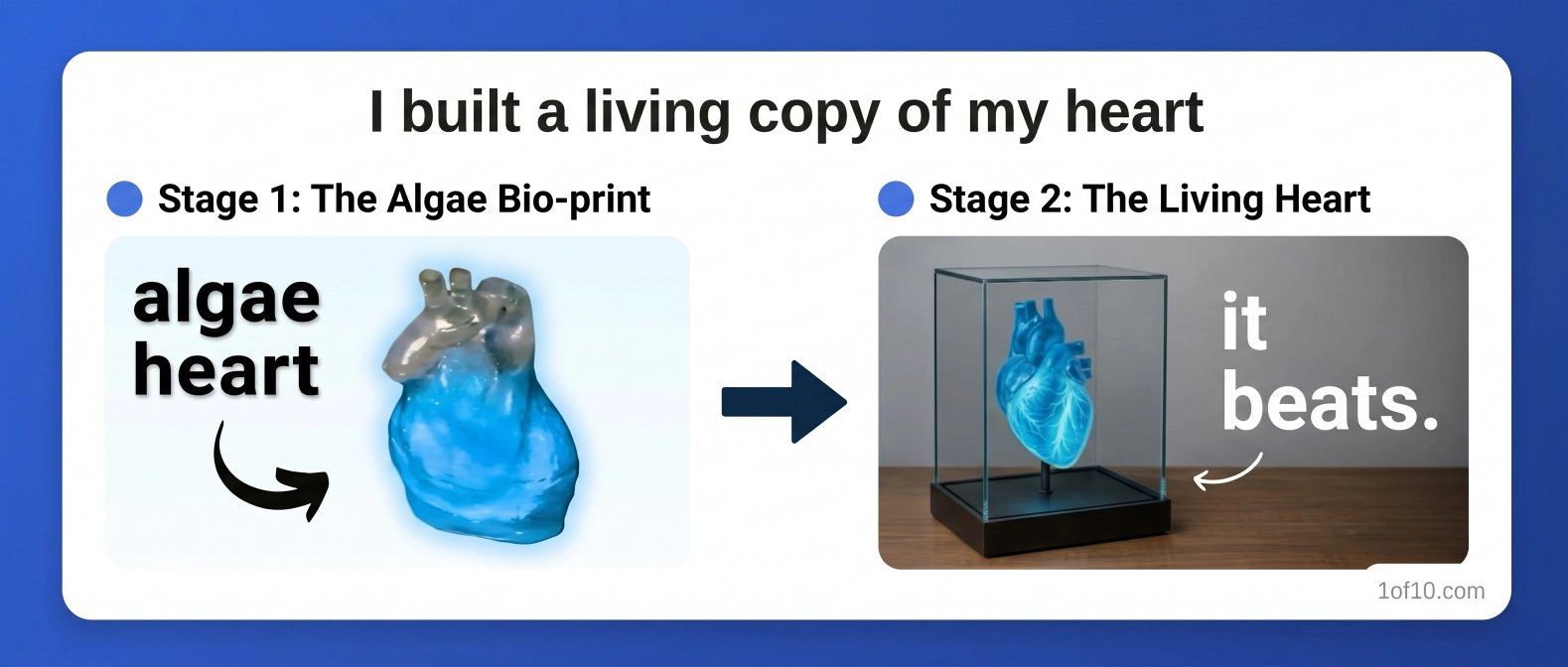
Using this video’s thumbnail as an example:
Your elements might look something like this:
Next you're looking for inspiration or creative ways to show your elements / interest topic.
How to do this?
- Look for thumbnails with similar element characteristics. For example, with the banned energy drink idea, you may look for images of people with food, or people with phones. Essentially situations with similar object sizes / interactions.
- Browse the 1of10 homepage
- Browse your YouTube homepage
- Look outside of YouTube (e.g. Movie posters, Album covers, anime shots etc)
- Create a 'thumbnail dump' over time. You can check through this for inspiration.
Now, let’s move to the next step.
Step 2: Figure out WHY it worked.
Don't copy a thumbnail just because the video blew up.
Why?
Because sometimes, a video goes viral in spite of a bad thumbnail.
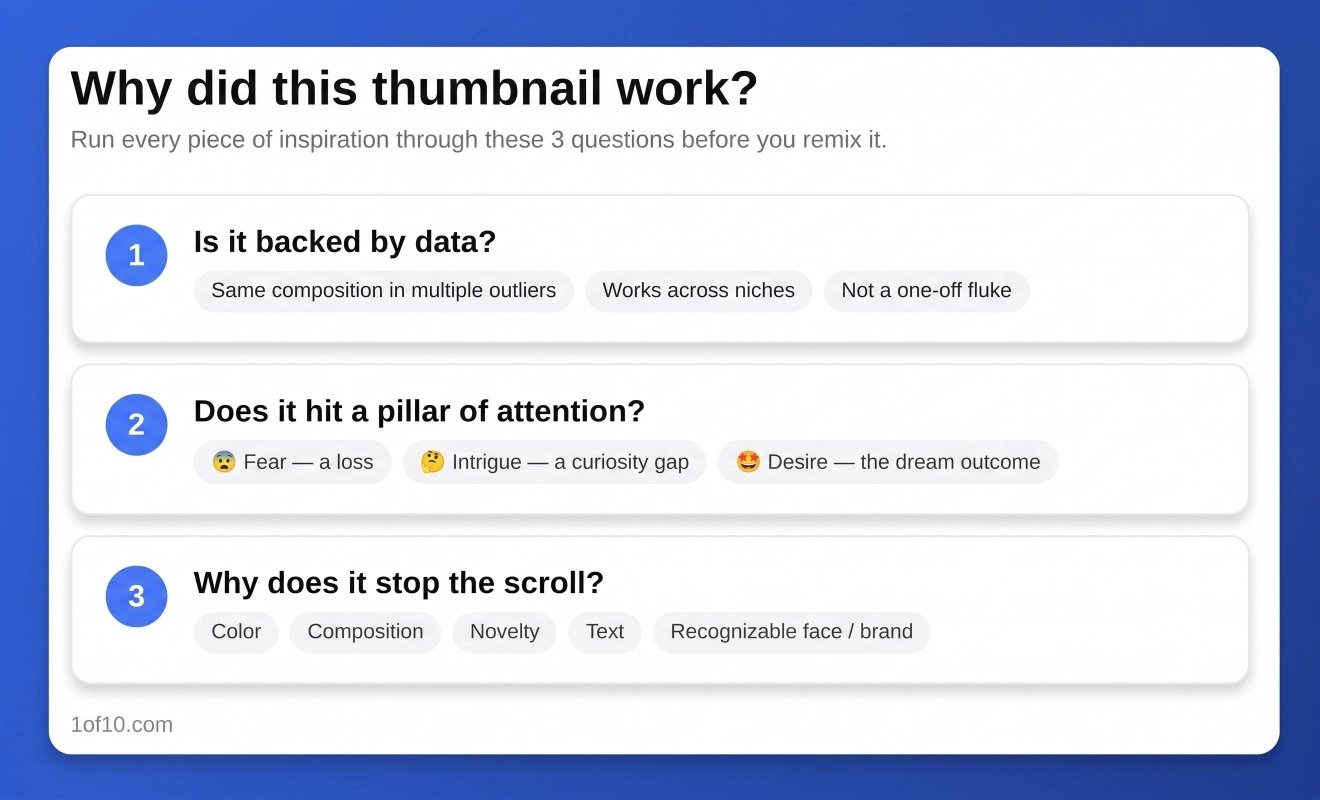
So run each piece of inspiration from Step 1 through these 3 questions:
- Is it backed by data? Look for the same composition or element working across multiple outliers.
- Does it hit a pillar of attention? Every great thumbnail triggers fear (a loss), intrigue (a curiosity gap), or desire (the viewer's dream outcome).
- Why does it stop the scroll? It's almost always a pattern break in 1 of 5 ways: color, composition, novelty, text, or a recognizable face/brand.
Now, with that in mind…
Step 3: Remix it for your video.
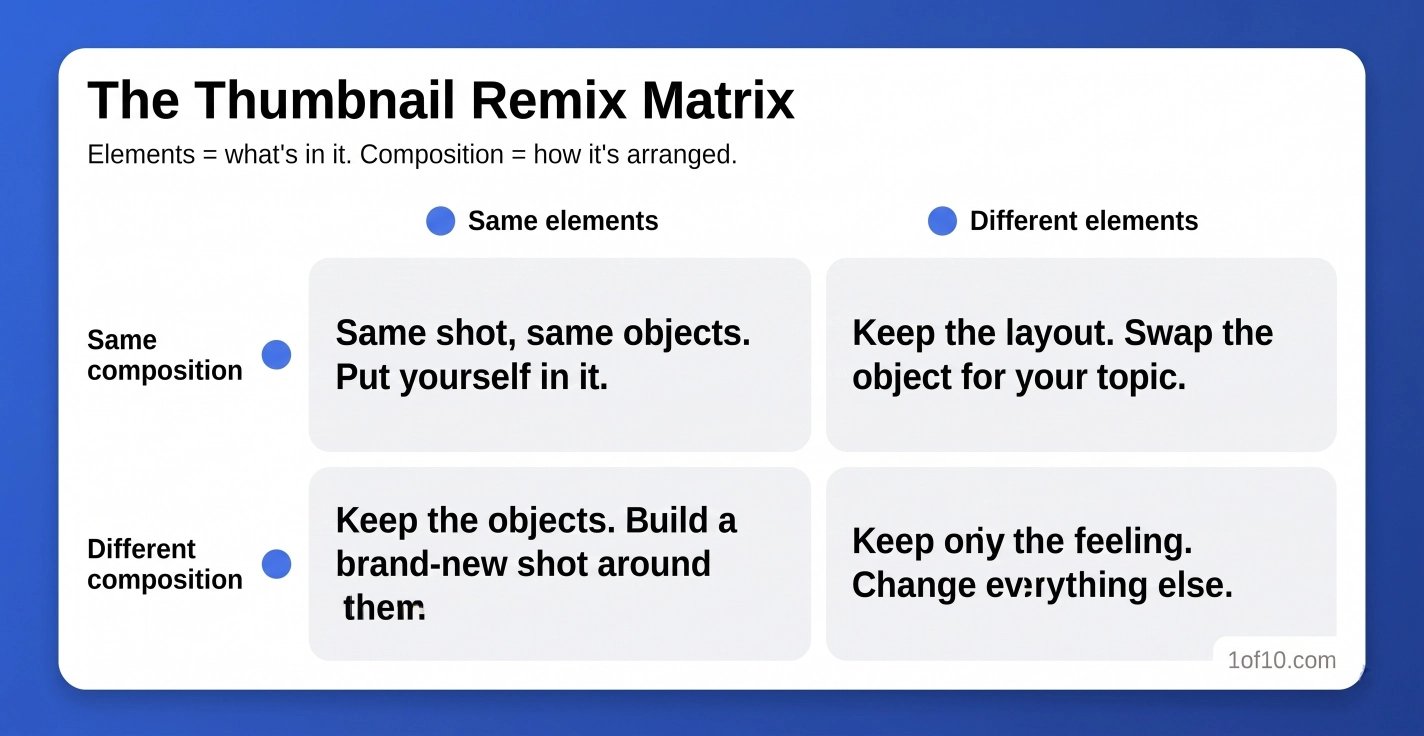
But first, there are two things worth defining:
- Elements = what's in the thumbnail (you, an object, the background)
- Composition = how those elements are arranged (split screen, object in the foreground, etc.)
Then pick 1 of 4 remixes:
- Same composition, same elements. Swap yourself in. A Japanese capsule hotel thumbnail with 59M views became a near-identical shot for our client, and pulled 7M views.
- Same composition, different elements. Keep the layout, swap the object.
- Same elements, different composition. For Mike Shake's sword video, we found an 11M-view thumbnail of someone slicing a skeleton. We kept the person, sword, and mannequin, but completely rearranged the shot.
- Different composition, different elements. Keep only the feeling of the original.
And to get the most out of this step…
Do the remix with a thumbnail from a completely different interest topic.
In my experience, that's where the most original thumbnails come from.
Step 4: Pressure-test it (then keep testing).
Before you publish, check it against what we see in the top outliers:
- 3 elements max
- Big, high-contrast elements (readable at a glance)
- Text a 5th grader could read in 1 second
- Nothing important in the bottom-right corner (that's where the timestamp goes)
- Matches the mood of the video
- Opens a curiosity gap without giving away the payoff
(This isn't a checklist btw, you don't need to meet all of these criteria.)
One more: check for negative data.
If a concept like "$0 to $1M" hasn't produced an outlier in the past 6 months, it's probably been overused.
We aim for at least 3 approved concepts per video.
And we never stop testing after it goes live.
So, start with your most popular videos - especially those with high retention and low CTR. For example, one of our strategists has a friend whose video was sitting at 70,000 views.
The title stayed the same.
All that changed was the thumbnail - and it climbed to 400,000+ views:
And that’s a wrap for today’s newsletter.
Hope this helps!
Talk soon,
Richard
P.S. Want thumbnail concepts for your next video in seconds?
Give our (free) Thumbnail Generator a try!
All you have to do is:
- Click here to use our free tool
- Type in your video title
That's it.
And if you want to find data-backed ideas, generate viral thumbnails, and craft winning titles…