|
|
|
|
|
We've released another round of improvements to help you work faster, stay on top of notifications, and get more from your AI employees.
|
|
|
|
From meeting summaries and quick desktop actions to easier scheduling and file attachments, here's what's new!
|
|
|
📝 Ask AI About Your Meetings
|
|
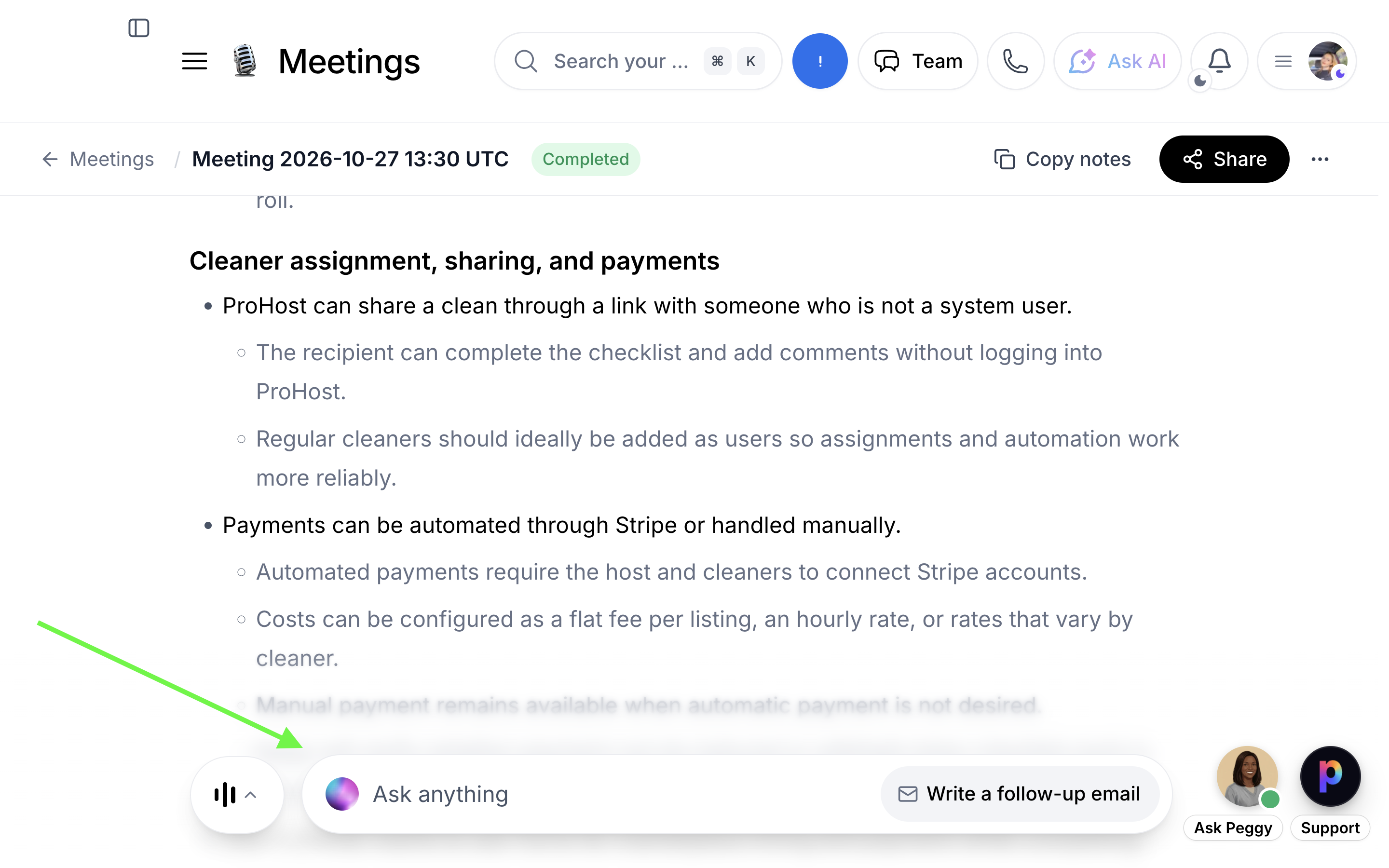
Meeting pages now include a floating AI bar, making it easier to review conversations and find important information.
|
|
|
|
Where to find it: Meetings → Open a meeting
|
|
|
-
Show transcript: Search through the meeting transcript.
|
-
Ask anything: Generate summaries, follow-up emails, action items, and key decisions.
|
|
|
|
Ask AI is available after the meeting and requires the appropriate permissions.
|
|
|
|
|
🔔 Native Desktop Notifications for Mac
|
|
You can now reply to messages and respond to approvals directly from your Mac notifications.
|
|
|
|
Where to find it: Desktop app → Settings → Notifications → Sounds
|
|
|
|
Enable desktop notifications to receive message banners with Reply and approval alerts with Approve / Reject.
|
|
|
|
Requires Mac desktop app version 0.3.32 or later.
|
|
|
📱 Start Meeting Notes From Your Phone
|
|
Start recording meeting notes directly from your phone without needing to open your desktop app manually.
|
|
|
|
Where to find it:
|
|
|
-
iPhone: Start notes from the meeting's Lock Screen Live Activity.
|
-
Android: Tap Start notes on the Meeting starting soon notification.
|
|
|
|
Your desktop app handles the recording, so it must be running, signed in as the same user, and updated to version 0.3.32 or later.
|
|
|
|
Available for eligible synced Google Calendar meetings.
|
|
|
📅 Book Calendly Meetings From Approval Cards
|
|
Your AI employees can now suggest Calendly meeting times for you to review and approve.
|
|
|
|
Where to find it: AI Workflows → Approvals → Meeting to book → Pick a time → Approve
|
|
|
|
Choose a suggested time and confirm the booking directly from the approval card.
|
|
|
|
Available for supported Calendly bookings.
|
|
|
📎 Easier File Attachments in the Inbox
|
|
Adding files to conversations is now simpler with drag-and-drop support and improved attachment previews.
|
|
|
|
Where to find it: Inbox → Open a conversation
|
|
|
|
Drag files into the conversation, paste them, or use the attachment button. You'll also see upload progress and can retry failed uploads.
|
|
|
✨ Improved AI Approval Workflow
|
|
You can now review and edit AI-generated messages from multiple places, including your Home cards, Inbox threads, and AI employee approval lists.
|
|
|
|
Where to find it: Home, Inbox, or AI Employee → Approvals
|
|
|
|
Review the proposed response, make any necessary edits, and approve it when ready.
|
|
|
Need Help Getting Started?
|
|
Need a hand setting up any of these features?
|
|
|
|
|
|
Our office hours calls are free and unlimited!
|
|
|
More Improvements Are on the Way
|
|
We're continuously improving ProhostAI based on your feedback. If there's something you'd like us to build next, we'd love to hear it!
|
|
|
|
Some features require specific permissions, integrations, or desktop app versions.
|
|
|
|
|
|
|