| |
| 👋 Hi there,
This month we’ve got something new for anyone who uses AI to analyse CRM data: a free library of 100+ ready-made prompts for CRM, sales, and marketing tasks. We also shipped a HelpCrunch integration and several improvements to tasks, record lists, and text fields, many of them based on your feedback.
| | |
| |
 | 100+ ready-to-use AI prompts for sales, marketing, and business | | We’ve built a library of 100+ prompts to help you get everyday work done faster with ChatGPT, Claude, and other AI tools. Pick a scenario, copy the prompt, and adapt it to your task.
The prompts work best with the NetHunt CRM MCP integration. Connect your CRM to your AI assistant, and it can pull your live data (leads, deals, tasks, and team activity) to answer each prompt with real numbers instead of generic advice. | | The library includes prompts for: |  | Analyzing leads and your sales pipeline | | | Preparing customer communication | | | Evaluating team performance | | | Understanding why deals were lost | | | Spotting risks and growth opportunities | | | Prompts are organized by role and task, so the right one is easy to find. Have a prompt that works well for you? Add it to the library along with a link to your social profile. | | | Set up the MCP integration  | 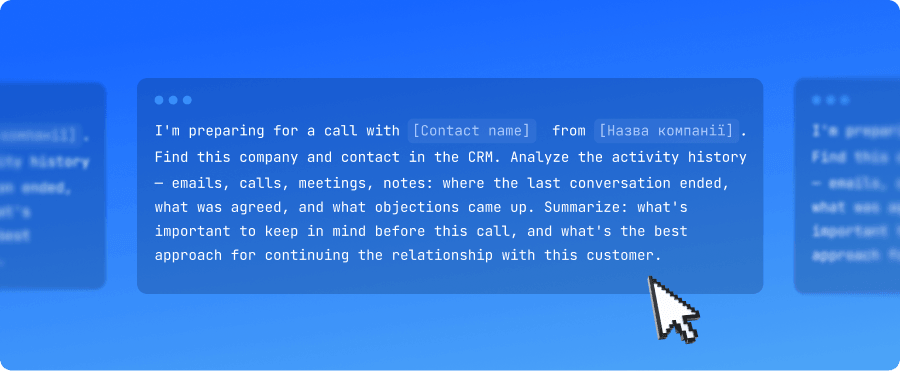 | | |
| |
 | Task improvements | | All-day tasks now show the right date across time zones. Previously, if a task’s creator and assignee were in different time zones, the due date of an all-day task could shift. Now these tasks keep the correct date and “All day” label, and appear correctly in date-filtered lists like “Today.”
Task export. You can now export tasks from NetHunt CRM for analysis or backup. | | |
 | Quick actions in record lists | | | You can now handle common actions without opening a record. | | Use the new three-dot menu to: |  | Copy a link to the record; | | | Duplicate the record; | | | Delete the record. | | | There’s also a new button to open a record in a new tab. | | |
 | Resizable multi-line fields | | | Long notes and descriptions are now easier to work with: you can adjust the height of multi-line fields to see more text at once. | | |
| Thank you for choosing NetHunt CRM We have more useful improvements on the way and are already working on them. | | |
 | | Need Help? We're Here! | | | | |
Stay tuned — more updates are just around the corner!
Anna from NetHunt CRM 💙 | | | | 2026 © NetHunt | | You are receiving this email because you opted in at our website. Occasionally, you will receive brief product newsletters, as well as promotional email messages related to NetHunt and CRM tools. If these messages are no longer relevant to you and you don't want to receive them, we're sorry for the inconvenience we might have caused and kindly ask you to unsubscribe. | | |