October was about empowering Dex to remember important things so you don't have to do it on your own. This month, conversations can write summary notes from your conversations. Title changes have been improved too (you can filter to just important changes!) We’re also excited to share open beta for one of our most requested features: Dex for Teams, so you can bring your team (and team context!) into Dex.
Watch a quick Instagram reel walkthrough of these new features here. |
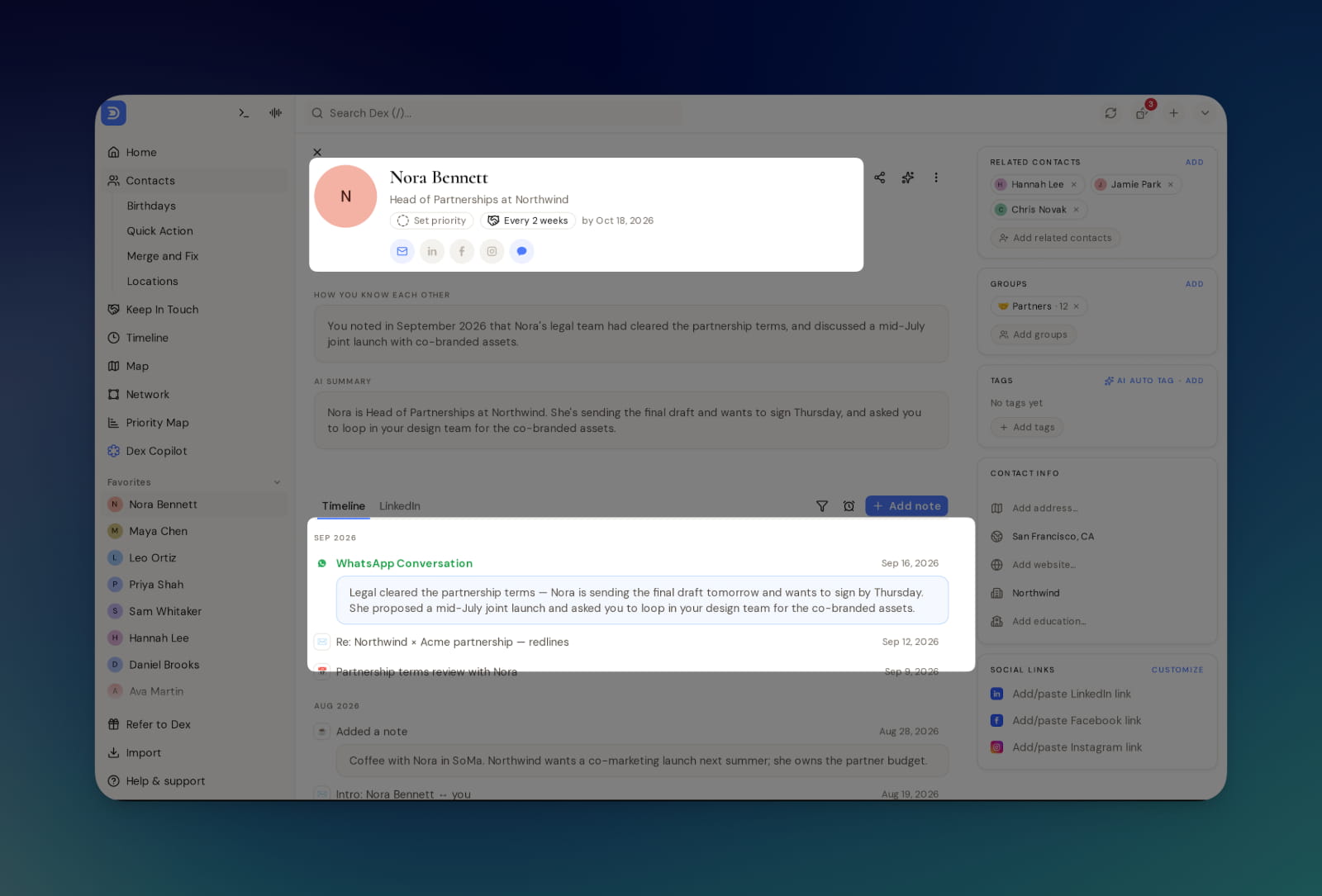
Most of your relationships happen in your messages. With Conversation Memory, Dex now keeps track of what you actually talked about, right on each contact’s timeline.
Every night, Dex can read the day’s conversations and adds a short note (one to three sentences) to each contact’s timeline. The next morning, you’ll get an email listing which notes were added. Here’s how Conversation Memory works: |
- Works with WhatsApp, iMessage, LinkedIn, and Instagram.
-
Starts from when it’s turned on. Older message history isn’t summarized.
- Skips chats with nothing worth saving, like “ok” or “👍”
- Automatically created notes are regular notes, so you can edit, delete, or search them. Dex’s AI also uses them to give you better summaries and suggestions.
- Each morning, you’ll get an email mentioning which notes were added.
|
We’re turning this feature on for everyone. If you’d rather not use it, you can switch it off in Settings > Automation. Give it a try and let us know what you think!
Full details are in the Conversation Memory documentation. |
Important Title Changes 💼 |
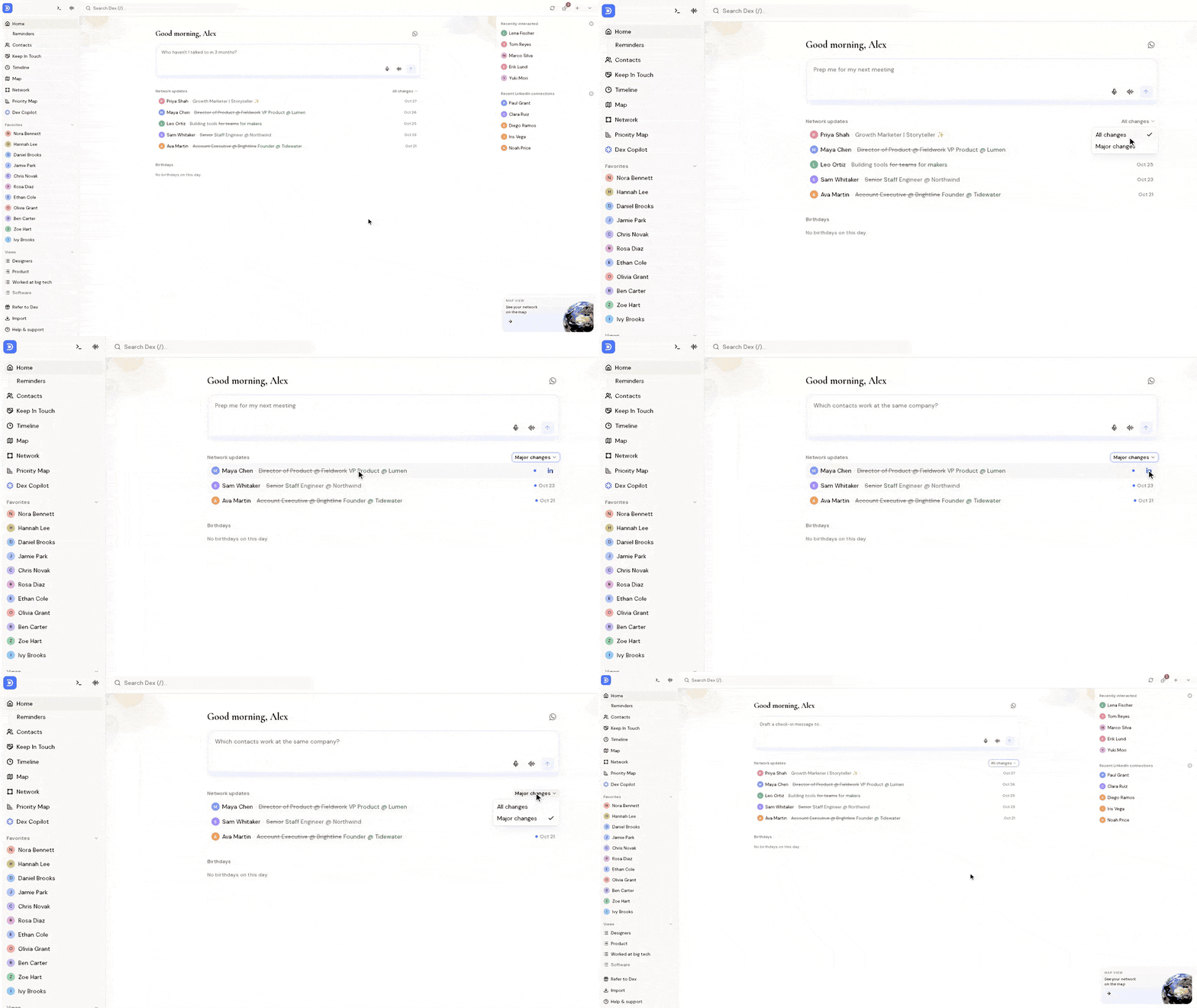
When your LinkedIn connections update their headlines, some changes are just small tweaks, like new wording or an added emoji.
Dex now can indicate which ones are important: a new employer, a promotion, a new role, or someone starting or leaving a company. |
You’ll see these on Home and in your network update email. When a connection starts a new job, it’s the perfect time to reach out with a quick congrats! |
For early testing: Dex for Teams 🤝 |
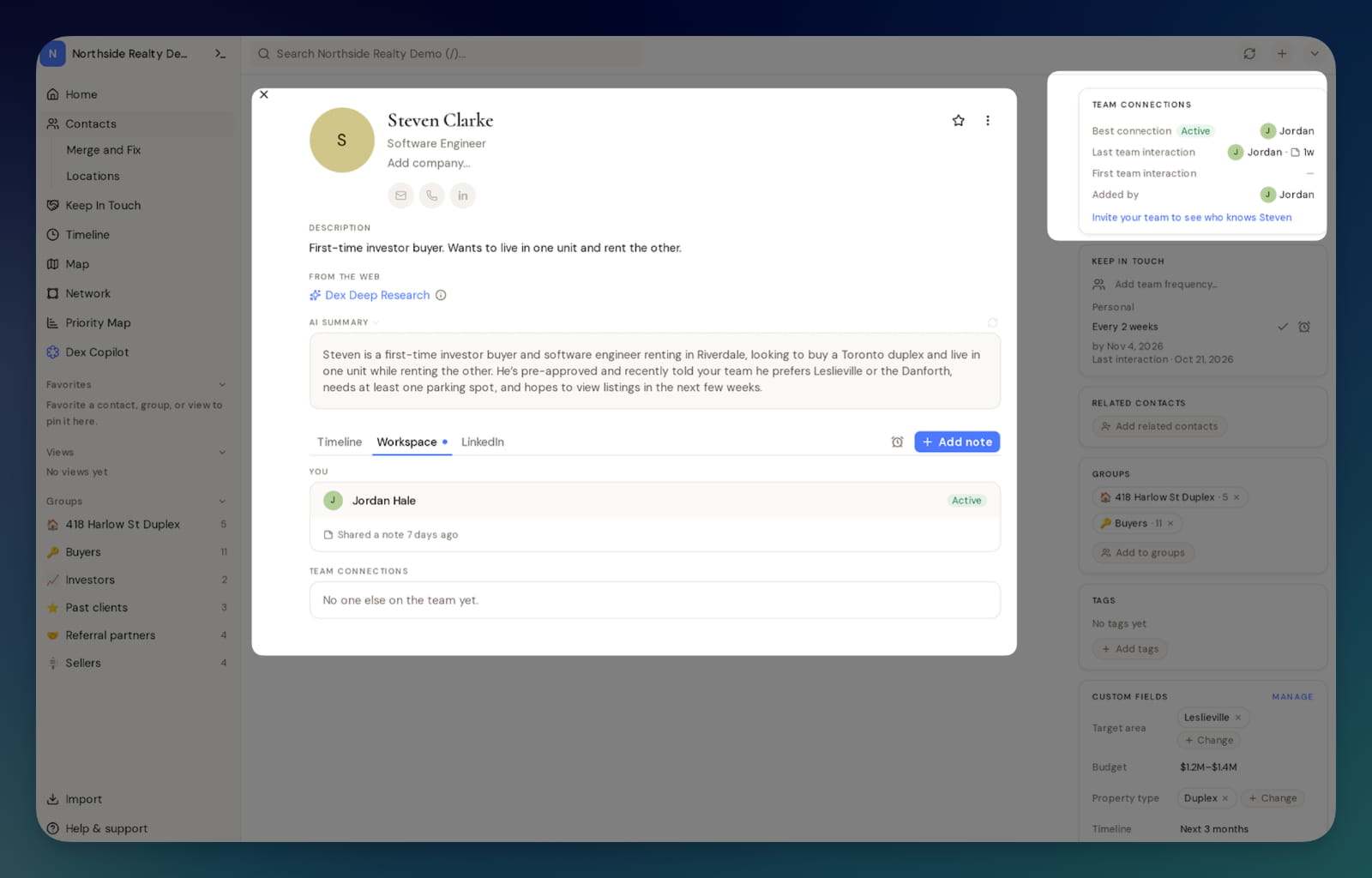
You can now bring your team into Dex. Dex for Teams gives everyone one shared workspace for relationships, while each person’s own Dex stays private. |
- Search for any person or company to see which teammates know them, and when they last talked.
- See emails, meetings, and notes from everyone working a relationship in one shared timeline.
- Choose whether the workspace sees just your email subjects or full content, and choose whether to share each note or keep it private
|
Bug Fixes and Improvements 🧩 |
We also shipped a bunch of fixes and improvements in October: |
-
Fixed an issue where automatic Conversation Memory notes were created from weeks-old Instagram, LinkedIn, and WhatsApp messages.
- Fixed an issue where reconnecting LinkedIn on mobile would get stuck on Google sign-in.
- Fixed an issue where a LinkedIn refresh would overwrite a location you edited yourself.
-
LinkedIn matching is more accurate, so strangers with the same name no longer get linked to your contacts. Unlinking a profile now also clears its old details.
- Gmail sync no longer marks your account as broken during brief hiccups on Google’s side, and emails you missed now come through.
- Connecting WhatsApp is smoother, with no more endlessly loading QR code and clearer messages when something goes wrong.
-
Fixed an issue where meetings booked more than a day ahead would not show up.
- Fixed an issue where calendar auto-add would bring back contacts you archived.
- Fixed an issue where the desktop app would ask for your admin password every hour.
- Fixed an issue where the desktop app would lose updates it had already downloaded.
- Fixed call history syncing in the desktop app on macOS 27 and older.
- Birthdays set from the command bar now keep the year, and “Mark done” clears the right year.
- Phone imports now fill in missing birthdays.
- Fixed an issue where iPhones set to Hebrew would drop phone numbers and birthdays.
- Merging now keeps the right details and no longer times out on mobile.
- Keep-in-touch now resets when you email or message someone.
-
The keep-in-touch list on mobile now shows all your contacts, not just the first 500.
- CSV exports now open in Excel with accented names intact.
- Notes created by Dex Copilot now keep their bullets and line breaks.
- Dex Copilot can now see your contacts’ LinkedIn work history and education.
|
Best, Kevin & the Dex Team P.S. Are you a creator or influencer using Dex? Send us a note at marketing@getdex.com and we'd love to chat! |
This email was sent to you@example.com. To no longer receive these emails, unsubscribe here. |
|
|
|
|