Navattic November Overview: Give reps technical answers on live calls and automatically keep captures up to date |
|
|
|
November brings technical backup on live sales calls with Ride Along, new ways to keep your captures up to date, and prompt-based building and editing with Ask Copilot. |
Ride Along: technical backup on sales calls |
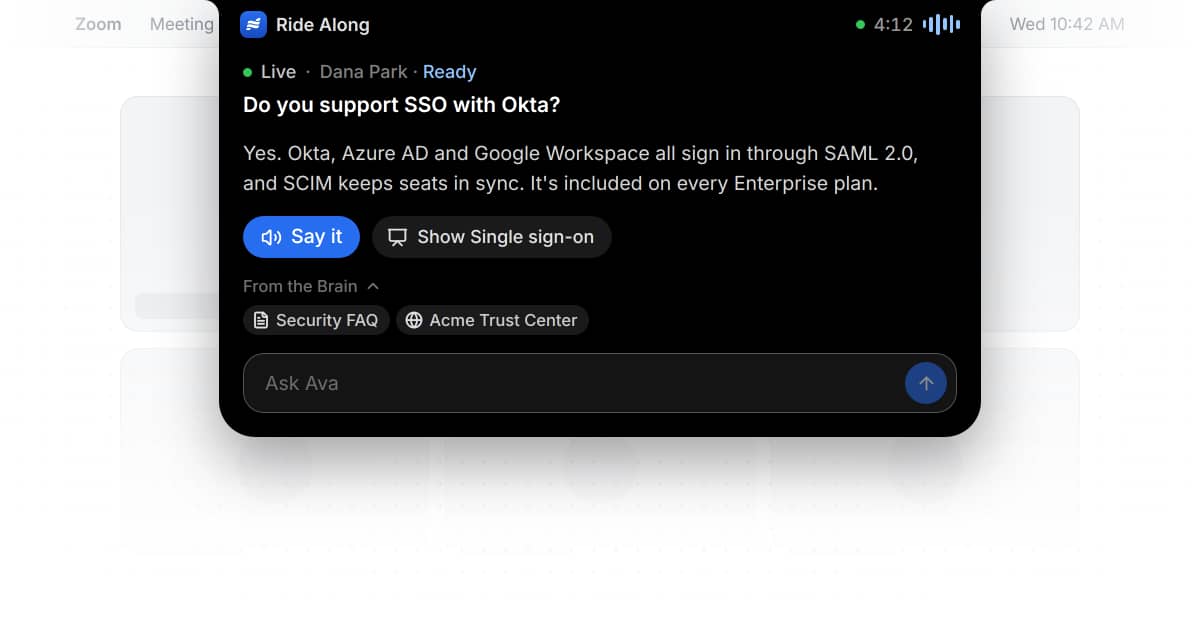
Ride Along is a desktop app that listens to a sales call, finds the best answer in your Agent Brain, and shares it with a link to its source.
Choose how it runs:
• Background mode listens through the rep's microphone and system audio and suggests responses but never joins the call.
• Meeting mode joins Zoom, Teams, Webex, or Google Meet, and the rep decides when the agent speaks or shows demo flows.
Ride Along works on top of an existing Agent Brain. Reach out to your CSM or support@navattic.com if you want to try out Ride Along, or learn more here. |
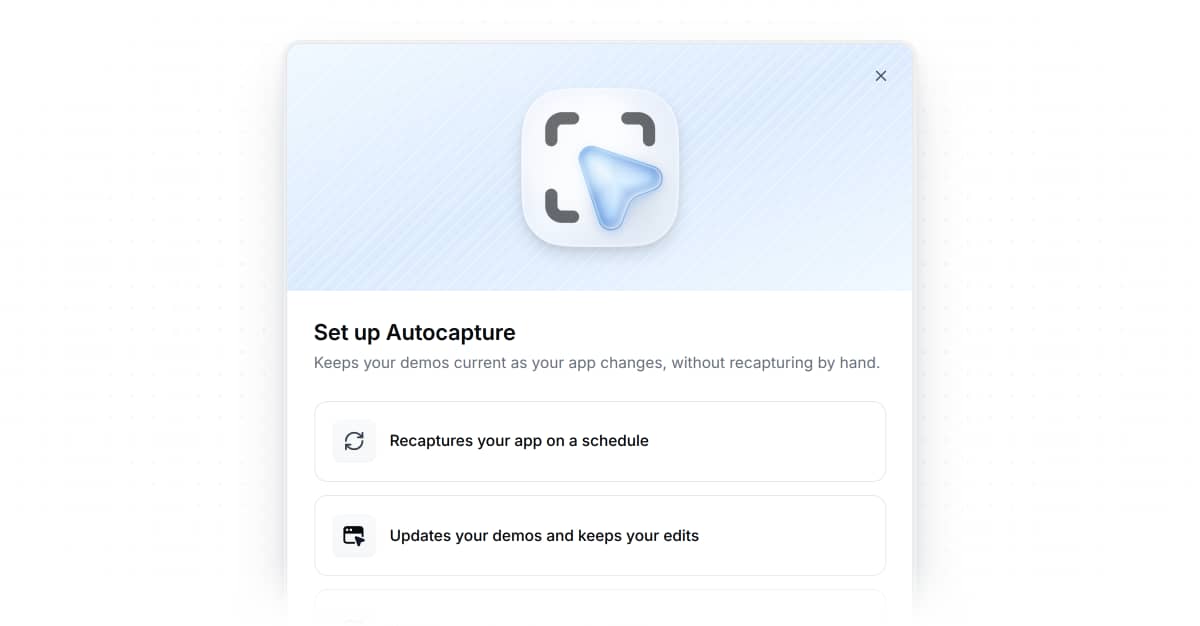
We've heard your feedback that one of the hardest parts of using demos is keeping them up to date. That is why we built Autocapture — our browser agent that crawls your product and takes captures for you.
Connect your app once from the Capture Library, record a sign-in, and set a cadence for recapturing. Updates are drafts, so live demos don't change until you publish.
Reach out to your CSM or support@navattic.com to try the Autocapture beta. |
Ask Copilot: prompt to build, review, and edit |
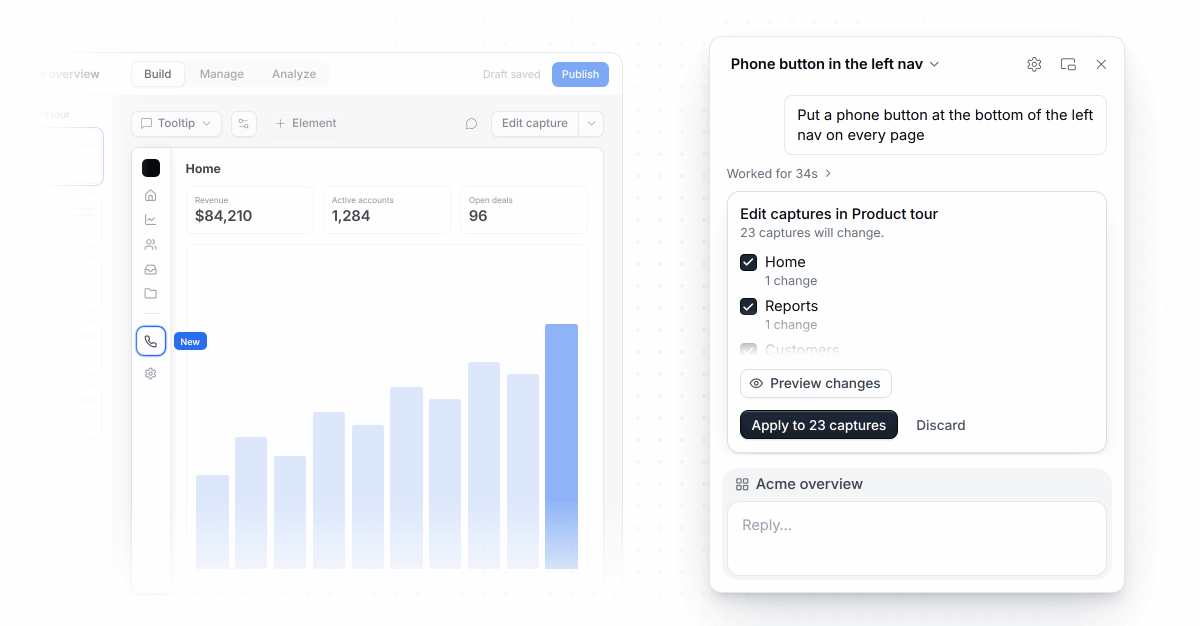
Ask Copilot (formerly Ask Navattic) is an AI assistant within the app. Prompt it to build and edit demos, agents, playbooks, audiences, and more.
Ask Copilot can also perform the same actions as our MCP, like analyzing demo performance, personalizing captures, and updating demo content. |
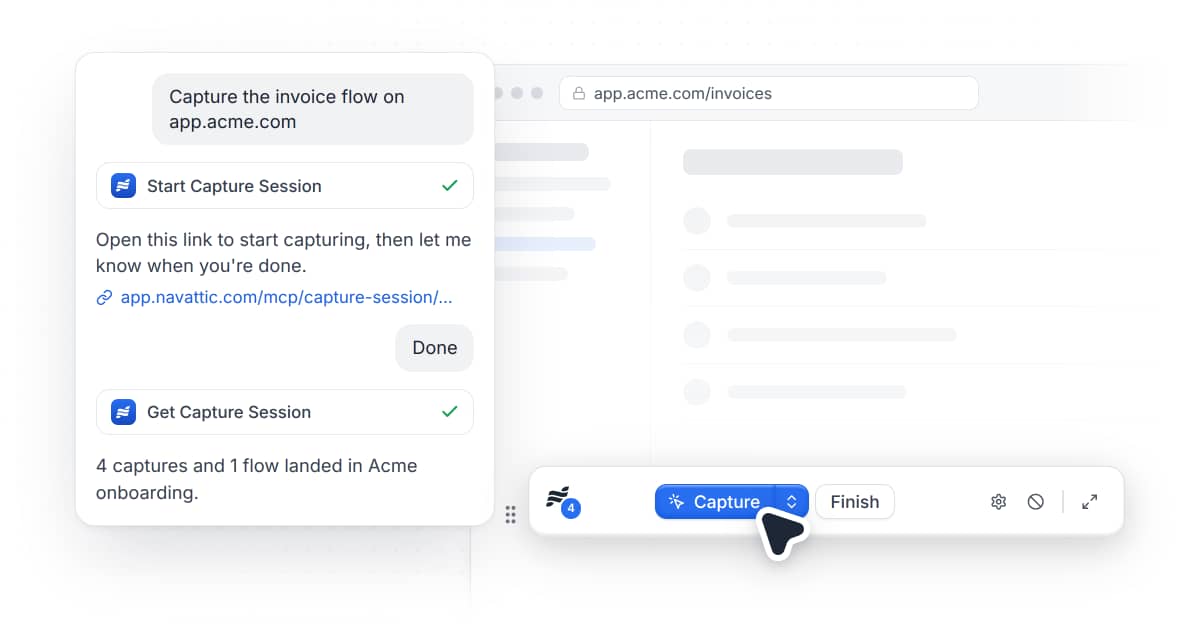
Start a capture session from your AI tool of choice using the MCP.
Capture in your own logged-in browser, and once you're done, you can build a demo, edit the captures, or personalize them from your AI tool. |
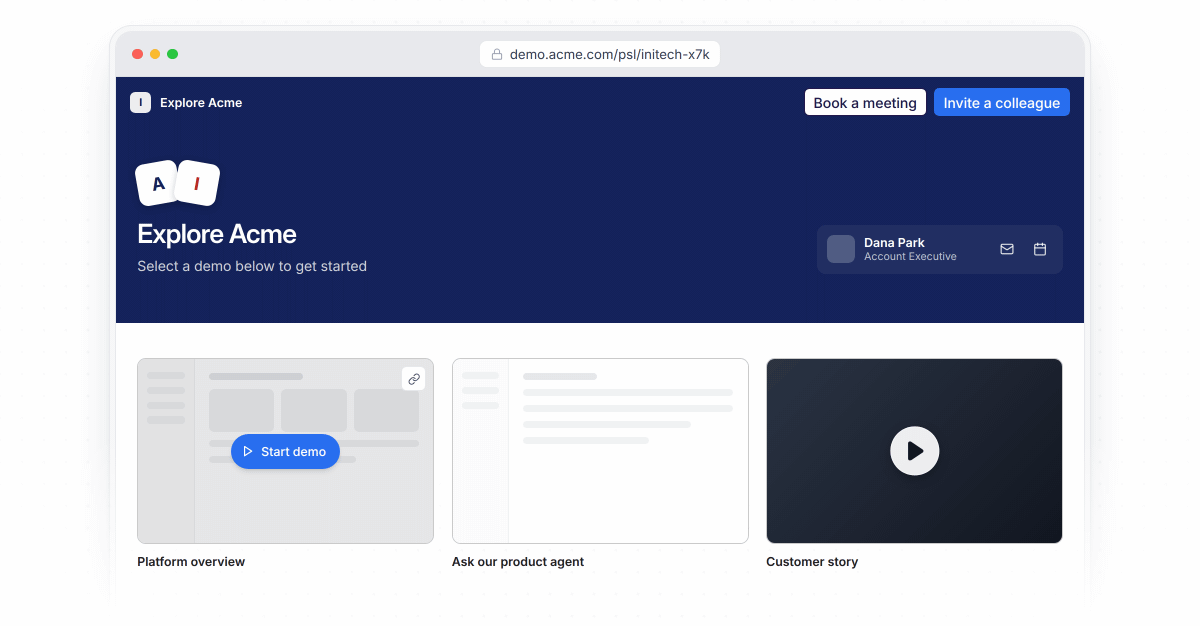
Demo hubs are available via Launchpad. Reps can share multiple demos, agents, resources, and videos in one link. |
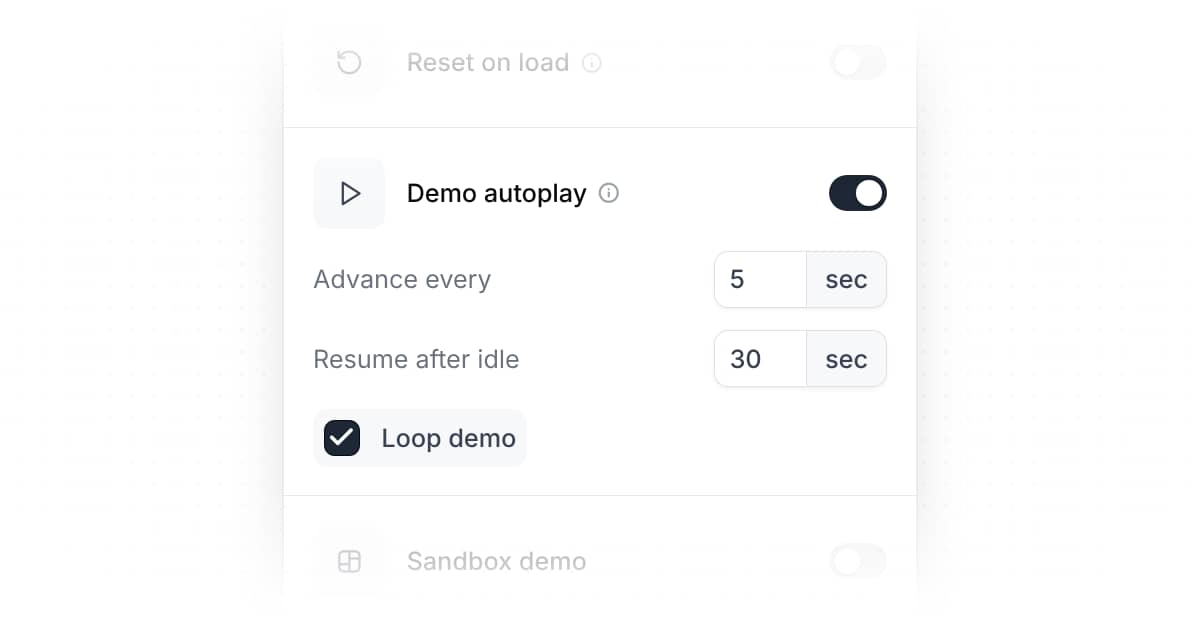
Use Autoplay during events or conference booths. The demo automatically advances on a timer and loops like a video, instead of the visitor clicking through it.
Turn on Demo Autoplay in project settings. |
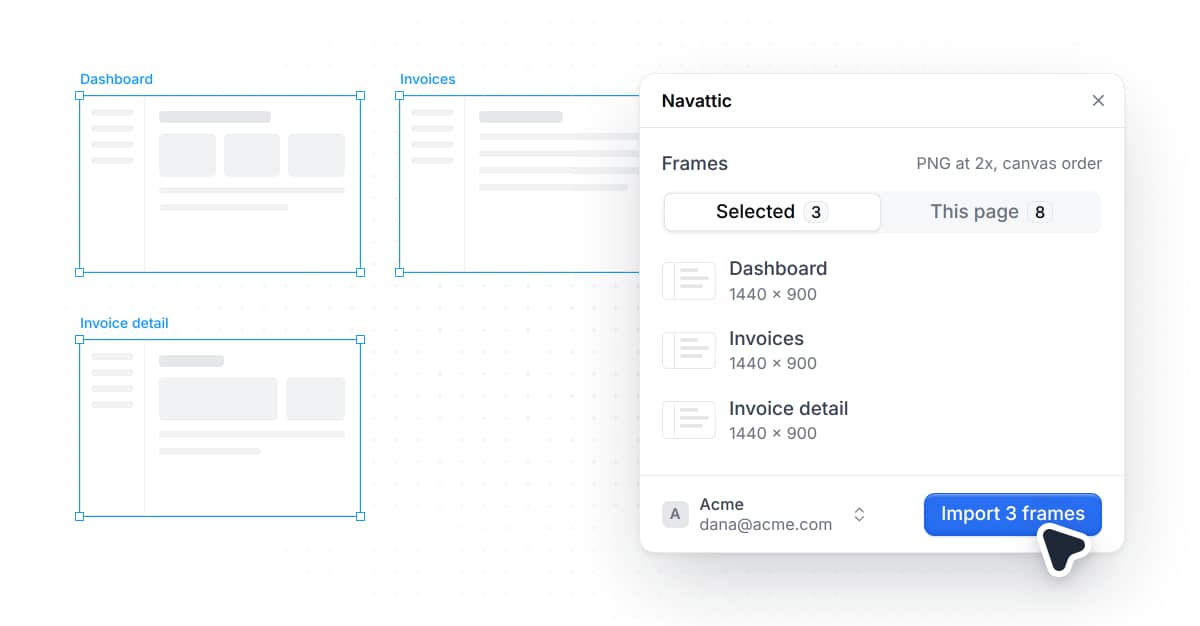
Figma import (coming soon) |
Navattic for Figma is a plugin that imports frames from Figma directly into your demos. |
If you have any thoughts, suggestions, or questions about these new features, please reply to this email. |
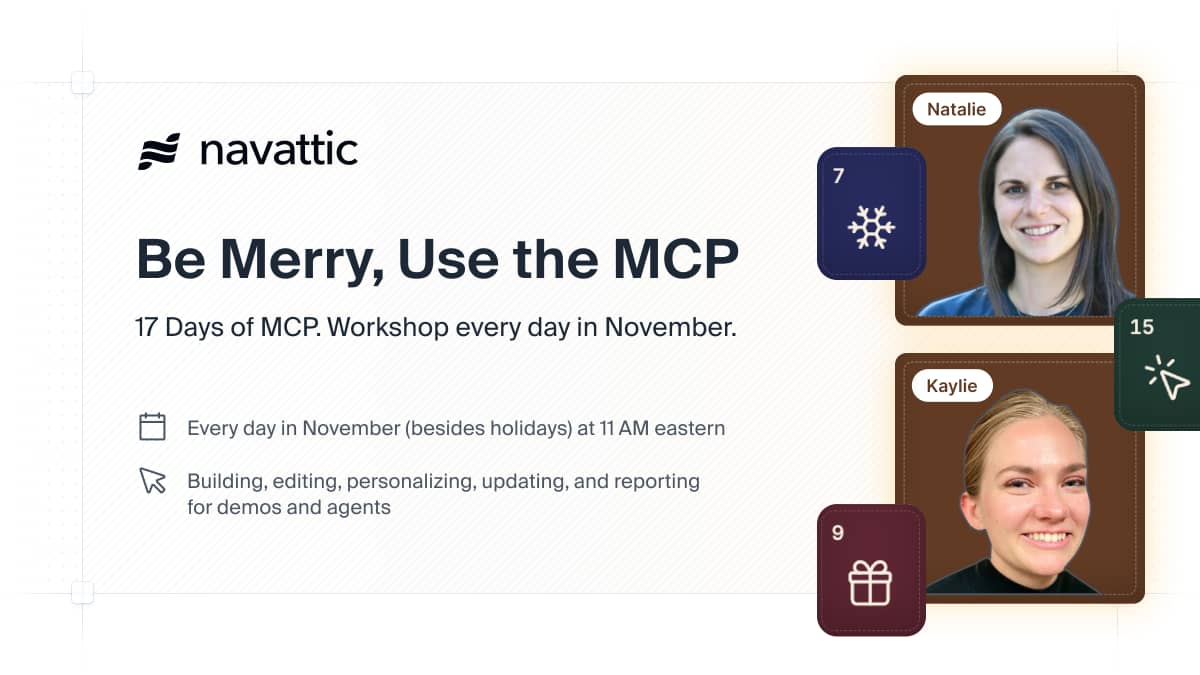
Content Spotlight: 17 Days of MCP. See why 200+ customers have attended live.
Join 30-minute virtual workshops at 11 a.m. ET on running your demo program with Claude, ChatGPT, or any AI tool, or watch the recordings of previous sessions.
Watch the recordings or register for the next session |
|
|
|
|
|
If you'd rather not receive this kind of email, you can unsubscribe or manage your email preferences. |
|
|
|
|