October 🍂 was packed with events like IT-SA and TechEx, big product updates, and of course, the PHP scare that kept security and support teams slightly busierthan usual :)
Update your PHP environment if still pending. Check what needs attention and how to secure the setup here.
Now for the better kind of busy: from Passbolt 5.17 and new product demos to Build in Public and upcoming events, here’s what happened at Passbolt this month.
Product Updates: Passbolt 5.17
Passbolt 5.17 (release notes) brings passkeys for MFA, more reliable autofill, safer resource moves and PIN codes in QuickAccess, alongside security and performance improvements.
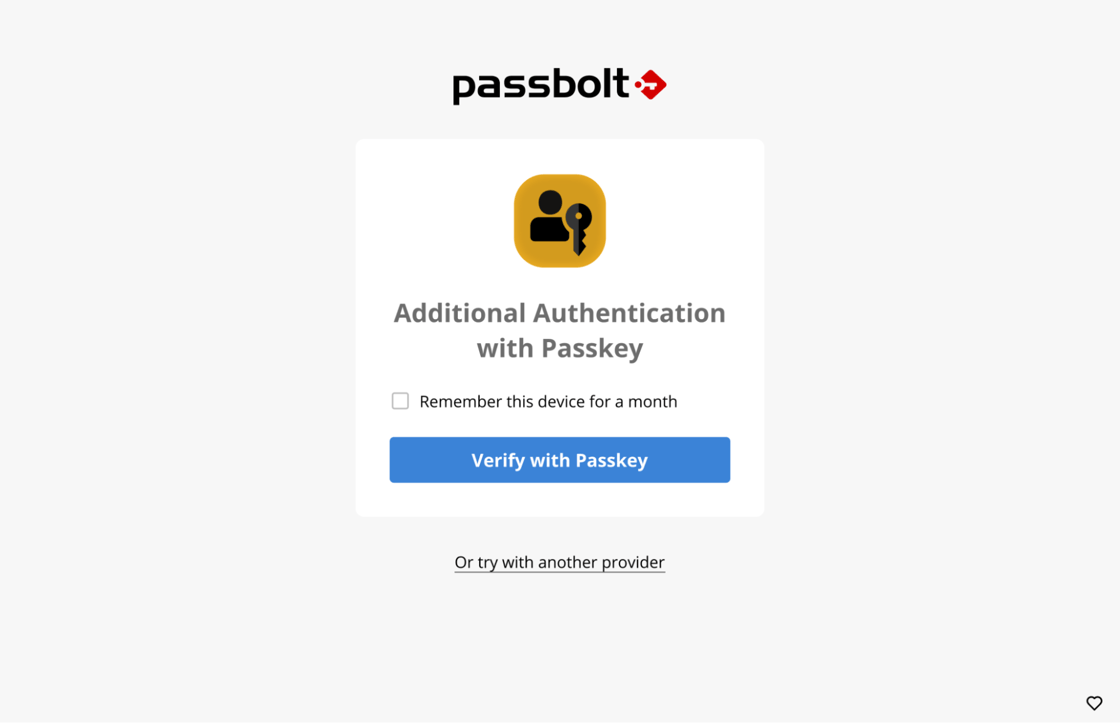
Passkeys for MFA
Passkeys have arrived as a second authentication factor across every Passbolt edition. Use WebAuthn/FIDO2 security keys, Touch ID, Windows Hello and other supported authenticators for MFA that protects against phishing attacks based on stolen or relayed one-time codes.
Passbolt now recognises login forms more reliably across modern websites, while reducing autofill prompts where credentials don’t belong. The new detection engine improved form detection from 74% to 93.4% in internal testing.
Go behind the scenes of the new autofill engine, from the engineering decisions to the real-world testing behind it 👇
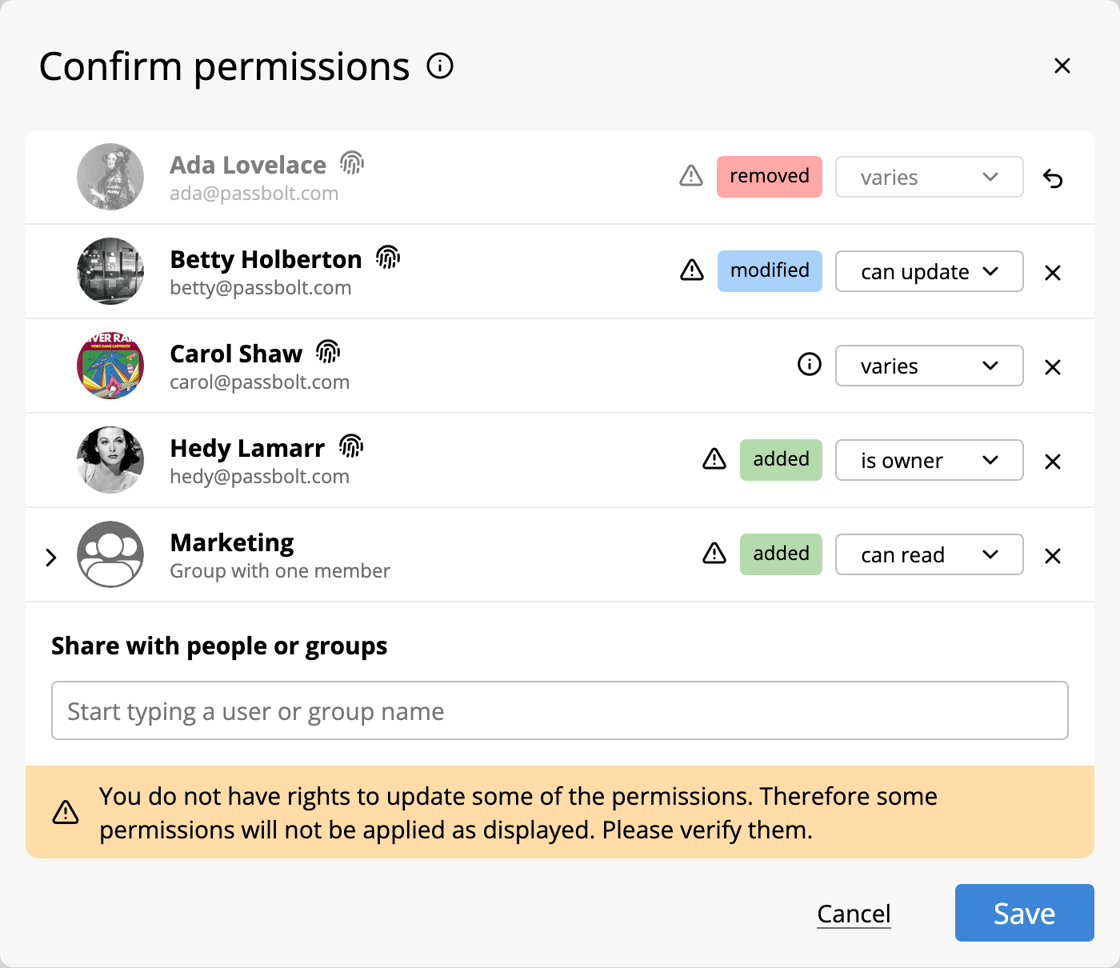
The Permission Confirmation Dialogue now shows who will gain, lose or keep access before a resource or folder is moved, giving teams a clear view of the impact before anything changes.
For a practical walkthrough of how resource moves affect access and what to check before confirming, see the updated documentation on sharing resources: Read the guide.
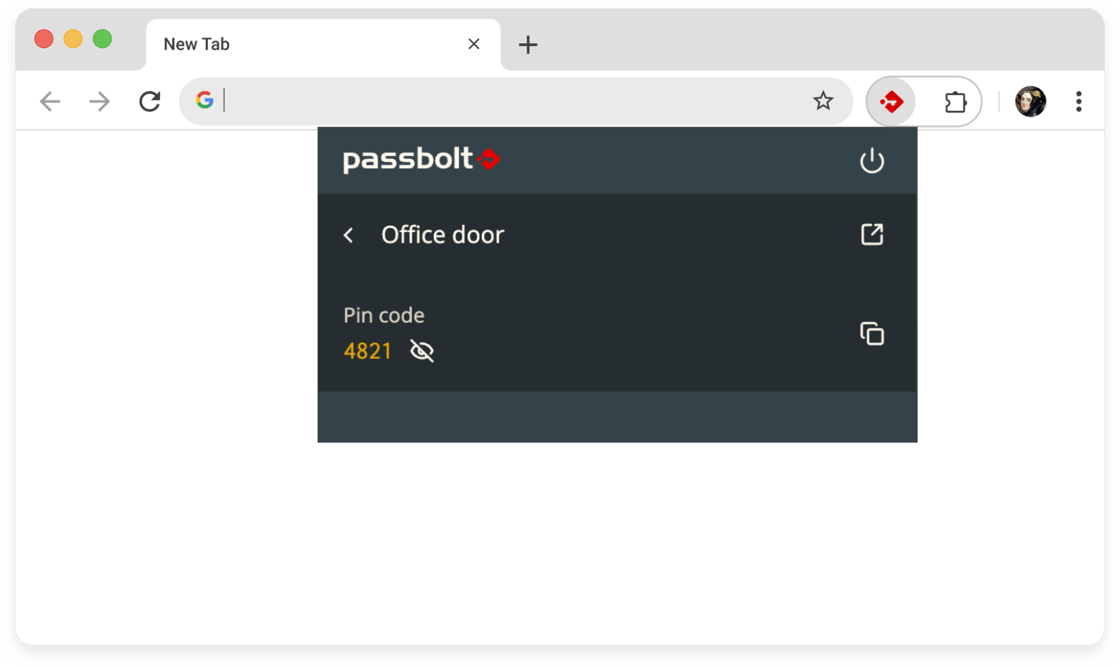
PIN codes in QuickAccess
Door codes, device PINs and other PIN resources can now be accessed directly from QuickAccess, without switching back to the web workspace.
PIN codes can also be made available offline, using the same Offline Mode controls as other supported secrets.
Faster large-group management
Adding a user to a large group with many shared resources is now more than twice as fast in benchmark testing. For administrators, that means faster onboarding and less waiting when reorganising access across large teams.
This release also strengthens Safari cookie handling and clipboard protection, while Pro edition organisations get stricter enforcement for expired SCIM tokens. These changes come from a mix of internal security work, external research and findings from the recent Cure53 audit.
Updating to Passbolt 5.17.0 is recommended to benefit from these security improvements.
Read the security bulletin for more details on each of the resolved issues, including their potential impact and how they were addressed.
Take the 5 minutes Passbolt survey to help us get feedback on how organisations use the platform, what matters most, and where improvements could be made.
No names, email addresses or organisation names are collected.
Your response will help guide future product development and planning!
Windows App 2.15.0: adds permission confirmation for resource moves, speeds up large-group management, and adds targeted security improvements.
Android App 3.4.0: adds passkey MFA, local metadata key fingerprint verification, performance improvements, bug fixes, and ends support for Android 11.
iOS App 3.3.1: adds passkey MFA, strengthens key and local data protection, updates core dependencies, and ends support for iOS 16.
Event Highlights
IT-SA 2026
Thank you to everyone who joined us at IT-SA 2026 in Nuremberg, Germany.
Join us at upcoming events!
ECW 2026
Passbolt is an official partner of European Cyber Week. Join the team 16–19 November in Rennes at Stand 26, to talk about cyber resilience, digital sovereignty, defence, research, and the technologies shaping Europe’s security landscape.
Catch Passbolt at JRES 2026 from 8-11 December in Tours. The event brings together IT professionals from higher education and research to exchange ideas around networks, digital infrastructure, cybersecurity and open-source software.
Want to explore how different Passbolt features work in practice? Passbolt’s short feature tours give a quick walkthrough of key capabilities, how they work, and the value they bring to everyday workflows.
Permission Confirmation Demo
Watch the latest demo on YouTube to see how Passbolt handles permission changes when resources are moved, from 5.17.
Passkeys for MFA Demo
Take a closer look at passkey MFAhere. See how users can register and authenticate with WebAuthn/FIDO2 passkeys using supported security keys and device authenticators.
LDAP Short video
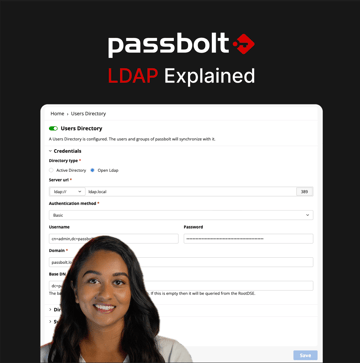
Watch the latest demo on LinkedIn or YouTube to explore LDAP integration in Passbolt. See how administrators can connect directory services, synchronise users and groups, and simplify access management as teams change.
Bitwarden vs Passbolt video
Watch the short comparison video on LinkedIn to see how Bitwarden and Passbolt approach granular sharing, groups and folder management, and how they handle access across teams and shared resources.
That's a wrap for October!
Plenty shipped, plenty happened, and November is already lining up more.
Stay tuned for more product updates, demos, community stories, and events in the month ahead.
Until next month, The Passbolt Team
📣 Have feedback? Let us know how we can make these updates even better by writing to us at contact@passbolt.com
Passbolt SA, 9, Avenue du Blues, Belvaux, Luxembourg 4368, Luxembourg