Your first step into crypto freedom ͏ ͏ ͏ ͏ ͏ ͏ ͏ ͏ ͏ ͏ ͏ ͏ ͏ ͏ ͏ ͏ ͏ ͏ ͏ ͏ ͏ ͏ ͏ ͏ ͏ ͏ ͏ ͏ ͏ ͏ ͏ ͏ ͏ ͏ ͏ ͏ ͏ ͏ ͏ ͏ ͏ ͏ ͏ ͏ ͏ ͏ ͏ ͏ ͏ ͏ ͏ ͏ ͏ ͏ ͏ ͏ ͏ ͏ ͏ ͏ ͏ ͏ ͏ ͏ ͏ ͏ ͏ ͏ ͏ ͏ ͏ ͏ ͏ ͏ ͏ ͏ ͏ ͏ ͏ ͏ ͏ ͏ ͏ ͏ ͏ ͏ ͏ ͏ ͏ ͏ ͏ ͏ ͏ ͏ ͏ ͏ ͏ ͏ ͏ ͏ ͏ ͏ ͏ ͏ ͏ ͏ ͏ ͏ ͏ ͏ ͏ ͏ ͏ ͏ ͏ ͏ ͏ ͏ ͏ ͏ ͏ ͏ ͏ ͏ ͏ ͏ ͏ ͏ ͏ ͏ ͏ ͏ ͏ ͏ ͏ ͏ ͏ ͏ ͏ ͏ ͏ ͏ ͏ ͏ ͏ ͏ ͏ ͏ ͏ ͏ ͏ ͏ ͏ ͏ ͏ ͏ ͏ ͏ ͏ ͏ ͏ ͏ ͏ ͏ ͏
Thanks for confirming your subscription, and
welcome to Exodus!
Over the next few days, you’ll get three quick tips to help you master the basics of Exodus, and take control of your life in a digital world. |
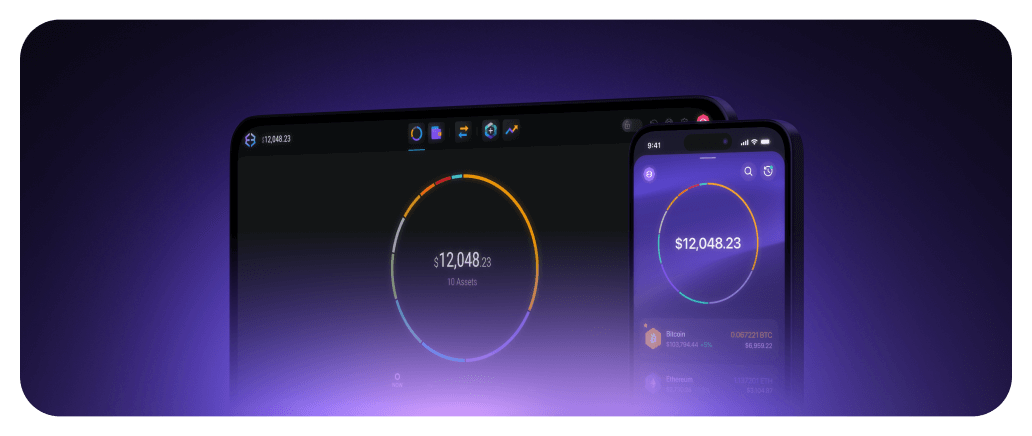
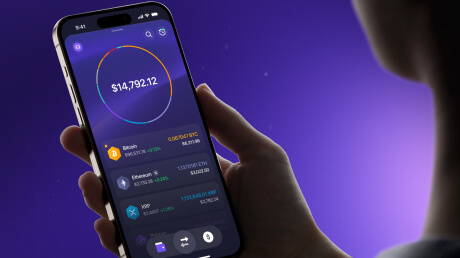
Let’s start by creating a secure wallet: you’ll need to download Exodus on your phone or computer.
|
|
|
Pro tip: Create a unique wallet for each device, or sync the same wallet across all devices for seamless access.
Already downloaded Exodus? Keep reading to learn how to secure your wallet with a backup. | |
|
Self-custody means ultimate control: you, and you alone hold your Secret Key and are in control of and responsible for your funds. No one at Exodus can reset your password or recover lost funds for you.
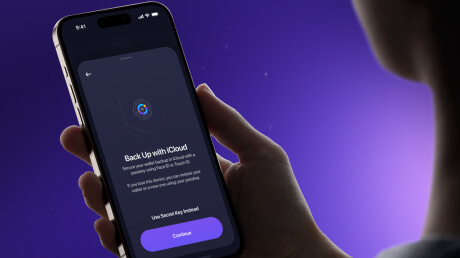
That’s why a backup is essential. Take a minute to finish your set-up by creating a backup now. |
|
|
Tap ‘Create Backup’ for a step-by-step guide. |
|
|
IMPORTANT: Anyone with your backup can access your funds from anywhere. We will never ask you to share your backup with us. |
|
|
IMPORTANT: Anyone with your backup can access your funds from anywhere. We will never ask you to share your backup with us. |
|
|
Contact us at support@exodus.com anytime if you need further help with setting up your wallet.
See you at the next tip! |
|
|
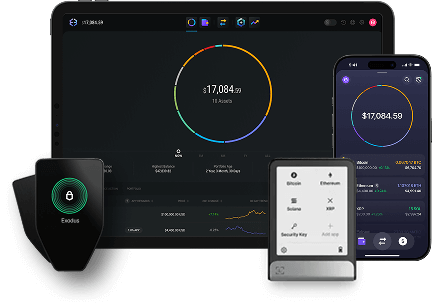
Buy, sell, & swap crypto across desktop, mobile, web browser, and hardware wallets. |
| |
|
Buy, sell, & swap crypto across desktop, mobile, web browser, and hardware wallets.
|
|
|
Copyright © 2025 Exodus Movement, Inc.
15418 Weir Street #333, Omaha, NE 68137 |
|
|
|