Hey [First name], here's what we shipped recently!
|
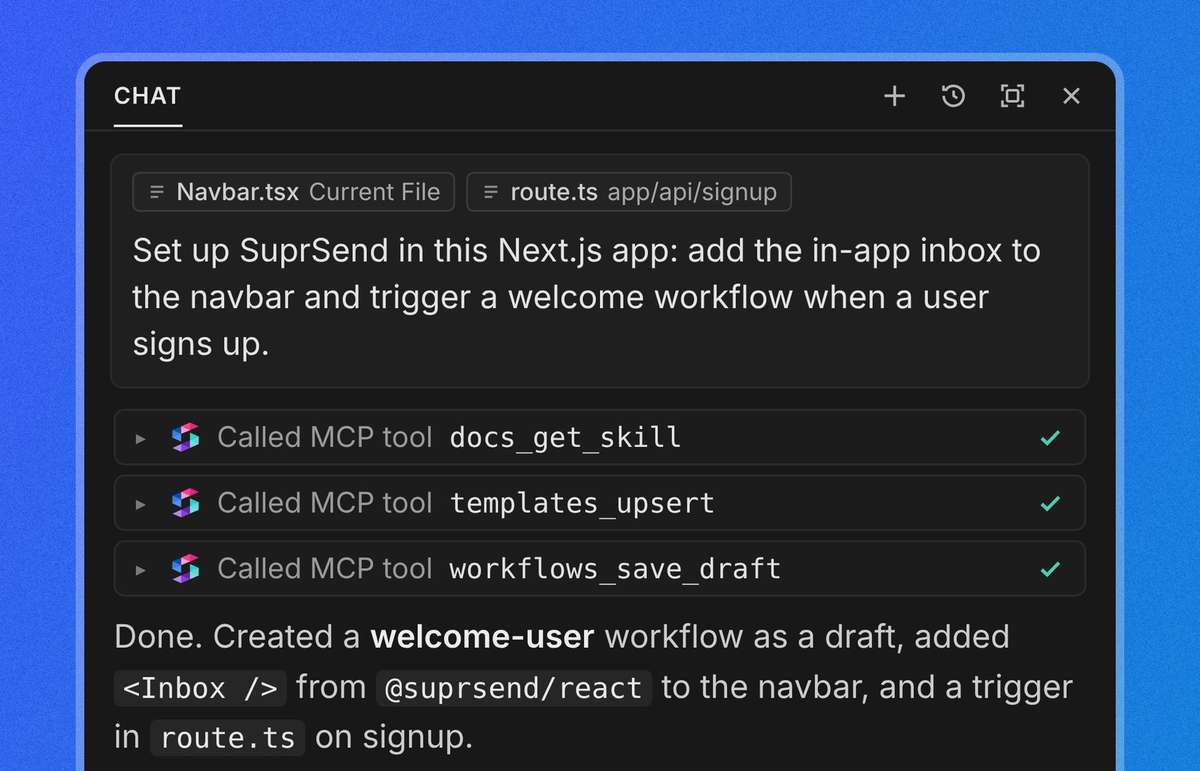
Run SuprSend from Claude, Cursor or ChatGPT
|
Ask your AI tool to set up SuprSend in your app, build a workflow, or find out why a user missed an email, and it does the work right from the chat. No SQL, no API calls and no jumping between dashboards.
|
Agent skills are built-in, so the agent already knows SuprSend schema and how workflows, templates and data fit together before it changes anything.
|
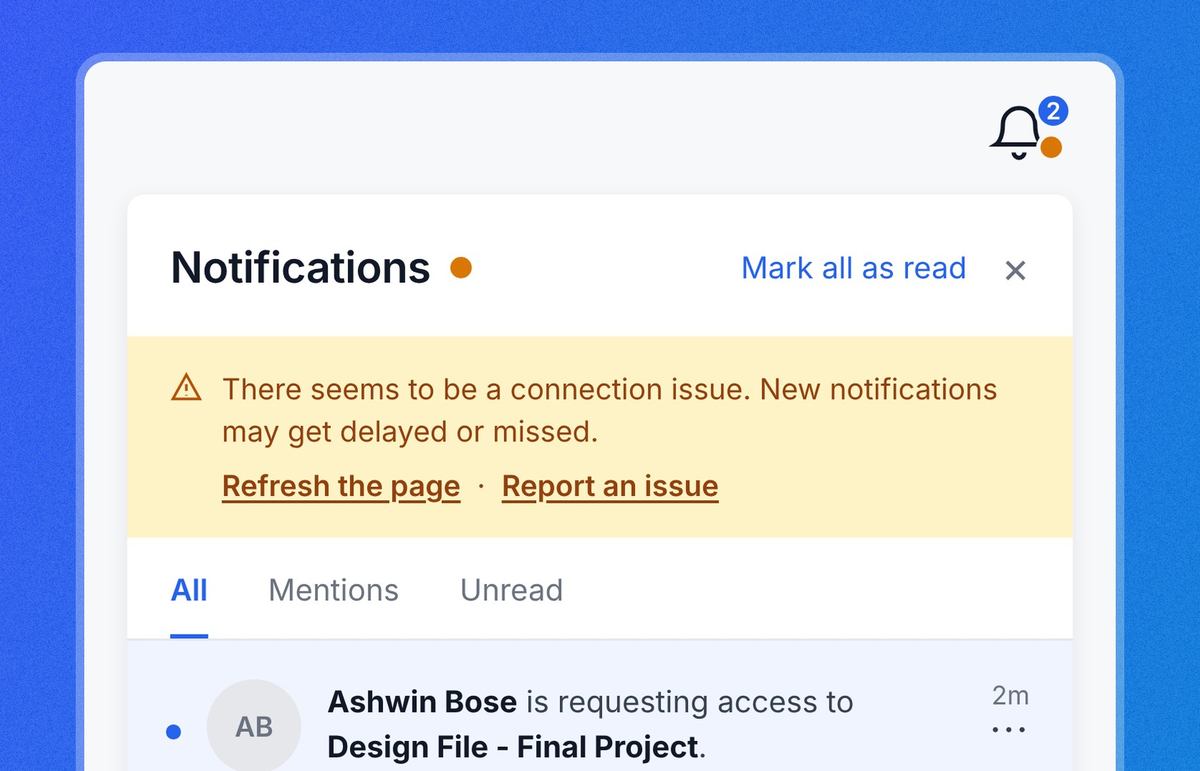
Your users see when the inbox can't connect
|
Your in-app inbox now shows users when it can't reach SuprSend, with a status dot on the bell and a banner that says what's wrong: they're offline, there's a connection issue, or there's an authentication issue. It's on by default in @suprsend/react v1.3.0.
|
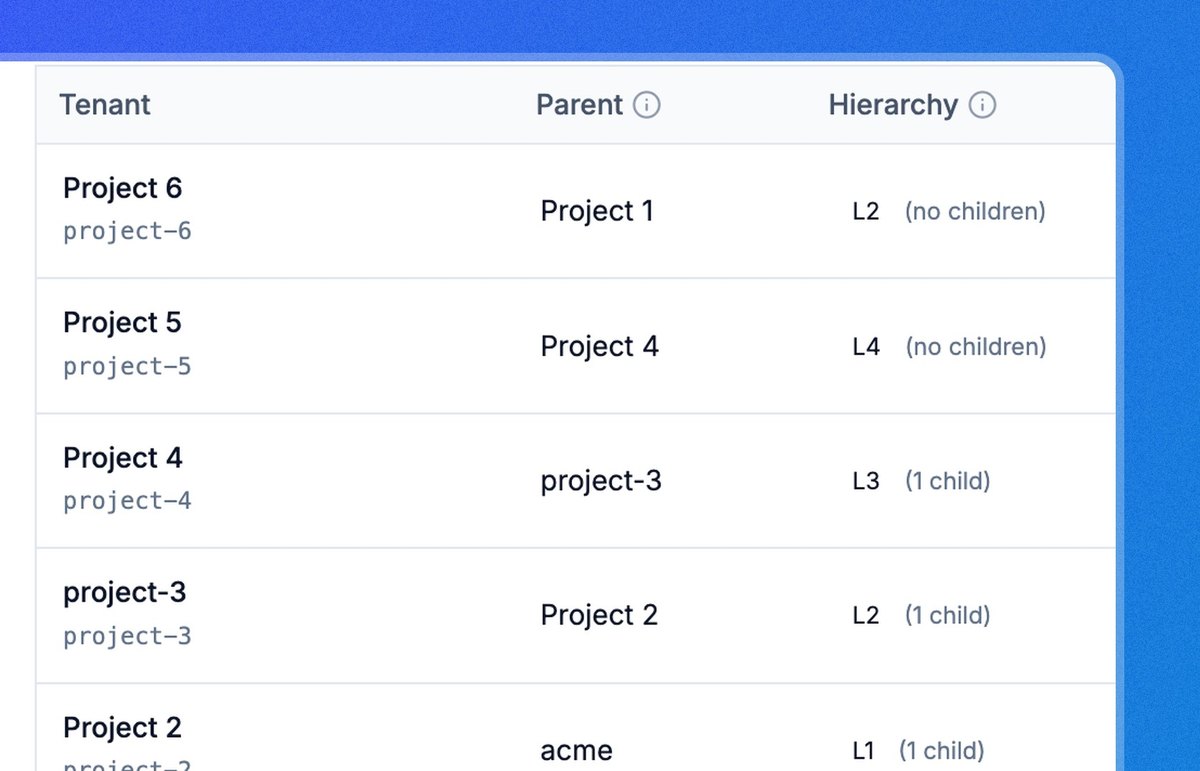
Set up tenant hierarchies with built-in inheritance
|
Your customers aren't flat, and now their setup in SuprSend doesn't have to be. You can mirror their org chart with a company at the top and teams and projects beneath it, up to five levels deep.
|
Notification preferences, branding (logo, colours, social links), tenant properties and vendors set on the company apply to every sub-tenant under it. A team only changes what's different for it, and everything else comes from its parent.
|
Blocks are final. If you turn off a channel or a category for the company, no team below can turn it back on.
|
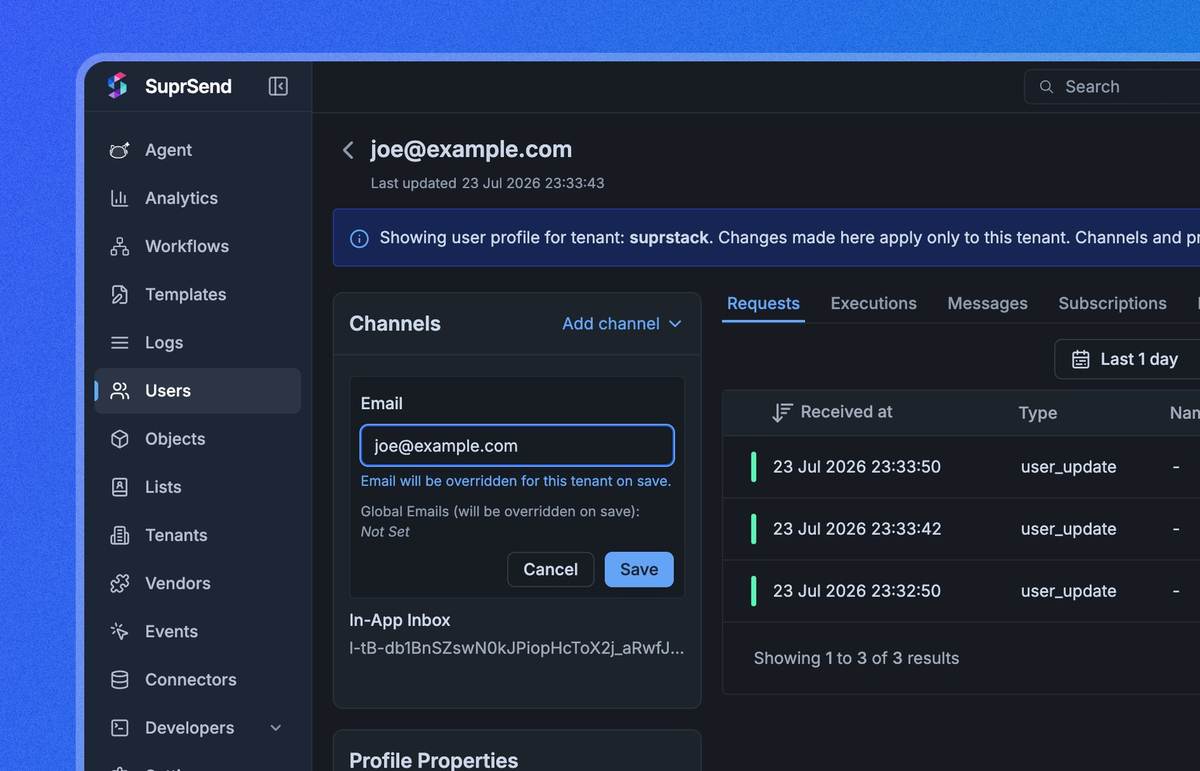
Keep user details separate for each app
|
When one user is on two of your apps, a single profile meant one set of details for both. Alerts could reach the wrong app, and an update from one app could overwrite what the other relied on.
|
Per-app profiles fix that. Each user can keep a separate push token, email, phone number, Slack connection, preferred language or any custom property for every app.
|
Let people unsubscribe without leaving the inbox
|
Promotional emails from SuprSend now carry the one-click Unsubscribe header, so Gmail and Yahoo show an Unsubscribe button next to your sender name.
This opts the user out of just that category, with no landing page, while receipts, OTPs and alerts keep arriving, and it keeps your bulk sends in line sender rules.
|
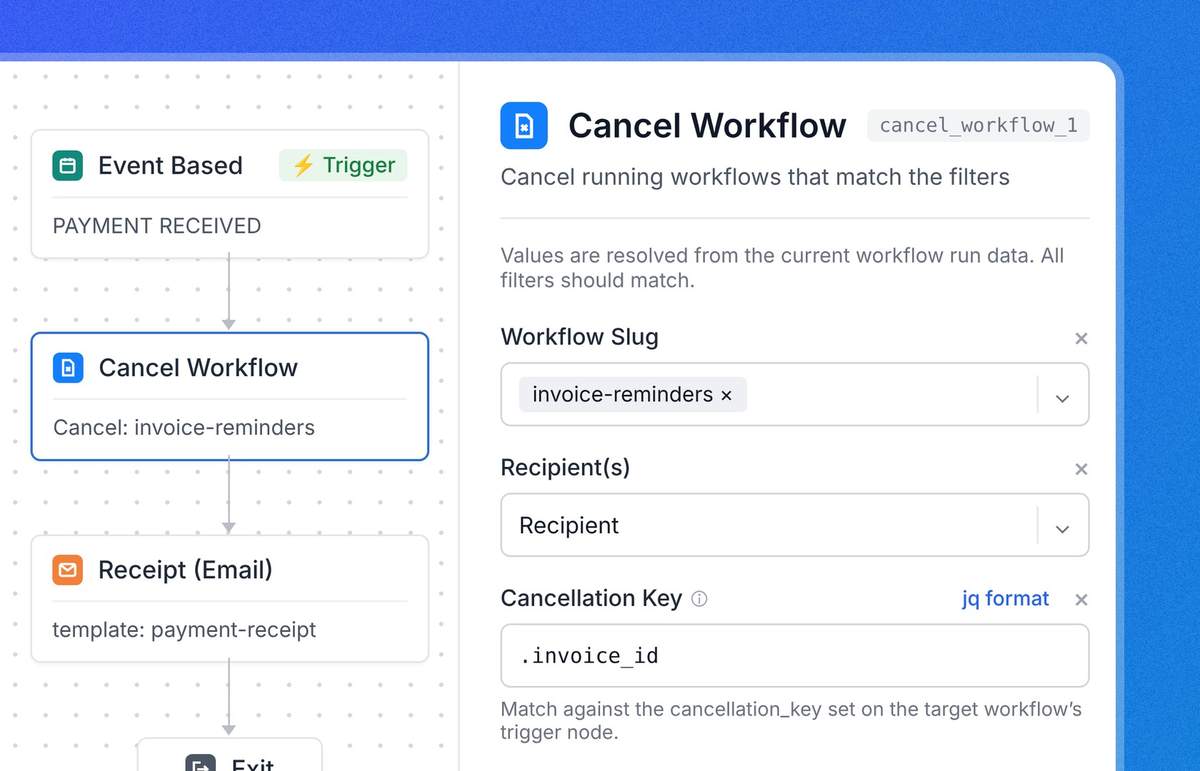
WORKFLOW CANCELLATION NODE
|
Stop reminders the moment they’re no longer needed
|
A running workflow can become pointless the moment the user takes the action it was made for: they pay invoice, finish onboarding, or cancel the order.
Add a Cancel Workflow node to the workflow that handles that action, and it stops the related workflow runs for that user right away, with no API call.
|
- Per-service workspace keys: each backend service can have its own key and secret, which means rotating one no longer disrupts the others.
- Single-tenant Teams bots: Teams bots created after Azure's July 2025 change now connect, with new App Type and Tenant ID fields in setup.
- $tenant replaces $brand: templates and workflows now share one variable for tenant data, and anything still using $brand renders as before.
- Mailgun for broadcasts: already sending through Mailgun? Your broadcasts can use it too.
- Web push in broadcasts: one campaign can now reach people in their browser as well as by email, SMS and mobile push.
- User Schema page: every user property you track sits in one place with its type and an editable description, which helps teammates and the SuprSend Agent alike.
- Flutter SDK v3: Flutter apps get per-tenant profiles and short-lived JWT auth.
- Swift SDK v2.0.0: iOS apps pick up per-tenant profiles too, while v1 apps carry on working.
- Dark mode: the dashboard follows your system theme, or you can flip it from the profile menu.
|
You're getting this because you build on SuprSend.
|
|