Capture your real app as it runs, in a 3D device you can spin, fold, and pose, framed for however you want to share it.
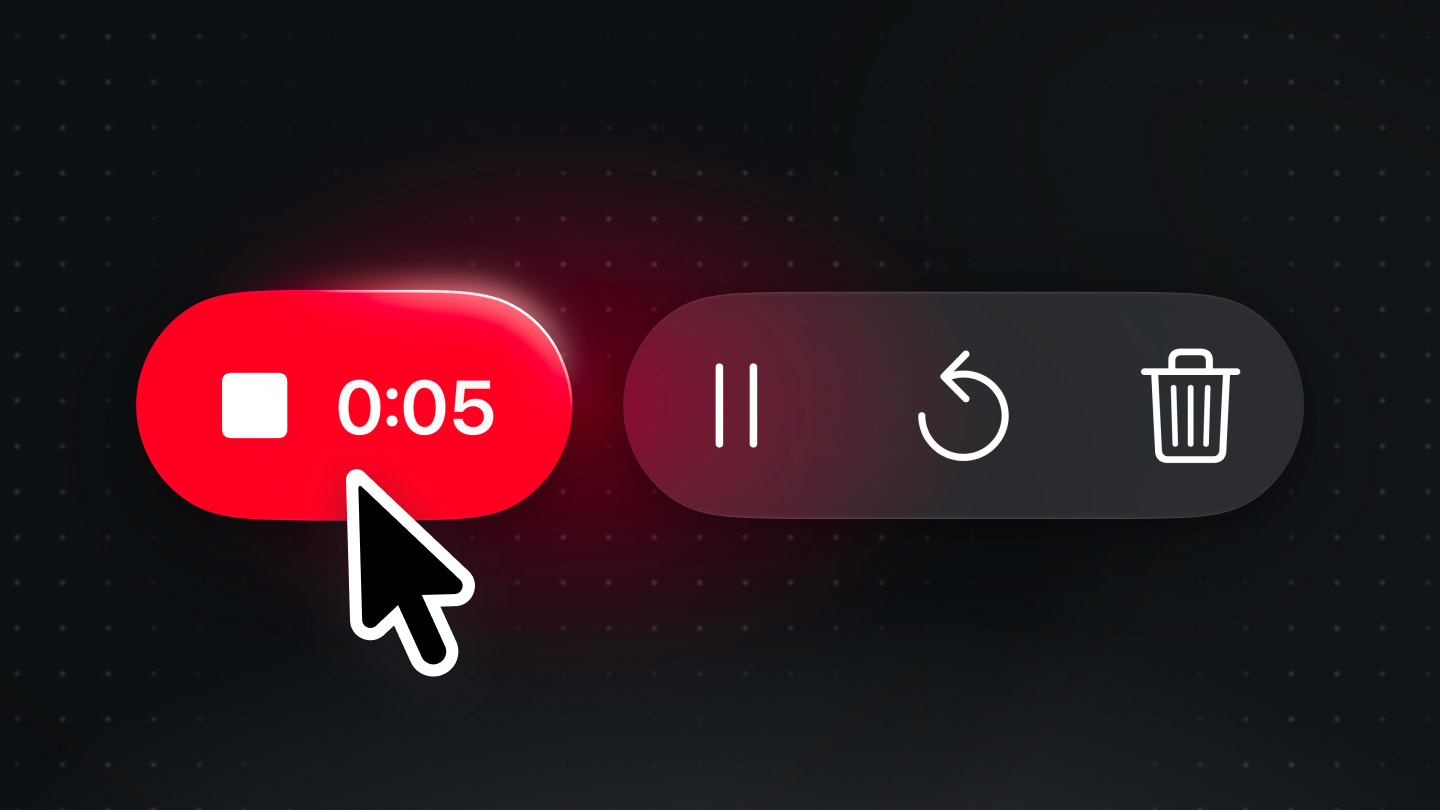
Recording controls in Bitrig: a red stop button showing the time recorded, beside pause, restart, and discard
v0.32.0 | Download Bitrig

Hello Bitrigger,

The whimsy surrounding iPhone Duo reminds me of the early days of the App Store. A Walkman app. A Moleskine notebook app. A Polaroid camera app.

Many of these were built with Bitrig and shared online as screen recordings of its 3D simulator. We loved watching one demo inspire the next. But Bitrig’s simulator wasn’t really designed with this in mind.

Today, that changes:

Bitrig can now record polished 3D demos of your apps, ready to share.
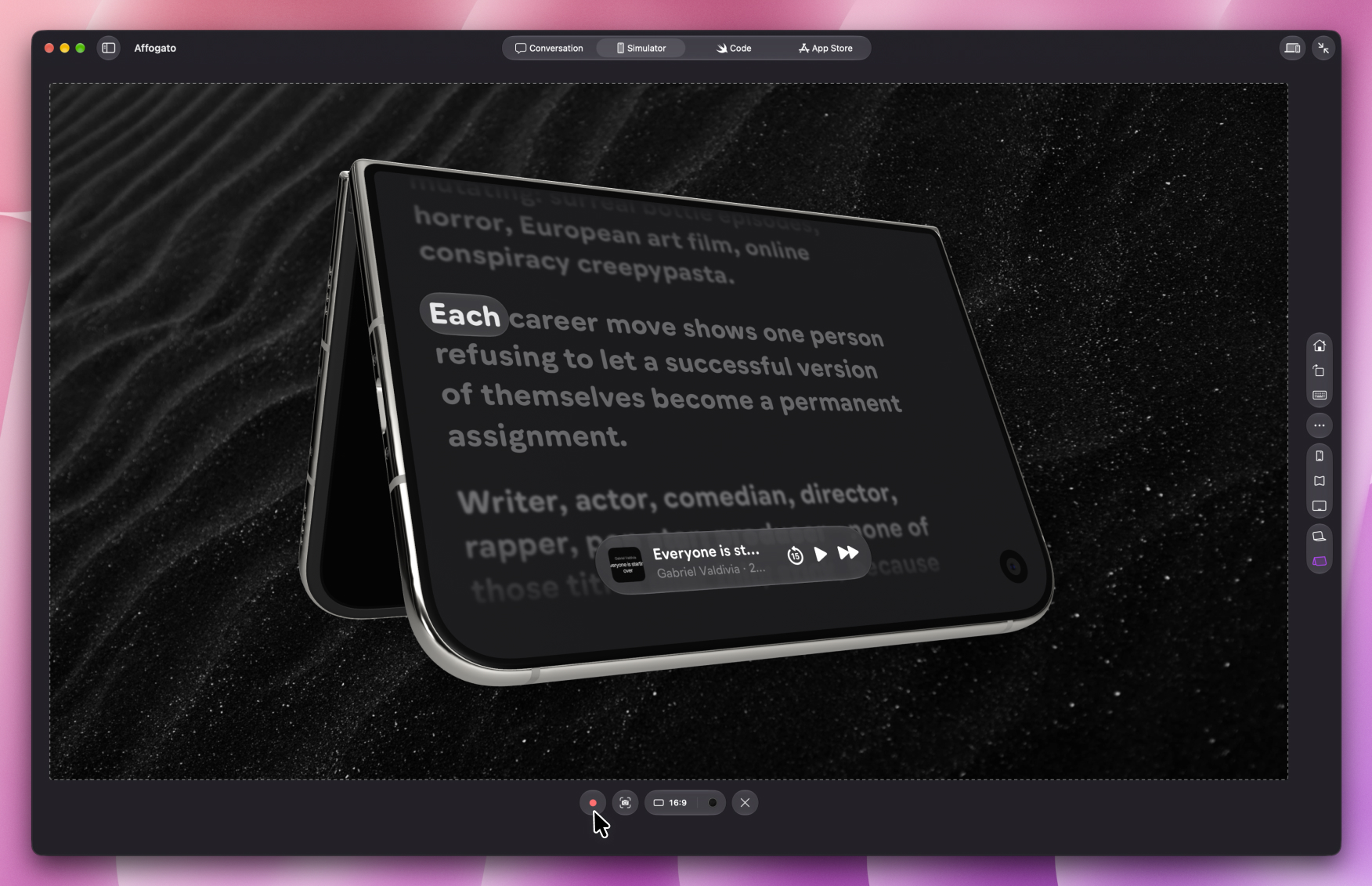
Bitrig on the Mac recording an iPhone Duo app, the device posed half-folded in a 16:9 frame over a dark sand background

Here’s how it works:

  • Choose a device. Select any iPhone, iPad, Apple Watch, or Apple TV, then click the video button to capture your app as it runs in the simulator.
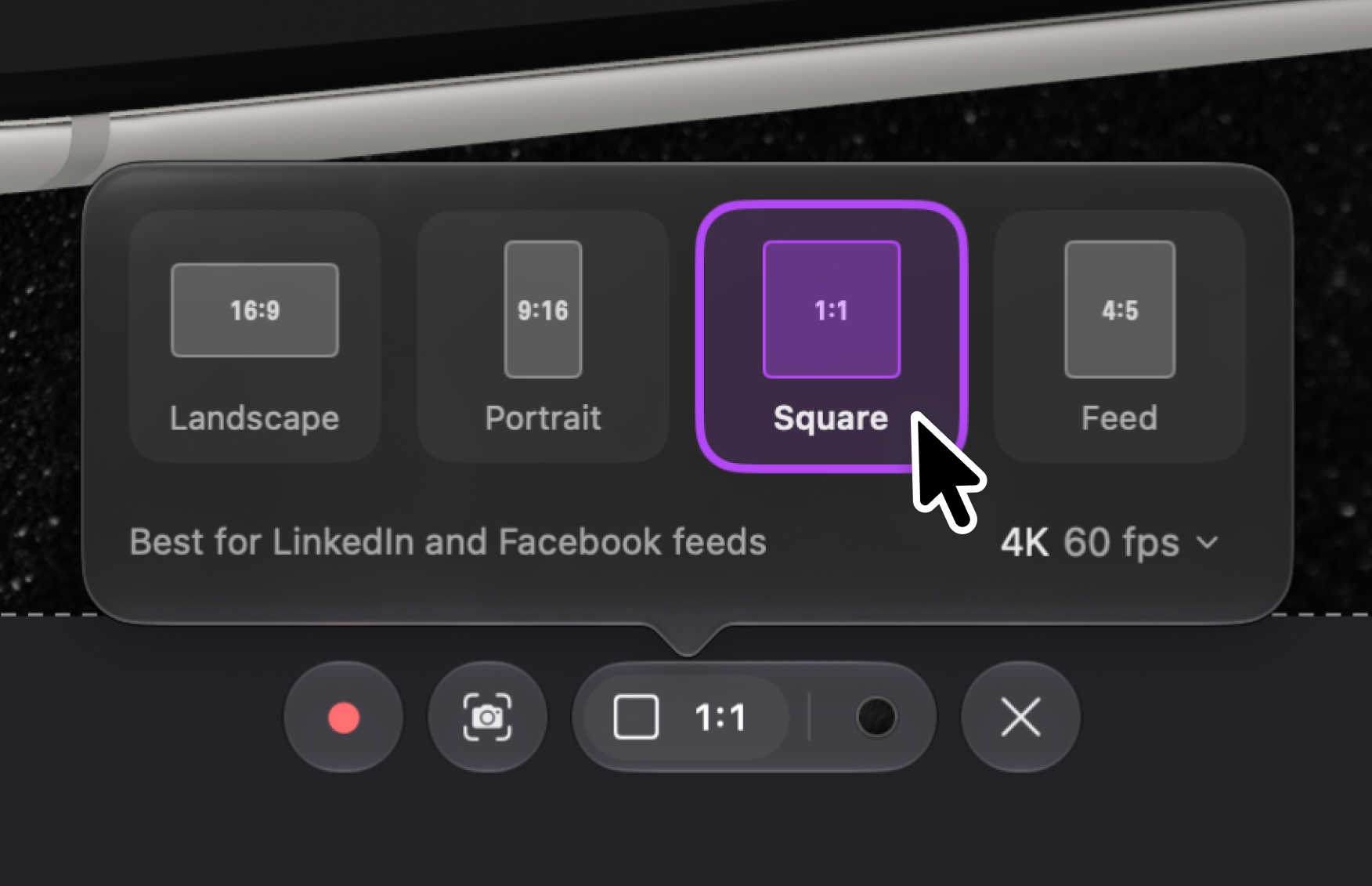
  • Frame your shot. Shoot in landscape for YouTube, portrait for stories, square, or 4:5 for the feed, and record at up to 4K and 60 fps. Hold Command to drag the device anywhere in the frame or scroll to zoom in on a detail.
The aspect ratio picker: Landscape 16:9, Portrait 9:16, Square 1:1, and Feed 4:5, with 4K at 60 fps selected
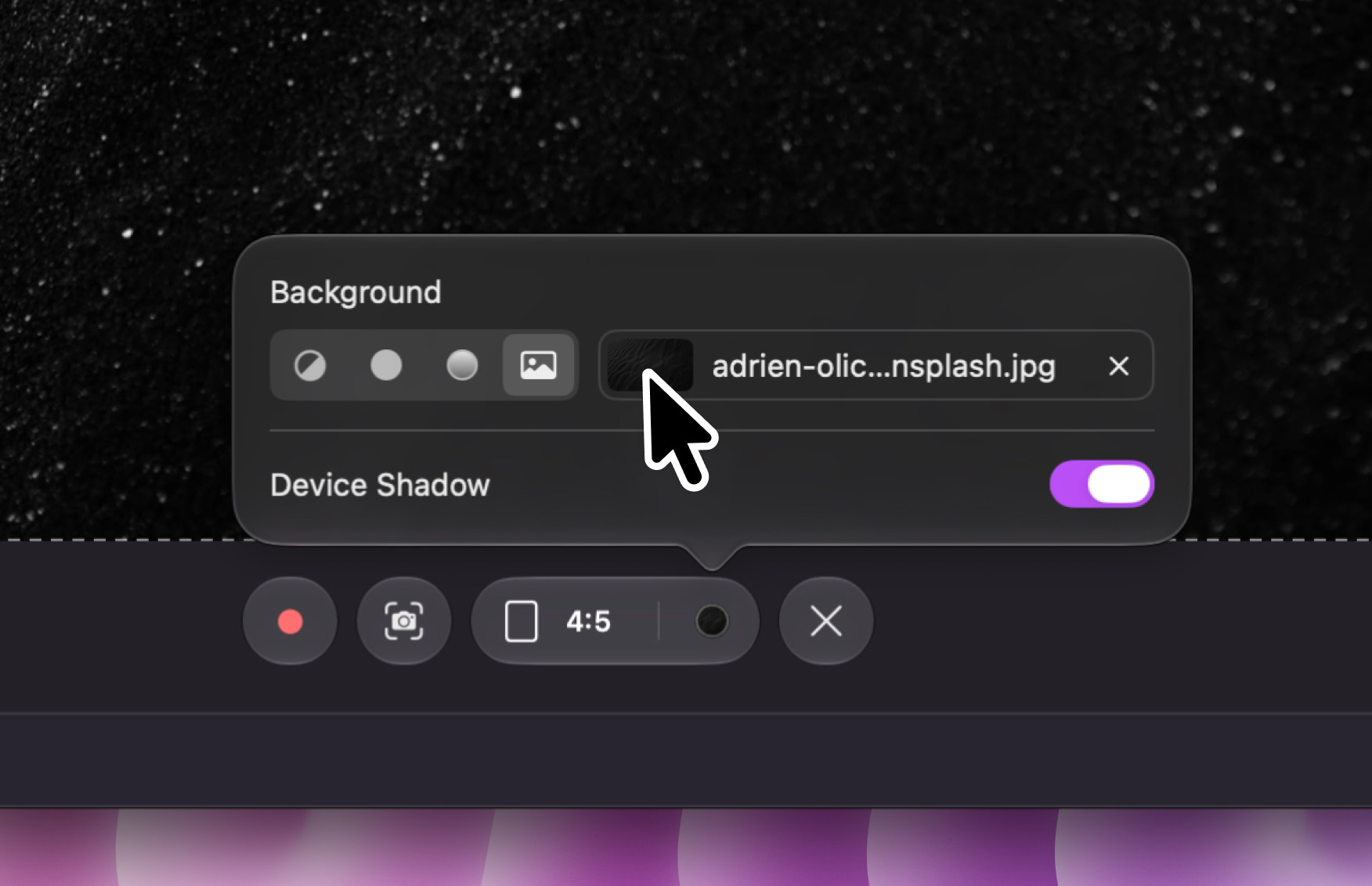
  • Set the backdrop. Use a color, a gradient, or your own image as a background. Add a shadow under the device, or leave it floating.
The background picker with a custom image chosen and Device Shadow turned on
  • Record your demo. Every simulator control stays live, so you can rotate the device, fold and unfold iPhone Duo, and set it in any pose. The grab handles and your cursor stay out of the shot.
  • Pick your best takes. Pause, restart, and record as many takes as you need, then stitch the best parts together in your video editor. Need a thumbnail? Take a screenshot, framed just like the video.

If there’s one thing we’ve learned building Bitrig, it’s that you find your people by sharing what you’re making. So go make something delightful, and show it off in 3D. Tag @bitrig or email us at support@bitrig.com, and we’ll add our favorites to #MadeWithBitrig.

Cheers,
Kyle
CEO, Bitrig


The Bitrig logo Bitrig, Inc.
785 Castro Street, Suite A
Mountain View, CA 94041
Unsubscribe