We just built you a one-stop shop to optimize your subscription program.
Introducing the Subscriber Journey checklist, your new launch point for the whole journey. Think of it as a map with a "start here" arrow, where every checkmark is a chance to build retention and LTV.
That's just 1 of 30+ updates in October (that makes ~300 this year!). Also on the menu: spice up your portal with branded games, a new and improved product performance dashboard, out-of-stock data for your Klaviyo flows, and Tiered Discounts for everyone.
Let's get into it. 💕
October Updates 🛠
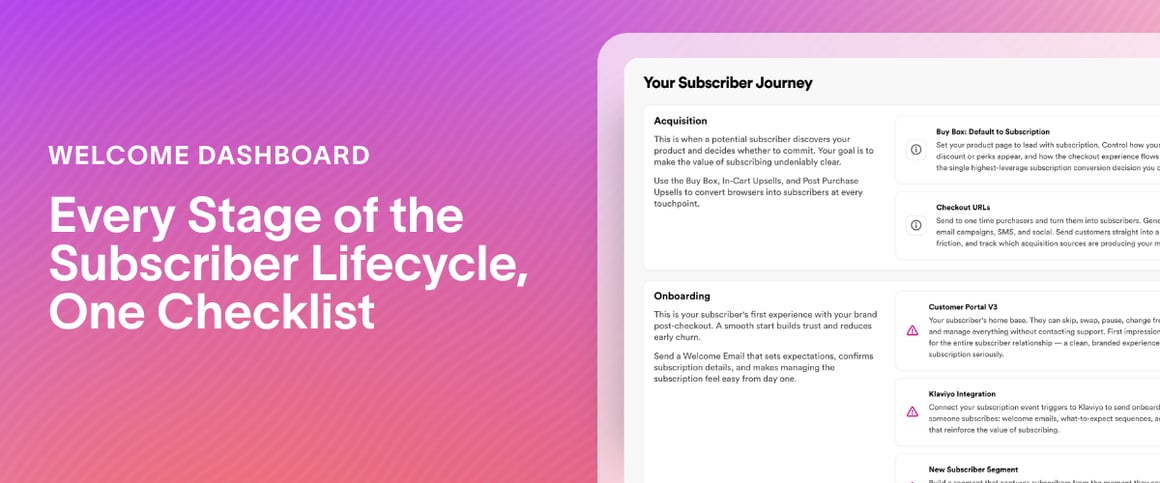
Every Stage of the Subscriber Lifecycle, One Checklist
Our recommended features, organized by stage, with your setup status on each.
What This Means for You: Find exactly where your subscription program needs focus, all from a single view. The Subscriber Journey Checklist walks through every stage of the subscriber lifecycle, from acquisition to winback, and shows which of Stay's recommended features you've set up at each one. Spot the gaps at a glance and decide what to tackle next.
What's new:
Six stage cards. Acquisition, Onboarding, Engagement, Re-evaluation, Cancellation, and Winback each group recommended features with a description of how they help at that stage.
Setup status on every feature. Features you haven't set up show a pink warning icon and a Take Me There button that opens that feature's page. Completed features are greyed out with a green check and a View button.
Find it fast. Go to your Welcome Dashboard and click View Checklist on the Subscriber Journey Checklist widget.
For example: You open the checklist and work down the stages. Acquisition and Onboarding are checked off. Cancellation and Winback still show warning icons. One click on Take Me There opens each feature, so you can close the gaps stage by stage and watch your LTV and retention numbers lift.
Pro tip: Use the checklist to plan your setup priorities going into 2027.
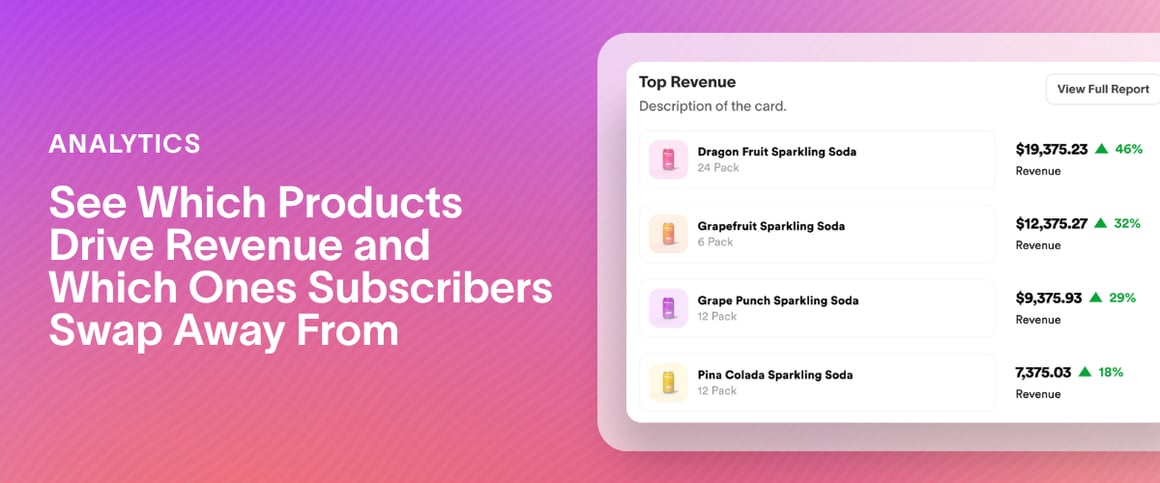
See Which Products Drive Revenue and Which Ones Subscribers Swap Away From
A revamped Product Performance dashboard, all on one Overview tab.
What This Means for You: Know which products are pulling their weight and which ones subscribers are quietly walking away from. One Overview tab shows your top earners, the products subscribers cancel, remove, or swap away from most, and how every product compares. The Recurring tab shows queued and forecasted units, so you know how much stock to have ready.
What's new:
Compare every product at a glance. The Product Snapshot lines up each product across core metrics, and the export now includes average quantity subscribed.
Know where the revenue comes from. Product Revenue is split into Checkout, Recurring, and Add-On.
Stock up with confidence. Queued and forecasted units look ahead as many days as your date range, up to 120. Pick the last 30 days and you see the next 30.
Slice it your way. Everything follows your date range. Choose more than one product or variant, filter by segment, and include or exclude $0 products. All tables are sortable and exportable with SKU data.
For example: Your Overview shows subscribers swapping away from one flavor more than any other. Now you know where to aim your save offer: show a swap to a different flavor in your cancel survey instead of a generic discount.
Pro tip: Filter by segment to compare how your VIPs and your new subscribers move through your products.
What This Means for You: You can now see which items triggered an out-of-stock event and use that to prompt customers to skip or remove those specific products, instead of sending a general heads-up.
What's new:
Item Out of Stock in Klaviyo. The Retextion - Item Out of Stock metric now includes outOfStockItems and outOfStockItemNames.
Order Partially Fulfilled in Klaviyo. The Retextion - Order Partially Fulfilled metric includes the same two fields, so you can show customers what's missing from their most recent order.
Order Partially Fulfilled email. Use the OOS Items merge tag in your Order Partially Fulfilled email to show customers exactly which items were skipped for inventory, and prompt them to take action.
New fields in Postscript and Attentive. Target messaging and build segments with fields like failed payment attempts, out-of-stock attempts, order notes, subscription name, and prepaid details.
For example: Build an Item Out of Stock flow that names the exact product and nudges the customer to skip or remove it.
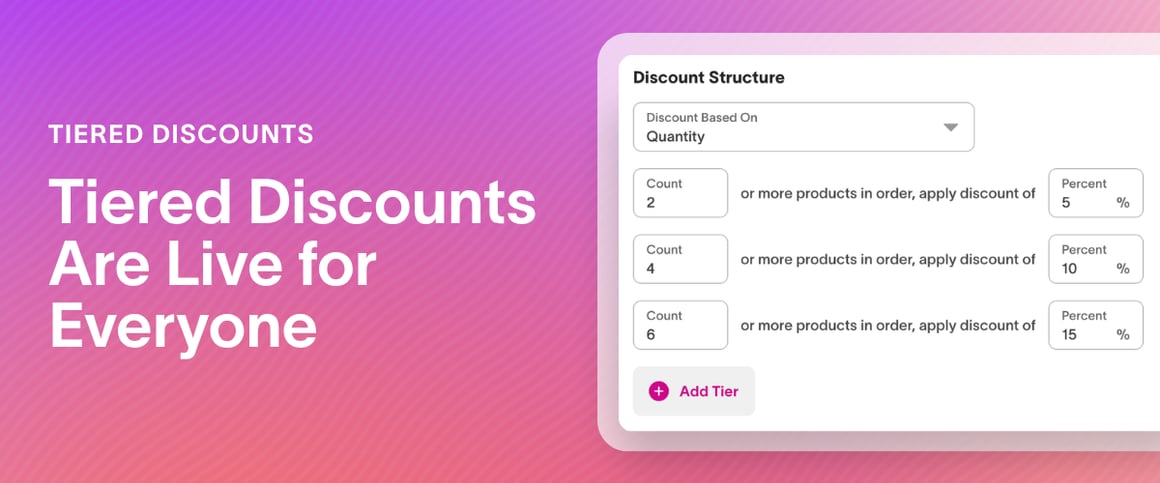
Show customers how close they are to their next reward.
What This Means for You: Your customers can see exactly where they stand. A new progress widget in the Customer Portal shows which discount tier they've reached and how much more they need to add to unlock the next one. Tiered Discounts reward bigger subscription orders, and they're now enabled for all merchants.
What's new:
The next reward is visible at the moment of decision. The widget shows the current tier and the remaining amount to the next one.
It updates as the cart changes. Customers always see where they stand.
It follows the Tiered Discount you've already set up. The remaining amount appears in the unit your tier uses, such as spend or quantity.
For example: Say you've set 10% off at 3 items and 20% off at 6. A customer with 5 items sees that one more unlocks the 20% tier, right when they're deciding what to add. Making the next reward visible encourages larger carts and higher order values.
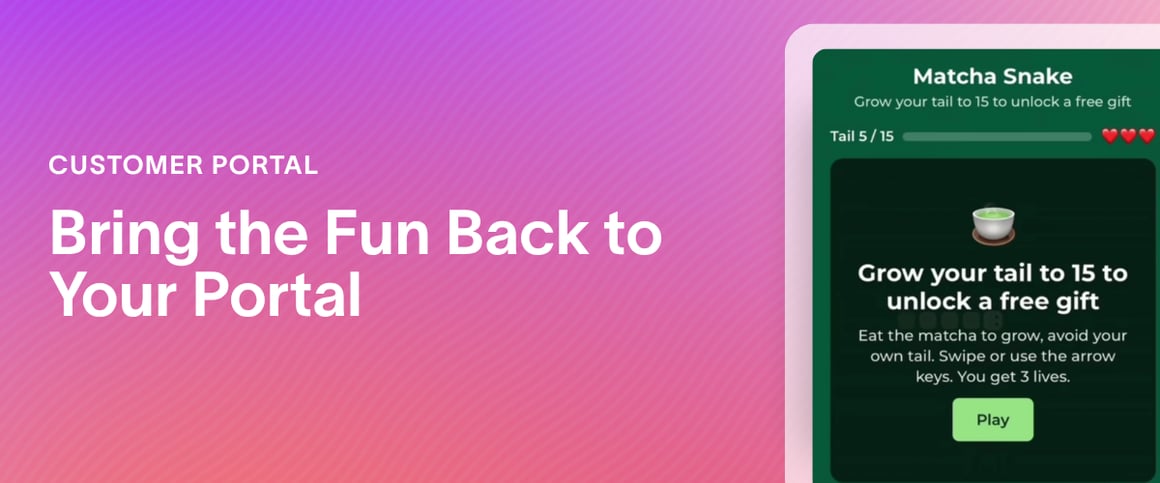
Branded games for your subscription portal. Play a game, earn a prize.
What This Means for You: Add a branded game to your Customer Portal with the updated Custom HTML widget, and turn a visit that started with negative intent into a prize worth playing for. The widget is available on request, so reach out to your CSM to ask about enabling it for your store.
What's new:
Engage customers with a game in their portal. The widget is fully drag-and-drop, like any other widget in the customer portal, so you can position your game where gamification matters most.
For example: My favorite example so far is Tenzo's snake matcha game. Someone who came in with negative intent finds a game right above the cancel button and ends up playing that instead, feels like they actually earned their discount, and gets pushed toward their next order. That feeling of earning it is why punch cards work, and why people still love a spin-to-win wheel in a pop-up. When someone works for the reward, they're more invested in the next order than if you just hand them a code.
More From October 👀
Customer Portal
Change frequency and next order date in one step. Customers can switch their next order date right as they update their delivery frequency, so their schedule matches their new cadence in one move.
Digital Punch Cards
Show customers what they're working toward. Free product rewards now show the product image, and the punch card displays the upcoming reward, so customers can see what the next milestone unlocks. If your punch card is configured to let customers select from multiple products, the image reflects the first product option.
Let customers change their reward. Your punch card, their pick. Customers can now edit upcoming rewards in the portal and choose their favorite product on multi-option rewards. Auto-redeem on? No problem, they can swap to the reward they’re actually excited about before the next order goes out. The swap view only shows the options you set for that milestone, so every reward stays within your offer. Learn more:Setting Up Digital Punch Cards
Cancel Survey
Turn cancel surveys into conversations. Add a tappable phone number, email address, or any link to your save offers, so customers can reach a service rep straight from the survey. Offers without links display exactly as before.
Translate every word of your survey. Edit the "Free" label on free-product save offers for each language you support, so international customers see the full survey, free-product offer included, in their own language. Learn more:Setting Up Your Cancellation Survey
Multi-Language
Find any translation fast. Search by the copy itself or by its description, and jump straight to the field to edit instead of scrolling to find it.
Quick Actions
Upsell more easily than on any other platform. The new Update Quantity Quick Action increases the quantity on every line of a subscription with one link. Upselling a 30-day supply to a 90-day supply? One link works for any product on the subscription. Reach out to your CSM to ask about enabling it for your store.
URL Builder
Take your offers off-screen. Every URL you save generates a QR code you can download for print or copy as an image. The best use is packaging: print "Subscribe and get 25% off" on a box or insert with a QR code that scans straight to your checkout link. Learn more:Using Stay's URL Builder
Workflows
Order-based workflows just got a lot easier. You can now use order cycle as its own workflow condition, no product or variant ID required. Trigger a swap on order 3, a free product on order 6, or a discount code application on order 2.
Move billing dates on autopilot. Move a subscriber's next billing date automatically as part of a workflow, either relative to when the workflow runs (days, weeks, or months out) or to a fixed calendar date.
Segmentation
Build winback audiences from recent cancellations. Create segments based on when a subscription was canceled, using a static date (before, after, or between) or a relative date, such as the last 2 days.
Keep your Segments page fast as it grows. The list loads the first 10 segments, then more as you go, so a big segment library stays easy to move through. Learn more:Creating Universal Segments
Integrations
Use your Stay segments in Yotpo, Attentive and Postscript. Events sent to Yotpo, Attentive and Postscript now include the segments a subscription belongs to, with each segment's ID and name, so you can build flows around audiences you've already built in Stay.
Subscriptions
Find any subscriber in about a second. Searches on the Subscriptions page are on average 70-90% faster, with name and email searches finishing in under 1.5 seconds.
Shipping
Manage shipping plans in a faster, simpler way. Create a shipping profile in Stay by selecting Selling Plans and one or more locations, wait for it to be created in Shopify, then edit the plan directly in Shopify. Learn more:Creating Shipping Plans in Stay AI
Partner Spotlight 💡
What is TxtCart
Most subscription brands don’t lose subscribers because the product is wrong. They lose them because nobody answered the question that came up at the moment of doubt.
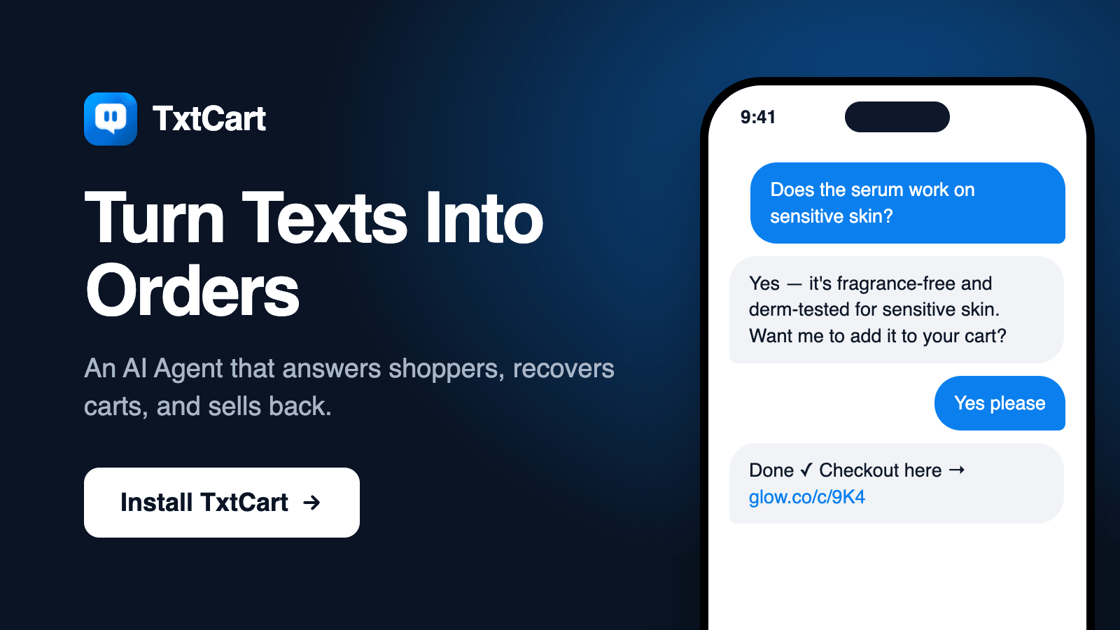
TxtCart is an AI-native SMS platform built for Shopify DTC brands. The core of it is a two-way AI Agent that actually talks to your shoppers over text: answering questions about shipping, sizing, ingredients, “can I skip this month”, and converting that conversation into a purchase. It runs campaigns and automated flows too, but the agent is the part that’s different. You pay $0.99 per resolution, not per blast.
Who it’s for: Shopify brands doing real volume who want SMS to carry its own weight, without hiring a retention team to run it.
Why it matters
MRE’s World recovered $478,277 and 44% of abandoned checkouts with TxtCart, across 16,831 real customer conversations.
How it works alongside Stay
Stay keeps your subscription program healthy with the portal, the offers, and the churn forecasting. TxtCart owns the text channel around it. Shoppers ask questions and get real answers, which is where first subscriptions start and where cancellations get caught before they happen.
Special offer: for a 30-day trial, apply coupon 30DAYTRIAL