AI tools can draft metadata, but they don’t know your app’s live keyword rankings, your competitors’ latest listing changes or your past metadata updates.
Once connected to AppTweak, your AI assistant starts from what you’ve already set up:
Your followed apps, competitors and keyword lists
Your connected console data, from App Store Connect or Google Play Console
All the data you have access to in AppTweak: 12+ years of history, with keyword volumes, rankings and metadata updates across 17 million keywords and 6 million apps
Instead of exporting a CSV and explaining your setup, start with a prompt. Here are a few of our favorites from the ASO prompt library. Copy one, swap in your app, and see what comes back.
1. Get a second opinion when rankings drop
Your rankings fell, and someone is about to ask why. Before you compare keywords one by one, ask:
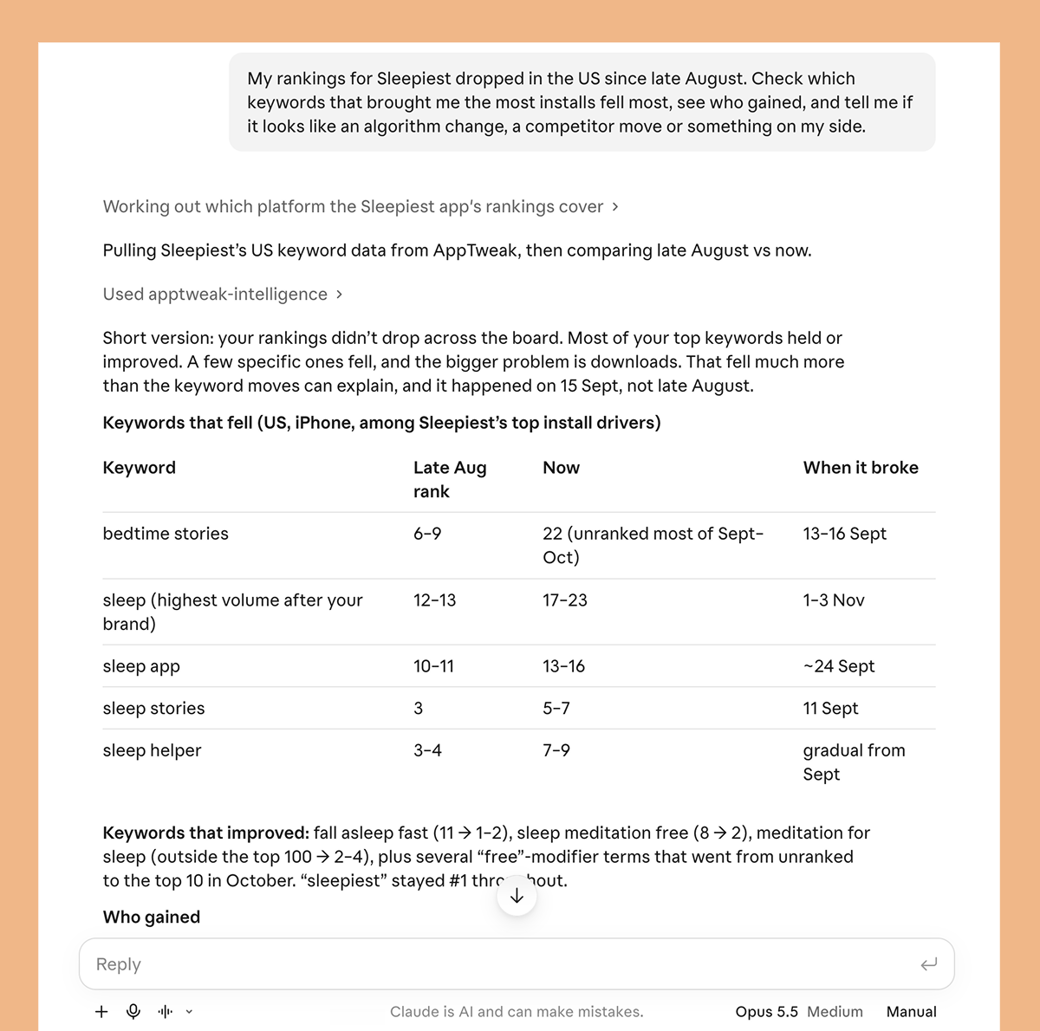
✍️ My rankings for [app] dropped in [country] [this month]. Check which keywords that brought me the most installs fell most, see who gained, and tell me if it looks like an algorithm change, a competitor move or something on my side.
Your AI assistant highlights which keywords fell, ordered by the installs they brought you, and the apps that gained on each one. It also closes on the most likely cause, with the evidence behind it.
2. Show leadership the impact of your last update
Your manager wants to know if your new subtitle worked. Answer without building a spreadsheet first:
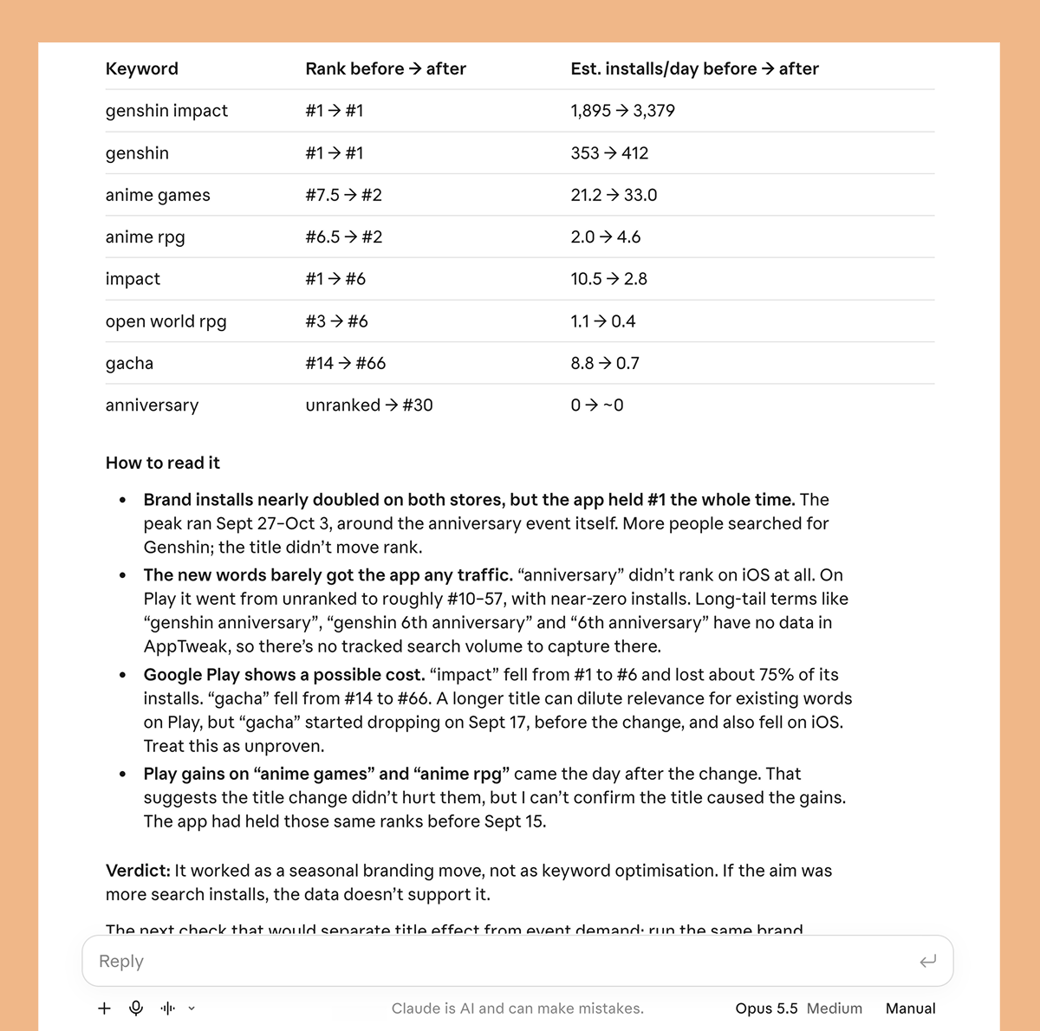
✍️ I changed my [title / subtitle / keyword field] for [app] in [country] on [date]. Did it work? Compare my ranks and estimated installs on up to 10 affected keywords for 14 days before and after.
You get average rank and estimated installs for each keyword, before and after, with an answer you can forward to your manager.
3. Benchmark your competitors' changes
A competitors' new title or screenshot set is easy to miss when you track several apps across markets. Compare their update history with yours with a single prompt:
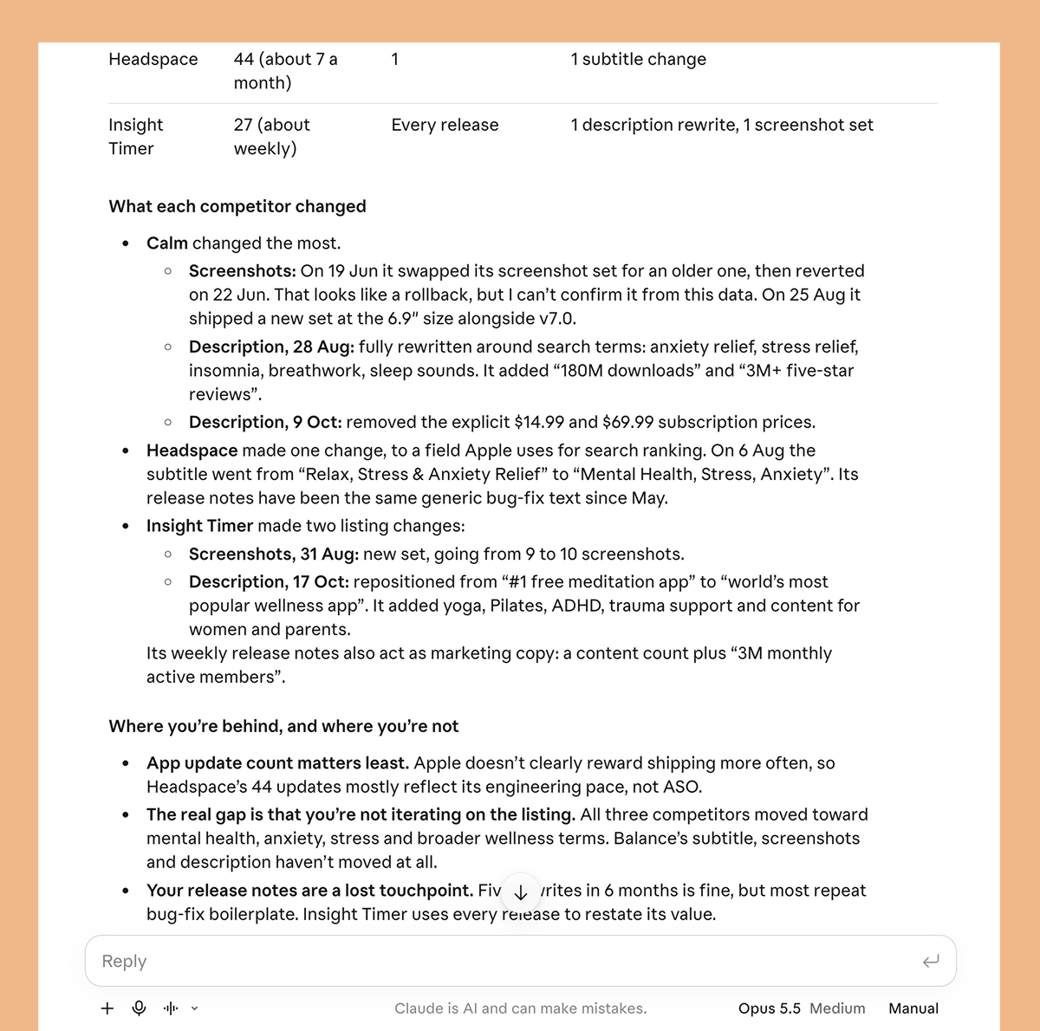
✍️ How often did [app], [competitor 1], [competitor 2] and [competitor 3] update their store listing in [country] over the last [6 months], and which elements did they change most? Am I behind?
You’ll see who updates most and which elements they change. You’ll also see whether you’re keeping pace, so your next update starts from the full picture.
4. Let your AI assistant do the work across tools
Your AI assistant can also work in any tool it’s connected to, so what it finds in AppTweak can go straight into your team’s work. For example:
Post your competitors’ listing changes in Slack every Monday, so your team stays up to date without opening a report.
Create a Jira ticket from recurring complaints in your reviews, so product knows what to fix.
Keep a Google Sheet updated with keyword volumes, ranks and estimated installs over time.
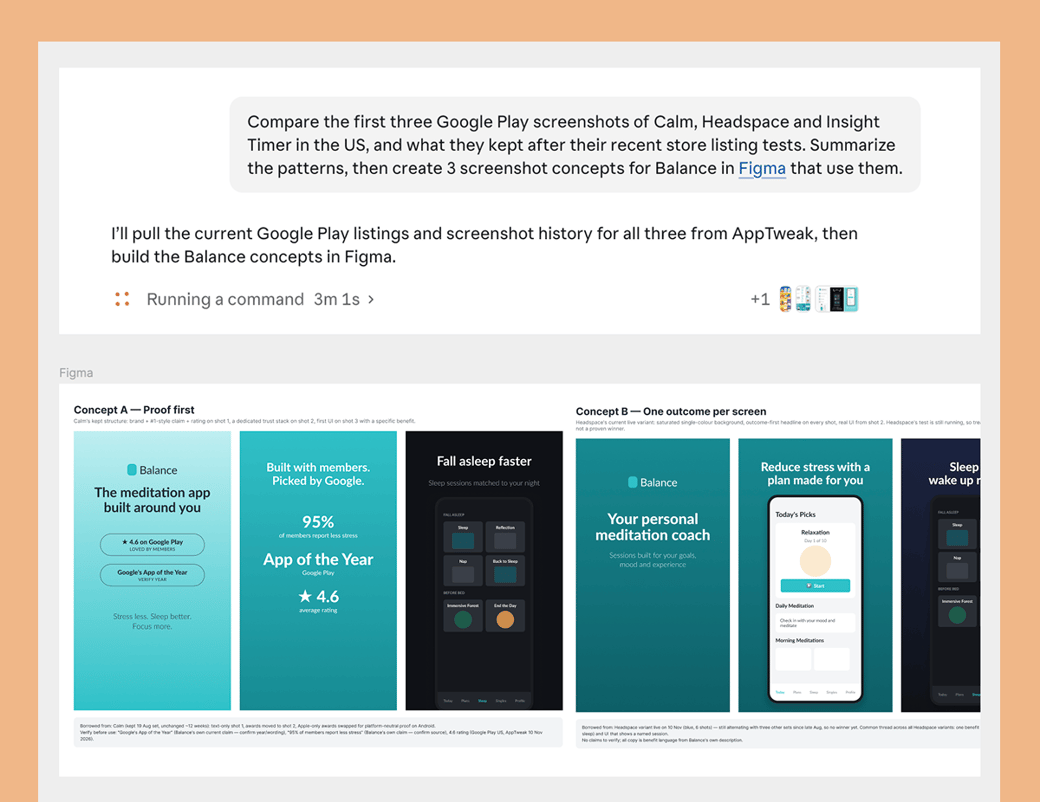
Draft screenshot concepts in Figma, based on the patterns in your competitors’ screenshots:
💥 Connect your AI assistant to the AppTweak MCP
The AppTweak MCP is available in Claude, ChatGPT and other AI assistants that support MCP connectors, as well as coding agents like Cursor and Codex.
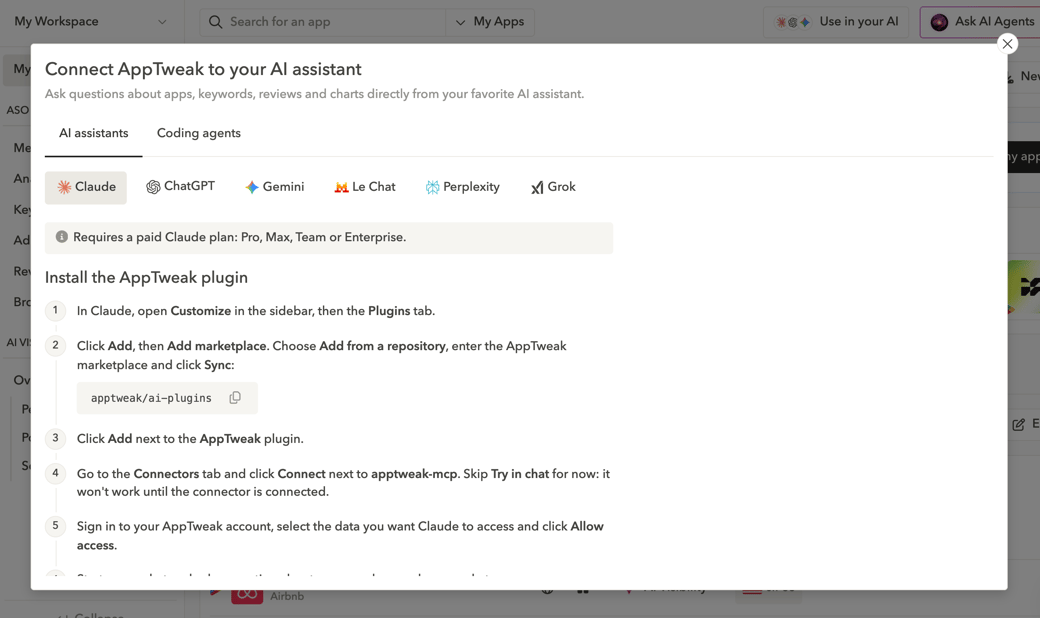
Open the connectors in your assistant’s settings, search for AppTweak, and sign in to your account. You can also find steps for your preferred tool with the "Use in your AI" button in AppTweak.
Good to know:
Every AppTweak user on your team gets their own daily usage, included in your ASO plan.
How much you can ask, and which data your assistant can reach, depends on your plan.
Need more?Talk to our team about extra MCP usage. Users with an API seat can also choose, when they connect, to continue on your company’s API credits after their daily MCP usage runs out.
The AppTweak MCP only reads your AppTweak data. It can’t change anything in your account.
Start your next ASO task with a prompt
Find more than 20 prompts like the ones above in our ASO prompt library. Pick one, swap in your app, and see what comes back.
Built a prompt others should know about, or a workflow your team now relies on? Let us knowand we’ll feature our favorites, with all credit to you.