Missed Universe? Here's what we built together 💪
We Universe 2026 in San Francisco, and we want to remind you what was announced!
We explored what building together looks like when AI is part of your workflow. From turning an idea into code to reviewing what ships, here’s what’s new on GitHub and how to put it to work.
Start with the keynote
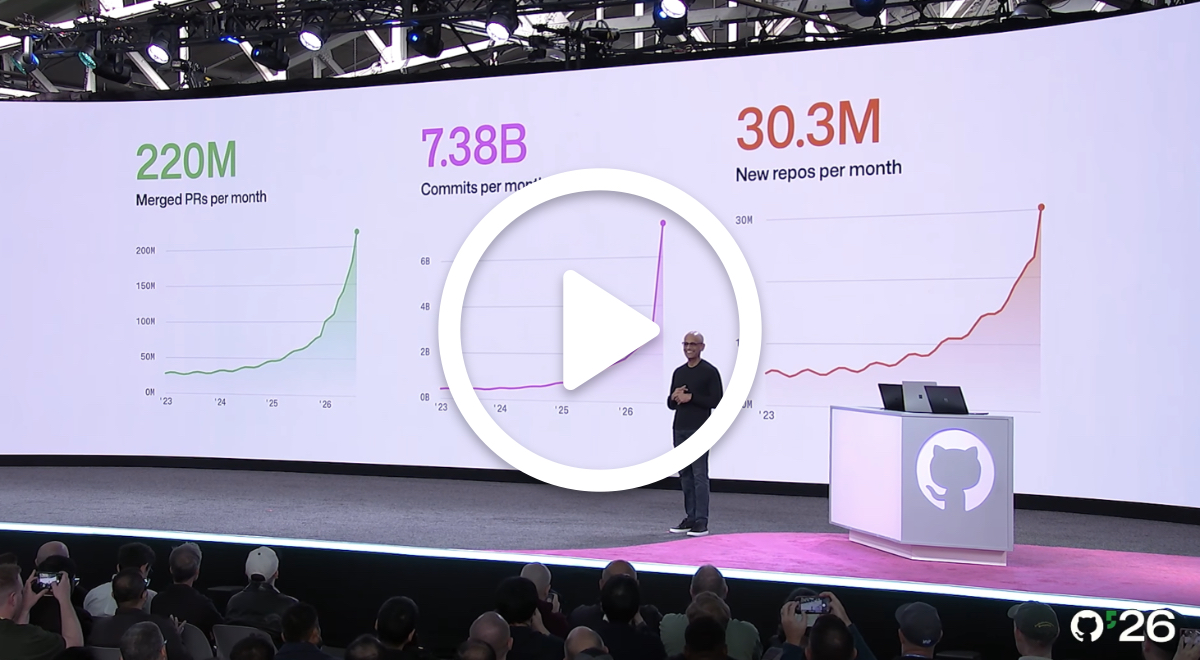
Follow a coffee shop app from issue to merge in the opening keynote. See how the latest GitHub Copilot updates fit into a development workflow, with you setting the direction and reviewing the results.
Only have eight minutes? Watch everything announced at Universe →
Or, get the full download by watching the full keynote →
Move your ideas forward
Start with a goal, give Copilot the context.
Projects in the GitHub Copilot app let you hand Copilot a goal instead of directing each session. Copilot coordinates agents across your repositories, checks in when it needs you, and brings back pull requests for your review. Projects are in public preview.
Let Copilot Fusion handle model selection.

GitHub Copilot Fusion brings together Project HydraFusion and Copilot auto model selection. For each prompt, Copilot Fusion determines which models to use and how they work together, while you choose the right level of effort.
In the Artificial Analysis Coding Agent Index, Copilot Fusion Max scored 60, within two points of Claude Code with Opus 5.5 Max. It delivered that result at about half the average API cost per task, using about half as many tokens and taking about 40% less time per task.
🤑 Try it for less: paid Copilot plans get 30% off Fusion model costs for a limited time. 🤑
Bring the context with you
Connect the tools your work already lives in.
Connectors let Copilot work with services like Slack, Figma, and Sentry across supported surfaces. Choose which services to connect and review their access permissions. Connectors are in public preview.
Set up the work you repeat.
Run Copilot automations on a schedule, in response to an event, or on demand. Choose their tools and set AI credit limits per run, day, week, or month.
Give proposed changes a closer look
Use code review Max where scrutiny matters.
Copilot reviews code changes directly in your pull requests, identifying potential problems and suggesting improvements. Choose Max effort to examine complex or high-impact changes more thoroughly.
Keep pull requests moving.
With Agent Merge, Copilot watches your pull request and automatically fixes blockers such as failing Actions workflows and merge conflicts. Choose Watch and fix in your pull request’s merge box.
Go deeper into what was shared at Universe
Want to see more of what was shared at Universe? Read the full announcement recap, or go under the hood of Git infrastructure built for agent-scale development.
Which update would you try on your next project? Hit reply and tell us what you’re cooking up.
Happy building,
The GitHub Insider team
✨ This newsletter was produced by Cami Williams. ✨
More to explore
Catch up in eight minutes
Short on time? Watch the highlights from Universe 2026, then choose which announcements you want to explore in more detail.
Explore every Universe announcement
Looking for a specific launch? The full roundup brings the Universe announcements together, with links to explore what changed and how to get started.
Go inside GitHub’s Git infrastructure
What happens when agents generate more Git traffic? Go behind the scenes with GitHub engineers to see how we’re redesigning the infrastructure that supports your repositories.
The world’s leading AI-powered developer platform.
Unsubscribe • Email preferences • Terms • Privacy • Sign in to GitHub


GitHub, Inc.
88 Colin P Kelly Jr St.
San Francisco, CA 94107