Leverage your personal knowledge with AI for better patient care. ‌ ‌ ‌ ‌ ‌ ‌ ‌ ‌ ‌ ‌ ‌ ‌ ‌ ‌ ‌ ‌ ‌ ‌ ‌ ‌ ‌ ‌ ‌ ‌ ‌ ‌ ‌ ‌ ‌ ‌ ‌ ‌ ‌ ‌ ‌ ‌ ‌ ‌ ‌ ‌ ‌ ‌ ‌ ‌ ‌ ‌ ‌ ‌ ‌ ‌ ‌ ‌ ‌ ‌ ‌ ‌ ‌ ‌ ‌ ‌ ‌ ‌ ‌ ‌ ‌ ‌ ‌ ‌ ‌ ‌ ‌ ‌ ‌ ‌ ‌ ‌ ‌ ‌ ‌ ‌ ‌ ‌ ‌ ‌ ‌ ‌ ‌ ‌ ‌ ‌ ‌ ‌ ‌ ‌ ‌ ‌ ‌ ‌ ‌ ‌ ‌ ‌ ‌ ‌

Glass

Hi,

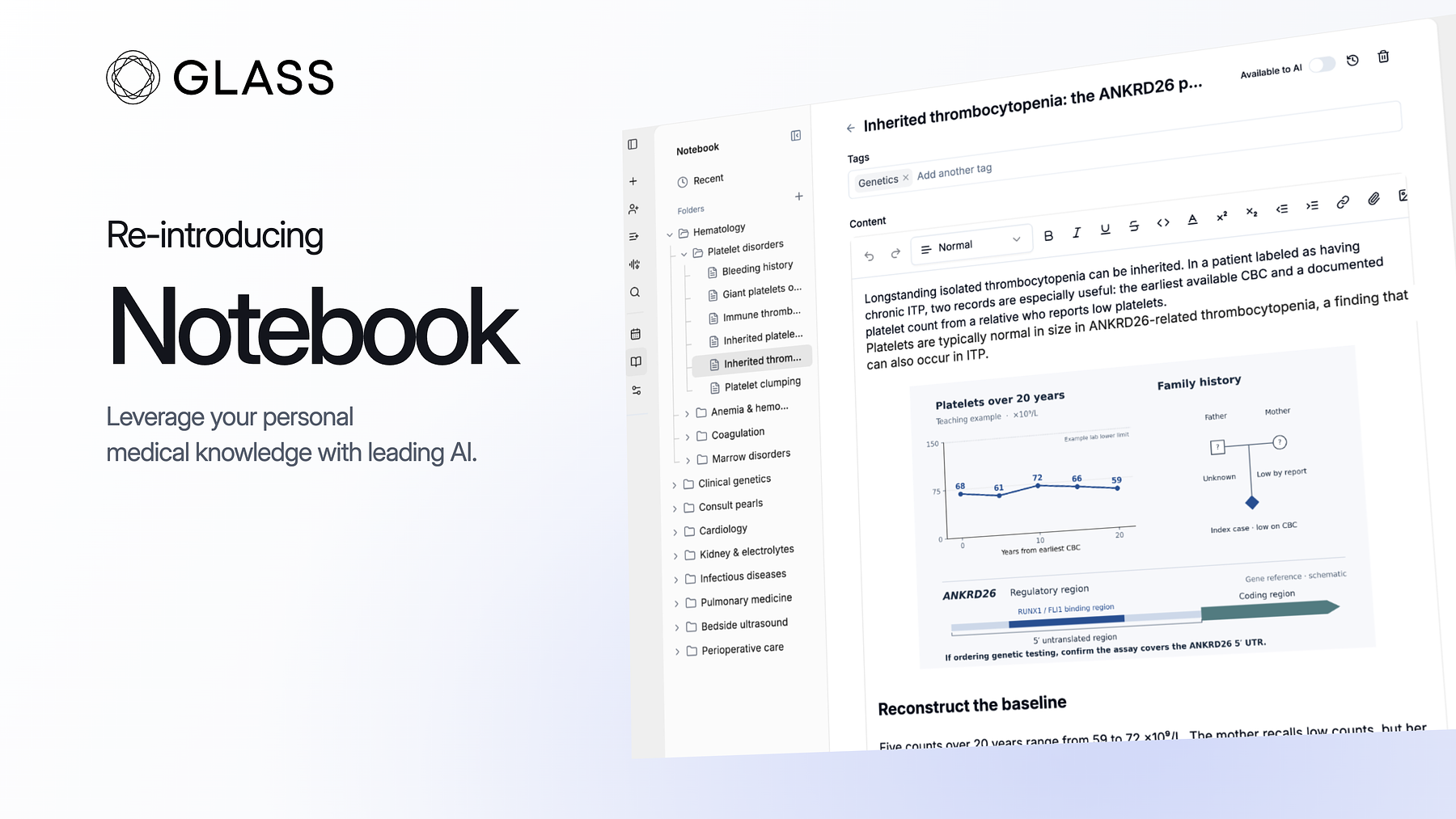
Today we’re re-introducing Notebook in the Glass platform. You can now bring the medical knowledge you’ve built over your career and your own approach to practicing medicine into the care of each patient.

Notebook brings your personal medical knowledge together with our leading clinical AI. As you work through a differential diagnosis, develop a management plan, or coordinate care, Glass uses your repository of notes to tailor its responses to the way you practice medicine.

Get Started

1. Capture medical knowledge

Create a note on a clinical pearl you want to remember, a technique you’ve refined, or a case that changed your practice. Add an image you’ll want to revisit.
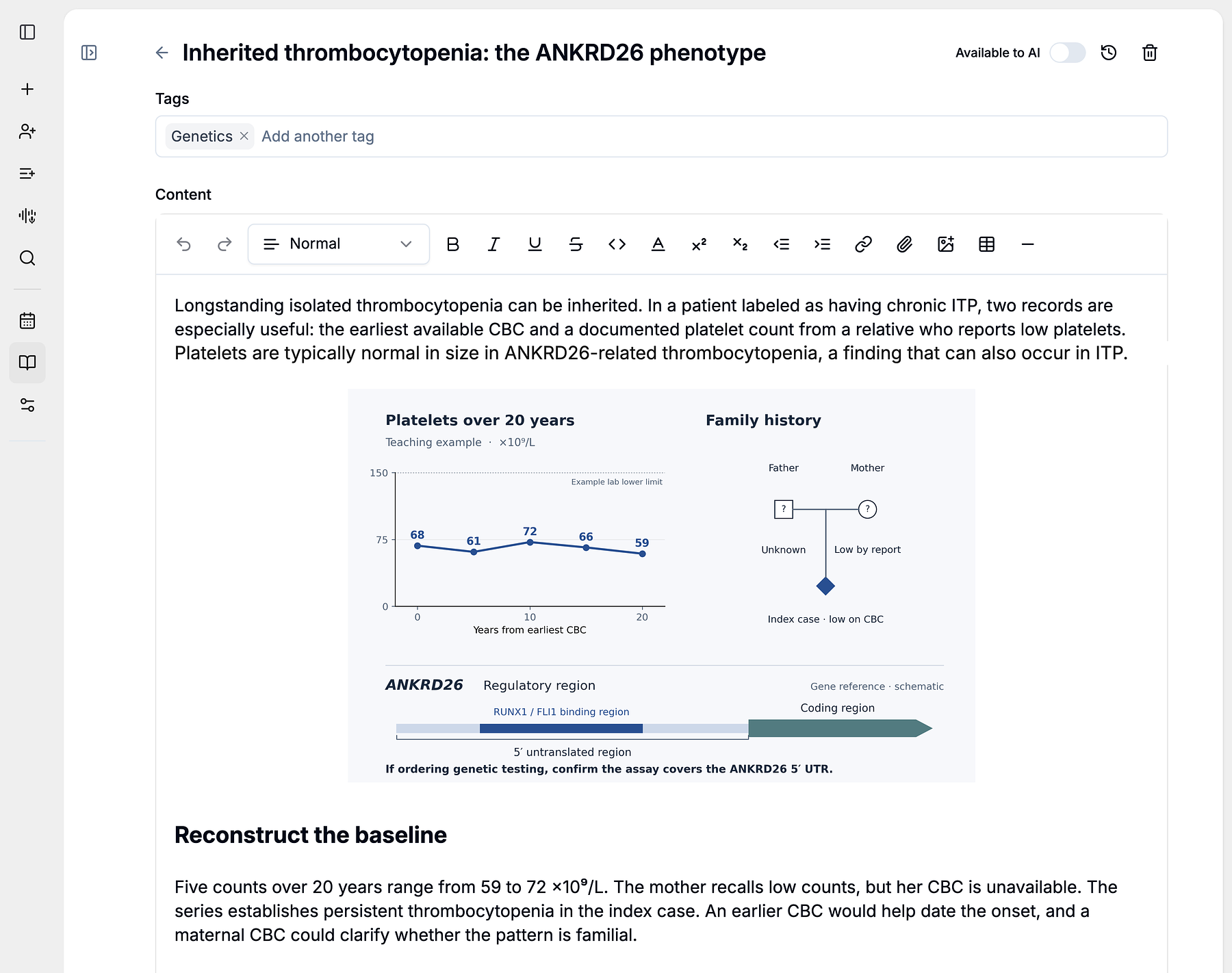
In an illustrative teaching case, five platelet counts range from 59 to 72 ×10⁹/L over 20 years. The index case has documented low platelets. The mother reports low counts, and the father’s history is unknown. A separate gene schematic highlights the ANKRD26 5′ untranslated region to check for assay coverage.

2. Organize your knowledge

Stay organized with folders and tags. Keep notes, images, and key papers together in a folder for a condition you manage. Use tags to connect related ideas across folders.
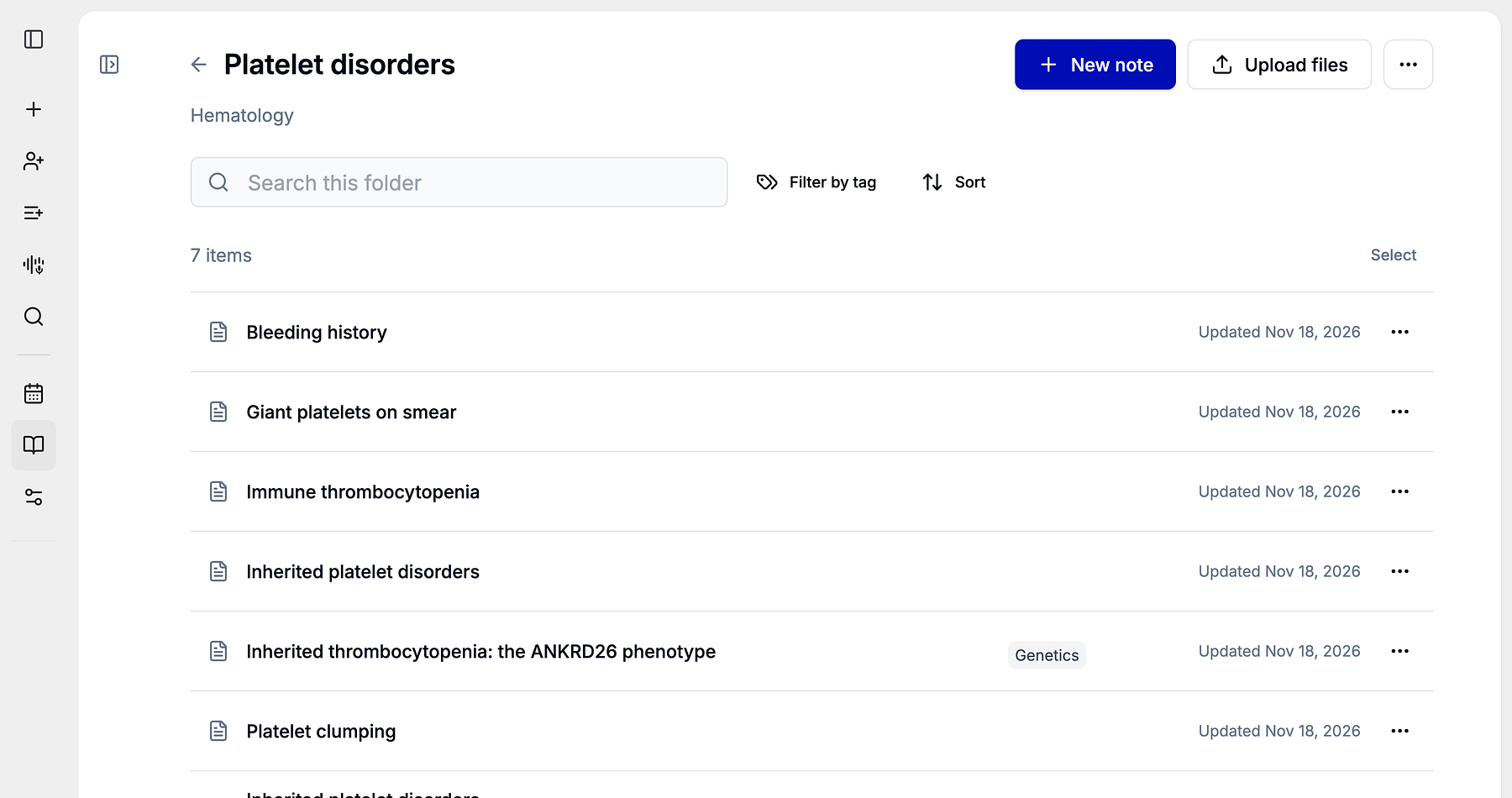
The Platelet disorders folder contains the ANKRD26 teaching note, companion notes and an uploaded reference.

3. Leverage your knowledge with AI

Open the note you want Glass to use and turn on Available to AI. In your next relevant encounter, select that note in chat and Glass will apply that knowledge to your question.

The clinician has turned on Available to AI for the ANKRD26 note.

In a new encounter, Glass applies the clinician’s teaching note to a different patient. Type @ in the encounter chat, select your note, and ask Glass a question about the patient in front of you.

The clinician selects the ANKRD26 note and asks what supports an inherited cause and which records would clarify the diagnosis.

Glass draws on your note to answer your question and links back to it so you can review the source.
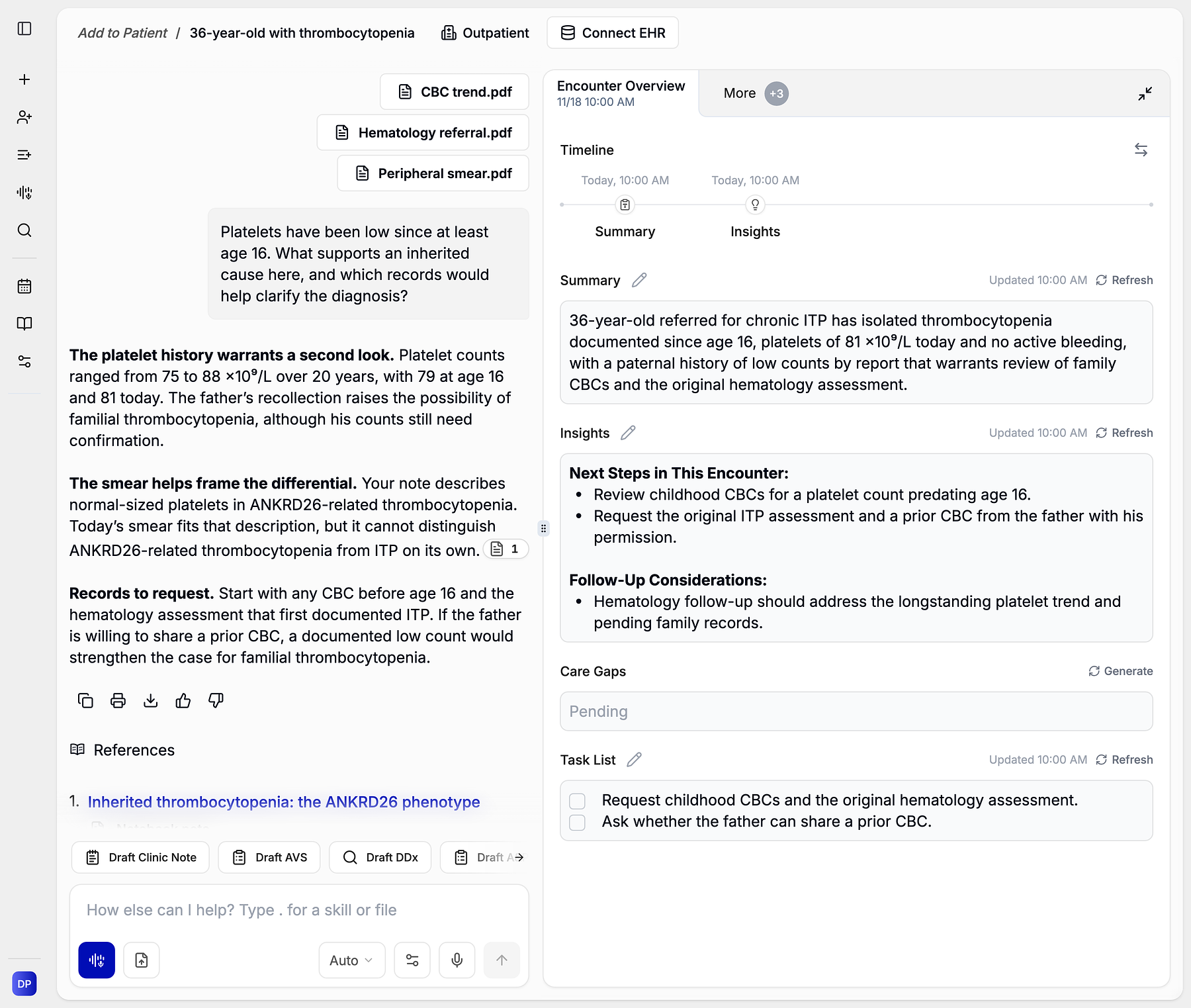

Glass cites the clinician’s Notebook note in chat. Encounter Overview shows today’s platelet count, the father’s reported low counts, and the records to request.

Get Started

Currently using the original Glass Notebook? We’ve already brought your pages into Notebook on the Glass platform. You’ll find them in the folder named “Imported from Legacy Notebook.” You choose which notes to make available to Glass Agent.

Questions? Email contact@glass.health.

Cheers,

The Glass Health Team

Glass Health Inc. | 548 Market St PMB 75189, San Francisco, California 94104-5401 US


Manage Email Preferences | Unsubscribe