
OCTOBER 2026 RECAP
Less follow-ups. More context to get work done.
This month's updates help you collect the details you need from customers and put your recordings to work.
WORKFLOWS
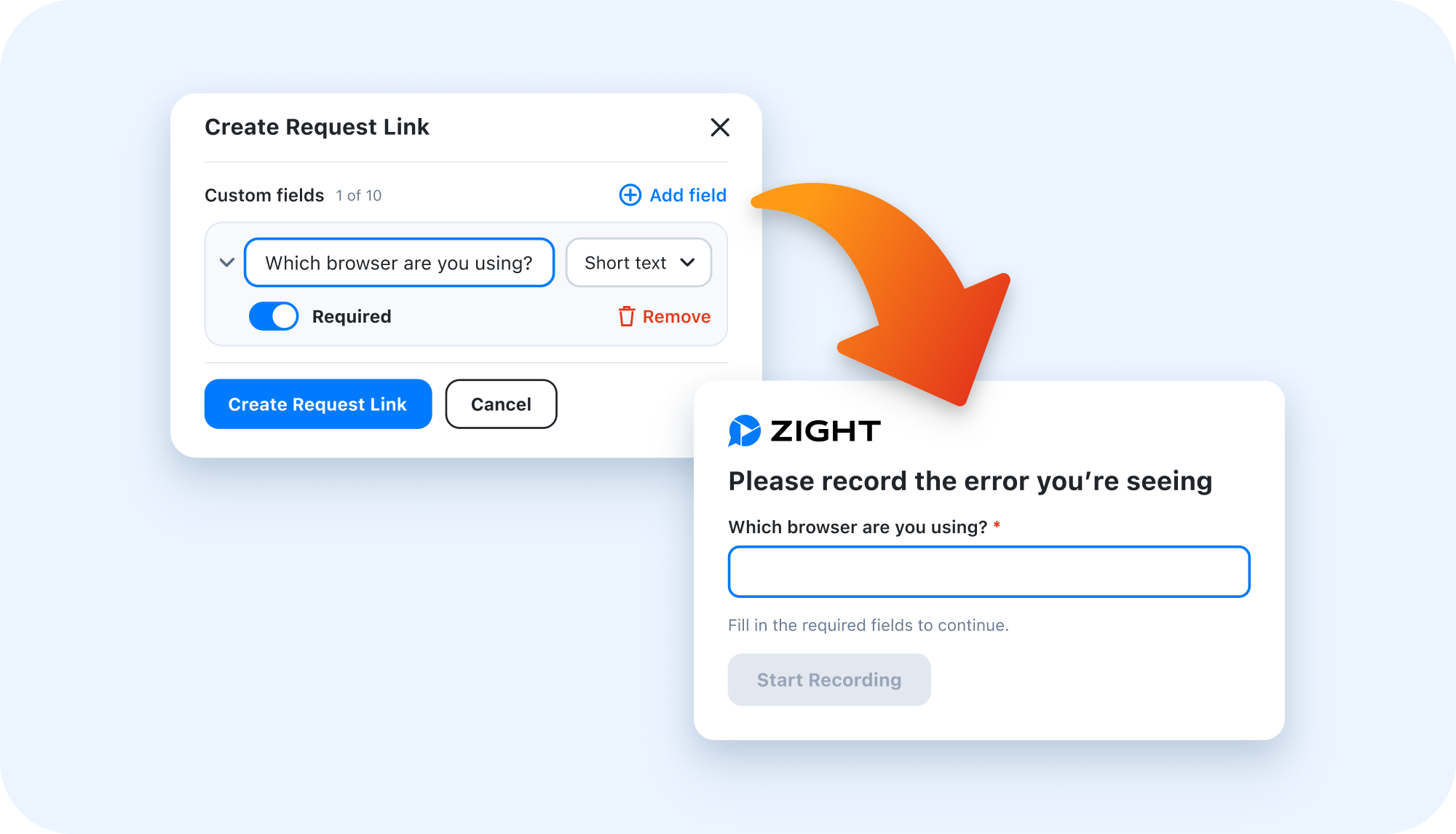
Collect the right details with Request Links
A customer sends a recording, but you still need their email or more information about the issue before you can help.
Custom fields let you ask for those details directly in your Zight Request Link. Collect an email address, ask which product they are using, or gather the context your support team needs alongside their response.
Try adding the questions you usually ask in your first follow-up email.
REQUEST VIDEO ON iOS
See the issue on their iPhone
Request Video now supports iOS screen recording. Customers can show you what is happening on their screen, so your support team can see the issue instead of working from a written description alone.
ZIGHT MCP
Use Zight from your connected AI tools
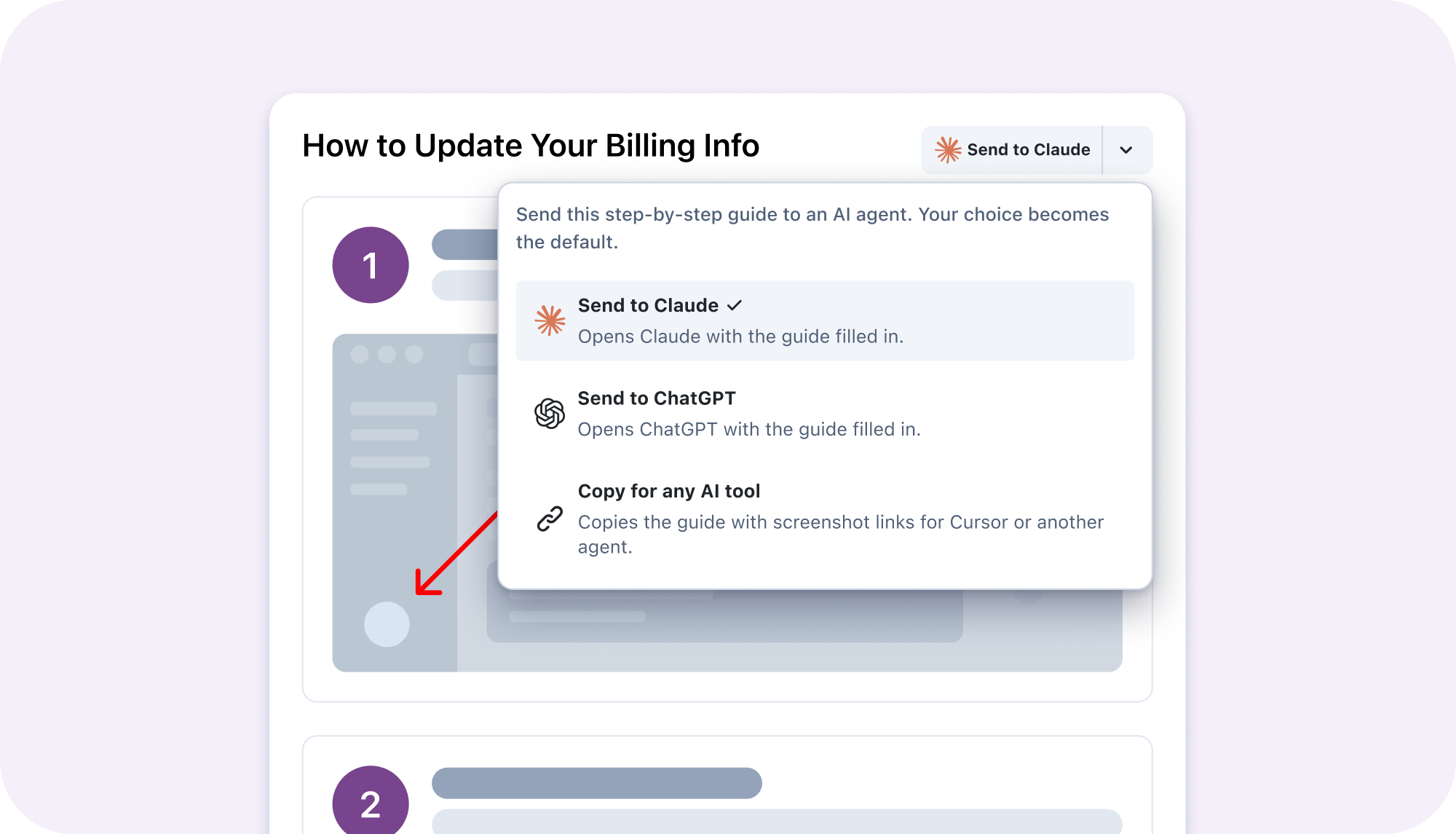
Zight MCP now supports creating Request Links and submitting responses through compatible AI tools. You can also bring Zight's step-by-step guides into those tools, so your assistant has the instructions it needs for the task you are working on.
Use it to request a customer walkthrough or pull a guide into your AI conversation without copying the instructions over by hand.
VIDEO AUTO REDACTION · BETA
Try automatic redaction for your videos
Help protect sensitive information in your recordings with automatic video redaction, now in beta. Want to try it? Email feedback@cl.ly to request access.
VIDEO TO TASKS
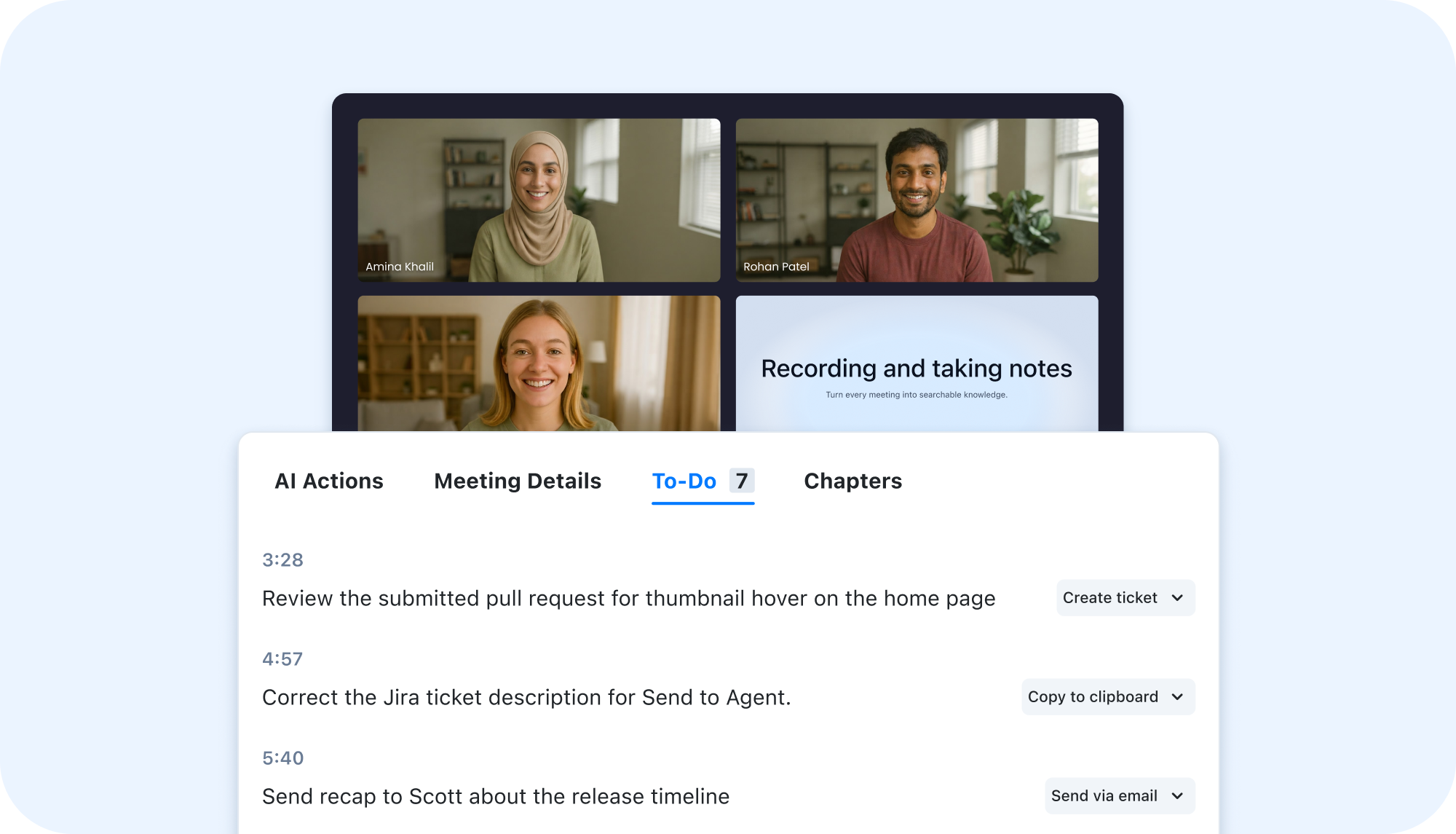
Turn video transcripts into a TODO list
Recorded a walkthrough with changes to make or follow-ups to handle? Turn the transcript into TODOs so you can quickly capture the tasks without replaying the video and writing each one down.
Try it with your next feedback recording, then review the list before sharing it with your team.
END-OF-YEAR WEBINAR
Zight 2026: “Wait, I can do that?”
Join us for our end-of-year webinar and explore more ways to put Zight to work.
December 9, 2026 · 2:00 PM EST
Happy recording,
The Zight Team
Copyright © 2026 Zight. All rights reserved.
548 Market Street, San Francisco, CA 94104
Privacy Policy