Hi there 👋


In this update: see your team's time by role, let the desktop app draft your time logs, lock past time logs, and wrap up clients in one step. Plus: deleting a task keeps its time, you can choose who sees rates, and admins can submit timesheets for members.


Here's what's new in Toggl 👇
👥 See your team’s time by role

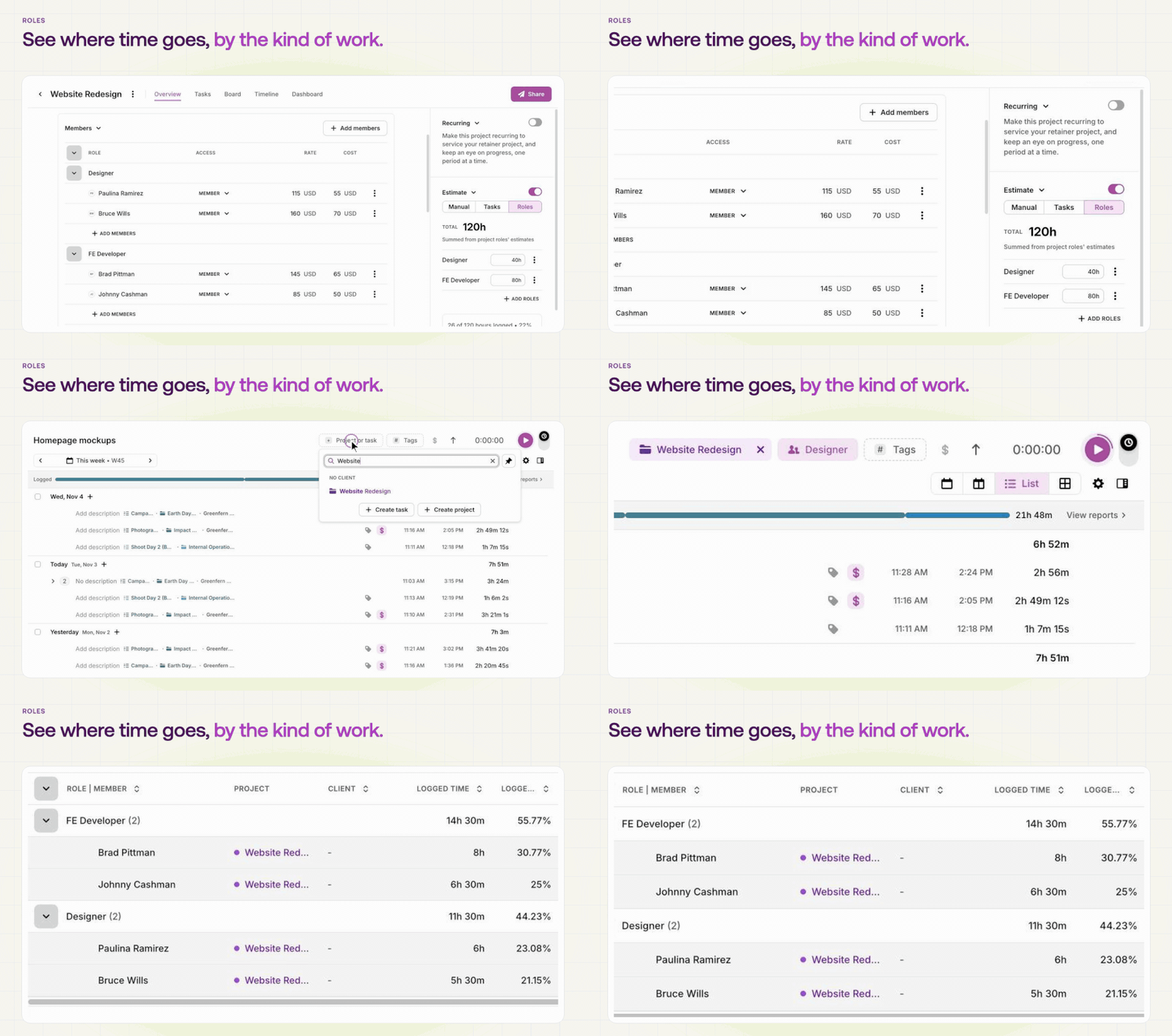
Setting up roles and seeing tracked time...

Your clients buy design and development hours, but your time data only showed who tracked what. Now you can set up roles like Designer or Developer, and Toggl sorts tracked time by role on its own. Break your Summary report down by role to see where the time went.


On Premium and Enterprise, or with the Capacity Management Add-on, you can also estimate projects by role and staff people into each role.


👉 Set up roles

📖 Read how roles work


Note: Available on Starter and up. 

🖥️ Let your day log itself

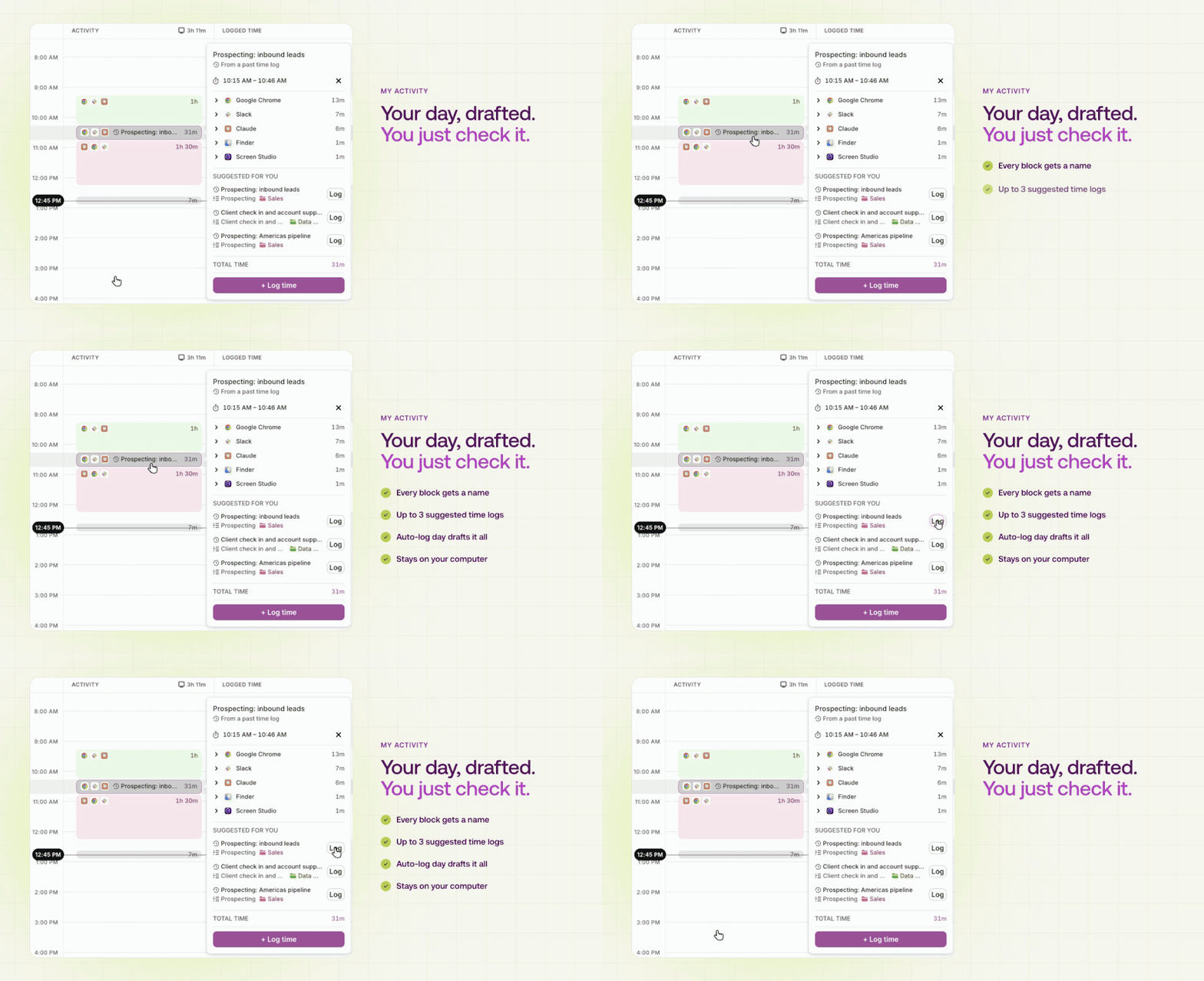
My activity in the Toggl desktop app sug...

Rebuilding your day from memory is how hours go missing. My activity in the desktop app now turns what you worked on into time logs you just check. Each block of activity gets suggested time logs, Auto-log day drafts the whole day in one go, and everything stays on your computer.


👉 Download the desktop app

📖 Read how My activity works


Note: Available on all plans, in the desktop app for macOS and Windows.

🔒 Lock past time logs

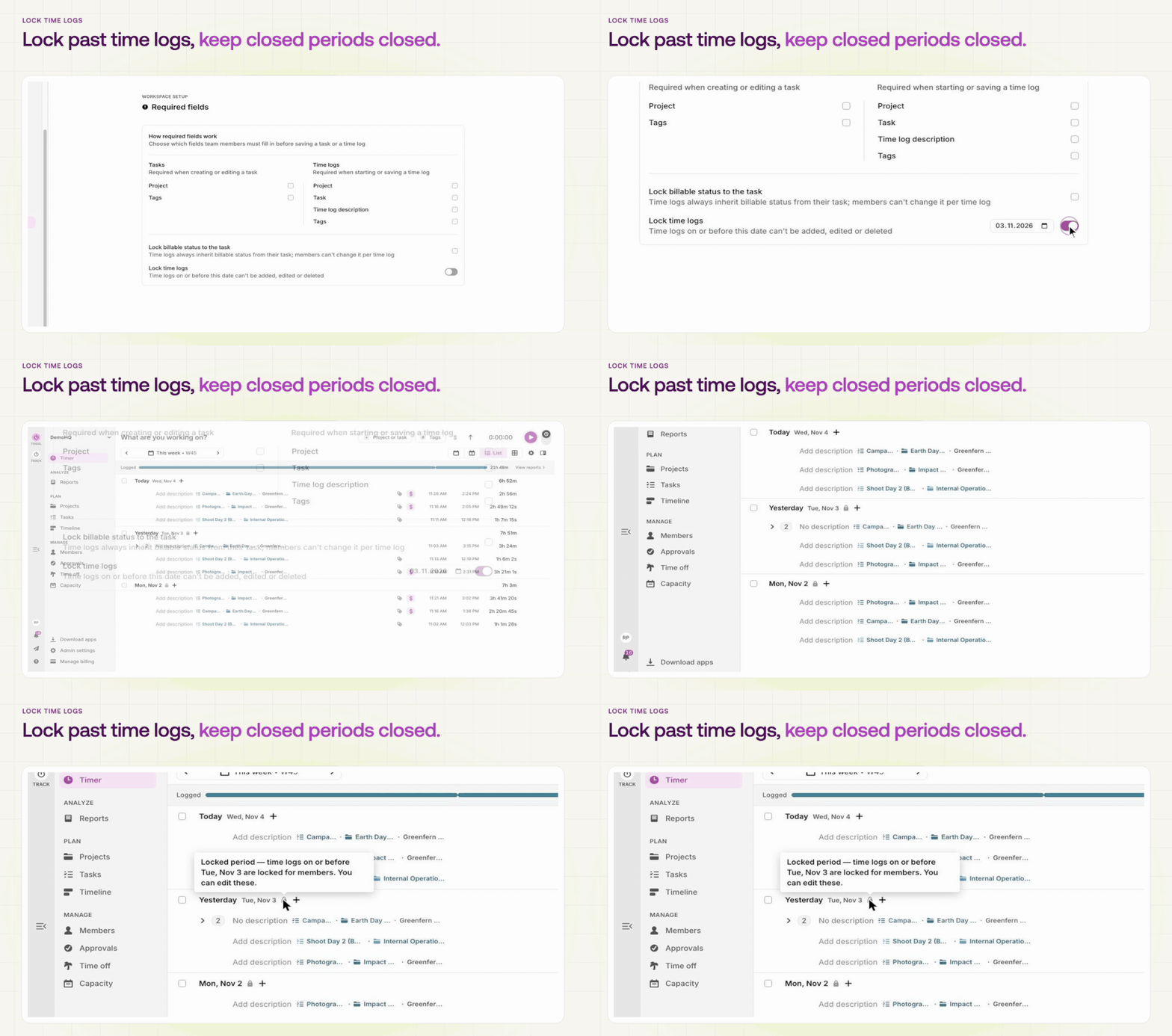
Turning on Lock time logs in Toggl and s...

Once a period is billed or paid, the time behind it shouldn't change. Workspace admins can now lock time logs on or before a date they choose, so nobody can add, edit or delete them by accident. Admins and managers can still make a deliberate change, after confirming it.


👉 Set a lock date

📖 Read how locking works


Note: Available on Premium and Enterprise.

💼 Keep client details in one place

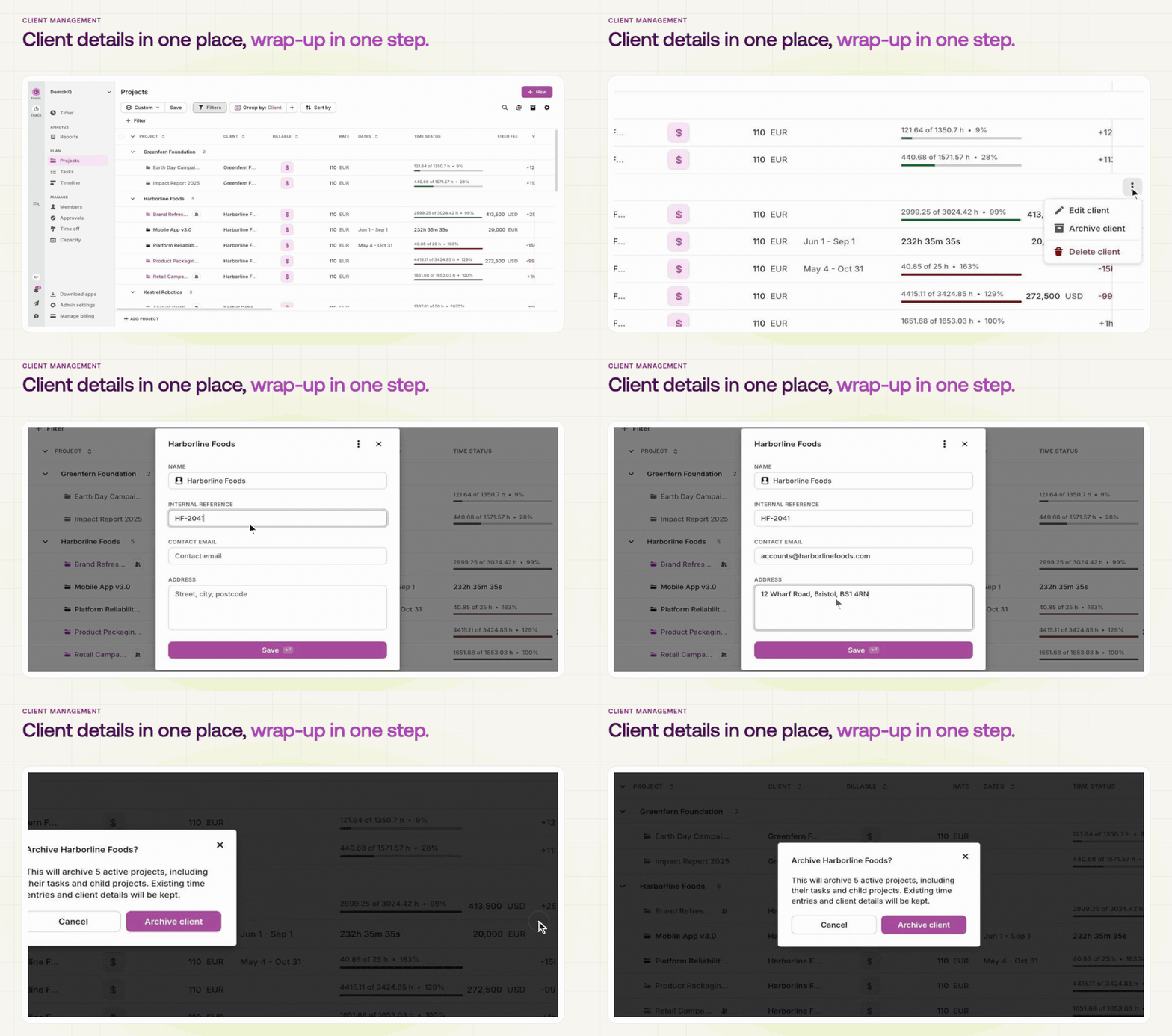
Adding client details and archiving a cl...

Clients now have an internal reference, a contact email and an address, so your accounting code sits right next to the client. When the work ends, archive the client and its active projects in one step, and restore it later with its history intact.


👉 Go to Projects

📖 Read how clients work


Note: Available on all plans. 

✨ More improvements

  • Delete a task, keep its time — time logs stay when you delete a task, so your reports don’t change. Choose Move to put your time on another task instead. How it works

  • Choose who sees rates — admins can let individual members see billable rates (Starter and up) and labor costs (Premium and Enterprise), view-only, from the member’s page. How it works

  • Submit timesheets for members — when someone is away at the end of a period, admins can submit their timesheet for them, one at a time or in bulk, so approvals don’t stall. The member gets an email. Premium and Enterprise. How approvals work

📣 Need help? We're just a message away!

Do you need help using Toggl? Ask our community or send us a message via the chat in the app.


See you soon with more updates! 

Best,
The Toggl Team

You are receiving this email because you’re subscribed to Toggl marketing communications. If you no longer wish to receive these kinds of emails, click the unsubscribe button below.

Unsubscribe | Privacy policy | Contact us

 
Toggl OÜ, Tornimäe 5, 10145 Tallinn, Estonia, registry no. 11346813

Toggl Inc, Suite 403-A, 1013 Centre Road, Wilmington, DE 19805, USA, file no. 5675394