|
|
|
|
Set up withholding tax yourself
|
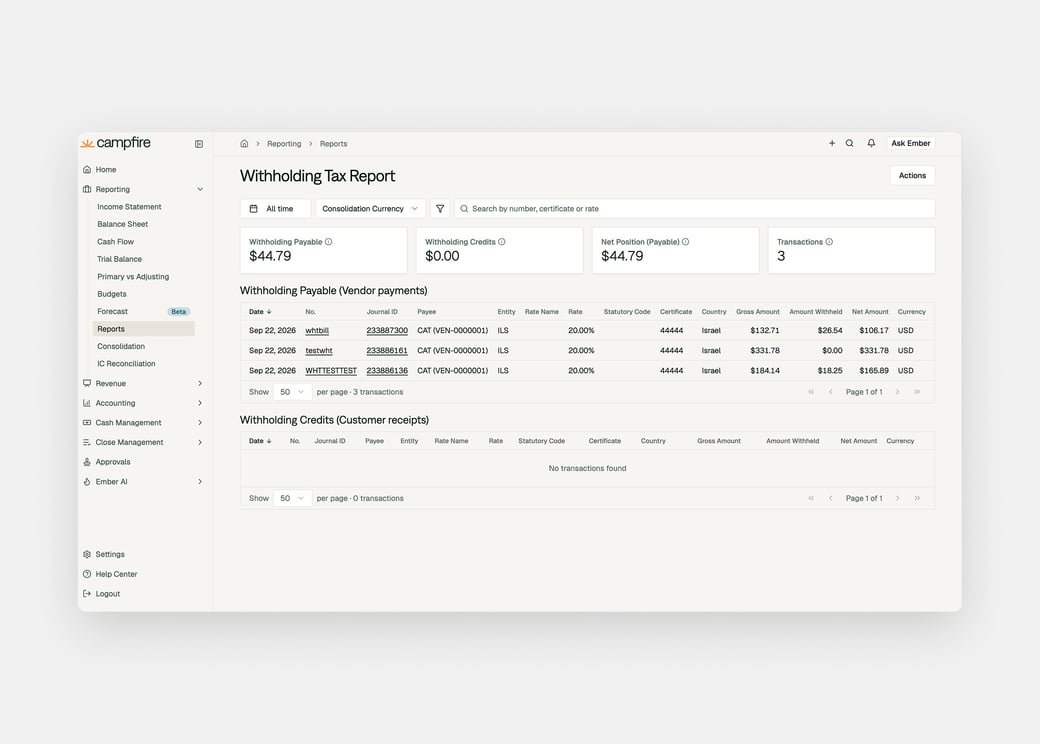
Set up a withholding tax scheme in Settings and assign it to an entity. Choose an exclusive or inclusive VAT basis so the right base amount gets withheld. This covers certificate-based schemes with a payment tax point. |
|
|
|
|
|
CSV uploads you can track, inspect and undo
|
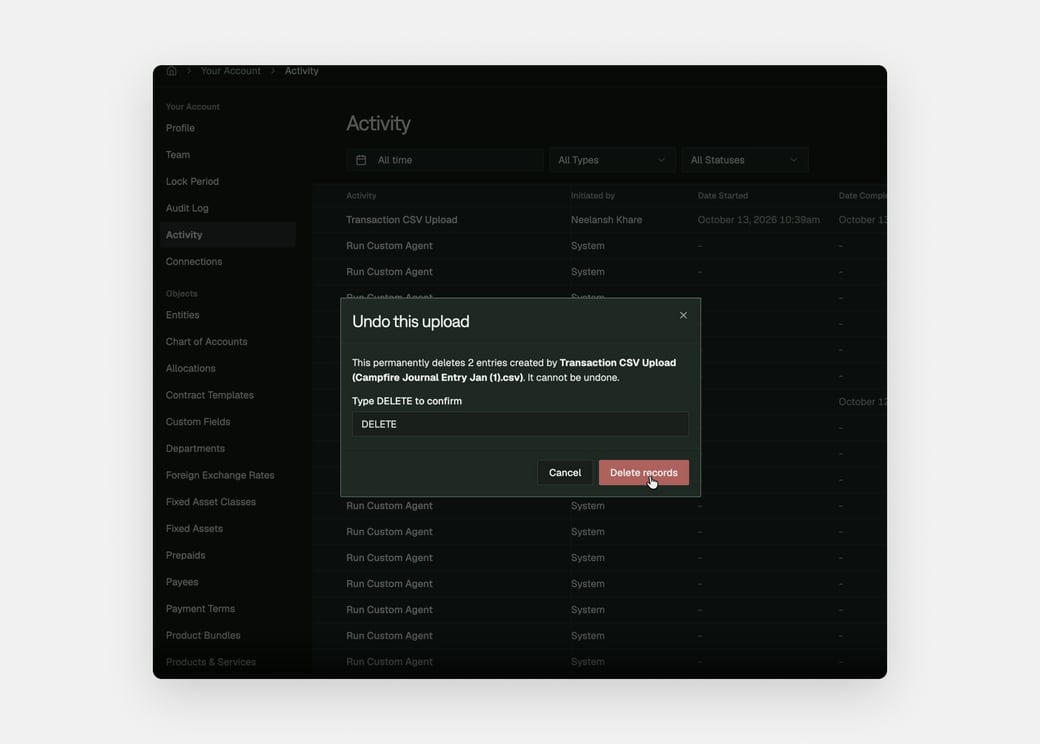
Every CSV import now shows up as its own entry on the activity screen, with the records it created attached to it. Open it to see which rows became what, delete everything the upload created, or cancel it while it's still running. |
|
|
|
|
|
Close task auto-posting
|
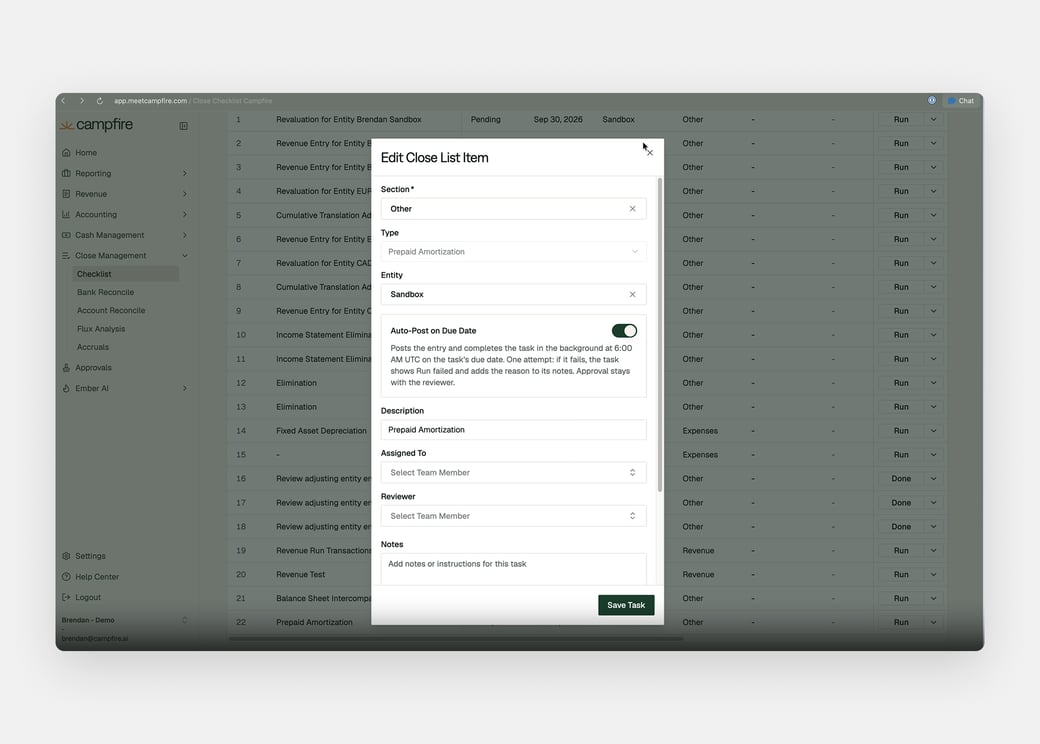
Fixed Asset Depreciation and Prepaid Amortization tasks can now auto-post on their due date. Turn on Auto-Post on Due Date in the task editor, and Campfire posts the entry at 6:00 AM UTC, with approval still going through your usual reviewer. |
|
|
|
|
|
Sync your Ramp accruals into Campfire
|
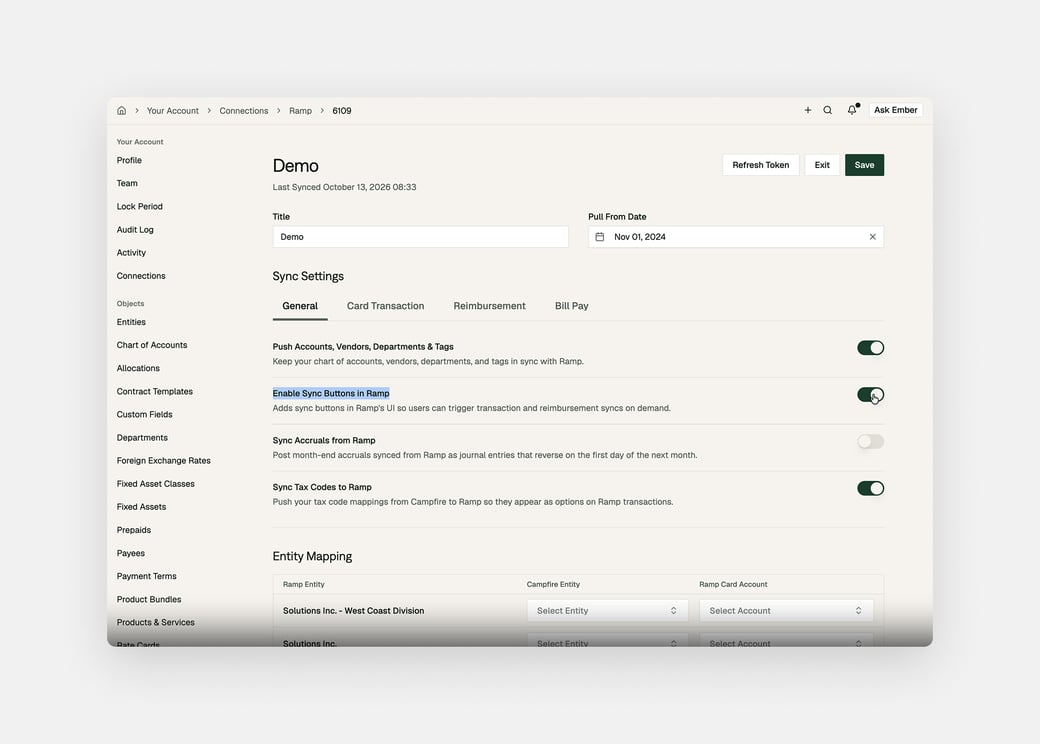
Enable Sync accruals in Ramp, and Campfire posts the accrual and its reversal, then reports the result back to Ramp. Turn it on from your Ramp connection settings, running it again replaces the entries instead of duplicating them. |
|
|
|
|
|
Brex tax codes, synced both ways
|
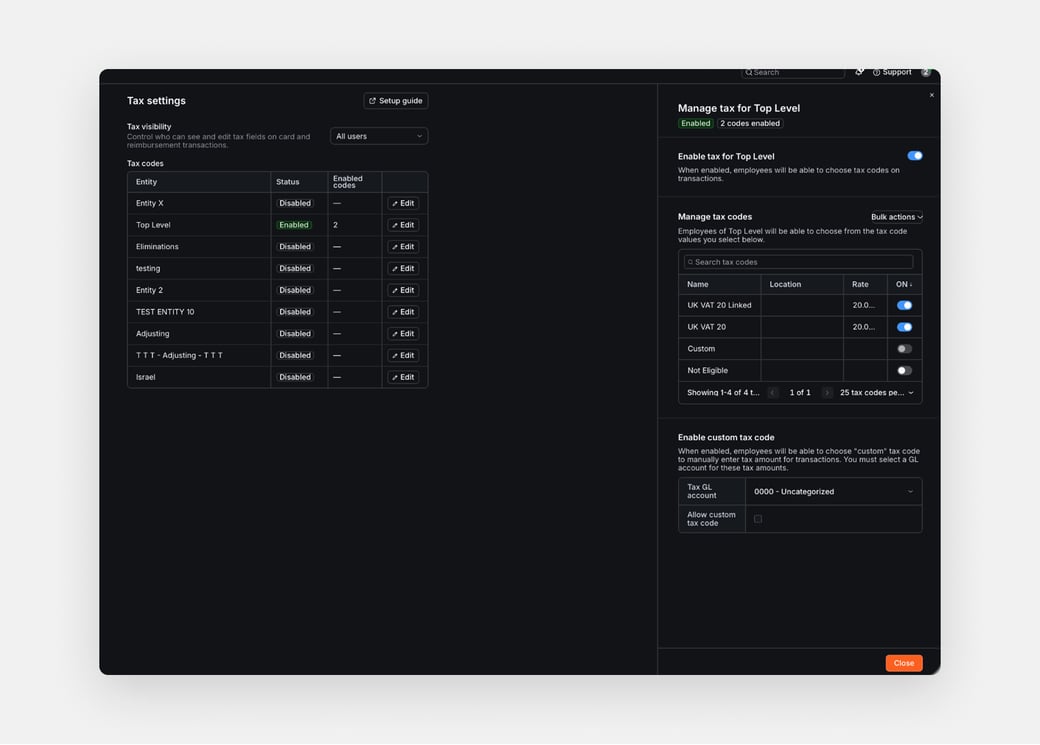
Your Campfire tax rates now mirror into Brex as VAT codes, so employees can pick the right one on a card or reimbursement expense. Campfire then splits the coded expense into net and tax and books the tax to the right account. |
|
|
|
|
|
Hold more than one seller tax registration per entity
|
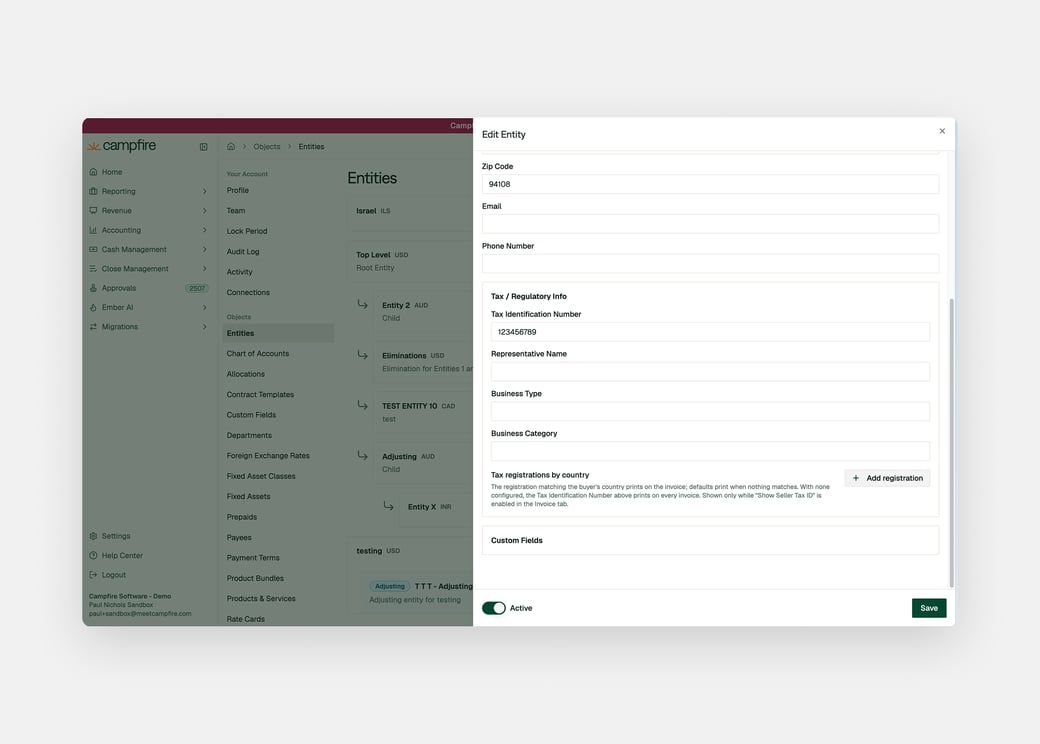
Store every seller tax registration for a business on the entity, not just one, each with its country, tax ID type, and number. Mark a default, and invoices automatically use the registration that matches the buyer's country. |
|

.png?width=1040&upscale=true&name=Basecamp%202026%20-%20Email%20Header%20(2).png)




