|
Hi [First name] [First name],
Let's talk about the LLM Pulse MCP.
Many of you already connect ChatGPT or Claude to LLM Pulse. Far fewer know how much that connection can do today. It is no longer just your AI visibility data: it is your web analytics, your Search Console, every feature in the platform, and the ability to act on all of it from a single chat.
The MCP, in one line
MCP (Model Context Protocol) is the open standard that lets AI assistants plug into external tools. Connect LLM Pulse once, and ChatGPT, Claude, Gemini, Cursor or any MCP-compatible client can query and work with your account in plain language.
Your web analytics, live, in the same chat
If you've connected Google Analytics, Adobe Analytics, Matomo, PostHog, Plausible or Piano Analytics on the AI Traffic page, your assistant can now query it live. Not only the AI referral numbers you already see in LLM Pulse: practically anything your analytics tool can answer. Sessions by landing page, conversions by channel, revenue by country. Read-only, and always on the property you connected.
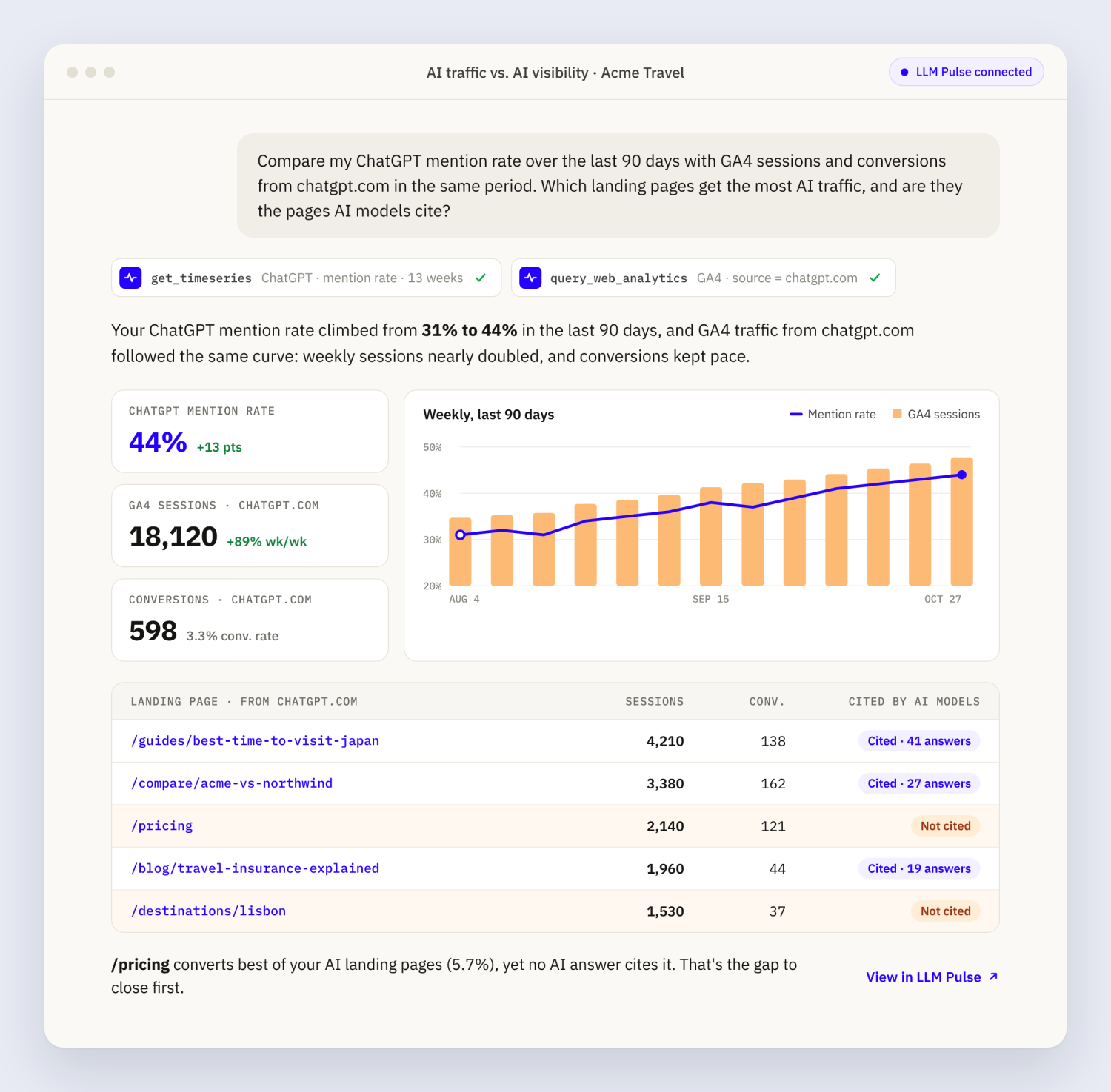
So one question can cross what AI models say about you with what actually happens on your site.
Try: "Compare my ChatGPT mention rate over the last 90 days with GA4 sessions and conversions from chatgpt.com in the same period. Which landing pages get the most AI traffic, and are they the pages AI models cite?"
👉 AI Traffic → Connect (available on Growth and above)
All of Search Console, up to 10 properties per project
You can now connect up to 10 Search Console properties to a single project, even from different Google accounts. Your assistant can read one, several or all of them at once: queries, pages, countries, devices and full rows. Ideal for multi-market sites, subdomains or brands running several domains.
And because it sits right next to your AI visibility data, you can ask things no other tool answers in one place.
Try: "Which of my top 50 Search Console queries by impressions have no tracked prompt in LLM Pulse? Create prompts for the 10 with the most impressions and tag them 'from-gsc'."
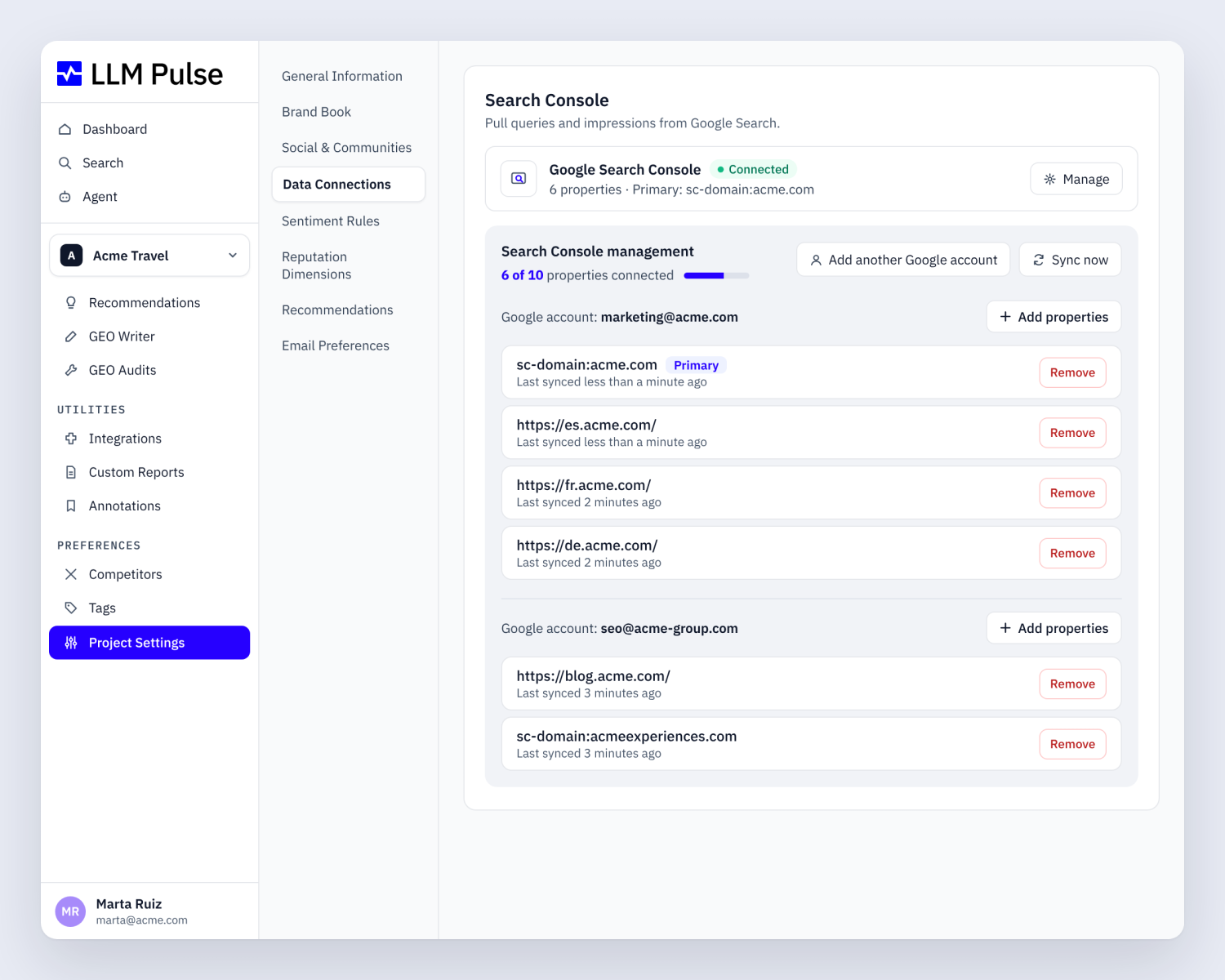
👉 Preferences → Project settings → Data connections (available on Growth and above)
Not just reading: your assistant can work for you
More than 100 tools cover every part of LLM Pulse, and many of them write, not just read:
- Add prompts one by one, import up to 500 at once, or generate suggestions from your website, a keyword, a topic, Reddit, People Also Ask or Search Console, then accept or reject them
- Create and assign tags, add competitors, review competitor suggestions
- Launch recommendation runs and mark items as done or archived
- Run Technical GEO audits, including Agent Readiness, and read the report back in the same chat
- Draft and edit content with GEO Writer
- Add annotations to your charts when you ship a change
- Create projects, send custom reports and invite teammates
- Ask our support team or send feedback without leaving the chat
Try: "Run an Agent Readiness audit on our site, summarize the three most important issues and add an annotation for today called 'agent readiness fixes'."
It also reads everything else: mentions, citations, sources, share of voice, sentiment, reputation reports, query fan-outs, ChatGPT Shopping products, AI ads, local businesses, Reddit citations, owned media, AI crawler traffic and your Custom AI Studies.
Interactive views inside ChatGPT and Claude
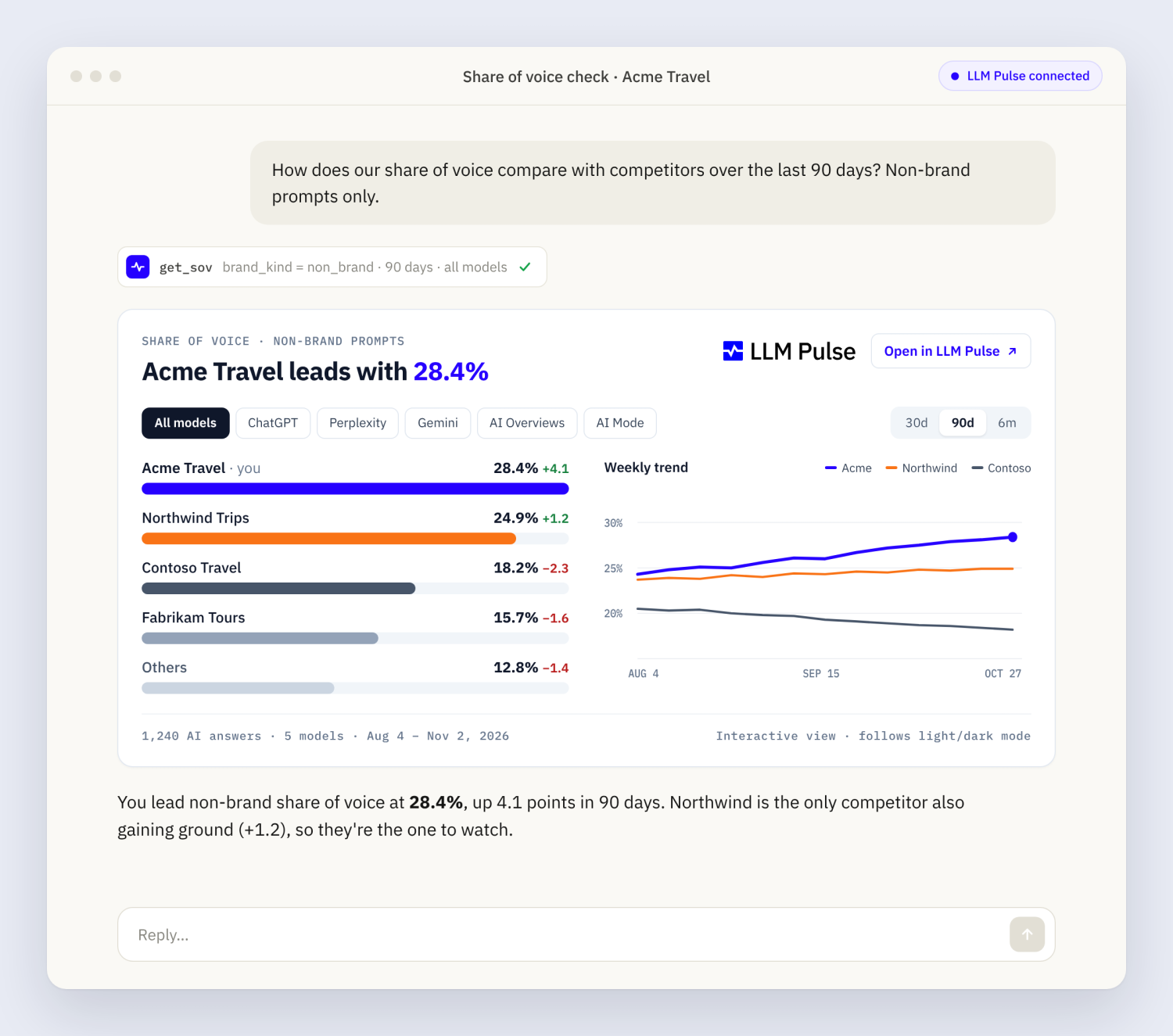
In ChatGPT and Claude, some answers come back as interactive views instead of plain text: metric trends, share of voice, top sources, detailed sentiment, reputation reports and prioritized recommendations. They follow your light or dark mode automatically.
Every number links back to LLM Pulse
Prompts, responses, reports and metrics come back with a link to the exact page in LLM Pulse, so you can check any figure at the source. Ask your assistant to keep those links in whatever it writes for you.
Set it up in two minutes
- In LLM Pulse, open Utilities → Integrations → MCP for step by step instructions per client
- Add this server URL to your AI client's connectors: https://api.llmpulse.ai
- Sign in with your LLM Pulse account and authorize
- Ask "list my LLM Pulse projects" to check it works
The connection is free on every plan, with no API key to manage. Your assistant sees what your plan and role allow: if a feature is locked in the app, its tool is too.
👉 Utilities → Integrations → MCP
We're building the MCP so LLM Pulse works wherever you already work. If there's a question you'd love to ask your assistant and can't yet, reply to this email and tell us.
Start exploring LLM Pulse 📊
And join hundreds of happy customers worldwide.
👉 START YOUR 14-DAY FREE TRIAL
or
👉 BOOK A DEMO WITH US
The LLM Pulse team
P.S. Got feedback or questions? Just reply to this email — we’re listening.
|

