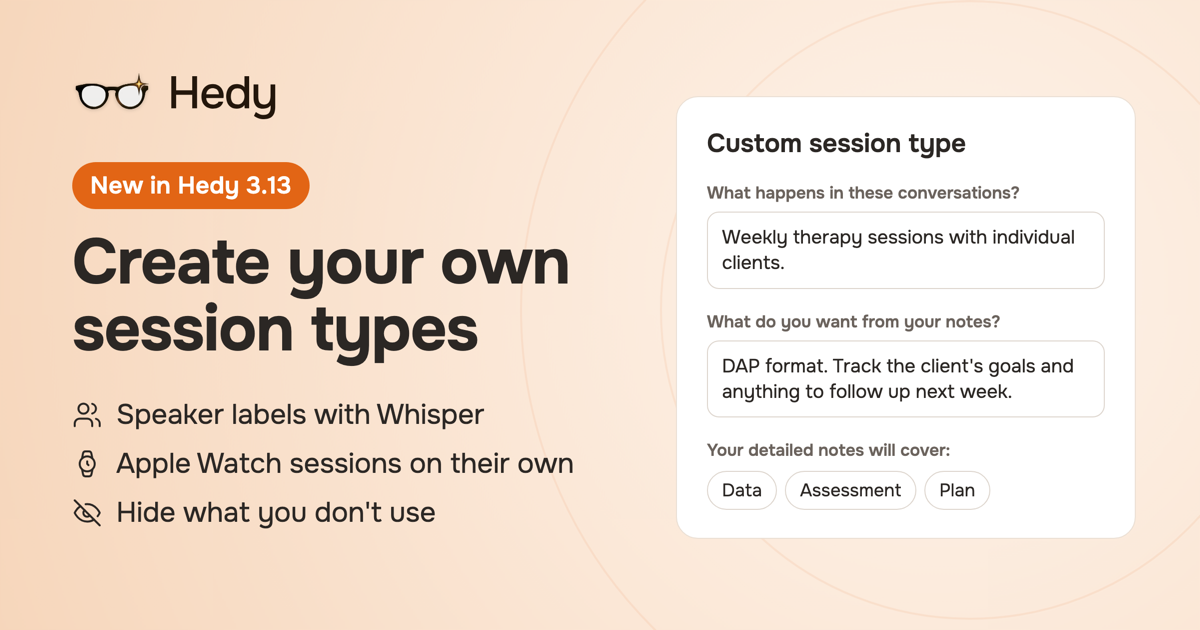
Our feedback board has a voting button, and we take it seriously. This month we got to mark eleven of its requests complete, together carrying more than 100 of your votes. Some of you asked for a session type for therapy notes in DAP format, for legal meetings or for SaaS founder calls, so now you can create your own. Others asked for a way to hide the prompts you never use, speaker labels with Whisper, and an Apple Watch app that works on its own.
All of that is in Hedy 3.13, plus our long-awaited launch of Hedy for Teams.
Hedy for Teams
If you've wanted to bring Hedy to your colleagues, you can now. Hedy for Teams is for teams of 2 to 200 people: you choose once whether your company's data lives in the United States or the European Union, invite people by email, and manage seats and billing from one dashboard. Admins manage people, seats and billing, and they can't open anyone's private sessions, transcripts or notes. To start, a seat costs the same as Hedy Pro, and we'll raise the price as we build more into Hedy for Teams. Teams that sign up now keep today's price for as long as their subscription stays active.
Hedy's built-in session types cover a lot of ground, but your weekly client check-in, your board prep or your coaching call probably has its own shape. Now you can describe it in plain words, for example "weekly therapy sessions with individual clients, notes in DAP format", and Hedy sets up a session type for it: a name, an icon, the headings for your detailed notes, a summary that focuses on what you asked for, and up to four quick prompts written for that kind of conversation.
Create one under Settings, then Personalization, then Custom session types, or straight from the session type picker when you start a session. Creating one needs Hedy Pro. Learn more about custom session types
Speaker labels with Whisper
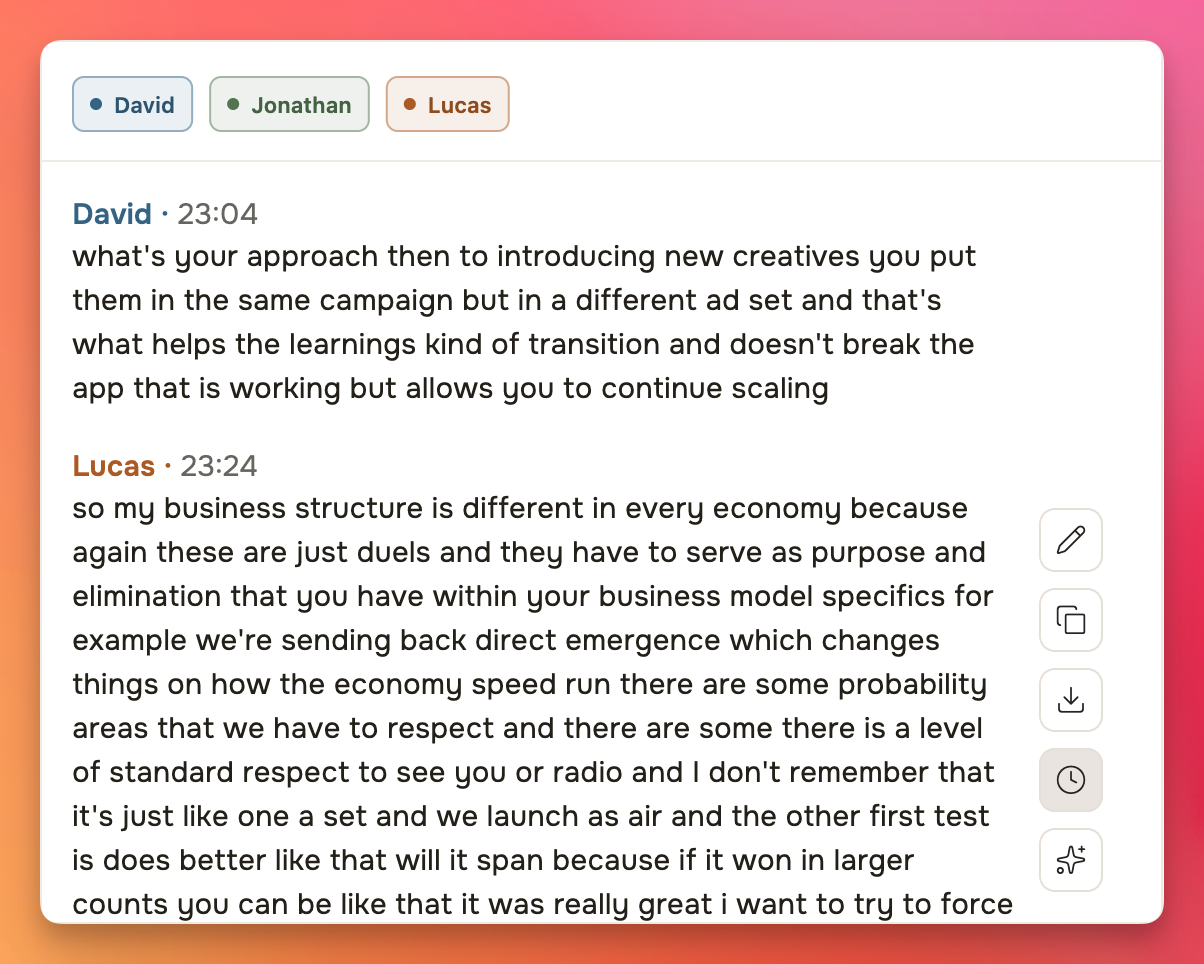
Until now, only the Nemotron speech engine could tell voices apart. In 3.13, Whisper sessions get speaker labels too, worked out on your device after the session ends, and so do audio and video files you import with Whisper. You get the same speaker chips as with Nemotron, so you can name each person, merge two speakers into one, and see when each part was said.
This works in the desktop and mobile apps. Labels need Voice Activity Detection plus either Save Session Audio or the Temporary audio cache, which are all on by default, so you only need to check them if you changed those settings. Learn more about speaker names
Edit your transcript turn by turn
In sessions with speaker labels, you can now fix any part of the conversation or select and delete the parts you don't need, and the speaker names stay where they are. If you delete something, Hedy offers to update your summary and notes. Learn more about editing transcripts
Apple Watch sessions without your iPhone
Left your iPhone in the other room? Start a session on your Watch anyway. It captures the audio on your wrist and sends it to your iPhone the next time they're connected, where you import it from the card at the top of your session list. Hedy then writes the transcript, summary and notes as usual. Watch sessions also work on a free account, within your monthly minutes. Learn more about Hedy on Apple Watch
A sidebar you can open up
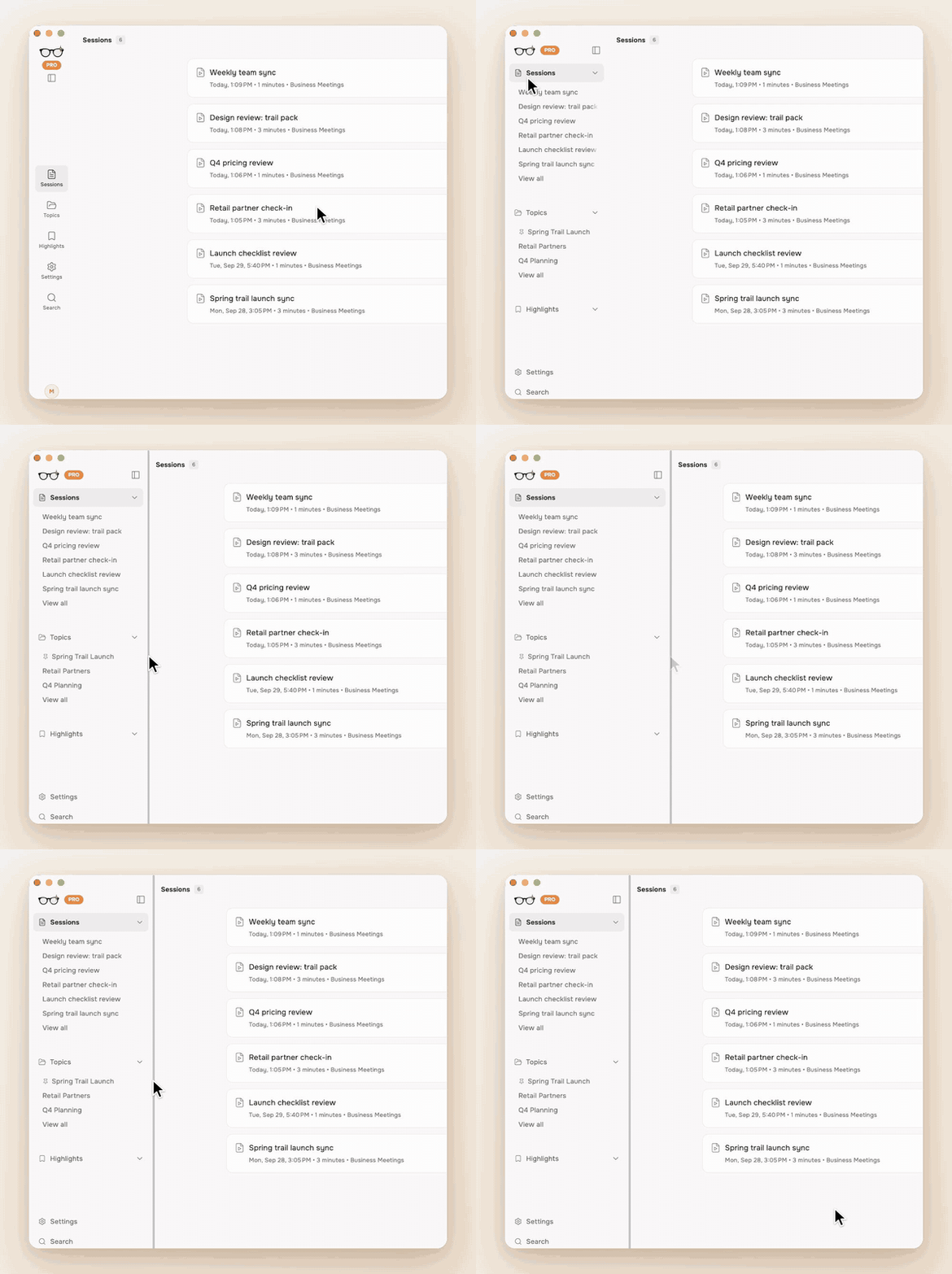
On a computer or a wide tablet, Hedy's sidebar now expands into named lists of your sessions, topics and highlights, so you can jump straight to the one you want. Drag its edge to make it as wide as you like, and Hedy remembers it.
Hide what you don't use
If you only ever meet in two languages, you no longer have to scroll past all the others. Choose "Customize list…" in the language or session type picker and keep only the ones you need. Built-in quick prompts you never tap can be hidden too, and everything comes back with one click. Learn more about quick prompts
Smaller things you'll notice
Hear chat answers read aloud on iPhone, iPad and Mac, generated on your device, even during a live session. English only for now.
While a session finishes, its title shows the current step, such as "Identifying speakers...".
Start and stop sessions from other apps: turn on "Allow other apps to start sessions" under Settings, then Automation & Data.
If you turned on Cloud Sync after a session, upload that session from its Settings tab.
Sharing a chat answer now includes the question you asked.
Slovak is now available as a meeting language.
Long sessions on Android keep their speaker labels, and speaker names are more accurate everywhere.
On Mac, the updated menu bar icon shows when a session is running or paused.
Plus a long list of fixes across Whisper, live transcription, sign-in and the desktop apps.