|
|
|
|
|
|
|
|
|
|
|
Hey there,
|
|
|
Welcome back to your Upsolve AI newsletter! Plenty of your users already spend their day in Claude. This issue shows how your Upsolve agent can meet them there, without a second set of definitions to maintain.
|
|
TL;DR
|
-
Connect your Upsolve agent to Claude with one OAuth sign-in.
|
-
Ask in Claude and get charts and analysis from the same governed context and permissions.
|
-
Every Claude call shows up in your agent's chat history, next to your product and Slack conversations.
|
|
|
🤝 Your governed data agent, right inside Claude.
|
|
Pasting exports into a chat assistant gives you ungoverned numbers and no permissions. Building a second, separate agent for Claude means a second set of definitions to keep in sync, and admins lose sight of what people are asking and what answers they get.
|
|
|
🛠️ How it works
|
|
|
-
Connect in Claude. Find the Upsolve AI connector in Claude, sign in through OAuth.
|
-
Pick your organization, project and workspace that you want to expose to the MCP server and authorize.
|
-
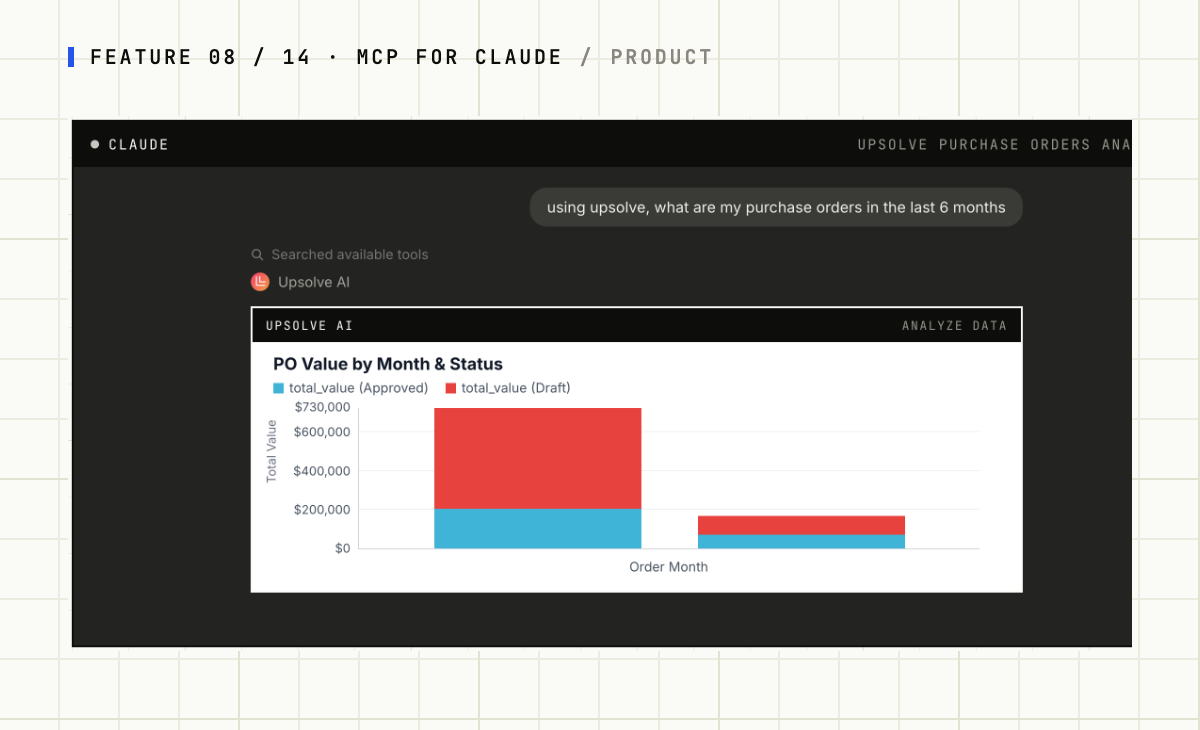
Ask away. Ask a question in Claude and get Upsolve's analysis, with a chart rendered right in the conversation.
|
|
|
|
|
|
|
📦 What's included
|
|
|
-
One tool, full power: Analyze Data runs the same analysis Upsolve runs everywhere else.
|
-
Charts in Claude: visualisations render directly in the Claude conversation.
|
-
Same governance: the same data model, row-level security and agent configuration as every other surface.
|
-
Full observability: every Claude call appears in the agent's chat history for admins.
|
|
|
🚀 Try it
|
|
|
|
Already a customer? MCP for Claude is live in your workspace. Choose the agent to expose in organisation settings, then add the Upsolve AI connector in Claude and ask it your first question.
|
|
|
|
|
|
Next issue: Demo Projects, which give you a working data agent from your first minute.
|
|
Questions? Reply to this email or reach us at kaling@upsolve.ai
|
|
|
|
|
|
|
|
Building the future of data-intelligent AI,
|
|
The Upsolve Team
|
|
|
|
|
|
The conduit between data and decisions
|
|
|
|
|
|
|
|
|
Stay tuned for more exciting updates, customer stories, and news from us!
- Team Upsolve AI
|
|
|
|
|