Hi [First name],
Your CRM just got a lot easier to keep tidy.
A few everyday frustrations with clients, companies, and leads are now fixed, especially if you work with people who sit in more than one business.
Clients can belong to several companies, and the link stays in sync both ways. You will see a Companies tab on client and lead pages, and a Leads tab on company pages.
Here is what else you can do:
• Merge duplicates and update leads in bulk: merge duplicate records, change lead status in bulk (open deals move with them), and see won or lost badges on lead deals.
• Clients without an email: you can now save a client or a company with no email address. They simply will not get a portal login.
• Lists that work your way: clients, companies, and leads sort A to Z by default. Drag columns to reorder them, including on invoices and quotations. Filters and sort are remembered, and you can select all across pages.
Company notes and files, required custom fields, and better CSV import are ready too.
Log in and open your client list to try it.
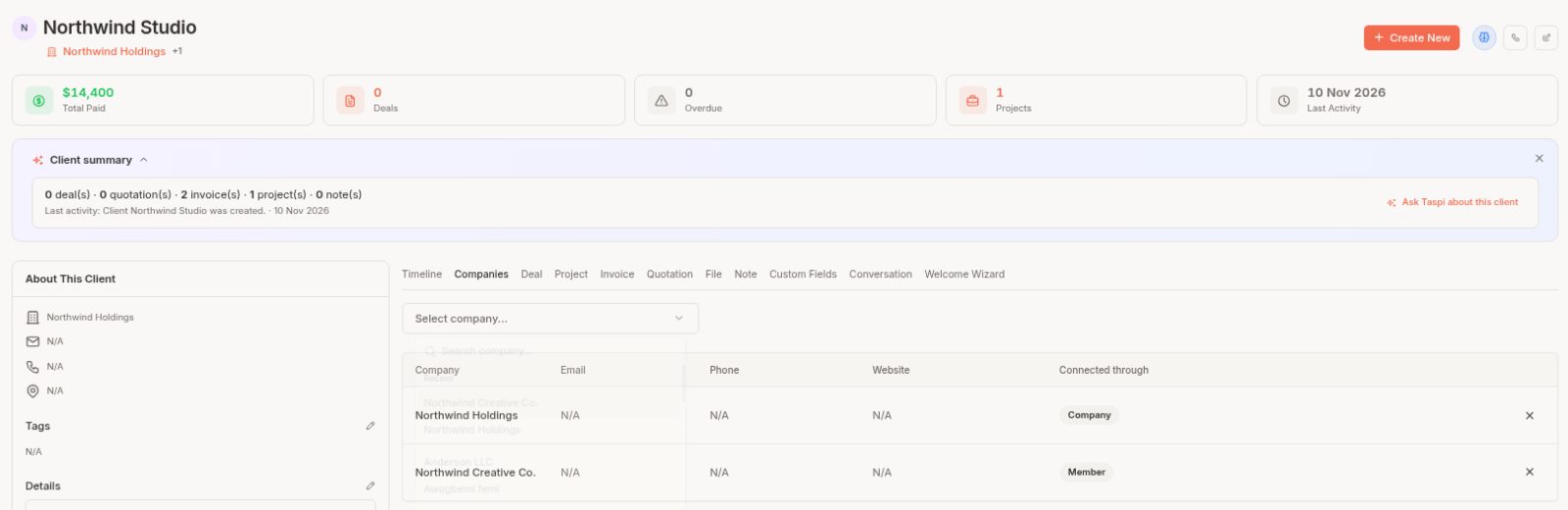
One client, linked to several companies
Best regards,
Sharifur,
Team Taskip