|
| Live now · for accounts with eSignatures |
|
|
When documents are waiting for you, the Documents waiting for your signature tile gathers them in one bundle. Open the ones you want to check, remove any you don't want to sign yet, confirm you've read them and press Sign all to sign up to 100 at once. Signing as the company and signing as yourself sit on separate tabs, As company representative and As yourself.
It works with PeopleSign (SES), and the employee and the company representative can sign in any order.
|
At the end of the month, a finance manager opens the tile, sees 80 payslips waiting as company representative, opens a couple to check them and signs the whole bundle with one Sign all.
|
|
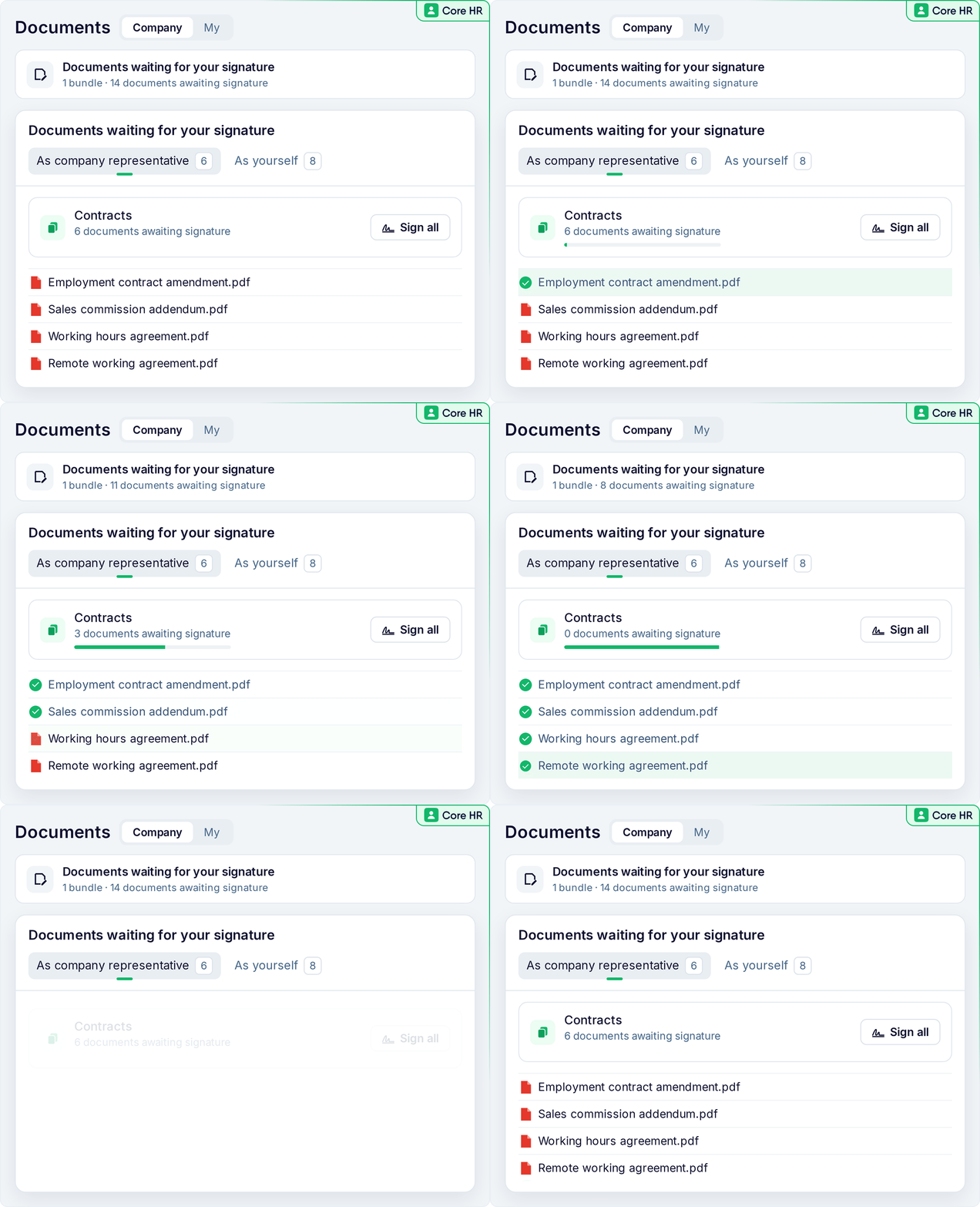 |
ℹ️ First set up the company representative and authorised signatories on the legal entity. Sign all takes up to 100 documents at a time, starting with those waiting longest.
|
|
|
|
|
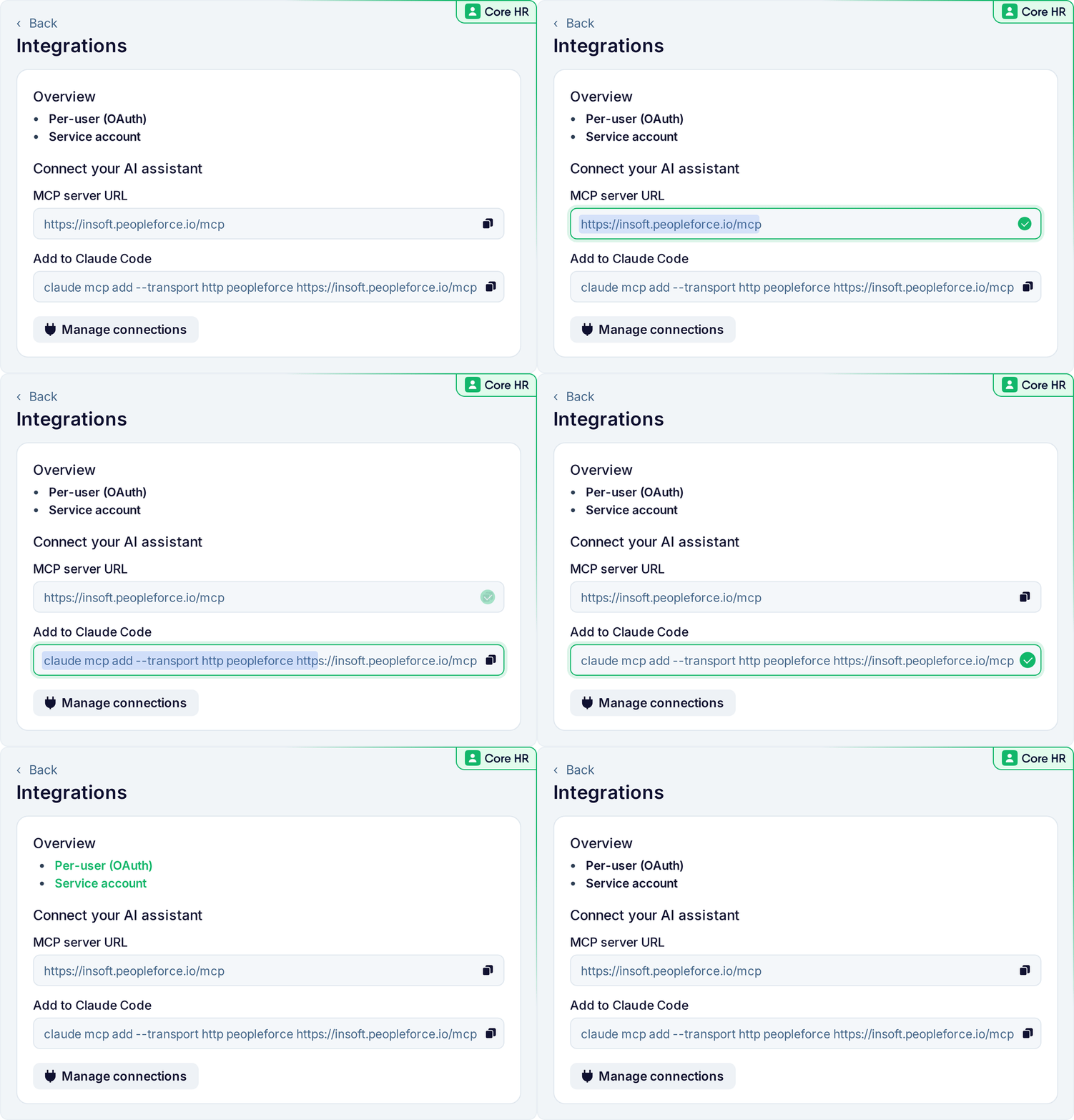
The PeopleForce MCP server now lets AI assistants such as Claude, ChatGPT and others look up about 50 new types of information, including people, company and department details, time off, timesheets, and performance goals, objectives and KPIs. Everything is read-only, and the assistant only sees what the connected user is allowed to see.
|
A people partner asks Claude, "Who in Marketing has more than five days of unused leave this year?" and gets the answer from PeopleForce, limited to the people they can see.
|
|
 |
ℹ️ This is switched on per account: write to support@peopleforce.io or contact your CSM.
|
|
|
| Live now · for accounts with Recruit |
|
|
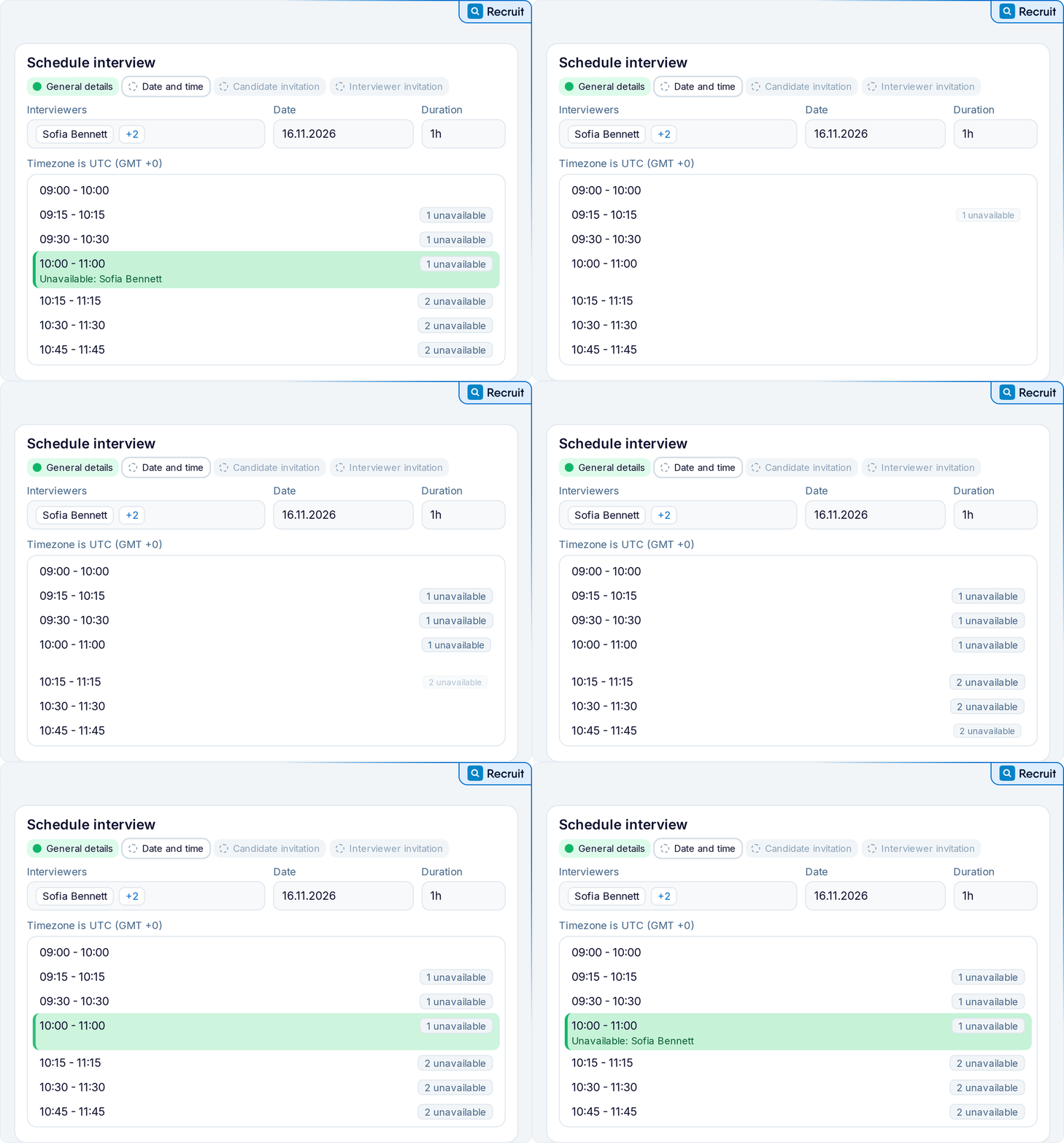
Scheduling an interview is now a four-step wizard. If you've connected Google Calendar or Outlook, it shows which interviewers are busy at each time, without revealing their meeting details, and still lets you book over a conflict when you need to. The candidate gets an email with a calendar file, and each interviewer gets a calendar event, each from its own template.
Offers get a new look too: candidates tick a consent box and draw their signature to accept, or give a reason if they decline.
|
A recruiter sets up a final round with three interviewers. The wizard shows a slot where two of them are free and one has a short overlap, so the recruiter books it anyway, and the candidate and each interviewer get their own invitation.
|
|
 |
ℹ️ Prepare both kinds of invitation in Settings → Recruit → Interview templates, which now has a separate tab for interviewer invitations.
|
|
|
|
|
Reports now follow the rules of the role that grants access to them. If a role lets local HR see only their legal entity, their reports show only those people too, even if they can see everyone in the directory. For now this applies to general, Core HR, Performance and custom reports.
|
The HR lead for Poland opens the headcount report and sees only employees of the Polish legal entity, the same people they see everywhere else in PeopleForce.
|
|
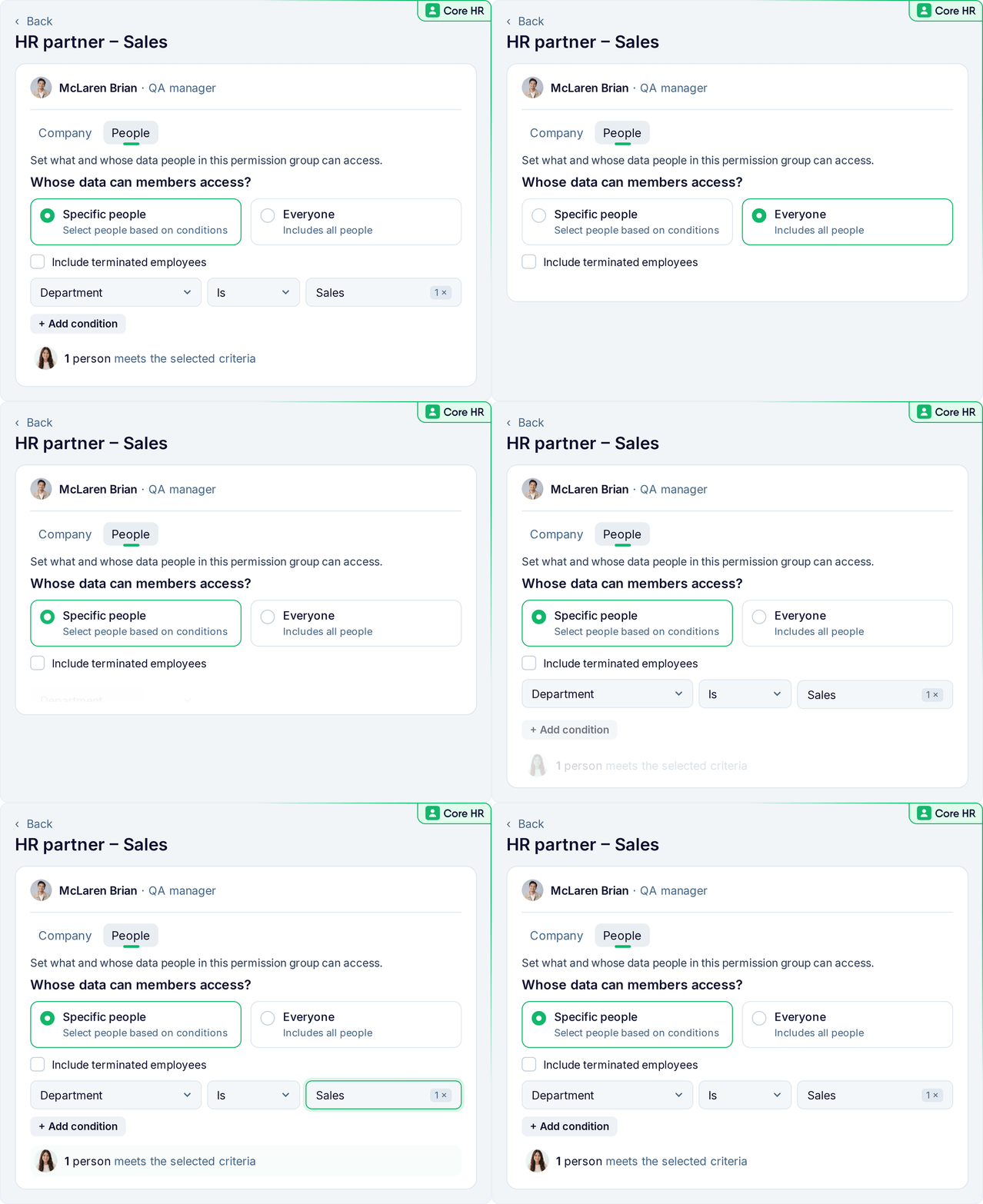 |
ℹ️ This is switched on per account: write to support@peopleforce.io or contact your CSM. Reports then use each role's "Whose data can members access?" setting. If someone has several roles, each report follows the role that grants it.
|
|
⚙️ Admins: check your roles. Some people may now see fewer rows in their reports than before.
|
|
|
| Live now · for accounts with Payroll |
|
|
Payroll runs now count down to the cut-off date and approve themselves automatically on the cut-off day. If a cut-off is missed, it shows in red. Coloured dots mark new joiners, base compensation changes and terminations during the period, so you can spot them even in large runs.
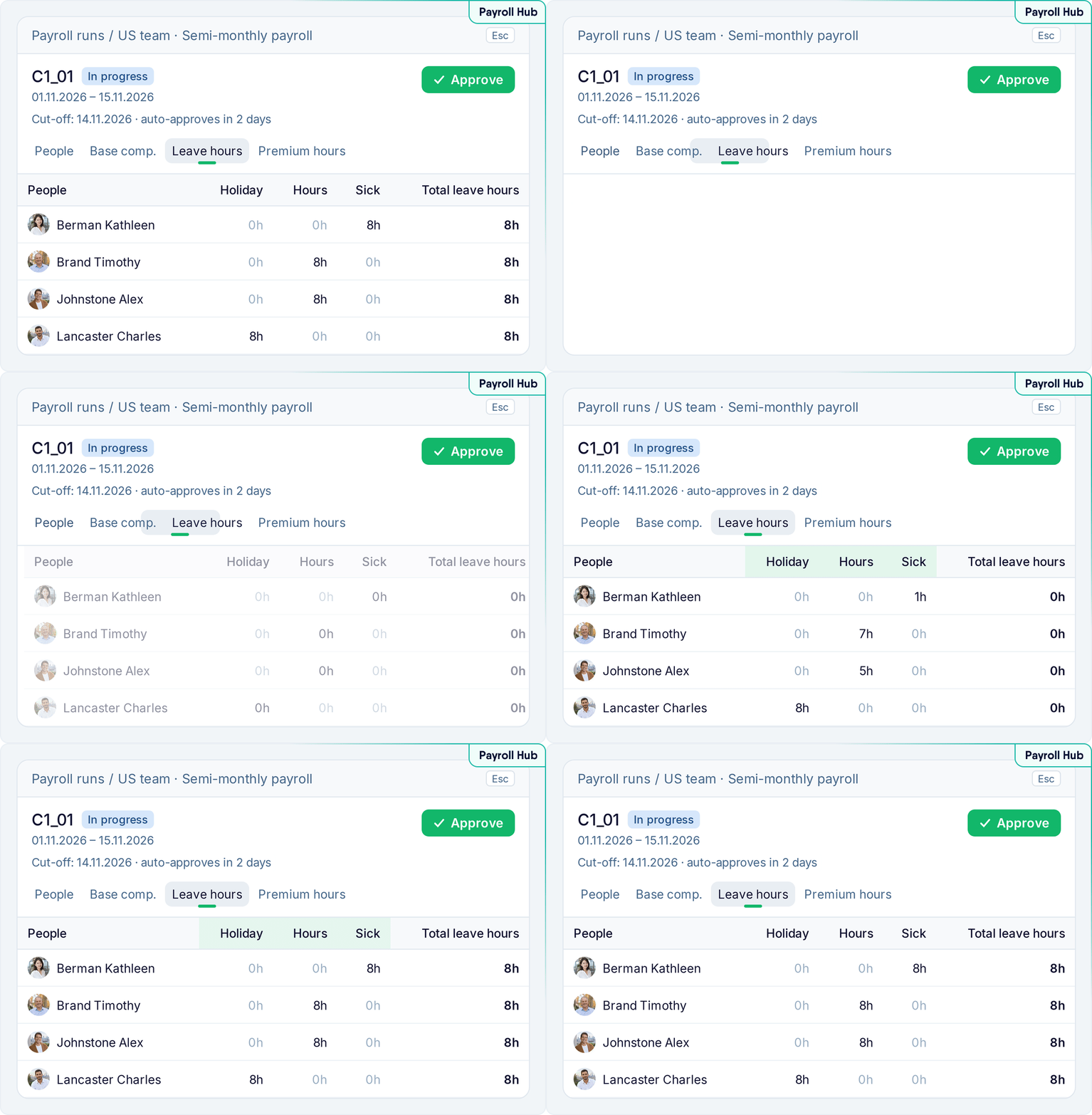
Semi-monthly runs now appear together as one month, with period 1 and period 2 and which one is active. A new Leave hours tab adds a column for each leave policy, showing approved leave hours by type, such as sick leave or holiday.
|
A payroll manager in Kraków opens November, sees two days to cut-off and a new joiner flagged, checks the Leave hours tab for sick-leave hours, and lets the run approve itself on the cut-off day.
|
|
 |
ℹ️ Find it under Payroll → Payroll runs. Automatic approval applies to every regular run whose cut-off is that day.
|
|
|
|
Recruit:
✅ Candidate documents and search – upload up to 10 candidate documents at once, and find candidates by Telegram username
✅ Candidates list columns – choose and reorder the columns on the Candidates list, including a new Recruiter column
Core HR:
✅ Send requests back – approvers can send custom requests and vacancy requests back for revision, with a reason
✅ Custom request forms by role – choose which custom request forms each role can start. Managers, team leads and custom roles get these permissions by default
✅ New permissions – download org charts as PDF, Assign workflows, and stop employees changing their own profile photo. Department org charts hide empty departments from non-admins
✅ Probation in change request forms – forms can now update the probation policy and end date through the Work table, and the Required tick becomes a Validations dropdown
Perform:
✅ Reviews as PDF – print or save a performance review as PDF
✅ Development plans – development plans are redesigned, and lifecycle reviews can cover an assessment period (on request)
Pulse:
✅ Results by team – filter company survey and eNPS results by team
Desk:
✅ Clearer case emails – case emails show the title in the subject, and requesters and assignees are notified when a case's status changes
Time:
✅ Overtime page – the Attendance overview and Overtime pages are refreshed, with month navigation and overtime past midnight marked
Payroll:
✅ Permissions, cycles and exchange rates – Manage payroll now needs View or Edit access to Compensation. People who move cycle are paid only for days the old cycle didn't cover. Exchange rates sit in a "See more" card
✅ Invoice templates – upload a Word file as an invoice template, with payroll variables such as period and totals (on request)
API:
✅ Company API v2 is deprecated – please move to v3. New ATS inbox endpoints let you add, update and remove new hires, and previously undocumented endpoints are now documented
|
|
See you in the next release,
The PeopleForce team
|

