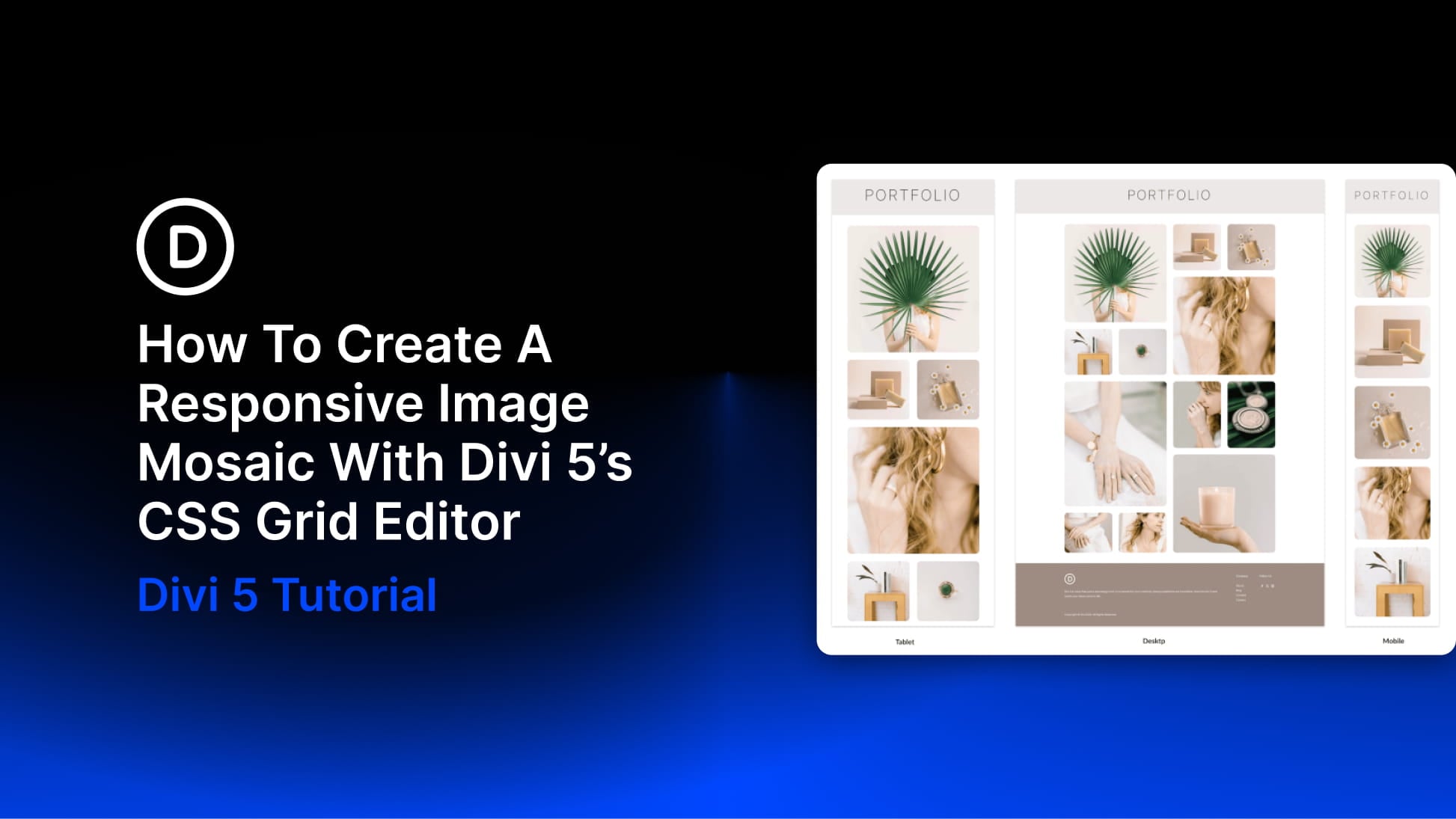
How To Create A Responsive Image Mosaic With Divi 5’s CSS Grid Editor
Read The Full Blog Post
 

An image mosaic combines photographs of different sizes in one connected grid. Larger tiles highlight selected images, while smaller tiles fill the spaces around them. With Divi 5’s CSS Grid Editor, you can build this arrangement visually, resizing and positioning tiles directly on the grid canvas. In this tutorial, we’ll build a twelve-image mosaic across […]

The post How To Create A Responsive Image Mosaic With Divi 5’s CSS Grid Editor appeared first on Elegant Themes Blog.

 
Read The Full Blog Post

More Blog Posts From Last Week


Oct 18, 2026 09:00 am | Ekta Swarnkar

An image mosaic combines photographs of different sizes in one connected grid. Larger tiles highlight selected images, while smaller tiles fill the spaces around them. With Divi 5’s CSS Grid Editor, you can build this arrangement visually, resizing and positioning tiles directly on the grid canvas. In this tutorial, we’ll build a twelve-image mosaic across […]

The post How To Create A Responsive Image Mosaic With Divi 5’s CSS Grid Editor appeared first on Elegant Themes Blog.


Oct 17, 2026 09:00 am | Donjete Vuniqi

Sometimes a reusable section needs more than a different heading or button label. One page might need a workshop schedule, while another needs a booking form. You still want the surrounding design to look consistent and update from one place. Slots in Divi 5 provide an area for those different layouts inside the same Component. […]

The post Exploring Slots For Components In Divi 5 appeared first on Elegant Themes Blog.


Oct 16, 2026 09:00 am | Aayush

A bento grid brings images, headlines, supporting details, and calls to action into one arrangement of differently sized cards. Shared edges and consistent gaps hold the layout together, while the larger cards give important content more room. With Divi 5‘s CSS Grid Editor, you can build that arrangement visually. Drag items into position, adjust their […]

The post How To Build A Bento Grid Hero With Divi 5’s CSS Grid Editor appeared first on Elegant Themes Blog.


Oct 15, 2026 09:00 am | Donjete Vuniqi

Components in Divi 5 let you reuse a design, update it from one saved source, and choose which content each use can change. We’ll build three service cards for Brand Identity, Web Design, and Creative Direction. They share their spacing, image frames, typography, and button design, while each card has its own photo, title, description, […]

The post Exploring Components In Divi 5 appeared first on Elegant Themes Blog.


Oct 14, 2026 09:00 am | Aayush

Reusable styles are only part of a design system. The way settings connect, combine, and update matters just as much once a site grows. In Divi 5, presets form a connected system: small groups of settings can feed into larger presets, while variations can be layered without duplicating the entire design. That structure is the […]

The post What Makes Divi 5 Presets Unique (And Better Than The Competition) appeared first on Elegant Themes Blog.


Oct 13, 2026 09:00 am | Donjete Vuniqi

A strong hero section does more than introduce a page. It establishes the visual language, hierarchy, and direction for everything that follows. In this free pack, you’ll get 7 UI Hero Sections for Divi 5, built around bold interface-inspired compositions, structured typography, layered visuals, and modern product presentation. These designs work as starting points for […]

The post 7 UI Hero Sections For Divi 5 (Free Download!) appeared first on Elegant Themes Blog.


View More Posts On The Blog
How To Create A Responsive Image Mosaic With Divi 5’s CSS Grid Editor
Read The Full Blog Post
Copyright © 2026 Elegant Themes, Inc., All rights reserved.

Our mailing address is:
Elegant Themes, Inc.
977 W Napa St
#1002
Sonoma, CA 95476

Add us to your address book


Want to change how you receive these emails?
You can update your preferences or unsubscribe from this list.